
Downloading one image from a webpage is easy. Extracting the right images from a product catalog, inspiration board, migration project, or content audit is a different job.
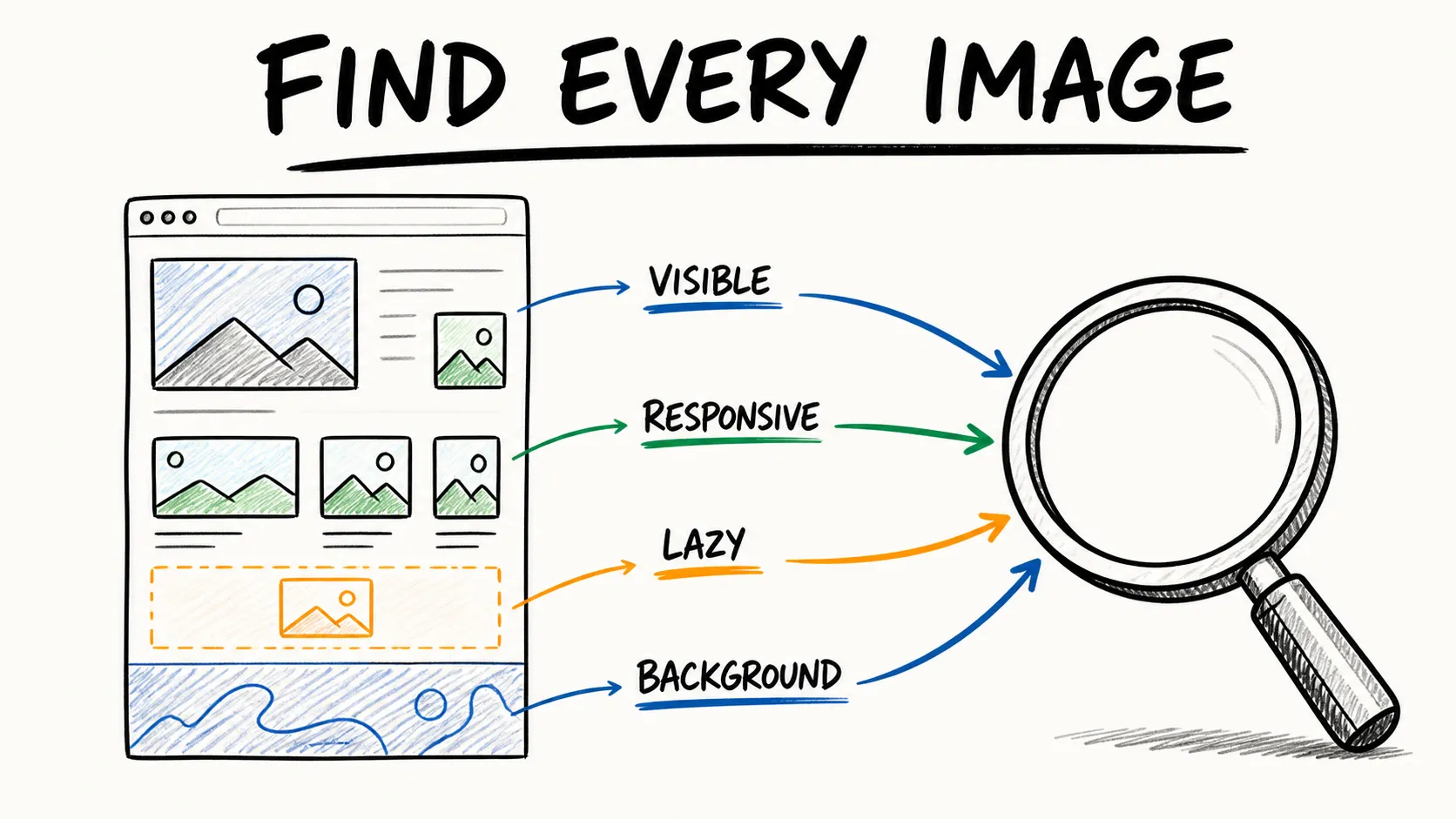
The visible thumbnail may not be the original file. Images may load through srcset, JavaScript, CSS backgrounds, or lazy-load attributes. A page can also contain logos, tracking pixels, duplicate size variants, icons, and placeholders that have no value outside the page.
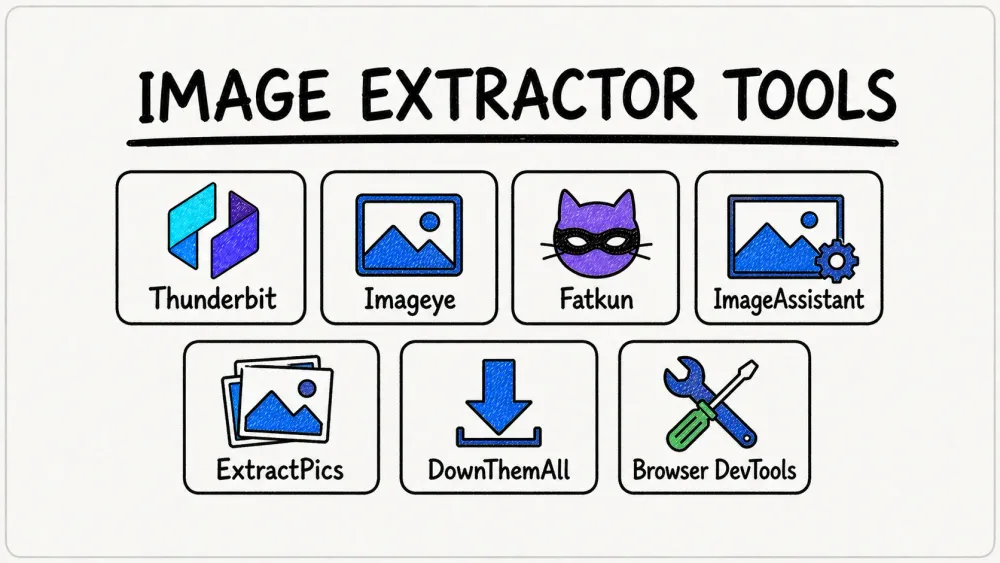
This guide compares seven current image extractors and methods by what they actually produce: files, original URLs, or a structured inventory with source context.
Quick Comparison
| Tool | Best for | Output | Installation |
|---|---|---|---|
| Thunderbit Image Extractor | Structured image inventories and multi-page catalogs | Images or URLs with page context and spreadsheet fields | Chrome extension |
| Imageye | Polished single-page discovery and filtering | Selected files, URLs, and format conversion | Chrome extension |
| Fatkun | Ecommerce pages and organized batch downloads | Filtered and renamed image files | Chrome extension |
| ImageAssistant | Dynamically loaded assets | Sniffed and analyzed image files | Chrome extension |
| ExtractPics | No-install extraction from a public URL | Preview grid, ZIP, or copied URLs | Web app |
| DownThemAll | Reliable Firefox download queues | Filtered linked files | Firefox add-on |
| Browser DevTools | Diagnosing one stubborn original asset | Exact network request URL and response | Built into the browser |
The fastest choice for a single page is usually Imageye or Fatkun. For ecommerce, content operations, or migrations where each image needs product, title, price, alt text, or source-page context, Thunderbit is more useful because it treats images as fields in a dataset. DevTools is the fallback when automation misses one unusual file.
What a Good Image Extractor Should Find
A basic downloader scans <img src>. A strong extractor may also need to handle:
- Responsive candidates in
srcset - Lazy-load attributes such as
data-src - CSS
background-imagerequests - SVG, GIF, WebP, and AVIF formats
- Assets inserted after scrolling or clicking
- Original-resolution files behind thumbnails
- Duplicate URLs and size variants
- Image metadata such as dimensions, alt text, product name, and source page
The right tool depends on whether the goal is a folder of files or a reusable asset manifest.
How the Seven Options Were Evaluated
The comparison focuses on:
- Coverage across HTML images, responsive images, lazy loading, CSS backgrounds, and modern formats
- Ability to find original-resolution assets instead of displayed thumbnails
- Filters for dimensions, type, and URL patterns
- Batch selection, ZIP download, renaming, and folder organization
- URL and metadata export
- Dynamic-page and infinite-scroll handling
- Multi-page workflows
- Current maintenance status and clearly described free limits
Browser extension listings change over time. Versions and update dates below were checked on the research date.
1. Thunderbit Image Extractor: Best for Structured Image Inventories
Thunderbit's Image Extractor can pull images from a page in one click, batch-download them, or export image URLs and thumbnails to Google Sheets, Notion, or Airtable.
Its advantage appears when an image needs context. Instead of creating a downloads folder containing cryptic filenames, a workflow can capture:
- Product or article title
- Image thumbnail
- Original image URL
- Alt text
- Price, category, or SKU
- Source page URL
That structure matters for catalog migration, ecommerce research, creative audits, and content inventories. Pagination can extend extraction across listing pages, while subpage scraping can open each detail page and merge higher-resolution images or metadata back into the main table.
A Simple Thunderbit Workflow
- Open a representative listing or gallery page.
- Launch Thunderbit and choose One Click Extract.
- Keep or add fields such as title, image, image URL, alt text, and source URL.
- Test a small sample and confirm the image links resolve to useful resolutions.
- Enable pagination or subpage scraping for the rest of the catalog.
- Export the table or batch-download the selected assets.
Best for: Multi-page catalogs, product-image inventories, website migrations, and teams that need traceable source context.
Tradeoff: It is more workflow-oriented than a one-purpose “download every image on this tab” extension. For a quick single-page grab, Imageye or Fatkun may feel more immediate.
Extract Every Image in One Click Thunderbit's Image Extractor is free forever and never spends credits — pull every photo off a page in a single click. Get Started Free
2. Imageye: Best Polished Single-Page Extension
Imageye is a Chrome extension built around discovering and filtering images on the current page. Its store listing describes width and height filters, URL filters, bulk selection, size inspection, original-URL copying, reverse-image search, and conversion among WebP, JPG, and PNG.
The current listing showed version 5.30.1, updated March 18, 2026. That recent maintenance is relevant in a category where many older extensions disappear or stop working with browser changes.
Best for: A user who wants a preview grid, quick dimension filtering, and a clean single-page download flow.
Tradeoff: Like most tab-focused extensions, it is less suitable when the job spans hundreds of product pages or requires image-to-product relationships in a spreadsheet.
3. Fatkun: Best for Ecommerce Filtering and Organization
Fatkun Batch Download Image focuses on selecting, grouping, renaming, filtering, and downloading images in bulk. Its listing describes filters by dimensions and type, drag selection, ecommerce-oriented grouping, format conversion, and support for multiple open tabs.
The listing was updated July 13, 2026 and explicitly mentions an optional Pro upgrade. That means the right way to evaluate Fatkun is to test the exact filtering and organization features needed on the free version rather than assuming every advanced control is included.
Best for: Product pages where the user wants to review the candidate images before downloading and organize the output immediately.
Tradeoff: The output is still primarily a file collection. If the downstream process needs source URLs, product IDs, or page metadata, a structured extractor is a better fit.
4. ImageAssistant: Best for Dynamically Loaded Assets
ImageAssistant describes itself as an image sniffer, analyzer, and batch downloader, including support for images loaded through Ajax.
That makes it a useful specialist fallback when a simpler extension sees only the first visible set of images or misses assets inserted after interaction. The current listing showed version 1.70.7, updated October 23, 2024.
Best for: Dynamic galleries and pages where conventional <img> scanning misses loaded assets.
Tradeoff: Its interface and maintenance cadence are less current than Imageye or Fatkun. Keep it as a second tool for stubborn pages rather than the automatic first recommendation for every user.
5. ExtractPics: Best No-Install Web App
ExtractPics accepts a public page URL and runs extraction through a browser engine. Its product information describes coverage for img and srcset, CSS backgrounds, SVG and icons, GIF, WebP, AVIF, lazy-loaded assets, and deduplication. Results can be downloaded as a ZIP or copied as URLs.
The pricing page currently lists a free account with up to 100 credits and says advanced web-app extraction consumes two credits, while failed extractions do not consume credits. Branding and quota wording can evolve between extractpics.com and extract.pics, so confirm the current allowance before planning a large batch.
Best for: Occasional extraction from public pages when installing a browser extension is undesirable.
Tradeoff: A URL-based web app may not see content that requires the user's logged-in session or local browser interaction. Credit consumption also makes it less predictable for a large catalog than a purpose-built multi-page workflow.
6. DownThemAll: Best Download Queue for Firefox
DownThemAll is a free, open-source Firefox add-on for selecting, queuing, filtering, sorting, and renaming linked downloads. Mozilla lists it as Recommended; the current version was 4.15.1, updated May 27, 2026.
It is not an image-specific DOM analyzer. Its strength is the download queue: reusable filters, organized batches, and mature handling of many linked files.
Best for: Firefox users who already know which linked assets they want and need a reliable bulk download process.
Tradeoff: It may not discover images hidden behind JavaScript, CSS, or a separate original-resolution link as effectively as a dedicated image extractor.
7. Browser DevTools: Best Zero-Install Diagnostic Method
Chrome's built-in Network panel is not a friendly batch downloader, but it is the most transparent way to answer “which image file did the browser actually load?”
How to Find an Original Image in DevTools
- Open DevTools and choose Network.
- Filter requests to Img.
- Reload the page, then scroll or interact so lazy-loaded images appear.
- Select a request and inspect its URL, content type, and dimensions.
- Open the request in a new tab and save the file.
This often reveals a CSS background, a responsive candidate, or a high-resolution CDN file that a page's right-click menu hides.
Best for: One stubborn asset, technical diagnosis, or verifying which responsive variant loaded.
Tradeoff: It is slow for dozens of files and does not automatically create a manifest or preserve page context.
Files vs. URLs vs. Structured Metadata
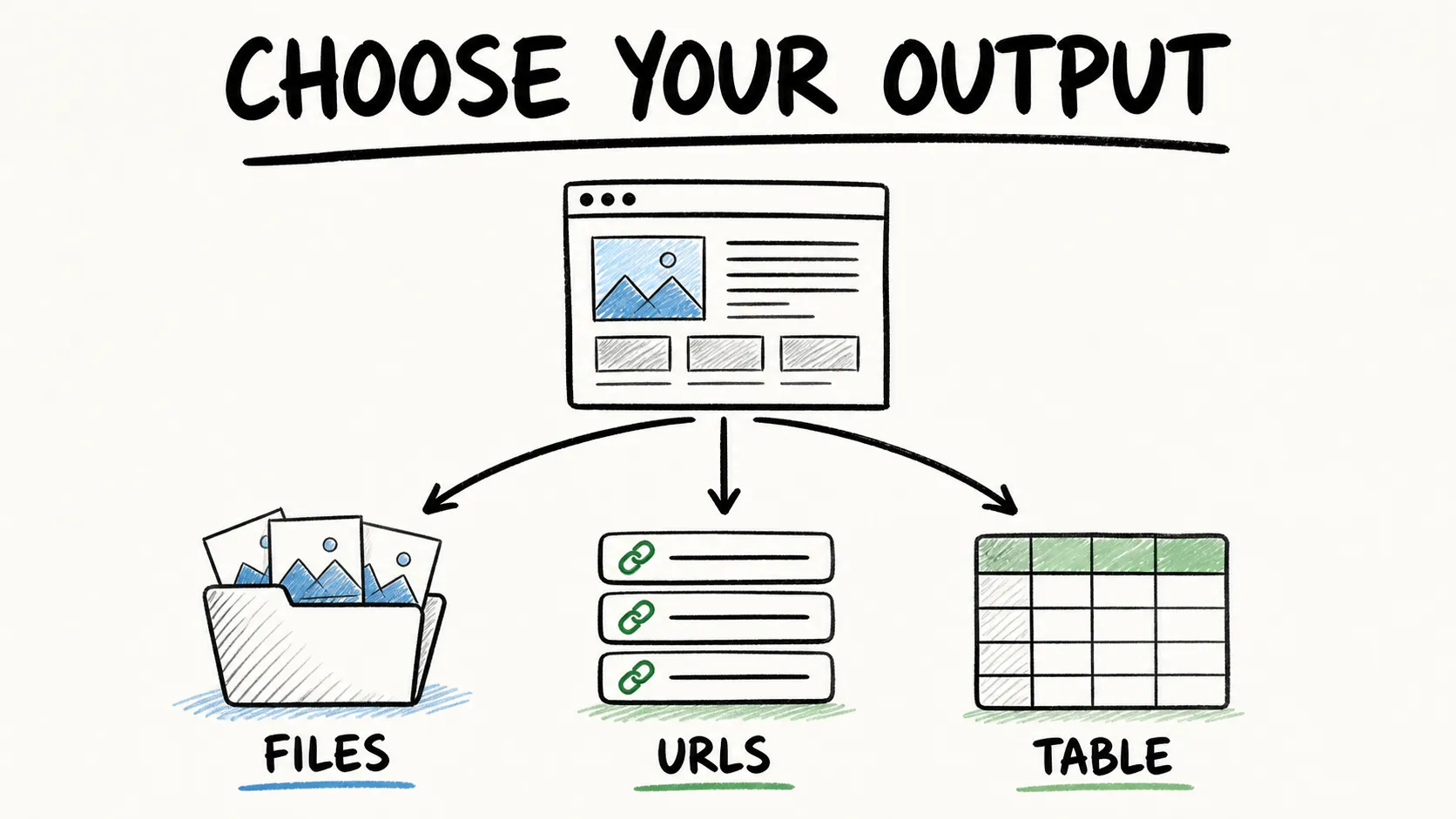 Before selecting a tool, define the deliverable:
- Files only: Good for a mood board, offline review, or one-time creative collection.
- Image URLs: Useful for migration scripts, audits, and deduplication.
- Structured records: Best when images must stay connected to products, articles, prices, alt text, categories, or source pages.
The third output prevents a common operational problem: a folder full of assets that nobody can reliably map back to the page or item they came from.
A Practical Quality Workflow
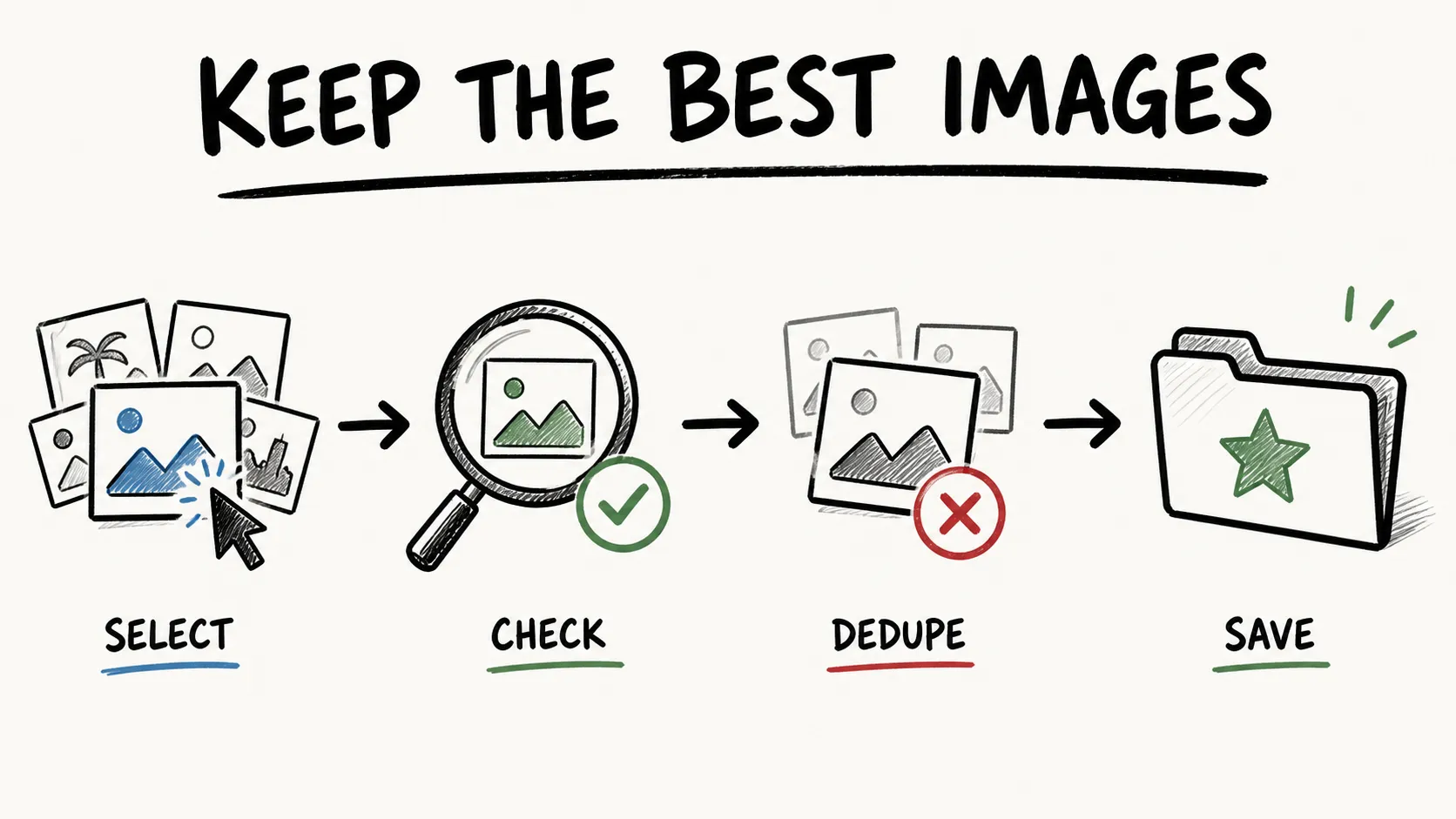 Whatever tool is used, the same quality checks apply:
- Trigger lazy loading. Scroll and interact before assuming the page has been fully scanned.
- Prefer the largest meaningful candidate. Check
srcset, linked originals, and CDN parameters instead of saving a thumbnail. - Filter obvious noise. Exclude tiny dimensions and known icon, badge, logo, or tracking paths when they are irrelevant.
- Look for placeholders and overlays. Transparent pixels, loading skeletons, sprites, and watermarks can pollute a batch.
- Preserve evidence. Keep the source page URL and original asset URL alongside each file.
- Deduplicate. Compare normalized URLs or file hashes so the same creative at five sizes does not become five “unique” assets.
- Convert formats last. Preserve the original before converting WebP or AVIF to another format.
Downloading an asset does not itself grant reuse rights, so confirm that the intended use is permitted before republishing it.
Available on Free, Starter, and Pro The Image Extractor works on Free, Starter, and Pro plans alike, and it never consumes your extraction credits. Get Started Free
Which Free Image Extractor Should You Choose?
- Choose Thunderbit when the job spans pages or needs structured metadata and source traceability.
- Choose Imageye for a polished, current single-page Chrome workflow.
- Choose Fatkun when ecommerce grouping, filtering, and renaming matter.
- Choose ImageAssistant when dynamic loading defeats simpler scanners.
- Choose ExtractPics when a no-install web app is most convenient.
- Choose DownThemAll when Firefox download queues and reusable filters are the priority.
- Choose DevTools when one original file needs to be diagnosed with certainty.
Try Thunderbit's Free Image Extractor Get Started Free
Common Mistakes
Saving the visible thumbnail. The browser may be displaying a compressed variant while a larger file is available in srcset or the network requests.
Downloading before the page finishes loading. Infinite-scroll and lazy-loaded galleries require interaction.
Filtering only by file extension. Modern CDNs often serve images from URLs without a conventional .jpg suffix.
Ignoring duplicates. The same source image can appear in several resolutions, crops, or query-string variants.
Losing the source page. Files without a source manifest are difficult to audit, update, or connect to products later.
Assuming every Chrome extension is maintained. Check the official store's current version and update date before standardizing a team workflow around it.
FAQs
What is the easiest free image extractor?
For one public page in Chrome, Imageye is an easy starting point. For a multi-page catalog or an inventory that needs source URLs and metadata, Thunderbit produces a more useful output.
How can I download the original image instead of a thumbnail?
Inspect srcset, linked image URLs, and browser network requests. Choose the largest meaningful candidate and verify its dimensions rather than trusting the file shown in the page layout.
Can image extractors find CSS background images?
Some can, including browser-engine tools such as ExtractPics. Chrome DevTools' Network panel is a reliable fallback because it shows the image request the browser actually made.
Can I extract images from many product pages at once?
Yes. Use a structured tool with pagination or subpage scraping so each image remains connected to its product name, SKU, source URL, and other fields. Tab-by-tab download extensions are much slower at that scale.
Why does an extractor miss images on an infinite-scroll page?
Those assets may not exist in the page until the user scrolls or triggers a request. Scroll through the page first, use a tool that supports dynamic loading, or extract through a browser-rendered workflow.
The best free image extractor is not the one that returns the largest pile of files. It is the one that returns the assets you need at the right resolution, with enough context to use them efficiently.
Learn More




