
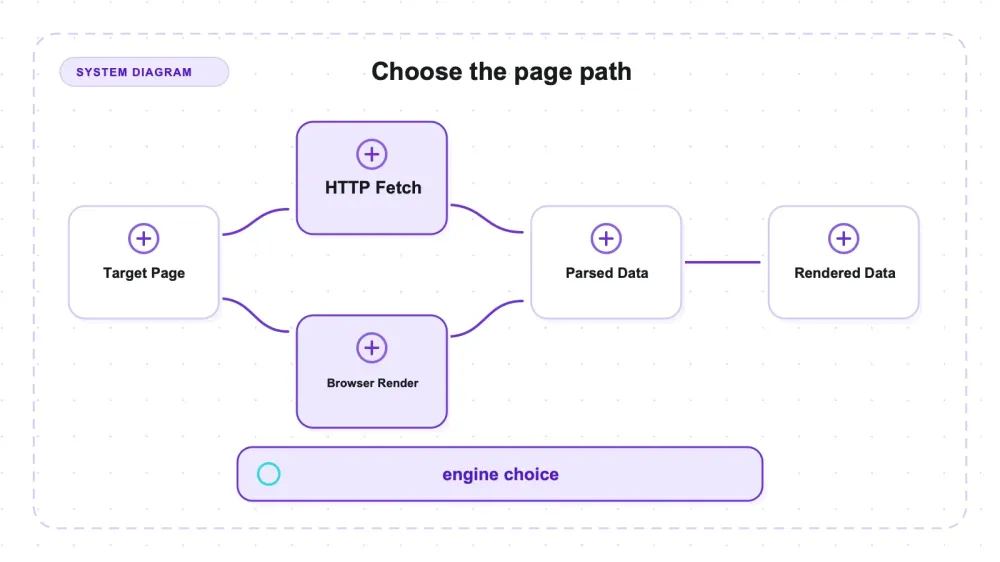
What makes Crawlee useful is that its crawl orchestration supports both HTTP parsing and browser execution. The same URL can therefore produce different results depending on the selected crawler and readiness condition.
On the public Quotes to Scrape JS page, CheerioCrawler found 0 target quotes and PlaywrightCrawler found 10 after waiting for .quote. The crawl lifecycle is similar, but this was not a one-line class-only swap: the Cheerio handler used $, while the Playwright handler used page, an explicit wait, and browser-side extraction.
What Crawlee actually is
Crawlee (the apify/crawlee project, version 3.17.0) is a web scraping and browser automation library for Node.js and TypeScript. It supports HTTP crawling backed by Cheerio or JSDOM and browser crawling backed by Playwright or Puppeteer. The project uses Apache-2.0; review its notice and attribution obligations for your distribution.
The mental model that matters is to split “get the page” from “read the page.” One path downloads raw HTML and does not execute JavaScript. The other launches Chromium and can execute the page's scripts, but it still needs an appropriate readiness condition and can miss interaction-gated, lazy-loaded, shadow-DOM, failed-API, or bot-gated content. Crawlee exposes matching lifecycle concepts across these paths, not interchangeable DOM primitives.
That's the part worth understanding before you write a single selector, because the choice between those two engines decides whether your scraper returns data or returns nothing on a given site.
Key features: two engines, one API surface
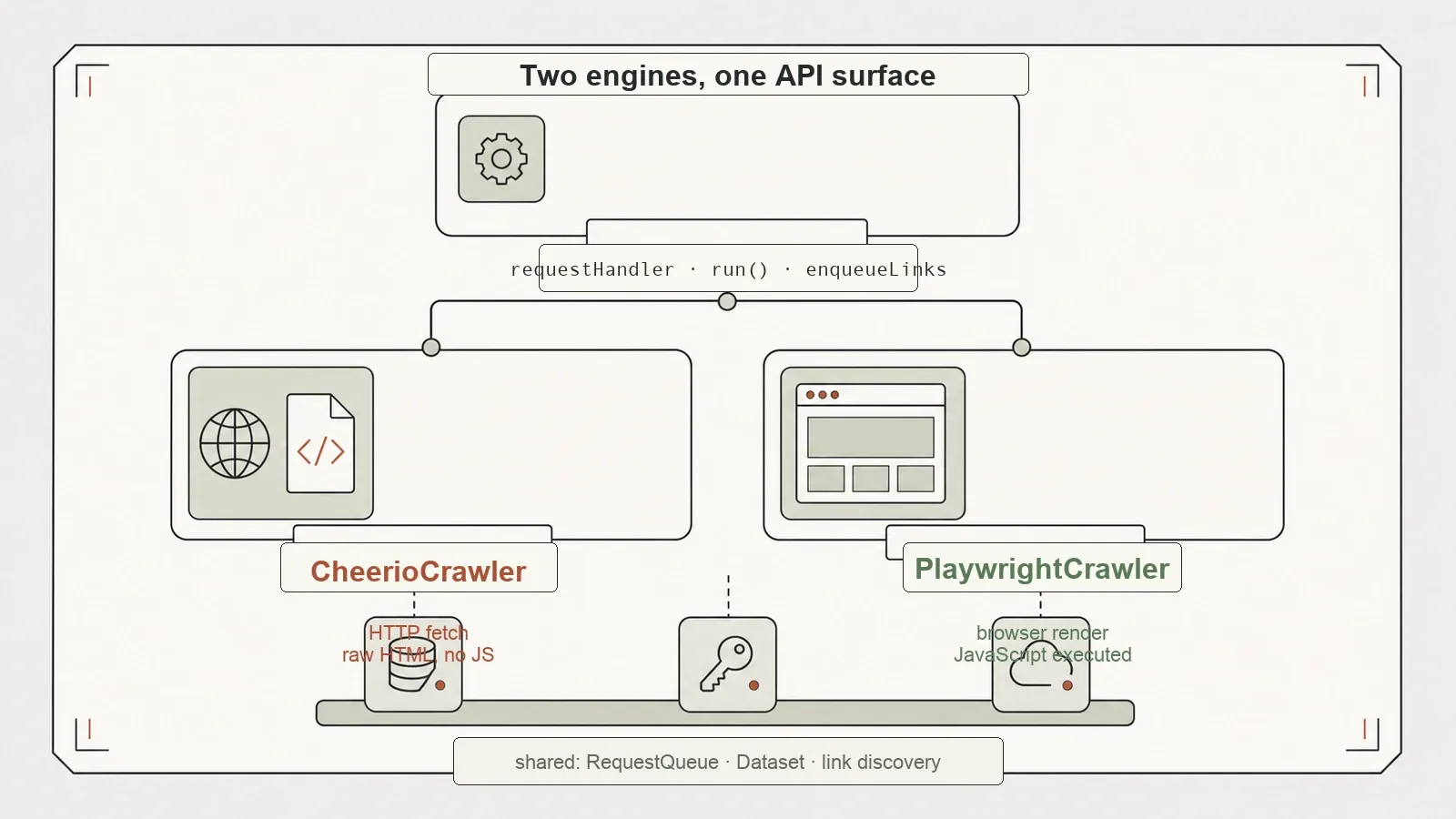
CheerioCrawler fetches HTML and parses it with Cheerio; PlaywrightCrawler drives Chromium and can take screenshots. Both use a requestHandler, expose run(), and share crawl concepts such as queues and link discovery. Their handler contexts differ: the tested Cheerio path extracted through $, while the browser path used page, waitForSelector, and $$eval. Queue and lifecycle plumbing can remain familiar, but extraction code may need an adapter or rewrite.
Underneath that, Crawlee gives you the plumbing a real crawl needs. A RequestQueue manages the frontier of URLs to visit, deduplicates them, and tracks what's been done. enqueueLinks discovers and enqueues new URLs (with selector and same-hostname filtering) so a crawl can fan out on its own. A Dataset collects your scraped records for export. By default Crawlee persists all of this to a local storage/ directory on disk — which is convenient for resuming, and mildly annoying the first time you find a storage/ folder you didn't ask for sitting in your project (my harness redirected it to a temp dir and disabled persistence to keep the test clean).
The pieces are unremarkable on their own. The point is that they're shared across both engines, so the queue, the link discovery, and the dataset all behave the same whether you're crawling over HTTP or through a browser. You learn one API and get two fetching strategies.
Setup: the separately installed browser
The tested installation did not include a Chromium executable after installing the packages.
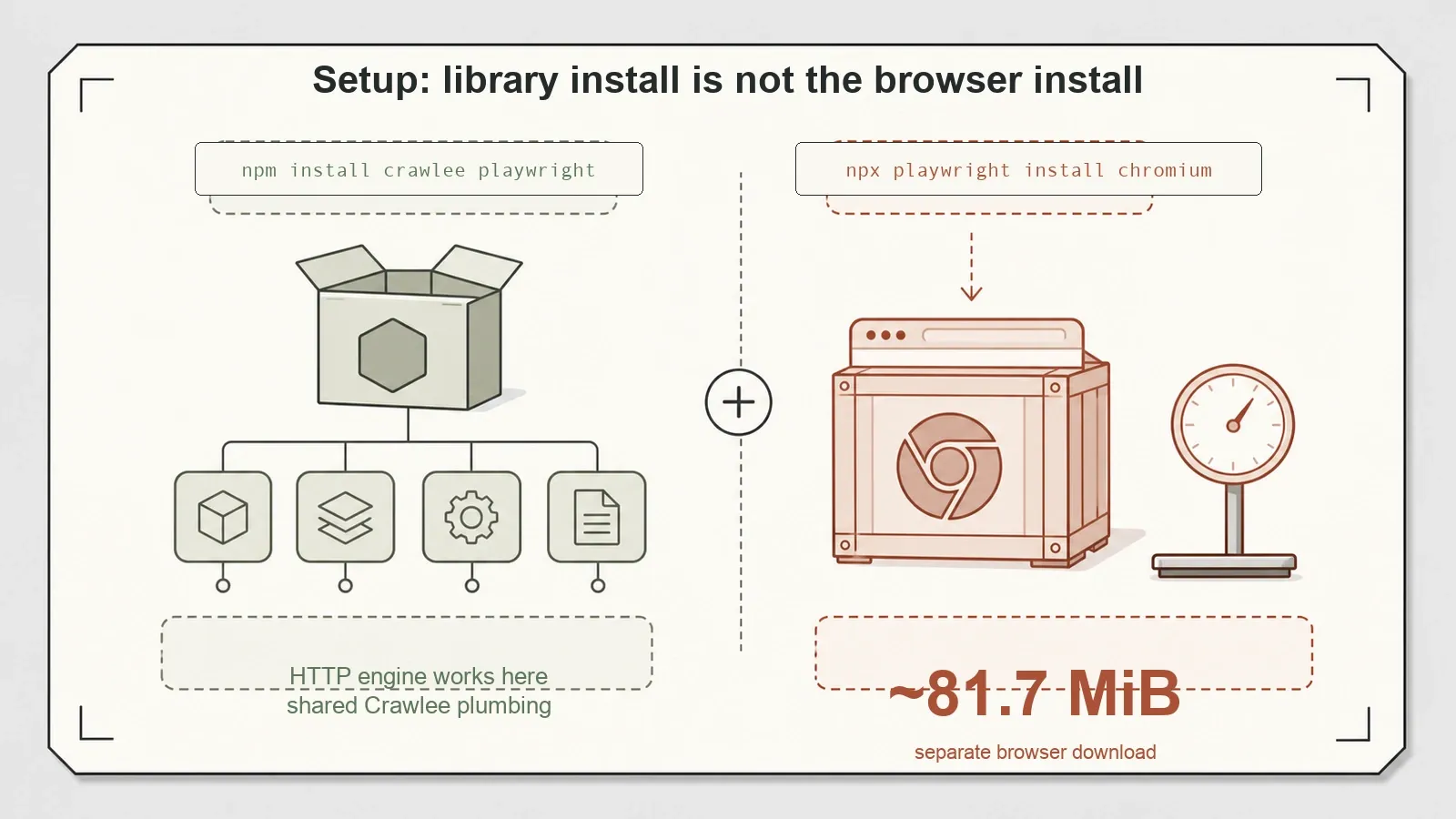
npm install crawlee playwright installed cleanly for me — 85 packages, 0 vulnerabilities, no drama. If you stop there and run a CheerioCrawler, everything works, because HTTP crawling doesn't need a browser.
In this environment, Chromium had to be installed separately with npx playwright install chromium; without it, PlaywrightCrawler failed to launch. The observed browser payload was roughly 82 MiB, but the original notes do not preserve whether that number was transfer size or on-disk size. It is a machine-specific setup observation, not a fixed product property. Documentation paths and package behavior can change, so this article does not claim the omission is universal or permanently undocumented.
Plan the tested setup as two steps: install the Node packages, then install the browser used by the Playwright path. Re-check the current Crawlee and Playwright setup instructions for the versions and platform you deploy.
Hands-on: the same page, two very different answers
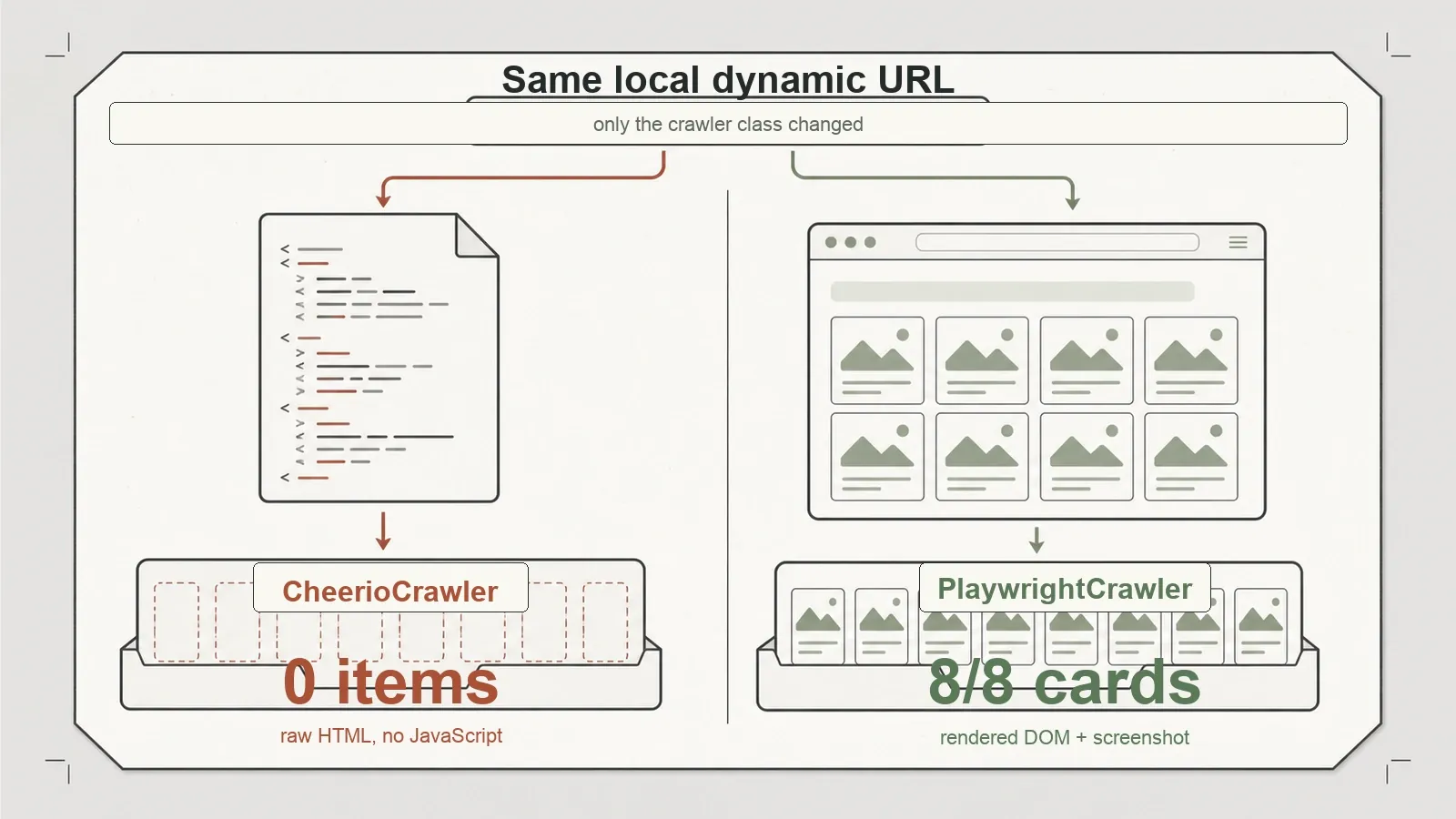
The core test sent the same JavaScript-rendered fixture through both crawlers. The URL and target fields were shared; the extraction primitives were not.
On the local fixture, CheerioCrawler returned 0 target cards because they were absent from the raw HTML. PlaywrightCrawler waited for #dynamic-products article.product-card, then returned all 8 expected cards and captured a screenshot. That result establishes fixture-level completeness for the selected fields after that wait; it does not mean a browser sees every possible page state. The raw files and screenshot are in the benchmark repo.
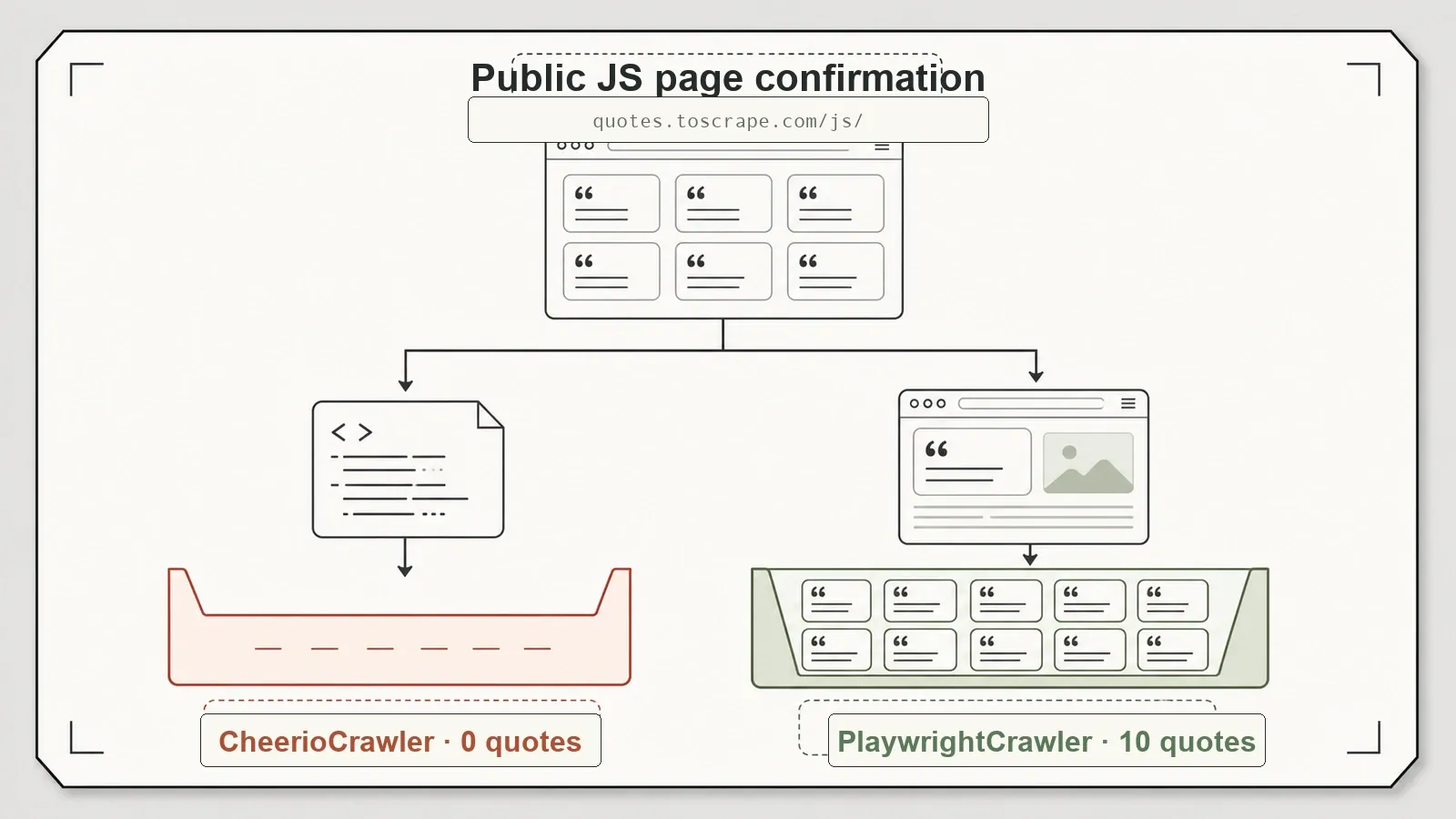
On the public Quotes to Scrape JS page, CheerioCrawler found 0 target quotes and PlaywrightCrawler waited for .quote before extracting 10. This confirms the same HTTP-versus-browser boundary on a public target, while the crawler class, handler context, wait condition, and extraction primitive all differ between arms.
The useful conclusion is narrower: validate required fields after the HTTP path, and escalate to a browser crawler when the raw response lacks them. The browser handler must also wait for a condition tied to those fields.
The HTTP path produced all expected records on the controlled static catalog and article fixtures, decoded all eight expected items from a direct JSON response, visited an 11-page bounded graph, and routed one 500 response to failedRequestHandler. These are separate capability checks rather than one accuracy score. Against the public Books to Scrape page, the configured selector returned 20 products as a smoke test.
| Test | Engine | Result |
|---|---|---|
| Static extraction: catalog + pagination | CheerioCrawler | 12/12 expected products |
| Article extraction | CheerioCrawler | title + 3/3 paragraphs |
| Transport: direct JSON response | CheerioCrawler | 8/8 expected products |
| Traversal: internal-link graph | CheerioCrawler | 11 pages, depths {0:1, 1:3, 2:7} |
| Failure routing: HTTP 500 | CheerioCrawler | status reached failure handler |
| Rendering: local fixture | CheerioCrawler | 0 target cards in raw HTML |
| Rendering: local fixture | PlaywrightCrawler | 8/8 after target-selector wait |
| Rendering: Quotes JS | CheerioCrawler | 0 target quotes in raw HTML |
| Rendering: Quotes JS | PlaywrightCrawler | 10 after target-selector wait |
Full timings and per-test numbers are in results/crawlee-test-summary.json.
Now the honest caveats, because a single-machine, single-run pass has limits and I won't pretend otherwise. These are timings, not benchmarks — one machine, one run each, so treat the browser path's higher per-page cost as "meaningfully slower than sub-second Cheerio runs," not a published number. And there's a stack of things I did not test this pass: proxy rotation, session pools, large-scale runs in the hundreds-to-thousands of pages, RequestQueue persistence and resume-after-crash, the Puppeteer engine, and the Dataset/KeyValueStore export ergonomics (I wrote exports manually here). I can vouch for the two-engine story and the fixture-level accuracy. I can't vouch for scale or anti-blocking behavior, so I'm not going to.
What is shared, and what must change
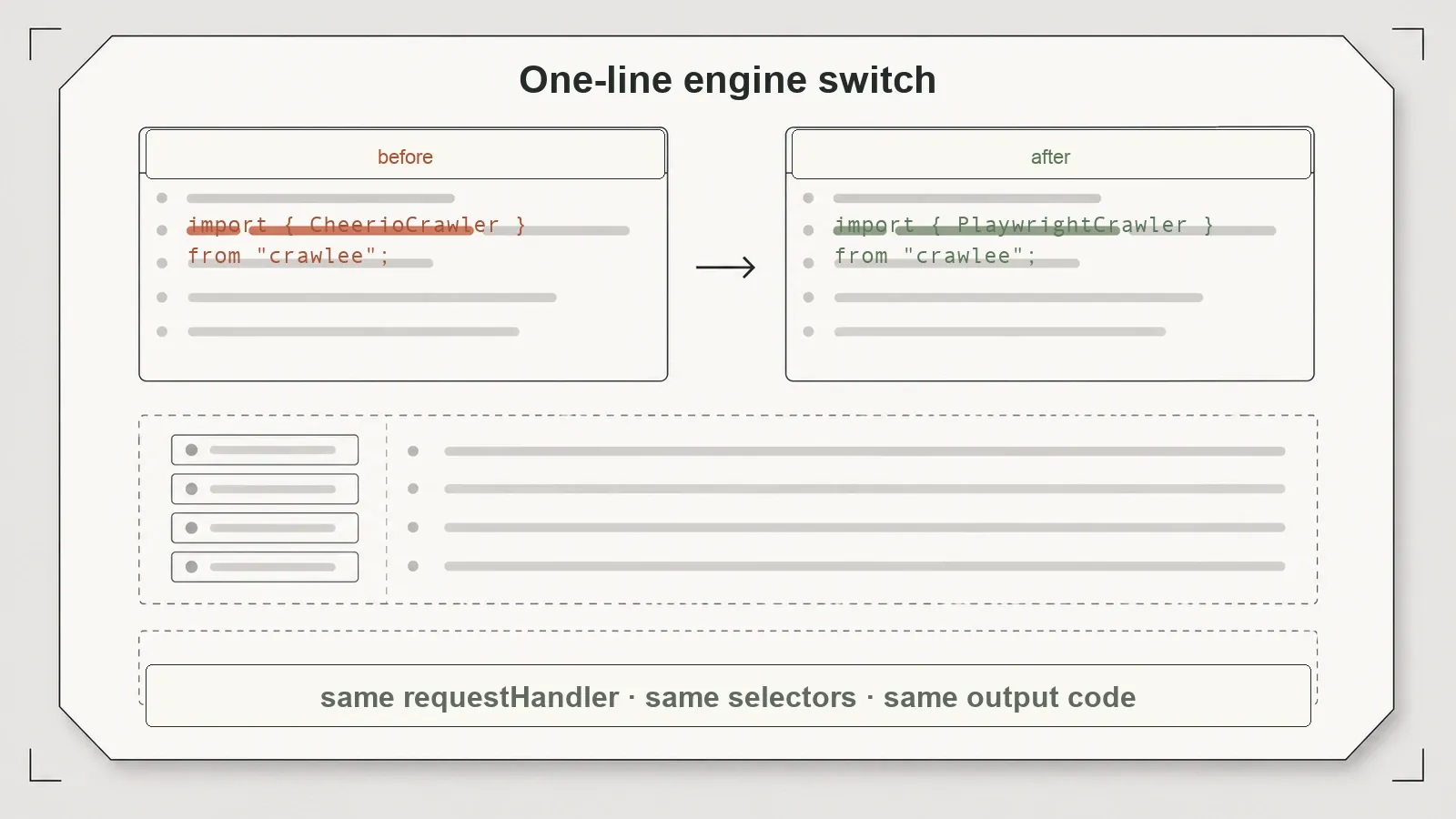
The common surface is crawl orchestration. Both crawler classes accept a requestHandler and expose run(). Queues, request metadata, link discovery, failure hooks, and storage concepts can be organized consistently around either execution path. That reduces the amount of infrastructure a team has to relearn when one target needs a browser.
The page-access surface is not common. A CheerioCrawler handler receives Cheerio-oriented access such as $ and can work with response bodies without a browser. The tested PlaywrightCrawler handler receives page; it waits for a selector and evaluates over the browser DOM. Even when both handlers emit the same record schema, they reach it through different APIs. A reusable adapter could hide part of this difference, but this harness did not implement or demonstrate one.
That distinction matters for estimates. Changing the crawler class may preserve the queue, dataset, and URL policy, yet selectors, readiness checks, screenshots, interaction steps, and error handling can still change. The article therefore treats “shared crawl plumbing” as the verified benefit and rejects “one-line migration” as an unsupported promise.
A practical engine-selection flow
Use the HTTP path first when the returned HTML or a direct JSON response contains the required fields. Define a completeness contract—required keys, minimum item count, or a target selector—and fail explicitly when it is not met. An empty array is not proof that the page has no data; in the two JavaScript cases here it meant that the selected representation lacked the target elements.
| Target condition | Start with | Escalate when |
|---|---|---|
| Required fields are in returned HTML | CheerioCrawler | Required selectors or fields are absent |
| A reproducible JSON response holds the data | CheerioCrawler | The request depends on browser-only state |
| The page inserts target elements after execution | PlaywrightCrawler | Not applicable; define a target-specific readiness check |
| Target mix is unknown | HTTP first with completeness validation | Validation fails with a typed “representation incomplete” result |
Escalate that typed failure to a browser handler when execution is necessary. In this harness the local page waited for #dynamic-products article.product-card, while the public quotes page waited for .quote. Those conditions are part of the extraction contract. A generic load event would not establish that application data had arrived, and the test does not support a universal wait rule.
After escalation, keep the output schema stable even though DOM primitives differ. Record which engine produced the result, which readiness condition passed, and whether required-field validation succeeded. That makes an HTTP-to-browser fallback observable instead of silently turning missing fields into accepted records.
Finally, treat the browser installation and operating cost as deployment inputs. The roughly 82 MiB observation is useful only as a local order of magnitude; measure the exact browser build, platform, cache behavior, and image impact in your environment. Proxy rotation, sessions, persistence, crash recovery, and sustained concurrency still need their own tests before this fixture can inform a production-scale choice.
Pros and cons
Pros:
- HTTP and browser crawlers share lifecycle concepts while exposing engine-specific extraction contexts.
- Recall-1.0 HTTP extraction on static catalogs, articles, and JSON APIs.
- Shared plumbing across both engines:
RequestQueue,enqueueLinkswith depth control,Dataset. - Browser path executed the fixture scripts and recovered all expected target items in the two JS-rendered tests.
- Clean failure handling — HTTP 500 surfaced without crashing.
- Apache-2.0 license; downstream users should review its notice and attribution obligations.
Cons:
- In the tested environment the browser engine needed a separate Chromium installation; without it
PlaywrightCrawlerdid not launch. - The HTTP path cannot expose target elements absent from raw HTML; without completeness validation that can look like a valid empty result.
- The browser path carries an additional browser binary and higher local per-page cost in this run; size and timing vary by build and platform.
- Default runs leave a
storage/directory behind on disk. - Node/TypeScript only — no help if your stack is Python.
Who it's for — and who should skip it
Crawlee fits Node or TypeScript teams that need both HTTP and browser crawling under shared queue and lifecycle concepts. A practical route is to attempt the HTTP crawler, validate required fields, and escalate a typed completeness failure to a browser handler with a target-specific readiness condition. The handler's DOM access code is engine-specific even when queue and link-discovery plumbing is shared.
Reset expectations, or look elsewhere, if you're a Python shop (Crawlee is Node/TS — there's a separate Python port, but this pack tested the Node library), if all your targets are static and you'd rather a leaner single-purpose HTTP scraper, or if you need proven behavior at scale — proxy rotation, session pools, resume-after-crash — which this hands-on didn't cover. And if you reach for PlaywrightCrawler, install Chromium first or it simply won't run.
Alternatives, including where Thunderbit fits
Crawlee is open-source software you run and maintain yourself. It has no vendor per-call fee, but browser compute, bandwidth, proxies, storage, observability, and engineering remain operating costs. You own the crawler choice, browser binary, storage state, and readiness logic.
Related review: scrapy-playwright review.
A managed extraction service shifts acquisition and schema-shaping responsibility to a vendor. We build Thunderbit, but did not run it against these fixtures, so this article supports no quality, latency, feature-parity, or cost comparison. The relevant decision is whether your team wants Crawlee's in-process control or a per-call service boundary.
Related benchmark reviews: the full open-source scraper comparison, Playwright vs Puppeteer on the same pages, and Scrapy's no-browser request-replay review.
Try Thunderbit for Web Data Extraction
Verdict
Crawlee is a strong candidate for Node or TypeScript teams that want shared crawl orchestration across HTTP and browser execution. The tested handlers were not interchangeable: moving to Playwright required page, a target-selector wait, and browser-side extraction. Proxy, session, persistence, resume, and large-scale behavior remain open questions.
Try Thunderbit for Web Data Extraction Get Started Free
FAQs
What's the actual difference between Crawlee's two crawlers?
CheerioCrawler fetches HTML over HTTP and does not execute JavaScript. PlaywrightCrawler drives Chromium and can execute page scripts and take screenshots at a higher local per-page cost. They share lifecycle concepts, but not identical handler contexts: this harness used $ on the HTTP path and page, a target-selector wait, and browser-side evaluation on the Playwright path.
Why won't PlaywrightCrawler run after I installed Crawlee?
In the tested environment the package installation did not provide a browser executable. Installing Chromium with npx playwright install chromium resolved the launch failure. The observed payload was roughly 82 MiB, but the original measurement did not preserve whether that was transfer or disk size, so remeasure it for your platform and build.
Can CheerioCrawler scrape JavaScript-rendered pages?
It cannot execute the page's JavaScript. It can still request an accessible JSON endpoint used by the client, as the direct-response fixture shows. When the required data exists only after browser execution, use a browser crawler and a readiness condition tied to those fields.
Is Crawlee accurate for normal static extraction? On the controlled fixtures, the handlers produced 12/12 expected catalog products, 3/3 expected article paragraphs, and 8/8 expected direct-JSON items. These are fixture-completeness checks, not a general accuracy score for untested sites.
Is Crawlee free for commercial use? It is published under Apache-2.0. Confirm the current license in the repository and review notice and attribution obligations for your distribution.
Before production adoption, test the parts this fixture leaves open: repeated concurrency on representative pages, proxy and session behavior, persistent queue recovery after interruption, browser-process cleanup, and dataset export under failure. Preserve the resolved browser version and installation path with those results. The two crawler classes reduce orchestration divergence, but they do not remove the need for engine-specific readiness checks, resource budgets, and operational failure handling.




