
Most people think clicking "New Incognito Window" makes them invisible online. It doesn't. Incognito mode hides your browsing history from the next person who uses your laptop — that's about it. Your ISP, your employer, and every website you visit still see exactly who you are.
The real problem runs deeper. Modern websites deploy dozens of fingerprinting vectors — canvas rendering, WebGL, AudioContext, installed fonts, screen resolution, timezone — that combine into a unique identifier even without cookies. The term "proxy browser" itself is slippery: some people want casual daily privacy, others need journalist-grade anonymity, and a growing number of business teams need proxy-powered data extraction at scale.
I've spent months researching and testing these tools. The honest answer is that there's no single "best" proxy browser — only the best one for your use case. This guide ranks 10 proxy browsers across nine evaluation criteria, matched to real scenarios, with actual test evidence where it exists.
What Is a Proxy Browser (and Why Does It Matter for Online Privacy)?
A proxy browser routes your traffic through an intermediary server so websites see the proxy's IP address instead of yours. That's the simple version.
In practice, the category is broader than that. Some browsers have built-in proxies or VPNs. Some just make it easy to configure external proxies. And some focus on fingerprint resistance rather than IP masking — a different (and arguably more important) layer of privacy.
Many so-called "VPN browsers" are actually just proxies. Opera is the classic cautionary example: it marketed a "free VPN" that was really a proxy, didn't encrypt all device traffic, and reportedly shared data with third parties. A proxy hides your IP from the destination website, but it doesn't encrypt your traffic end-to-end the way a real VPN does. And neither a proxy nor a VPN solves browser fingerprinting — the technique where websites combine dozens of browser characteristics to identify you uniquely, even without cookies.
For business users, this matters in concrete ways:
- Competitive research gets skewed when sites detect your company's IP range.
- Multi-account management falls apart when platforms link profiles via fingerprints.
- Ad-tracking inflates prices based on browsing history.
- Data extraction at scale requires rotating IPs across regions without manually configuring browser proxy settings for every request.
How We Evaluated the Best Proxy Browsers for Online Privacy
Every browser in this list was assessed across nine criteria — no vague "we liked it" rankings.
| Criteria | What We Looked At |
|---|---|
| Proxy Support | Built-in proxy, SOCKS5/HTTP config, proxy-per-profile |
| VPN Integration | Built-in VPN, third-party VPN compatible |
| Fingerprint Resistance | Canvas, WebGL, AudioContext spoofing or blocking |
| WebRTC Leak Protection | Default on/off, configurable |
| Tracker/Ad Blocking | Built-in, extension-based, block lists |
| Open Source | Yes/No, audit status |
| Platforms | Windows, macOS, Linux, Android, iOS |
| Pricing | Free, freemium, paid tiers (actual costs) |
| Best For | Specific use case where the browser genuinely excels |
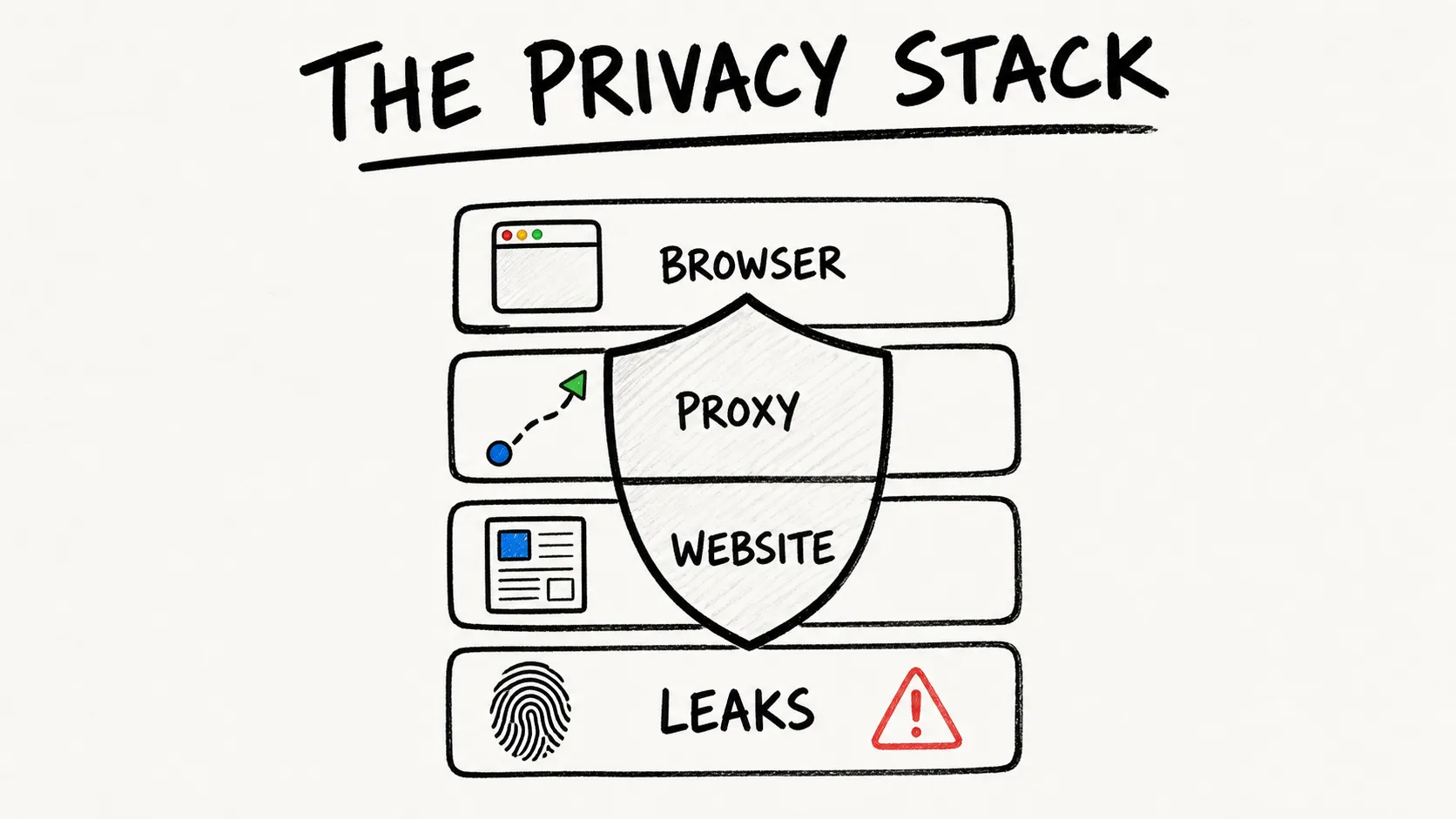
Proxy support alone is worthless if your browser leaks your real IP through WebRTC or exposes a unique fingerprint that tracks you across sessions. A browser can mask your IP perfectly and still be trivially identifiable through canvas rendering alone. These criteria capture the full picture, not just one layer of the stack.
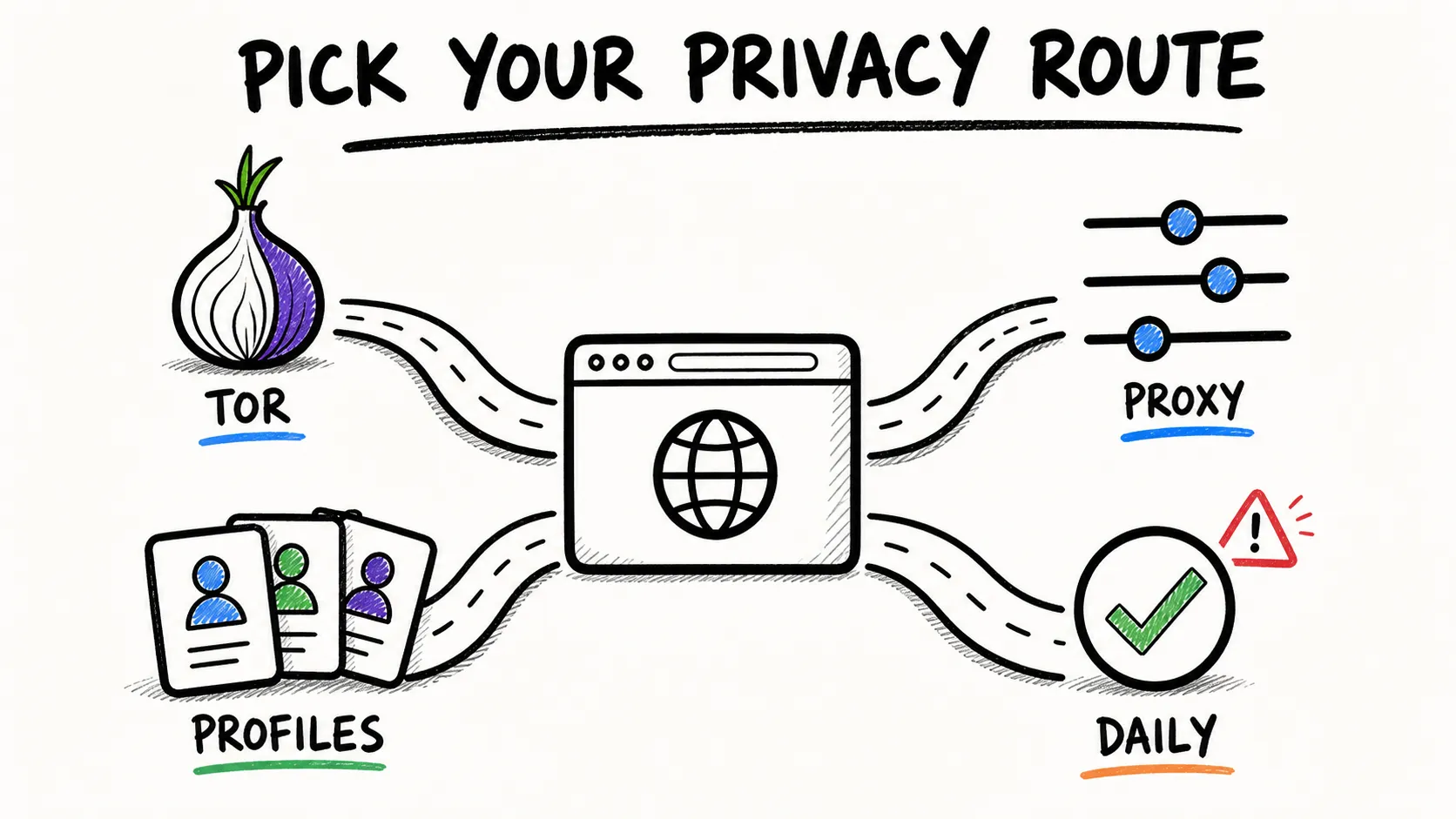
Which Proxy Browser Fits Your Use Case?
The myth of "one best proxy browser for everyone" shows up in every competing article, and it frustrates forum users who explicitly say "every list says something different." Different users need fundamentally different tools.
| Use Case | Recommended Browser(s) | Why |
|---|---|---|
| Casual daily privacy | Brave, DuckDuckGo | Strong defaults, minimal setup |
| Maximum anonymity (journalism, activism) | Tor Browser, Mullvad Browser | Tor routing / uniform fingerprint |
| Hardened browsing (power users) | Firefox + arkenfox, LibreWolf | Full customization, zero telemetry |
| Multi-account management / anti-detect | GoLogin | Per-profile proxy + fingerprint spoofing |
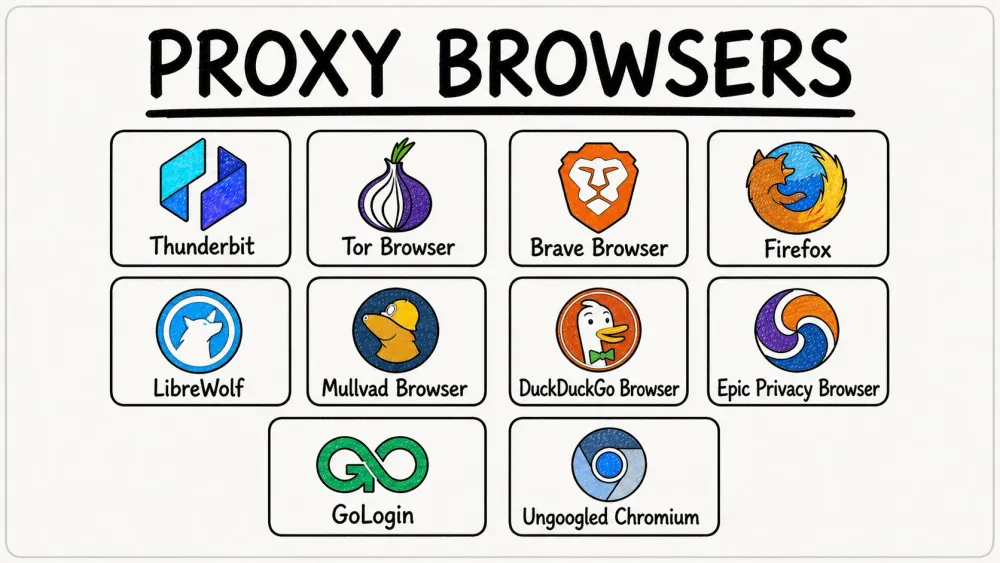
| Proxy-powered data extraction & automation | Thunderbit | Cloud proxy infrastructure, API + CLI, handles anti-bot/CAPTCHA |
| Chromium experience without Google | Ungoogled Chromium, Epic Privacy Browser | Chrome compatibility, degoogled |
A quick decision path:
- Need IP masking? → Yes → Also need encryption? → Yes → VPN or Tor. No → A proxy browser is sufficient.
- Need fingerprint resistance on top of that? → Add Mullvad Browser or hardened Firefox to your stack.
1. Thunderbit
Thunderbit is the pick for teams whose "proxy browser" need is really about programmatic data access — scraping leads, monitoring competitor pricing, extracting contact info — rather than manual private browsing. I work on this tool, so I'll be upfront about what it is and what it isn't.
Thunderbit is not a personal anonymity browser. You won't use it to browse Reddit privately or hide from your ISP. What it does is route web extraction requests through cloud proxy servers across the US, EU, and Asia, handling anti-bot measures and CAPTCHAs automatically. For business teams that searched "proxy browser" because they were really trying to collect public web data without managing proxy infrastructure, this is the relevant tool.
How It Works
Thunderbit offers three developer surfaces: an Open API (POST /distill, POST /extract), an MCP Server for AI agents like Claude and Cursor, and a CLI (npx @thunderbit/thunderbit-cli). All three use the same AI engine that reads a webpage and returns structured JSON data — not raw HTML.
For non-technical users, the Chrome Extension handles everything in one click: open the extension on any page, hit "One Click Extract," and Thunderbit works out the page structure and pulls the data automatically. No code, no proxy configuration, no CAPTCHA solving on your end.
Key Features
- Cloud scraping across US/EU/Asia (proxy routing built in)
- AI-powered structured data extraction (JSON Schema output)
- CLI
--country-codeflag for region-specific proxy routing - Handles JS rendering, anti-bot, CAPTCHA without manual proxy setup
- Free data export to Excel, Google Sheets, Airtable, Notion
- Subpage and pagination scraping — follows links and paginates automatically
- Instant templates for common sites (no setup needed)
Pricing
Free tier available with limited pages. Starter plan at $15/month (monthly) with 500 credits. Pro and Enterprise tiers for higher volume. Credit structure: Distill = 1 credit/request, Extract = 20 credits/request.
Best For
Sales and operations teams extracting leads, monitoring competitor pricing, or pulling contact info at scale. If you've been configuring browser proxies manually just to scrape data, this is the tool that makes that entire workflow unnecessary. Check out the Thunderbit YouTube Channel for walkthroughs.
Skip the Proxy Setup Entirely Thunderbit's agentic web scraper handles rendering and anti-bot walls itself, so you can extract data in one click without configuring a proxy browser. Get Started Free
2. Tor Browser
Tor Browser is the gold standard for anonymity. It routes your traffic through three encrypted relay nodes — entry, middle, and exit — so no single node knows both who you are and what you're accessing.
What makes Tor unique isn't just the routing. It's the fingerprint approach. Every Tor Browser user looks the same to websites. The browser uses letterboxing, user-agent spoofing, and first-party isolation to produce a uniform fingerprint. Canvas, WebGL, and AudioContext are all blocked. WebRTC is disabled by default. The result: instead of trying to make you look "random" (which can itself be a unique signal), Tor makes you look identical to every other Tor user.
The trade-offs are real.
Tor is significantly slower than regular browsing — multi-hop routing adds latency that makes streaming or heavy web apps painful. Many websites block Tor exit nodes outright. And logging into your personal Gmail over Tor defeats the entire purpose, so it's not suitable for logged-in daily browsing.
Key Features
- Three-layer onion routing (IP hidden behind multiple relays)
- Uniform fingerprint (canvas, WebGL, AudioContext all blocked)
- WebRTC disabled by default
- Built-in NoScript and HTTPS-Only mode
- Available on Windows, macOS, Linux, Android (no official full iOS Tor Browser)
Pricing
Completely free.
Best For
Journalists, activists, whistleblowers, and anyone doing sensitive research where anonymity is non-negotiable. Not ideal for daily casual browsing due to speed and site compatibility limitations.
3. Brave Browser
Brave is the most-recommended privacy browser across competing articles — and also the most controversial in privacy forums. It deserves both the recommendation and the scrutiny.
Out of the box, Brave Shields blocks third-party ads, trackers, and cookies. Aggressive mode randomizes fingerprints, which means each session presents different canvas, WebGL, and font data to websites. Brave also offers a Private Window with Tor Connectivity, but — and this is important — Brave itself explicitly warns that these Tor windows use Tor as a proxy and do not implement most Tor Browser privacy protections. Don't treat Brave's Tor tab as a Tor Browser replacement.
For IP masking beyond the Tor private window, Brave offers a paid VPN + Firewall ($9.99/month or $99.99/year) that encrypts device-wide traffic, not just browser traffic. Brave does not have built-in proxy configuration or support for SOCKS5/HTTP proxies — it uses system proxy settings like other Chromium-based browsers.
The Brave Controversy: Addressed Honestly
Here's what's actually going on:
Brave's BAT model: Brave blocks other ads and optionally shows its own "privacy-respecting" ads. Users who opt in earn BAT (Basic Attention Token) cryptocurrency. The system tracks which ad categories you engage with, but this tracking happens locally on your device — Brave doesn't build a server-side profile of your interests.
The 2020 affiliate-link controversy: Brave was caught auto-appending referral codes to cryptocurrency exchange URLs (Binance, Coinbase, etc.) when users typed them into the address bar. The company acknowledged the behavior, called it a mistake, and removed it. Whether you consider this a dealbreaker depends on your trust threshold.
Telemetry: Brave collects less telemetry than Chrome or Edge. But the BAT reward system does require some local data processing to match ads to categories. Users who disable Brave Rewards eliminate this entirely.
My honest verdict: Brave's ad model is a legitimate funding mechanism, not a privacy violation. But the 2020 incident damaged trust, and some users will never forgive it. If you're in that camp, LibreWolf or Mullvad Browser are your alternatives.
Pricing
- Browser: Free
- Brave VPN + Firewall: $9.99/month or $99.99/year
Best For
Users who want a Chrome-like experience with strong default privacy protections and don't mind the ad-replacement model.
4. Firefox
Firefox is the most configurable mainstream browser for privacy. It's not maximally private out of the box, but with the right settings, it's among the best — and it's the only major browser that natively supports manual proxy configuration without extensions.
Firefox's Enhanced Tracking Protection (ETP) blocks third-party cookies, fingerprinters, cryptominers, and tracking scripts. Total Cookie Protection isolates cookies per site, preventing cross-site tracking. And for power users, about:config exposes hundreds of privacy-relevant settings.
The proxy story is where Firefox genuinely stands out among mainstream browsers. Go to Settings → Network Settings → Manual Proxy Configuration, and you can enter a SOCKS5 or HTTP proxy address, port, and type directly. No extensions needed. Check "Proxy DNS when using SOCKS v5" to prevent DNS leaks. This is the browser I'd recommend for anyone who already has a proxy service and wants to configure it natively.
For users who want hardened privacy without spending an evening in about:config, the arkenfox user.js project provides a pre-configured settings file that enables privacy.resistFingerprinting, disables telemetry, and tightens dozens of defaults. TechRadar reported that Firefox's anti-fingerprinting protections in Private Browsing and ETP Strict mode were designed to reduce uniquely identifiable users from over 60% to about 20%.
Key Features
- Native SOCKS5/HTTP proxy configuration (no extensions required)
- Enhanced Tracking Protection (Standard, Strict, Custom modes)
- Fully open-source (Mozilla Public License)
- Highly customizable via about:config
- WebRTC leak protection (configurable, not on by default)
- Available on Windows, macOS, Linux, Android, iOS
Pricing
Completely free.
Best For
Power users and business teams who want full control over proxy settings and privacy configuration. Pairs well with a separate VPN service for full-stack privacy.
5. LibreWolf
LibreWolf is what you'd get if you took Firefox and spent a weekend hardening every privacy setting, then shipped it as a standalone browser. It's a privacy-focused Firefox fork that ships with all telemetry disabled, no Mozilla accounts, no data collection, and uBlock Origin pre-installed.
The key differentiator: RFP (Resist Fingerprinting) mode, enabled by default. This spoofs canvas, WebGL, and AudioContext data — the same privacy.resistFingerprinting flag that Firefox users have to manually enable. WebRTC is disabled by default, and since it's Firefox-based, it inherits native SOCKS5/HTTP proxy configuration.
The trade-off: no auto-updates. You must manually update the browser, which creates a security window if you forget. The community is smaller than Firefox's, and there's no official mobile version as of 2026 — desktop-only (Windows, macOS, Linux).
Key Features
- Firefox-based with all telemetry stripped out
- RFP (Resist Fingerprinting) mode on by default
- uBlock Origin pre-installed
- WebRTC disabled by default
- Supports same proxy configuration as Firefox
Pricing
Completely free, open-source.
Best For
Desktop users who want Firefox's privacy potential without spending time on manual hardening. Not suitable if you need mobile support or prefer automatic updates.
6. Mullvad Browser
Mullvad Browser is a collaboration between the Tor Project and Mullvad VPN. It uses the Tor Browser's anti-fingerprinting technology — letterboxing, canvas blocking, uniform user agent — but without the Tor network. The result: Tor-level fingerprint resistance at normal browsing speeds.
This is the browser for people who want the Tor Browser's privacy model but find Tor's speed unacceptable. Mullvad Browser enables private mode by default, blocks third-party trackers and cookies, and collects zero telemetry. No accounts required.
The design intention, per the GitHub repository, is that Mullvad Browser should be paired with a trustworthy VPN (Mullvad VPN or another) for IP masking. Without a VPN, the browser protects your fingerprint but not your IP address. With Mullvad VPN specifically, you get a flat €5/month rate with no accounts, no email required, and the option to pay with cash or cryptocurrency.
Key Features
- Tor Browser-level fingerprint resistance (uniform fingerprint)
- Canvas, WebGL, AudioContext all blocked by default
- WebRTC disabled by default
- No telemetry or data collection
- Works with any VPN or proxy service
- Desktop only (Windows, macOS, Linux)
Pricing
- Browser: Free
- Mullvad VPN (optional): €5/month flat rate
Best For
Users who want Tor-level fingerprint protection without Tor's speed penalty. Pair it with any VPN for a complete privacy stack.
7. DuckDuckGo Browser
DuckDuckGo Browser is the easiest privacy browser for non-technical users. Strong defaults, minimal configuration, and a clean interface that doesn't overwhelm you with settings.
The browser blocks most ads and cookie pop-ups automatically. Its "Fire Button" clears all tabs and browsing data with one tap — satisfying and practical. The Privacy Grade feature rates each website's privacy practices from A through F, giving you immediate visibility into how aggressively a site tracks visitors. DuckDuckGo's private search engine is the default (no search history tracking).
On Android, App Tracking Protection blocks many third-party tracker requests from other apps on your device — a feature that extends privacy beyond just the browser.
The limitation is straightforward: no built-in proxy or VPN, no native proxy configuration. DuckDuckGo's privacy model is about tracker blocking and data minimization, not IP masking. Need to hide your IP? You'll need a separate VPN.
Key Features
- One-tap data clearing ("Fire Button")
- Privacy Grade ratings for websites (A through F)
- Built-in tracker blocking and forced HTTPS
- DuckDuckGo private search engine as default
- Available on Windows, macOS, iOS, Android
Pricing
Completely free.
Best For
Non-technical users who want simple, "set it and forget it" privacy. If tracker blocking matters more to you than IP masking, this is the browser.
8. Epic Privacy Browser
Epic Privacy Browser is a Chromium-based privacy browser that blocks ads, trackers, fingerprinting, cryptomining scripts, ultrasound signaling, and more. It is lightweight, familiar, and easy to use if you want Chrome-like browsing without Chrome's default data collection posture.
The reason I do not rank Epic higher: its proxy story is messy. Epic's iOS App Store listing says the app includes a free VPN-for-the-browser, but an Epic forum post says the desktop VPN / encrypted proxy service is no longer supported in recent releases because it became too time-consuming and expensive to maintain. That matters for this article. If you need a proxy browser specifically for IP masking, verify the current platform you plan to use before you commit.
For pure tracker blocking and a stripped-down Chromium experience, Epic is still useful. For reliable proxy routing, Brave with VPN, Tor Browser, Mullvad Browser + VPN, Firefox with manual SOCKS5, or GoLogin are clearer choices.
Key Features
- Chromium-based interface
- Blocks ads, trackers, fingerprinting, cryptomining, and ultrasound signaling
- Mobile apps available
- Simple privacy-first defaults
- Platform-dependent proxy/VPN behavior
Pricing
Completely free. Proxy/VPN availability varies by platform and should be verified before use.
Best For
Users who want a simple privacy-focused Chromium browser and do not need guaranteed proxy routing. Not my first pick for serious anonymity or business-grade proxy workflows.
9. GoLogin
GoLogin is not a privacy browser in the casual sense. It is an anti-detect browser for managing multiple accounts, profiles, and fingerprints without triggering platform suspicion checks. If Tor Browser is built for anonymity and Brave is built for everyday privacy, GoLogin is built for operations.
Each GoLogin profile gets its own browser fingerprint, cookies, local storage, and proxy settings. That makes it useful for ecommerce teams, QA teams, ad verification, social media operations, and agencies managing multiple client accounts. Proxyway's review describes GoLogin as a browser where each profile comes with its own digital fingerprint. GoLogin's own site positions it around managing multiple accounts safely from one device.
This is powerful, but it is not the same as personal privacy. You can create isolated profiles, but you still need responsible proxy sourcing, platform compliance, and careful operational hygiene. GoLogin helps separate identities; it does not make questionable account behavior legitimate.
Key Features
- Isolated browser profiles
- Per-profile fingerprint management
- Proxy assignment per profile
- Team and sharing workflows
- API access on paid tiers
- Free plan / trial options
Pricing
GoLogin pricing lists a 7-day trial and references a free data plan with 3 profiles. Paid tiers vary by profile count, API limits, and team features, so check the current pricing page before quoting a monthly number.
Best For
Multi-account management, ecommerce operations, social media teams, QA testing, and ad verification workflows. Not recommended for casual private browsing or journalist-grade anonymity.
10. Ungoogled Chromium
Ungoogled Chromium is exactly what the name says: Chromium with Google web-service dependencies removed. It keeps the familiar Chromium experience while adding privacy, control, and transparency tweaks. The important footnote from the project itself: almost all of those tweaks require manual activation.
This browser is for technical users who like Chromium but do not want Google integration. You get a lean base, standard Chromium proxy configuration options, and fewer Google hooks. But you do not get a polished privacy product. You are responsible for configuration, extensions, update discipline, and avoiding settings that make your fingerprint more unique.
That last point matters. A weirdly configured Chromium fork can be more fingerprintable than a boring mainstream browser. If you know what you are doing, Ungoogled Chromium is a useful base. If you want turnkey privacy, use Brave, DuckDuckGo, LibreWolf, or Mullvad Browser instead.
Key Features
- Chromium without Google web-service dependency
- Privacy/control/transparency patches
- Familiar Chrome-like extension ecosystem
- Manual proxy configuration through Chromium settings
- Open-source project
Pricing
Completely free, open-source.
Best For
Technical users who want a de-Googled Chromium base and are comfortable managing settings, updates, and extensions themselves.
Proxy Browser Comparison Table
| Browser / Tool | Best For | Built-in IP Masking | External Proxy Support | Fingerprint Resistance | Tracker Blocking | Open Source | Mobile | Price |
|---|---|---|---|---|---|---|---|---|
| Thunderbit | Public web data extraction | Cloud scraping, not personal browsing | N/A | N/A | N/A | No | Chrome extension / web app | Free tier; Starter $15/mo monthly |
| Tor Browser | Maximum anonymity | Tor network | Tor-native | Very strong | Strong | Yes | Android, no official full iOS | Free |
| Brave | Daily private browsing | Tor private window; paid VPN | Standard Chromium options | Good randomization | Strong | Mostly | Yes | Free; VPN $9.99/mo |
| Firefox | Configurable privacy | No built-in IP masking | Native SOCKS5 / HTTP proxy | Moderate to strong with hardening | Strong | Yes | Yes | Free |
| LibreWolf | Hardened desktop privacy | No built-in IP masking | Firefox-style config | Strong defaults | Strong | Yes | Desktop only | Free |
| Mullvad Browser | Anti-fingerprinting with VPN | No built-in VPN; pair with VPN | Works with VPN/proxy stack | Very strong | Strong | Yes | Desktop only | Free |
| DuckDuckGo Browser | Simple consumer privacy | No | No major proxy positioning | Basic | Strong | Partly | Yes | Free |
| Epic Privacy Browser | Simple Chromium privacy | Platform-dependent | Verify current platform | Claims blocking | Strong | No | Yes | Free |
| GoLogin | Multi-account operations | Proxy-per-profile workflow | Yes | Anti-detect profile fingerprints | Not main value | No | Desktop / cloud workflow | Free plan/trial; paid tiers |
| Ungoogled Chromium | De-Googled Chromium base | No | Chromium-style manual config | Manual | Manual/extensions | Yes | Community builds vary | Free |
Extract Data From Any Website in One Click Free plan covers 6 pages a month, no credit card required. Thunderbit reads the page and picks the fields itself. Get Started Free
Try Thunderbit's Agentic Web Scraper Get Started Free
So, Which Proxy Browser Should You Actually Use?
If you want the shortest honest answer:
- Use Tor Browser if anonymity is the goal and you can tolerate speed and compatibility trade-offs.
- Use Brave if you want strong daily privacy without becoming a browser hobbyist.
- Use Firefox if you already understand proxies and want manual SOCKS5/HTTP configuration.
- Use LibreWolf if you want hardened Firefox defaults on desktop.
- Use Mullvad Browser with a VPN if fingerprint resistance matters more than convenience.
- Use DuckDuckGo Browser if you want simple privacy for family members or non-technical users.
- Use GoLogin if your use case is multi-account operations, not personal privacy.
- Use Thunderbit if your real goal is extracting public web data without building and maintaining a proxy-browser stack.
The biggest mistake is treating "proxy browser" as a magic privacy switch. IP masking is only one layer. Fingerprinting, trackers, cookies, WebRTC, login behavior, and site permissions still matter. A weak setup with a proxy is still weak. A strong setup starts with the threat model: what are you trying to hide, from whom, and how much friction are you willing to accept?
For business data workflows, that question often leads somewhere different. You may not need a proxy browser at all. You may need structured data. In that case, a tool like Thunderbit can handle the extraction workflow directly, instead of asking your team to duct-tape together proxies, browser profiles, scripts, CAPTCHA handling, and parsers.
FAQ
Is a proxy browser the same as a VPN?
No. A proxy browser usually routes only browser traffic through an intermediary IP. A VPN usually tunnels device traffic through an encrypted connection. Some "VPN browser" products are really browser proxies, so read the details carefully.
Is incognito mode private?
Only locally. Incognito or private browsing usually prevents your browser from saving local history, cookies, and form data after the session. It does not hide you from websites, your ISP, your employer, or fingerprinting scripts.
Which proxy browser is best for maximum anonymity?
Tor Browser. It routes traffic through the Tor network and includes serious fingerprinting defenses. But it is slower than normal browsers and can break or slow down some websites.
Which browser is best if I already have a proxy service?
Firefox is the simplest mainstream option because it supports manual SOCKS5 and HTTP proxy configuration directly in browser settings. LibreWolf inherits similar Firefox-style configuration, with stronger privacy defaults.
Which browser is best for multi-account management?
GoLogin. It is designed around isolated browser profiles, proxy-per-profile workflows, and fingerprint management. That is a different use case from casual privacy browsing.
Do I need a proxy browser for web scraping?
Not always. If you just need structured data from public websites, an agentic web scraper like Thunderbit may be simpler because it handles extraction, parsing, and workflow automation directly. Proxy browsers are useful when you need direct control over sessions, IP routing, or browser identity.
Learn More




