Channel Scraper

By
Extract channel and video metrics from social and video platforms into a structured table. Track upload cadence and engagement trends, then export the dataset for analysis.

Scrape hundreds of webpages in one click with the Thunderbit Chrome Extension. Prefer to hand this job to AI? Use the Thunderbit API or Thunderbit MCP. Want us to run it for you? Use our Web Scraping Service.

Extract Channel Data While You BrowseUse Thunderbit to scrape channels, videos, and engagement metrics fast with AI-guided field detection. Automate extraction across pages and export structured results in a few clicks.

Extract Channel Data While You Browse

Collect video titles, URLs, descriptions, post dates, likes, and comments from channel pages, then expand coverage with subpage scraping for deeper details. Thunderbit can also scrape PDFs, docs, and images when key data is embedded beyond standard HTML, and it can summarize, categorize, or format fields into analysis-ready columns. Scrape paginated archives and large channel histories, then export structured tables to Google Sheets, Airtable, or Notion for reporting and monitoring. Use AI Suggest Fields to set up quickly, keep outputs consistent, and reduce manual copy-paste across platforms.

How to Scrape Channel Data Using Thunderbit

step_01.png
STEP 1Download and InstallDownload and install the Thunderbit Chrome Extension from the Thunderbit Chrome Extension Download Page. Once installed, log in or create a free account to get started.
step_02.png
STEP 2Open ExtensionOpen the video channel or creator page you want to analyze in Chrome. Then open the Thunderbit Chrome Extension, select the Channel Scraper, and in the "Enter a Channel URL" tab paste the channel URL into the "channel_url" field (for example, a YouTube channel videos page, a TikTok profile, or a Vimeo channel). Confirm the URL points to the channel you want to index so the scraper can collect both video-level and channel-level metadata.
step03.png
STEP 3Click the Scrape channel data ButtonClick the "Scrape channel data" button to start extraction. Thunderbit will compile results into a table with columns such as Video Title, Video URL, Video Length, Video Description, Date Posted, Number of Likes, Number of Comments, Channel Handle Name, Channel Subscribers, and Channel URL. When the table is ready, export the dataset to Excel, Google Sheets, Airtable, or Notion, or download it as CSV or JSON for reporting and analysis.

Learn how to extract channel and video metadata from creator pages

Scrape channel-level and video-level details
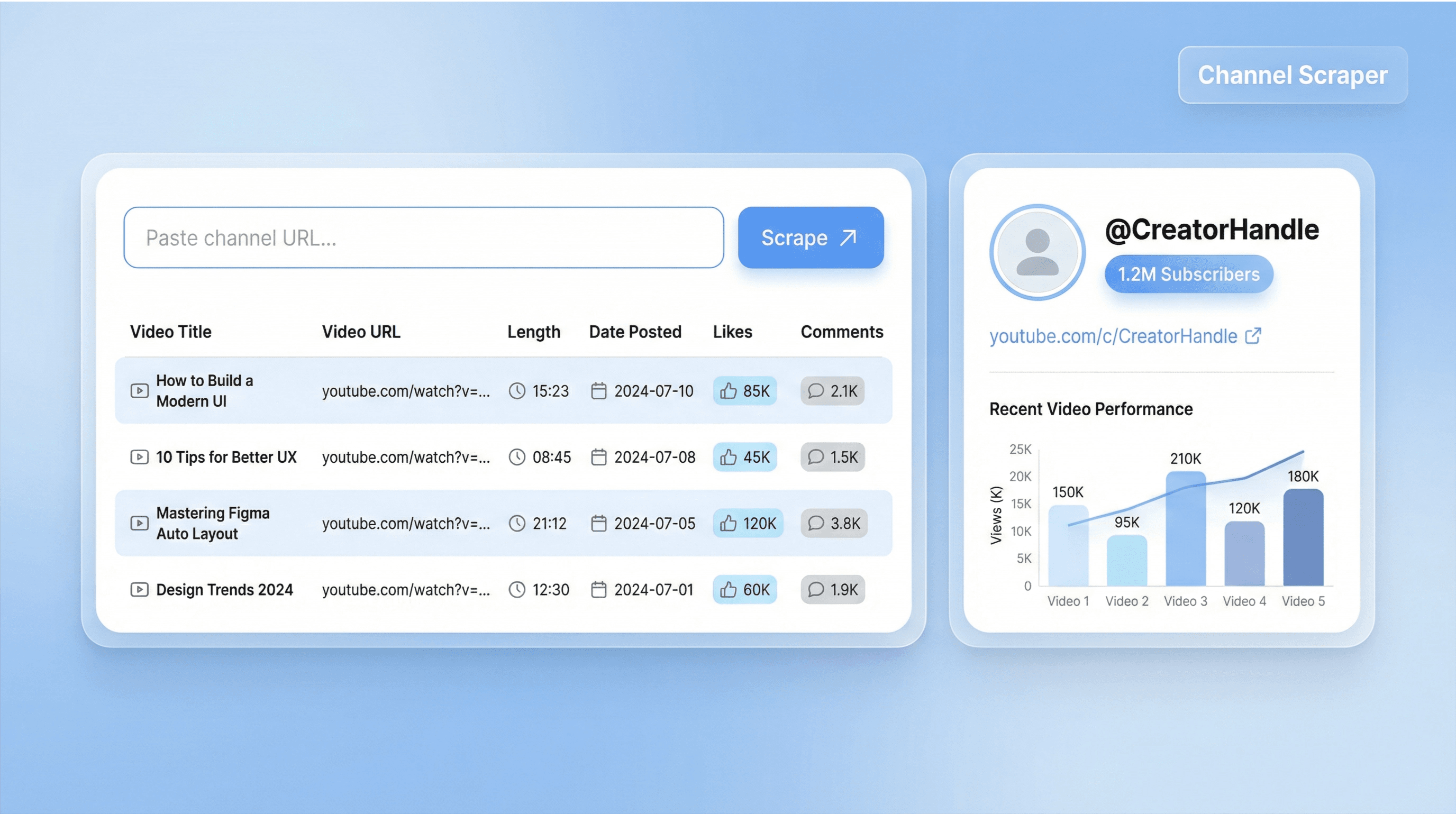
Channel Scraper turns a single channel or creator URL into a structured table of video and channel metadata. It captures key fields like Video Title, Video URL, Video Length, Description, Date Posted, Likes, Comments, plus Channel Handle, Subscribers, and Channel URL. This helps marketers, creators, and analysts avoid manual copy-paste and build a reliable dataset for reporting, audits, and content research.
Get Started Free
channel_scraper_illustration.png

Index large channel archives with pagination support
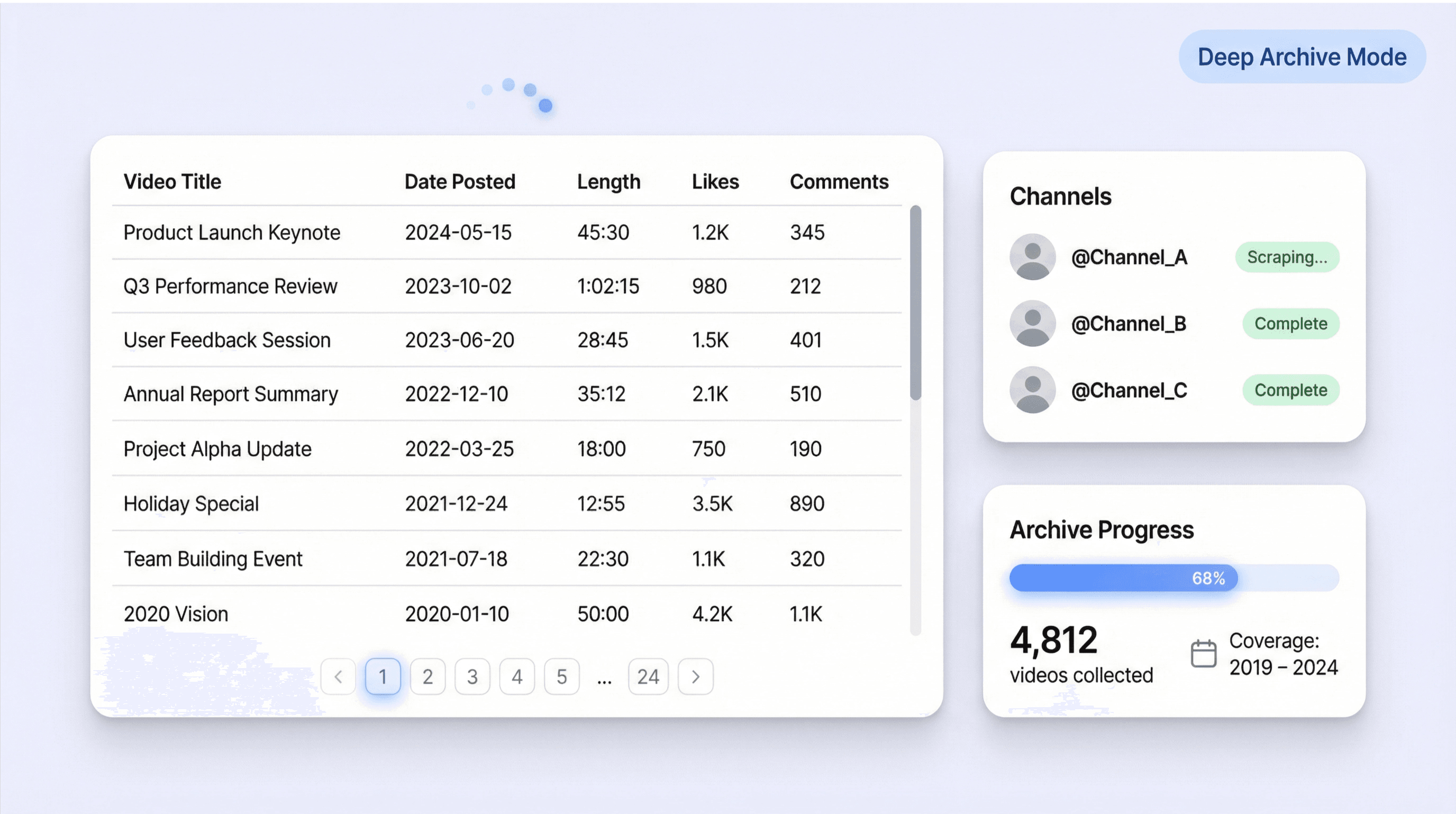
Use Channel Scraper to collect data across long video histories, including channels with years of uploads. Thunderbit can follow pagination or infinite scroll patterns commonly used on video platforms, so you can compile a complete archive rather than a small sample. This is useful for competitive research, content operations, and agencies that need consistent coverage across many channels and time ranges.
Get Started Free
channel_scraper_archive_illustration.png

Benchmark competitors and track engagement trends
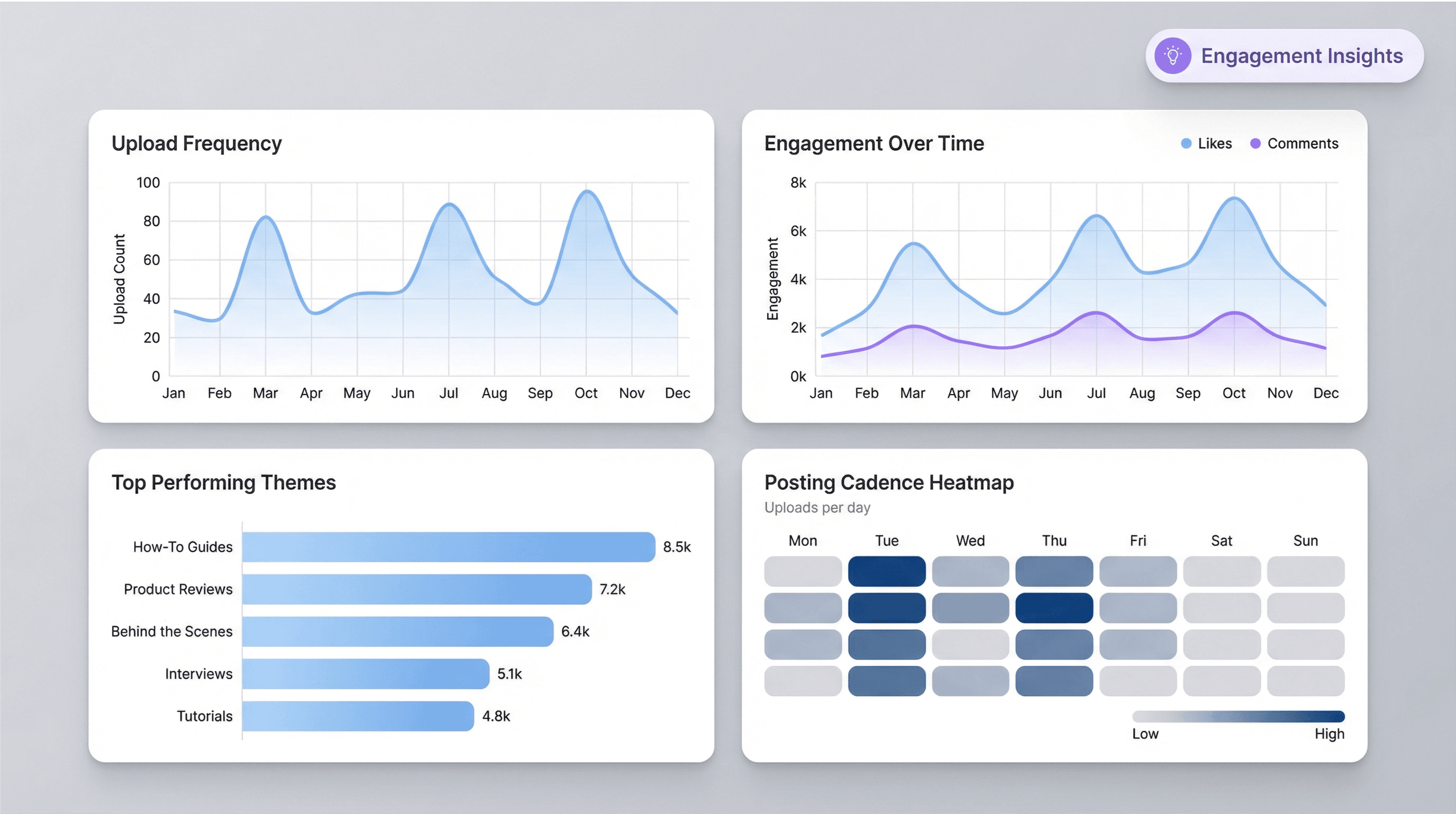
Analyze upload frequency, posting cadence, and engagement signals by comparing Date Posted, Likes, and Comments across videos. Teams can use the output to spot content themes that perform well, identify seasonal patterns, and evaluate how engagement changes over time. This supports social media managers, growth marketers, and brand teams who need evidence-based insights for planning and performance reviews.
Get Started Free
channel_scraper_analytics_illustration.png

Export structured tables to your reporting stack
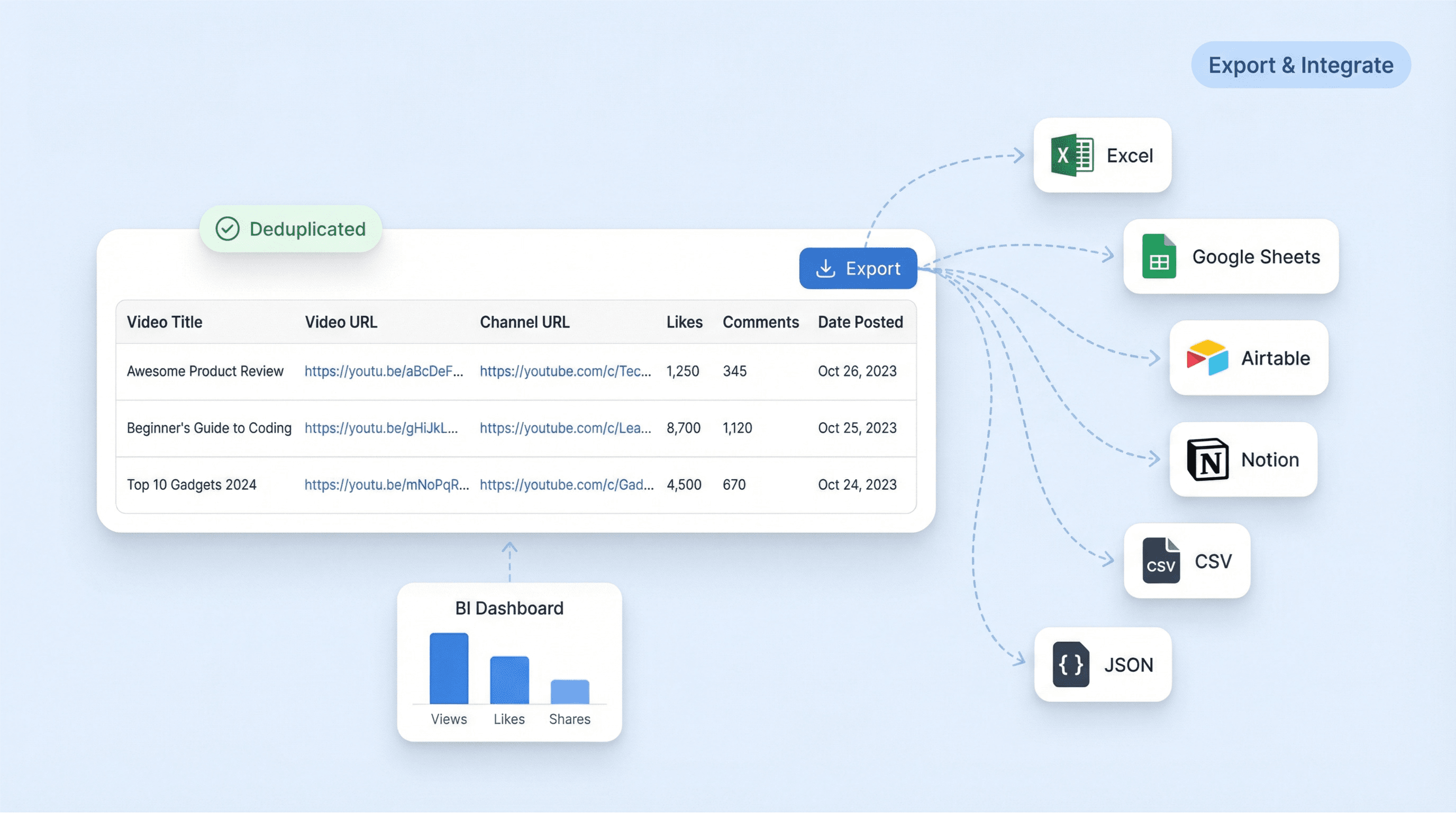
After scraping, export the table to Excel, Google Sheets, Airtable, or Notion, or download as CSV or JSON for BI workflows. Because each row includes stable identifiers like Video URL and Channel URL, it is easy to deduplicate, join with other datasets, and build dashboards. This fits teams that run recurring reports, maintain content libraries, or archive their own channel footprint.
Get Started Free
channel_scraper_export_illustration.png

What users say about Thunderbit

Taryn W.Growth Strategist@Thunderbit changed how I run competitor research. I click 'AI Suggest Fields,' and it builds a clean table across paginated results—no coding, no CSS. Huge time-saver when analyzing product data from long-tail marketplaces.
Miles T.Sales Development ConsultantI use Thunderbit to grab emails and phone numbers from directories. It extracts clean contact info in one click, and exporting to Sheets or Notion takes seconds. No extra setup, no coding—just usable data ready to work with.
Rhea C.E-commerce AnalystThunderbit helps me monitor SKU data across multiple pages. I scrape the listings, then use Subpage Scraping to pull full product specs, pricing, reviews, and stock. The AI organizes everything into columns I define.
Cassian B.Real Estate AdvisorThunderbit's Scheduled Scraper makes real estate tracking easier. I describe the interval in plain English, and it automatically pulls updated listings, prices, and links without touching the setup again. Simple and very practical.
Dorian B.Content & SEO SpecialistI use Thunderbit's Field AI Prompts to clean and tag scraped blog content. It extracts titles, authors, and even suggests categories. Works great across dynamic sites and subpages—perfect for building structured SEO datasets.
Lina K.Marketplace Operations LeadWe track SKUs from niche stores using Thunderbit. Cloud Scraping handles 50 pages at a time, and for login-required sites, we switch to browser mode. It’s fast, flexible, and doesn’t need ongoing maintenance or manual edits.
Jorge F.Inbound Sales ManagerThunderbit’s AI Autofill is a lifesaver. After scraping contact info, I use it to fill lead forms directly in my browser. I just select the tab, and it fills everything using the scraped row. No manual input needed.
Alina D.Freelance ResearcherI rely on Thunderbit for extracting data from PDFs, image-based sites, and infinite scroll pages. It handles messy formats with AI and delivers ready-to-export tables I can send to Google Sheets or Airtable in seconds.
Taryn W.Growth Strategist@Thunderbit changed how I run competitor research. I click 'AI Suggest Fields,' and it builds a clean table across paginated results—no coding, no CSS. Huge time-saver when analyzing product data from long-tail marketplaces.
Miles T.Sales Development ConsultantI use Thunderbit to grab emails and phone numbers from directories. It extracts clean contact info in one click, and exporting to Sheets or Notion takes seconds. No extra setup, no coding—just usable data ready to work with.
Rhea C.E-commerce AnalystThunderbit helps me monitor SKU data across multiple pages. I scrape the listings, then use Subpage Scraping to pull full product specs, pricing, reviews, and stock. The AI organizes everything into columns I define.
Cassian B.Real Estate AdvisorThunderbit's Scheduled Scraper makes real estate tracking easier. I describe the interval in plain English, and it automatically pulls updated listings, prices, and links without touching the setup again. Simple and very practical.
Dorian B.Content & SEO SpecialistI use Thunderbit's Field AI Prompts to clean and tag scraped blog content. It extracts titles, authors, and even suggests categories. Works great across dynamic sites and subpages—perfect for building structured SEO datasets.
Lina K.Marketplace Operations LeadWe track SKUs from niche stores using Thunderbit. Cloud Scraping handles 50 pages at a time, and for login-required sites, we switch to browser mode. It’s fast, flexible, and doesn’t need ongoing maintenance or manual edits.
Jorge F.Inbound Sales ManagerThunderbit’s AI Autofill is a lifesaver. After scraping contact info, I use it to fill lead forms directly in my browser. I just select the tab, and it fills everything using the scraped row. No manual input needed.
Alina D.Freelance ResearcherI rely on Thunderbit for extracting data from PDFs, image-based sites, and infinite scroll pages. It handles messy formats with AI and delivers ready-to-export tables I can send to Google Sheets or Airtable in seconds.

Frequently Asked Questions

From webpage to spreadsheet
Describe what you need — Thunderbit's AI Agent scrapes it and exports to Excel, Google Sheets, Airtable, or Notion. Free to start.
Chrome Store Rating
PRODUCT HUNT#1 Product of the Week