

Thunderbit’s Video Scraper helps you scrape TikTok video and creator data and uses AI to structure the data into a clean table you can actually use. You open a TikTok page, click AI Suggest Columns, then click Scrape to collect video performance metrics, captions, post dates, and profile details. Export your results to Excel, Google Sheets, Airtable, or Notion for tracking, reporting, and influencer research.
🎬 What is Video Scraper
The Video Scraper is an AI Web Scraper built into Thunderbit that extracts structured data from TikTok pages (video detail pages and creator profiles). Instead of writing code or maintaining brittle selectors, you use the Thunderbit AI Web Scraper Chrome Extension: navigate to the page, click AI Suggest Columns, then click Scrape.
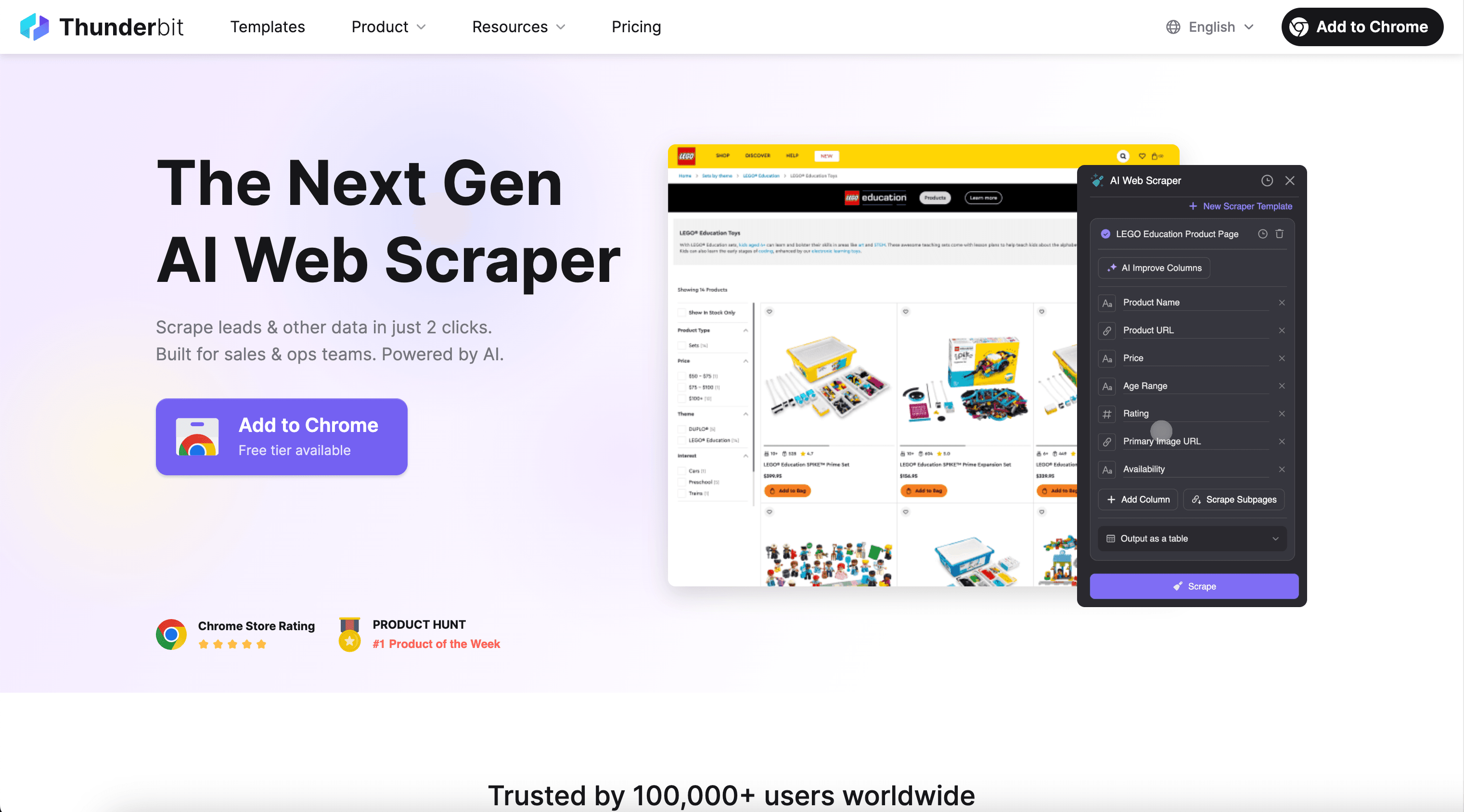
🧾 What can you scrape with Video Scraper
Whether you’re tracking a single post’s performance or building a list of creators for outreach, Thunderbit can extract TikTok data into rows and columns, then enrich it with Subpage Scraping (visit each video page from a profile list to pull deeper metrics).
📈 Scrape TikTok Video Performance Tracking
Use this workflow to capture performance metrics from a specific TikTok video detail page like this one: TikTok video. It’s useful for weekly reporting, creative testing, and monitoring how a post changes over time.
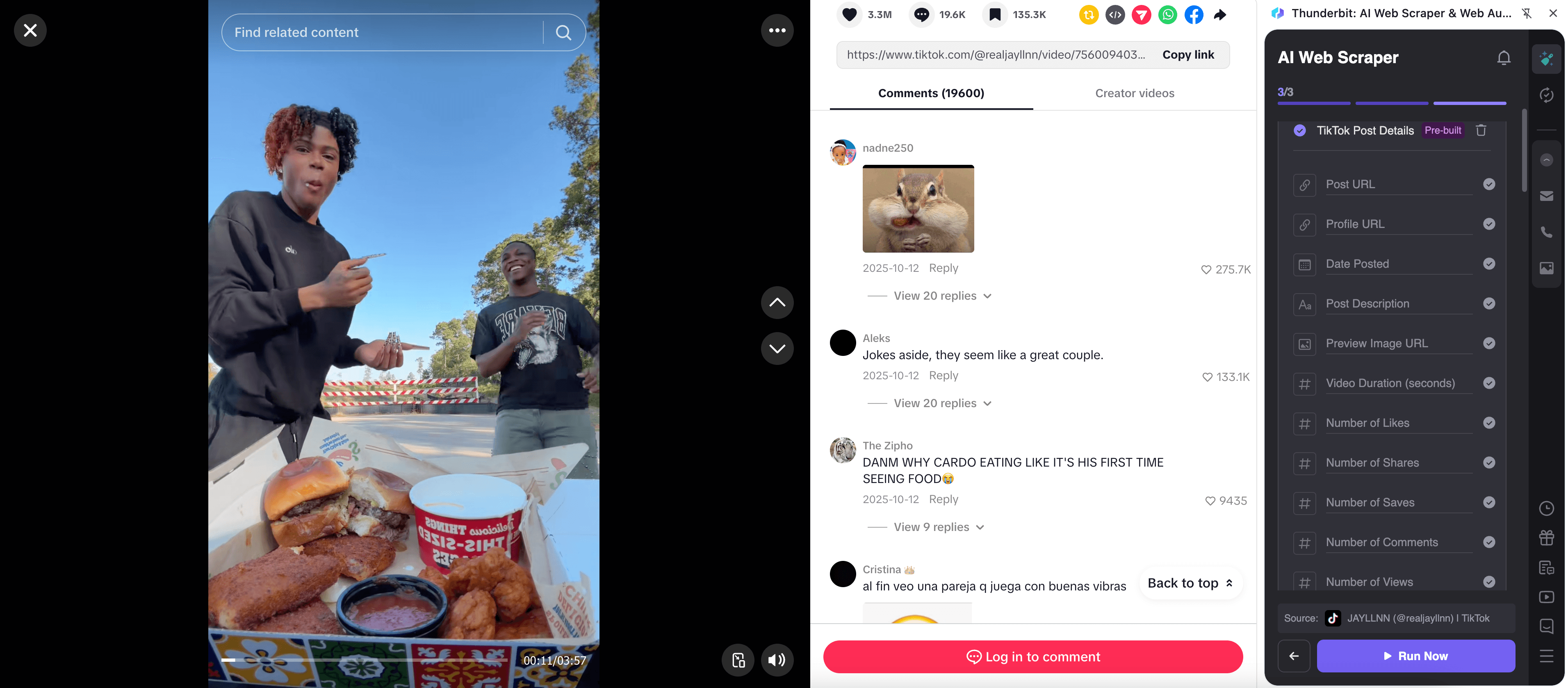
Steps:
- Download the Thunderbit Chrome Extension and register an account.
- Go to the destination page, for example: TikTok video detail page.
- Click AI Suggest Columns, which recommends column names based on what’s on the page.
- Click Scrape to run the scraper, then download or export your data.
Column names
| Column | Description |
|---|---|
| 🎥 Video URL | The direct link to the TikTok video you’re tracking. |
| 🧑🎤 Creator Handle | The @username of the creator who posted the video. |
| 📝 Caption | The video caption text (often includes keywords and hashtags). |
| 🏷️ Hashtags | Hashtags detected in the caption for content categorization. |
| 📅 Post Date | The published date/time shown on the video page. |
| 👀 Views | View count displayed for the video at scrape time. |
| ❤️ Likes | Like count displayed for the video at scrape time. |
| 💬 Comments | Comment count displayed for the video at scrape time. |
| 🔁 Shares | Share count displayed for the video at scrape time (when available). |
| 🎵 Sound / Audio | The audio or sound name associated with the video (when available). |
| 🖼️ Thumbnail URL | The preview image URL for the video (useful for dashboards). |
🔎 Scrape TikTok Influencer Research
Use this workflow to extract creator profile data and video listings from a TikTok profile like: @dualipaofficial. This is ideal for influencer discovery, partnership evaluation, and building a creator database.
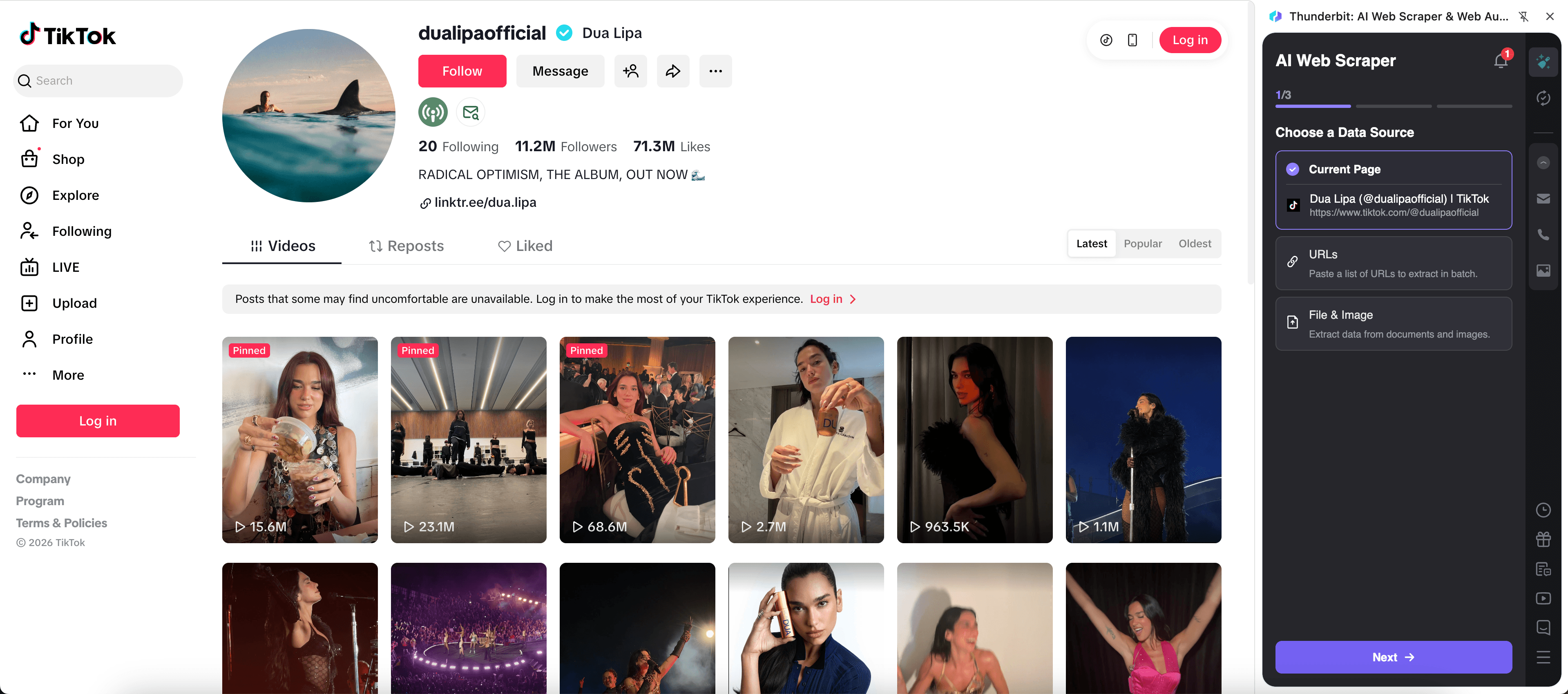
Steps:
- Download the Thunderbit Chrome Extension and register an account.
- Go to the destination page, for example: TikTok creator profile.
- Click AI Suggest Columns to generate a creator/video table (you can edit columns anytime).
- Click Scrape to extract the listing, then use Scrape Subpages to visit each video URL and enrich your dataset.
Column names
| Column | Description |
|---|---|
| 🧑🎤 Creator Name | Display name shown on the profile. |
| 🔗 Profile URL | Link to the creator’s TikTok profile page. |
| 🆔 Handle | The @username used for identification and matching. |
| ✅ Verified | Whether the account appears verified (when shown). |
| 👥 Followers | Follower count shown on the profile at scrape time. |
| 👤 Following | Following count shown on the profile at scrape time. |
| ❤️ Total Likes | Total likes shown on the profile (when available). |
| 📝 Bio | Profile bio text for brand fit and keyword filtering. |
| 🖼️ Profile Image URL | Avatar image URL for CRM or Airtable/Notion cards. |
| 🎥 Recent Video URL | Video link from the profile grid/listing. |
| 📝 Recent Video Caption | Caption text for each listed video (when visible). |
| 👀 Recent Video Views | View count for each listed video (when visible). |
| 📅 Recent Video Date | Posted date for each listed video (when visible). |
💡 Why Use Video Scraper Tool
Scraping TikTok data is useful when you need repeatable reporting and a structured dataset for analysis, not just screenshots.
- Marketing teams: Track creative performance (views/likes/comments) across posts, compare hooks, and build weekly dashboards in Sheets or Airtable.
- Influencer managers & agencies: Build a creator list, capture bios and follower counts, then enrich with per-video metrics using Subpage Scraping.
- Ecommerce operators: Monitor UGC creators and product mentions, then export to Notion for campaign planning.
- Sales & partnerships: Create outreach lists by niche, keywords in bio, or engagement signals, then keep your CRM updated.
Thunderbit is designed for long-tail scraping where layouts vary and pages change. AI reads the page fresh each run, so you spend less time fixing scrapers.
🧩 How to Use Video Scraper Chrome Extension
- Install the Thunderbit Chrome Extension: Get it from the Chrome Web Store and create your account.
- Navigate to a TikTok page: Open a video page (example: video detail) or a creator page (example: creator profile).
- Activate AI-Powered Scraper: Click AI Suggest Columns to generate fields, adjust data types (text/number/date/URL/image), then click Scrape.
Tip: For creator pages, use Pagination (scroll or click) and Subpage Scraping to enrich each video row with details from the video page.
💳 Pricing for Video Scraper
Thunderbit uses a credit system where 1 credit = 1 output row. If you scrape a table with 200 rows, that run uses about 200 credits (exports are free).
- Free plan: scrape 6 pages per month at no cost.
- Free trial: scrape 10 pages for free, so you can test TikTok video scraping and exports before upgrading.
- Paid plans: built for ongoing tracking and larger datasets. The yearly plan is typically the most cost-effective option because it includes a discount.
You can review the latest options on Thunderbit Pricing. For many teams, Starter works for light tracking, while Pro tiers fit weekly monitoring, influencer lists, and multi-profile scraping.
❓ FAQ
-
What is the AI Powered Video Scraper?
The AI Powered Video Scraper is a TikTok-focused scraping workflow in Thunderbit that uses AI to turn TikTok pages into structured tables. You click AI Suggest Columns to generate fields, then click Scrape to extract video metrics and creator details. -
What is Thunderbit?
Thunderbit is an AI Web Scraper Chrome Extension that helps you extract data from websites, PDFs, and images into structured formats. It’s built for business workflows like lead generation, ecommerce monitoring, marketing research, and real estate tracking. -
What TikTok pages can I scrape with Thunderbit?
You can scrape TikTok video detail pages and creator profile pages, including video listings and visible performance metrics. If you start from a profile listing, Thunderbit can also visit each video URL using Subpage Scraping to pull additional fields. -
Do I need coding skills to scrape TikTok data?
No. Thunderbit is designed for non-technical workflows: open the page, click AI Suggest Columns, then click Scrape. You can still customize columns and add field instructions if you want more control. -
Can Thunderbit export TikTok data to Google Sheets or Airtable?
Yes. You can export to Excel, Google Sheets, Airtable, or Notion, or download as CSV/JSON. Export is free, so you can build dashboards and reporting pipelines without extra steps. -
How does Subpage Scraping help with influencer research?
Influencer research often starts with a profile page that lists many videos, but the deeper metrics and details may live on each video page. With Subpage Scraping, Thunderbit can open each video link and append extra columns back into your main table, so your dataset is richer without manual clicking. -
What if TikTok uses infinite scroll or pagination on profiles?
Thunderbit supports both click-based pagination and infinite scroll patterns. You can scroll to load more videos, then scrape what’s loaded, or configure pagination behavior depending on how the page presents content. -
How much data can I scrape in one run?
The Video Scraper is designed for practical business exports, and many workflows target hundreds of rows at a time (often up to around 500 rows depending on the page and what’s loaded). If you need recurring monitoring, you can also use Scheduled Scraper to run at intervals and keep your dataset updated. -
Is it okay to scrape TikTok?
You should only scrape data you have the right to access and use, and you should follow TikTok’s terms and applicable laws. Thunderbit is a tool for productivity and research, and you’re responsible for using it in a compliant way.
📚 Learn More
- Get started with the Thunderbit AI Web Scraper Chrome Extension
- Visit the Thunderbit Blog for tutorials and use cases
- Read: How to Scrape Any Website Using AI
- Read: What Is Data Scraping and How to Do It in 2025
- Read: How to Scrape Website Data into Excel using AI
- Read: The Best Email Scrapers in 2025
- Watch tips on the Thunderbit YouTube Channel
Ready to build a TikTok tracking sheet or influencer database with AI-powered structure? Start with Thunderbit and run your first scrape from TikTok in minutes.