

Thunderbit’s Trader Joe’s Scraper helps you turn Trader Joe’s product and recipe pages into clean, structured data using AI. You can track new and seasonal items, collect product details, and source recipes and meal hacks in just a couple of clicks, then export to Excel, Google Sheets, Airtable, or Notion.
🛒 What is Trader Joe’s Scraper
A Trader Joe’s Scraper is an AI Web Scraper that extracts data from Trader Joe’s | Your Neighborhood Grocery Store and organizes it into a table automatically. With Thunderbit, you simply open the page you want, click AI Suggest Columns, then click Scrape to collect structured data you can use for tracking, analysis, and reporting.
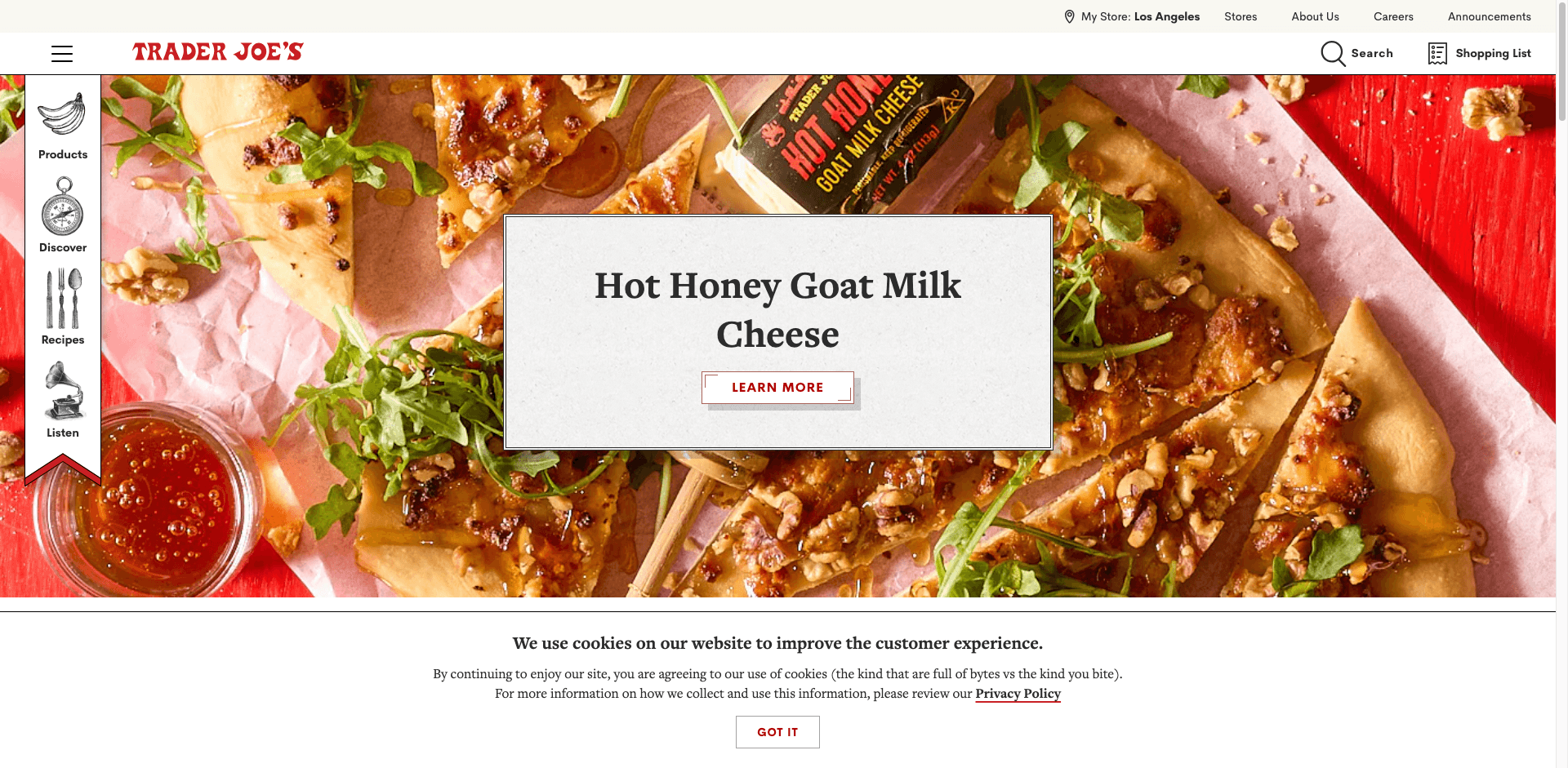
🧾 What can you scrape with Trader Joe’s
Trader Joe’s pages are great for building datasets around product launches and recipe ideas. Thunderbit’s AI reads the page layout, suggests the best fields to extract, and can also follow subpages (like product detail pages or recipe detail pages) to enrich your dataset.
🆕 Scrape Trader Joe’s Seasonal & New Product Tracker
This use case focuses on collecting new product listings so you can monitor what’s newly added, compare categories, and build a running “what’s new” tracker for your team or personal planning.
Target page example: New Products filter
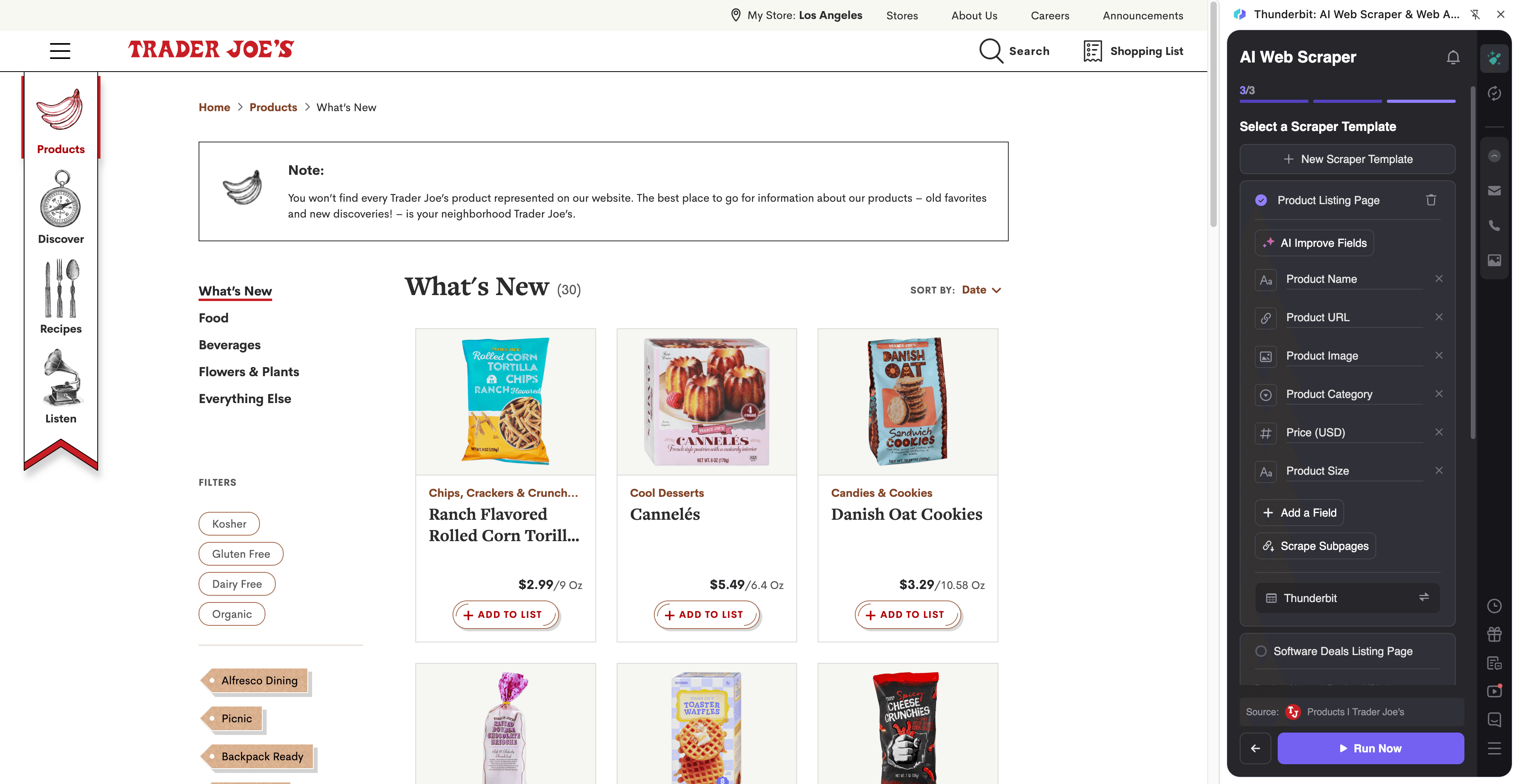
Steps:
- Download the Thunderbit Chrome Extension and register an account.
- Go to the destination page, for example: the Trader Joe’s New Products listing.
- Click AI Suggest Columns to get recommended column names and data types.
- Click Scrape to run the scraper, then export to Excel, Google Sheets, Airtable, or Notion.
Column names
| Column | Description |
|---|---|
| 🏷️ Product Name | The name of the Trader Joe’s product shown in the listing. |
| 🔗 Product URL | The link to the product detail page (useful for subpage scraping). |
| 🆕 New Product Flag | Indicates whether the item is labeled as new on the page. |
| 🧺 Category | The product category or section the item appears under. |
| 📝 Short Description | The short marketing description/snippet shown on the listing card. |
| 🖼️ Product Image URL | The main image shown for the product (great for Airtable/Notion). |
| 🧾 SKU / Item Code | Any item identifier shown on the product page (often best via subpage scraping). |
| 💲 Price | Price when available (often best captured from the product detail page). |
| 📦 Package Size | Size/weight/count when available (commonly on the detail page). |
| 🗓️ Scrape Date | The date/time you scraped the page for tracking changes over time. |
Tip: After scraping the listing, use Subpage Scraping to visit each Product URL and enrich your table with price, ingredients, nutrition, package size, and other details.
🍳 Scrape Trader Joe’s Recipe & Meal Hack Sourcing
This use case helps you collect recipe listings and optionally pull full recipe details (ingredients, steps, cook time) from each recipe page. It’s useful for building a searchable recipe database, planning content, or organizing meal ideas.
Target page example: Trader Joe’s Recipes
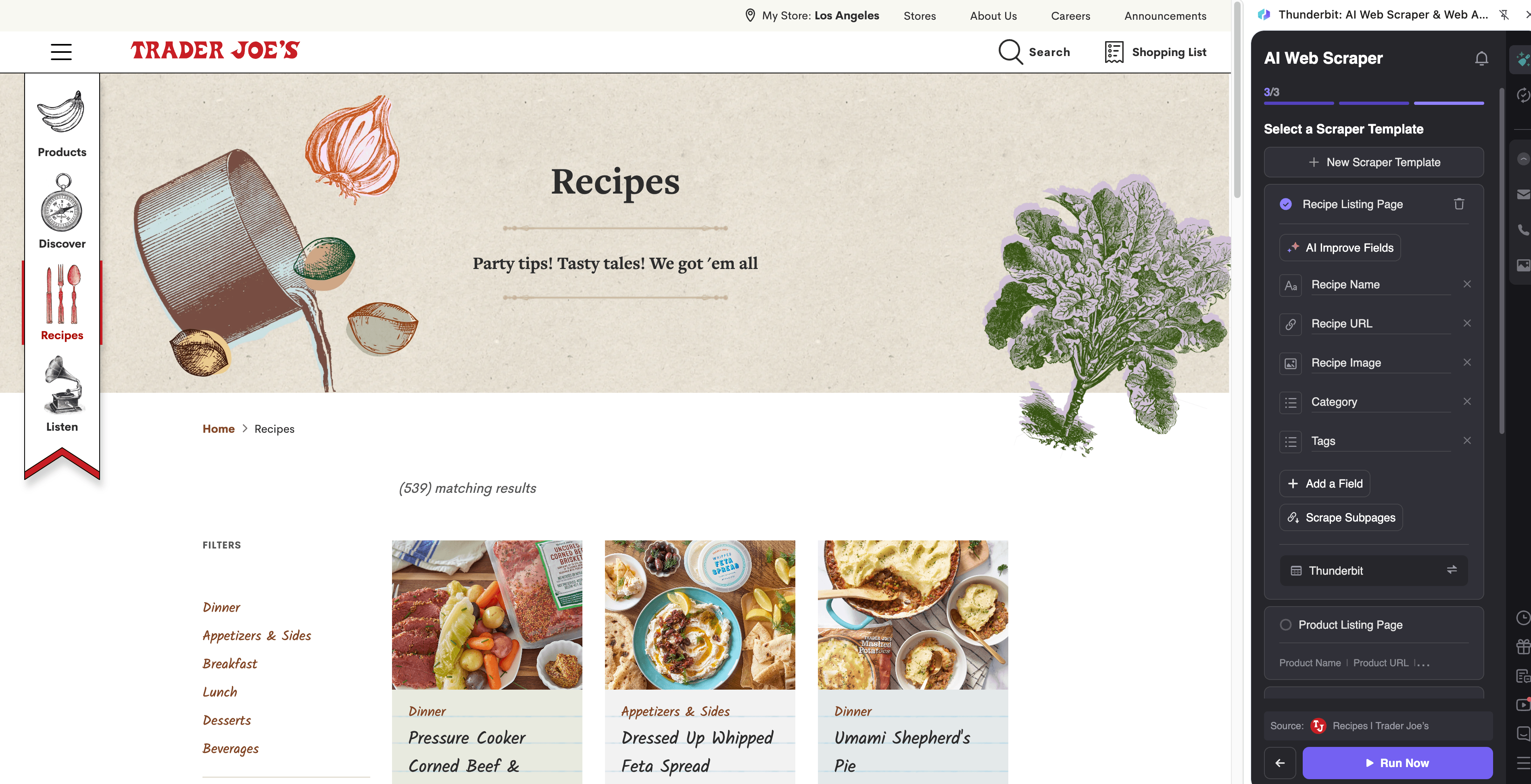
Steps:
- Download the Thunderbit Chrome Extension and register an account.
- Go to the destination page, for example: Trader Joe’s Recipes.
- Click AI Suggest Columns to generate recipe-friendly fields (title, URL, time, tags).
- Click Scrape to collect the recipe list, then use Scrape Subpages to pull full recipe details.
Column names
| Column | Description |
|---|---|
| 🍽️ Recipe Title | The name of the recipe as shown in the recipe listing. |
| 🔗 Recipe URL | Link to the full recipe page (key for subpage enrichment). |
| 🏷️ Recipe Tags / Category | Any tags like breakfast, dinner, vegetarian, seasonal, etc. |
| ⏱️ Total Time | Total time when available (often on the recipe detail page). |
| 👥 Servings | Serving size/yield when available (usually on the detail page). |
| 🧾 Ingredients | Ingredient list (best extracted via subpage scraping). |
| 🧑🍳 Instructions | Step-by-step directions (best extracted via subpage scraping). |
| 🛒 Referenced Products | Trader Joe’s products mentioned in the recipe (AI can extract/normalize). |
| 🖼️ Recipe Image URL | Main recipe image for your database or content planning. |
| 🗓️ Scrape Date | Timestamp for versioning and updates. |
Tip: If you want a “meal hack” database, add a custom Field AI Prompt like: Extract Trader Joe’s product names mentioned and return as a comma-separated list.
📈 Why Use Trader Joe’s Tool
Scraping Trader Joe’s data is useful when you want a reliable, repeatable way to track what’s new and organize content ideas.
- Ecommerce & retail operators: Build a “new items” tracker, monitor category changes, and keep a historical log of launches.
- Marketing teams & creators: Collect recipe ideas, tags, and images for content calendars and trend analysis.
- Sales & partnerships: Create structured lists of products and categories for outreach, merchandising, or research.
- Analysts & researchers: Turn web pages into datasets for comparisons, reporting, and internal dashboards.
Thunderbit is designed for business users who want results fast: click AI Suggest Columns, adjust if needed, then scrape and export.
🧩 How to Use Trader Joe’s Chrome Extension
- Install the Thunderbit Chrome Extension: Get it from the Chrome Web Store and create your account.
- Navigate to a Trader Joe’s page: Open a listing like New Products or browse Recipes.
- Activate AI-Powered Scraper: Click AI Suggest Columns to generate fields, then customize column names, data types, and Field AI Prompts if you want formatting or labeling.
- Scrape, paginate, and enrich: Click Scrape for the current page, enable pagination if needed, and use Subpage Scraping to pull details from each product/recipe page.
💳 Pricing for Trader Joe’s
Thunderbit uses a simple credit system:
- 1 credit = 1 output row in your results table (for example, one product or one recipe).
- The AI-powered scraping workflow (AI Suggest Columns + Scrape) is included, and you can start with the free tier.
What you can try for free:
- Free plan: scrape 6 pages per month (page-based allowance).
- Free trial: scrape 10 pages for free, which is ideal for testing product listings plus subpage enrichment.
Paid plans (monthly and yearly) scale with your volume. If you scrape regularly (weekly trackers, scheduled monitoring, or larger recipe libraries), the yearly plan is typically more cost effective due to the discount.
You can review options on Thunderbit Pricing.
❓ FAQ
-
What is the AI Powered Trader Joe’s Scraper?
The AI Powered Trader Joe’s Scraper is a workflow inside Thunderbit that uses AI to read Trader Joe’s pages and convert them into structured columns and rows. You click AI Suggest Columns to generate a schema, then click Scrape to extract the data and export it. -
What is Thunderbit?
Thunderbit is an AI Web Scraper Chrome Extension that helps you extract data from websites, PDFs, and images into structured tables. It’s built for business productivity, so you can export to Excel, Google Sheets, Airtable, or Notion without writing code. -
Can I scrape both product listings and product detail pages?
Yes. You can scrape a listing page first (product name, URL, image), then use Subpage Scraping to visit each product URL and add fields like price, package size, ingredients, or nutrition when available. This two-step approach is one of the fastest ways to build a complete dataset. -
How do I track new and seasonal items over time?
Add a Scrape Date column and run the scraper on a schedule (weekly or daily depending on your needs). With Thunderbit’s Scheduled Scraper, you can automate recurring runs and keep a historical log for comparisons and alerts. -
Does Thunderbit handle pagination and infinite scroll?
Yes. Thunderbit supports click-based pagination and infinite scroll patterns, so you can collect more than what’s visible on the first screen. This is especially helpful for recipe browsing and larger product categories. -
Can I export Trader Joe’s data to Google Sheets or Airtable?
Yes. Thunderbit supports free export to Excel, Google Sheets, Airtable, and Notion, plus CSV and JSON downloads. If you scrape image URLs and export to Airtable/Notion, images can be organized for easier viewing. -
What columns should I use for recipe scraping?
Start with Recipe Title, Recipe URL, Tags, and Image URL on the listing page. Then enrich with Ingredients, Instructions, Servings, and Total Time via subpage scraping so you have a complete recipe database you can search and filter. -
Can Thunderbit extract emails, phone numbers, or images from pages?
Yes. Thunderbit includes free one-click Email Extractor, Phone Number Extractor, and Image Extractor tools. These are useful when you’re collecting contact info from other sites, and the image extractor can help when you’re building visual catalogs. -
Is it okay to scrape Trader Joe’s pages?
You should always follow applicable laws, respect privacy, and review the website’s terms before scraping. Thunderbit is a tool for structuring publicly accessible information, and you’re responsible for using it in a compliant way for your organization.
📚 Learn More
- Get started with the extension: Thunderbit Chrome Extension Download Page
- Explore guides on scraping workflows: Thunderbit Blog
- Learn the fundamentals: What Is Data Scraping and How to Do It in 2025
- Build list-based datasets: What Is List Crawling and How to Do It Using AI
- Export clean tables fast: How to Scrape Website Data into Excel using AI
- General workflow tutorial: How to Scrape Any Website Using AI
- Need PDF extraction too: How to Scrape Data from PDF using AI
Ready to build your Trader Joe’s product tracker or recipe database with AI using Thunderbit.










