

Thunderbit’s Safeway Scraper helps you extract weekly ad listings, deals, coupons, and product details from Safeway and turn messy web pages into structured data using AI. You can collect prices, discounts, item names, images, and URLs from listing pages, then enrich your dataset by visiting item detail pages with Subpage Scraping. Export your results to Excel, Google Sheets, Airtable, or Notion in a couple of clicks with Thunderbit.
🛒 What is Safeway Scraper
The AI-Powered Safeway Scraper is an AI Web Scraper that lets you scrape data from Safeway pages like the Weekly Ad and deal pages using Thunderbit’s Chrome extension. You simply open the page, click AI Suggest Columns, then click Scrape—Thunderbit’s AI reads the page layout and structures the data into a clean table you can download or export.
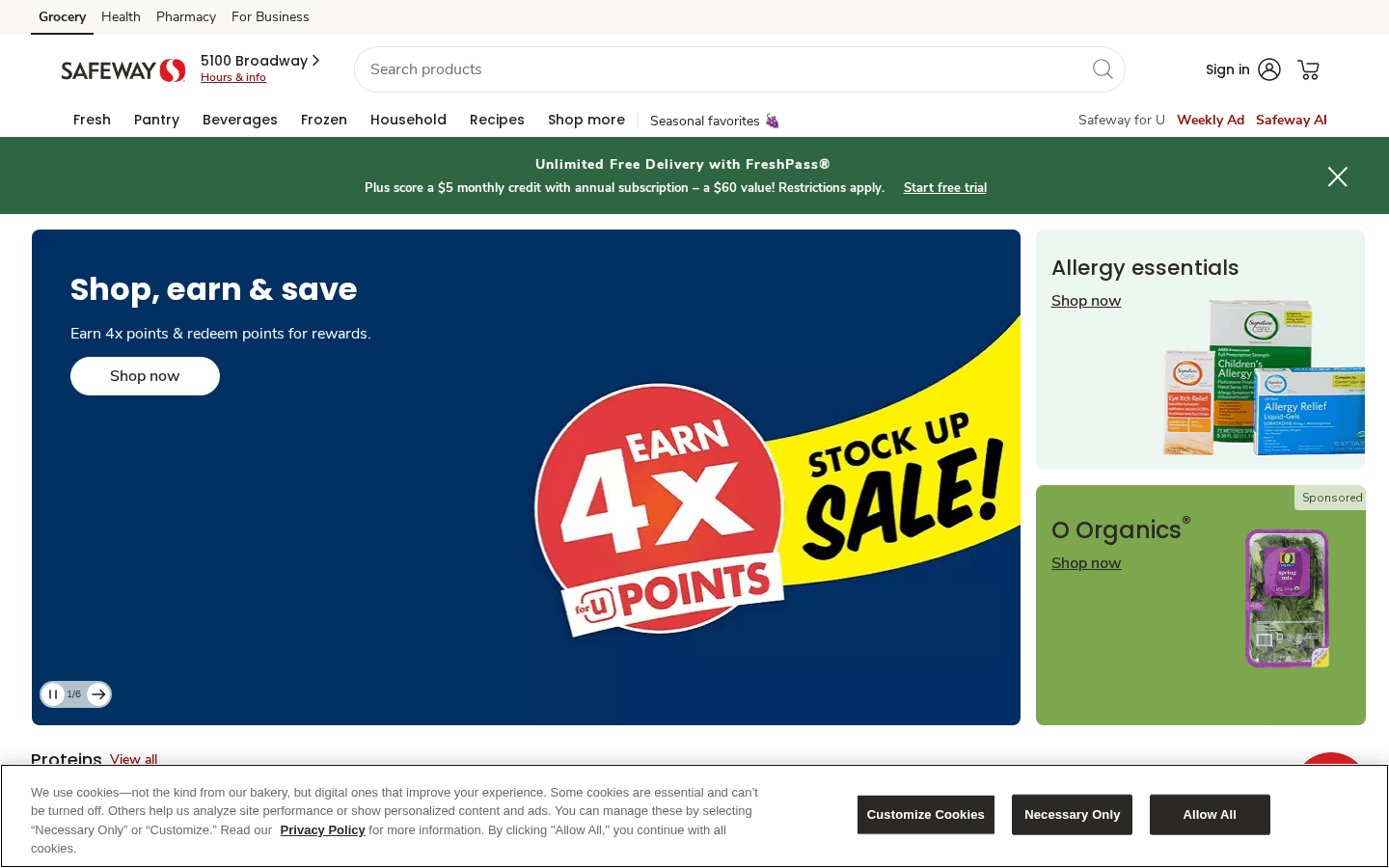
🧾 What can you scrape with Safeway
Safeway pages are packed with valuable e-commerce data—weekly ad items, promotional pricing, digital coupons, and product details. Thunderbit is built for business workflows where you want the data in a spreadsheet, not trapped in a web page.
Below are two common scraping workflows you can run with Thunderbit.
🗓️ Scrape Safeway Weekly Ad Scraper
The Safeway Weekly Ad is ideal for tracking promotions, building a price history, comparing categories, and monitoring competitor pricing strategies. You can scrape the ad listings, then optionally use Subpage Scraping to open each item and capture deeper product details.
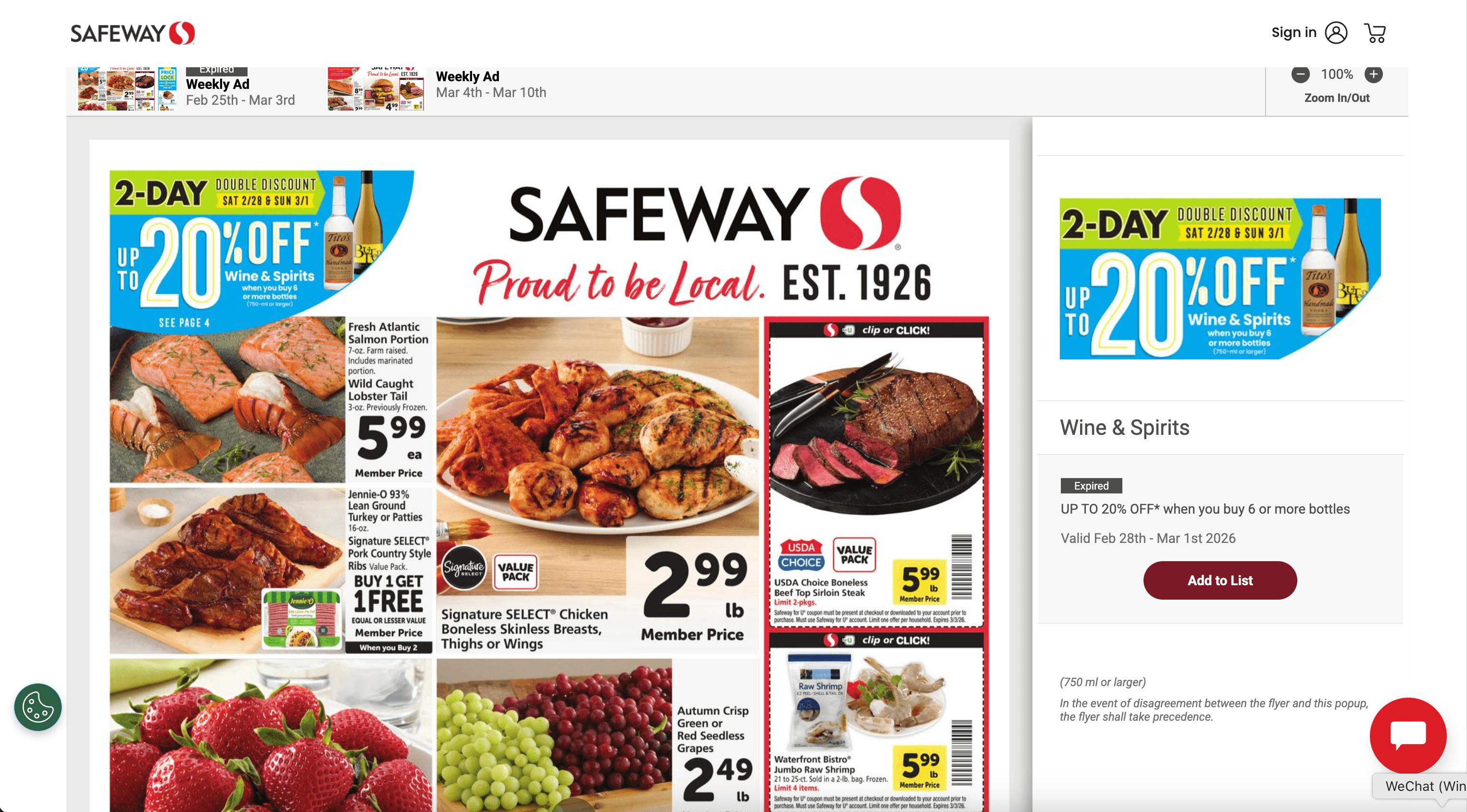
Steps:
- Download the Thunderbit Chrome Extension and register an account.
- Go to the destination page, for example: Safeway Weekly Ad.
- Click AI Suggest Columns to generate recommended column names and data types.
- Click Scrape to extract the data, then export to Excel, Google Sheets, Airtable, or Notion.
Column names
| Column | Description |
|---|---|
| 🏷️ Item Name | The product name shown in the weekly ad listing. |
| 💲 Ad Price | The promotional price displayed for the item. |
| 🧾 Discount / Savings | Any savings text such as “Save $X” or percent-off messaging. |
| 📦 Size / Quantity | Pack size, weight, or quantity (for example, “12 oz” or “2 ct”). |
| 🗂️ Category | The category or section the item appears under in the weekly ad. |
| 🗓️ Ad Valid Dates | The start/end dates of the weekly ad (when available on the page). |
| 🌐 Item URL | The link to the item or offer page for deeper details. |
| 🖼️ Image URL | The product image link (useful for catalogs and reporting). |
🧩 Scrape Safeway Deals & Coupons Scraper
Deal pages (including bundles and recipe-style promo pages) often include a mix of product cards, ingredients, and offer logic. With Thunderbit, you can scrape the deal page and then use Subpage Scraping to capture item-level details like SKU identifiers, full descriptions, and current availability.
Example page: Safeway Deals & Coupons
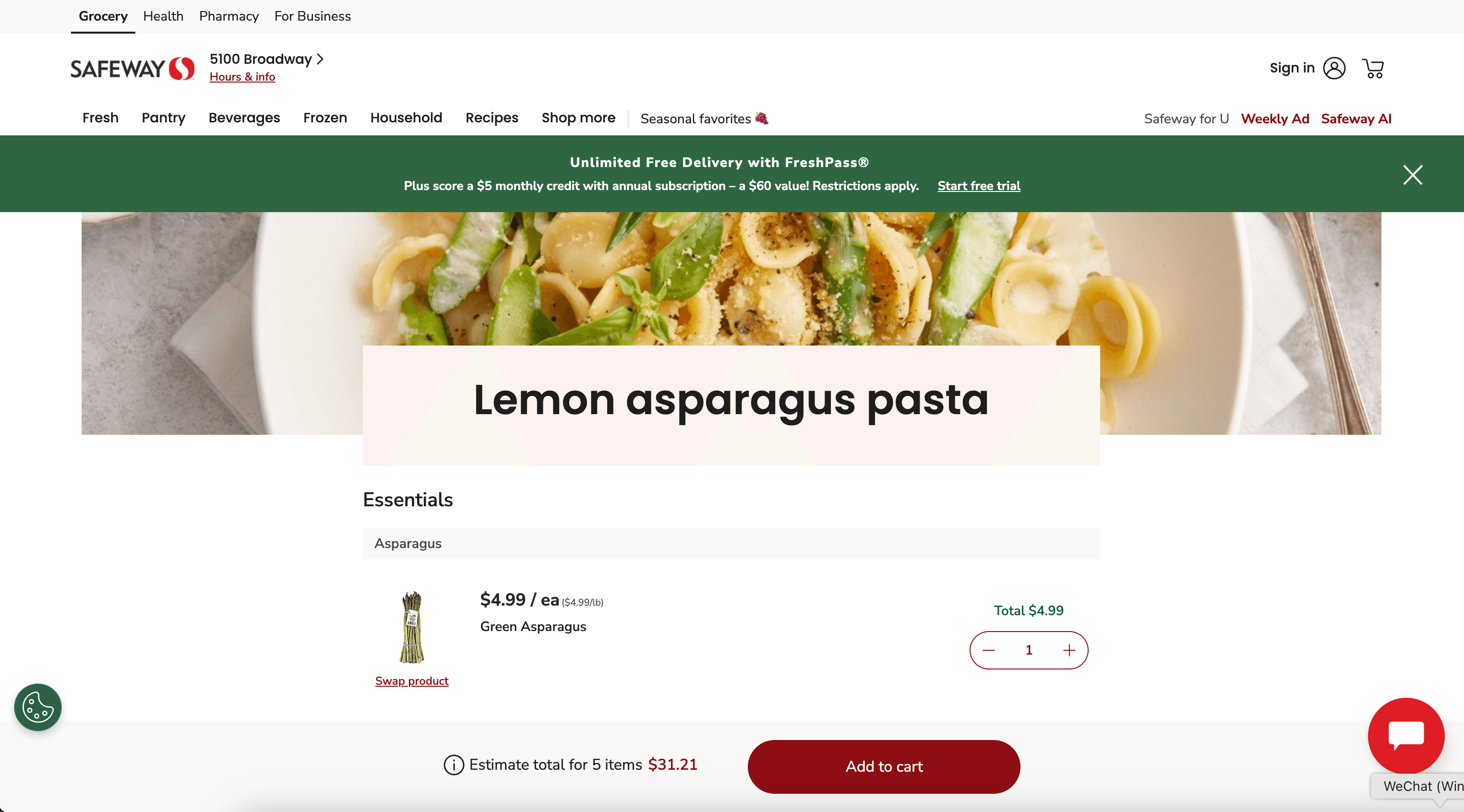
Steps:
- Download the Thunderbit Chrome Extension and register an account.
- Go to the destination page, for example: Safeway bundle/deal page.
- Click AI Suggest Columns to let AI propose the best fields for this page layout.
- Click Scrape to collect the data and export it to your preferred tool.
Column names
| Column | Description |
|---|---|
| 🧾 Deal / Bundle Title | The name of the deal, bundle, or coupon page section. |
| 🏷️ Product Name | The product name included in the deal or recommended list. |
| 💲 Current Price | The current listed price (if shown on the page). |
| 🎟️ Coupon / Offer Text | Offer messaging such as digital coupon details or promo requirements. |
| 🧮 Unit Price | Price per unit (for example, per oz, per lb) when available. |
| 🏪 Brand | Brand name if displayed in the product card or details. |
| 🌐 Product URL | Link to the product detail page for enrichment via subpage scraping. |
| 🖼️ Product Image | Image URL for the product card. |
📈 Why Use Safeway Tool
Scraping Safeway data is useful when you need repeatable, structured reporting across promotions, pricing, and product catalogs.
Common reasons you might scrape Safeway include:
- E-commerce & retail ops: Track weekly ad pricing, promo frequency, and category-level discounting to support pricing decisions.
- Brand & marketing teams: Monitor how products appear in weekly ads, which items get featured, and how offer copy changes over time.
- Sales teams: Build lists of promoted products and link them to brand portfolios for outreach and reporting.
- Analysts & researchers: Create datasets for price history, promotion analysis, and assortment comparisons.
- Automation-first teams: Use Scheduled Scraper to collect the same pages on a recurring cadence for monitoring.
Thunderbit is especially helpful when:
- The page layout changes often and traditional scrapers break
- You need Subpage Scraping to enrich listing data with detail-page fields
- You want exports to business tools without engineering work
If you want more background on modern scraping workflows, these guides help:
- How to Scrape Any Website Using AI
- What Is Data Scraping and How to Do It in 2025
- How to Scrape Website Data into Excel using AI
- Thunderbit Blog
🧩 How to Use Safeway Chrome Extension
- Install the Thunderbit Chrome Extension: Get it from the Chrome Web Store and create your account.
- Navigate to a Safeway page: Open a page like the Weekly Ad or a deal page such as this bundle.
- Activate AI-Powered Scraper: Click AI Suggest Columns to generate fields, then adjust column names and data types if needed.
Extra features you can use as you scale:
- Subpage Scraping: Visit each product URL and append fields like full description, ingredients, nutrition, or SKU-style identifiers to your table.
- Pagination & infinite scroll support: Scrape multi-page listings without manual copying.
- Cloud Scraping vs. Browser Scraping: Use browser mode for logged-in experiences; use cloud mode for speed on public pages.
💳 Pricing for Safeway
Thunderbit uses a simple credit system:
- 1 credit = 1 output row in your results table
- The AI-powered scraping workflow (AI Suggest Columns + Scrape) is included, and you can start with the free tier
What you can try for free:
- Free plan: scrape 6 pages per month
- Free trial: scrape 10 pages for free, which is a good way to test Weekly Ad and deal pages end-to-end
Paid plans are designed for ongoing monitoring and higher-volume exports. If you scrape weekly ads regularly or run scheduled jobs, the yearly plan is typically more cost effective because it includes a discount compared to monthly pricing.
You can review current options on Thunderbit Pricing.
❓ FAQ
-
What is the AI Powered Safeway Scraper?
The AI Powered Safeway Scraper is a workflow in Thunderbit that uses AI to read Safeway pages and convert them into structured columns like item name, price, discount, and product URL. Instead of writing code or building selectors, you click AI Suggest Columns and Thunderbit proposes a table you can scrape immediately. -
What is Thunderbit?
Thunderbit is an AI Web Scraper Chrome extension that helps you extract data from websites, PDFs, and images into structured tables. It’s built for business teams who want fast exports to Excel, Google Sheets, Airtable, or Notion without maintaining scraping scripts. -
Can I scrape Safeway Weekly Ad items into Excel or Google Sheets?
Yes. After scraping, you can export to Excel or CSV, or send the data directly to Google Sheets. Exports are designed to be simple so you can plug the dataset into reporting, price tracking, or internal dashboards. -
Does Thunderbit support scraping product detail pages from a listing?
Yes. Thunderbit’s Subpage Scraping can open each product URL you collected from the Weekly Ad or deal page and append additional fields to the same row. This is useful when the listing page shows only partial info, but the detail page contains richer attributes. -
How do credits work for Safeway scraping?
Credits are based on output rows, not pages. If you scrape a table with 200 items, that typically produces 200 rows and uses 200 credits. This makes it easier to estimate cost based on how many products or deals you need each run. -
Can I scrape pages that require login or a selected store location?
Many grocery sites personalize content by location or account state. Thunderbit supports Browser Scraping, which runs inside your Chrome session so it can access pages you can already see after logging in or selecting a store. If a page is public and does not require login, Cloud Scraping can be faster. -
Will the scraper break if Safeway changes the page layout?
Traditional scrapers often fail when HTML structure changes. Thunderbit uses AI to interpret the page content each time you run it, which helps it adapt to layout changes and reduces maintenance work. You can also re-run AI Suggest Columns to refresh the field mapping. -
Can I schedule Safeway scraping for weekly monitoring?
Yes. Thunderbit includes a Scheduled Scraper that lets you describe the interval in plain language and provide URLs to scrape. This is useful for weekly ad monitoring, recurring deal tracking, and building a price history dataset over time. -
Is it legal to scrape Safeway data?
Scraping legality depends on what you collect, how you use it, and the site’s terms plus applicable laws. You should focus on publicly accessible data, avoid collecting sensitive personal information, and ensure your use complies with relevant policies and regulations. If you’re unsure, consult your legal counsel for guidance specific to your situation.
📚 Learn More
- Get the extension: Thunderbit Chrome Extension Download Page
- Explore product and use cases: Thunderbit Official Website
- Learn scraping fundamentals: What Is Data Scraping and How to Do It in 2025
- Learn list extraction workflows: What Is List Crawling and How to Do It Using AI
- Export workflows: How to Scrape Website Data into Excel using AI
- See more guides: Thunderbit Blog










