
Thunderbit’s Publix Scraper helps you turn Publix deal pages into clean, structured data using AI. You can extract weekly ad listings, BOGO offers, and deli specials, then export to Excel, Google Sheets, Airtable, or Notion in a couple of clicks. Instead of copying and pasting prices and promotions, you let AI read the page and build a table for you.
🛒 What is Publix Scraper
The AI-Powered Publix Scraper is an AI Web Scraper that extracts data from Publix pages and converts it into structured rows and columns. You simply open the page you want (like the weekly ad), click AI Suggest Columns, then click Scrape in the Thunderbit Chrome Extension.
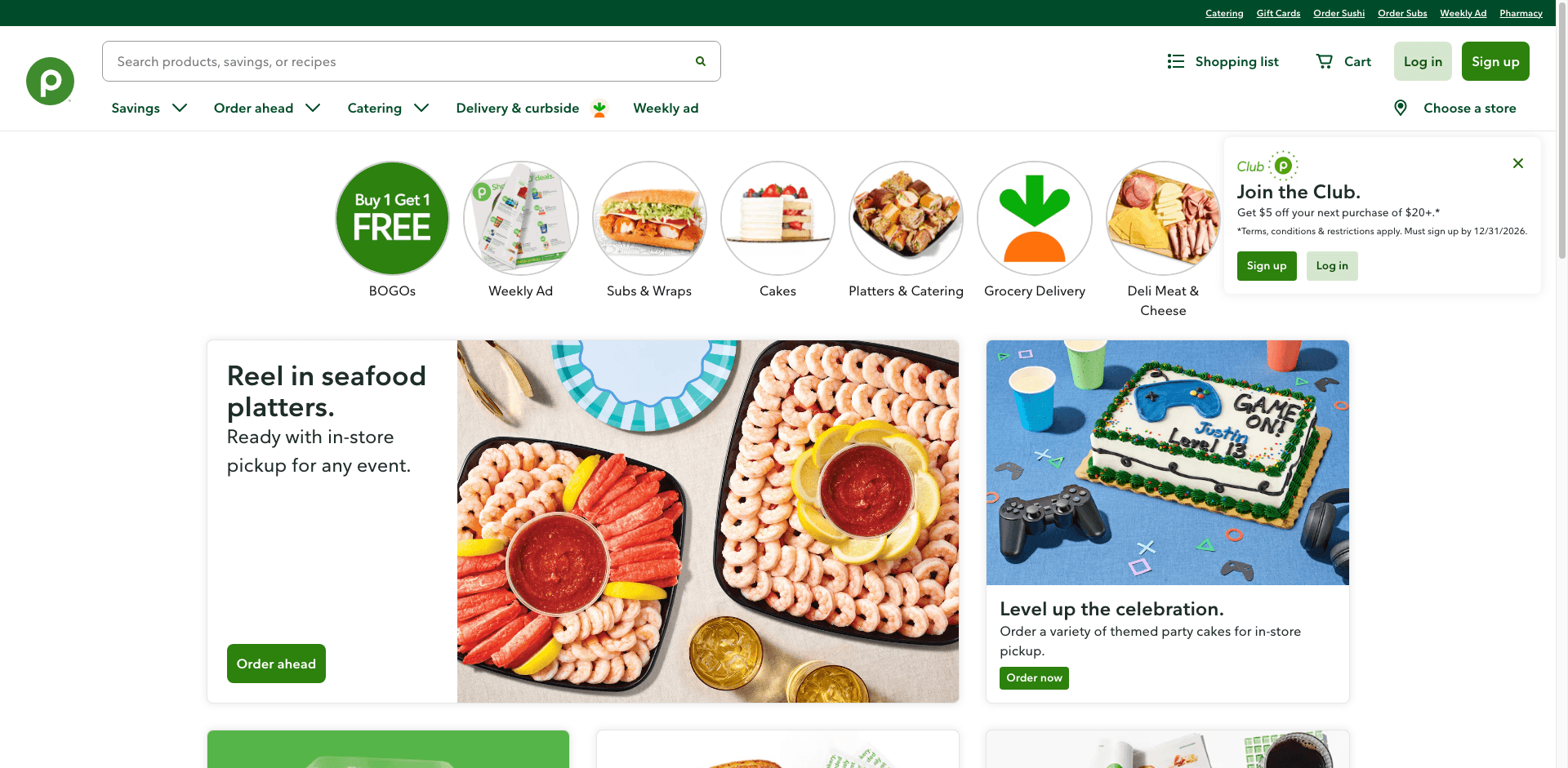
With Thunderbit, you can also use pagination scraping (for multi-page deal lists) and subpage scraping (to open each item and enrich your dataset with details like size, ingredients, or promo fine print).
🧾 What can you scrape with Publix
Publix has multiple high-value pages for savings and merchandising workflows. Below are two common scraping workflows you can run with Thunderbit.
🏷️ Scrape Publix Weekly BOGO & Savings Tracker
The Publix Weekly Ad is ideal for tracking BOGO deals, weekly discounts, and promo pricing. Scrape the listing to build a savings database, compare week-over-week changes, or create a shopping list with the best unit prices.
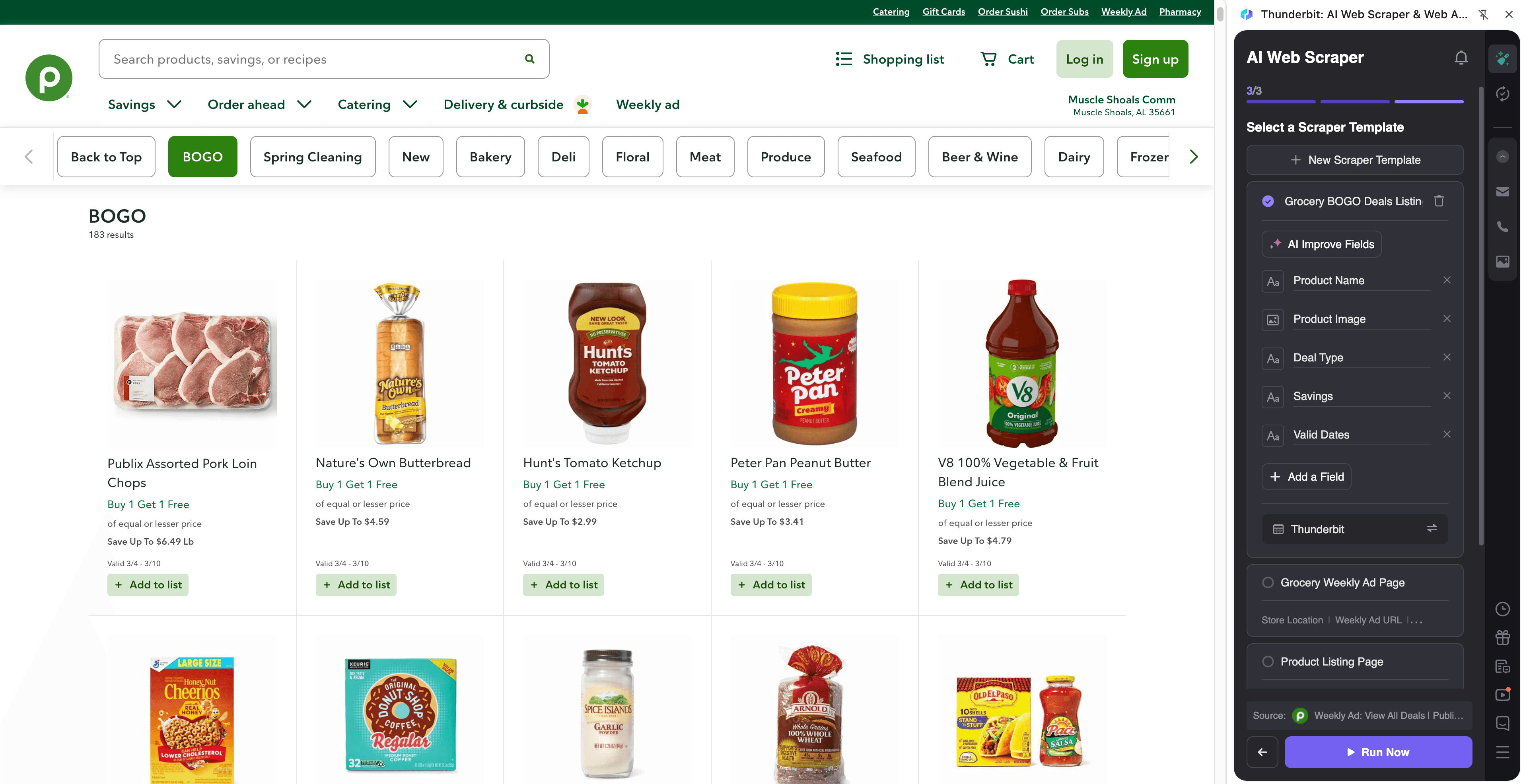
Steps:
- Download the Thunderbit Chrome Extension and register an account.
- Go to the destination page: Publix Weekly Ad.
- Click AI Suggest Columns to generate recommended fields for this page.
- Click Scrape to extract the data, then download or export it.
Column names
| Column | Description |
|---|---|
| 🏷️ Item Name | The product name shown in the weekly ad. |
| 💲 Sale Price | The promotional price (or price range) displayed for the item. |
| 🎁 Deal Type | The promotion label such as BOGO, discount, or multi-buy (when shown). |
| 📦 Size / Quantity | Pack size, weight, or count (for unit-price comparisons). |
| 🗂️ Category | The section the item appears under (e.g., pantry, beverages, household). |
| 🏪 Store / Region | Store context if the page reflects a selected location or region. |
| 📅 Valid Dates | Start and end dates for the weekly ad period (when available). |
| 🔗 Item URL | Link to the item or deal detail page for subpage enrichment. |
| 🖼️ Image URL | Product image link for cataloging in Airtable/Notion. |
Tip: After scraping the list, use Scrape Subpages to open each Item URL and add extra fields like ingredients, nutrition, or promo fine print into the same table.
🥪 Scrape Publix Famous "Pub Sub" & Deli Specials
The Publix Deli specials page is great for tracking Pub Sub promos, deli meal deals, and limited-time offers. If you manage a household budget, run a local food newsletter, or track promotions across retailers, this page is a reliable source of weekly specials.
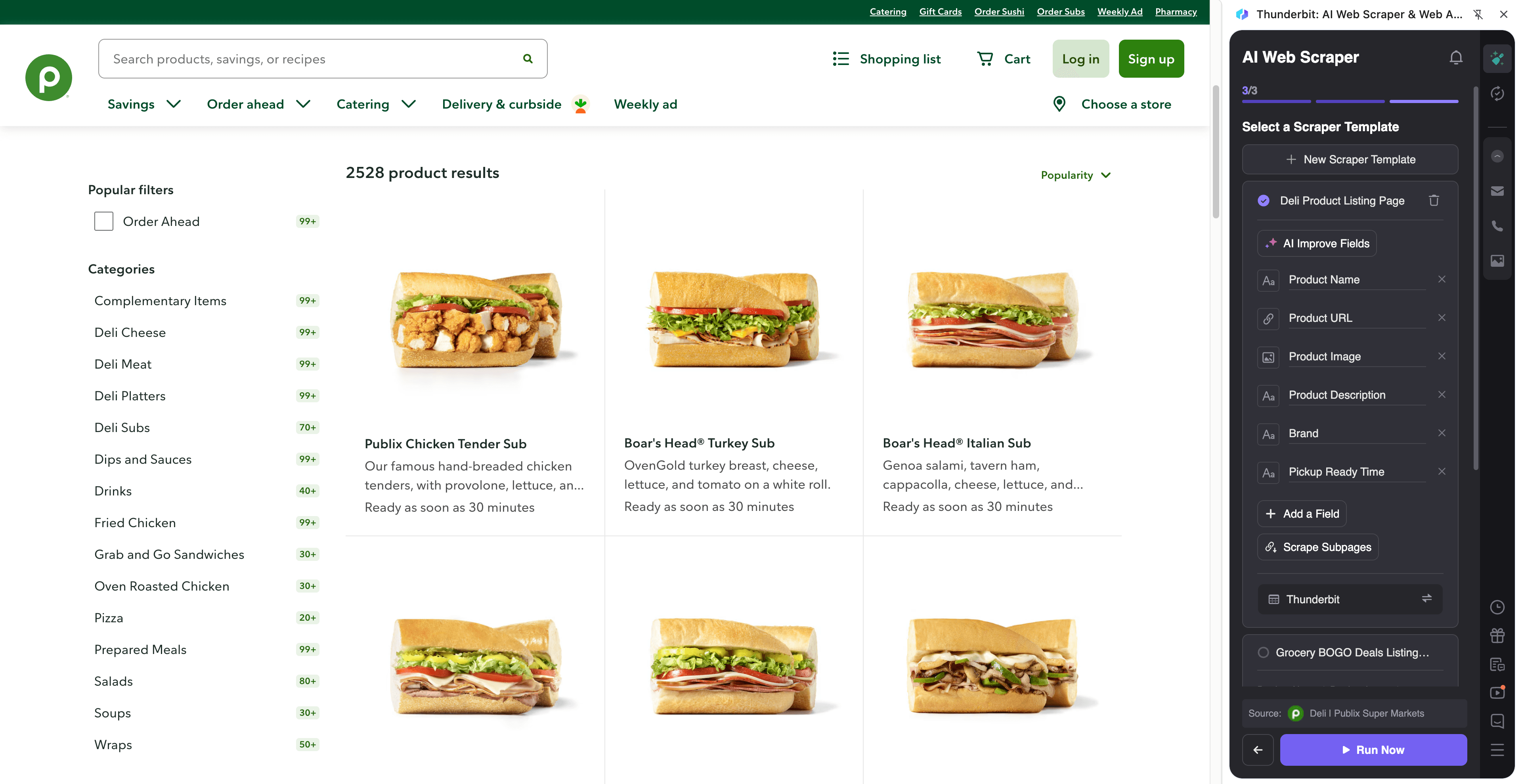
Steps:
- Download the Thunderbit Chrome Extension and register an account.
- Go to the destination page: Publix Deli Specials.
- Click AI Suggest Columns to generate recommended fields for specials and promo blocks.
- Click Scrape to extract the data, then download or export it.
Column names
| Column | Description |
|---|---|
| 🥪 Special Name | The deli special title (e.g., sub, meal, platter, combo). |
| 💲 Promo Price | The advertised promotional price. |
| 📝 Description | Short details about what’s included in the deal. |
| 📅 Valid Dates | Promo start/end dates (when shown). |
| 🏷️ Offer Tag | Labels like limited time, weekly special, or savings callouts. |
| 🧾 Terms / Fine Print | Any restrictions or conditions shown on the page. |
| 🔗 Special URL | Link to the special or related detail page (if available). |
| 🖼️ Image URL | The promo image for the special (useful for content planning). |
📈 Why Use Publix Scraper Tool
Scraping Publix promotions is useful when you need repeatable, structured deal data instead of manual tracking.
- E-commerce & retail ops: Build a weekly promo archive, compare discount depth, and monitor category-level pricing patterns.
- Marketing teams & creators: Turn weekly deals into content calendars, email newsletters, or social posts with consistent formatting.
- Sales & partnerships: Track brand visibility in weekly ads and identify co-marketing opportunities.
- Budget-focused shoppers: Export deals to Google Sheets and sort by category, price, or BOGO to plan trips faster.
- Data teams & analysts: Create a dataset for trend analysis (promo frequency, price changes, seasonal patterns).
Thunderbit is designed for business users who want the simplest workflow: AI Suggest Columns → Scrape → Export. If the page layout changes, AI adapts without you rebuilding a scraper.
🧩 How to Use Publix Chrome Extension
- Install the Thunderbit Chrome Extension: Get it from the Chrome Web Store and create your account.
- Navigate to a Publix page you want to extract: For example, the Weekly Ad or the Deli Specials page.
- Activate AI-Powered Scraper: Click AI Suggest Columns to generate fields, then adjust column names or data types if needed (text, number, date, URL, image).
- Scrape and export: Click Scrape, then export to Excel, Google Sheets, Airtable, or Notion (export is free).
If you’re collecting item-level details, use Subpage Scraping to visit each product/special link and enrich your table. If the weekly ad spans multiple sections or loads more items, use pagination or infinite scroll scraping.
💳 Pricing for Publix Scraper
Thunderbit uses a simple credit system:
- 1 credit = 1 output row in your results table
- If you scrape 200 deals, that’s about 200 credits
You can try the AI-powered scraping workflow for free:
- Free tier: scrape 6 pages per month
- Free trial: scrape 10 pages for free before choosing a paid plan
Paid plans are designed for different volumes, and the yearly option is typically the most cost-effective because it includes a discount.
- Free: 6 pages/month
- Starter: $15 monthly or $9 yearly (billed yearly), includes 500 credits/month or 5,000 credits/year
- Pro plans scale up for teams running weekly monitoring and larger exports
See full details on Thunderbit Pricing.
❓ FAQ
-
What is the AI Powered Publix Scraper?
The AI Powered Publix Scraper is a workflow in Thunderbit that uses AI to read Publix pages and convert promotions, prices, and item details into structured columns. You open a Publix page, click AI Suggest Columns, then click Scrape to generate a dataset you can export.
It’s built for speed and reliability, especially when pages contain mixed layouts like promo tiles, cards, and dynamic sections. -
What is Thunderbit?
Thunderbit is an AI web scraper Chrome Extension that helps you extract data from websites, PDFs, and images into structured tables. It’s designed for business workflows like lead generation, e-commerce operations, and marketing research.
You can also export to Excel, Google Sheets, Airtable, or Notion, and use features like subpage scraping, scheduled scraping, and free email/phone/image extractors. -
Do I need coding skills to scrape Publix weekly ads?
No. Thunderbit is built for non-technical workflows, so you don’t need Python, selectors, or scraping rules.
The AI suggests columns based on what it sees on the page, and you can rename or refine fields before scraping. -
What data can I extract from the Publix weekly ad page?
You can typically extract item name, sale price, deal type (like BOGO), size/quantity, category, image, and the item URL. If the page includes validity dates or store context, those can be captured too.
If you need more detail, you can scrape subpages to add fields like product descriptions or additional promo terms. -
Can Thunderbit handle pagination or infinite scroll on Publix pages?
Yes. Thunderbit supports both click-based pagination and infinite scroll scraping, which is common on modern retail pages.
This helps you capture complete weekly ad inventories instead of only what’s visible on the first screen. -
What is subpage scraping and why does it matter for Publix?
Subpage scraping means Thunderbit can open each item’s detail page (using the URL you scraped) and add more columns back into your original table.
For Publix, this is useful when the listing page shows only a promo headline, but the detail page contains size, restrictions, or additional product information. -
Can I export Publix deals to Google Sheets or Airtable?
Yes. Thunderbit supports free export to Excel, Google Sheets, Airtable, and Notion, plus CSV and JSON downloads.
If you export image fields to Airtable or Notion, Thunderbit can upload images into the workspace’s image library so you can view them directly. -
How much does it cost to scrape Publix with Thunderbit?
The cost depends on how many rows you extract because 1 credit equals 1 output row. The free tier lets you scrape 6 pages per month, and the free trial allows 10 pages.
If you scrape weekly and want consistent monitoring, a yearly plan can be more cost-effective due to the discount. Check Thunderbit Pricing for the latest tiers. -
Is it okay to scrape Publix pages?
You should always follow applicable laws, respect privacy, and review the website’s terms. Thunderbit is a tool for extracting data, and how you use the data matters.
If you’re scraping for internal analysis (like tracking weekly promotions) and not collecting sensitive personal data, it’s typically a straightforward use case, but you should still confirm compliance for your situation.
📚 Learn More
- Get started with the Thunderbit Chrome Extension
- Read: How to Scrape Any Website Using AI
- Read: How to Scrape Website Data into Excel using AI
- Read: What Is Data Scraping and How to Do It in 2025
- Read: What Is List Crawling and How to Do It Using AI
- Explore more guides on the Thunderbit Blog
Ready to build your Publix savings tracker in minutes with AI-structured data. Install Thunderbit, open a Publix deals page, click AI Suggest Columns, and scrape.










