

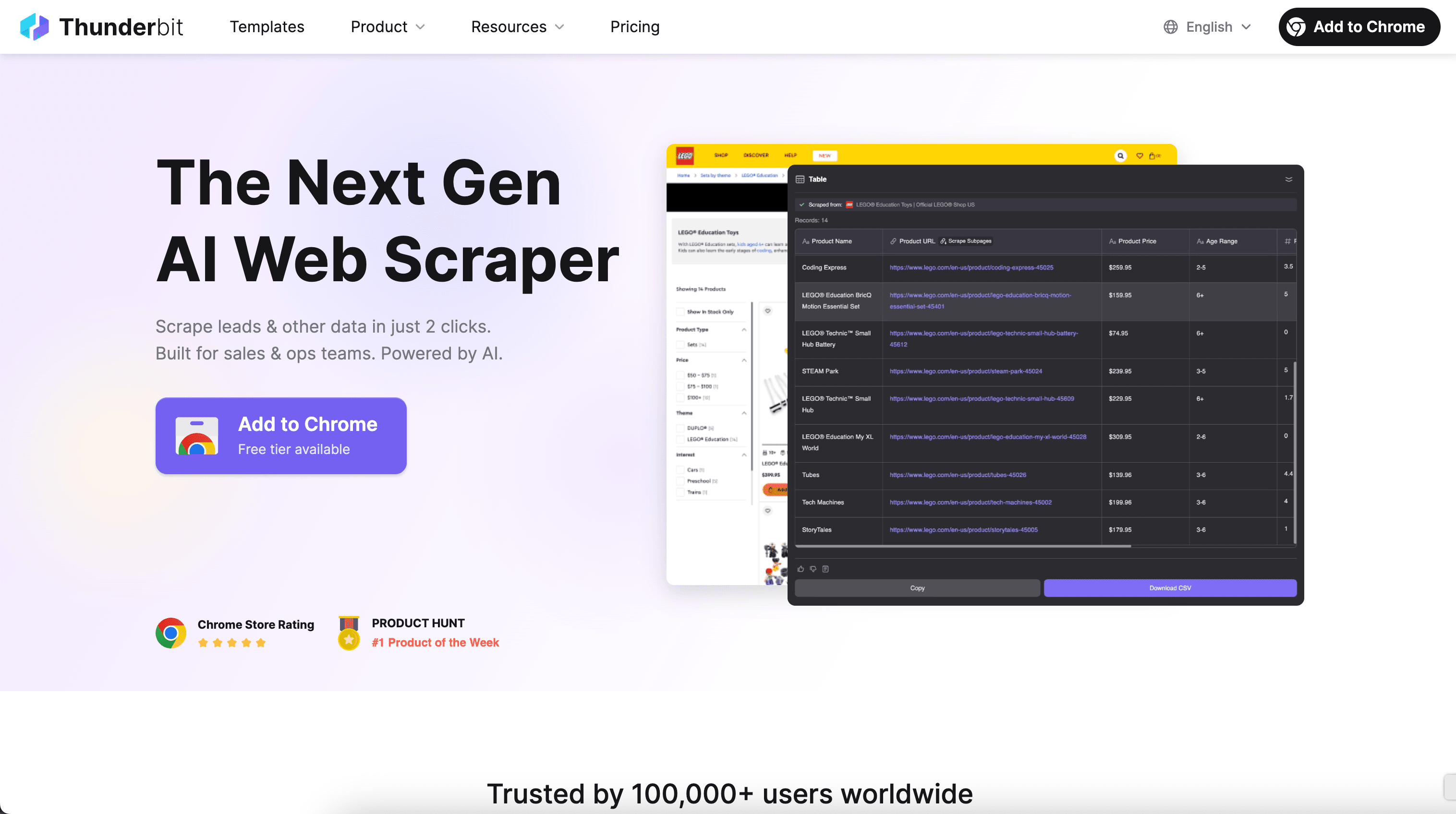
Thunderbit’s Hashtag Scraper helps you turn Instagram and TikTok hashtag pages into clean, structured datasets using AI. You can extract post listings, creators, captions, publish dates, and engagement metrics for trend monitoring and campaign reporting. With Thunderbit, you click AI Suggest Columns to let AI structure the data, then click Scrape to export to Excel, Google Sheets, Airtable, or Notion.
🏷️ What is Hashtag Scraper
The AI-Powered Hashtag Scraper is an AI Web Scraper that collects hashtag post listings and key metrics from social platforms like Instagram and TikTok. You simply open a hashtag page (for example, an Instagram tag feed or a TikTok tag feed), click AI Suggest Columns, and then click Scrape to generate a table you can download or export.
This is especially useful when you need repeatable social trend monitoring, influencer discovery, or campaign performance tracking without manual copy-paste.
📌 What can you scrape with Hashtag Scraper
Hashtag pages are fast-moving, and the data you need is often spread across cards, modals, and post detail pages. Thunderbit’s AI can extract the listing data and, when needed, enrich it with Subpage Scraping by visiting each post URL to pull deeper details.
Below are two common workflows you can run with the Hashtag Scraper.
📸 Scrape Instagram Trend Monitoring
Use this workflow to scrape an Instagram hashtag feed like #travel and track what’s trending: which creators are posting, what captions are used, and how engagement changes over time. This is helpful for content planning, competitive research, and identifying emerging topics.
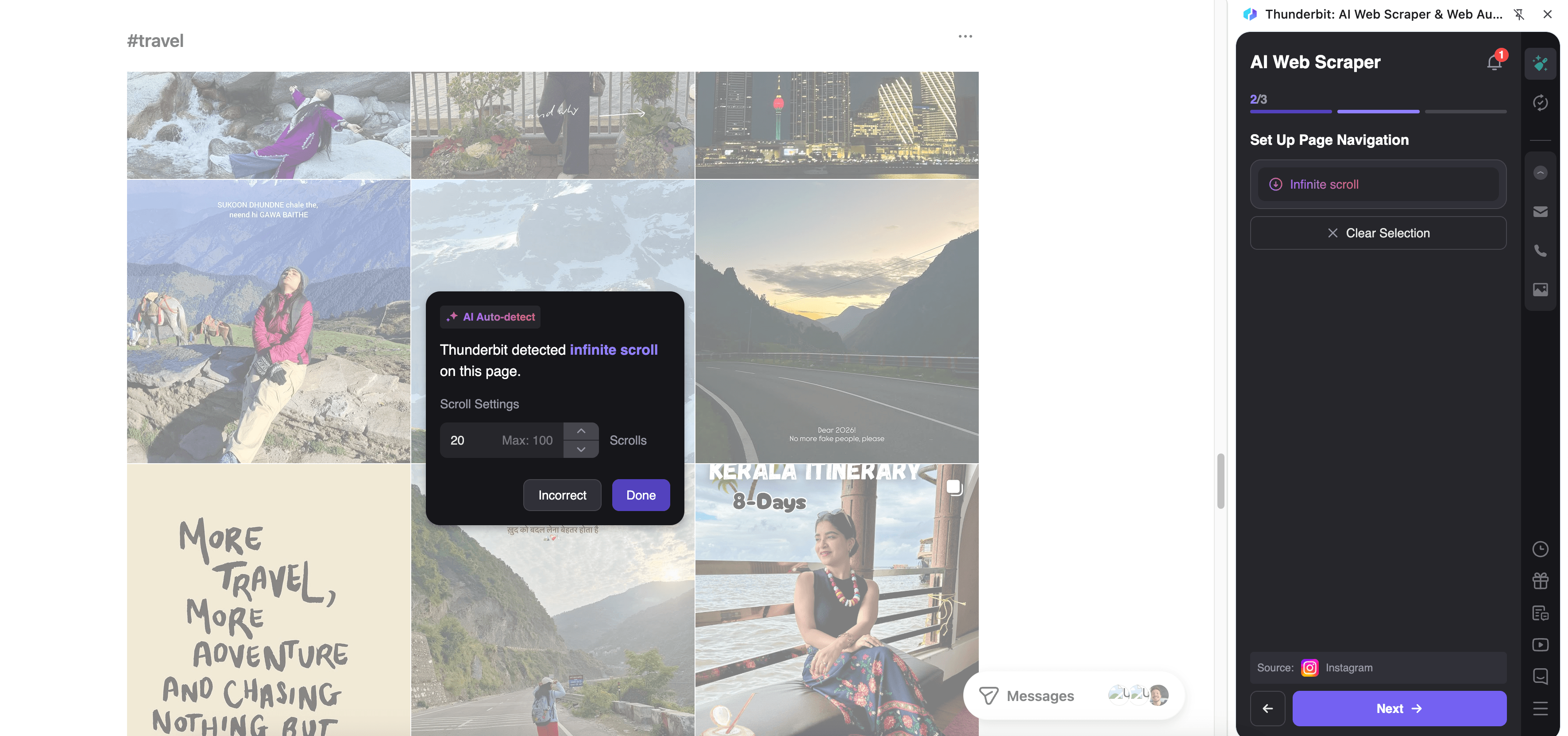
Steps:
- Download the Thunderbit Chrome Extension and register an account.
- Go to the destination page, for example: Instagram #travel.
- Click AI Suggest Columns, which recommends column names and data types for the hashtag listing.
- Click Scrape to run the scraper, then export to Excel, Google Sheets, Airtable, or Notion.
Column names
| Column | Description |
|---|---|
| 🔖 Hashtag | The hashtag you’re monitoring (for example, travel). Useful for multi-hashtag tracking in one sheet. |
| 🔗 Post URL | Direct link to the post for review, QA, or subpage enrichment. |
| 🧑 Creator Handle | The account username that published the post. |
| 📝 Caption | The post caption text (great for keyword and theme analysis). |
| 📅 Publish Date | The date/time the post was published (when available). |
| ❤️ Likes | Like count (when visible/available on the page). |
| 💬 Comments | Comment count (when visible/available on the page). |
| 🖼️ Thumbnail/Image URL | The preview image URL for cataloging and creative review. |
🎵 Scrape TikTok Campaign Performance Tracking
Use this workflow to scrape a TikTok hashtag page like #summerstyle to measure campaign traction, creative patterns, and creator participation. You can build weekly reports, compare hashtags, and identify high-performing posts to inform your next brief.
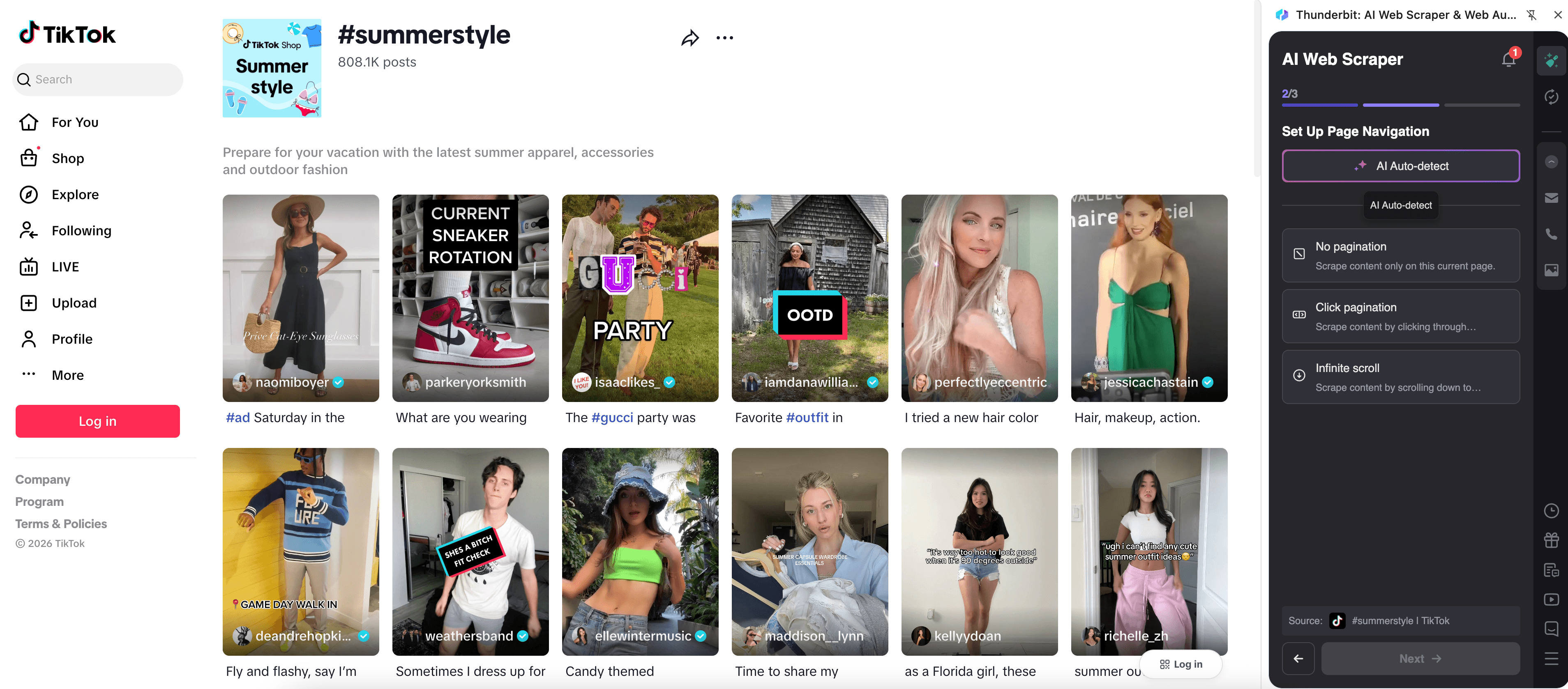
Steps:
- Download the Thunderbit Chrome Extension and register an account.
- Go to the destination page, for example: TikTok #summerstyle.
- Click AI Suggest Columns to generate recommended fields for the hashtag listing.
- Click Scrape to extract the data and export it to your preferred tool.
Column names
| Column | Description |
|---|---|
| 🔖 Hashtag | The TikTok tag you’re tracking (for example, summerstyle). |
| 🔗 Video URL | Direct link to the TikTok video for review and reporting. |
| 🧑 Creator Username | The creator who posted the video. Useful for influencer shortlists. |
| 📝 Video Description | The text description/caption associated with the video. |
| 📅 Posted Time | When the video was posted (when available). |
| ▶️ Views | View count (when visible/available). |
| ❤️ Likes | Like count (when visible/available). |
| 💬 Comments | Comment count (when visible/available). |
| 🔁 Shares | Share count (when visible/available). |
| 🎵 Sound / Audio | The audio track name or link (when available), useful for trend analysis. |
| 🖼️ Cover Image URL | Video cover/thumbnail URL for creative review. |
📈 Why Use Hashtag Scraper Tool
Hashtag pages are one of the fastest ways to understand what content is working right now, but manual tracking is slow and inconsistent. With Thunderbit’s AI Web Scraper (Thunderbit), you can build a repeatable pipeline for social intelligence.
Common reasons you might scrape hashtag data:
- Social media managers: Track weekly hashtag performance, spot content patterns, and build reporting dashboards.
- Performance marketers: Monitor campaign hashtags, compare engagement across creatives, and identify top posts to replicate.
- Influencer and creator teams: Discover creators posting under a niche hashtag and build outreach lists (then use Thunderbit’s free Email Extractor and Phone Number Extractor when contact info is available on the web).
- Ecommerce operators: Watch UGC trends around product categories and collect examples for ad creative testing.
- Agencies: Standardize client reporting by exporting structured data to Google Sheets or Airtable.
Thunderbit also supports:
- Pagination and infinite scroll scraping for hashtag feeds that keep loading content
- Subpage Scraping to visit each post/video URL and enrich your dataset with deeper details
- Scheduled Scraper to automatically re-scrape hashtags daily/weekly for ongoing monitoring
If you’re new to scraping, these guides can help you plan your workflow:
- How to Scrape Any Website Using AI
- What Is Data Scraping and How to Do It in 2025
- What Is List Crawling and How to Do It Using AI
- How to Scrape Website Data into Excel using AI
🧩 How to Use Hashtag Scraper Chrome Extension
- Install the Thunderbit Chrome Extension: Get it from the Chrome Web Store and create your account on Thunderbit.
- Navigate to an Instagram or TikTok hashtag page: For example, Instagram #travel or TikTok #summerstyle.
- Activate AI-Powered Scraper: Click AI Suggest Columns to generate column names, data types, and optional field instructions. You can rename columns or add custom fields (like “Campaign Name” or “Content Pillar”).
- Scrape and export your data: Click Scrape, then export to Excel, Google Sheets, Airtable, or Notion (exports are free).
Tip: If you want more details per post (like full caption text, audio info, or additional metrics), run Subpage Scraping so Thunderbit can open each post URL and enrich your table.
💳 Pricing for Hashtag Scraper
Thunderbit uses a simple credit system:
- 1 credit = 1 output row in your results table
- The AI-powered scraping experience (including AI Suggest Columns) is included, and you can start testing without a paid plan
What you can try for free:
- Free tier: scrape 6 pages per month
- Free trial: scrape 10 pages for free before choosing a plan
For ongoing monitoring (like weekly hashtag tracking), paid plans give you more credits at a lower effective cost on annual billing. You can compare options on the Thunderbit Pricing page, and the yearly plan is typically the most cost-effective if you scrape regularly.
| Tier | Monthly Price | Yearly Price (per month) | Yearly Total | Credits (Monthly) | Credits (Yearly) |
|---|---|---|---|---|---|
| Free | Free | Free | Free | 6 pages | N/A |
| Starter | $15 | $9 | $108 | 500 | 5,000 |
| Pro 1 | $38 | $16.5 | $199 | 3,000 | 30,000 |
| Pro 2 | $75 | $33.8 | $398 | 6,000 | 60,000 |
| Pro 3 | $125 | $68.4 | $796 | 10,000 | 120,000 |
| Pro 4 | $249 | $137.5 | $1,592 | 20,000 | 240,000 |
❓ FAQ
-
What is the AI Powered Hashtag Scraper?
The AI Powered Hashtag Scraper is a tool that uses AI to extract structured data from hashtag pages on platforms like Instagram and TikTok. Instead of manually copying post links and metrics, you can let Thunderbit suggest columns and generate a clean table you can export. -
What is Thunderbit?
Thunderbit is an AI Web Scraper Chrome Extension that helps you scrape data from websites, PDFs, and images and export it into tools you already use. It’s designed for business workflows like lead generation, ecommerce monitoring, and marketing research, with minimal setup. -
What data can I extract from Instagram and TikTok hashtag pages?
You can typically extract post/video URLs, creator handles, captions/descriptions, publish dates, and engagement metrics like likes, comments, shares, and views (depending on what’s visible). You can also add your own columns such as “Brand,” “Campaign,” or “Content Category” to keep reporting consistent. -
Can Thunderbit handle infinite scroll and pagination on hashtag feeds?
Yes. Thunderbit supports both click-based pagination and infinite scroll experiences, which are common on social feeds. This helps you collect more than what’s visible on the first screen. -
How does Subpage Scraping work for hashtag posts?
After scraping a hashtag listing, you can use Subpage Scraping to have Thunderbit open each post URL and extract additional details into new columns. This is useful when the listing view doesn’t show everything you need, such as full text, audio details, or extra metadata. -
Do I need coding skills to use the Hashtag Scraper?
No. The main workflow is click-based: open the page, click AI Suggest Columns, then click Scrape. If you want more control, you can customize column names, data types (text, number, date, URL), and add field instructions. -
Can I export hashtag data to Google Sheets, Airtable, or Notion?
Yes. Thunderbit supports exports to Excel, Google Sheets, Airtable, and Notion, plus CSV and JSON downloads. Exporting is free, so you can focus your credits on scraping rather than moving data around. -
How much does it cost to scrape hashtag posts?
Thunderbit charges by credits, where 1 credit equals 1 output row. If you scrape 200 posts into a table, that’s about 200 credits, and you can start with the free tier (6 pages/month) or the free trial (10 pages) to estimate your typical usage. -
Is it okay to scrape social media hashtag pages?
You should always follow the website’s terms, applicable laws, and privacy requirements, and only collect data you’re allowed to use. Thunderbit is a productivity tool that helps you structure data you can access, and you’re responsible for using it in a compliant way.
📚 Learn More
- Get started with the Thunderbit Chrome Extension
- Explore tutorials and workflows on the Thunderbit Blog
- Learn fundamentals: What Is Data Scraping and How to Do It in 2025
- Build better list workflows: What Is List Crawling and How to Do It Using AI
- Export to spreadsheets: How to Scrape Website Data into Excel using AI
- Compare tools: The Best Web Scraping Tools & Software in 2025
- See videos on the Thunderbit YouTube Channel
Ready to build your hashtag tracking sheet in minutes with AI: start with Thunderbit and install the Chrome Extension.