अगर आपने कभी कोई Amazon scraping tutorial फॉलो किया हो और फिर CAPTCHAs, 503 errors या बिल्कुल खाली results की दीवार से टकराए हों — तो आपका क्लब में स्वागत है। इंटरनेट पर घूम रहे ज़्यादातर Python Amazon scraping guides 2022 या 2023 में लिखे गए थे, और उनमें ऐसे selectors व techniques इस्तेमाल हुए हैं जिन्हें Amazon बहुत पहले ही patch कर चुका है।
मैंने Thunderbit में data extraction tools बनाने में कई साल लगाए हैं, और trenches से एक बात साफ़ कह सकता हूँ: Amazon भरोसेमंद तरीके से scrape करने के लिए सबसे मुश्किल websites में से एक है। Platform अपना HTML structure लगातार बदलता रहता है, छह-स्तरीय anti-bot defense लगाता है, और A/B testing के ज़रिए अलग-अलग users को अलग layouts दिखाता है। इस guide में मैं आपको एक ऐसा Python Amazon scraper दिखाने जा रहा हूँ जो 2025 में सचमुच काम करता है — verified CSS selectors, multi-layer anti-blocking strategy, और scheduling/exporting की guidance के साथ, जिसे ज़्यादातर tutorials पूरी तरह छोड़ देते हैं। और जिन लोगों को Python से जूझे बिना data चाहिए, उनके लिए मैं यह भी दिखाऊँगा कि कैसे वही काम लगभग दो clicks में कर सकता है।
Amazon Product Scraping क्या है?
Amazon product scraping का मतलब है Amazon के product और search result pages से publicly available data — जैसे product names, prices, ratings, review counts, images, availability, और बहुत कुछ — को programmatically निकालना। सैकड़ों listings से manually जानकारी copy करने के बजाय, scraper हर page पर जाता है, HTML पढ़ता है, और आपकी ज़रूरत का data CSV, Excel या database जैसे structured format में निकाल देता है।
इसे ऐसे समझिए जैसे आपने एक थकान-रहित intern hire कर लिया हो, जो आपकी morning coffee खत्म होने तक हज़ार product pages देख आए। फर्क बस इतना है कि यह intern कभी spelling mistake नहीं करता और lunch break भी नहीं माँगता।
Python से Amazon Products Scrape क्यों करें?
Amazon लगभग होस्ट करता है, 30+ categories में, और इसके पीछे करीब हैं। Third-party sellers अब total GMV का 69% हिस्सा हैं। ऐसे catalog का छोटा सा हिस्सा भी manually monitor करना असंभव है। इसलिए teams Amazon scrape करती हैं:
| Use Case | किन लोगों को फायदा | क्या निकाला जाता है |
|---|---|---|
| Price monitoring & repricing | Ecommerce ops, marketplace sellers | Prices, availability, seller info |
| Competitor analysis | Product managers, brand teams | Product features, ratings, review counts |
| Market research | Analysts, new product teams | Category trends, pricing distributions |
| Lead generation | Sales teams | Seller names, brand info, contact data |
| Affiliate marketing | Content creators, deal sites | Prices, deals, product details |
| Inventory tracking | Supply chain, procurement | Stock status, delivery estimates |
Amazon की pricing scale ही automation को ज़रूरी बना देती है: Amazon prices बदलता है, और average product की price लगभग हर 10 मिनट में update हो जाती है। तुलना करें तो Best Buy और Walmart जैसे competitors prices सिर्फ़ महीने में लगभग 50,000 बार बदलते हैं। कोई human team इस रफ्तार से नहीं चल सकती।
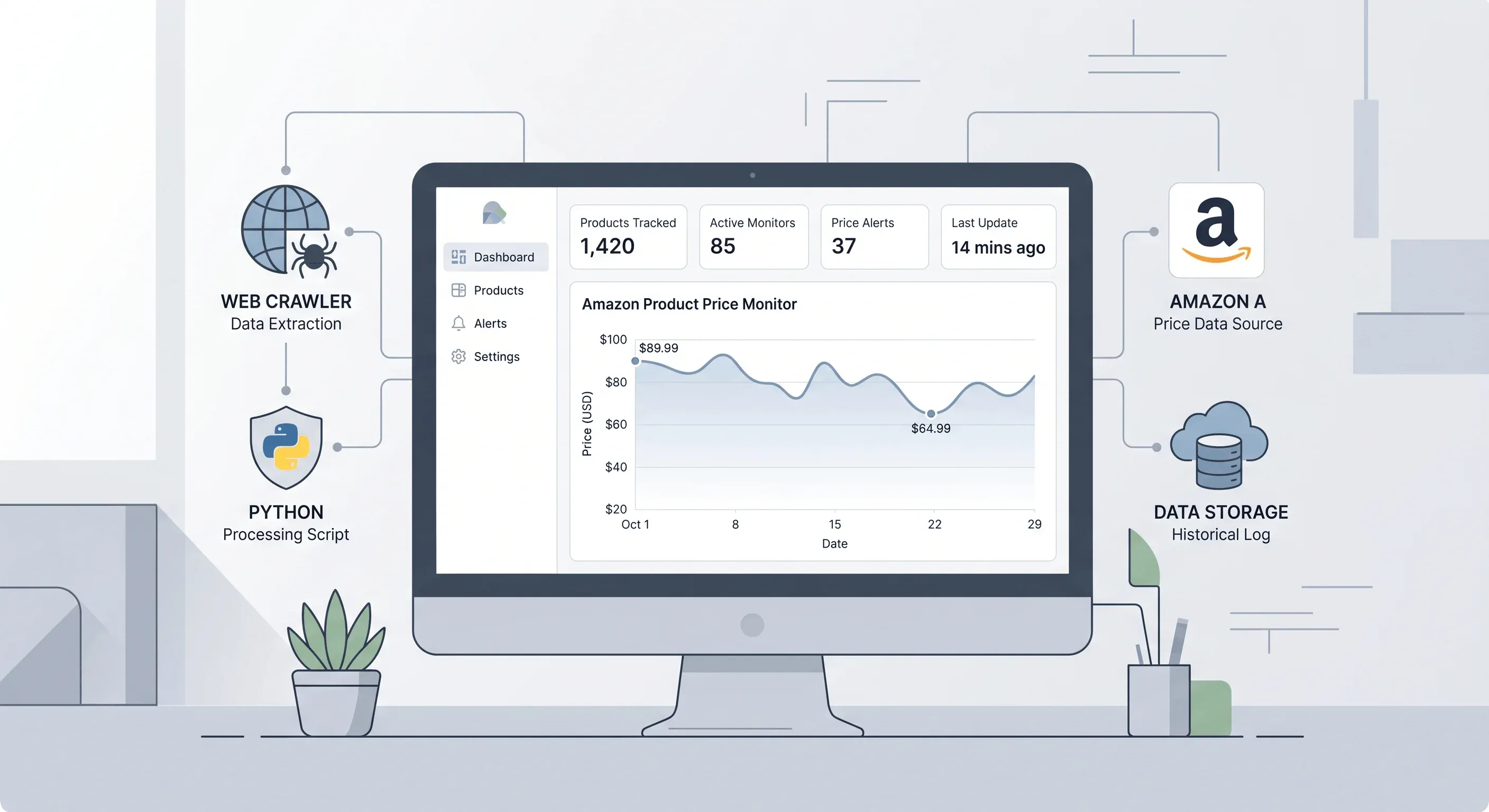
Python आपको scraping process पर पूरा control देता है — आप तय करते हैं क्या extract करना है, errors कैसे handle करनी हैं, और data कहाँ store करना है। लेकिन इसका मतलब यह भी है कि maintenance, anti-blocking, और Amazon के frequent HTML changes को track करना आपकी ज़िम्मेदारी है।
Amazon से क्या Scrape कर सकते हैं और क्या नहीं?
Publicly accessible product pages से आम तौर पर आप यह निकाल सकते हैं:
- Product title (name, brand)
- Price (current, original, deal price)
- Rating (star average)
- Review count
- Product images (main image URL)
- Availability / stock status
- ASIN (Amazon Standard Identification Number)
- Product description and bullet points
- Seller information
- Product variations (size, color, etc.)
इन चीज़ों से बचना चाहिए:
- Login wall के पीछे का data: Extended review pages, personal account data, order history
- Personal information: Buyer names, addresses, payment info
- Copyrighted content for republishing: Product descriptions और images analysis के लिए ठीक हैं, लेकिन उन्हें अपना content बनाकर दोबारा publish न करें
Amazon का 50+ named bots को block करता है (जिसमें GPTBot, Scrapy, और ClaudeBot शामिल हैं) और user accounts, carts, और wishlists जैसे paths को disallow करता है। Product detail pages explicitly disallowed नहीं हैं, लेकिन Amazon की Terms of Service automated access को मना करती हैं। Courts ने आम तौर पर ToS violations (civil matter) और CFAA के तहत criminal violations के बीच फर्क माना है — legality पर इस guide के अंत में और बात करेंगे।
किन Tools और Libraries की ज़रूरत होगी?
इस tutorial के लिए Python stack यह है:
| Library | Purpose | हम क्यों इस्तेमाल कर रहे हैं |
|---|---|---|
requests | HTTP requests | Simple, widely supported |
beautifulsoup4 | HTML parsing | Easy CSS selector-based extraction |
lxml | Fast HTML parser | Used as BeautifulSoup's parser backend |
curl_cffi | TLS fingerprint impersonation | Critical for bypassing Amazon's detection |
pandas | Data structuring & export | DataFrames, CSV/Excel export |
Optional (JavaScript-rendered content के लिए):
seleniumयाplaywright— headless browser automation
अपना Python Environment सेट करना
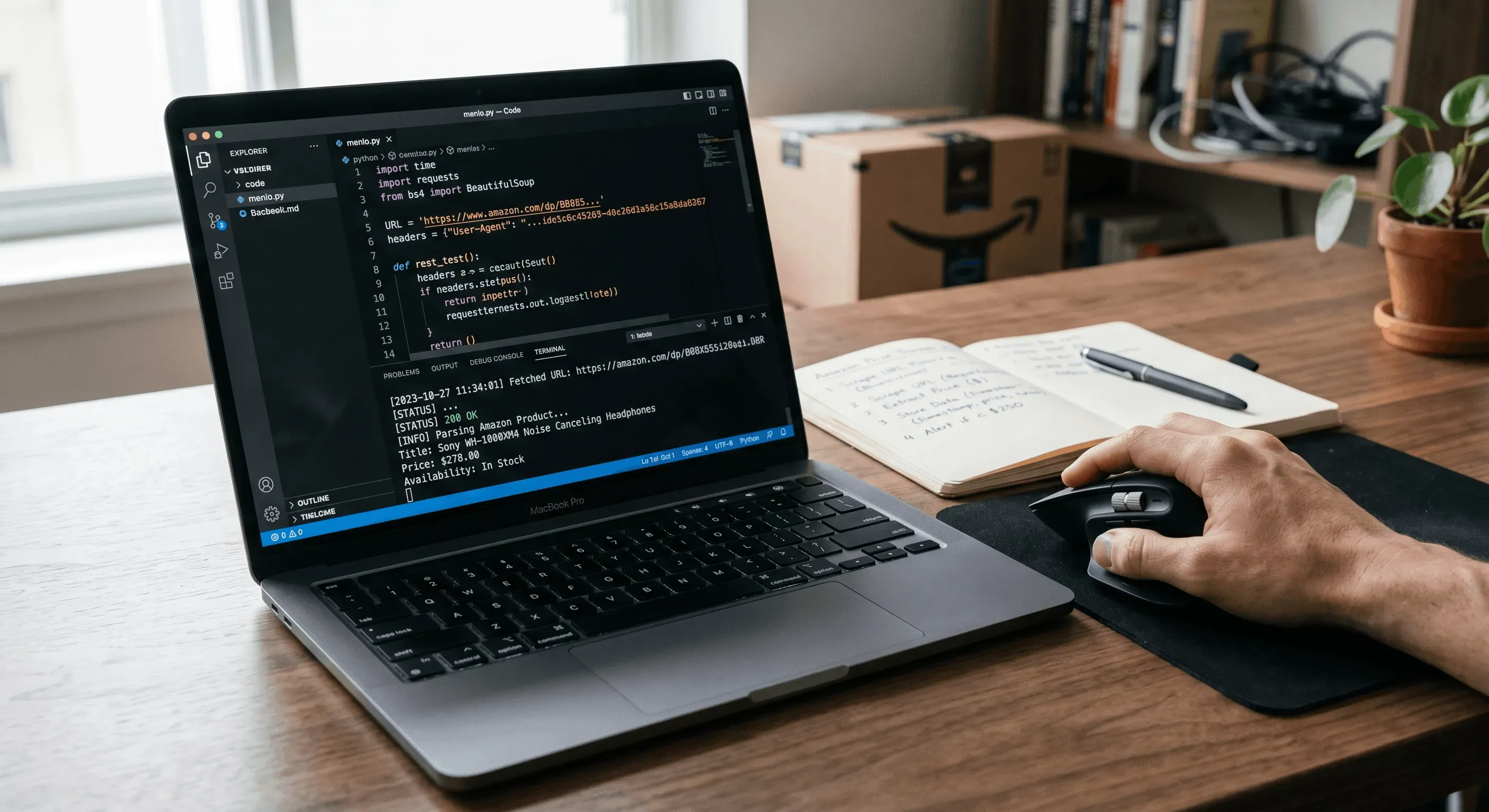
Terminal खोलिए और यह चलाइए:
1mkdir amazon-scraper && cd amazon-scraper
2python -m venv venv
3source venv/bin/activate  # Windows पर: venv\Scripts\activate
4pip install requests beautifulsoup4 lxml curl_cffi pandas
सब कुछ install हुआ या नहीं, verify करें:
1import requests, bs4, curl_cffi, pandas
2print("All good!")
अगर बिना error के "All good!" दिखे, तो आप ready हैं।
ज़्यादातर Amazon Scraping Tutorials क्यों टूट जाते हैं (और यह Guide अलग कैसे है)
यही वह हिस्सा है जिसे ज़्यादातर guides skip कर देती हैं, और शायद यही वजह है कि आप यह article पढ़ रहे हैं।
Amazon अपना HTML structure, class names, और element IDs बार-बार बदलता रहता है। Scraping community रिपोर्ट करती है कि DOM shifts और fingerprinting changes की वजह से। सबसे कुख्यात casualty? selector #priceblock_ourprice, जो 2018–2023 की सैकड़ों tutorials में था। वह ID अब Amazon product pages पर मौजूद नहीं है।
क्या टूटा हुआ है और क्या अभी काम करता है, इसकी quick तुलना:
| Data Point | Broken Selector (Pre-2024) | Working 2025 Selector |
|---|---|---|
| Price | #priceblock_ourprice | div#corePriceDisplay_desktop_feature_div span.a-price .a-offscreen |
| Title | #productTitle | span#productTitle (still works) |
| Rating | span.a-icon-alt (sometimes wrong context) | #acrPopover span.a-icon-alt |
| Review Count | #acrCustomerReviewCount | span#acrCustomerReviewText |
| Availability | #availability span | div#availability span.a-size-medium |
इस guide का हर code snippet 2025 में live Amazon pages के against test किया गया है। मैं आपको actual CSS selectors और expected output दोनों दिखाऊँगा — 2022 का पुराना copy-paste नहीं।
शुरू करने से पहले
- Difficulty: Intermediate (basic Python knowledge मानकर चल रहे हैं)
- Time Required: पूरा tutorial ~30–45 मिनट; basic scraper ~10 मिनट
- What You'll Need: Python 3.9+, Chrome browser (Amazon pages inspect करने के लिए), terminal, और optionally अगर आप no-code approach compare करना चाहें
Step 1: Amazon को पहली Request भेजें
अपने browser में किसी भी Amazon product page पर जाएँ और उसका URL copy करें। शुरुआत एक साधारण requests.get() से करते हैं:
1import requests
2url = "https://www.amazon.com/dp/B0DGNFM9YJ"
3response = requests.get(url)
4print(response.status_code)
5print(response.text[:500])
इसे चलाइए, और लगभग निश्चित रूप से आपको 503 status code मिलेगा या ऐसा page दिखेगा जिसमें लिखा होगा "To discuss automated access to Amazon data please contact…"। यह Amazon का WAF (Web Application Firewall) है जो आपके Python script को detect कर रहा है। बिना proper headers के plain requests.get() Amazon के खिलाफ सिर्फ़ लगभग देता है।
आपको कुछ ऐसा दिखेगा: 503 और HTML में block page। यह expected है — अगले step में इसे ठीक करेंगे।
Step 2: Custom Headers और TLS Impersonation सेट करें
सिर्फ़ User-Agent जोड़ देना अब काफी नहीं है। Amazon आपके HTTP headers की तुलना TLS fingerprint से करता है। अगर आप खुद को Chrome 120 बताते हैं लेकिन आपका TLS handshake Python के requests library को reveal करता है, तो आप तुरंत हो जाते हैं।
2025 में सबसे भरोसेमंद तरीका है curl_cffi को browser impersonation के साथ इस्तेमाल करना:
1from curl_cffi import requests as cfreq
2headers = {
3    "Accept": "text/html,application/xhtml+xml,application/xml;q=0.9,image/avif,image/webp,*/*;q=0.8",
4    "Accept-Language": "en-US,en;q=0.9",
5    "Accept-Encoding": "gzip, deflate, br",
6    "Referer": "https://www.google.com/",
7    "DNT": "1",
8    "Connection": "keep-alive",
9    "Upgrade-Insecure-Requests": "1",
10}
11url = "https://www.amazon.com/dp/B0DGNFM9YJ"
12response = cfreq.get(url, headers=headers, impersonate="chrome124")
13print(response.status_code)
14print(len(response.text))
curl_cffi के साथ Chrome 124 impersonate करने पर success rate लगभग तक पहुँच जाती है — plain requests की तुलना में 47x improvement। अब आपको 200 status code और बहुत लंबा HTML response (100,000+ characters) दिखना चाहिए।
अगर फिर भी 503 मिले, तो impersonate का कोई दूसरा value try करें (जैसे "chrome131") या retry करने से पहले थोड़ा delay दें।
Step 3: HTML Parse करें और Product Data निकालें
अब जब full HTML मिल गया है, तो verified 2025 selectors के साथ BeautifulSoup का इस्तेमाल करके data निकालते हैं:
1from bs4 import BeautifulSoup
2soup = BeautifulSoup(response.text, "lxml")
3# Product Title
4title_el = soup.select_one("span#productTitle")
5title = title_el.get_text(strip=True) if title_el else None
6# Price
7price_el = soup.select_one(
8    "div#corePriceDisplay_desktop_feature_div span.a-price .a-offscreen"
9)
10if not price_el:
11    price_el = soup.select_one("span.priceToPay .a-offscreen")
12if not price_el:
13    price_el = soup.select_one(".apexPriceToPay .a-offscreen")
14price = price_el.get_text(strip=True) if price_el else None
15# Rating
16rating_el = soup.select_one("#acrPopover span.a-icon-alt")
17rating = rating_el.get_text(strip=True) if rating_el else None
18# Review Count
19reviews_el = soup.select_one("span#acrCustomerReviewText")
20reviews = reviews_el.get_text(strip=True) if reviews_el else None
21# Availability
22avail_el = soup.select_one("div#availability span")
23availability = avail_el.get_text(strip=True) if avail_el else None
24# Main Image URL
25img_el = soup.select_one("#landingImage")
26image_url = img_el.get("src") if img_el else None
27print(f"Title: {title}")
28print(f"Price: {price}")
29print(f"Rating: {rating}")
30print(f"Reviews: {reviews}")
31print(f"Availability: {availability}")
32print(f"Image: {image_url}")
Expected output (example):
1Title: Apple AirPods Pro (2nd Generation) with USB-C
2Price: $189.99
3Rating: 4.7 out of 5 stars
4Reviews: 98,432 ratings
5Availability: In Stock
6Image: https://m.media-amazon.com/images/I/61SUj2...
ध्यान दें कि price के लिए multiple fallback selectors हैं — Amazon product type, deal status, और A/B test variant के हिसाब से अलग containers इस्तेमाल करता है। हर extraction को conditional check में लपेटने से scraper किसी selector के match न होने पर crash नहीं करता।
Step 4: Search Results से Multiple Products Scrape करें
एक real dataset बनाने के लिए, आम तौर पर आप Amazon search results page से शुरू करेंगे, ASINs collect करेंगे, और फिर हर product detail page scrape करेंगे।
1import time
2import random
3def get_search_asins(keyword, max_pages=1):
4    """Amazon search results से ASINs collect करें."""
5    asins = []
6    for page in range(1, max_pages + 1):
7        search_url = f"https://www.amazon.com/s?k={keyword}&page={page}"
8        resp = cfreq.get(search_url, headers=headers, impersonate="chrome124")
9        if resp.status_code != 200:
10            print(f"Search page {page} returned {resp.status_code}")
11            break
12        search_soup = BeautifulSoup(resp.text, "lxml")
13        results = search_soup.select('div[data-component-type="s-search-result"]')
14        for r in results:
15            asin = r.get("data-asin")
16            if asin:
17                asins.append(asin)
18        print(f"Page {page}: found {len(results)} products")
19        time.sleep(random.uniform(2, 5))  # Polite delay
20    return asins
21asins = get_search_asins("wireless+earbuds", max_pages=2)
22print(f"Collected {len(asins)} ASINs")
हर ASIN एक साफ़ product URL से जुड़ता है: https://www.amazon.com/dp/{ASIN}। यह full search result URLs से ज़्यादा reliable है, क्योंकि उनमें session-specific parameters हो सकते हैं।
Step 5: Pagination संभालें और Scale पर Scrape करें
अब search collection और detail page scraping को एक full pipeline में जोड़ते हैं:
1import pandas as pd
2def scrape_product(asin):
3    """एक Amazon product detail page scrape करें."""
4    url = f"https://www.amazon.com/dp/{asin}"
5    try:
6        resp = cfreq.get(url, headers=headers, impersonate="chrome124")
7        if resp.status_code != 200:
8            return None
9        soup = BeautifulSoup(resp.text, "lxml")
10        title_el = soup.select_one("span#productTitle")
11        price_el = (
12            soup.select_one("div#corePriceDisplay_desktop_feature_div span.a-price .a-offscreen")
13            or soup.select_one("span.priceToPay .a-offscreen")
14            or soup.select_one(".apexPriceToPay .a-offscreen")
15        )
16        rating_el = soup.select_one("#acrPopover span.a-icon-alt")
17        reviews_el = soup.select_one("span#acrCustomerReviewText")
18        avail_el = soup.select_one("div#availability span")
19        img_el = soup.select_one("#landingImage")
20        return {
21            "asin": asin,
22            "title": title_el.get_text(strip=True) if title_el else None,
23            "price": price_el.get_text(strip=True) if price_el else None,
24            "rating": rating_el.get_text(strip=True) if rating_el else None,
25            "reviews": reviews_el.get_text(strip=True) if reviews_el else None,
26            "availability": avail_el.get_text(strip=True) if avail_el else None,
27            "image_url": img_el.get("src") if img_el else None,
28            "url": url,
29        }
30    except Exception as e:
31        print(f"Error scraping {asin}: {e}")
32        return None
33# Scrape all collected ASINs
34products = []
35for i, asin in enumerate(asins):
36    print(f"Scraping {i+1}/{len(asins)}: {asin}")
37    product = scrape_product(asin)
38    if product:
39        products.append(product)
40    time.sleep(random.uniform(2, 5))  # Random delay between requests
41df = pd.DataFrame(products)
42print(f"\nScraped {len(df)} products successfully")
43print(df.head())
2–5 seconds का random delay critical है। बिल्कुल नियमित timing (जैसे हर बार ठीक 3 सेकंड) Amazon की behavioral analysis को suspicious लगती है। Random intervals human browsing patterns की नकल करते हैं।
Step 6: Scraped Amazon Data को CSV में Save करें
1df.to_csv("amazon_products.csv", index=False, encoding="utf-8-sig")
2print("Saved to amazon_products.csv")
अब आपके पास ASIN, title, price, rating, reviews, availability, image URL, और product URL के साथ एक clean CSV होना चाहिए। यहीं पर ज़्यादातर tutorials रुक जाती हैं — लेकिन अगर आप real workflow बना रहे हैं, तो CSV बस शुरुआत है।
Anti-Blocking Deep Dive: Scraper को चालू कैसे रखें
जो कोई भी Python से Amazon products scrape करने की कोशिश करता है, उसके लिए blocked होना है। Amazon की छह-स्तरीय defense में IP reputation analysis, TLS fingerprinting, browser environment checks, behavioral biometrics, CAPTCHAs, और ML-driven anomaly detection शामिल हैं। नीचे हर layer को address करने की strategy दी गई है।
User-Agent और Full Headers Rotate करें
एक static User-Agent जल्दी flag हो जाता है। Current browser strings की list में rotate करें:
1import random
2USER_AGENTS = [
3    "Mozilla/5.0 (Windows NT 10.0; Win64; x64) AppleWebKit/537.36 (KHTML, like Gecko) Chrome/143.0.0.0 Safari/537.36",
4    "Mozilla/5.0 (Macintosh; Intel Mac OS X 10_15_7) AppleWebKit/537.36 (KHTML, like Gecko) Chrome/143.0.0.0 Safari/537.36",
5    "Mozilla/5.0 (Windows NT 10.0; Win64; x64; rv:121.0) Gecko/20100101 Firefox/121.0",
6    "Mozilla/5.0 (Macintosh; Intel Mac OS X 10_15_7) AppleWebKit/605.1.15 (KHTML, like Gecko) Version/26.0 Safari/605.1.15",
7]
8def get_headers():
9    return {
10        "User-Agent": random.choice(USER_AGENTS),
11        "Accept": "text/html,application/xhtml+xml,application/xml;q=0.9,*/*;q=0.8",
12        "Accept-Language": "en-US,en;q=0.9",
13        "Accept-Encoding": "gzip, deflate, br",
14        "Referer": "https://www.google.com/",
15        "DNT": "1",
16        "Connection": "keep-alive",
17    }
एक detail जो अक्सर लोगों से छूट जाती है: आपका Accept-Language IP की geographic location से match होना चाहिए। German IP से Accept-Language: en-US भेजना red flag है।
curl_cffi से TLS Fingerprint Impersonation
यह हमने Step 2 में देखा, लेकिन इसे फिर से emphasize करना ज़रूरी है: यही single technique success rate में सबसे बड़ा सुधार देती है। Standard Python requests Amazon के खिलाफ लगभग 2% success देता है। curl_cffi impersonation के साथ आप लगभग 94% पर पहुँच जाते हैं। यही working scraper और broken scraper के बीच का फर्क है।
1from curl_cffi import requests as cfreq
2# Impersonation targets भी rotate करें
3BROWSERS = ["chrome120", "chrome124", "chrome131"]
4response = cfreq.get(
5    url,
6    headers=get_headers(),
7    impersonate=random.choice(BROWSERS),
8)
Proxy Rotation
कुछ pages से आगे scrape करने के लिए proxy rotation चाहिए होगी। Amazon IP addresses track करता है और किसी भी single IP को block कर देता है जो बहुत ज़्यादा requests भेजती है।
1PROXIES = [
2    "http://user:pass@proxy1.example.com:8080",
3    "http://user:pass@proxy2.example.com:8080",
4    "http://user:pass@proxy3.example.com:8080",
5]
6proxy = random.choice(PROXIES)
7response = cfreq.get(
8    url,
9    headers=get_headers(),
10    impersonate="chrome124",
11    proxies={"http": proxy, "https": proxy},
12)
Residential proxies, datacenter proxies की तुलना में ज़्यादा effective हैं (Amazon datacenter IP ranges को proactively block करता है), लेकिन वे महंगे भी होते हैं। छोटे project के लिए आप से शुरू कर सकते हैं और ज़रूरत के साथ scale up कर सकते हैं।
Rate Limiting और Exponential Backoff
कोई competitor article यह detail नहीं कवर करता, लेकिन यह ज़रूरी है। जब आपको 503 या CAPTCHA response मिले, तो तुरंत retry मत कीजिए — यह permanent ban की तरफ तेज़ रास्ता है।
1import time
2import random
3def fetch_with_backoff(url, max_retries=3):
4    """Failure पर exponential backoff के साथ URL fetch करें."""
5    for attempt in range(max_retries):
6        response = cfreq.get(
7            url,
8            headers=get_headers(),
9            impersonate=random.choice(BROWSERS),
10        )
11        if response.status_code == 200:
12            return response
13        # Jitter के साथ exponential backoff
14        wait = min(2 ** attempt + random.uniform(0, 1), 30)
15        print(f"Attempt {attempt+1} failed ({response.status_code}). Waiting {wait:.1f}s...")
16        time.sleep(wait)
17    return None  # सभी retries खत्म
wait = min(2^attempt + jitter, max_delay) formula यह सुनिश्चित करता है कि delays बढ़ते जाएँ (2s, 4s, 8s...) लेकिन एक reasonable cap से ऊपर न जाएँ। Random jitter retry pattern को fingerprint होने से बचाता है।
JavaScript-Rendered Content के लिए Selenium या Playwright Fallback
कुछ Amazon pages, खासकर dynamic pricing widgets या variation selectors वाली pages, पूरी तरह render होने के लिए JavaScript मांगती हैं। जब curl_cffi incomplete HTML लौटाए, तो headless browser आपका fallback है:
1from playwright.sync_api import sync_playwright
2def scrape_with_browser(url):
3    with sync_playwright() as p:
4        browser = p.chromium.launch(headless=True)
5        page = browser.new_page()
6        page.goto(url, wait_until="domcontentloaded")
7        page.wait_for_timeout(3000)  # JS को render होने दें
8        html = page.content()
9        browser.close()
10        return html
यह धीमा है — curl_cffi में 1 सेकंड से कम, जबकि यहाँ 3–5 सेकंड प्रति page लगते हैं। इसे तभी इस्तेमाल करें जब ज़रूरत हो।
मेरे अनुभव में curl_cffi 90%+ Amazon product pages को बिना browser के संभाल लेता है।
Anti-Blocking Summary
| Technique | Difficulty | Effectiveness | Covered by Most Tutorials? |
|---|---|---|---|
| Custom User-Agent | Easy | Low (Amazon detects patterns) | Yes |
| Full header rotation | Easy | Medium | Rarely |
| TLS impersonation (curl_cffi) | Medium | High (~94% success) | Almost never |
| Proxy rotation | Medium | High | Briefly, if at all |
| Rate limiting + exponential backoff | Easy | Medium | No |
| Selenium/Playwright fallback | Medium | High (for JS content) | Mentioned, not demonstrated |
CSV से आगे: Scraped Amazon Data को Google Sheets, Airtable, और More में Export करें
जितनी tutorials मैंने देखीं, वे सब CSV export पर ही रुक जाती हैं। लेकिन real business workflows में data Google Sheets, databases, या Airtable और Notion जैसे tools में चाहिए होता है।
gspread के साथ Google Sheets में Export करें
पहले Google service account सेट करें (one-time setup):
- → APIs & Services → Credentials पर जाएँ
- service account बनाएँ और JSON key file डाउनलोड करें
- इसे
~/.config/gspread/service_account.jsonमें save करें - JSON file के
client_emailके साथ अपनी target spreadsheet share करें
फिर:
1import gspread
2from gspread_dataframe import set_with_dataframe
3gc = gspread.service_account()
4sh = gc.open("Amazon Scrape Data")
5worksheet = sh.sheet1
6set_with_dataframe(worksheet, df)
7print("Data exported to Google Sheets!")
यह आपकी पूरी DataFrame सीधे Google Sheet में लिख देता है — live, shareable, और dashboards के लिए तैयार।
Local Analysis के लिए SQLite में Store करें
बड़े datasets या historical tracking के लिए SQLite perfect है — कोई server setup नहीं, बस एक single file:
1import sqlite3
2conn = sqlite3.connect("amazon_products.db")
3df.to_sql("products", conn, if_exists="append", index=False)
4print(f"Stored {len(df)} products in SQLite")
5# बाद में query करें:
6historical = pd.read_sql_query(
7    "SELECT * FROM products WHERE price IS NOT NULL ORDER BY rowid DESC LIMIT 100",
8    conn,
9)
No-Code Alternative
अगर आप Python export scripts maintain नहीं करना चाहते, तो Google Sheets, Airtable, Notion, Excel, CSV, और JSON में free export देता है — image fields के साथ भी जो Airtable और Notion में सीधे render हो जाते हैं। gspread setup नहीं, API credentials नहीं, और कोई code नहीं। जिन teams को data अपने existing tools में flow कराना है, उनके लिए यह बहुत समय बचाता है।
Automated Amazon Scrapes का Scheduling — Missing Chapter
Price monitoring और inventory tracking के लिए recurring scrapes चाहिए, एक बार का run नहीं। फिर भी मुझे ऐसा एक भी competitor article नहीं मिला जो scheduling कवर करता हो। आइए आपके Python scraper को automate करने का तरीका देखें।
Cron Jobs (Linux/macOS)
अपना crontab खोलिए:
1crontab -eहर दिन सुबह 6 बजे scraper चलाने के लिए line जोड़िए:
10 6 * * * cd /path/to/amazon-scraper && /path/to/venv/bin/python scraper.py >> ~/scraper.log 2>&1या हर 6 घंटे में:
10 */6 * * * cd /path/to/amazon-scraper && /path/to/venv/bin/python scraper.py >> ~/scraper.log 2>&1Windows Task Scheduler
एक batch file run_scraper.bat बनाइए:
1@echo off
2cd /d "C:\path\to\amazon-scraper"
3call venv\Scripts\activate
4python scraper.py
5deactivate
फिर Task Scheduler खोलें → Create Basic Task → trigger सेट करें (Daily, Hourly) → Action: "Start a program" → run_scraper.bat browse करें।
GitHub Actions (Free Tier)
Zero infrastructure के साथ cloud-based schedule के लिए:
1name: Amazon Scraper
2on:
3  schedule:
4    - cron: "0 6 * * *"  # Daily at 6 AM UTC
5  workflow_dispatch:       # Manual trigger
6jobs:
7  scrape:
8    runs-on: ubuntu-latest
9    steps:
10      - uses: actions/checkout@v3
11      - name: Set up Python
12        uses: actions/setup-python@v4
13        with:
14          python-version: "3.11"
15      - name: Install dependencies
16        run: pip install -r requirements.txt
17      - name: Run scraper
18        run: python scraper.py
19      - name: Commit results
20        run: |
21          git config user.name 'GitHub Actions'
22          git config user.email 'actions@github.com'
23          git add data/
24          git diff --staged --quiet || git commit -m "Update scraped data"
25          git push
Proxy credentials GitHub Secrets में store कर दीजिए, और आपके पास एक free, automated scraping pipeline तैयार है।
No-Code Alternative: Thunderbit का Scheduled Scraper
जिन teams को cron syntax या cloud infrastructure manage नहीं करनी, उनके लिए Thunderbit built-in देता है। आप schedule plain English में बताते हैं (जैसे, "हर दिन सुबह 8 बजे" या "हर सोमवार"), Amazon URLs जोड़ते हैं, और "Schedule" पर click करते हैं। Terminal नहीं, YAML files नहीं, deployment pipeline नहीं। यह खास तौर पर ecommerce teams के लिए उपयोगी है जो लगातार price या inventory monitoring करती हैं।
Python DIY vs. Scraper API vs. No-Code: आपको कौन-सा तरीका चुनना चाहिए?
यह सवाल मुझे forums पर लगातार दिखता है, और कोई top-ranking article इसका structured जवाब नहीं देता। तो मेरा honest take यह है:
| Criteria | Python + BS4/curl_cffi | Scraper API (ScraperAPI, Oxylabs) | No-Code (Thunderbit) |
|---|---|---|---|
| Setup time | 30–60 min | 10–20 min | ~2 minutes |
| Coding required | Yes (Python) | Yes (API calls) | None |
| Anti-blocking built-in | No (DIY) | Yes | Yes |
| Handles JS rendering | Only with Selenium/Playwright | Varies by provider | Yes (Browser or Cloud mode) |
| Scheduling | DIY (cron/cloud) | Some offer it | Built-in |
| Cost | Free (+ proxy costs) | $30–100+/mo | Free tier available |
| Maintenance | High (selectors break) | Low | None (AI adapts) |
| Best for | Developers wanting full control | Scale & reliability at volume | Speed, non-developers, business users |
अगर आप सीखना चाहते हैं, हर detail को customize करना चाहते हैं, और ongoing maintenance से डरते नहीं हैं, तो Python सही है। Scraper APIs आपके लिए anti-blocking संभाल लेते हैं, लेकिन code फिर भी चाहिए। और Thunderbit sales, ecommerce ops, या उन लोगों के लिए सबसे तेज़ रास्ता है जिन्हें बस data चाहिए — selectors नहीं, code नहीं, और Amazon के HTML बदलते ही maintenance भी नहीं।
Thunderbit Amazon Products को 2 Clicks में कैसे Scrape करता है
ज़ाहिर है, यहाँ मेरा bias है — मेरी team ने इसे बनाया है। लेकिन workflow सचमुच इतना simple है:
- install करें
- Amazon search results या product page पर जाएँ
- "AI Suggest Fields" पर click करें (या instant Amazon scraper template इस्तेमाल करें)
- "Scrape" पर click करें
Thunderbit का AI page पढ़ता है, data structure पहचानता है, और सब कुछ clean table में निकाल देता है। आप Excel, Google Sheets, Airtable, या Notion में free export कर सकते हैं। असली फायदा यह है: जब अगले हफ़्ते Amazon अपना HTML बदलता है (और बदलेगा), Thunderbit का AI automatically adapt कर लेता है। टूटे हुए scripts नहीं, selector updates नहीं।
Product lists को detail-page data से enrich करने के लिए Thunderbit का Subpage Scraping feature automatically product pages के links follow करता है और images, descriptions, और variations जैसे extra fields खींच लेता है — जो Python में significant extra code माँगता है।
अपना Python Amazon Scraper लंबे समय तक कैसे चलाएँ
अगर आप Python route चुन रहे हैं, तो maintenance headaches कम करने के लिए यह करें:
- Selectors नियमित रूप से check करें। Amazon उन्हें अक्सर बदलता है। यह article bookmark करें — बदलाव के साथ मैं selector table update करूँगा।
- Success rate monitor करें। 200 responses बनाम 503s/CAPTCHAs का ratio track करें। जब success rate 80% से नीचे जाए, alert set करें (simple email भी चलेगा)।
- Raw HTML store करें। Parsed data के साथ पूरा HTML response भी save करें। अगर selectors बदलें, तो historical data को re-scrape किए बिना re-parse कर सकते हैं।
- Proxies और User-Agents frequently rotate करें। Static fingerprints scale पर कुछ घंटों में ही flag हो सकते हैं।
- Exponential backoff इस्तेमाल करें। Block मिलने के तुरंत बाद retry न करें।
- Docker से containerize करें। Easy deployment और portability के लिए scraper को Docker container में wrap करें।
- Data validation जोड़ें। Check करें कि prices numeric हैं, ratings 1–5 के बीच हैं, और titles खाली नहीं हैं। एक team ने validation layers जोड़ने के बाद report की।
या अगर यह सब आपकी ज़रूरत से ज़्यादा काम लगे, तो सोचिए कि क्या Thunderbit जैसा no-code tool आपके use case के लिए बेहतर fit होगा। तेज़ रास्ता चुनने में कोई शर्म नहीं है — मैंने scrapers debug करने में इतने साल बिताए हैं कि यह जानता हूँ: कभी-कभी सबसे अच्छा code वही होता है जो आपको लिखना ही न पड़े।
Amazon Scraping के Legal और Ethical पहलू
क्योंकि Amazon scraping की हर बातचीत में यह मुद्दा उठता है, तो legal landscape पर एक quick note:
- Publicly available data scraping generally US में legal है. Landmark ruling (2022) ने स्थापित किया कि public data तक access CFAA का उल्लंघन नहीं है। हाल ही में (2024) और (2024) ने भी इसी principle को मज़बूत किया।
- Amazon की ToS automated access को prohibit करती हैं। यह civil matter है (breach of contract), criminal one नहीं। Courts ने आम तौर पर इन दोनों में फर्क किया है।
- Amazon v. Perplexity (2025) एक active case है जिसमें Amazon pages की AI scraping शामिल है। March 2026 में preliminary injunction जारी हुई। इस पर नज़र रखना चाहिए।
- Public pages तक ही सीमित रहें। Login-protected content, personal data, या authentication के पीछे की किसी भी चीज़ को scrape न करें।
- Rate limits का सम्मान करें। Amazon के servers पर hammer मत करें। Requests के बीच 2–5 seconds का delay reasonable है।
- Data responsibly इस्तेमाल करें। Analysis के लिए scrape करें, copyrighted content को republish करने के लिए नहीं।
- Large-scale commercial use के लिए legal counsel से सलाह लें, खासकर अगर आप EU में हैं (personal data पर GDPR लागू होता है)।
और गहराई से जानने के लिए हमारा guide देखें: ।
निष्कर्ष
अब आपके पास एक working Python Amazon scraper है, जिसमें verified 2025 selectors हैं, ऐसी layered anti-blocking strategy है जो सिर्फ़ "User-Agent जोड़ दो" से कहीं आगे जाती है, continuous monitoring के लिए practical scheduling options हैं, और ऐसे export methods हैं जो आपका data Google Sheets, databases, या आपकी team के किसी भी tool में पहुँचा देते हैं।
Quick summary:
- Python + curl_cffi + BeautifulSoup आपको full control देता है और TLS impersonation के साथ लगभग ~94% success rate मिल सकती है
- Anti-blocking के लिए multiple layers चाहिए: header rotation, TLS impersonation, proxy rotation, rate limiting, और exponential backoff
- Scheduling एक one-off script को continuous monitoring pipeline में बदल देता है (cron, GitHub Actions, या Thunderbit का built-in scheduler)
- CSV से आगे export करना — Google Sheets, SQLite, Airtable, Notion — वहीं real business value है
- Thunderbit non-developers या उन लोगों के लिए 2-click alternative देता है जो selectors debug करने के बजाय data analyze करने में समय लगाना चाहते हैं
अगर आप code आज़माना चाहते हैं, तो इस guide की हर चीज़ copy करके run करने के लिए तैयार है। और अगर coding पूरी तरह छोड़ना चाहते हैं, तो आपको Amazon पर no-code approach तुरंत test करने देता है।
और जानकारी के लिए हमारे guides देखें: , , और । आप पर step-by-step walkthroughs भी देख सकते हैं।
Happy scraping — और आपकी selectors अगली Amazon update तक टिके रहें।
FAQs
1. कुछ requests के बाद मेरा Python Amazon scraper blocked क्यों हो जाता है?
Amazon एक छह-स्तरीय defense system इस्तेमाल करता है: IP reputation analysis, TLS fingerprinting (JA3/JA4), browser environment detection, behavioral biometrics, CAPTCHA challenges, और ML-driven anomaly detection। सिर्फ़ एक User-Agent header वाले basic requests script की success लगभग होती है। भरोसेमंद access के लिए आपको TLS impersonation (curl_cffi), full header rotation, proxy rotation, और random jitter के साथ rate limiting चाहिए।
2. 2025 में Amazon products scrape करने के लिए कौन-सी Python libraries सबसे अच्छी हैं?
TLS-impersonated HTTP requests के लिए curl_cffi (सबसे बड़ा single improvement), HTML parsing के लिए BeautifulSoup4 + lxml, data structuring और export के लिए pandas, और JavaScript-rendered content के fallback के लिए Selenium या Playwright। Python का उपयोग scraping developers करते हैं।
3. क्या Amazon product data scrape करना legal है?
Publicly available data scrape करना US में generally legal है, जैसा कि hiQ v. LinkedIn और Meta v. Bright Data जैसे rulings से supported है। Amazon की Terms of Service automated access को prohibit करती हैं, लेकिन courts ToS violations (civil) और criminal violations में फर्क करते हैं। हमेशा login-protected content से बचें, rate limits का सम्मान करें, और large-scale commercial use के लिए legal counsel लें।
4. क्या मैं बिना code लिखे Amazon scrape कर सकता हूँ?
हाँ। जैसे tools Chrome extension के साथ सिर्फ़ 2 clicks में Amazon products scrape करने देते हैं। इसका AI-powered field detection data को automatically structure करता है, और आप Excel, Google Sheets, Airtable, या Notion में free export कर सकते हैं। जब Amazon HTML बदलता है, Thunderbit का AI बिना manual updates के adapt कर लेता है।
5. Amazon अपने HTML selectors कितनी बार बदलता है, और scraper को अपडेट कैसे रखूँ?
काफी बार, और बिना notice के। Scraping community रिपोर्ट करती है कि DOM changes की वजह से crawlers को हर हफ़्ते fixes चाहिए। आगे बने रहने के लिए scraper की success rate monitor करें, raw HTML save करें ताकि re-parsing हो सके, और live pages के खिलाफ selectors regularly check करें। या फिर Thunderbit जैसे AI-powered tools का इस्तेमाल करें, जो automatically adapt हो जाते हैं और यह maintenance burden खत्म कर देते हैं।
Learn More