
AI असिस्टेंट्स और एजेंटिक फ्रेमवर्क्स की दुनिया बहुत तेज़ी से बदल रही है, लेकिन एक बात अब भी नहीं बदली: लोग सब कुछ ज़्यादा तेज़, हल्का और आसानी से इंस्टॉल होने वाला चाहते हैं। मैंने यह खुद देखा है—चाहे आप Raspberry Pi पर प्रयोग करने वाले अकेले डेवलपर हों या क्लाउड कॉस्ट्स को काबू में रखने की कोशिश कर रहे IT लीड, “मिनिमल इंस्टॉल” सॉल्यूशंस की मांग हर जगह है। हाल ही में, मुझसे OpenClaw के हल्के विकल्पों के बारे में जितने सवाल आए हैं, उन्हें गिनना मुश्किल है। लोग जानना चाहते हैं: क्या OpenClaw की ताकत भारी इंस्टॉलेशन, मेमोरी ओवरहेड, या ऑपरेशनल झंझटों के बिना भी मिल सकती है?
अगर आप OpenClaw का हल्का विकल्प खोज रहे हैं या न्यूनतम फ़ुटप्रिंट इंस्टॉल्स में दिलचस्पी रखते हैं, तो आप सही जगह हैं। इस गाइड में, मैं समझाऊँगा कि “OpenClaw मिनिमल इंस्टॉल” का असल मतलब क्या है, यह क्यों ज़रूरी है, और अपनी ज़रूरत के हिसाब से सबसे अच्छे हल्के विकल्पों का मूल्यांकन कैसे करें—चाहे आप पुराने हार्डवेयर पर चला रहे हों, बड़े पैमाने पर डिप्लॉय कर रहे हों, या बस अपने सर्वर पर एक और “dependency soup” से बचना चाहते हों।
OpenClaw का हल्का विकल्प क्या है?
आइए बुनियादी बातों से शुरू करें: “OpenClaw हल्का विकल्प” से हमारा क्या मतलब है?
OpenClaw agentic assistants के लिए बनाया गया एक self-hosted gateway और orchestration layer है। आसान भाषा में, यह एक ऐसा प्लेटफ़ॉर्म है जो chat interfaces (जैसे web, desktop, या messaging apps) को AI models और tools से जोड़ता है, और memory, state, तथा सुरक्षित execution जैसी चीज़ों को संभालता है (OpenClaw Docs)। लेकिन दिक्कत यह है: standard OpenClaw install Docker-based है, जिसमें कई services होती हैं, और सिर्फ gateway के लिए ही कम से कम 2GB RAM की सलाह दी जाती है—और यह तो बड़े language models चलाने से पहले की बात है।
एक हल्का विकल्प कोई भी tool, framework, या platform हो सकता है जो OpenClaw जैसी “assistant” या “agent” क्षमताएँ देता हो, लेकिन छोटे install size, कम memory/CPU usage, और आसान setup के साथ। यानी: single-container deployments, कम dependencies, और सीमित hardware या resource-constrained environments पर चलने की क्षमता।
Standard OpenClaw installs और हल्के/मिनिमल विकल्पों के बीच मुख्य अंतर आम तौर पर इन बातों पर टिका होता है:
- इंस्टॉल की जटिलता: हल्के विकल्प अक्सर एक single Docker container या यहाँ तक कि एक साधारण binary का उपयोग करते हैं, जबकि OpenClaw का default setup कई containers और persistent volumes मांग सकता है।
- रिसोर्स फ़ुटप्रिंट: मिनिमल विकल्प कम RAM, CPU, और disk space पर चलने के लिए बनाए जाते हैं—कभी-कभी पूरे stack के लिए सिर्फ 1–2GB RAM ही काफी होती है।
- फ़ीचर दायरा: बेहतर, आसान-से-मैनेज होने वाले install के बदले आपको कुछ advanced gateway या sandboxing features छोड़ने पड़ सकते हैं।
संक्षेप में, OpenClaw का हल्का विकल्प आपको मुख्य फ़ायदों—AI chat, tool integration, memory—को बिना अनावश्यक बोझ के देता है।
यूज़र OpenClaw के मिनिमल फ़ुटप्रिंट सॉल्यूशंस क्यों तलाशते हैं
तो फिर, अचानक हर कोई मिनिमल इंस्टॉल्स और हल्के frameworks के पीछे क्यों पड़ा है? यूज़र्स और IT teams के साथ मेरी बातचीत के आधार पर, वजहें काफ़ी सार्वभौमिक हैं:
- तेज़ setup और onboarding: कोई भी Docker Compose फ़ाइलों से जूझते हुए या dependency conflicts ठीक करते हुए घंटों नहीं बिताना चाहता। मिनिमल इंस्टॉल का मतलब है कि आप घंटों में नहीं, मिनटों में शुरू कर देते हैं।
- कम resource usage: चाहे आप cloud VM, Raspberry Pi, या पुराने लैपटॉप पर deploy कर रहे हों, RAM का हर gigabyte और CPU cycle मायने रखता है। छोटा फ़ुटप्रिंट आपको ज़्यादा instances चलाने, cloud bill बचाने, या धीमापन टालने में मदद करता है।
- आसान maintenance: कम moving parts का मतलब है कम टूटने वाली चीज़ें। हल्के विकल्प अक्सर update, backup, और secure करने में आसान होते हैं।
- edge और offline scenarios के लिए बेहतर: अगर आपको on-premises, lab, या privacy-sensitive environment में assistant चलाना है, तो मिनिमल इंस्टॉल सचमुच राहत देते हैं।
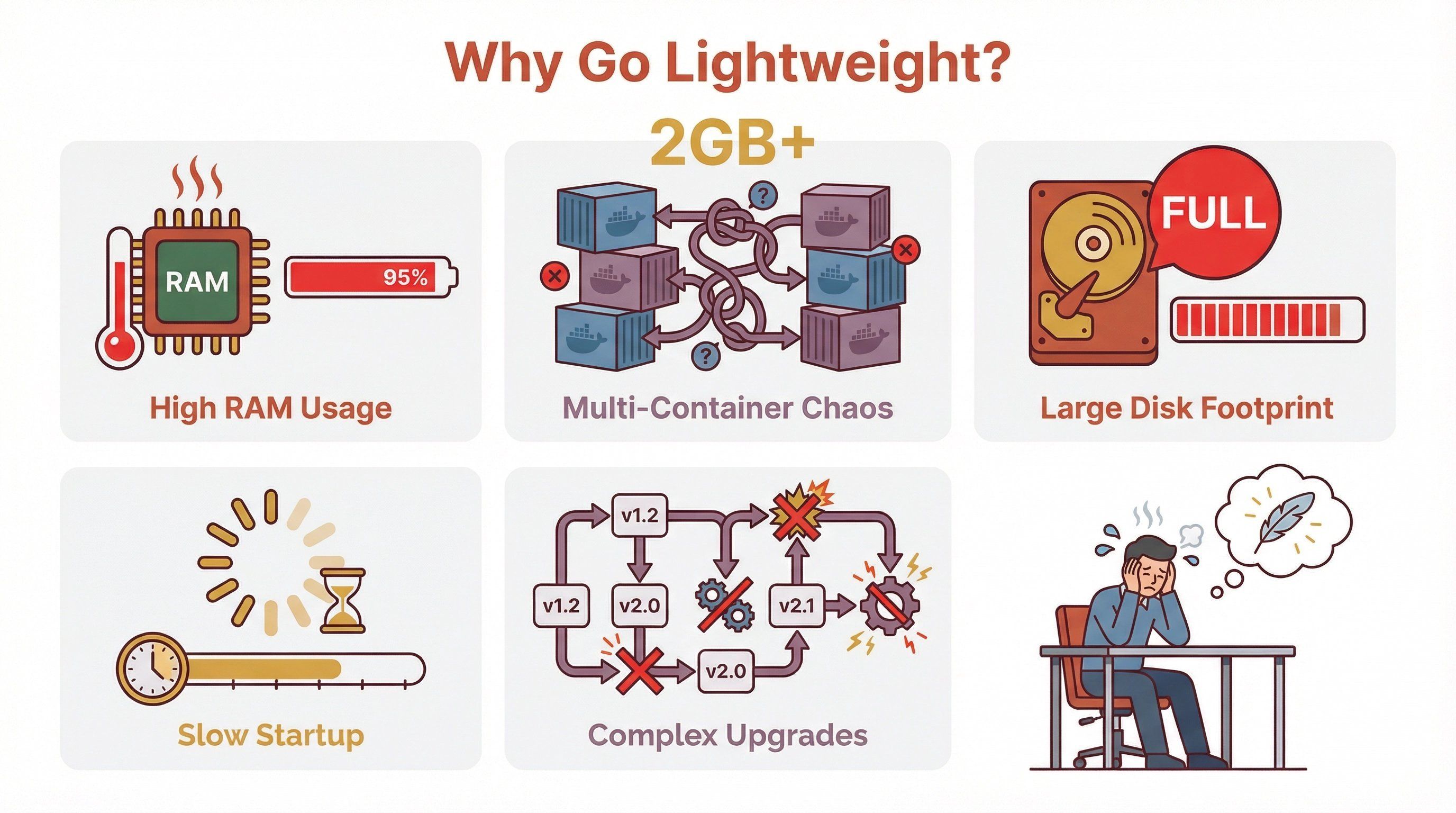
| समस्या | यह क्यों महत्वपूर्ण है |
|---|---|
| ज़्यादा RAM/CPU की ज़रूरत | पुराने या छोटे हार्डवेयर पर डिप्लॉयमेंट सीमित हो जाता है |
| मल्टी-कंटेनर सेटअप | जटिलता बढ़ती है, संभालना और सुरक्षित करना मुश्किल होता है |
| बड़ा disk footprint | edge devices या सीमित storage वाले सिस्टम के लिए समस्या |
| धीमा startup time | तेज़ prototyping या scaling में परेशान करता है |
| जटिल upgrades | ज़्यादा components = upgrade की ज़्यादा दिक्कतें |
अगर आपने कभी 2GB cloud VM पर OpenClaw चलाने की कोशिश की हो और उसे रेंगते हुए देखा हो, तो आप समझते हैं मैं क्या कह रहा हूँ।
OpenClaw का मिनिमल इंस्टॉल सिस्टम परफॉर्मेंस को कैसे प्रभावित करता है
आइए थोड़ा तकनीकी बात करें। आपके assistant platform का आकार और जटिलता system performance, stability, और scalability पर सीधा असर डालती है।
Standard OpenClaw installs (Docker, memory store, और sandboxing के साथ) सिर्फ platform के लिए ही 2GB+ RAM आसानी से खा सकते हैं, वह भी भाषा मॉडल या vector database लोड करने से पहले (OpenClaw Docker Guide)। Local LLM inference या document ingestion जोड़ दीजिए, तो 4GB, 8GB, या उससे भी ज़्यादा की ज़रूरत पड़ सकती है।
मिनिमल इंस्टॉल विकल्प इन चीज़ों के लिए बनाए जाते हैं:
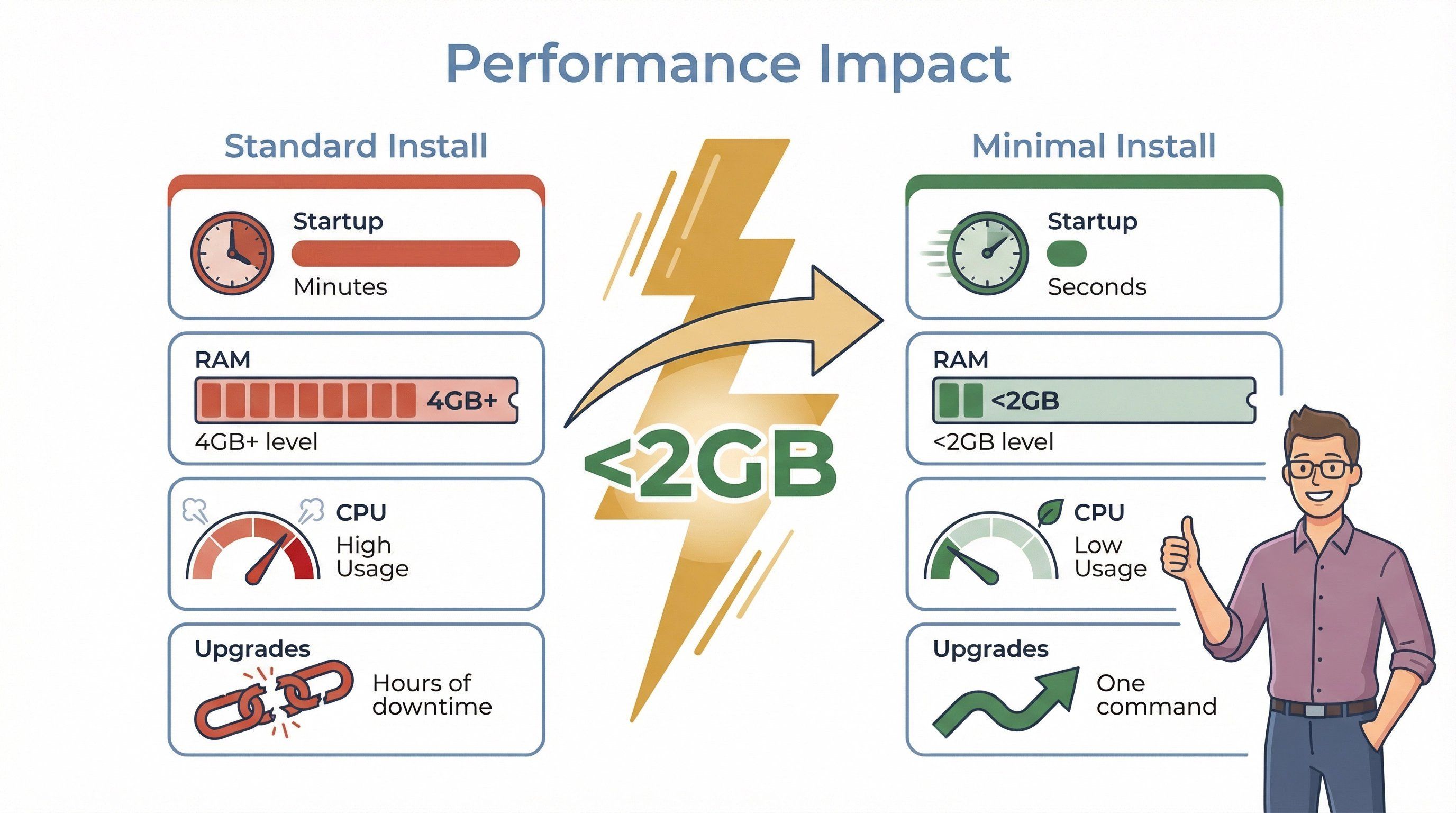
- तेज़ी से start up करना: Single-container या binary installs मिनटों नहीं, सेकंडों में तैयार हो सकते हैं।
- कम memory इस्तेमाल करना: LLM inference को external APIs पर भेजकर या छोटे local models इस्तेमाल करके, आप पूरे stack की RAM खपत 2GB से नीचे रख सकते हैं (Open WebUI Quick Start)।
- CPU load कम करना: कम orchestration overhead का मतलब है AI कामों के लिए ज़्यादा resources।
- conflicts का जोखिम घटाना: कम services = कम port clashes, dependency mismatches, या upgrade surprises।
एक वास्तविक उदाहरण देखें: LibreChat कम से कम 2GB RAM (4GB बेहतर) सुझाता है, जबकि Dify कम-से-कम 4GB कहता है। इसके मुकाबले, Open WebUI single-user mode में एक single container और बहुत छोटे memory footprint के साथ चल सकता है—खासकर अगर आप remote LLM APIs का उपयोग करें।
आपको जो परफॉर्मेंस सुधार दिख सकते हैं:
- Startup time मिनटों से घटकर सेकंडों में
- RAM usage 50% या उससे अधिक कम
- Idle periods में CPU usage कम
- Upgrades तेज़ और downtime कम
OpenClaw का हल्का विकल्प चुनने के मुख्य मानदंड
सभी “हल्के” विकल्प एक जैसे नहीं होते। विकल्पों का मूल्यांकन करते समय मैं इन बातों पर ध्यान देने की सलाह दूँगा:
- Install size: डाउनलोड कितना बड़ा है? क्या एक single Docker container या binary से deploy किया जा सकता है?
- Memory usage: Platform का baseline RAM usage कितना है (LLM inference को छोड़कर)?
- Startup speed: “docker run” से working assistant तक कितनी जल्दी पहुँचा जा सकता है?
- Updates की आसानी: Upgrade process सरल है, या हर महीने dependency dragons से जूझना पड़ेगा?
- Compatibility: क्या यह आपके ज़रूरी LLMs, tools, और integrations को support करता है?
- Feature set: क्या आपको core assistant features मिल रहे हैं, या minimalism के लिए बहुत कुछ छोड़ना पड़ रहा है?
- Security और isolation: क्या platform tool execution के लिए sandboxing या isolation देता है?
यहाँ एक quick checklist है जिसका आप उपयोग कर सकते हैं:
| मानदंड | यह क्यों महत्वपूर्ण है | क्या देखें |
|---|---|---|
| Install Size | तेज़ deployment, कम storage की ज़रूरत | <500MB image, single binary |
| Memory Usage | छोटे hardware पर चल सके, cloud cost कम हो | <2GB RAM baseline |
| Startup Speed | तेज़ prototyping, कम downtime | <30 seconds to ready |
| Updates | कम maintenance, कम surprises | One-command upgrade, stable API |
| Compatibility | vendor lock-in से बचाव, भविष्य के लिए बेहतर | OpenAI/Ollama API, plugin model |
| Features | minimalism के बदले ज़रूरी चीज़ें न खोएँ | Memory, tools, auth, RAG |
| Security | सुरक्षित tool execution, कम जोखिम | Container or process isolation |
असल बात यह है कि minimal footprint और आपके ज़रूरी features के बीच संतुलन बनाया जाए। कभी-कभी “कम ही ज़्यादा” होता है, लेकिन कभी “कम” का मतलब “काफ़ी नहीं” भी होता है।
मिनिमल इंस्टॉल के लिए लोकप्रिय OpenClaw हल्के विकल्प
हाल की industry roundups और मेरी अपनी रिसर्च के आधार पर, अलग-अलग स्थितियों के लिए कुछ बेहतरीन OpenClaw हल्के विकल्प ये हैं:
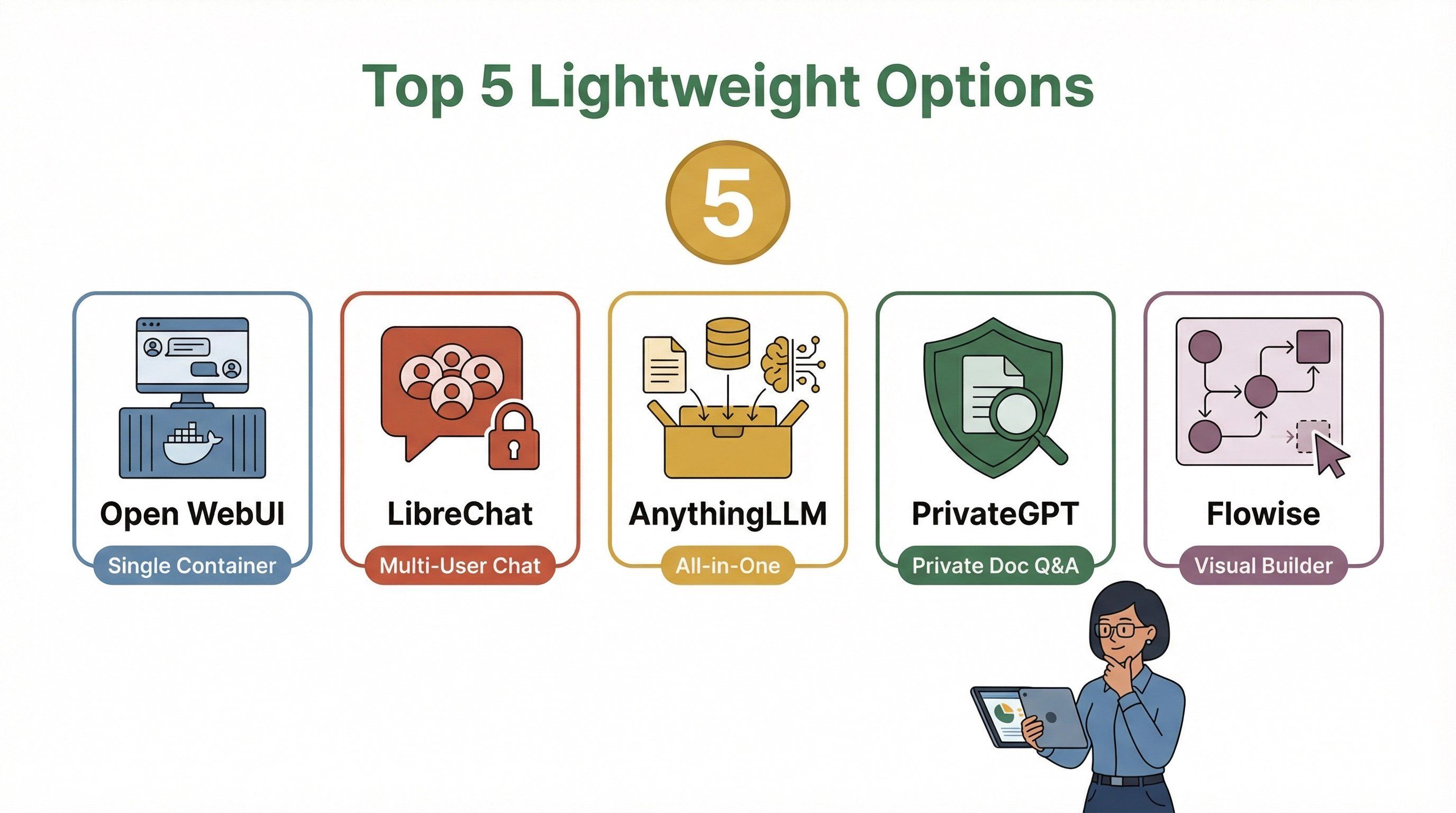
1. Open WebUI
- किसके लिए सबसे अच्छा: Single-user, कम-resource वाले installs
- यह हल्का क्यों है: Single Docker container, optional single-user mode, डेटा के लिए persistent volume, और कम RAM/CPU के लिए remote LLM APIs का उपयोग
- खास ताकतें: Offline-capable, Ollama और OpenAI-compatible endpoints को support करता है, सक्रिय community (Open WebUI GitHub)
- कमियाँ: OpenClaw के gateway/multi-surface model को मूल रूप से नहीं दोहराता; tool isolation बेसिक है
2. LibreChat
- किसके लिए सबसे अच्छा: ऐसे multi-user teams जो परिचित “ChatGPT clone” जैसा अनुभव चाहते हैं
- यह हल्का क्यों है: Docker deployment, प्रकाशित minimum requirements (2GB RAM), छोटे teams के लिए single service के रूप में चलाया जा सकता है
- खास ताकतें: सुरक्षित multi-user auth, व्यापक provider support, हालिया security hardening (LibreChat GitHub)
- कमियाँ: ज़्यादा web-app केंद्रित; कई chat surfaces के लिए gateway नहीं; कुछ features के लिए extra services चाहिए
3. AnythingLLM
- किसके लिए सबसे अच्छा: निजी, all-in-one AI workspace, कम setup के साथ
- यह हल्का क्यों है: Docker या desktop install, built-in vector DB, बुनियादी उपयोग के लिए 2GB RAM पर चल सकता है
- खास ताकतें: Multi-user support, agents, document pipelines, privacy-first (AnythingLLM Docs)
- कमियाँ: Chat-surface gateway नहीं; tool isolation आपकी architecture पर निर्भर करता है
4. PrivateGPT
- किसके लिए सबसे अच्छा: निजी document Q&A और context-aware apps
- यह हल्का क्यों है: Docker Compose profiles, external LLM APIs के साथ मध्यम resources पर चल सकता है
- खास ताकतें: OpenAI API compatibility, मज़बूत privacy posture, flexible vector store options (PrivateGPT GitHub)
- कमियाँ: OpenClaw के messaging gateway का सीधा विकल्प नहीं
5. Flowise
- किसके लिए सबसे अच्छा: visual workflow/agent builder, minimal install के साथ
- यह हल्का क्यों है: NPM या Docker install, डिफ़ॉल्ट रूप से SQLite, single service के रूप में चल सकता है
- खास ताकतें: Visual workflow canvas, plugin ecosystem, आसान local testing (Flowise Docs)
- कमियाँ: रेडीमेड assistant नहीं; connectors आपको खुद बनाने होंगे
OpenClaw के मिनिमल फ़ुटप्रिंट विकल्पों की तुलना: फ़ीचर टेबल
आइए इन विकल्पों को एक त्वरित तुलना के लिए साथ रखें:
| प्लेटफ़ॉर्म | इंस्टॉल तरीका | न्यूनतम RAM (प्लेटफ़ॉर्म) | Startup Speed | Multi-User | LLM Backend Support | Tool/Plugin Model | Security/Isolation | किसके लिए सबसे अच्छा |
|---|---|---|---|---|---|---|---|---|
| Open WebUI | Docker (single) | Low–Medium | Fast | Optional | Ollama, OpenAI-compatible | Python tools | Basic | Single-user, minimal |
| LibreChat | Docker (multi) | 2GB min (4GB rec) | Fast | Yes | Many providers | Agents, plugins | Multi-service | Teams, chat-centric |
| AnythingLLM | Docker/Desktop | 2GB+ | Fast | Yes | Local + hosted | Agents, API | Built-in vector DB | Private, all-in-one |
| PrivateGPT | Docker Compose | Medium | Fast | Optional | Local + hosted | RAG API | API isolation | Private doc Q&A |
| Flowise | NPM/Docker | Low–Medium | Fast | Optional | Provider nodes | Visual builder | SQLite/DB | Visual workflow builder |
नोट: अगर आप local LLMs चलाते हैं या बड़े दस्तावेज़ ingest करते हैं, तो RAM usage बढ़ सकता है। सचमुच मिनिमल इंस्टॉल्स के लिए remote LLM APIs या छोटे models का उपयोग करें।
OpenClaw के मिनिमल इंस्टॉल सॉल्यूशंस को आँकने और परखने के व्यावहारिक कदम
क्या आप हल्का विकल्प आज़माने के लिए तैयार हैं? यहाँ एक सरल evaluation framework है जिसका मैं उपयोग करता हूँ:
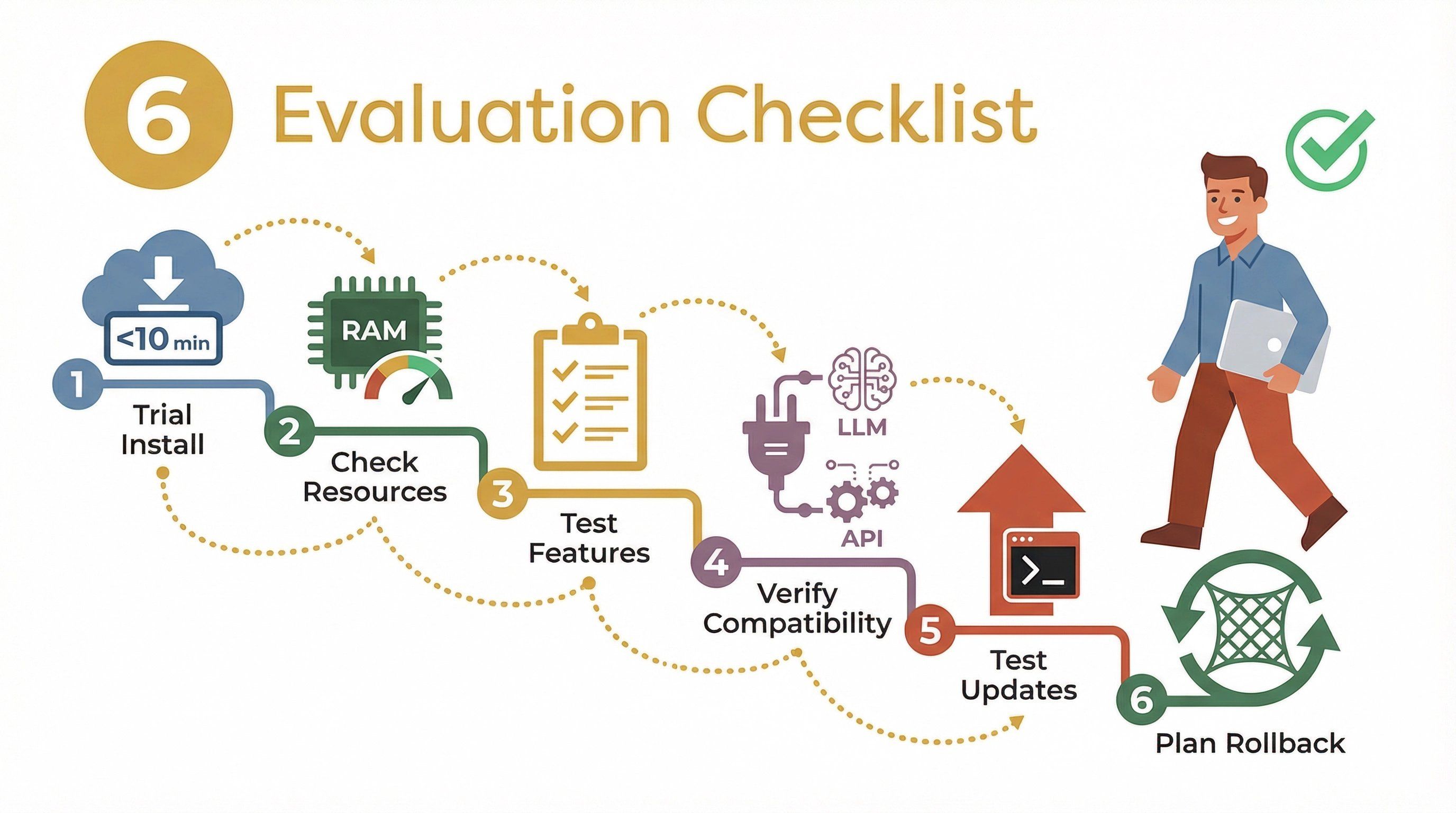
- Trial install: Platform को sandbox या test VM में deploy करें। इंस्टॉल और startup process का समय मापें।
- Resource usage मापें: Idle और basic use के दौरान RAM और CPU पर नज़र रखने के लिए system tools (
htopयाdocker statsजैसे) इस्तेमाल करें। - Basic workflows चलाएँ: Core features—chat, tool/plugin execution, document ingestion, आदि—को टेस्ट करें।
- Compatibility जाँचें: अपने पसंदीदा LLMs, plugins, या external APIs से कनेक्ट करें।
- Updates टेस्ट करें: Platform को upgrade करके देखें कि प्रक्रिया कितनी सहज है।
- Sandbox testing: संभव हो तो disposable environment में चलाएँ, ताकि कुछ गलत होने पर आसानी से rollback किया जा सके।
यहाँ एक त्वरित checklist है:
| कदम | क्या देखें |
|---|---|
| Install/Startup | <10 minutes, no complex dependencies |
| Resource Usage | <2GB RAM baseline, low CPU at idle |
| Feature Test | Core assistant features work as expected |
| Compatibility | Connects to your LLMs and tools |
| Update Process | One-command or in-place upgrade |
| Rollback | Easy to revert to previous version |
OpenClaw के हल्के विकल्पों पर स्विच करते समय आम गलतियाँ
मिनिमल इंस्टॉल पर जाना हमेशा आसान नहीं होता। कुछ आम गलतियाँ—और उनसे बचने के तरीके—ये हैं:
- फ़ीचर्स की कमी: कुछ हल्के platform advanced gateway या sandboxing features छोड़ देते हैं। सुनिश्चित करें कि आपके workflow के लिए कोई ज़रूरी चीज़ छूट न रही हो।
- सीमित documentation: छोटे projects में docs कम हो सकती हैं। मदद के लिए community forums या GitHub issues देखें।
- Integration challenges: सभी plugins या tools out of the box support नहीं करते। अपनी must-have integrations पहले ही टेस्ट करें।
- Security trade-offs: सरल installs का मतलब कभी-कभी कम isolation या कमज़ोर security defaults होता है। अपने deployment को harden करें (auth, TLS, firewalls)।
- Migration headaches: OpenClaw से नए platform पर data (जैसे chat history या documents) ले जाना कठिन हो सकता है। migration window प्लान करें और सब कुछ backup करें।
मेरी सलाह? एक pilot project से शुरुआत करें, अच्छी तरह टेस्ट करें, और नया setup पूरी तरह भरोसेमंद लगने तक पुराना सिस्टम चालू रखें।
निष्कर्ष: अपनी मिनिमल इंस्टॉल ज़रूरतों के लिए सही विकल्प चुनना
OpenClaw के हल्के विकल्पों का बढ़ना भारी और जटिल installs की असली दुनिया की समस्याओं का सीधा जवाब है। चाहे आप solo developer हों, छोटी टीम, या enterprise IT lead, आपके लिए एक ऐसा minimal install option मौजूद है जो बिना अनावश्यक बोझ के ज़रूरी assistant features दे सकता है।
मैं यह सुझाऊँगा:
- अपनी must-haves तय करें: जानें कि किन features के बिना काम नहीं चल सकता (multi-user, plugin support, security)।
- ऊपर दिए गए criteria और comparison tables का उपयोग करके सबसे उपयुक्त विकल्पों की shortlist बनाएँ।
- Pilot और measure करें: अपने environment में टेस्ट करें, resource usage मापें, और compatibility जाँचें।
- Migration की योजना बनाएं: जल्दबाज़ी न करें—data और workflows को धीरे-धीरे shift करें।
और याद रखें, “सबसे अच्छा” OpenClaw मिनिमल इंस्टॉल वही है जो आपके use case, आपके hardware, और आपकी team की skill set से मेल खाए। Lightweight का मतलब सीमित होना नहीं है—बस focused होना है।
Thunderbit के साथ वेब डेटा एक्सट्रैक्शन को ऑटोमेट करें Get Started Free
अगर आप अपने assistant workflow के हिस्से के रूप में web data extraction को ऑटोमेट करने में रुचि रखते हैं, तो Thunderbit देखें—हमारा AI-powered web scraper, जिसे minimal setup और maximum productivity के लिए बनाया गया है। और automation, scraping, और AI tools पर और गहराई से जानने के लिए Thunderbit Blog पर जाएँ।
AI वेब स्क्रैपिंग के लिए Thunderbit आज़माएँ
अक्सर पूछे जाने वाले सवाल
1. OpenClaw का हल्का विकल्प क्या है?
OpenClaw का हल्का विकल्प कोई tool या framework है जो OpenClaw जैसी AI assistant क्षमताएँ देता है, लेकिन छोटे install size, कम memory/CPU usage, और सरल setup के साथ—जो मिनिमल इंस्टॉल स्थितियों या resource-constrained environments के लिए आदर्श है।
2. मुझे OpenClaw के मिनिमल फ़ुटप्रिंट सॉल्यूशंस की परवाह क्यों करनी चाहिए?
मिनिमल फ़ुटप्रिंट सॉल्यूशंस तेज़ी से सेटअप होते हैं, कम RAM/CPU लेते हैं, संभालना आसान होता है, और पुराने hardware या edge/offline environments में चल सकते हैं—जो उन्हें rapid prototyping या cost-sensitive deployments के लिए बेहतरीन बनाता है।
3. हल्के विकल्पों के मुख्य tradeoffs क्या हैं?
आप कुछ advanced features (जैसे multi-surface gateways या sandboxed tool execution) खो सकते हैं, और OpenClaw के बराबर पहुँचने के लिए extra components जोड़ने पड़ सकते हैं। हमेशा जाँच लें कि आपके ज़रूरी features supported हैं या नहीं।
4. मैं कैसे तय करूँ कि कोई हल्का विकल्प मेरे लिए सही है?
इंस्टॉल process टेस्ट करें, resource usage मापें, अपने core workflows चलाएँ, अपने पसंदीदा LLMs/tools के साथ compatibility जाँचें, और सुनिश्चित करें कि platform आपकी security और update requirements पूरी करता है।
5. सबसे लोकप्रिय OpenClaw हल्के विकल्प कौन से हैं?
कुछ शीर्ष विकल्पों में Open WebUI, LibreChat, AnythingLLM, PrivateGPT, और Flowise शामिल हैं। हर एक की अपनी ताकत है, अलग-अलग मिनिमल इंस्टॉल ज़रूरतों के लिए।
अगर आप अपना stack हल्का करने और RAM वापस पाने के लिए तैयार हैं, तो इनमें से किसी एक मिनिमल इंस्टॉल सॉल्यूशन को आज़माएँ। और अगर आप बिना किसी setup झंझट के web data extraction को ऑटोमेट करना चाहते हैं, तो Thunderbit हमेशा मदद के लिए मौजूद है।
Thunderbit AI Web Scraper आज़माएँ Get Started Free
और जानें
- 2026 के सर्वश्रेष्ठ OpenClaw विकल्प: व्यवसाय के लिए शीर्ष चयन
- OpenClaw बनाम ChatGPT को समझना: परफॉर्मेंस से जुड़ी अंतर्दृष्टि
- AI को अभी पूरी shell access न दें! OpenClaw के लिए सुरक्षा-केंद्रित इंस्टॉलेशन गाइड
- OpenClaw वेब स्क्रैपिंग में महारत कैसे पाएँ: एक संपूर्ण ट्यूटोरियल
- OpenClaw बनाम n8n फ़ीचर्स: कौन बेहतर है?




