
Type "Thunderbit vs Oxylabs" into Google and you'll probably expect a clean side-by-side table, like it's Coke versus Pepsi. It's not that simple. One of these is a browser tool that clicks through a page for you in seconds. The other is a proxy network with the kind of IP footprint most telecoms would envy. And yet people keep searching this pairing together, because they're both trying to answer the same underlying question: how do I get data off the web without losing a week of my life to it?
I've spent a good chunk of my career moving between the "build the infrastructure" world and the "just get me the data" world — first at Automation Anywhere, then at Jet.com, and now running Thunderbit. So I get why the choice confuses people. It's a bit like comparing a moving company to a set of moving boxes — both get your stuff from point A to point B, but one is a service and the other is a product you use to build your own process. Let's sort out which one you actually need, because I promise it's not as murky as the marketing pages make it seem.
Quick Answer
If you want the short version before we get into the weeds: Thunderbit is an agentic, no-code web scraper — you open a page, click One Click Extract, and the tool figures out the fields and pulls structured data, with a Web App, Open API, MCP Server, and CLI for anyone who wants to go deeper. Oxylabs is enterprise scraping infrastructure — proxy networks, a Web Scraper API, and a Web Unblocker product built for engineering teams who are assembling their own data pipelines at scale.
Neither one is "better" in the abstract. It depends entirely on whose job you're trying to do — the business user who needs a spreadsheet by Friday, or the data engineer who's responsible for keeping a scraping pipeline alive across a million requests a month.
At a Glance
Here's how I'd map the two products before diving into any single feature:
| Dimension | Thunderbit | Oxylabs |
|---|---|---|
| Main user | Sales, ops, research, non-technical teams, plus developers via API/MCP | Data engineers, backend teams, enterprises |
| Setup | Install browser extension, open a page | Sign up, generate API credentials, write request logic |
| Extraction layer | Agentic — AI reads the page and infers fields | Developer-defined — you parse and structure the response |
| Anti-bot/rendering | Handled automatically on supported, authorized pages | Handled via Web Unblocker or proxy-layer configuration |
| Output | Table/rows, exports to Sheets, Airtable, Notion | Raw HTML or structured JSON for supported targets |
| Scaling model | Credit-based, task-oriented | Bandwidth (GB) and request-volume based |
| Maintenance | Low — the extraction logic adapts to the page | Ongoing — you own retries, rotation, parsing upkeep |
| Governance | Authorized, compatible pages; user-driven compliance | Same — lawful, authorized use is the customer's responsibility |
What Is Thunderbit?
Thunderbit is what I'd call an agentic web scraper — the emphasis is on "agentic," because the whole point is that you're not the one writing selectors or building a schema by hand. You open a page you're authorized to access, click One Click Extract, and the agent detects, reads, and analyzes the page on its own. It proposes fields that make sense for that specific page, and then Run Now shows up — but here's the part people miss: you don't even have to click it. If you don't do anything, extraction just starts on its own.
That's a meaningfully different workflow from the multi-step setup patterns that some early scraping tools used and that older reviews may still describe. We rebuilt it around one intentional action, because honestly, nobody wants a five-step ritual just to grab a table of prices off a page.
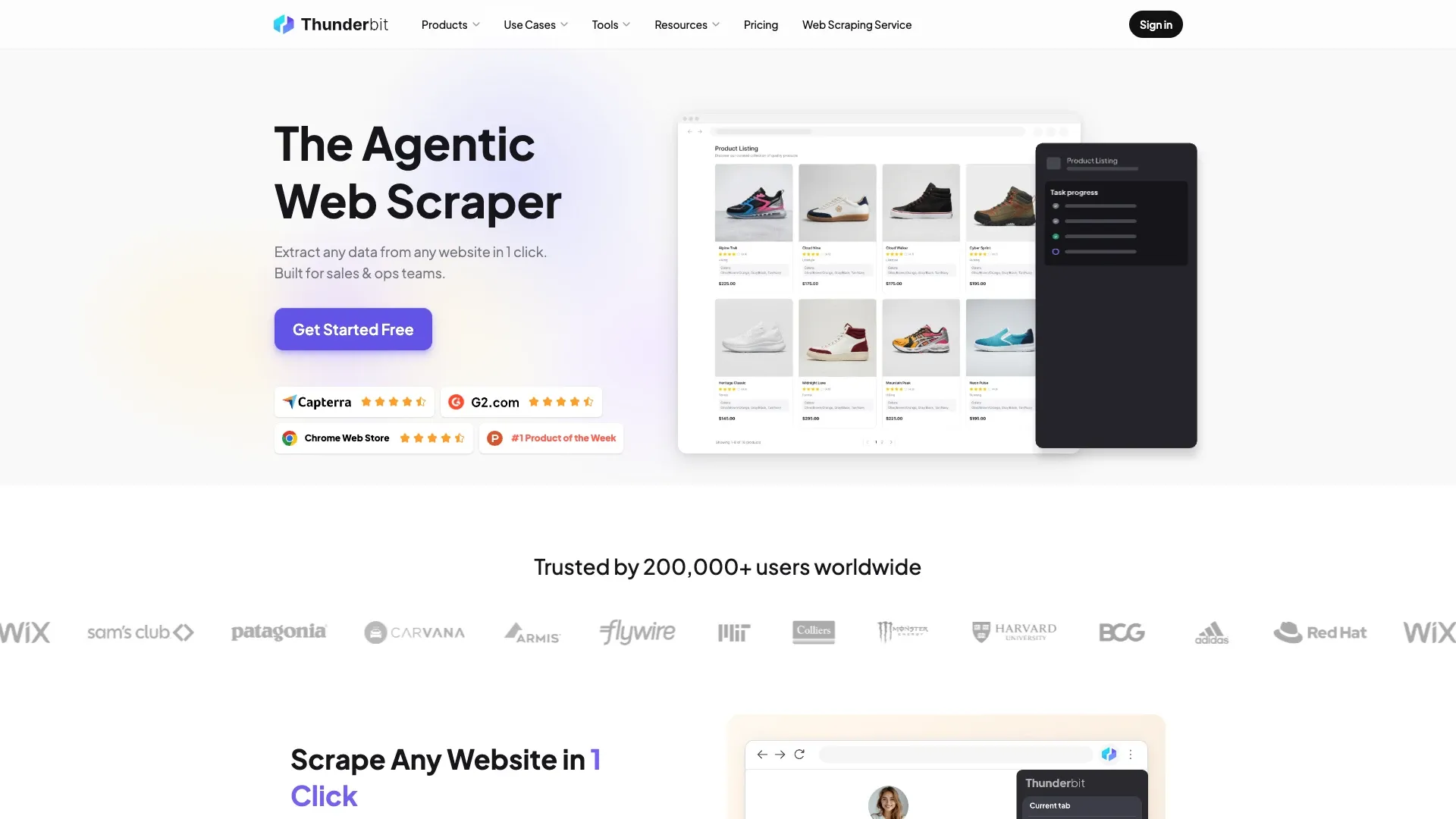
Beyond the one-click extraction, you can refine results in plain English ("only show me listings from the last 30 days"), enrich subpages where the site structure supports it, and export straight to Google Sheets, Airtable, or Notion. And if you're a developer who wants to skip the browser entirely, there's the Thunderbit Open API for programmatic access, the Thunderbit MCP Server for hooking extraction into Claude, Cursor, or other AI-agent hosts, and the Thunderbit CLI and Skills package for terminal-based or coding-agent workflows. It's the same underlying extraction intelligence, just exposed through whichever door fits your job.
If you want the fuller picture of how this category works in general, I'd point you to our own breakdown of AI web scraping and web scraping without coding — both go deeper into the mechanics than I have room for here.
What Is Oxylabs?
Oxylabs is a different animal entirely, and to be fair to them, they're not really trying to be a Thunderbit competitor in the "click and extract" sense. Their current pricing page lists a handful of distinct products: Web Scraper API, Web Unblocker, and a family of proxy networks (residential, mobile, datacenter, ISP).
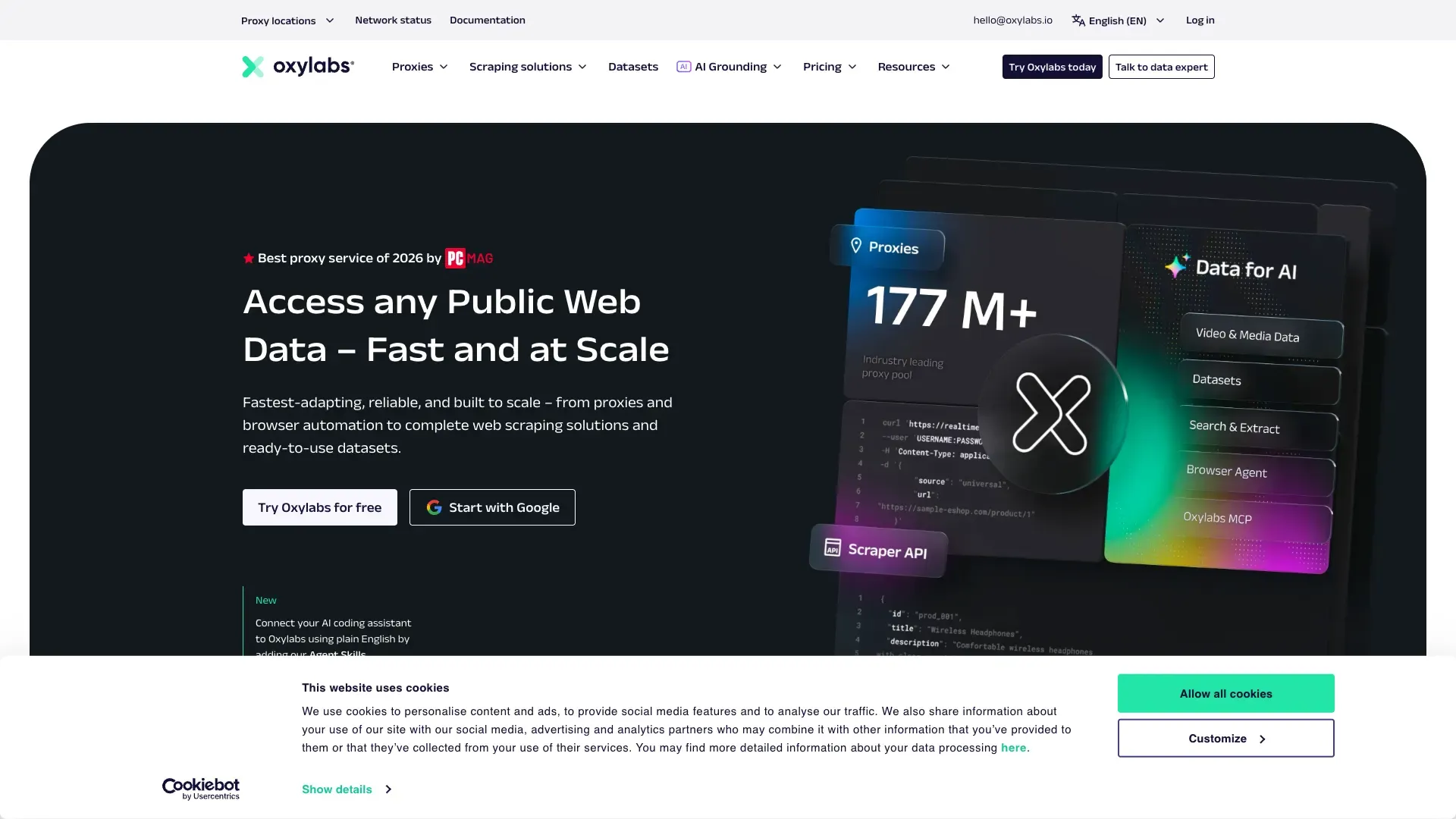
The Web Scraper API is the closest thing to a "scraping product" — it starts at $49/month, handles JavaScript rendering, and returns parsed or structured JSON for supported target types like search engines, e-commerce sites, and travel platforms. Web Unblocker is more of an access layer: it manages browser fingerprints, cookies, proxy selection, and retries automatically, and it's built for getting past tough anti-bot defenses on protected targets — but it hands you back the page response, not a clean table. You're still the one writing the parser.
Then there are the raw proxy products, which are exactly what they sound like: pools of residential, mobile, or datacenter IPs that you rent by the gigabyte, and which assume you already have your own browser automation, parsing, and storage pipeline built. This is infrastructure in the truest sense — you're not buying a finished result, you're buying the plumbing.
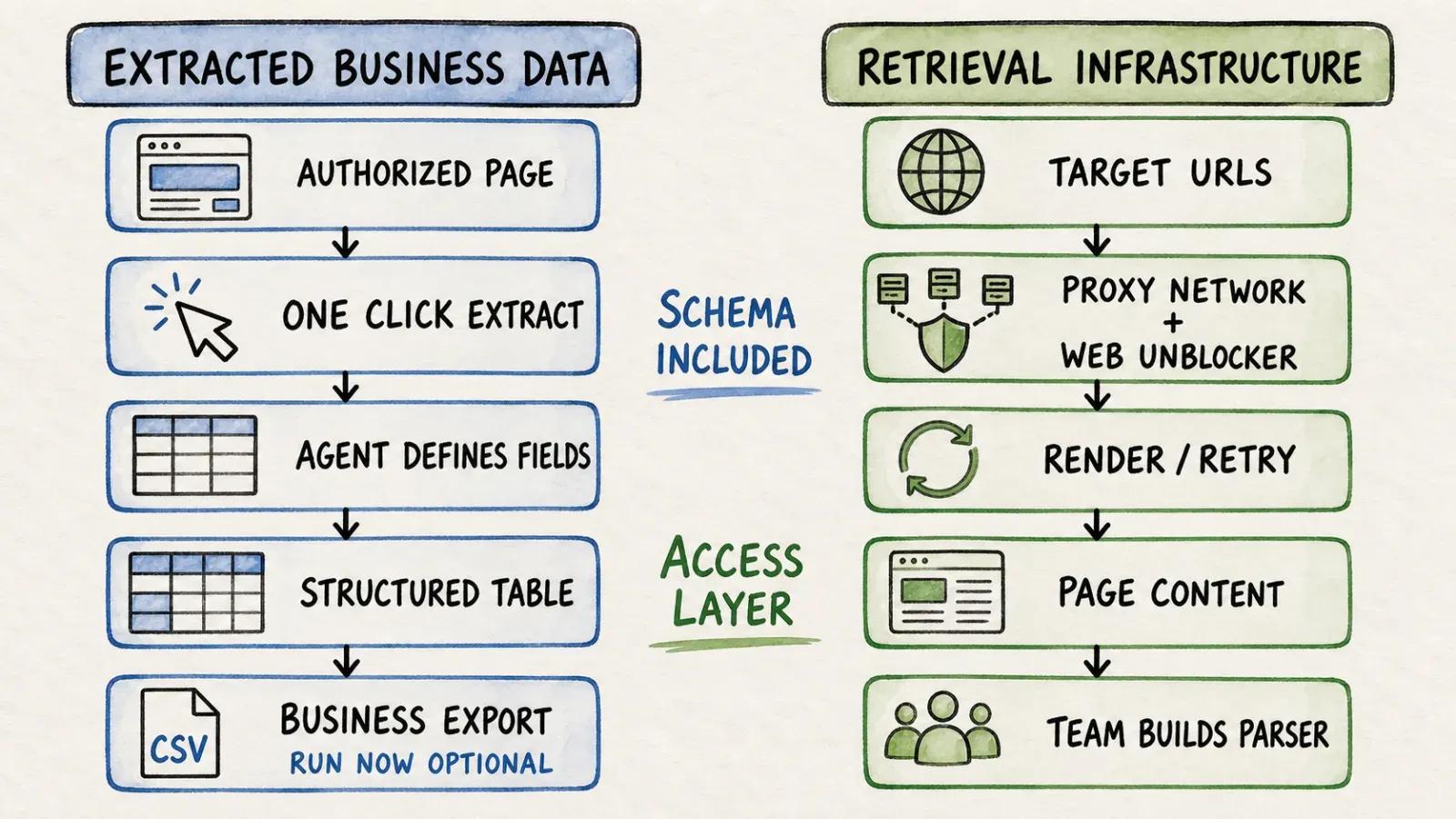
Core Difference: Extracted Business Data vs Retrieval Infrastructure
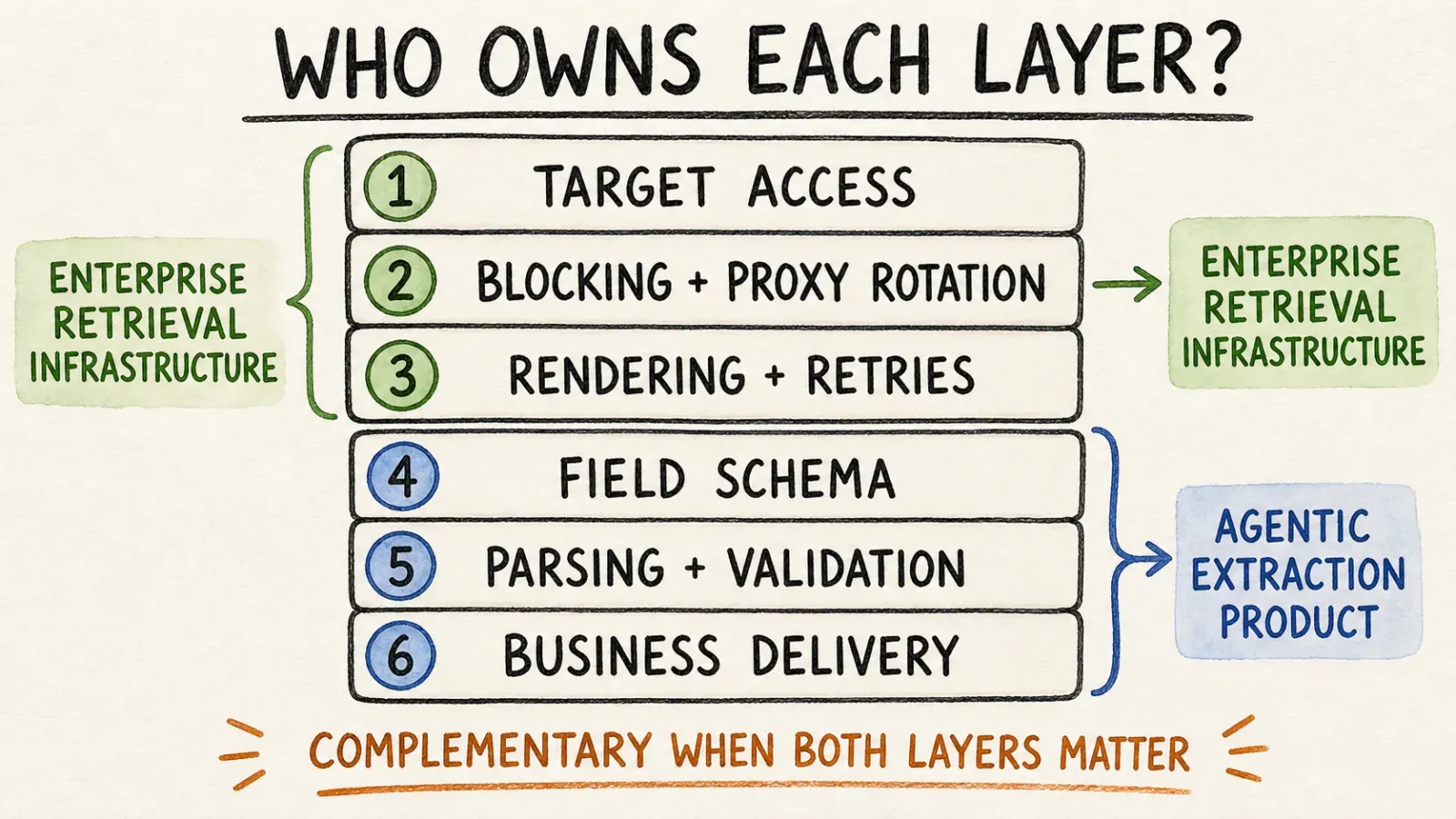
Who defines the schema and fields?
With Thunderbit, the agent looks at the page and proposes the fields — product names, prices, ratings, whatever's actually on the page — and you adjust from there in plain language. With Oxylabs, unless you're using a target-specific parser within the Web Scraper API, you're defining the schema yourself. That's not a knock on Oxylabs; it's just a fundamentally different division of labor. One tool assumes you don't want to think about schema at all. The other assumes you have opinions about it and the engineering time to enforce them.
Who handles blocking, rendering, and proxy rotation?
Thunderbit handles rendering and access automatically on supported, authorized pages as part of the extraction flow — there's no separate proxy product to configure. Oxylabs splits this into its own layer entirely: Web Unblocker exists specifically because getting past sophisticated anti-bot systems is hard enough to be its own product, with its own pricing and its own documentation. If your target sites are particularly aggressive about blocking, that dedicated unblocking layer is genuinely one of Oxylabs' strengths — it's built by people who think about fingerprinting and session management all day.
Who owns monitoring and downstream parsing?
This is where the "infrastructure vs finished output" distinction really shows up. With Oxylabs, once you get a response back — whether it's raw HTML from Web Unblocker or structured JSON from a supported Web Scraper API target — you or your team own everything downstream: validation, storage, scheduling, error handling, alerting when something breaks at 2 a.m. With Thunderbit, that monitoring burden is much lighter because the extraction step and the structuring step happen together, and exports go straight into the tools your team already uses.
Side-by-Side Workflow
Numbers don't lie, so let's actually count the steps instead of just asserting one is "easier."
One-off page-to-table task:
| Step | Thunderbit | Oxylabs |
|---|---|---|
| 1 | Install the Thunderbit Chrome Extension, open the target page | Sign up, generate API credentials |
| 2 | Click One Click Extract | Configure the request payload (target, render, geolocation params) |
| 3 | Agent analyzes the page and proposes fields | Send request, handle proxy/rendering parameters |
| 4 | Run Now appears — optional, extraction auto-starts anyway | Parse the response, build retry and rotation logic |
| 5 | Export to Sheets/Airtable/Notion | Store, validate, and structure the output yourself |
For a business user who just needs a table of competitor prices or a list of leads, that's roughly a one-click job with Thunderbit versus a small development task with Oxylabs. That's not a criticism of Oxylabs — it was never built to skip the engineering step. It's built to give engineers a reliable foundation to build on top of.
Large recurring crawling/data-acquisition system: here the calculus flips. If you're pulling millions of pages a month across dozens of geographies with strict SLA requirements, Oxylabs' proxy depth and enterprise support structure start to matter more than one-click convenience. This is genuinely their home turf.
AI-agent integration through API or MCP: if you're wiring extraction into a Claude or Cursor workflow, you'd reach for Thunderbit's MCP Server for agent-invoked structured extraction, or Oxylabs' Scraper API if what your agent actually needs is raw access/unblocking rather than a finished structured result. Both are valid, depending on what the agent is supposed to do with the data once it has it.
Who Actually Needs Which
I like personas better than vague "who's this for" prose, because vague prose is where marketing pages go to hide.
| Persona | Better Fit | Why |
|---|---|---|
| Sales/marketing ops, no-code business user | Thunderbit | Point-and-click extraction, direct export to Sheets/Airtable/Notion, nothing to maintain |
| Data engineer building a scraping pipeline at scale | Oxylabs | Deep proxy pools, dedicated infrastructure, bandwidth-based scaling |
| Developer building an AI-agent workflow | Either, depending on the job | Thunderbit's Open API/MCP for structured extraction; Oxylabs' Scraper API for raw access/unblocking |
| Enterprise needing massive IP diversity | Oxylabs | Residential proxy footprint is their core strength |
If I had to boil it down to one sentence: Thunderbit answers "how do I get usable data right now," and Oxylabs answers "how do I build a system that keeps getting data forever."
Accuracy, Anti-Bot Handling, and Maintenance
Neither tool is magic, and I'd be lying if I said otherwise. Thunderbit's agentic extraction works well on the compatible, authorized pages it's designed for — but that's an important qualifier, not a marketing footnote. It's not a guarantee against every CAPTCHA, login wall, or anti-automation defense on the internet. Oxylabs' Web Unblocker is specifically engineered to fight through some of those harder targets with automatic fingerprint and session management, and that's a legitimate specialization worth respecting.
The maintenance story is where the gap widens, though. Thunderbit's field interpretation adapts as pages change, which cuts down on the babysitting that traditional scrapers require. Oxylabs shifts that maintenance responsibility to you — retries, rotation logic, parser updates when a target site redesigns its HTML. That's the tradeoff for owning the infrastructure yourself: more control, more responsibility.
One thing both companies would (and should) agree on: collect only what you're authorized to access, and respect the target site's terms and applicable law. Neither an AI agent nor a proxy network turns unauthorized scraping into authorized scraping.
Pricing and Total Cost
Here's where I think a lot of comparison articles get lazy — they just copy dollar figures from a pricing page and call it a day. Let's actually put a scenario on it.
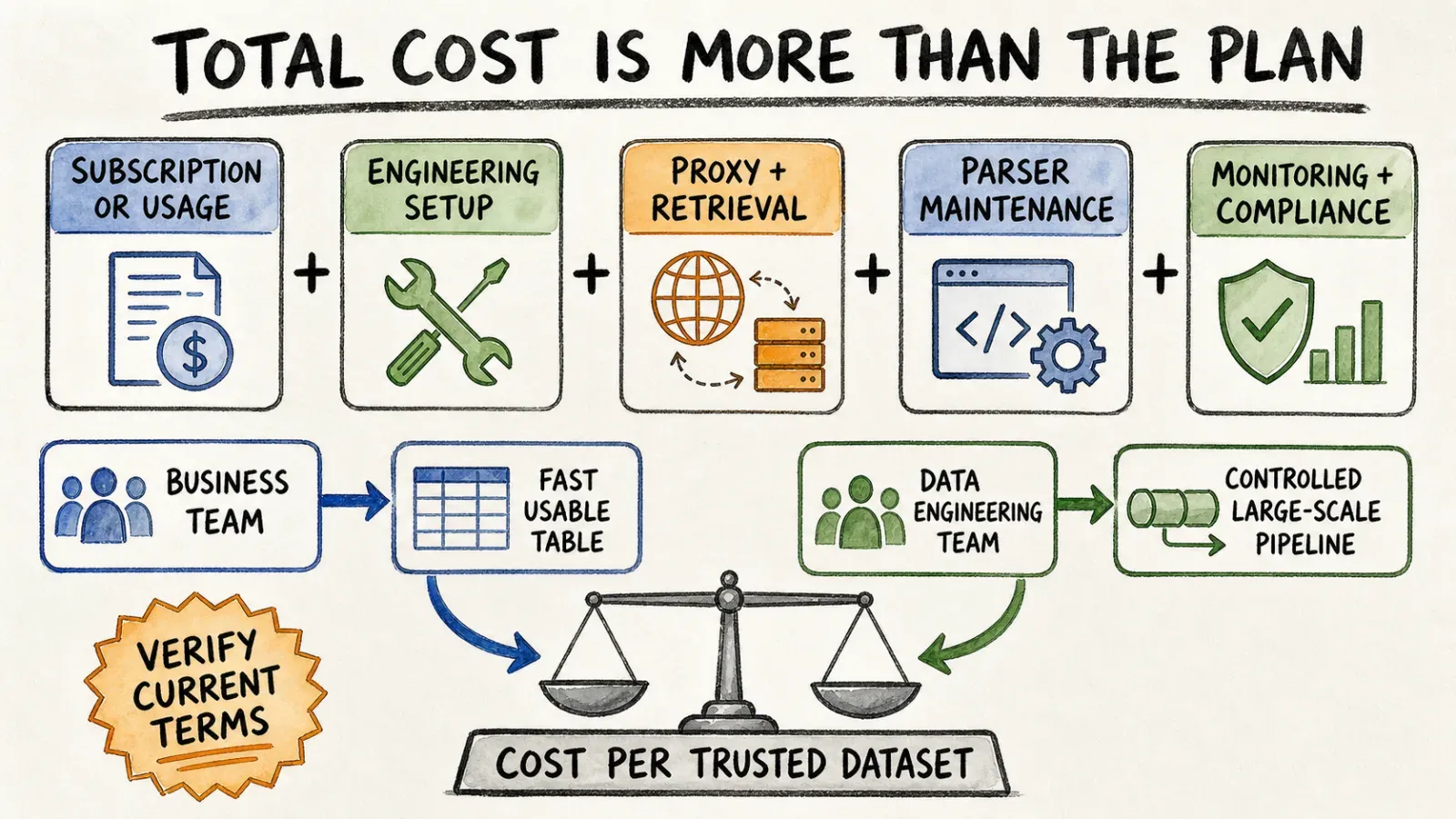
Say you need to collect 5,000 product listings a month from an e-commerce category page, updated weekly. With Oxylabs' Web Scraper API starting around $49/month, you're paying based on results and requests, and if you need the tougher access layer, Web Unblocker tiers run from a Micro plan at $75/month for 8GB up to an Advanced plan at $660/month for 88GB (regular pricing, before any temporary coupon). The catch is that GB usage doesn't scale predictably — a page with heavy JavaScript rendering can burn through bandwidth faster than a lightweight static page, and Oxylabs' own billing documentation notes that both request and response traffic count toward your bill, with even some 4xx responses counted as billable.
Thunderbit, by contrast, runs on a credit-based model tied to extraction tasks rather than raw bandwidth — so a 5,000-row extraction job costs roughly what a 5,000-row job costs, regardless of how JavaScript-heavy the underlying page happens to be. That's a genuinely different mental model: one is metered like a utility bill, the other is metered like a subscription to a service.
I'll say the obvious thing every honest comparison should say: pricing pages change constantly, coupons come and go, and plan names get reshuffled. Check Thunderbit's current pricing and Oxylabs' pricing page directly before you budget anything, and factor in your own engineering time — an "affordable" GB rate isn't actually affordable if it takes a developer two days a month to keep the pipeline running.
What the Reviews Actually Say
I try not to just wave my own team's flag here, because that's not useful to anyone doing real research. Review sites like G2 consistently show Oxylabs earning strong marks for dedicated account support and enterprise reliability — which tracks, since that's exactly the kind of customer relationship you'd expect from a company selling infrastructure to engineering teams with SLAs on the line. If your business depends on a scraping pipeline never going down, having a support team that answers fast is worth real money.
On the flip side, the ease-of-use and time-to-value signals tend to favor tools built around templates and task-based extraction rather than raw API configuration — which is the lane Thunderbit lives in. Different products, different review criteria, and honestly, both can be true at the same time without contradicting each other.
Who Should Choose Thunderbit?
Choose Thunderbit if you're on a sales, ops, research, or marketing team and you need structured data out of a webpage without waiting on an engineering sprint. It's also a solid fit for developers who want AI-agent-invoked extraction without building their own proxy and parsing stack from scratch — you get the Open API, MCP Server, and CLI as needed, without giving up the one-click browser option for quick manual jobs. If you're curious how this stacks up against other tools in the category, our rundown of the best AI web scrapers is a decent next stop.
Who Should Choose Oxylabs?
Choose Oxylabs if you're an engineering or data team running large-scale, protected, production-grade retrieval workloads — the kind where you need geotargeting, session control, and a proxy pool deep enough to survive aggressive rate limiting. If your organization already owns the orchestration, parsing, and storage layer and just needs reliable access at volume, Oxylabs' infrastructure is built exactly for that job.
Can They Work Together?
In theory, yes — an enterprise could use Oxylabs for raw access and unblocking at the infrastructure layer, while individual teams use a tool like Thunderbit for fast, structured extraction on top of authorized data sources. I want to be careful here, though: I'm not aware of an official integration between the two products, and I wouldn't want to overstate a partnership that doesn't exist. Think of it less as "these two products plug into each other" and more as "these two products can coexist at different layers of a company's data stack" — which is a much more honest way to put it.
Verdict
If your goal is the shortest path from "webpage" to "usable spreadsheet," Thunderbit is designed around one intentional click on One Click Extract; the agent analyzes the page and the job auto-runs, while Run Now remains optional. That Web Scraping Without Coding approach makes it accessible to non-technical teams. If your goal is running a resilient, high-volume scraping operation that your engineering team fully owns and controls, Oxylabs gives you the raw material to build that — proxy depth, unblocking, and the enterprise support to back it up.
I don't think there's a universal winner here, and any article that tells you there is one is probably trying to sell you something. Pick based on who's going to operate the tool day to day — a business user who wants results, or an engineer who wants infrastructure.
FAQ
Is Oxylabs no-code like Thunderbit? Not really. Oxylabs' Web Scraper API and Web Unblocker are developer-facing products — you send API requests and handle the response yourself. There isn't a browser-based, click-and-extract experience comparable to Thunderbit's one-click workflow.
Does Thunderbit include an API and MCP for developers? Yes. Beyond the browser extension, Thunderbit offers an Open API for programmatic access, an MCP Server for AI-agent hosts like Claude and Cursor, and a CLI for terminal-based workflows.
Which one handles anti-bot-heavy targets better? Oxylabs' Web Unblocker is purpose-built for tough, protected targets with automatic fingerprint and session management. Thunderbit handles rendering and access on compatible, authorized pages as part of its extraction flow, but it isn't marketed as a dedicated anti-bot bypass product.
Which is easier for non-technical business users? Thunderbit, by a wide margin. There's no API configuration, schema design, or parser to write — you click, the agent proposes fields, and results export to Sheets, Airtable, or Notion.
How should I compare Thunderbit's pricing to Oxylabs' pricing? Don't compare dollar figures directly — the models are different. Oxylabs bills mostly by bandwidth (GB) and request volume, which varies with page complexity and JavaScript rendering. Thunderbit uses credits tied to extraction tasks, which stays more predictable per job. Always check current numbers on Thunderbit's pricing page and Oxylabs' pricing page before budgeting.




