

A few weeks ago, someone on our team dropped a Slack message that just said "should we be worried about Crawl4AI?" I laughed, because comparing Thunderbit to Crawl4AI is a little like comparing a food delivery app to a fully stocked commercial kitchen. Both get you dinner. One of them expects you to know how to cook.
I've spent most of my career in automation — first at Automation Anywhere watching enterprises try to bolt bots onto legacy systems, then at Jet.com where every extra engineering hour spent on data plumbing was an hour not spent on the actual product. So when people ask me to compare Thunderbit against an open-source Python crawler, I don't come at it from a "our tool is better" angle. I come at it from a "who's actually going to use this, and what do they have time for" angle. Let's actually look at what each tool is built for, because the honest answer is: it depends on whether you'd rather click a button or write a script.
Quick Answer
If you want the short version before I get into the weeds: Thunderbit is a managed, agentic web scraper built for business users — you open a page, click One Click Extract, and it hands you a structured table. It also has an Open API, MCP Server, and CLI for developers who want to plug it into pipelines without writing scraping logic from scratch.
Crawl4AI is an open-source Python framework for developers building AI and RAG data pipelines. It's genuinely powerful — deep crawling, adaptive crawling, Markdown generation, LLM extraction strategies — but you're writing code, managing your own browser infrastructure, and paying for whatever compute and LLM tokens you burn along the way.
The real tradeoff isn't "good vs bad." It's speed-to-result versus code-level control. Neither one is wrong. They're just built for different people standing at different points in the stack.
At a Glance
Before I go section by section, here's the table I wish existed the first time I compared the two. Most "X vs Crawl4AI" articles floating around right now are actually about Firecrawl, not Thunderbit, so I built this one from scratch.
| Dimension | Thunderbit | Crawl4AI |
|---|---|---|
| Setup model | Browser extension / Web App, One Click Extract | Python library (pip install), self-coded scripts |
| Coding required | No-code (agentic field detection) | Yes (Python + optional LLM keys for structured extraction) |
| JS/dynamic rendering | Handled on supported, authorized pages | Chromium via Playwright, configured manually |
| Output format | Structured tables, export to Excel/Sheets/Airtable/Notion | Markdown, JSON (via your own schema or LLM extraction) |
| PDFs/images/docs | Supported input types (verify current list on official docs) | Not a core focus — HTML/Markdown-first |
| Hosting model | Cloud (Web App) / browser session | Self-hosted (Docker, your own infra) |
| Ideal user | Non-technical ops, sales, research teams | Developers building RAG/LLM pipelines |
| License | Commercial, subscription/credit-based (current pricing) | Apache 2.0 with an attribution clause |
A quick caveat here, because I'd be doing you a disservice otherwise: pricing tiers, credit limits, and supported input types change fairly often on both sides. Treat this table as a map, not a contract — check the live docs before you make a purchasing decision.
What Is Thunderbit?
Thunderbit is what my team built after getting tired of watching non-technical folks — sales reps, ops managers, researchers — get stuck every time they needed data off a website and the answer was "ask an engineer." The current flow is deliberately boring in the best way: you open the page you want data from, click One Click Extract, and the agent reads the page, figures out what fields make sense, and starts pulling the data. You'll see a Run Now button, but it's optional — if you don't touch anything, extraction kicks off automatically.
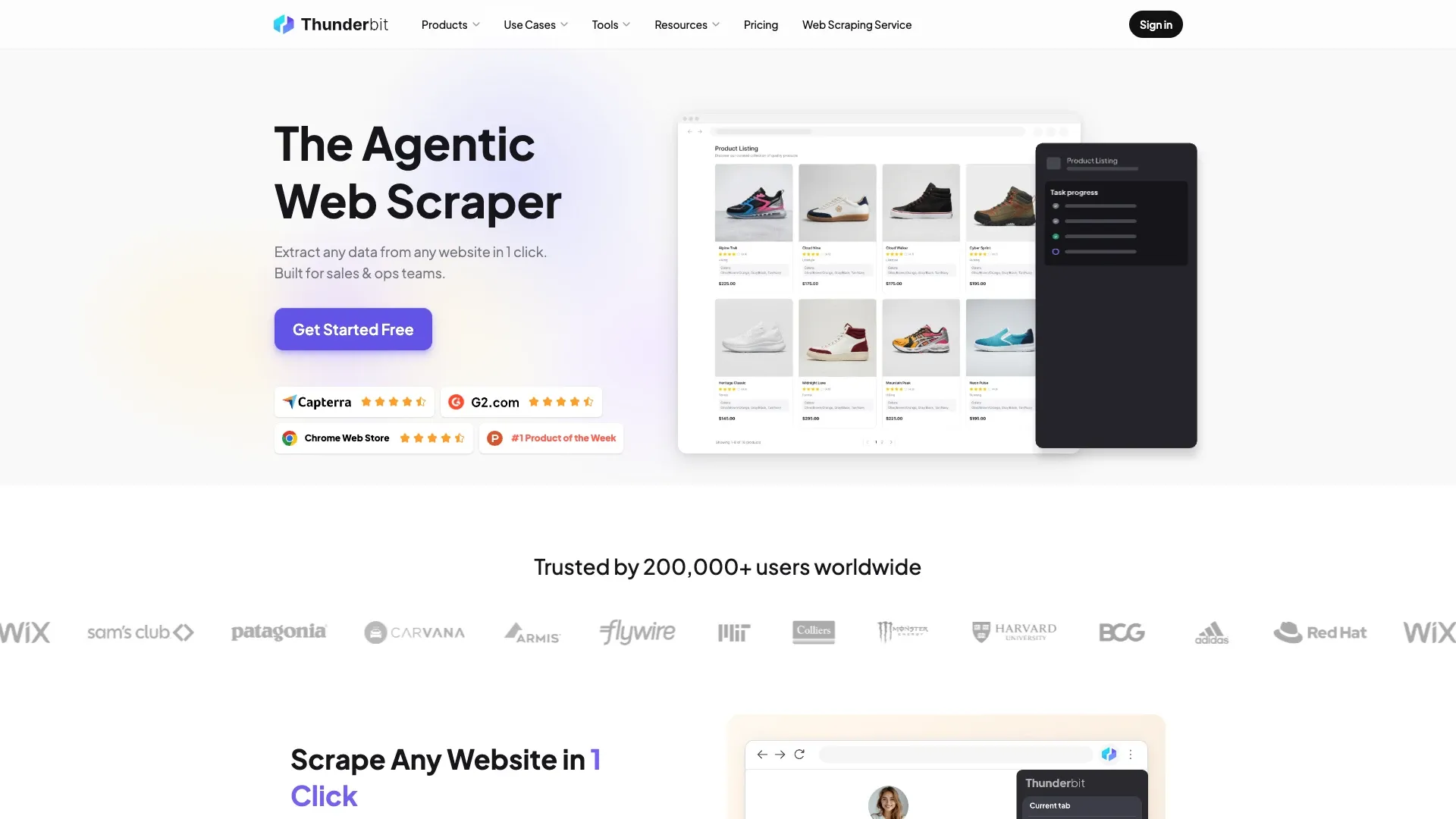
That's the whole point. No selectors, no schema files, no "define your extraction rules" step before you even see a preview. You can refine the output in plain English afterward — rename a column, ask it to translate a field, tell it to skip rows that don't have a price — and on supported pages it'll follow pagination or open subpages to enrich the dataset further.
Thunderbit isn't just a browser extension, either. There's a Web App for cloud-based jobs, an Open API for developers who want programmatic access without building their own scraper, an MCP Server for hooking it into Claude, Cursor, or other AI-agent environments, and a CLI for terminal and coding-agent workflows. Exports go straight to Excel, Google Sheets, Airtable, or Notion. It's the kind of tool I wanted to exist back at Jet.com, when I watched analysts manually copy-paste competitor pricing into spreadsheets every single week.
What Is Crawl4AI?
Crawl4AI is a different animal entirely, and I want to give it real credit here because it's genuinely a well-built piece of open-source software — not just a scraper that dumps HTML into Markdown. It's an async Python crawler, built around Chromium by default, and as of its v0.9.0 release on June 18, 2026, the project shipped major secure-by-default changes to its self-hosted Docker API, including authentication turned on by default and loopback binding unless you configure otherwise.
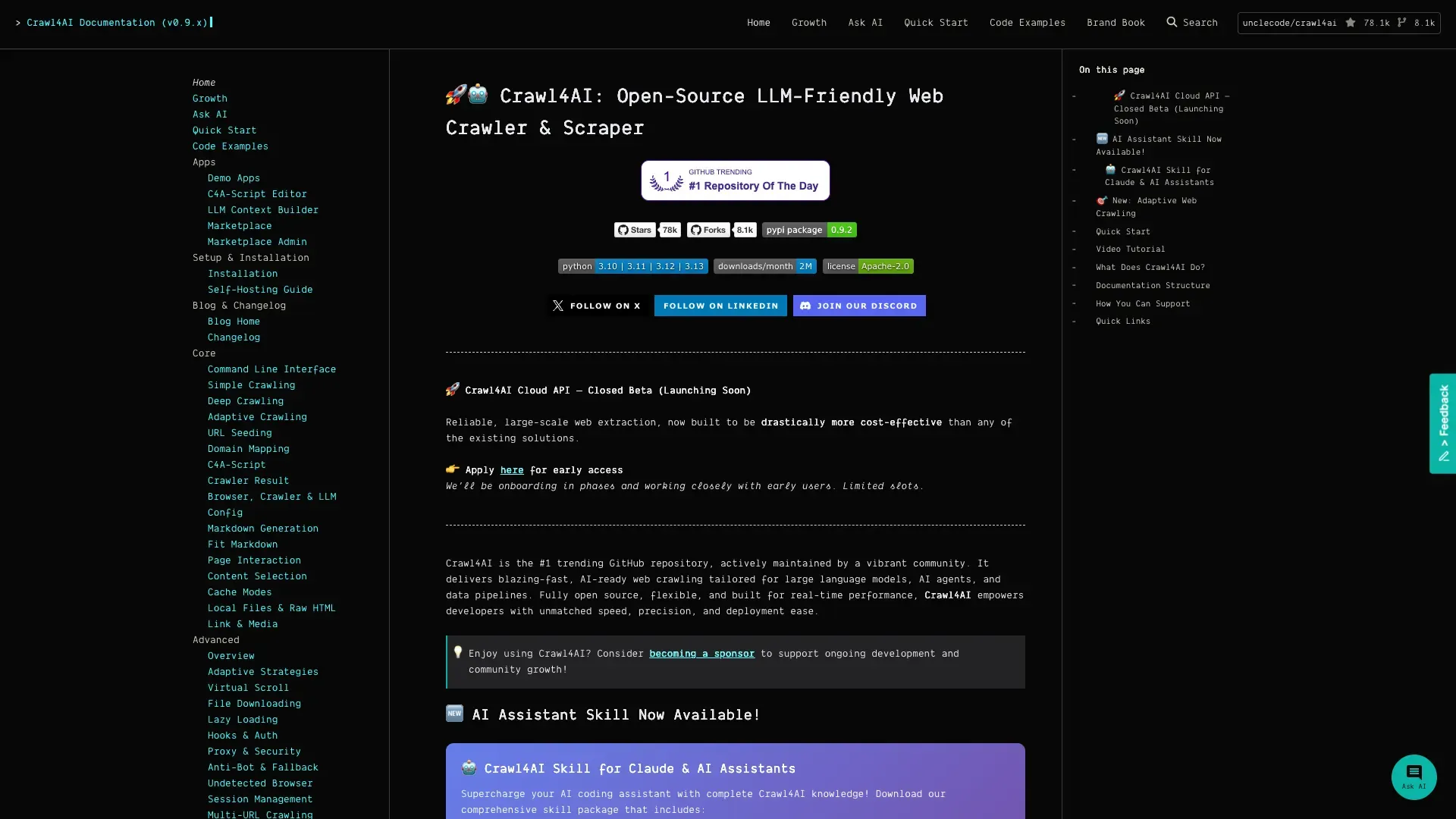
The quickstart docs show you the basic loop: spin up an AsyncWebCrawler, run it against a URL, and get back clean Markdown, or define a CSS/XPath schema, or hand it off to an LLMExtractionStrategy if you want the AI to figure out the structure using a model you configure and pay for yourself.
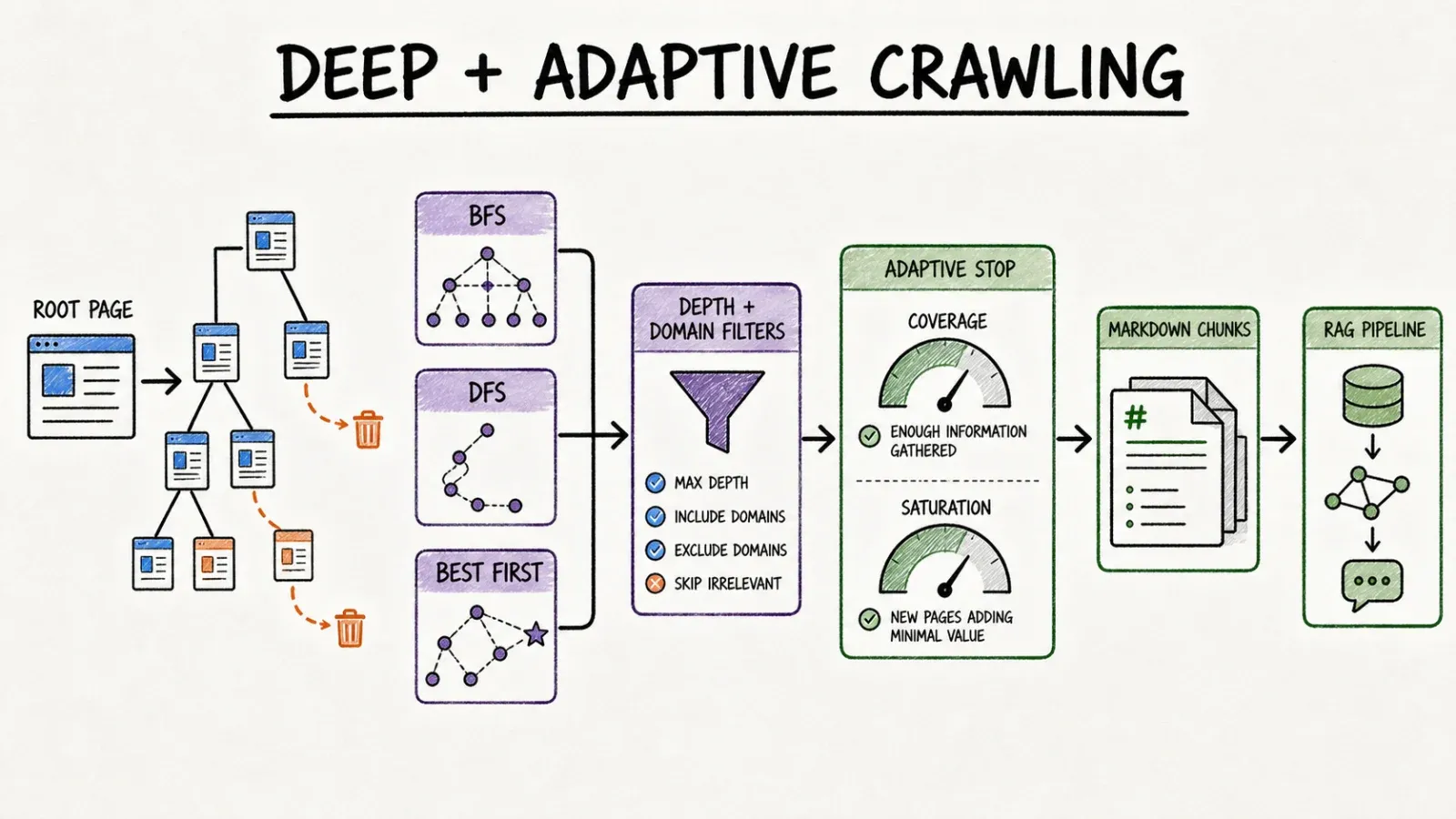
What actually impressed me digging into this is the crawling logic. There's deep crawling with BFS, DFS, and BestFirst strategies, complete with depth limits, domain filtering, and scoring — genuinely useful if you're trying to map out a documentation site or a large content archive. There's also adaptive crawling, which is a neat idea: it picks which links to follow next and stops once it decides it's gathered "enough" information, using coverage and saturation metrics rather than crawling forever. And on the browser-control side, it handles cookies, headers, geolocation, virtual scrolling, storage state, and even PDF/screenshot capture.
The license is Apache 2.0, but — and this is worth actually reading if you're a commercial user — there's a project-specific attribution clause noted in the license file. "Free and open source" doesn't always mean "no strings attached," and I'd rather flag that now than have you find out later.
Core Difference: Finished Agentic Product vs Developer Framework
Time to first table
I'm not going to pretend I ran a stopwatch benchmark here, because inventing a specific minute count would be dishonest and also kind of pointless — network speed, page complexity, and your own typing speed all skew the number. But the step count difference is real and worth walking through honestly.
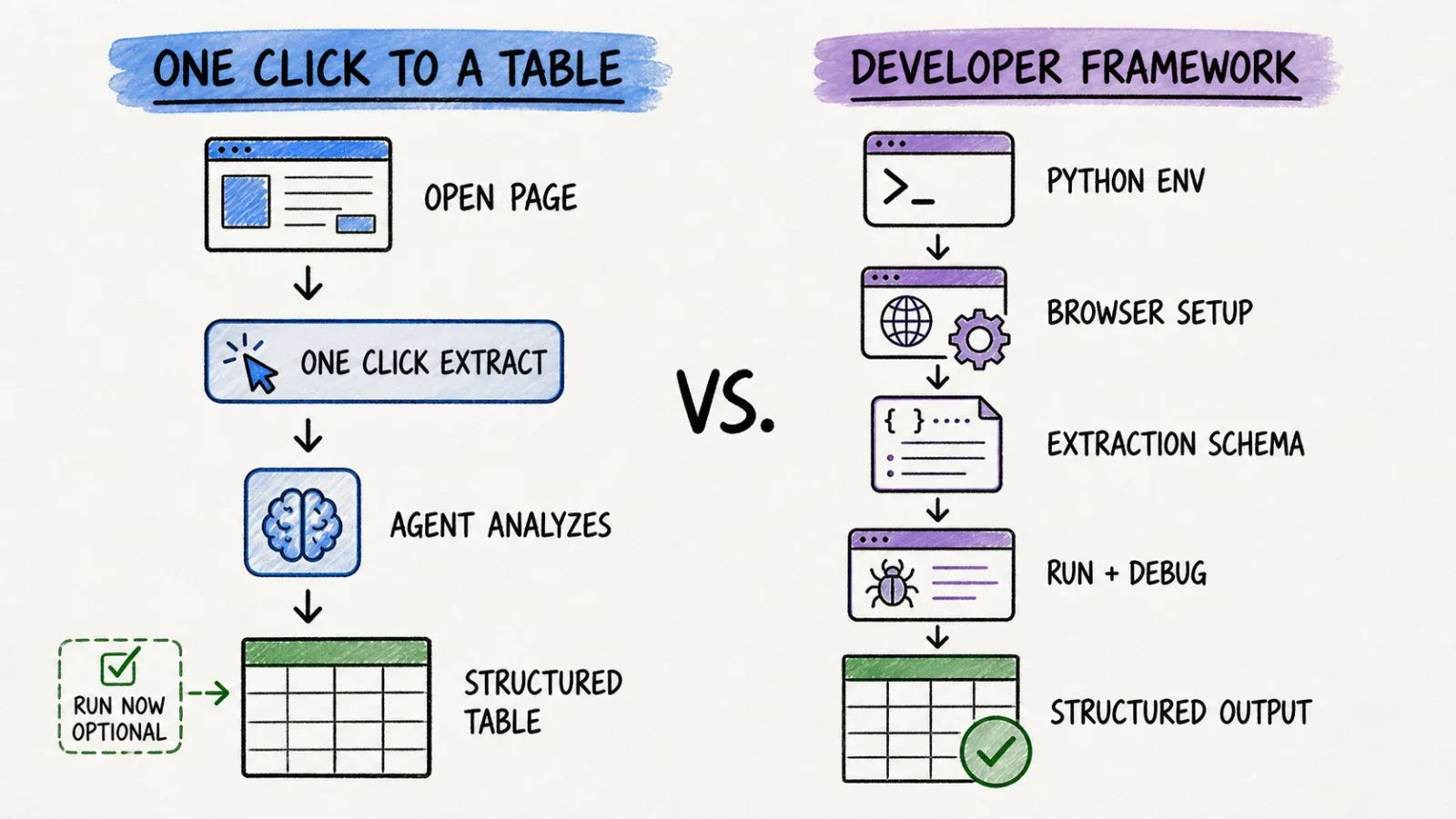
With Crawl4AI, your path looks something like: set up a Python environment, pip install crawl4ai, run the setup/doctor check, configure your browser and Playwright dependencies, write an extraction schema or wire up an LLM key, run the script, then debug the output when something doesn't parse right (something always doesn't parse right the first time — that's just software).
With Thunderbit, the path is: install the browser extension, open the page, click One Click Extract, and either click Run Now or just wait since it auto-starts. That's it. One intentional click, no code.
If you're a developer who already lives in a terminal, the Crawl4AI path isn't scary — it's Tuesday. If you're a sales manager who just wants a list of leads by lunch, it's a wall.
Control over crawling and extraction logic
This is where Crawl4AI genuinely pulls ahead for a specific audience. You get full control over crawl depth, concurrency, retry logic, caching, and exactly how content gets chunked before it hits an LLM or a vector database. If you're building a RAG pipeline and need precise control over how documents get segmented for embedding, that granularity matters, and Thunderbit isn't trying to compete on that axis.
Thunderbit's control surface is different — it's about refining what gets extracted (which fields, which format, which language) rather than how the crawler traverses the web at a code level. For structured business data, that tradeoff usually works in your favor. For a custom RAG architecture, you'll want the code-level control.
Hosting, observability, and maintenance ownership
With Crawl4AI, you own the infrastructure. That means you're responsible for the Docker deployment, browser dependencies, proxy rotation if sites push back, monitoring when a crawl silently fails at 2 AM, and updating your scripts when a target site changes its markup. With Thunderbit, that operational weight sits with us — the browser and cloud execution, the page-reading logic, the maintenance of the extraction engine.
Neither approach is free of tradeoffs. Self-hosting means you can audit, modify, and control everything, but it also means every 2 AM failure is your problem.
Hands-On Scenarios
Abstract comparisons are fine, but I find it easier to reason about this stuff with actual scenarios.
A business user extracting the current page. Say you're a market researcher who needs pricing data off 40 competitor product pages by end of day. You don't know Python and you don't want to learn it today. Thunderbit's extension gets you a structured table without leaving the browser tab you're already on.
A developer building a RAG ingestion pipeline. You're indexing a technical documentation site for an internal chatbot, and you need clean Markdown chunks with consistent formatting for embedding. This is squarely Crawl4AI's home turf — its Markdown generation and chunking controls were built exactly for this.
Deep crawling a documentation site. You want to map an entire knowledgebase, hundreds of pages deep, with domain restrictions and scoring so you don't waste compute on irrelevant pages. Crawl4AI's deep crawling strategies are purpose-built for this; it's not really Thunderbit's use case.
Calling scraping from an AI agent. You've got Claude or Cursor set up as an agent that needs to pull structured data mid-workflow without a human clicking anything. Thunderbit's MCP Server plugs directly into that kind of agent environment, and the Open API works for backend automation too.
Accuracy, Dynamic Pages, and Maintenance
It's worth separating two things people tend to lump together: field inference (figuring out what data matters on a page) and browser/crawl control (actually rendering and navigating the page).
Thunderbit automates both on supported, authorized pages — the agent reads the page and infers structure, and handles rendering behind the scenes. Crawl4AI automates the rendering (via Chromium/Playwright) but leaves the structure-inference decision up to you, whether that's a hand-written CSS selector or an LLM extraction call you configure and pay for.
Neither tool guarantees universal access. Authenticated pages, aggressive anti-bot systems, and constantly shifting markup are hard problems for any scraper, managed or self-hosted. I'd be lying if I told you Thunderbit works on literally every website — it works well on supported, authorized pages, and that's an honest claim, not a marketing one. Crawl4AI has the same limitation; it just puts the burden of dealing with it on your own engineering time rather than a vendor's.
Pricing, License, and Total Cost
This is the section that most comparison articles skip, and it bugs me every time because "free" and "zero cost" are not the same thing.
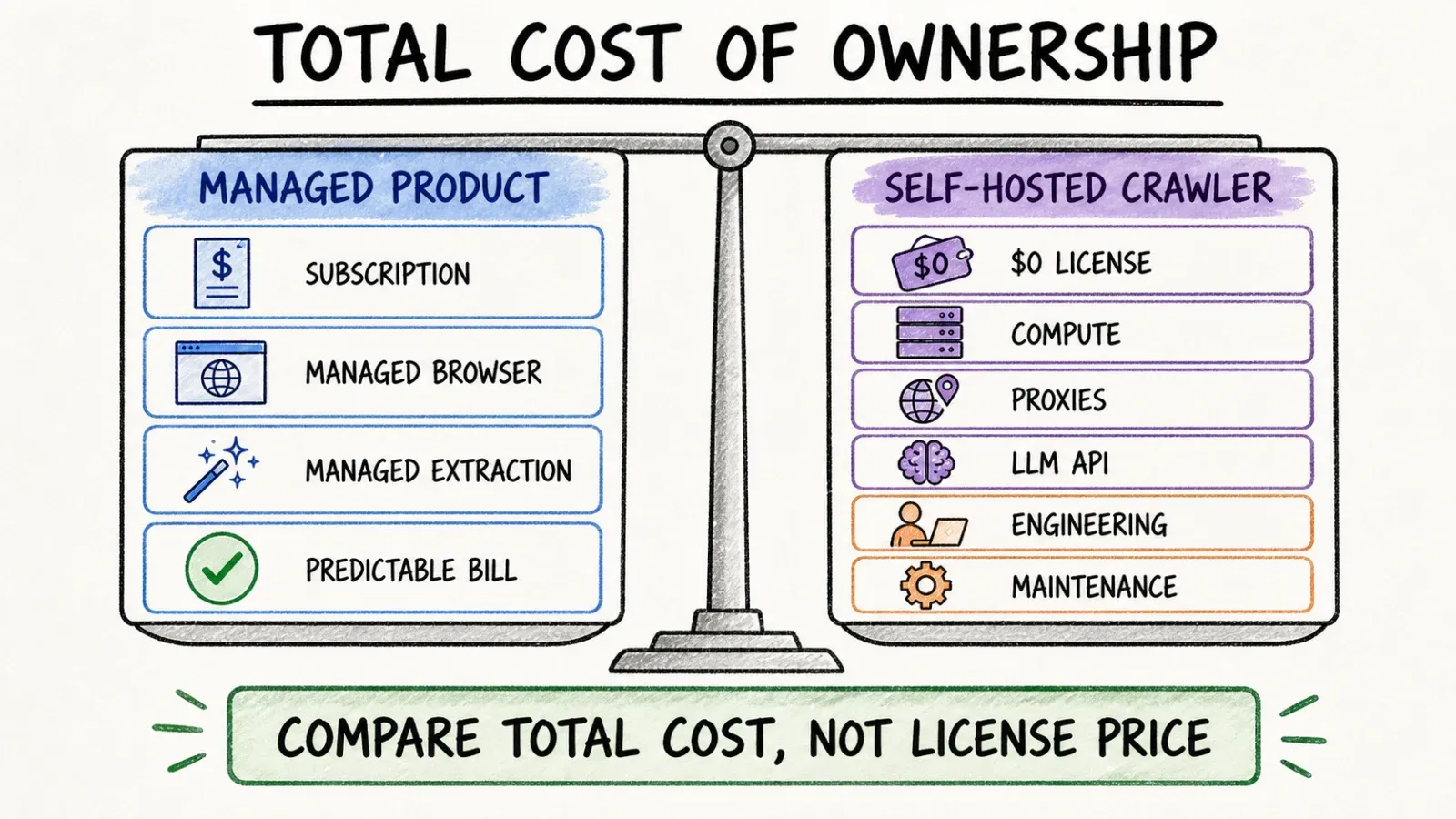
Let's run a real scenario: you need to extract roughly 3,000 rows a month — leads, listings, whatever — on an ongoing basis.
With Crawl4AI, the license itself costs nothing. But you're still paying for:
- Compute and browser hosting (a server or container running Chromium)
- Proxy service fees if the target sites need IP rotation
- LLM API token costs if you're using
LLMExtractionStrategywith a GPT-4o-class model for structured extraction - Engineering time to write, test, deploy, and maintain the scripts — and to fix them when a site redesigns its layout
None of that shows up on the "$0" price tag, but all of it shows up on your actual monthly spend, usually buried across a cloud bill, an API invoice, and someone's calendar.
With Thunderbit, you're paying a flat, predictable subscription or credit tier — check the current pricing page since tiers do shift over time — and you're not separately managing an LLM key, a proxy contract, or a Docker deployment.
The honest framing isn't "free vs paid." It's "hidden engineering cost vs predictable subscription." I've watched enough engineering teams quietly absorb infrastructure costs into their headcount budget to know that "free software" and "free operation" are two very different sentences.
Who Should Choose Thunderbit?
If you're a non-technical or time-constrained user who needs structured data — tables, leads, listings — fast, and you want it exported directly into Excel, Sheets, Airtable, or Notion without touching infrastructure, proxies, or LLM keys, Thunderbit is the more direct path. This also applies to teams who want AI lead generation workflows or ad hoc research pulled together without looping in engineering every time.
Who Should Choose Crawl4AI?
If you're a developer building a RAG or LLM data pipeline, need full control over crawling logic — parallel crawling, custom chunking, bespoke extraction schemas — and you're comfortable self-hosting and maintaining Python code, Crawl4AI gives you that control in a way a managed product simply isn't designed to.
Can Teams Use Both?
Genuinely, yes, and this isn't me hedging to avoid picking a side. I've seen this pattern play out at bigger companies: the engineering team builds a specialized Crawl4AI-based crawler for their RAG pipeline because they need that level of control over chunking and embedding prep, while the sales, marketing, and research teams use Thunderbit for the day-to-day "I need this list of companies by 3pm" requests that don't justify writing a script. There's no official integration between the two products, and I'm not going to pretend there is — but the role-based split makes practical sense on its own.
Verdict
My honest read, having spent years on both the "build the automation" and "watch people struggle without automation" sides of this: pick based on who's doing the work and how deep the workload goes. If you've got engineers with time to maintain infrastructure and you need deep, adaptive crawling for an AI pipeline, Crawl4AI is a genuinely strong, well-maintained open-source option. If you need structured data out of websites without spinning up a Python environment — and most people asking "should I use a scraper" fall into this camp — Thunderbit gets you there faster, with less to maintain later. There's no universal winner here, just a better fit depending on which side of the keyboard you're sitting on.
If you want to see how the no-code side of this actually works, it's worth a look at web scraping without coding or browsing our rundown of the best AI web scrapers for more context on where these tools sit relative to each other.
FAQ
Is Crawl4AI really free and open source? The core library is Apache 2.0 licensed with a project-specific attribution clause, and there's no vendor subscription fee. But "free" only covers the license — you'll still pay for hosting, proxies, and any LLM API calls you configure for extraction, plus the engineering time to build and maintain it.
Does Thunderbit require code? No. The core workflow — install the Chrome extension, click One Click Extract, review the results — requires no coding. Developers who want programmatic access can use the Open API, MCP Server, or CLI, but those are optional layers, not requirements.
Which is better for RAG/LLM pipelines? Crawl4AI is purpose-built for this — Markdown generation, deep and adaptive crawling, and chunking controls are all designed with RAG prep in mind. Thunderbit is built for structured, exportable business data (tables, leads, listings) rather than markdown-first pipelines, so for a dedicated RAG architecture, Crawl4AI is the more natural fit.
Which is faster for a one-off extraction? For a single page or a handful of pages, Thunderbit's one-click flow has fewer steps between "I need this data" and "I have this data" — no environment setup, no script to write. Crawl4AI's setup overhead pays off more on repeated, large-scale, or highly customized crawling jobs rather than quick one-off pulls.
Does Thunderbit have MCP and API access? Yes. Thunderbit offers an MCP Server for AI-agent environments like Claude and Cursor, plus an Open API for backend and programmatic workflows, alongside the no-code browser extension and Web App. If you're comparing alternatives beyond these two, tools like Firecrawl, Apify, and Bright Data show up often in the same conversation, and it's worth checking our broader look at AI web scraping for how the wider landscape breaks down.




