
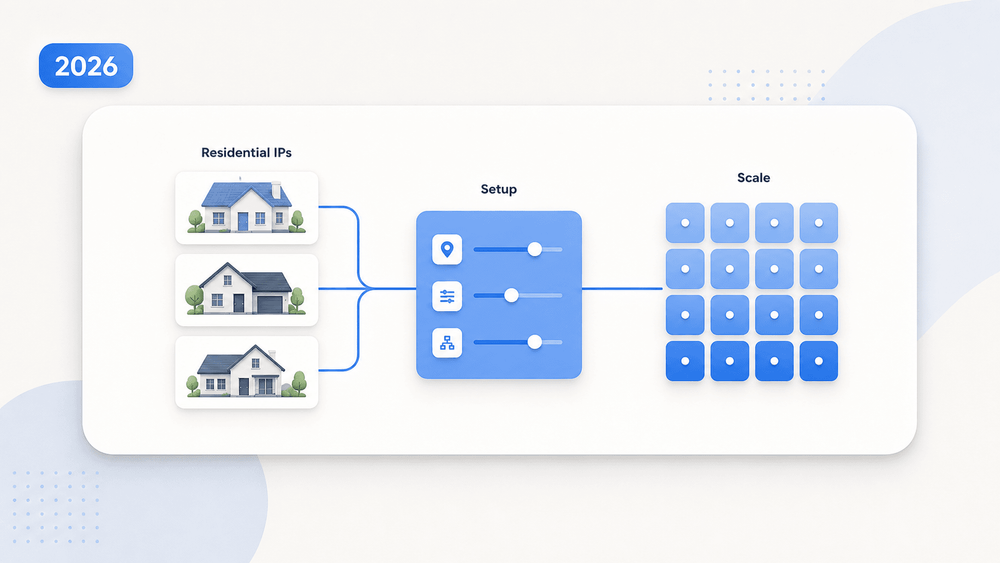
Most people buy residential proxies and still get banned within a week. The IP was fine. Everything else was wrong.
I've spent a lot of time in proxy forums, provider dashboards, and scraping pipelines. The pattern repeats itself: someone signs up for a residential proxy service, fires off requests, and gets blocked almost immediately. They blame the provider. They switch to another one. Same result. The issue is almost never "bad IPs" alone — it's everything surrounding the IP. The residential proxy market is now estimated at over USD 1.47 billion (2024), growing toward USD 7.5 billion by 2035, and Proxyway's 2026 research identified over 50 new proxy vendors established in 2025 alone. With that much noise, it's easy to feel overwhelmed. This guide covers the full picture: choosing a provider, understanding billing, hands-on setup, and — most importantly — the layered techniques that actually keep you under the radar.
What Are Residential Proxies (and Why Should You Care)?
A residential proxy routes your internet traffic through an IP address assigned by a consumer ISP — the same kind of IP your home router uses. When a website sees your request, it looks like it's coming from a regular person browsing from their house, not from a server rack in Virginia.
How it works: a proxy provider sources access to these IPs from real household devices — typically through opt-in apps or SDKs where users share unused bandwidth in exchange for some benefit. Your request travels from your machine to the provider's gateway, then out through one of these residential IPs, hits the target website, and the response comes back the same way.
The user base is broad: anyone who needs to blend in with normal internet traffic. Sales teams scraping business directories. Ecommerce ops teams monitoring competitor prices. Marketing teams verifying ad placements in specific cities. The goal is always the same: look like a regular consumer, not a bot.
One thing to understand upfront: not all residential IP sourcing is equal. Some providers use transparent opt-in programs. Others rely on bundled SDKs, misleading consent, or worse. Google's Threat Intelligence Group disrupted what it believed was one of the world's largest residential proxy botnets in January 2026, and the FBI issued a residential proxy advisory the same year warning about criminal abuse of these networks. Ethical sourcing is not just a nice-to-have — it affects your uptime, legal exposure, and whether those IPs are already burned before you use them.
Why Residential Proxies Matter: Real Use Cases for Sales, Ecommerce, and Ops Teams
Residential proxies aren't a curiosity for hackers — they're a practical tool for business teams that need accurate, location-specific web data or need to manage multiple accounts without tripping correlation alarms. Here's where they show up in real workflows:
| Use Case | Why Residential Proxies Help | Who Benefits |
|---|---|---|
| Lead generation & contact scraping | Directories and local listings rate-limit or localize results by IP. Residential IPs let you see what a local prospect sees. | Sales, BDR teams |
| Ecommerce price & SKU monitoring | Retail sites show region-specific pricing, inventory, and MAP compliance signals. Residential IPs mimic real shoppers. | Ecommerce ops, pricing analysts |
| Ad verification & local SEO | Verifying ad placements or local search rankings requires seeing exactly what a user in that city sees. | Marketing, SEO teams |
| Multi-account management | Stable residential or ISP sessions reduce accidental IP-correlation flags across marketplace or social accounts. | Account managers (with ToS caution) |
| Market research & competitive intel | Accessing geo-restricted content, reviewing localized competitors, or aggregating public data at scale. | Strategy, research teams |
Proxyway's 2026 report confirms that ecommerce remains the most popular proxy use case, with AI data access growing fast. Webshare's ad-verification documentation describes how proxies let advertisers mimic user locations to check delivery and detect fraud.
A note on multi-account management: many platforms explicitly prohibit coordinated accounts or identity obfuscation. If you're managing legitimate regional accounts, follow platform rules. Proxies don't make prohibited behavior acceptable.
Residential Proxies vs. Datacenter, Mobile, and VPN: Know the Difference
Residential proxies aren't always the right tool. They cost more and run slower than datacenter proxies, so understanding the tradeoffs before buying saves real money.
| Proxy Type | IP Source | Detection Risk | Typical Cost (2026) | Best For |
|---|---|---|---|---|
| Residential | Consumer ISP, P2P/SDK pools | Lower on protected sites | USD 3–15/GB | Ecommerce monitoring, geo checks, public scraping |
| Datacenter | Cloud/hosting providers | Higher on protected sites | From ~USD 0.5/IP | High-volume, low-risk scraping, internal testing |
| Mobile | Carrier networks (carrier-grade NAT) | Very low | Higher than residential | App testing, mobile-specific content, strict targets |
| VPN | Centralized VPN servers | High for automation (known ranges) | Low monthly consumer pricing | Privacy, manual browsing, simple region switching |
The decision rule is straightforward: if the target site actively blocks datacenter traffic and you need to appear as a real user in a specific location, residential proxies are the right call. Speed and cost matter more than stealth? Datacenter proxies work fine. Mobile proxies are a last resort for extremely strict targets, and VPNs are for privacy — not scale.
How to Choose a Residential Proxy Provider (What Actually Matters)
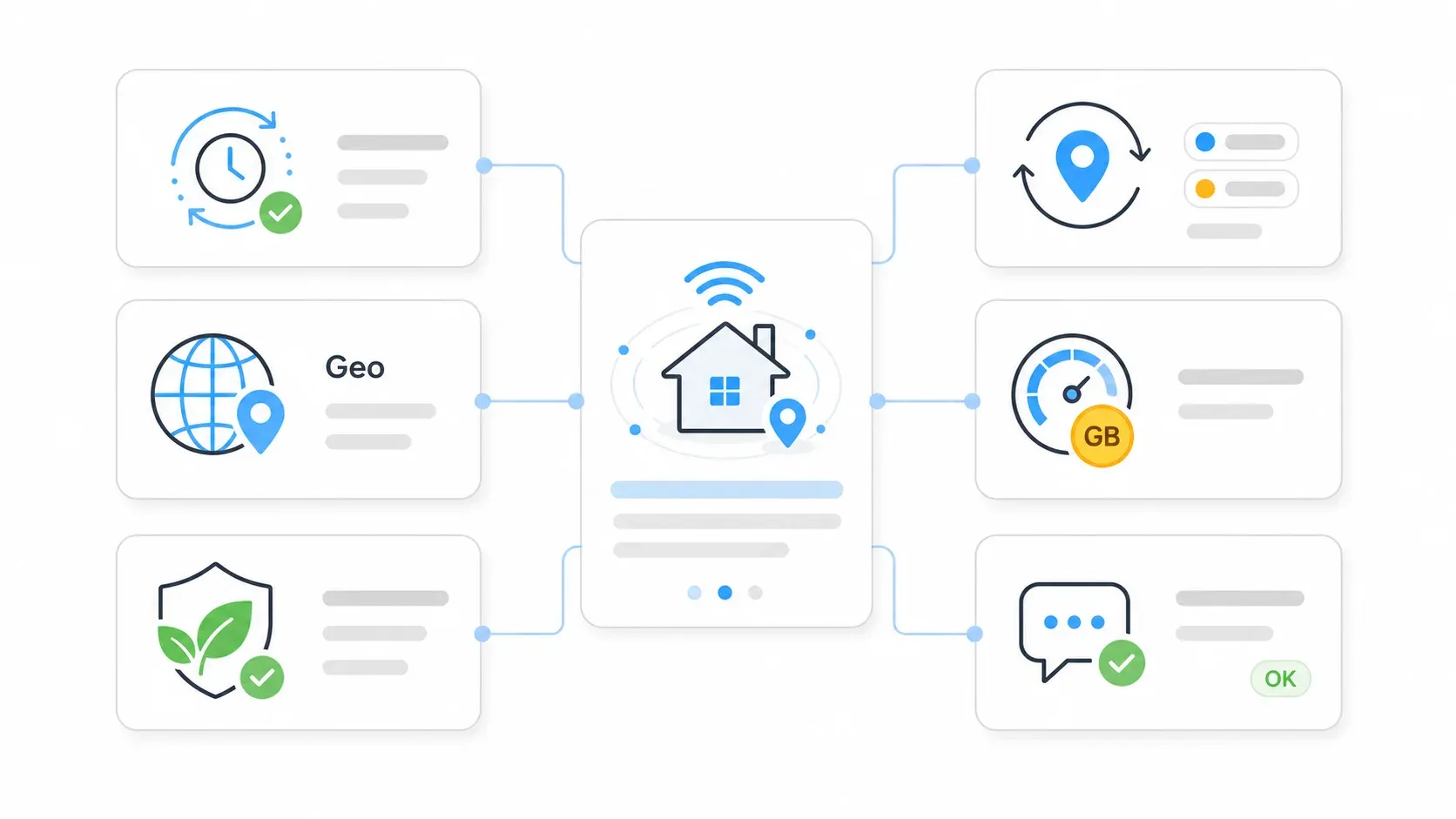
Most "top 10 proxy" articles rank providers by features nobody actually cares about. Forum users tell a different story — they care about IP freshness, whether they can test before committing, geo-targeting accuracy, and whether the IPs are actually residential.
The trust issue is real: some providers repackage datacenter IPs as residential. Before committing money, verify pool composition using tools like PixelScan, BrowserLeaks, or IPinfo.
Here's the evaluation framework that actually matters:
| Criterion | Why It Matters | How to Verify |
|---|---|---|
| IP pool size & freshness | Overused IPs get flagged fast. Large advertised pools may include inactive or duplicate IPs. | Run a small pilot; log unique IPs, ASN diversity, duplicate rate, and block rate. Proxyway's real pool-size study tests actual vs. advertised. |
| Subnet & ASN diversity | Too many IPs from the same ASN looks unnatural. | Check IPs with IPinfo, MaxMind, or BrowserLeaks. |
| Geo-targeting granularity | Country-level isn't enough for local SEO or ad verification. You need city or ZIP-level. | Test from country, state, city, and ZIP targets before buying a plan. Compare what the target site actually shows. |
| Ethical IP sourcing | Unclear sourcing creates legal, security, and uptime risk. | Look for consent language, transparency reports, KYC/abuse policies, and opt-out mechanisms. |
| Session control flexibility | Different tasks need rotating vs. sticky sessions. | Confirm both session types are available; test sticky session duration limits. |
| Support & docs quality | Beginners get stuck on auth, ports, and session syntax. | Read the quickstart docs and open a support question before buying. Time the response. |
| Billing model fit | Per-GB, per-IP, per-request, and PAYG change the real cost dramatically. | Estimate bandwidth with realistic page sizes and retries before choosing a plan. |
For reference, here are current provider pool-size claims (treat as marketing figures, not audited numbers):
- Bright Data: claims 400M+ monthly residential IPs across 195 countries
- Oxylabs: claims 175M+ residential IPs
- Decodo (Smartproxy): claims 115M+ IPs with city/ZIP targeting
- NetNut: claims 85M+ residential IPs across 195+ countries
Residential Proxy Pricing Models Decoded: Per-GB, Per-IP, Per-Request, and PAYG
This is where most articles fail: they list prices but never explain how billing models work, so you can't estimate your actual spend.
| Model | How It Works | Best For | Watch Out For |
|---|---|---|---|
| Per-GB | Pay for bandwidth transferred | Heavy scraping, media-rich pages | Costs spike with images, JS, retries |
| Per-IP / Per-Port | Fixed fee per IP address | Static residential / ISP proxies, account management | Limited rotation options |
| Per-Request | Flat rate per API call | Scraping APIs | Expensive at very high volume |
| PAYG | No commitment, pay as used | Testing, unpredictable volume | Higher per-unit cost |
| Monthly subscription | Quota of GB or IPs per month | Predictable, high-volume use | Unused quota = wasted money |
A Concrete Cost Example
Say you're scraping 10,000 product pages that average 500KB each. That's roughly 5GB of bandwidth before retries, images, scripts, or browser overhead. At USD 6/GB, the base proxy cost is about USD 35. But in real browser-based scraping — where JavaScript, fonts, tracking pixels, and retries pile up — actual bandwidth can be 3–5x higher. Your USD 35 estimate might really be USD 100–175.
Current Price Signals
| Provider | Public Residential Price | Source |
|---|---|---|
| Bright Data | From ~USD 5.88/GB (PAYG promo ~USD 4/GB) | Bright Data pricing |
| Oxylabs | 5GB at USD 6/GB, 20GB at USD 5/GB, 125GB at USD 4/GB | Oxylabs pricing |
| Decodo | 3GB at USD 3.75/GB, 10GB at USD 3.50/GB, 25GB at USD 3.25/GB | Decodo pricing |
| SOAX | 25GB at USD 3.60/GB, 50GB at USD 3.40/GB, 800GB at USD 2/GB | SOAX pricing |
Hidden Costs Nobody Mentions
- Failed requests still consume bandwidth. A CAPTCHA page or block page is still data you paid for.
- DNS resolution and SSL handshakes add ~1–3KB per request. At scale, that adds up.
- Browser rendering downloads images, fonts, scripts, and tracking pixels you probably don't need.
- Minimum deposits and expiring credits can make low-volume plans more expensive than the headline rate suggests.
- Retries and warm-up traffic for login, pagination, and session establishment aren't free.
Sticky vs. Rotating Residential Proxy Sessions: A Decision Framework
The most common configuration mistake I see: using rotating sessions for tasks that need continuity, or sticky sessions for tasks that need distribution.
| Factor | Rotating Sessions | Sticky (Static) Sessions |
|---|---|---|
| Best for | Independent requests: SERP checks, price pulls, broad monitoring | Session-dependent tasks: login, checkout, pagination, cart flows |
| IP lifespan | New IP per request (or per short interval) | Same IP for 10–60 minutes (provider-dependent) |
| Detection risk | Can look noisy if behavior isn't coherent | Can accumulate rate limits if overused |
| Bandwidth cost | More retries possible if target reacts to rotation | Fewer session warm-ups, but blocked sticky IPs waste time |
Decodo's documentation confirms that rotating sessions can change with each new request, while sticky sessions can hold an IP for up to 60 minutes.
The rule of thumb: If your task needs to remember you between requests (login, shopping cart, pagination), use sticky. If each request is independent (SERP checks, price pulls), use rotating.
In practice, most scraping workflows use rotating sessions. Account management and checkout flows need sticky. Many providers offer both in the same plan — verify this before you buy.
How to Set Up Residential Proxies: A Step-by-Step Walkthrough
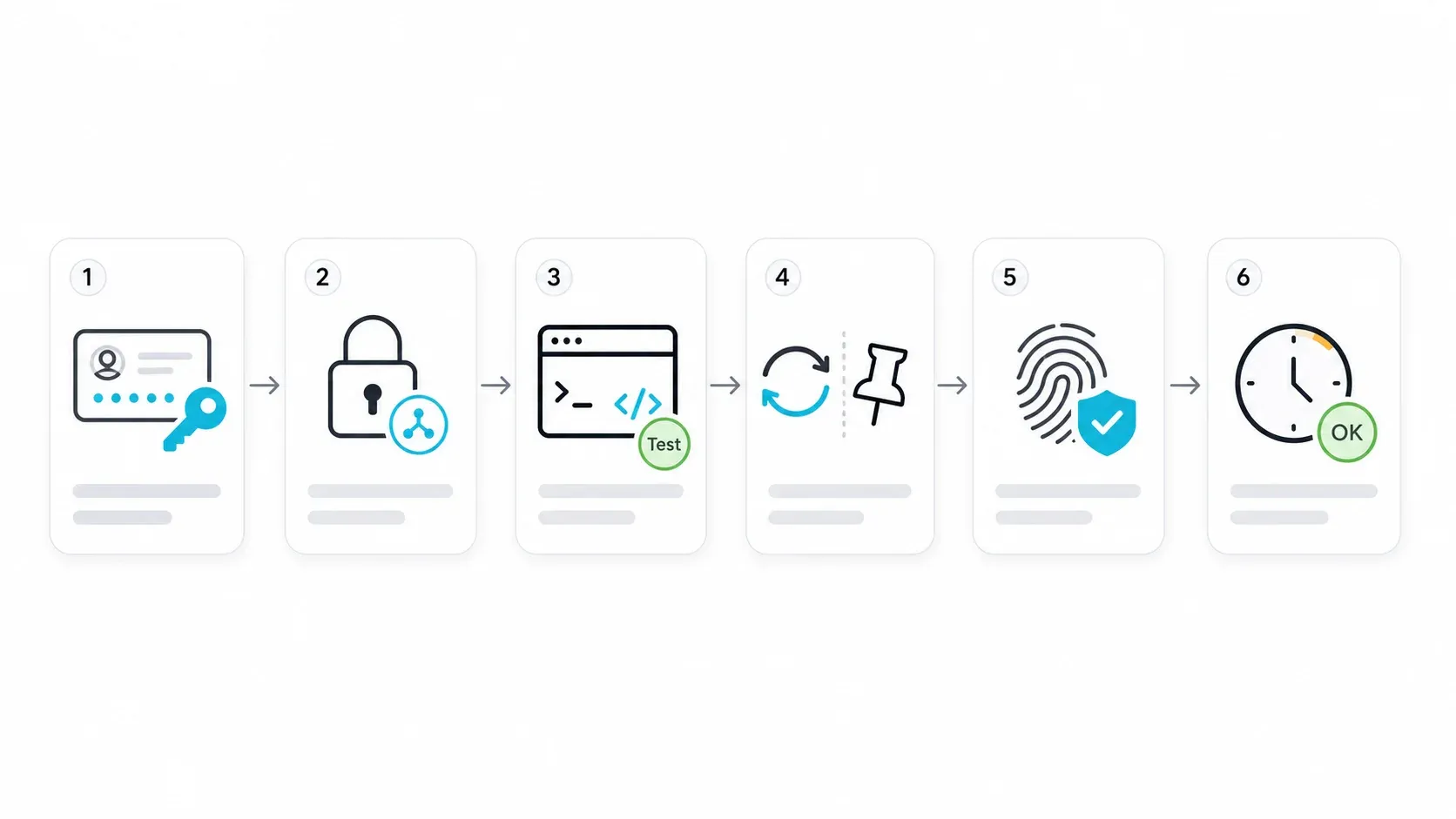
Almost no article online actually walks through proxy setup step by step. I've configured proxies across multiple providers, and the process is more similar than different — so here's the actual walkthrough.
- Difficulty: Beginner
- Time Required: ~15 minutes for first successful request
- What You'll Need: A residential proxy account, a terminal or browser, and a target URL to test
Step 1: Create Your Account and Get Proxy Credentials
Sign up with your chosen provider. Navigate to the dashboard and locate your proxy endpoint (hostname), port, username, and password. Some providers also give you an API token or a country/city targeting syntax you append to the username.
You should see something like:
- Host:
gate.provider.com - Port:
8000 - Username:
user-country-us-city-newyork - Password:
yourpassword123
[screenshot: provider dashboard showing proxy credentials and endpoint details]
Step 2: Choose Your Authentication Method
| Method | Best For | Tradeoff |
|---|---|---|
| Username:Password | Scripts, browsers, team tools | Easy, but credentials must be stored carefully |
| IP Whitelisting | Servers or fixed office IPs | Cleaner auth, but breaks on changing IPs |
| API Token | Managed APIs and dashboard workflows | Good for automation, must be protected like a key |
Most beginners should start with username:password. It works everywhere and requires no server configuration.
Step 3: Pick Your Protocol — HTTP, HTTPS, or SOCKS5
| Protocol | Best For | Encrypted? | Speed |
|---|---|---|---|
| HTTP | Basic scraping, browsing | No (proxy hop is unencrypted) | Fast |
| HTTPS | Login sessions, sensitive data | Yes (destination traffic is HTTPS) | Fast |
| SOCKS5 | Multi-account, non-HTTP traffic | Depends on destination | Faster for some use cases |
For most web scraping, HTTPS is the default. SOCKS5 is useful for anti-detect browsers or non-HTTP protocols. HTTP is fine for quick tests against non-sensitive targets.
Step 4: Test Your First Request with curl
The official curl documentation confirms proxy credentials can be passed with -U or --proxy-user.
curl -x http://gate.provider.com:8000 \
  -U "user-country-us:yourpassword123" \
  https://ipinfo.io/json
You should see a JSON response showing a US-based residential IP, an ISP name (not a hosting company), and the correct city if you specified one.
If you get a timeout or authentication error: double-check your credentials, confirm the port, and make sure your provider account is active and funded.
Step 5: Test with Python requests
The Requests library documentation supports proxy URLs in the proxies dictionary.
import requests

proxy = "http://user-country-us:yourpassword123@gate.provider.com:8000"
proxies = {
    "http": proxy,
    "https": proxy,
}

response = requests.get("https://ipinfo.io/json", proxies=proxies, timeout=30)
print(response.json())
The output should show a residential IP with a consumer ISP name. If you see a datacenter ASN (like Amazon, Google, or DigitalOcean), your provider may not be delivering actual residential IPs — and that's a red flag.
Step 6: Test with Playwright (for Browser-Based Scraping)
Playwright's Python docs support HTTP(S) and SOCKS proxies globally or per browser context.
from playwright.sync_api import sync_playwright

with sync_playwright() as p:
    browser = p.chromium.launch(proxy={
        "server": "http://gate.provider.com:8000",
        "username": "user-country-us",
        "password": "yourpassword123",
    })
    page = browser.new_page()
    page.goto("https://ipinfo.io/json")
    print(page.text_content("body"))
    browser.close()
Step 7: Configure Rotation and Session Rules
In your provider's dashboard, set up rotating or sticky sessions based on your use case (refer to the decision framework above). For rotating, the default is usually a new IP per request. For sticky, you'll typically append a session ID to your username — something like user-country-us-session-abc123 — and the provider holds that IP for the configured duration.
Step 8: Verify with Multiple Tools
Don't trust a single IP checker. Use several:
- ipinfo.io: ASN, company, geolocation, privacy flags
- BrowserLeaks: Browser, WebRTC, canvas, and IP leak checks
- PixelScan: Proxy/fingerprint consistency checks
- whatismyipaddress.com: Quick apparent IP and location
Confirm both the apparent IP and the target site's actual content. A proxy can pass an IP checker but still get blocked or served different content by the target.
How Not to Get Banned: Why Residential Proxies Alone Won't Beat Modern Anti-Bot Systems
Having a residential IP is necessary but not sufficient — and most proxy guides skip this part entirely. Modern anti-bot systems look at multiple layers simultaneously.
The Detection Layers Beyond Your IP Address
TLS/JA3 fingerprinting: When your client initiates an HTTPS connection, the handshake reveals a fingerprint of how the client communicates. Cloudflare's documentation explains that JA3/JA4 fingerprints identify TLS clients based on their connection characteristics. Salesforce's original JA3 engineering post goes deeper: JA3 fingerprints the client, JA3S fingerprints the server response. If you claim to be Chrome via your User-Agent but your TLS fingerprint says "Python requests," you're caught.
HTTP header consistency: User-Agent, Accept-Language, sec-ch-ua, encoding, and header ordering should all make sense together. A request claiming to be Chrome on macOS but sending Linux-style headers is suspicious.
Browser fingerprinting: Canvas, WebGL, fonts, screen size, timezone, WebRTC, and automation flags (like navigator.webdriver) can identify headless browsers or unnatural environments. DataDome's research describes detection using combinations of these signals.
Behavioral analysis: Request timing, scrolling, mouse movement, navigation depth, and session history. Hitting 100 pages per second from a "home user" IP doesn't look like a home user.
JavaScript execution: Many sites expect scripts to run, cookies to be set, and challenge flows to complete. A raw HTTP request that never executes JS will fail on these sites.
The Anti-Ban Checklist
Here's what I actually verify before running any proxy-based workflow:
- ✅ Residential IP from a quality provider (verified with PixelScan/IPinfo)
- ✅ Consistent, realistic User-Agent header
- ✅ TLS fingerprint matching the claimed browser (don't claim Chrome while sending a Python fingerprint)
- ✅ Matching timezone, language, and Accept-Language headers for the proxy's geo-location
- ✅ Realistic request timing (2–10 seconds between pages, not 50ms)
- ✅ JavaScript rendering support when the target requires it
- ✅ Cookie and session handling (preserve cookies within a session)
- ✅ Avoiding honeypot traps (hidden links, invisible form fields)
- ✅ Respecting
robots.txtand site terms where applicable
Bright Data's own anti-blocking documentation explicitly warns that "residential proxies alone" is a misconception — modern systems check TLS fingerprints, browser fingerprints, and behavioral patterns alongside IP reputation.
Common Mistakes That Get Residential Proxy Users Banned
- Hammering pages too fast. Even with rotating IPs, 100 requests/second from the same provider subnet looks automated.
- Inconsistent headers across requests. Switching User-Agents mid-session, or sending headers that don't match the claimed browser.
- Ignoring
robots.txton sites that monitor it. Some sites userobots.txtcompliance as a signal. - Using the same sticky IP for too long. A residential IP browsing the same site for 4 hours straight is unusual.
- Scraping while logged into a personal account. If your account gets flagged, you lose the account — not just the session.
- Never rendering JavaScript. Many ecommerce and social sites serve empty shells to clients that don't execute JS.
Skip the Proxy Stack: How Thunderbit Handles Web Scraping Without Managing Proxies
An honest question worth asking before you spin up a proxy stack: do you actually want residential proxies, or do you want the data?
For many of the use cases above — price monitoring, lead scraping, competitive research — the goal isn't "route traffic through a residential IP." It's "get structured data from these web pages into a spreadsheet." The residential proxy is just one piece of a larger stack: proxies + headless browser + fingerprint spoofing + retry logic + CAPTCHA handling + HTML parsing + schema normalization. That's a lot of moving parts.
At Thunderbit, we built the Open API and CLI to handle the full pipeline in a single call. POST /extract takes a URL and a schema, renders JavaScript, handles anti-bot protections, manages proxy rotation internally, solves CAPTCHAs, and returns structured JSON matching your schema. No proxy credentials, no Puppeteer config, no fingerprint management.
For Developers: API and CLI
POST /openapi/v1/distill— Returns clean, LLM-ready Markdown from any pagePOST /openapi/v1/extract— Returns schema-matched structured JSON- CLI:
npx @thunderbit/thunderbit-cli extract <url> --schema <json>— runs from terminal, scripts, or CI - Batch processing for up to 100 URLs per job
- MCP server for AI agents (Claude, Cursor) that need web data mid-task
The CLI documentation supports distill, extract, suggest-fields, and batch workflows from the terminal.
For Non-Technical Teams: Chrome Extension
For sales and ops teams who don't write code, the Thunderbit Chrome Extension offers 2-click scraping with AI Suggest Fields. Click the extension, let it suggest columns, hit scrape, and export to Excel, Google Sheets, Airtable, or Notion. No proxy setup required.
When to Use Residential Proxies vs. Thunderbit
| Scenario | Residential Proxies | Thunderbit |
|---|---|---|
| Web scraping → structured data | Useful if you already have a full scraper stack | Strong fit: extraction, rendering, anti-bot, and structured output in one call |
| Multi-account management | Needed for raw IP/session control | Not the right tool |
| Ad verification | Needed for location-specific browsing | Partial fit only if the output is structured data |
| Geo-restricted browsing | Useful for manual location testing | Fit when the goal is extracting data from the localized page |
| Non-technical team scraping | Requires proxy + tool configuration | Strong fit via Chrome extension and direct exports |
I won't pretend Thunderbit replaces residential proxies for every use case. Managing 50 Amazon seller accounts or verifying ad placements across 30 cities? You need direct proxy access. But if your end goal is "get this data into a spreadsheet," building and maintaining a proxy stack is overhead you might not need. Thunderbit's free tier lets you test this without commitment.
For more on how AI-powered scraping works under the hood, see our posts on AI web scraping and web scraping without coding.
Tips and Common Pitfalls
Start small. Don't buy a 100GB plan before testing with PAYG or a free trial. Run a pilot against your actual target sites and measure success rate, speed, and geo-accuracy.
Monitor your success rate, not just your IP. A 95% success rate sounds good until you realize the 5% failures are all on the pages you care about most. Track block rates by target site, not in aggregate.
Rotate User-Agents realistically. Pick 3–5 current browser strings and stick with them. A list of 500 random User-Agents actually hurts — consistency matters more than variety.
Budget for retries. Real-world bandwidth consumption runs 2–5x the naive page-size calculation in my experience.
Check your provider's IP sourcing. If the provider can't explain where their IPs come from, that's a red flag. The FBI advisory and Google IPIDEA disruption are reminders that unethical sourcing creates real risk.
Don't ignore session strategy. Using rotating sessions for a login flow will break every time. Using sticky sessions for broad price monitoring wastes money and increases detection risk.
Test geo-accuracy independently. Provider dashboards say "New York." The target site might see "Newark" or "somewhere in New Jersey." Verify with multiple geolocation databases and by checking what the target actually serves.
Key Takeaways
- Residential proxies route traffic through consumer ISP IPs, making your requests look like normal home browsing. They're the right choice when targets actively block datacenter traffic.
- Provider selection matters more than pool size. Evaluate IP freshness, subnet diversity, geo-accuracy, ethical sourcing, session flexibility, and billing model — not just the headline number of IPs.
- Billing models vary dramatically. Per-GB, per-IP, per-request, and PAYG each have different cost profiles. Estimate real bandwidth (including retries and rendering overhead) before committing.
- Sticky vs. rotating is a configuration decision, not a preference. Match session type to your task: sticky for continuity, rotating for distribution.
- A residential IP is one layer of many. TLS fingerprints, header consistency, browser fingerprints, request timing, and JavaScript rendering all matter. Neglect any of them and you'll get banned regardless of your IP quality.
- For web scraping specifically, consider whether you need proxies at all. Tools like Thunderbit's API and Chrome extension handle the full anti-detection pipeline internally, returning structured data without proxy management. For ecommerce, sales, and lead generation scraping, this can save significant setup and maintenance time.
Ready to test? Thunderbit offers a free tier for scraping, and you can use the provider evaluation checklist above to choose a residential proxy with confidence if direct IP access is what you need.
FAQs
1. Are residential proxies legal to use?
Yes, the proxies themselves are legal in most jurisdictions. Legality depends on what you do with them: respecting website terms of service, data protection laws (GDPR, CCPA), and not engaging in fraud or unauthorized access. The provider's IP sourcing also matters — proxies built on botnets or without user consent create legal risk for the buyer, not just the provider.
2. What's the difference between residential proxies and ISP (static residential) proxies?
ISP proxies use datacenter-hosted IPs that are registered under consumer ISPs. They're faster and more stable than P2P residential proxies, but the pools are smaller and the IPs can be fingerprinted more easily over time. They're a good middle ground for account management workflows that need a stable, residential-looking IP without the variability of P2P pools.
3. How much do residential proxies cost in 2026?
Typical per-GB rates range from about USD 2/GB (high-volume enterprise plans) to USD 7+/GB (small PAYG plans). AI Multiple estimates the range at USD 3–15/GB depending on provider and volume. The real cost depends on your billing model, bandwidth consumption (including retries and rendering), and whether you're using PAYG or a subscription with unused quota.
4. Can I use residential proxies for free?
Some providers offer free tiers or trials with limited bandwidth or IP access. These are useful for testing but typically come with smaller pools, slower speeds, and IPs that may already be heavily used. For any production workflow, expect to pay. The free tier is for validation, not volume.
5. How many residential proxy IPs do I need?
It depends on your volume and rotation strategy. For broad scraping with rotating sessions, you don't need to pre-select IPs — the provider's pool handles rotation. For sticky sessions (account management, login flows), you need one stable IP per concurrent session. A rough rule: if you're managing 10 accounts simultaneously, you need 10 sticky IPs. If you're scraping 10,000 pages with rotating sessions, pool size matters more than a specific IP count — look for providers with large, fresh pools in your target geography. Learn More




