
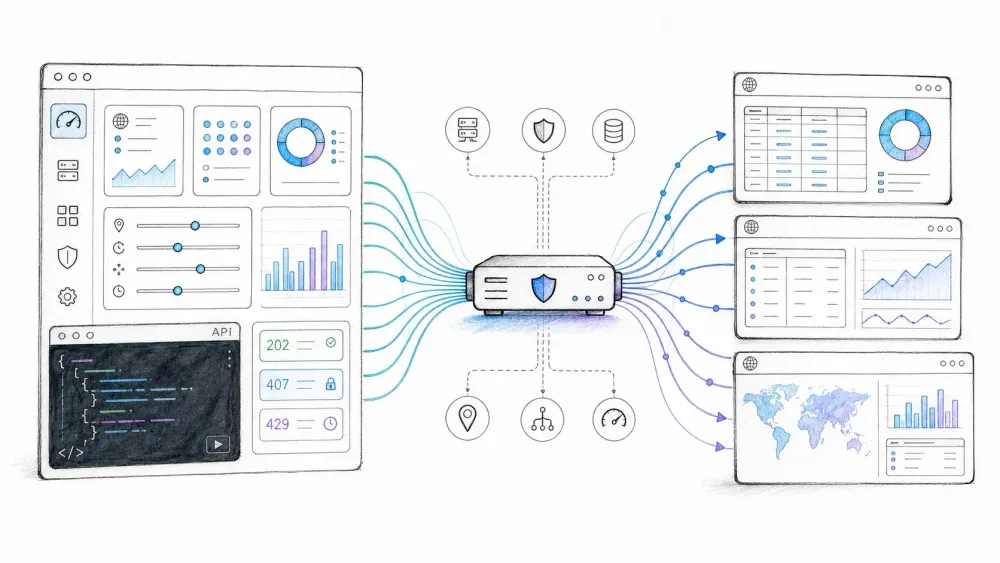
Type "datacenter proxy API" into Google and you'll get a dozen articles explaining what datacenter proxies are. Fast IPs, cheap per GB, easy to detect — you've probably read this exact paragraph on five different proxy vendor blogs already. What almost none of them explain is the actual API part: how you programmatically provision, rotate, and monitor those proxies instead of clicking around a dashboard like it's 2015.
That gap is the whole point of this article. I dug through the actual developer documentation for Bright Data, Oxylabs, and IPRoyal (not their marketing pages — the API reference docs) to figure out what a "datacenter proxy API" really lets you control, where the vendors disagree, and where the industry's shared vocabulary quietly breaks down. Spoiler: there's no universal standard here. Every provider built its own thing, and pretending otherwise is how you end up debugging a 403 for three hours before realizing you're hitting the wrong layer entirely.
What Is a Datacenter Proxy API, Really?
A datacenter proxy API is a programmatic interface — almost always REST, sometimes with an SDK wrapper — that lets you manage datacenter proxy resources through code instead of a web dashboard: provisioning IPs, configuring rotation, setting up allowlists, and pulling usage stats.
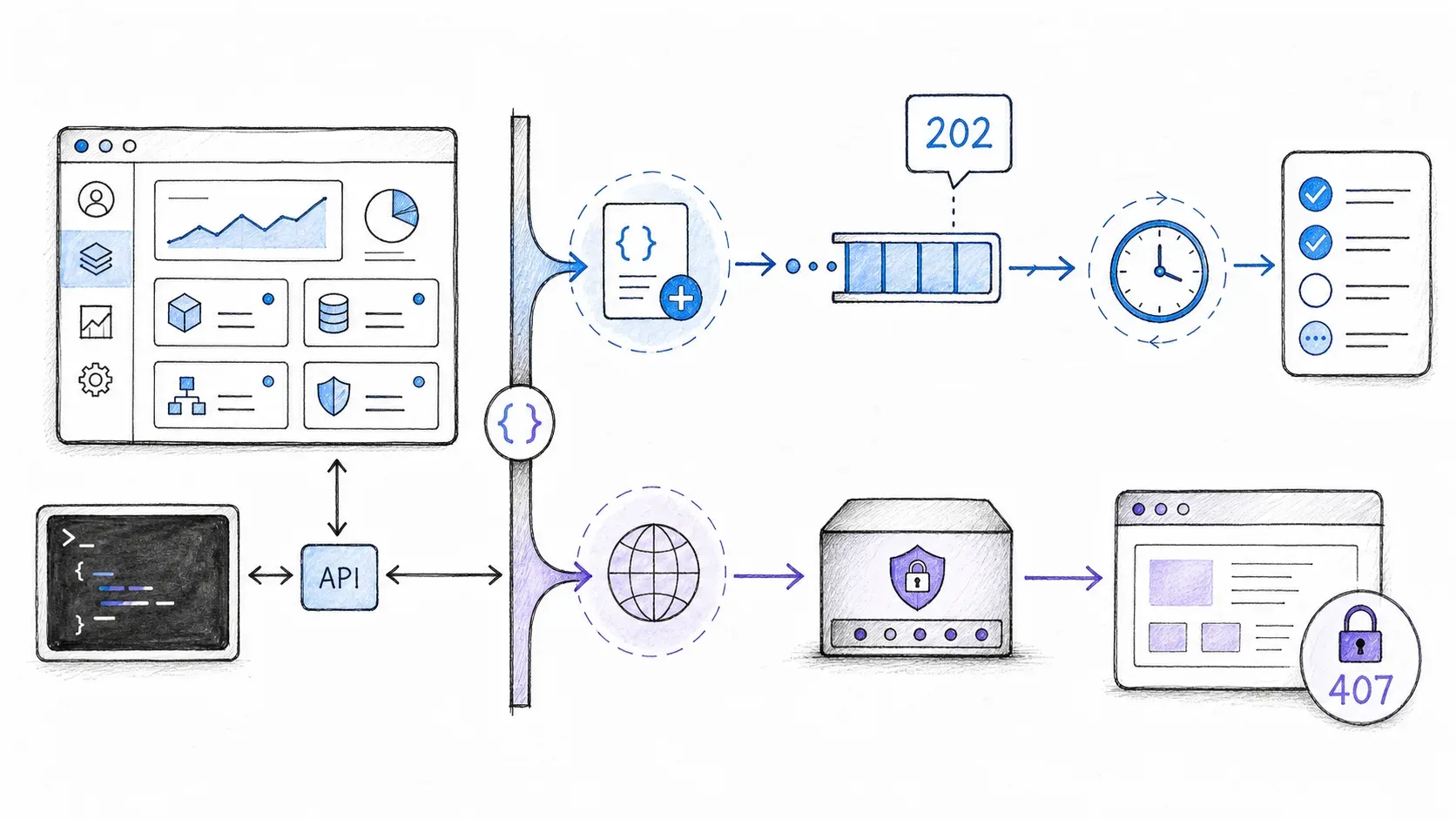
Here's the technical nuance that most explainers skip entirely: a datacenter proxy API actually operates on two distinct layers, and conflating them is where most integration headaches start.
The control plane is the account-management layer. It answers questions like "what proxy resources does this account have," "can I add or replace a subnet," and "what's my current bandwidth spend." This is the part that's genuinely API-driven — think POST /zone or GET /whitelist.
The data plane is the actual traffic layer — the gateway hostname, port, and authentication scheme your scraper or bot connects through to route a request. This is usually just a proxy URL with credentials baked in, not a REST call you make for every request.
Think of it like a hotel. The control plane is the front desk system the manager uses to add rooms, set rates, and check occupancy reports. The data plane is the actual room key that lets a guest open a door. You can automate the front desk without touching the locks, and vice versa — but if you think they're the same system, you'll be very confused when your "API call" doesn't change how your scraper's traffic actually routes.
A datacenter proxy API is not a single universal protocol. There's no shared /proxies endpoint or proxy_type parameter that works across Bright Data, Oxylabs, and IPRoyal. Each vendor exposes its own resources, its own auth scheme, and its own product tiers. Any article that shows you one generic code snippet and implies it works everywhere is, politely, making things up.
Datacenter vs. Residential vs. ISP Proxies: A Fast Refresher
Before going deeper into the API layer, a quick refresher on what you're actually managing.
| Proxy Type | Source of IPs | Typical Cost Structure (2026 vendor examples) | Common Use Case |
|---|---|---|---|
| Datacenter | Cloud/hosting provider ASNs | Bright Data pay-as-you-go around $0.60/GB, Oxylabs shared traffic plans around $0.59/GB and dedicated IPs around $2.25/IP | Bulk discovery, price monitoring, non-sensitive scraping at scale |
| ISP (Static Residential) | Residential ASN, hosted infrastructure | Priced closer to residential, but with datacenter-like stability | Sticky sessions on moderately protected sites |
| Residential | Real consumer devices via P2P networks | Generally the most expensive per GB across major vendors | High-value or aggressively protected targets |
Note the phrase "vendor examples" — these are dated, self-reported prices, not a market average. Bright Data, Oxylabs, IPRoyal, and Decodo all price differently depending on quantity, exclusivity, and contract length, so comparing headline numbers across providers without matching the unit (per-IP vs. per-GB vs. duration-based) is a good way to make a bad purchasing decision.
What Can You Actually Manage via a Datacenter Proxy API? A Feature-by-Feature Breakdown
This is the section that's genuinely missing from every "what is a datacenter proxy" post I found. So let's actually look at what real provider documentation exposes — not what a generic tutorial assumes should exist.
I pulled this directly from the reference docs for three providers, as of August 2026:
Bright Data's Account Management API documents operations for adding a zone, managing allow/deny lists, handling static IPs, listing active and available zones, pulling per-zone and cross-zone bandwidth stats, checking balance, and viewing zones pending replacement. The allowlist endpoint, for example, is a straightforward GET call authenticated with a Bearer token. Zone creation, notably, is flagged in Bright Data's own docs as something that can incur charges and requires the right account role — this isn't a "just try it" endpoint.
Oxylabs splits its surface into two very different experiences. The Enterprise Dedicated Datacenter Proxy API supports adding or replacing proxy subnets, checking the status of those changes, and viewing currently offline IPs — but this is an Enterprise-tier feature, not something every account gets. Self-service customers instead get a dashboard with JSON/CSV export and a stable gateway (ddc.oxylabs.io) where ports map to assigned proxies. Two very different products, often lumped together under "Oxylabs API" in comparison articles.
IPRoyal's reviewed datacenter surface is a reseller API at a dedicated host, authenticated with an X-Access-Token header rather than Bearer auth. It covers products, orders, balance, credential changes, and proxy availability — but the availability endpoint requires admin enablement and, per their own documentation, a $10,000 cumulative spend threshold. Also worth flagging: IPRoyal deprecated its legacy API as of September 2025, so any code snippet older than that is probably broken.
| Operation | Bright Data (Account Mgmt API) | Oxylabs (Enterprise Dedicated DC) | IPRoyal (Reseller API) |
|---|---|---|---|
| IP/subnet provisioning | Documented (zone add) | Documented (subnet add/replace) | Documented (orders) |
| Allowlisting | Documented (/zone/whitelist) | Not documented in reviewed public source | Documented (residential product has separate whitelist API) |
| Rotation / session config | Handled via zone config, not a per-call parameter | Not part of this specific API surface | Not documented in reviewed public source |
| Usage / bandwidth stats | Documented (per-zone and cross-zone) | Not documented in reviewed public source | Documented (balance) |
| Billing / plan changes | Partially (balance, cost totals) | Dashboard-driven | Documented (orders, balance) |
The takeaway: don't trust a generic "yes/no" matrix for proxy APIs. Every cell depends on the specific provider, product tier, and account type. If a comparison article shows you a clean universal checklist, ask which product tier they actually tested.
Code Examples: Talking to a Proxy API (and a Proxy Gateway)
In the analyzed 13-result SERP sample, none of the competing pages showed API code, so here's what the two layers look like in practice. These are illustrative — check the provider's current docs before running anything against a paid account.
Control-plane call (reading an allowlist, Bearer auth):
curl -X GET "https://api.brightdata.com/zone/whitelist" \
  -H "Authorization: Bearer $BRIGHTDATA_API_KEY"
Data-plane request (routing traffic through a datacenter proxy, credentials in the proxy URL):
import requests

proxy_url = f"http://{username}:{password}@dc-gateway.example.com:8000"
proxies = {"http": proxy_url, "https": proxy_url}

response = requests.get("https://target-site.example.com", proxies=proxies, timeout=15)
print(response.status_code)
Polling an async control-plane job (Node.js, e.g., after requesting a subnet replacement):
const axios = require("axios");

async function pollJob(jobId) {
  const res = await axios.get(`https://api.provider.example.com/jobs/${jobId}`, {
    headers: { Authorization: `Bearer ${process.env.PROVIDER_API_KEY}` },
  });
  return res.data.status; // e.g. "processing" or "done"
}
That last example matters more than it looks. Per RFC 9110, a 202 Accepted response is intentionally noncommittal — the server accepted your request, but the work isn't necessarily done. If your subnet-replacement call returns 202, treat it as "pending," not "success," and poll the status endpoint before you route traffic through the new IPs.
The Waterfall Strategy: Bounded, Policy-Driven Fallback
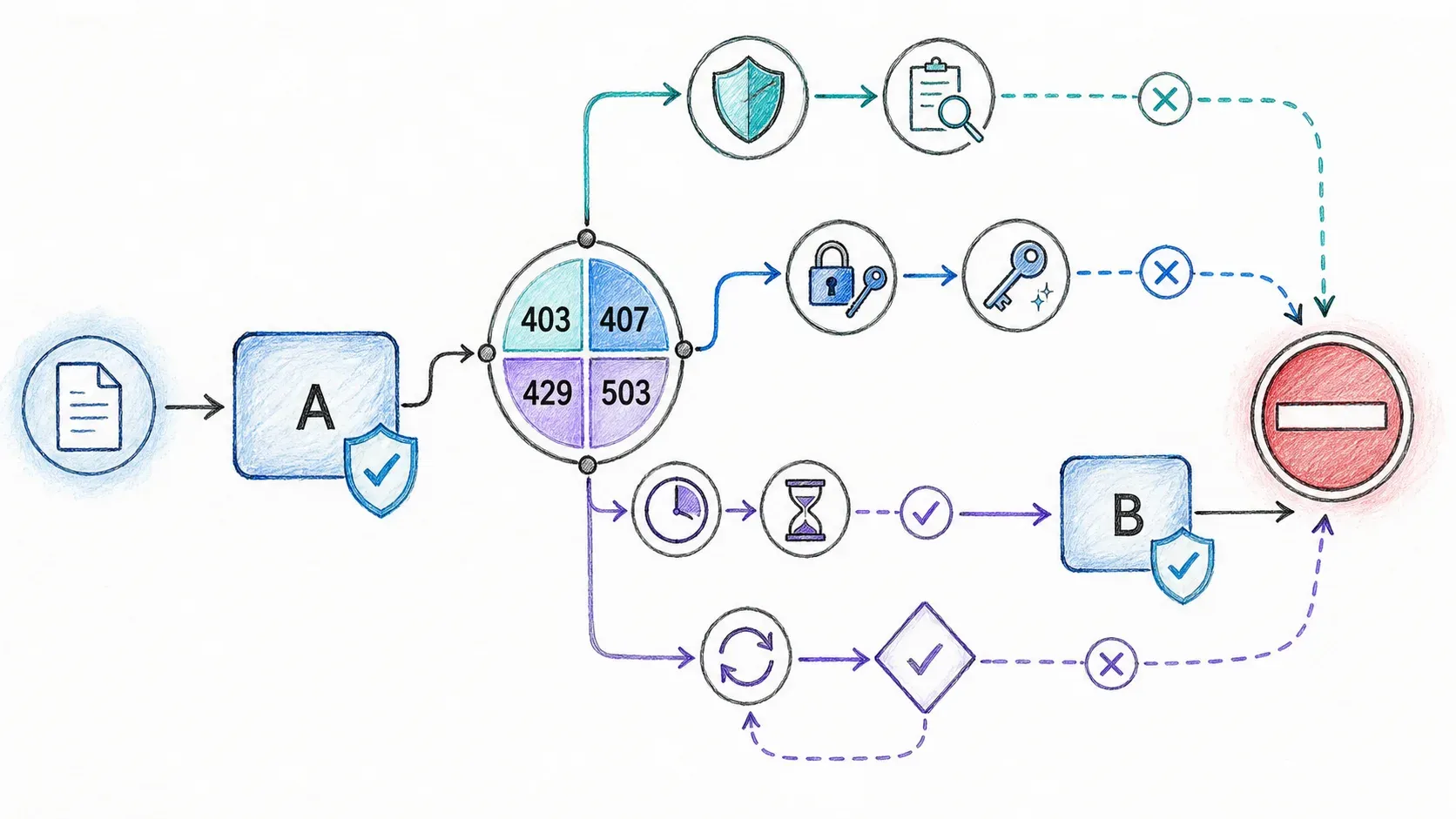
A fallback policy can reduce cost and improve resilience, but there is no universal tier order that is safe for every target or request. Define only routes that are authorized for the workload, classify failures by layer, and permit a retry only when the HTTP method or application operation is safe or idempotent.
A defensible policy looks like this:
- Route A — approved primary route: use the provider/product selected for the named target and session requirements
- Route B — approved alternative route: try it only when a reason-coded network or provider failure supports that change
- No automatic escalation: a 403, CAPTCHA, or 429 does not by itself authorize switching to a residential product
- Fail closed: if the approved routes are exhausted, stop rather than silently sending traffic directly or through an unapproved pool
Persist the target, route, method, session policy, status class, attempt count, bytes, and cost. Let target-specific measurements and authorization determine future routing instead of assuming that datacenter, ISP, and residential products form a universal ladder.
I want to flag something important here, because I went digging for hard success-rate numbers to put in a nice table (datacenter X%, ISP Y%, residential Z%), and I couldn't find a single reproducible, apples-to-apples benchmark that supports it. Every "40-60% vs. 90-98%" style figure floating around forums traces back to one vendor's marketing claim on one unspecified set of targets. Cloudflare's own bot-score documentation describes a scoring system built from heuristics, machine learning over request features, session behavior, and JavaScript detections — IP reputation is one input among several, not the whole story. A success rate that's true for one target on one day tells you almost nothing about a different target next month.
So instead of a fake table, build your own — per target, logged automatically:
| Signal Observed | What It Actually Means | Reasonable Action |
|---|---|---|
Target 403 | Origin server understood and refused the request | Log target + context; don't assume the IP itself is "dead" |
Proxy 407 | You need to authenticate to the proxy gateway | Fix credentials — retrying the target won't help |
429 (target or control API) | Rate limit hit, may include Retry-After | Honor the delay, retry within budget |
503 | Possible temporary overload | Retry cautiously; don't discard the route outright |
| CAPTCHA/challenge | Application-specific, not a standard HTTP code | Check full request consistency before escalating tiers |
Escalating to residential proxies the moment you see a 403 is a common but sloppy habit. A 403 tells you the origin refused the request — it doesn't automatically mean "this route is burned" or "you need a residential IP now." Treat each status code by what it actually means, not as a generic "try the next tier" trigger.
Why IP Rotation Alone Can Be Insufficient
Changing an IP does not make the rest of a request or session coherent. Cloudflare's current bot-score documentation says its system can use heuristic fingerprints, request features and headers, browser signals, JavaScript detections, machine learning, anomaly information, and session characteristics. That supports a multi-signal diagnosis, not a claim that any one fingerprint technology explains every failure.
| Signal family | What a route change may affect | What it cannot establish by itself |
|---|---|---|
| IP or ASN reputation | Network origin | Whether headers, browser signals, or session state are coherent |
| Request headers and browser signals | Nothing automatically | Whether the target will accept a new route |
| Session consistency and behavior | Nothing automatically | Whether a 403 proves the route is bad |
| JavaScript detections | Nothing automatically | A portable success percentage |
If fresh routes still fail, inspect the entire authorized request path: target policy, proxy authentication, headers, rendering mode, session state, request rate, and application output. The evidence does not identify a single dominant cause, and it does not justify automatic residential escalation.
How to Evaluate a Proxy Provider's API: A Developer's Rubric
Most comparison articles rank proxy providers on IP pool size and price per GB. Almost none of them evaluate the actual developer experience — which is exactly what determines whether you're maintaining a clean automation pipeline or duct-taping retry logic at 2am.
| Criterion | What to Check | Why It Matters |
|---|---|---|
| API architecture | REST endpoints? SDKs? OpenAPI spec published? | Determines integration speed and long-term maintainability |
| Authentication method | Bearer token vs. X-Access-Token vs. proxy user:pass | Affects how you secure credentials in CI/CD |
| Async job handling | Does the API return job IDs for subnet changes? | Matters for provisioning automation — see the 202 semantics above |
| Rate limits / concurrency | Documented request/sec and concurrent connection limits | Bottleneck for anything running at real scale |
| Usage reporting | Real-time bandwidth/balance endpoints | Prevents surprise bills |
| Unified pool switching | One API surface for DC, ISP, and residential? | Directly simplifies building a waterfall pipeline |
| Documentation quality | Versioned docs, error taxonomy, changelogs | Debugging speed when something breaks |
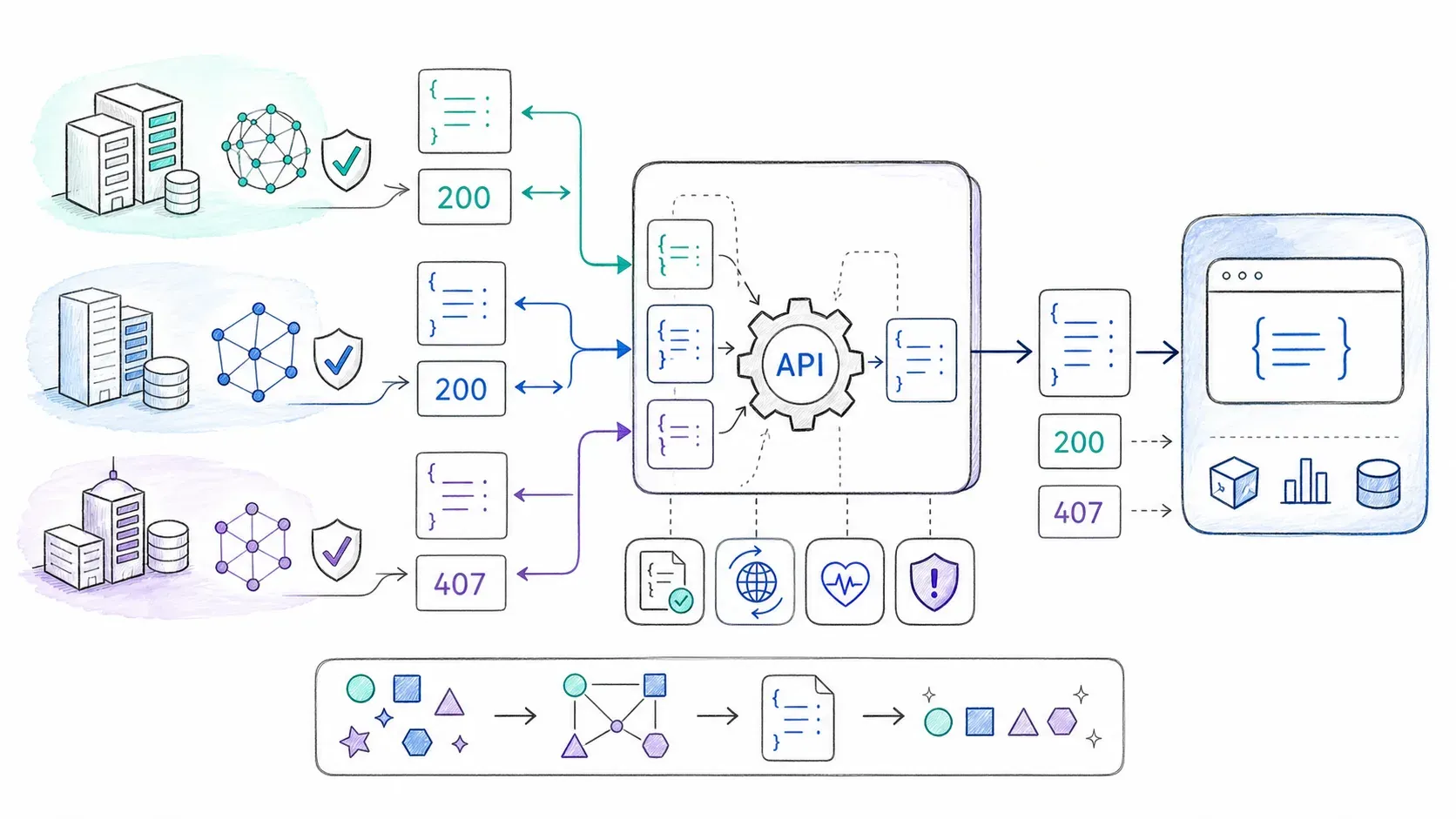
That "unified pool switching" row matters more than it looks. A recurring frustration in developer forums is wanting to consolidate with a single vendor "for financial reasons" — simpler billing, one support relationship, one set of credentials to rotate. If a provider forces you to integrate separate APIs for datacenter and residential products, you're paying an integration tax on top of the proxy bill.
Applying this rubric honestly: Bright Data's account management surface is broad but zone-creation carries real billing risk if scripted carelessly. Oxylabs' enterprise datacenter API is solid for subnet-level automation but is gated to a specific tier — the self-service product is a different (simpler) experience entirely. IPRoyal's reseller API is narrower in scope and gates certain features behind spend thresholds. None of these is objectively "best" — it depends on which product tier you're actually buying.
Setting Up and Managing Datacenter Proxies via API: Step-by-Step
Step 1 — Get credentials and confirm your tier. Sign up, generate an API key or proxy user:pass, and — critically — confirm which product tier you're on. The features documented for "Enterprise" often don't exist on a self-service plan.
Step 2 — Provision your pool. Use the control-plane API to add a zone, subnet, or order, depending on the provider's vocabulary. Treat this as a reviewable action, not a fire-and-forget script — print a plan before you apply it.
Step 3 — Configure rotation and sessions. This usually happens at the gateway/data-plane level (session parameters in the proxy URL or port assignment), not through a separate API call.
Step 4 — Integrate into your scraping code. Route requests through the gateway using the documented auth scheme — check whether it's a proxy URL with embedded credentials or a header-based scheme.
Step 5 — Monitor usage programmatically. Poll the bandwidth/balance endpoint on a schedule and alert on unexpected spikes. Don't wait for the monthly invoice to find a runaway script.
Step 6 — Layer in waterfall logic. Once the basics work, add the failure-classification table from earlier and let your logging drive which tier gets used for which target over time.
When Owning a Proxy Control Plane Isn't the Job: AI Scraping APIs
Everything above assumes your actual job is running proxy infrastructure. For a lot of teams, it isn't. Their job is turning a webpage into structured data — the proxy layer is just an obstacle standing between them and a JSON object they can load into a database.
If that's your situation, an AI-powered scraping API can absorb the entire proxy-management problem instead of handing it to you as homework. This is a legitimate trade-off, not a shortcut: you give up granular routing control in exchange for not maintaining a control plane, a data plane, rotation logic, and fingerprint management yourself.
This is where Thunderbit fits — not as a proxy provider, but as the layer above it. Thunderbit's Open API exposes two endpoints that matter here: POST /distill, which turns an authorized page into clean Markdown (1 credit per call), and POST /extract, which returns schema-matched structured data (20 credits per call). The caller sends an authorized URL and desired output to the documented endpoint rather than managing a proxy gateway. Rendering modes and structured failures remain subject to the current service contract and its documented limits.
For teams building AI agents rather than scripts, Thunderbit also ships an MCP server, so tools like Claude or Cursor can call thunderbit_distill or thunderbit_extract mid-task without the agent ever touching a proxy configuration. And for anyone who lives in a terminal, the Thunderbit CLI lets you run thunderbit extract <url> --schema <file> directly from a script or cron job, with schema reuse across batch runs.
Worth being straight about the limits: this only works for authorized, public data extraction. If your actual use case is ad verification, custom protocol testing, or anything that genuinely requires raw network-level proxy control, a datacenter proxy API is still the right tool — no AI scraping API will substitute for owning the wire.
| Approach | You Manage | Anti-Bot Handling | Best For |
|---|---|---|---|
| Datacenter Proxy API + custom scraper | Proxies, rotation, fingerprints, parsing | You build it | Fine-grained control, non-scraping network use cases |
| General scraping API (e.g., ScrapingBee, Scrapfly) | API calls and output handling | Varies by the provider's documented contract | Mid-complexity scraping without full infra ownership |
| AI Scraping API (e.g., Thunderbit) | The URL, desired output, and validation | Managed by the service within documented limits | Teams that want structured data, not proxy infrastructure |
If you want a broader look at how AI-based extraction compares to writing your own scraper, I'd point you toward what web scraping actually is and how AI web scraping differs from traditional scripts — both go deeper into the tooling landscape than this article has room for. And if you're curious what a no-code version of this whole workflow looks like, the Thunderbit Chrome Extension and its YouTube walkthroughs are worth a look.
Practical Tips for Managing Datacenter Proxies via API
A few habits that separate a stable pipeline from a fragile one:
- Automate allowlisting in CI/CD instead of manually updating a dashboard every time you spin up a new environment
- Log proxy tier usage per target site, not just globally — this is what actually lets a waterfall strategy self-optimize over time
- Treat 403/429/503 as distinct signals, not interchangeable "rotate the proxy" triggers
- Separate plan from apply for any mutation that costs money — print what you're about to do before you do it
- Poll usage endpoints on a schedule rather than discovering overage on the invoice
- Use a target-specific approved route policy — a 403 or challenge alone is not evidence that a more expensive proxy product is appropriate
A Quick Word on Legal and Ethical Use
Proxy services are infrastructure; whether a collection workflow is permitted depends on the jurisdiction, the data involved, the target's terms, the provider's acceptable-use policy, and the user's authorization. This tutorial is technical guidance, not legal advice. Minimize personal data, document the business purpose and access authority, and consult qualified counsel when privacy, contractual, or regulated-data questions apply.
Key Takeaways
- A datacenter proxy API has two layers — control plane (account management) and data plane (traffic routing) — and conflating them is the source of most integration confusion
- There's no universal proxy API standard; Bright Data, Oxylabs, and IPRoyal each expose different resources, auth schemes, and product-tier restrictions
- Fallback routing is useful only when an authorized, target-specific policy classifies the failure and permits a safe or idempotent retry; no status code justifies automatic residential escalation
- IP rotation alone cannot establish success; current Cloudflare documentation shows that request, browser, JavaScript, and session signals can also contribute
- If your actual goal is structured data rather than proxy infrastructure, an AI scraping API like Thunderbit can abstract the entire proxy layer away
FAQs
What is a datacenter proxy API? It's a programmatic interface — typically REST — for managing datacenter proxy resources through code instead of a dashboard. It usually covers a control plane (provisioning, allowlists, usage stats) that's separate from the data plane (the actual gateway you route traffic through).
How do I manage my datacenter proxies via a datacenter proxy API? Get API credentials from your provider, confirm your product tier (features vary wildly between self-service and enterprise plans), provision your proxy pool through the control-plane endpoints, then integrate the gateway credentials into your scraping code for actual traffic routing.
What's the difference between a datacenter proxy API and a scraping API? A proxy API gives you raw network access — you still build and maintain the scraper, rotation logic, and anti-bot handling. A scraping API (especially an AI-native one like Thunderbit) exposes a managed fetching, rendering, and extraction contract and returns the requested output without requiring you to operate a proxy control plane.
Are datacenter proxies easy to detect? They can be detected through network, request, browser, JavaScript, and session signals. There is no reliable, portable success-rate number across sites; current Cloudflare bot-score documentation is one concrete example of multi-signal scoring.
When should I use residential proxies instead of datacenter proxies? Only when an authorized, target-specific evaluation shows that the selected residential product fits the workload and policy better than the current route. Diagnose 403, 407, 429, 503, session consistency, and request behavior separately; do not treat any one status as an automatic escalation trigger.




