
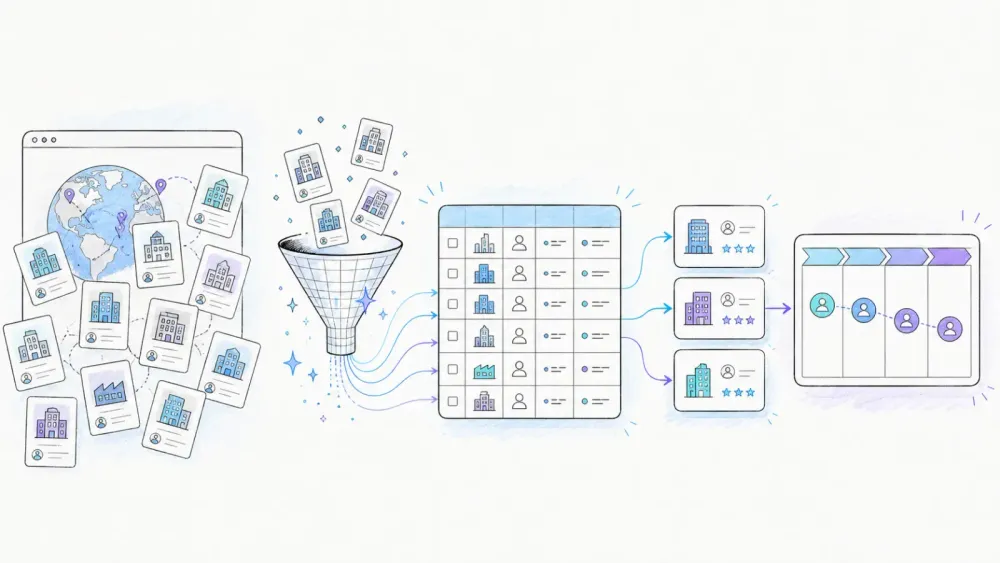
Every founder I know has, at some point, bought a list of ten thousand "verified" contacts and watched the reply rate hover somewhere around zero. I did the same thing early in my career, and it taught me something fast: a pile of emails isn't a pipeline. What actually moves deals is knowing which companies are worth talking to and why — and that's a very different problem than just harvesting names off the internet.
Web scraping gets pitched as a shortcut to "get 10,000 leads by Friday," but the tools that actually work in 2026 are built for something more useful: finding real accounts, backed by real evidence, at the exact moment they show a buying signal. I've spent a lot of time at Thunderbit thinking about how people scrape data for sales, and the teams getting the best results aren't the ones scraping the most rows — they're the ones scraping the right rows, with context attached.
What Does It Really Mean to Find B2B Leads with Web Scraping?
Most people hear "scrape leads" and picture a tool that sucks up a directory page and spits out a CSV of names, titles, and emails. That's not lead generation — that's contact harvesting, and it's the reason so many sales teams end up with lists that bounce hard and convert worse.
A real lead record needs more than a name. It needs an account identity (company name and canonical domain), evidence that the company actually fits your ideal customer profile, a timestamped signal that tells you why now is a good moment to reach out, a permitted way to make contact, a record of where the data came from, and a status you can review later. That's a mouthful, but it boils down to a simple sequence: start from a public, permitted source, confirm the company's identity, gather fit evidence, note the trigger event, find the minimal contact route, validate it, dedupe it, then push it into your CRM. Skip a step and you end up with exactly what everyone already hates — a spreadsheet of strangers.
Why This Matters More Now Than Ever
AI has made scraping ridiculously easy to start and ridiculously easy to do badly at scale. A few years ago, building a scraper meant hiring a developer or wrestling with XPath selectors for a weekend. Now anyone can point an AI scraper at a page and get structured data in minutes. That's great for productivity, but it also means more sales teams are dumping unqualified, unverified data into their CRMs faster than ever, and cleaning that up later costs way more time than doing it right the first time.
At the same time, the regulatory ground hasn't moved just because the tools got smarter. The UK's Information Commissioner's Office has been clear that publicly available business contact data can still fall under UK GDPR, and that direct-marketing objections have to be honored even in a B2B context. In the US, the FTC's CAN-SPAM guidance doesn't carve out an exception for B2B email either — every commercial message still needs accurate headers, a working opt-out, and honored unsubscribes within 10 business days. None of this is exotic legal trivia; it's the baseline you're operating under whether you know it or not.
Before You Start: Read the Room (and the Terms of Service)
I'll be blunt here: not every site is fair game, no matter how good your scraper is. Google Maps' terms explicitly prohibit exporting or bulk-scraping Maps content. LinkedIn's User Agreement bans scraping and unauthorized automation outright. Clutch's current terms prohibit manual or automated scraping too. These aren't obscure clauses — they're the first thing you should check before pointing any tool at a site, and I've written more on this specifically around LinkedIn scraping because it comes up constantly.
Robots.txt is worth understanding but shouldn't be treated as a legal green light. Per the IETF's own specification, it's a crawl instruction, not a permission system or an access-control mechanism. A site can allow crawling in robots.txt and still prohibit scraping in its terms of service — and the terms usually win in a dispute. My rule of thumb: if a site requires a login to see the data, has a CAPTCHA in front of it, or explicitly says "no scraping" anywhere in its terms, that's a source to skip, not a puzzle to solve.
Public sources that tend to be safer and more useful for B2B research include company websites, government filings, exhibitor and partner directories with permission, careers pages, and newsrooms. The SEC's EDGAR APIs, for instance, provide free public JSON filings and XBRL data without needing an API key at all — just keep automated requests at or below 10 per second per SEC's own rate-limit guidance.
The Full Pipeline: From Raw Scrape to CRM-Ready Leads
Here's the sequence I'd actually recommend, and it's less about "scraping" and more about a mini research process with a scraper at the center of it.
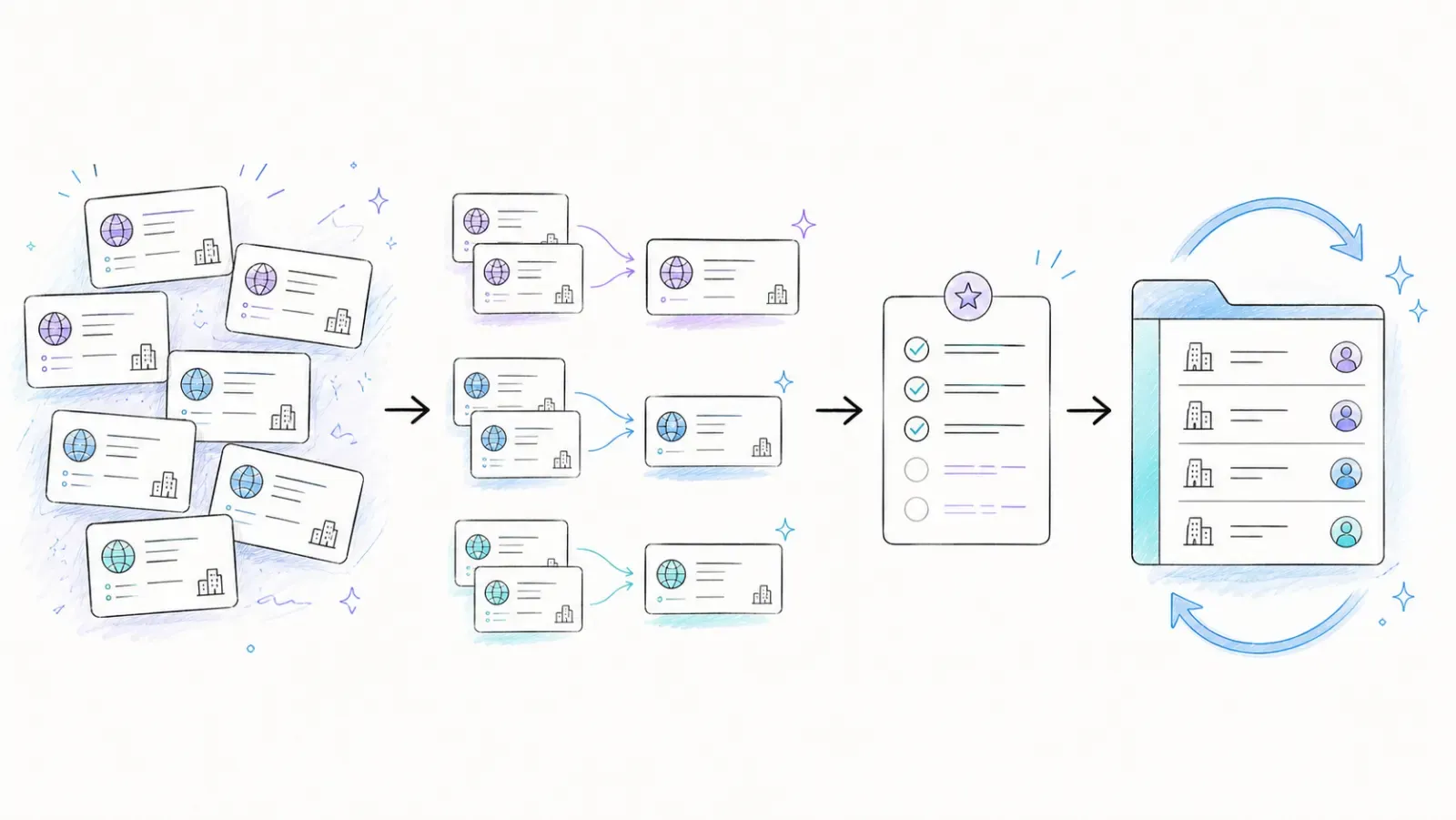
First, pick a permitted public source and pull organization-level fields only: company name, domain, source URL, category, location, and whatever signal made you look at them in the first place (a job posting, a press release, an event listing). Second, for the accounts that look promising, go to their actual website and confirm what they do, where they're based, and what public contact route exists. Third, validate and enrich only the accounts that already passed your qualification bar — don't waste enrichment credits on companies you haven't vetted. Fourth, dedupe against your existing CRM data before anything gets imported. Fifth, push it in with a status field so your sales team knows what's been reviewed and what still needs eyes on it.
That last part matters more than people think. I'd suggest tagging every record with something like candidate_account, qualified_account, contact_ready, needs_review, or rejected. It sounds like overkill until your SDR team asks "wait, did anyone actually check this company fits our ICP?" and you have an answer instead of a shrug.
Where to Find High-Signal B2B Accounts
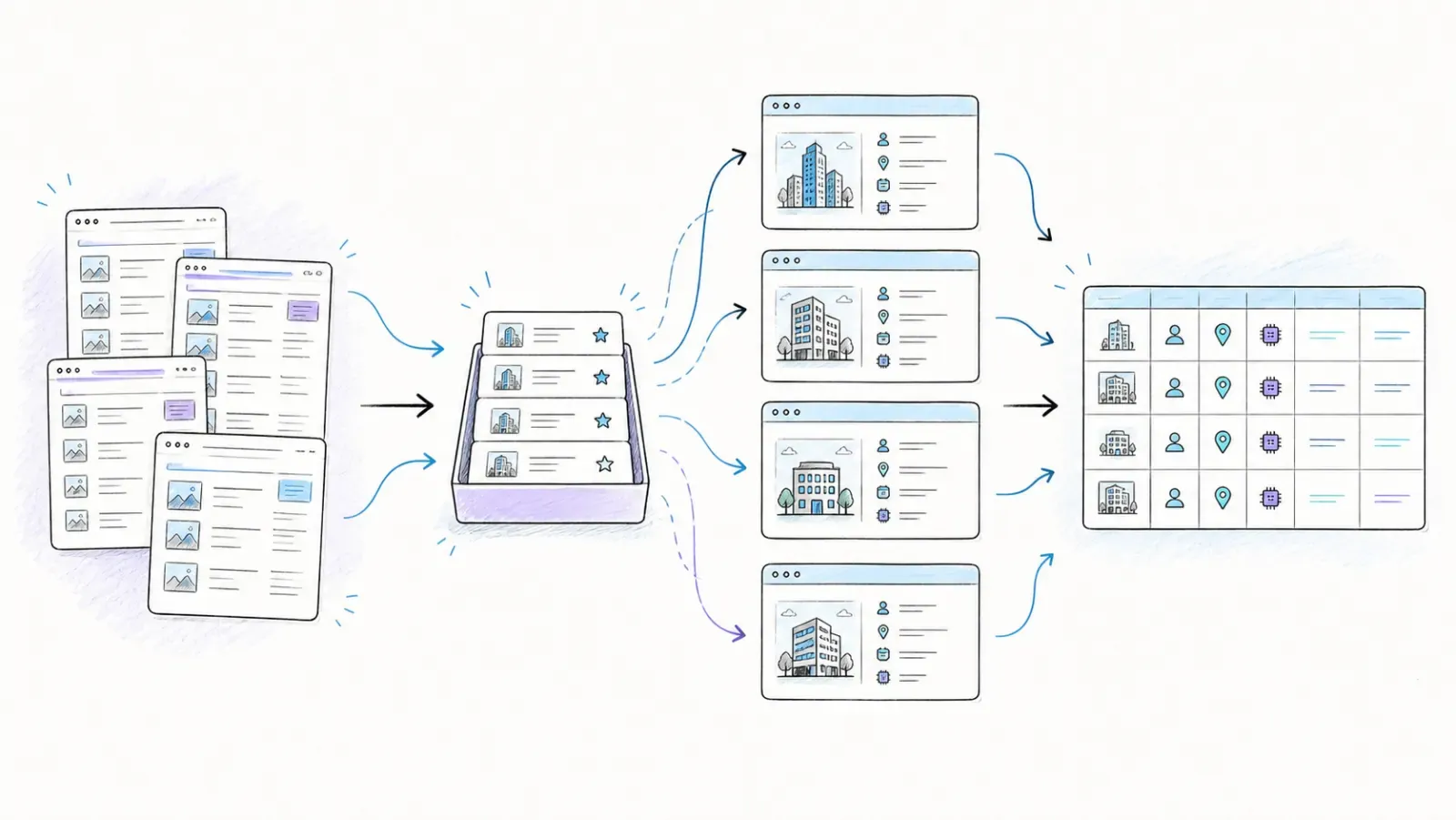
The best signals aren't hiding — they're just scattered across sources most teams don't bother checking systematically. Company career pages tell you who's hiring for what, which is a decent proxy for what they're investing in. Newsrooms and press pages tell you about funding, expansion, and product launches. Partner and exhibitor pages (when scraping is permitted) show you who's active in a specific ecosystem. Public filings, especially for larger companies, reveal financial health and strategic priorities in a way a LinkedIn post never will.
None of these signals alone prove buying intent — a job posting for a "VP of Sales" doesn't mean the company is ready to buy your product tomorrow. But taken together, and matched against your own ICP criteria, they're a far better filter than a static list bought off a lead marketplace six months ago that's already 20% stale.
Why AI-Powered Scraping Changes the Math
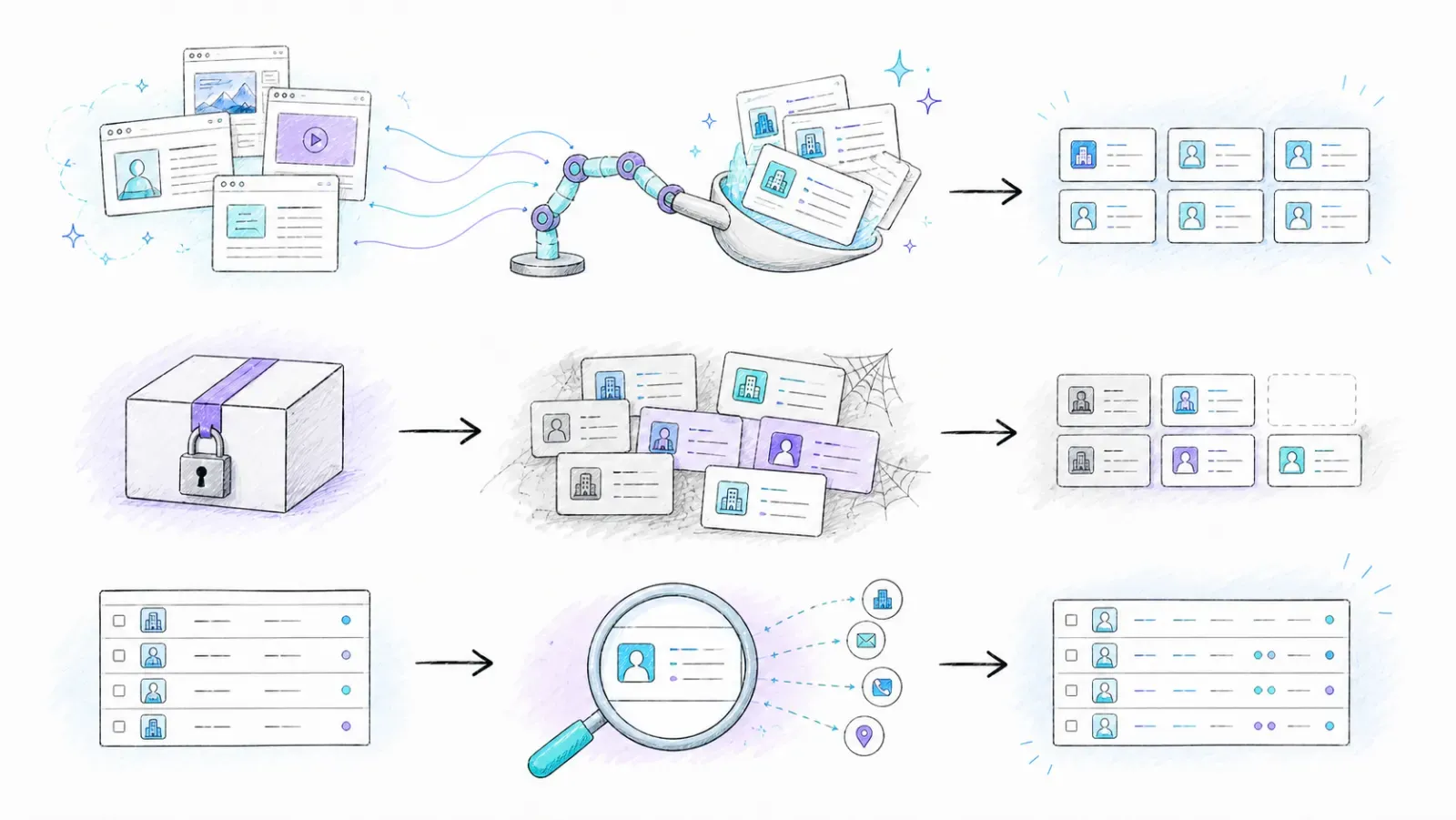
This is where things get genuinely different from the scraping I remember doing five or six years ago. Old-school scraping meant writing selectors for every single page layout, and the second a site redesigned its HTML, your scraper broke. AI-powered scraping tools read a page more like a human does — they understand "this is a company name, this is a location, this is a job title" contextually, instead of relying on brittle CSS paths.
That shift is why a tool like Thunderbit can look at a listing page and, with AI Suggest Fields, propose the right columns automatically instead of making you map every field by hand. You can also just type what you want in plain English — "get me company name, website, industry, and location" — and the AI figures out how to pull it. I've talked to teams who used to spend a half day per site building a scraper config; now it's a couple of clicks and a review pass. That's not because the underlying compliance rules changed — they haven't — it's because the technical barrier to doing this well dropped enormously. For more on how this shift plays out across the broader AI scraping space, I'd point you to our breakdown of AI web scraping and how it compares to the older rule-based approach.
The Subpage Problem (Why Listing Pages Alone Leave You Half-Done)
Here's something that trips up almost everyone starting out: the listing page is never the whole story. A directory page might give you a company name and a link, but the actual evidence you need — what the company does, where they're headquartered, what industry they serve — usually lives one click deeper, on the company's own detail page or website.
I've seen teams scrape hundreds of rows from a directory, only to realize half the "leads" are missing the one field that actually mattered for qualification. This is the exact reason subpage scraping exists as a category of feature, not a nice-to-have. A good scraper should be able to visit the listing page, grab the link to each company's detail page, then automatically follow that link and pull the deeper fields before combining everything into one clean row. Skip this step and you're qualifying leads based on a company name and a guess.
Step-by-Step: Finding B2B Leads with Thunderbit
I'll walk through this the way I'd actually do it myself, sitting down with a target directory and a cup of coffee.
Step 1: Install Thunderbit and Open Your Target Directory
Grab the Thunderbit Chrome Extension and navigate to a permitted public source — an exhibitor list, an industry directory, a careers board, whatever fits your ICP. Confirm the site's terms allow this kind of use before you go further; this step takes two minutes and saves you a headache later.
Step 2: Click "AI Suggest Fields"
Instead of manually clicking through the page to define columns, let the AI look at the page structure and propose fields like company name, website, location, and category. You can edit these or add your own using plain language — something like "extract the industry this company serves" works fine as a field instruction.
Step 3: Run the Scrape
Kick off the extraction and let it run across the listing page (and pagination, if the directory spans multiple pages). This is the "raw" pull — company-level identifiers only, nothing you'd consider a private contact yet.
Step 4: Enrich with Subpage Scraping
For rows that look promising, use subpage scraping to follow each company's link to their own site or detail page, pulling deeper fields like what they do, where they're based, and any public contact route listed. This is the step that turns a bare directory row into an actual qualified account record.
Step 5: Validate and Clean
Before anything touches your CRM, spot-check a sample. Confirm domains resolve, confirm the qualification reason actually holds up, and flag anything ambiguous as needs_review instead of guessing. This is also where you'd run email validation through a service like Hunter if you've identified a legitimate public contact route — just remember a "valid" email address doesn't equal consent to market to that person.
Step 6: Export and Push to CRM
Thunderbit exports free to formats like CSV, Excel, Google Sheets, Airtable, and Notion. Before importing into HubSpot or Salesforce, normalize on company domain as your primary key — HubSpot's own import guidance recommends domain for companies and email for contacts, and Salesforce's duplicate rules can silently block or flag your import if you skip this. A small test batch of 20-30 rows before the full import has saved me from messier cleanups more than once.
Tips & Common Pitfalls
A few things I'd tell anyone starting this process today. Don't treat a scraped job title or role as proof of purchase intent — it's a hint, not a green light. Don't assume an AI-extracted field is automatically correct; spot-check before you scale up any workflow. Keep named contacts and direct emails in a separate, more carefully governed part of your dataset than your company-level research, since B2B doesn't automatically exempt personal data from privacy rules. And don't let "the tool can technically do it" become your compliance policy — check the source's terms every single time, not just the first time.
Web Scraping vs. Buying a Lead Database
Both approaches have a place, and pretending one is universally better is a little dishonest.
| Factor | Web Scraping (Permitted Sources) | Buying a Lead Database |
|---|---|---|
| Freshness | As current as your last scrape | Often stale within weeks |
| Signal quality | High — you control the trigger and context | Low — usually just static firmographic data |
| Coverage breadth | Narrower, source-dependent | Broader, standardized |
| Cost model | Mostly your time + tool subscription | Ongoing per-record or per-seat cost |
| Compliance risk | Manageable if sources and fields are chosen carefully | Depends heavily on provider's own sourcing practices |
| Best for | Targeted, signal-driven outbound | Broad market mapping, early-stage TAM sizing |
My honest take: scrape when you need context and timing — a specific event's exhibitor list, a competitor's newly launched product page, a company that just posted three sales jobs. Buy or use enrichment providers like Apollo when you need broad, standardized coverage and you're willing to validate freshness yourself. The two aren't mutually exclusive; plenty of teams scrape for signal and enrich the qualified accounts afterward rather than picking one lane forever.
A Real-World Scenario
Say you sell fleet management software and you want to find growing logistics companies. Scraping a state DOT's public carrier registry or an industry association's member directory gives you company names, locations, and fleet size categories — all public, all permitted. You subpage into each company's own site to confirm they're actively operating and grab their general contact line. That's maybe 200 qualified accounts instead of 5,000 unverified names, but every single one of them is worth an SDR's time, which is the actual goal.
Scraping for B2B leads works best when you stop treating it as list-building and start treating it as research with better tools. I've watched sales teams get more pipeline out of 150 well-qualified accounts than out of 10,000 purchased contacts, simply because the outreach was relevant instead of generic. If you're weighing where AI scraping fits into your broader sales motion, it's worth reading through how AI is reshaping lead generation and how sales teams are actually using AI day to day — both go deeper into the workflows beyond just the scraping step.
Building this kind of pipeline takes a bit more setup than downloading a contact list, sure. But the accounts you end up with actually want to hear from you, which — and I say this having sent plenty of cold emails into the void over the years — is worth the extra thirty minutes of setup.
FAQs
Is it legal to scrape B2B company data from the web? It depends entirely on the source. Public company websites, government filings, and directories that explicitly allow it are generally fine to scrape for research purposes. Sites like LinkedIn and Google Maps explicitly prohibit scraping in their terms, regardless of what's technically possible. Always check a site's terms of service before scraping, and treat robots.txt as a crawl instruction rather than legal permission.
What's the difference between a "lead" and a "contact" in this context? A contact is just a name and a way to reach them. A lead, done properly, is a company record backed by evidence that they fit your ideal customer profile, plus a timestamped signal explaining why you're reaching out now. Scraping bulk contacts without that context is why so many cold outreach campaigns underperform.
Can AI scraping tools guarantee the data is accurate? No, and any tool that claims otherwise should raise an eyebrow. AI extraction is very good at structuring messy pages, but it can still misread ambiguous fields. Spot-checking a sample before scaling any scrape is a habit worth keeping regardless of which tool you use.
Should I scrape emails directly, or use an enrichment tool afterward? Enrichment tools tend to be more reliable for finding and verifying named contact emails than trying to scrape them directly off pages, and they usually document verification status clearly. My suggestion is to scrape for company-level qualification first, then enrich only the accounts that already passed your fit criteria — it's more efficient and lowers your compliance exposure.
How do I avoid importing duplicate leads into my CRM? Normalize on company domain as your primary identifier before importing, not company name — names have too many variations to dedupe reliably. Both HubSpot and Salesforce have documentation on how their matching rules work, and running a small test batch before a full import will catch most issues before they become a mess in your pipeline.




