
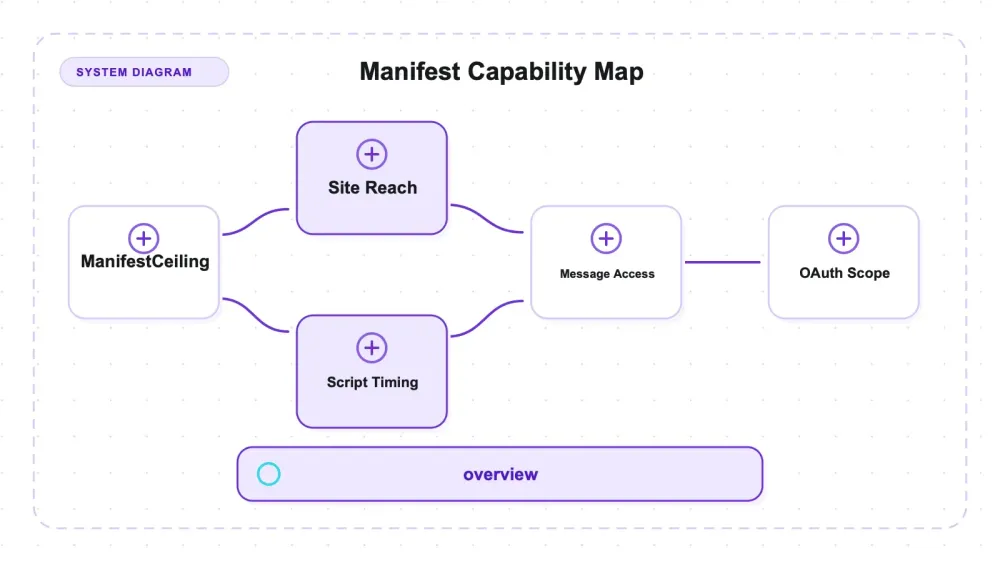
Every Chrome extension ships a manifest.json that declares a substantial part of its browser-level capability ceiling: requested APIs, host patterns, static content scripts, optional permissions, and allowed external connections. It is a public file in the package you install. It does not prove which declared capabilities the runtime code uses, what leaves the machine, or which account access happens through a separate web login.
I read the ten scraping and browser-automation extensions selected for this audit, including Thunderbit's, which is ours. The spread is wide. One declares no standing site access. Another declares thirteen permissions including clipboardRead. Thunderbit is the only extension in this set that declares debugger, a broad CDP attachment capability with a different risk shape from page access, OAuth, or user-supplied scripts.
None of that is an accusation. A broad permission is often the only honest way to build a given feature, and a narrow one can mean the product simply does less. The point is that the difference is enormous, it's published, and it never makes it into a comparison table.
How this was done
Each extension was downloaded as a .crx from Google's own update endpoint — the same URL Chrome itself uses — then unpacked and parsed. No extension was installed and no extension code was executed. This is a read of a JSON file.
Downloads were paced at roughly one request every two seconds. Every .crx, its SHA-256, and the extracted manifest.json are kept as artifacts. Thunderbit went through the same script as the other nine, not a side channel, so its row is derived exactly like theirs.
The analysis uses two evidence classes and keeps them separate:
- Declared static behavior: host patterns and
content_scriptsentries, includingmatches,run_at, andall_frames. - Capability available to runtime code: APIs named in
permissionsoroptional_permissions. These declarations show what code could request or invoke, not that it does so.
No ordinal "most powerful" score is assigned. debugger, userScripts, broad host access, OAuth scopes, clipboard access, and external messaging expose different data and require different preconditions. Comparing them requires a threat model this manifest-only audit does not provide.
Sizes below are unpacked totals in MiB (2²⁰ bytes), summed from the ZIP entries.
As-of 2026-07-29. Extensions update; re-check before quoting.
What ten manifests declare
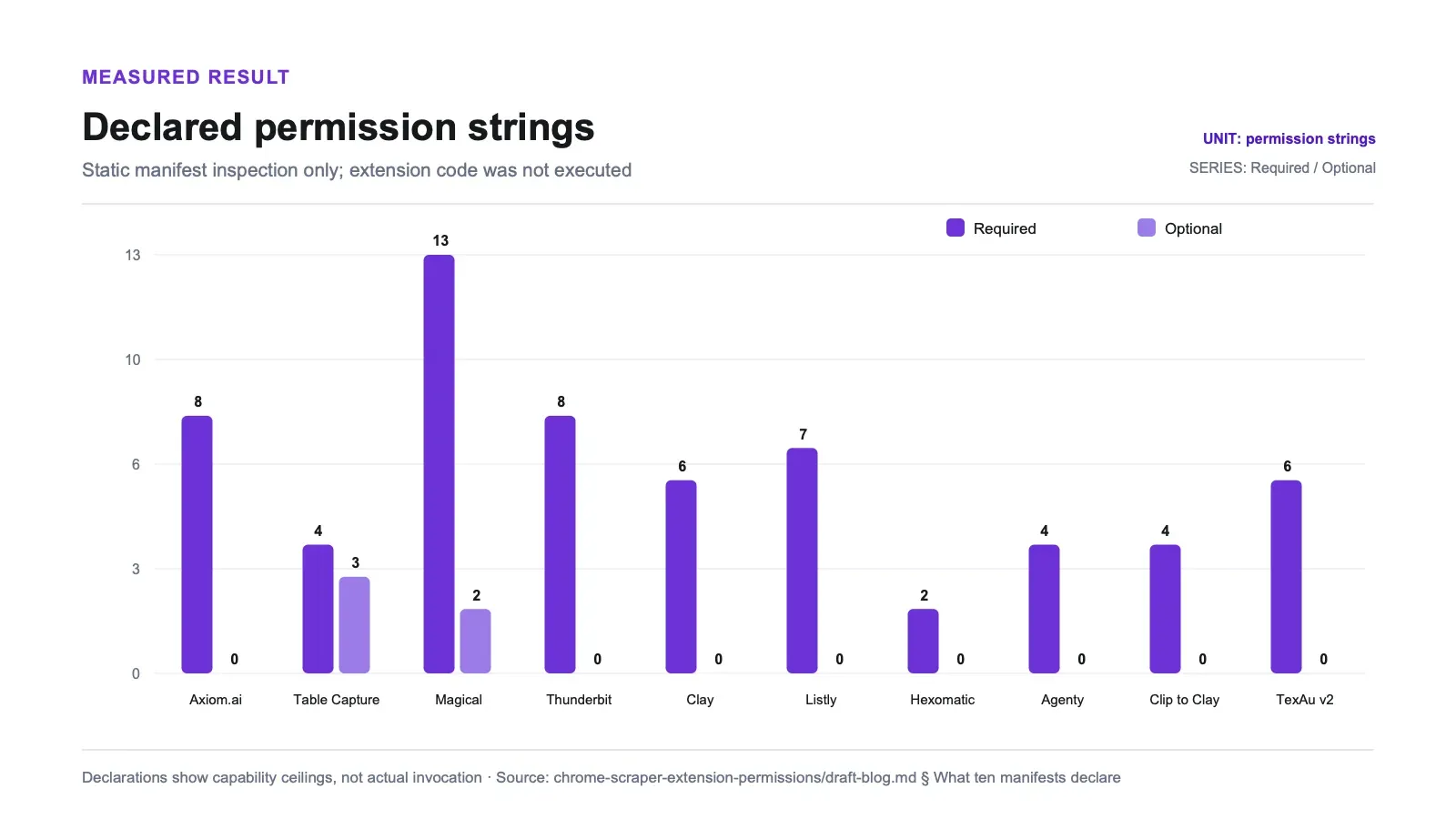
Official reference: Chrome's permission declaration guide.
| Extension | Version | Unpacked | Files | Permissions | Site access | Reaches file:// |
|---|---|---|---|---|---|---|
| Axiom.ai | 5.1.0 | 37.1 MiB | 232 | 8 | http://*/* + https://*/* | ✅ |
| Table Capture | 11.0.41 | 21.1 MiB | 115 | 4 (+3 optional) | <all_urls> | ✅ |
| Magical | 3.119.1 | 16.8 MiB | 395 | 13 (+2 optional) | <all_urls> | ✅ |
| Thunderbit (ours) | 4.6.4 | 15.9 MiB | 78 | 8 recognized (+1 unrecognized array string: commands) | <all_urls> | ✅ |
| Clay for Chrome | 1.0.0 | 6.3 MiB | 51 | 6 | *://*/* (injects only on own domain) | — |
| Listly | 0.9.6 | 3.5 MiB | 84 | 7 | http://*/*, https://*/*, file:///*.html | ✅ |
| Hexomatic | 1.8.4 | 2.7 MiB | 37 | 2 | own domains only | — |
| Agenty | 2.9.7 | 2.2 MiB | 49 | 4 | none declared | — |
| Clip to Clay | 1.8.0 | 0.7 MiB | 16 | 4 | 2 named domains | — |
| TexAu v2 | 1.6.6 | 0.3 MiB | 12 | 6 | 14 named domains | — |
Two more were on the candidate list and aren't in the table, for reasons worth reporting on their own.
The spread is a design choice, not a size effect
Agenty declares no host permissions and ships no content scripts at all. Its four permissions are activeTab, scripting, identity and identity.email. activeTab is the narrow one: it grants access to the current tab only after you click the extension, and only until you navigate away. Nothing runs on your pages unless you invoke it. In 2.2 MiB.
Axiom.ai declares http://*/* and https://*/*, injects content scripts matching <all_urls>, and unpacks to 37.1 MiB across 232 files — seventeen times Agenty's size, with standing access to every page you visit.
Hexomatic sits with Agenty: two permissions (storage, tabs), no host permissions, content scripts restricted to its own two domains.
Clay for Chrome is a third shape worth separating: it declares *://*/* as a host permission but only injects content scripts on its own domain. The standing capability is broad; the automatic behaviour is narrow. A permission table alone conflates those.
Five of the ten can reach files on your disk
file:/// is not a website. It's your local filesystem rendered in a browser tab — a PDF you opened, an HTML export, a downloaded invoice.
Official reference: Chrome match-pattern documentation.
Three extensions say so explicitly. Two get there without naming it: <all_urls> includes the file: scheme.
| Extension | How it reaches file:// | Names file:// in its manifest? | Where |
|---|---|---|---|
| Magical | matches file:///* — every local file Chrome will render, not just HTML — in four of its six content-script entries | ✅ | content scripts, and web_accessible_resources |
| Listly | matches file:///*.html | ✅ | content scripts |
| Table Capture | <all_urls> content scripts, and it also names the scheme | ✅ | web_accessible_resources |
| Axiom.ai | purely by virtue of the <all_urls> wildcard | — | nowhere |
| Thunderbit (ours) | purely by virtue of the <all_urls> wildcard | — | nowhere |
http://*/* and https://*/* do not cover file://; <all_urls> and *://*/* differ on
this too. The five here are the ones whose declarations reach the scheme by one route or the
other — not a consequence of which wildcard form they chose.
Chrome gates all of this behind a per-extension "Allow access to file URLs" toggle that is off by default, so the declaration is a request rather than a grant. Five of ten is the honest count, and two of those five never write file:// anywhere in their manifest: Axiom.ai and ours.
This count includes web_accessible_resources, not just content scripts and host permissions. Table Capture names file://*/* there; omitting that block would incorrectly place it among extensions whose manifests reach files without naming the scheme.
Permissions you can't see until they're requested
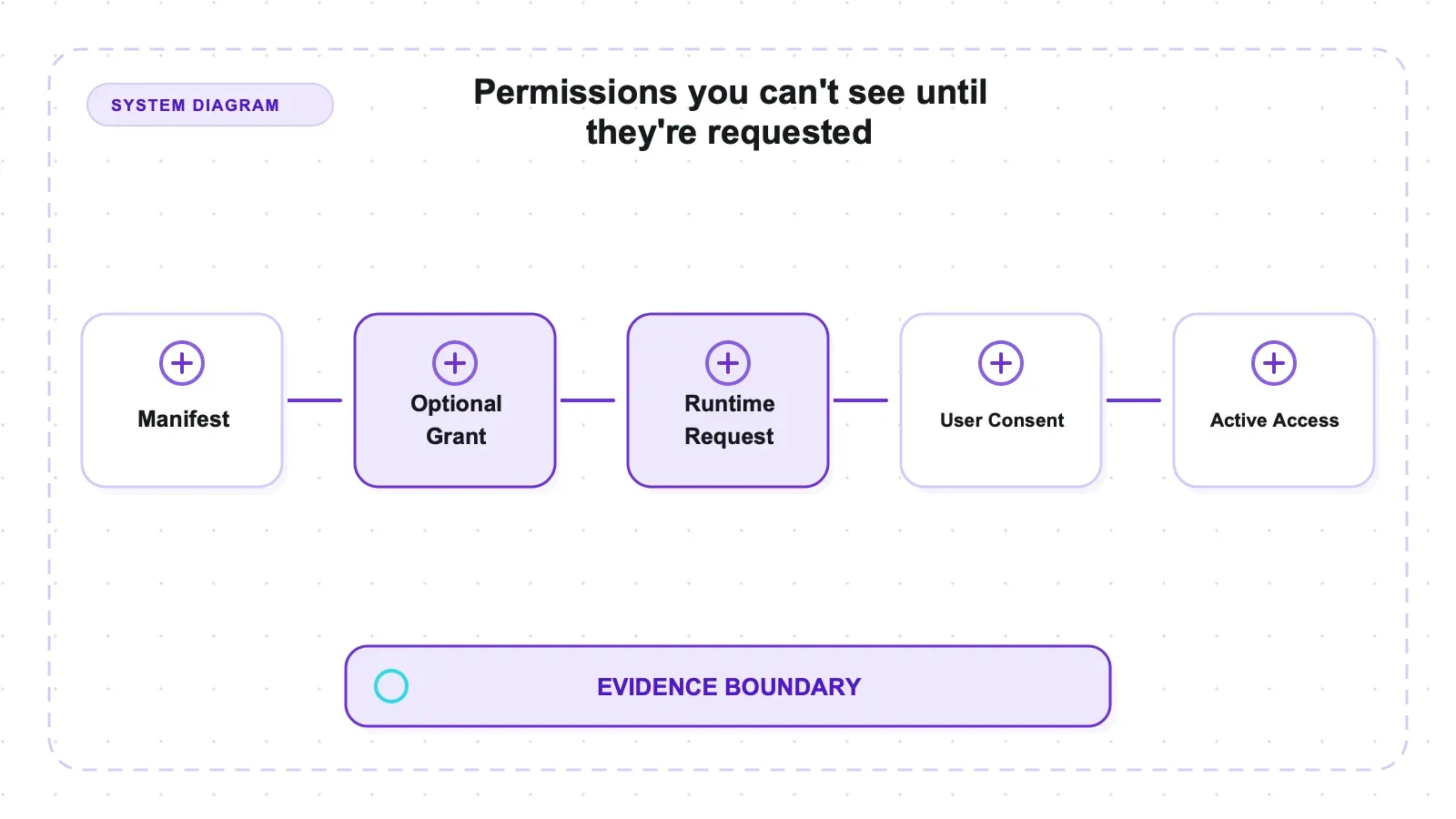
optional_permissions are declared up front but requested at runtime, so they don't appear in the install-time prompt. Two extensions use them, and one is significant.
| Extension | optional_permissions | The one that matters |
|---|---|---|
| Table Capture | userScripts, downloads, identity | userScripts can run user-supplied scripts in page contexts after Chrome's user gate is enabled |
| Magical | downloads, webRequest | webRequest observes network traffic |
userScripts is absent until requested, and invisible to anyone reading a permission count.
It also has a gate the rest of this audit's permissions don't, and leaving that out overstated
it. Declaring userScripts is not enough to use it: Chrome requires an explicit user action
first. Before Chrome 138 that was Developer Mode, switched on globally at
chrome://extensions. From Chrome 138 it is a per-extension Allow User Scripts toggle on
that extension's own details page, off by default. So for an ordinary install the capability
is declared and inert. The precise claim is conditional: Table Capture can make the
userScripts API available after the user enables Chrome's gate. This audit did not measure
how often users visit that settings page or enable the toggle.
Neither is hidden; both are in the manifest. A table that ignores the optional block understates two products.
Injection timing, not just scope
How a content script is injected gets no attention and changes the picture. document_start is the earliest hook Chrome offers; all_frames reaches third-party embeds.
Everything in the set that statically injects into all frames, ordered by declared timing:
| Extension | run_at | all_frames | Content-script match pattern |
|---|---|---|---|
| Table Capture | document_start | ✅ | <all_urls> |
| Listly | document_start | ✅ | file:///*.html plus all of http and https |
| Axiom.ai | document_start | ✅ | own domains only |
| Clay for Chrome | document_start | ✅ | own domains only |
| Thunderbit (ours) | document_end | ✅ | <all_urls> |
| Magical | document_idle | ✅ | file:///* plus broad http and https |
| TexAu | document_idle (unset) | ✅ | fourteen named patterns |
Table Capture and Listly run the earliest hook across broad match patterns. Axiom.ai and Clay for Chrome use the same timing on their own domains only — same aggressiveness, narrow target.
For static declarations, <all_urls> plus all_frames is the match-breadth ceiling, and both Table Capture and Thunderbit sit there. Their declared timing differs: Table Capture uses document_start; Thunderbit's static content script uses document_end. Runtime APIs are a separate capability class and cannot be inferred from this table.
A permission count is a bad summary statistic. Table Capture declares four permissions — fewer than most here — and injects at document_start into all frames on <all_urls>, plus userScripts on request.
Who is allowed to message the extension
externally_connectable controls which web pages or other extensions may send messages straight to an extension's background script. Its default is counter-intuitive.
Omitting the key is the permissive setting. Chrome's default when externally_connectable is absent is that any extension may connect, while no web page may. Declaring it is how you restrict.
On that reading the table inverts:
| Extension | externally_connectable declaration | Who can message it |
|---|---|---|
| Agenty | omitted | Permissive default — any extension may connect, no web page may |
| Clay for Chrome | omitted | Permissive default — any extension may connect, no web page may |
| Clip to Clay | omitted | Permissive default — any extension may connect, no web page may |
| Listly | omitted | Permissive default — any extension may connect, no web page may |
| Table Capture | omitted | Permissive default — any extension may connect, no web page may |
| TexAu | omitted | Permissive default — any extension may connect, no web page may |
| Thunderbit (ours) | omitted | Permissive default — any extension may connect, no web page may |
| Hexomatic | eight extension IDs and six web origins | Opens both channels from a closed baseline |
| Axiom.ai | seven web origins, no ids | Extension channel closed, seven web pages opened |
| Magical | {"ids": [], "matches": []} | The only extension here that closes both channels explicitly |
Chrome's rule has two levels. From the manifest reference:
| Situation | Who may connect |
|---|---|
| the whole key is absent | "all extensions can connect, but no web pages can connect" |
key present, ids unset or [] | "no extensions or apps can connect" |
key present, matches unset or [] | "no web pages can connect" |
The permissive default attaches to the absence of the whole key. Once the key is present, both sub-fields start closed and naming values widens each channel.
Axiom.ai declares the key with only matches. Its ids is therefore unset, which means
no extension can message it — the extension channel is closed, not left open. What it did
open is seven web origins, only one of which is an Axiom domain: two are unattributable third
parties (*://*.tgwc.space/*, *://*.bitmachine.co.uk/*) and the rest are localhost,
0.0.0.0, a Google APIs host, and one large social platform it does not operate.
Hexomatic opens its extension channel to eight named IDs. With the key present, the
baseline is zero extensions; naming eight widens it to eight. Its six matches widen the other channel from
none, and two of those are http://localhost:8000/* and http://localhost:3000/* over plain
HTTP — anything answering on those ports on the user's machine is inside the allowlist.
Seven of the ten omit the key entirely, including ours, and those seven are the ones
sitting at the permissive default for extension-to-extension messaging. Two extensions close
that channel: Magical explicitly with ids: [], and Axiom.ai by declaring the key and never
mentioning ids. Magical is the only one that closes both.
That last line is the reason to read manifests rather than count permissions. The same extension can be broad on one axis and the strictest in the set on another.
The axis nobody counts: OAuth scopes
A manifest can carry an oauth2 block, and the scopes inside it are access to your accounts
at other companies — a different kind of reach from anything above, and one that no permission
count reflects.
Official reference: Google OAuth 2.0 scope list.
| Extension | oauth2 scopes requested |
|---|---|
| Axiom.ai | openid, email, profile, auth/drive, auth/spreadsheets |
| Table Capture | auth/spreadsheets, auth/userinfo.email |
| Agenty | openid, email, profile |
| The other seven, including ours | none declared |
https://www.googleapis.com/auth/drive is the wide one. Google offers a narrower
drive.file scope that grants access only to files the app itself creates or the user
explicitly picks; auth/drive is see, edit, create and delete across the user's entire
Drive. auth/spreadsheets is the same shape for every spreadsheet the account can reach.
Both Axiom.ai and Table Capture pair a Google-account scope with <all_urls> page access.
Two limits on what this table proves. A scope is requested, not granted — Google shows a
consent screen and the user can decline, and the extension may never call the API. And the
manifest only sees OAuth done through Chrome's identity flow; an extension that sends you
to a web sign-in page instead would declare nothing here. The seven zeros mean "not
requested in this file", not "no access to your Google account" — including ours, which is
why this axis is reported rather than claimed as narrowness.
Our own extension, on the same scale
Thunderbit 4.6.4 went through the same manifest parser as the other nine. The package is 15.9 MiB unpacked across 78 files.
Declared static behavior: <all_urls> appears in host permissions and in content-script matches. The static script runs in all_frames at document_end. Because <all_urls> includes file:, the manifest can reach local files after the user enables Chrome's file-access toggle. Thunderbit also omits externally_connectable, so Chrome's default allows messages from any extension but no web page.
Runtime capability ceiling: the permissions array contains nine strings: activeTab, commands, debugger, offscreen, scripting, sidePanel, storage, tabGroups, and tabs. Chrome recognizes eight of these as permissions; commands is a top-level manifest key and has no effect as an entry in this array. Thunderbit is the only extension in the set declaring debugger, which can attach CDP to a tab. The manifest also makes scripting available for runtime registration. Those APIs create capabilities beyond the static document_end row, but a manifest read cannot establish that Thunderbit invokes a particular CDP method or registers a script at a particular earlier time.
That distinction blocks several tempting but invalid comparisons. The absence of a narrower cookies permission does not bound what code with debugger might access. The absence of clipboardRead is not proof that clipboard reach is impossible. Conversely, the presence of debugger is not evidence that those pathways are used. Answering any of those questions requires source inspection or runtime tracing, neither of which was performed.
On this instrument, Thunderbit is broad on static site access, unique in this set for declaring debugger, and at Chrome's default for extension-to-extension messaging. There is no single "strongest" ranking because the audit supplies no common threat model across CDP, OAuth, userScripts, clipboard, and host access.
The restrained design nobody markets
TexAu is 0.3 MiB — the smallest here by a factor of two — and it names fourteen specific sites rather than using a wildcard: social networks, a developer platform, publishing platforms, a chat product, a business-data provider, and its own domain. Its content scripts match exactly the same fourteen.
You can read this manifest and know precisely where the extension is active. It's also a product disclosure — the target list says what the tool is for more plainly than the marketing does.
The trade-off is real: a named list can't scrape a site that isn't on it, and every new target needs a release. But "fourteen named domains" and "every URL that exists" are very different propositions, and only one of them is legible.
Two products that weren't what the list said
Captain Data's extension is not publicly distributed. Google's update endpoint returns HTTP 204 with an empty body for its extension ID — the response for something the store won't serve anonymously. Its listing page, by contrast, was served anonymously — HTTP 200, 509,829 bytes. What the capture could not find in it was a version string, a last-updated date or an install count; the script's own notes say a null there is weak evidence, and no sign-in wall was observed. The ID is real and first-party, so link-only or unlisted distribution is the likeliest reading, but I could not distinguish that from a delisting and won't guess.
Dataflow Kit has no Chrome extension at all. Its site describes a hosted web app with point-and-click selection and a REST API. It had been carried on a Chrome-extension shortlist anyway — which is how these lists usually get built.
Staleness and reach, since both are free to check
Store metadata adds product-selection context beyond permissions. The same fields were captured for every extension on 2026-07-30.
| Extension | Store version | Last updated | Install bucket |
|---|---|---|---|
| Thunderbit (ours) | 4.6.4 | July 28, 2026 | 200,000 |
| Listly | 0.9.6 | July 25, 2026 | 100,000 |
| Axiom.ai | 5.1.0 | July 20, 2026 | 100,000 |
| Table Capture | 11.0.41 | June 26, 2026 | 200,000 |
| Magical | 3.119.1 | April 4, 2026 | 200,000 |
| Agenty | 2.9.7 | February 8, 2026 | 10,000 |
| TexAu | 1.6.6 | August 20, 2025 | 7,000 |
| Clay for Chrome | 1.0.0 | April 9, 2025 | 10,000 |
| Clip to Clay | 1.8.0 | April 8, 2025 | 1,000 |
| Hexomatic | 1.8.4 | September 6, 2024 | 3,000 |
| Captain Data | — | — | not publicly served |
Three products have not shipped in over a year, and Hexomatic in nearly two. For extensions
that matters more than for libraries: Chrome ships a stable release roughly every four weeks
and the extension platform itself keeps changing underneath. userScripts moved its user
gate in Chrome 138; an extension that last shipped in 2024 was built against a different set
of rules than the browser now enforcing them.
Two things this table is not. Install counts are bucketed by Google — 1,000 / 3,000 / 7,000 / 10,000 / 100,000 / 200,000 — so they compare orders of magnitude and nothing finer, and several products advertise larger figures in their own marketing. A recent date is a fact about shipping, not a verdict on maintenance quality or permission risk.
One useful by-product: the store version matches the manifest version in every one of the ten packages analysed. The CRX files this audit parsed are the ones the store is serving today, not stale copies.
Freshness changes how much follow-up work a selection deserves; it does not change the manifest semantics. A named-domain extension last updated a year ago may still expose less page surface than a wildcard extension shipped yesterday. The newer package may still be the better operational choice if it tracks Chrome changes promptly. For a shortlist, use the store date to decide what to retest, then use the manifest to decide what requires a closer capability review. Do not turn the two columns into one score.
What a manifest does not tell you
A declared permission is a ceiling, not a behaviour. <all_urls> means an extension may read every page. It does not mean it does, or that anything leaves your machine. Establishing what actually happens requires watching network traffic at runtime — different work, not done here, and nothing above should be read as evidence of misuse.
Related review: Chrome extension testability experiment.
Three more boundaries:
- Chrome gates much of this. File access is off by default;
activeTabis deliberately narrow; optional permissions require a runtime prompt; users see a permission list on install. - Broad permissions are frequently necessary. A tool whose job is "extract a table from any page you're on" cannot run from a named-domain allowlist. Narrow scope is sometimes discipline and sometimes a smaller product.
- One version, one day. Every figure is from the package served on 2026-07-29.
Material corrections in the analysis
The published counts use three rules that are easy to get wrong when writing a quick manifest parser. First, <all_urls> includes the file: scheme, but Chrome keeps actual file access behind a user-controlled toggle. Second, web_accessible_resources.matches must be inspected alongside content scripts and host permissions; that is where Table Capture explicitly names file://*/*. Third, externally_connectable has different defaults depending on whether the entire key is absent or the key exists with an empty sub-field. The tables above apply those rules consistently.
Thunderbit's permission total also distinguishes raw strings from recognized Chrome permissions. Its array has nine entries, but commands belongs at the top level, so the effective count used here is eight recognized permissions plus one unrecognized string. Finally, static content_scripts declarations are not evidence that code invokes scripting.registerContentScripts or a CDP method. Those possibilities appear only under runtime capability, never as observed behavior. The raw manifests, CRX hashes, and parser output are the audit trail for these normalizations, so readers do not have to take the prose on trust.
For an actual installation decision, compare at least four dimensions separately: which pages are in scope by default, what explicit user action unlocks more reach, which browser or account APIs become available, and which outside callers can message the extension. Agenty's activeTab model, Table Capture's gated userScripts, Axiom.ai's Drive scope, and Thunderbit's debugger declaration are not points on one linear scale. They are different answers to different threat questions.
Here is that comparison applied to four deliberately different designs:
| Extension | Page scope visible in the manifest | Additional gate | Non-page capability in this audit | External caller posture |
|---|---|---|---|---|
| Agenty | no host permission or static content script | user invokes activeTab on the current tab | Chrome identity permissions | key omitted: any extension may connect, no web page may |
| Table Capture | static scripts on <all_urls> in all frames at document_start | file access is off by default; userScripts needs Chrome's separate user gate | optional userScripts, downloads, and identity | key omitted: any extension may connect, no web page may |
| Axiom.ai | HTTP and HTTPS wildcard access; static scripts at document_start on its own domains | OAuth consent for requested Google scopes | Drive and Sheets OAuth scopes declared | extension callers closed; seven web origins opened |
| Thunderbit | <all_urls> host access and static scripts in all frames at document_end | file access is off by default; attaching debugger has Chrome-controlled user-visible behavior | debugger, scripting, tabs, and related browser APIs declared | key omitted: any extension may connect, no web page may |
This table still does not produce a winner. Agenty's narrow standing page access says nothing about what its backend does with submitted data. Axiom.ai's account scopes are not comparable to an extension reading the current page. Table Capture's userScripts declaration is inert until the user enables its separate gate. Thunderbit's debugger permission exposes a wide browser-control surface, but the manifest does not reveal which CDP domains or methods its code calls. Each row tells you what to inspect next: runtime network traffic, source code, consent flow, or browser API traces.
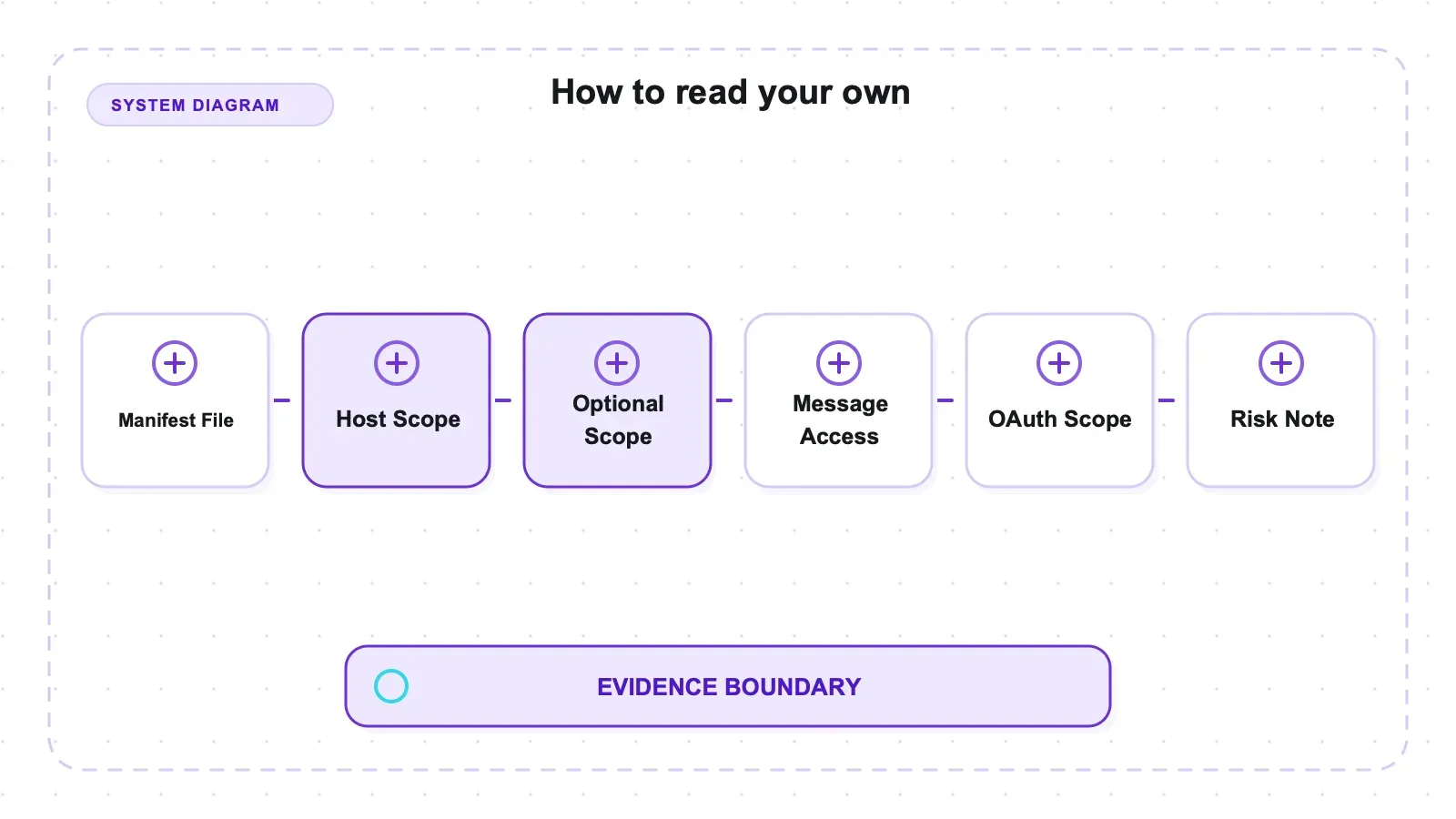
The same separation matters when reading Chrome's install prompt. A raw permission count cannot show timing, frame reach, OAuth scope, web_accessible_resources, or an omitted externally_connectable key. Conversely, a broad declaration is not proof of collection or exfiltration. The useful output of a manifest audit is a prioritized runtime test plan: identify the data surface, note the user gate, then observe whether the declared pathway is exercised.
How to read your own
Related review: browser automation guide.
chrome://extensions→ Details shows granted site access, and lets you switch it to on click for anything that doesn't need standing access. That narrows the site-access half of what's above. It does not touch inbound messaging (externally_connectablereaches the service worker regardless), or browser-level permissions. Thunderbit'sdebuggerdeclaration matters here. Chromium's own extensions security documentation says the debugger API "may in some cases also sidestep other typical restrictions, such as host permissions or file access", so setting site access to "on click" does not bound what it can reach. Nor does the control touchtabs,webNavigation,clipboardRead,downloads, or anything inoptional_permissions.- For the raw file, the package sits under Chrome's
Extensions/<id>/<version>/directory. Read six fields:permissions,optional_permissions,host_permissions,content_scripts(thematches,run_atandall_framesinside),externally_connectable— remembering that an absent key is permissive for extension callers — andweb_accessible_resources, whosematchescan name schemes the content scripts never do. Thunderbit's last field has two<all_urls>entries exposingindex.htmland two bundled scripts to every origin, withuse_dynamic_url: false, which allows a page to test whether those stable extension URLs resolve. - Check the listing's last-updated date against the current Chrome version.
Disclosure and resources: this article is published by Thunderbit, whose extension is included in the same table and parser. Our open-source scraper pillar covers non-extension tools.
Try Thunderbit for Web Data Extraction
The short version
Ten scraping and automation extensions, ours included, read from their own manifests.
Agenty declares no site access and no content scripts, working only on the tab you're looking at when you click it, in 2.2 MiB. Axiom.ai declares every HTTP and HTTPS URL across 37.1 MiB. Magical declares thirteen permissions including clipboardRead — and is also the only extension here that completely closes inbound messaging. Table Capture declares just four permissions, and injects at document_start into all frames on <all_urls> — the same match ceiling ours reaches, earlier — plus userScripts on request. TexAu is the smallest, and it names the most targets — fourteen patterns across thirteen distinct properties. It is not the only one that names them: Clip to Clay declares two (clay.com and one third-party site), and Hexomatic and Clay for Chrome name their own domains. TexAu is the only one whose named list is mostly other people's sites. Five of the ten can reach files on your disk, two of them — Axiom.ai and ours — without ever writing file://.
Thunderbit, ours, sits at the broad end: <all_urls> for both host access and static injection, plus debugger, which no other extension in this set declares. It sits at Chrome's default that permits messages from any extension, and it reaches file:// after Chrome's user gate is enabled.
A declaration is a ceiling, not a behaviour, and none of this shows misuse. But it's published, it's free to check, and the spread between the two ends is larger than anything on the product pages.
Try Thunderbit for Web Data Extraction Get Started Free
FAQs
Does a broad permission mean the extension is doing something wrong — and why isn't counting permissions enough?
No, and because counting misses two things. <all_urls> means an extension may read every page you visit; it says nothing about what it does or whether anything leaves your machine, and a tool built to extract data from any page genuinely cannot work from a named-domain list. The finding is the spread, not misconduct — establishing actual behaviour needs runtime traffic analysis, which this audit did not do. As for the count: injection settings aren't permissions, so Table Capture declares four while injecting at document_start, into all_frames, matching <all_urls>. And optional_permissions don't appear in the install prompt at all — Table Capture can request userScripts at runtime, which allows running arbitrary user scripts in page contexts, and Magical can request webRequest.
Which of these asks for the least?
Agenty: four permissions, no host permissions, no content scripts. It relies on activeTab, which grants access to the current tab only after you click the extension and only until you navigate away. Hexomatic is next, with two permissions and content scripts limited to its own domains.
How can an extension reach my local files without declaring file://?
Because <all_urls> includes the file: scheme. Listly, Magical and Table Capture name file:// patterns explicitly — Magical in its content scripts and Table Capture in web_accessible_resources. Axiom.ai and Thunderbit reach it through the wildcard without mentioning it anywhere. http://*/* and https://*/* do not cover file://. Chrome keeps file access off by default behind a per-extension toggle, so the declaration is a request rather than a grant.
What is externally_connectable, and why is omitting it the permissive option?
It names the web origins or extension IDs allowed to message an extension's background script. Chrome's default when the key is absent is that any extension may connect and no web page may. Seven of these ten omit it, including Thunderbit. With the key present, Hexomatic opens the extension channel to eight named IDs; Axiom.ai opens seven web origins while leaving the extension channel closed; Magical declares empty lists for both, closing both channels.
What does Thunderbit's own manifest declare?
<all_urls> for host access and static content-script injection, in all_frames at document_end; 15.9 MiB across 78 files; and nine strings in the permission array. Eight are recognized permissions: activeTab, debugger, offscreen, scripting, sidePanel, storage, tabGroups, and tabs. commands is a top-level manifest key and has no effect in that array. No other extension in this set declares debugger. Thunderbit also reaches file:// through <all_urls> after Chrome's file-access gate is enabled, and it omits externally_connectable. Runtime behavior was not executed, so the audit does not claim which CDP or scripting methods the extension actually calls.




