
A $35,000 annual invoice for a contact database is a tough sell when your sales team fits around a single lunch table. If you've been quoted that kind of number — or worse, already signed and regretted it — you're not alone.
I've spent most of my career in SaaS and automation, and one pattern keeps showing up: small and mid-sized sales teams get sold enterprise tools they don't fully use. Thunderbit is a good example of a tool built for a different kind of team. ZoomInfo is a good product for large organizations that need firmographic filters, intent data, org charts, and a massive North American contact database. But when you're a 1–5 person team trying to fill a pipeline, paying $35K+ per year for a tool with features you'll never touch feels like renting a warehouse to store a bicycle.
The B2B sales intelligence market has matured — G2 now lists 434 products in the category — and there are capable, affordable alternatives that match specific workflows instead of forcing you into a one-size-fits-all platform. This guide breaks down six of them, with honest pricing, real-world accuracy expectations, and a use-case matching framework so you pick the right tool on the first try.
Why Sales Teams Are Looking for a ZoomInfo Alternative in 2026
The reasons teams look elsewhere tend to cluster around the same handful of pain points:
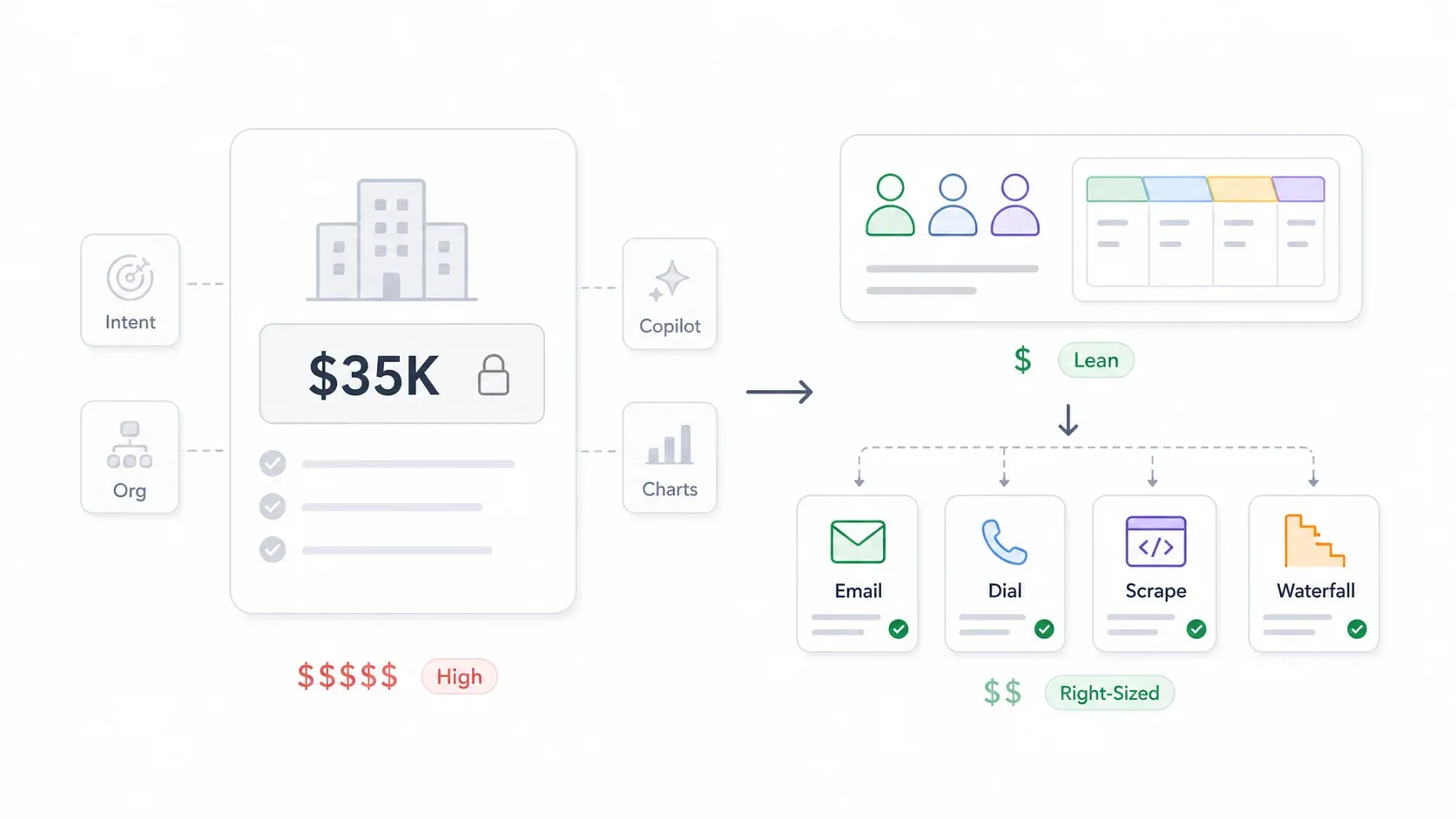
Cost and contract structure. ZoomInfo doesn't publish pricing, but Vendr reports that contracts are typically multi-seat annual commitments with 1–3 year terms, annual prepayment, auto-renewal clauses, and 30–90 day notice periods. Third-party 2026 estimates consistently put entry-level ZoomInfo around $15K/year and more complete packages in the $25K–$40K+ range. Vendr's own benchmark, built from 1,569 purchases, puts the median ZoomInfo contract at $33,500 a year, with recorded deals running from $7,200 to $155,280. Even at the low end, that's a significant line item for a lean team.
Paying for features you don't use. ZoomInfo bundles intent data, Copilot modules, Chorus, org charts, and enrichment workflows. These are valuable at enterprise scale. For a five-person sales team doing outbound email and cold calls, most of those modules sit idle.
Data accuracy frustrations. Complaints about outdated contacts follow every contact database, and ZoomInfo is no exception — B2B data decays at roughly 22.5%–70.3% annually depending on the field — but it stings more when you're paying premium prices.
Complexity and onboarding drag. Larger platforms require admin setup, CRM hygiene rules, credit management, and sometimes procurement approval. Tools like Thunderbit, Hunter, or Lusha can produce useful output in an afternoon.
To be fair, ZoomInfo does well when a company needs enterprise-scale account intelligence, broad North American coverage, and deep CRM integrations. The point isn't that ZoomInfo is bad. It's that many smaller teams are buying a bigger machine than they need — and sales reps already spend less than a third of their week actually selling. Adding procurement friction and onboarding drag to the mix only makes that worse.
Try Thunderbit for niche lead scraping
What to Look for in a ZoomInfo Alternative
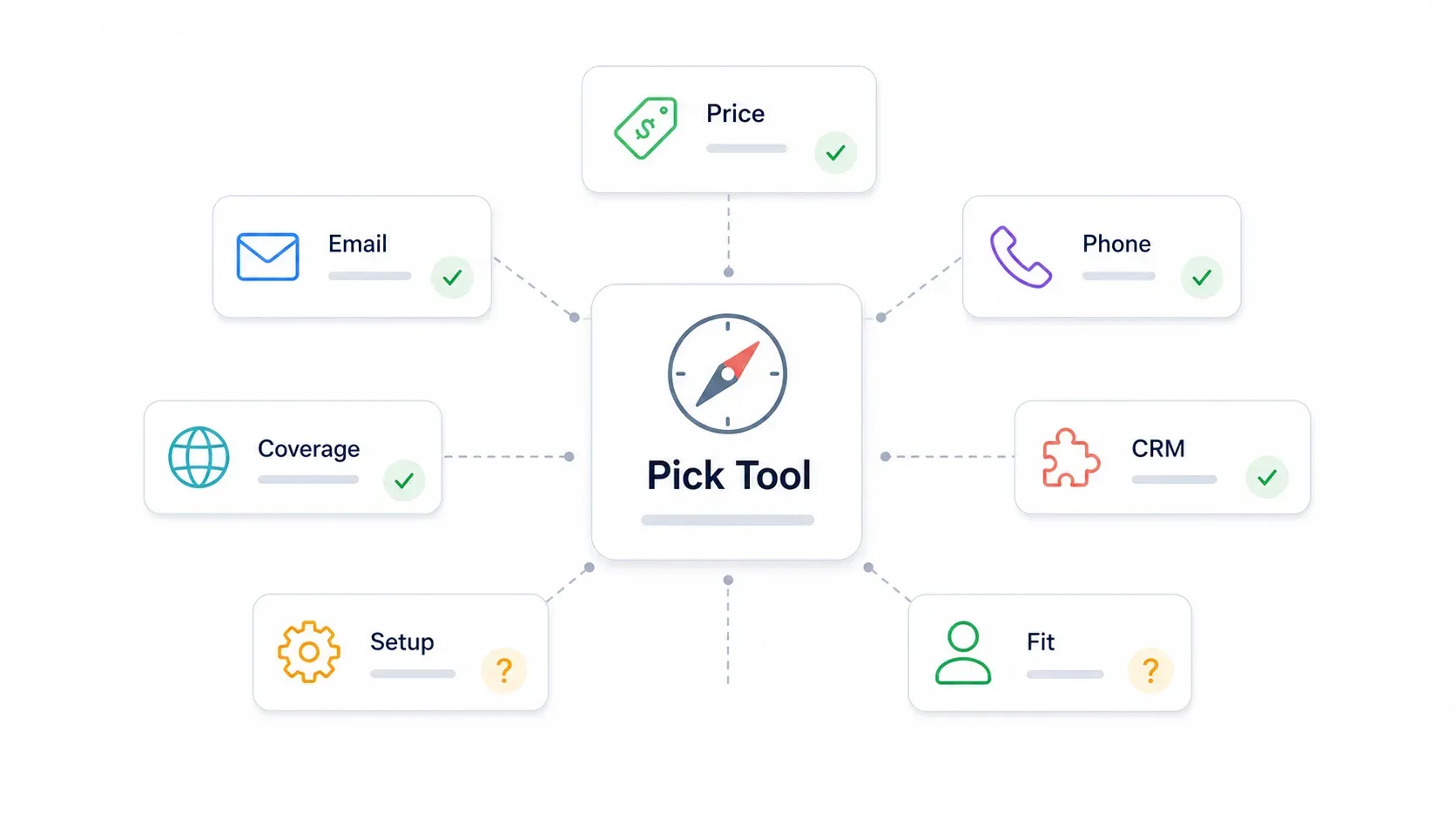
Before jumping into the tools, it helps to know what criteria actually matter. I've organized the evaluation around six dimensions — the same ones that come up most often in user forums and reviews.
Pricing Transparency
Can you see actual prices before talking to sales? Tools like Apollo, Hunter, Thunderbit, and Lusha publish at least some pricing. ZoomInfo and Cognism remain mostly "contact us." For budget-conscious teams, transparent pricing isn't just convenient — it's a trust signal.
Email and Phone Number Accuracy
Nothing in this category is 100% accurate. In my experience, email accuracy across tools tends to land in the 60–80% range before verification, and phone/direct dial coverage is even more volatile — roughly 40–70% depending on the segment and provider. I'll cover why in a dedicated section below.
Data Coverage: US vs. International
Some tools are heavily US-centric. Others, like Cognism, specialize in EU/EMEA markets. If your prospects are global, this matters a lot.
CRM Integration Depth
How well does the tool connect with Salesforce, HubSpot, or whatever CRM your team already uses? A tool that doesn't plug into your existing workflow creates more manual work, not less.
Ease of Setup for Small Teams
Can a single rep get started in an afternoon, or does it require IT involvement and a two-week onboarding? For lean teams, time-to-value is everything.
Best Use Case Fit
This is the big one. Each tool excels at a specific job: cold calling, email enrichment, niche prospecting, or multi-source waterfall enrichment. They are not interchangeable — a tool that's perfect for one of those jobs can be useless for another.
Which ZoomInfo Alternative Fits Your Team? A Use-Case Matching Guide
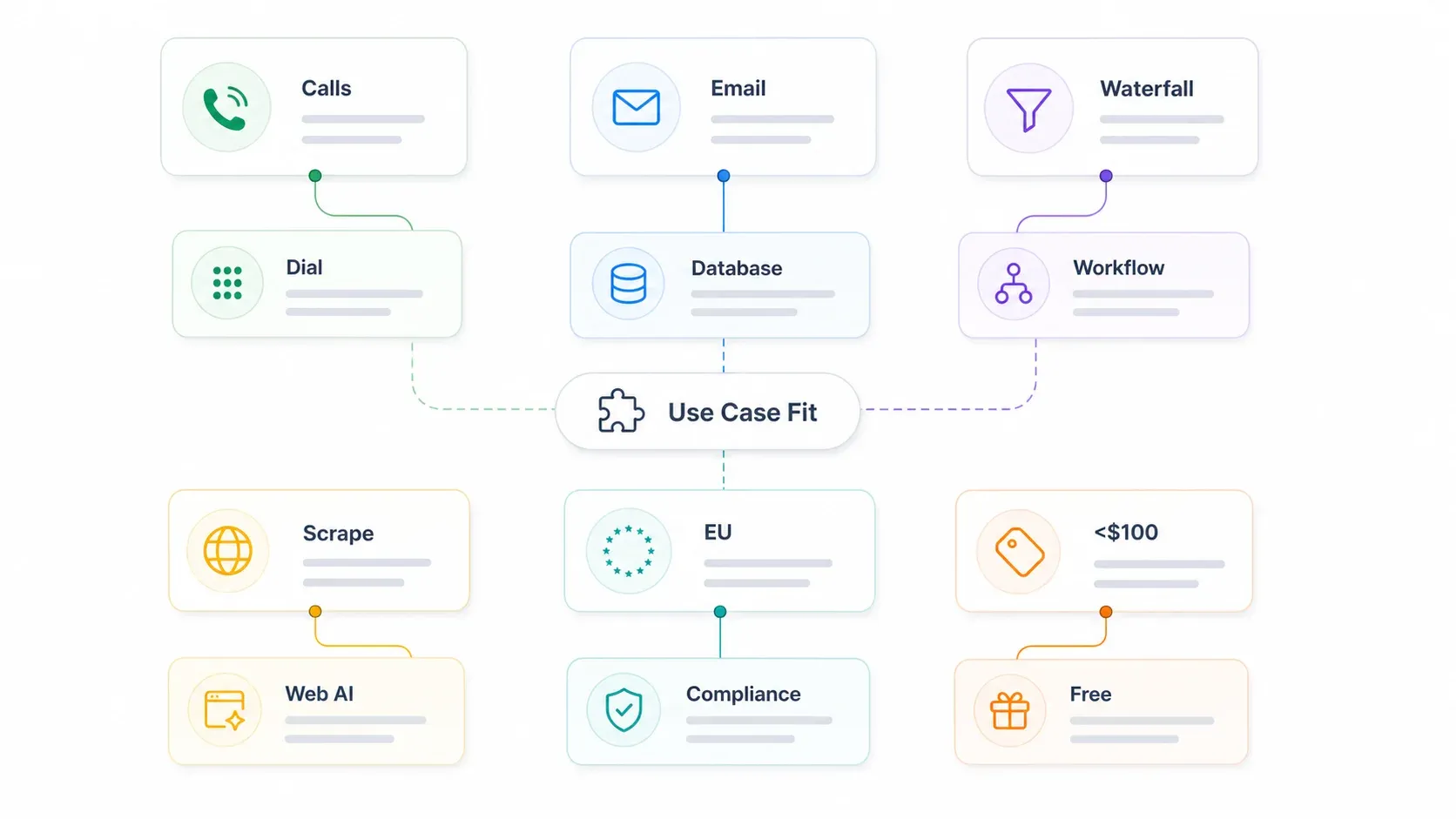
Before I walk through each tool in detail, here's a quick decision framework. If you know your primary need, you can jump straight to the right section.
| Your Primary Need | Best Pick(s) | Why |
|---|---|---|
| Direct-dial mobile numbers for cold calls | Lusha, Cognism | Highest mobile coverage per user reports |
| Bulk email enrichment for outbound sequences | Apollo.io, Hunter.io | Large email databases, CRM-native workflows |
| Multi-source data enrichment (waterfall) | Clay | Aggregates 150+ data providers in one workflow |
| Scraping contacts from niche sites/directories | Thunderbit | AI extracts structured data from any webpage |
| EU/GDPR-compliant prospecting | Cognism | GDPR-verified mobile data, EU headquarters |
| Budget under $100/mo for a small team | Hunter.io, Thunderbit | Flat pricing, not per seat — Apollo and Lusha charge per user, so three reps put you over $100/mo |
No single tool replaces ZoomInfo for every use case. The smart move is matching the tool to the job.
1. Thunderbit: The "Scrape Your Own Leads" ZoomInfo Alternative
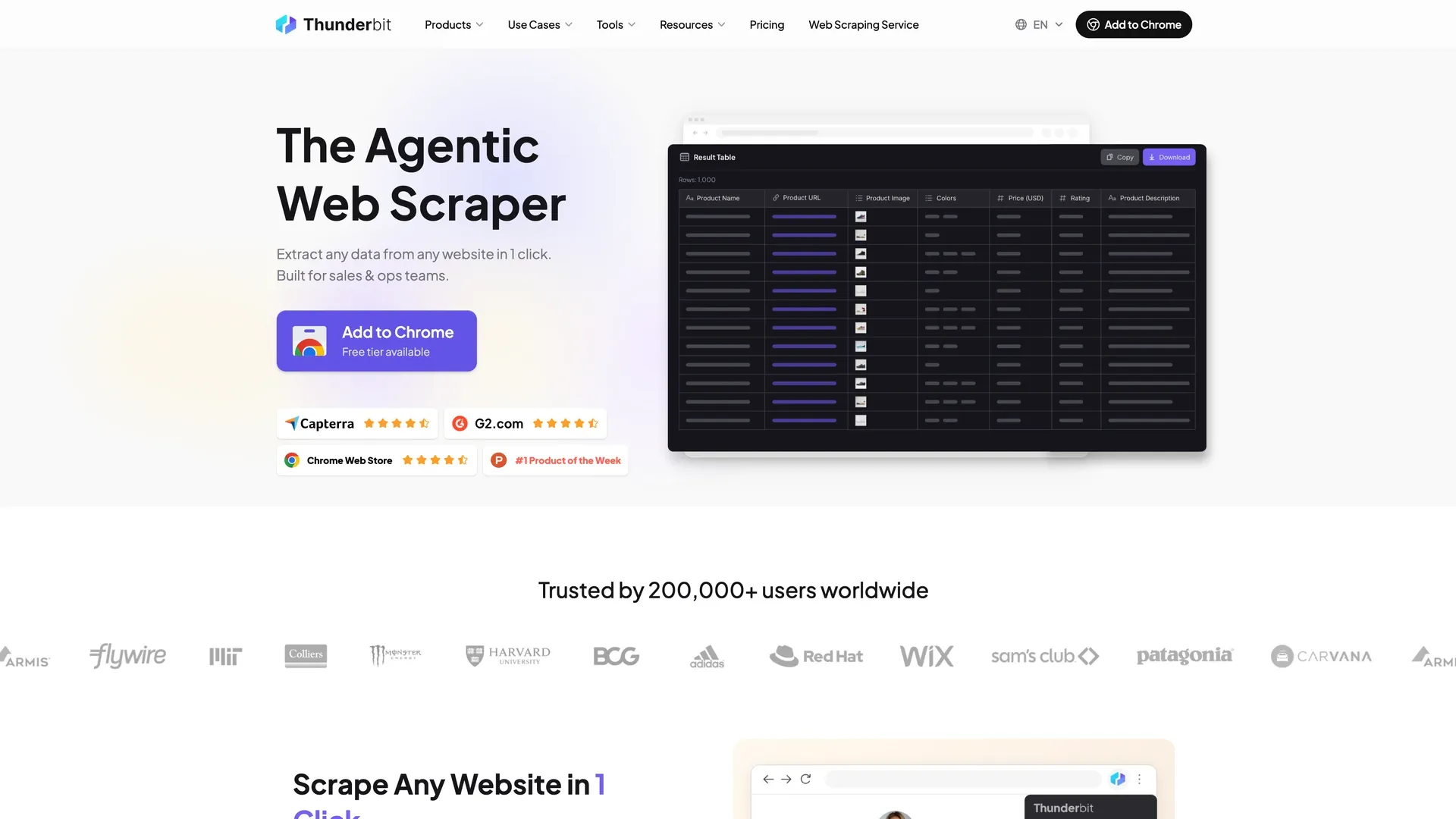
Thunderbit is a fundamentally different kind of ZoomInfo alternative. Instead of paying for access to a pre-compiled contact database, you extract contacts — emails, phone numbers, company info — directly from the websites where those contacts actually live.
I say this as someone who helped build Thunderbit: the idea came from watching sales teams cobble together three or four tools just to build a prospect list from a niche directory or conference site. The data they needed was right there on the page. They just didn't have an easy way to pull it into a spreadsheet.
How It Works
The workflow is about as simple as it gets:
- Install the Thunderbit Chrome extension.
- Navigate to any website — a LinkedIn company page, an industry directory, a conference sponsor list, an event attendee page, a niche vendor site.
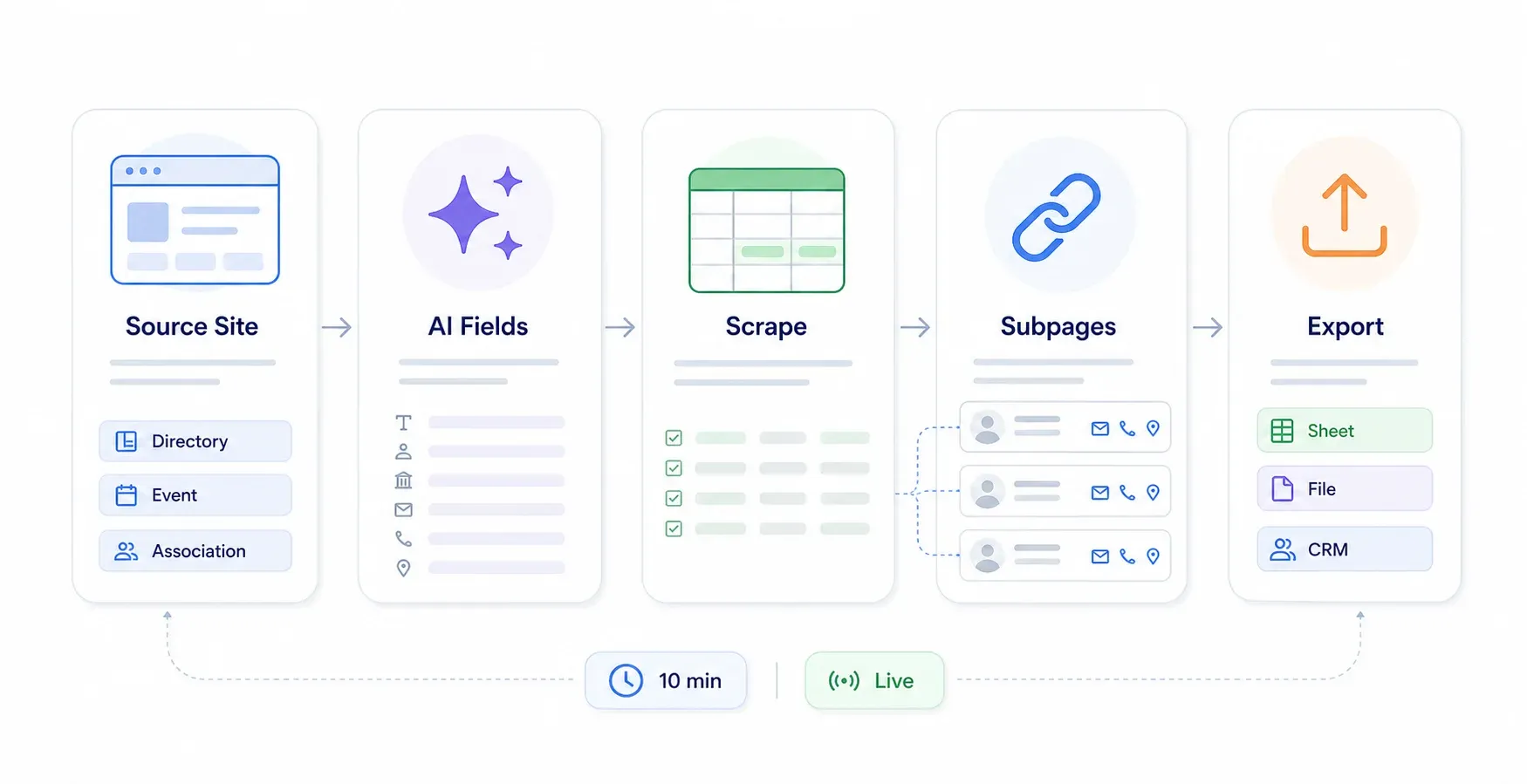
- Open Thunderbit and click once. The AI reads the page and decides which fields are worth pulling — company name, email, phone, location — and builds the columns for you.
- It runs on its own from there. If you want something different, just say what data you're after in plain English.
- Export to Google Sheets, Excel, Airtable, or Notion — saving to Sheets, Airtable, and Notion doesn't consume credits.
The real power shows up with Subpage Scraping: Thunderbit can visit each detail page linked from a directory listing and enrich your table with additional fields — bios, emails, addresses, specialties — automatically. If you're scraping a trade association directory, for example, it'll pull the member list, then visit each member's profile page to grab the deeper details.
When Scraping Beats a Database (and When It Doesn't)
The scraping approach wins when:
- Your prospects live on niche websites that generic databases miss — trade association directories, local business listings, conference speaker pages, franchise lists, app marketplaces, government registries.
- You're prospecting in non-US markets where big databases have thin coverage.
- You need always-fresh data. Because Thunderbit pulls from live webpages, the information is as current as the source itself — no waiting for a vendor's quarterly database refresh.
A database approach is better when:
- You need high-volume outbound with firmographic filters (industry, revenue, headcount).
- You rely on intent data or account scoring.
- You want to search 200M+ contacts by job title and seniority without knowing which website to visit.
Key Features for Sales Teams
- Auto-structured output — the AI figures out the columns from the page, or you tell it which fields you want; either way you're not setting up columns by hand
- Scheduled Scraper for recurring prospecting (e.g., monitor a job board weekly for hiring signals)
- Cloud Scraping for speed (50 pages at a time) vs. Browser Scraping for login-required sites
- Free email extractor and phone number extractor for quick one-off lookups
- Export to Google Sheets, Excel, Airtable, Notion — saving to Sheets, Airtable, and Notion doesn't consume credits
Thunderbit Pricing
- Free plan: 6 pages a month, capped at 30 credits per page; paid plans are credit-based (1 credit = 1 output row, 2 when the row comes from a subpage)
- Paid plans start at $15/month for 500 credits a month, or $9/month billed yearly with the year's 5,000 credits fronted up-front
- No annual contract lock-in
- Check current details at Thunderbit Pricing
Compare that to ZoomInfo, where even the estimated entry point is around $15K a year.
Thunderbit Pros and Cons
| Pros | Cons |
|---|---|
| Real-time data (always as fresh as the source) | Not a pre-built database — you need to identify source websites |
| Works on any website, not just major platforms | No built-in intent data or firmographic filters |
| Easiest setup (1 click to start scraping) | No direct CRM sync — you export to Sheets/Excel/Airtable/Notion and load from there |
| Free exports to Sheets, Excel, Airtable, Notion | Subpage scraping bills at 2 credits per row instead of 1 |
| No database to maintain — every run reads the live page | No DNC checking or GDPR screening built in; compliance is on you |
A Real-World Example
Say you're selling cybersecurity services to mid-market SaaS companies. You find a SaaS conference sponsor page with 200 companies listed. With Thunderbit, you scrape the sponsor list, then use Subpage Scraping to visit each sponsor's detail page and pull company name, website, booth/session info, and public contact emails. Total time: maybe 10 minutes. Total cost: subpage rows bill at 2 credits each, so 200 sponsors works out to about 400 credits — 8% of the 5,000 credits a $108/year Starter plan includes, and more than the free plan's 6 pages a month will cover. Try doing that with a $35K database subscription.
For more on how Thunderbit handles data extraction for business, or to see it in action, check out our YouTube walkthroughs.
2. Apollo.io: The Budget-Friendly Database + Engagement Platform
Apollo.io is the closest direct replacement for ZoomInfo in this list. It combines a large B2B database — Apollo publicly claims 230M–275M+ contacts depending on the page — with built-in sales engagement tools like email sequences, a call dialer, and a Chrome extension for LinkedIn prospecting.
Apollo stands out for budget-conscious teams because of its free tier. While the exact credit allotment has shifted over the years (and Apollo's own 2026 pricing article now shows roughly 75 credits/month equivalent on the free plan rather than the often-cited 10K), it's still enough to get started without spending a dime.
Key Features
- Large contact database with firmographic, technographic, and behavioral data
- Built-in email sequences and call dialer (on higher tiers)
- Chrome extension for prospecting on LinkedIn
- CRM integrations: Salesforce, HubSpot, Pipedrive, Zoho
- AI-powered lead scoring that ranks prospects against your ICP
Apollo.io Pricing
| Plan | Price (Annual Billing) | Credits/Year |
|---|---|---|
| Free | $0 | ~900 credits/year |
| Basic | $49/user/month | 30,000/year |
| Professional | $79/user/month | 48,000/year |
| Organization | $119/user/month (3-user min) | 72,000/year |
One note: Apollo's free plan is limited to 1 seat after 100 days of active use.
Apollo.io Pros and Cons
| Pros | Cons |
|---|---|
| Most functional free tier among database alternatives | Phone number accuracy is frequently described as "hit or miss" in forums |
| Good email database for outbound | UI has a learning curve for advanced features |
| Built-in engagement tools (sequences, dialer) | Credit allotments have changed over time, creating budgeting confusion |
| Transparent, published pricing | Data quality not as deep as ZoomInfo for enterprise accounts |
Best for: Budget-conscious teams that want a database and outreach tools in one platform.
3. Lusha: The Quick-Setup ZoomInfo Alternative for Direct Dials
Lusha is built for speed. If you're a sales rep who lives on LinkedIn and company websites and needs direct-dial phone numbers fast, Lusha gets you there in minutes — not days.
The Chrome extension works on LinkedIn profiles and company pages, revealing contact info with a click. Lusha's credit system charges differently depending on what you reveal: revealing a phone number costs 5 credits, an email costs 1 credit, and both together costs up to 6 credits. Previously revealed contacts cost 0 credits to view again, which is a nice touch.
Key Features
- Chrome extension for instant contact lookups on LinkedIn and company sites
- Prospect list builder with email and phone data
- CRM integrations including Salesforce, HubSpot, and Outreach
- 7-step data verification process
- Intention-based data for identifying accounts showing buying signals
Lusha Pricing
| Plan | Price |
|---|---|
| Free | ~50 credits/month |
| Starter/Pro/Premium | ~$37–$59/user/month (varies by billing and region) |
| Scale | Custom |
G2 lists 2026 tiers from free through Scale.
Lusha Pros and Cons
| Pros | Cons |
|---|---|
| Fastest time-to-value of any tool on this list | Credit consumption rises quickly for phone-heavy prospecting |
| Strong mobile number coverage | Less robust search filters compared to ZoomInfo |
| Simple, intuitive interface | Advanced features locked behind higher tiers |
| Affordable for small teams | GDPR compliance has faced regulatory scrutiny (Italian Garante opened an investigation in 2025; probe still ongoing as of late 2025) |
Best for: Reps who need quick direct-dial lookups from LinkedIn without a heavy platform rollout.
4. Cognism: The GDPR-Compliant ZoomInfo Alternative for European Markets
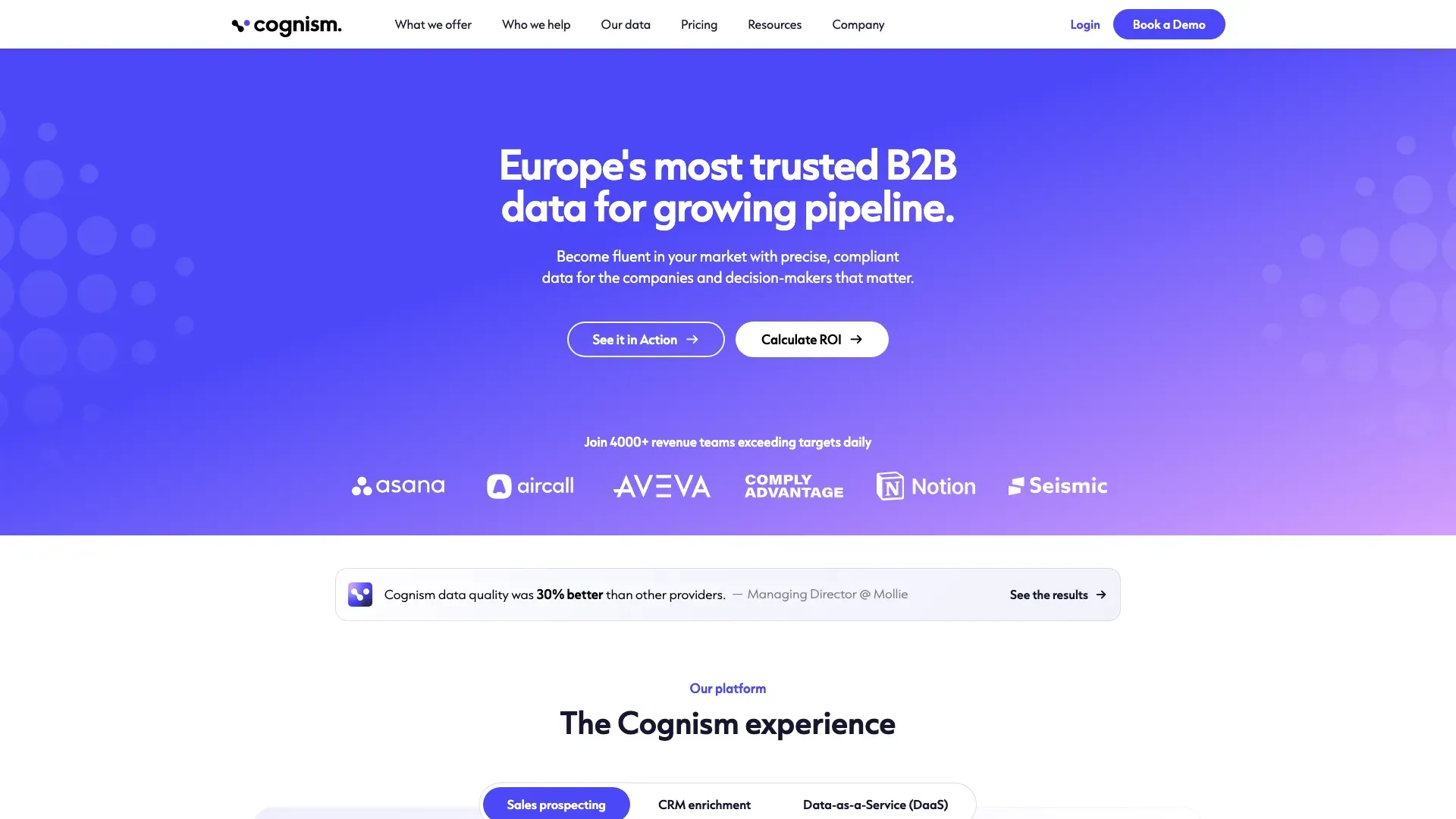
Cognism is the tool to reach for when your sales motion is Europe/EMEA-heavy, phone-led, or compliance-sensitive. With 200M+ European contacts and a strong GDPR compliance posture, it fills a gap that US-centric databases often leave wide open.
The standout feature is Diamond Data® — phone-verified mobile numbers that Cognism claims can triple connect rates. Cognism's own page reports a 45% correct-person pickup rate vs. 18% for standard mobile numbers, from a study it attributes to an unnamed independent organisation that called 1,000 mobiles. That's a meaningful difference for cold-calling teams.
Key Features
- AI-powered Sales Companion with ChatGPT-style search prompts
- 10M+ phone-verified mobile contacts globally
- DNC list checking across 15 territories
- Integrations with HubSpot, Salesforce, Salesloft, Outreach
- Bombora-powered intent data
- 95% of director-level and above contacts refreshed every 30 days
Cognism Pricing
Cognism doesn't publish self-serve pricing. Its pricing page lists the packages but no numbers: two prospecting tiers, Standard and Pro, each with 5 seats included, plus CRM Enrichment and Data-as-a-Service as add-ons. Pro is the tier that adds higher-quality mobile data and on-demand verification. Third-party estimates commonly put platform access at $15K+/year — treat that as directional; you'll need a custom quote.
Cognism Pros and Cons
| Pros | Cons |
|---|---|
| Best European data coverage among alternatives | No free tier or public self-serve pricing |
| Strongest GDPR compliance posture | Premium pricing — not ideal for very small teams |
| Phone-verified mobile numbers (Diamond Data) | More geared toward mid-market and enterprise |
| Intent data included | Both published tiers include 5 seats — priced for a team, not a single rep |
Best for: Teams selling into EU/EMEA markets or running phone-led outbound where verified mobile numbers and DNC checking are non-negotiable.
5. Hunter.io: The Email-Focused ZoomInfo Alternative
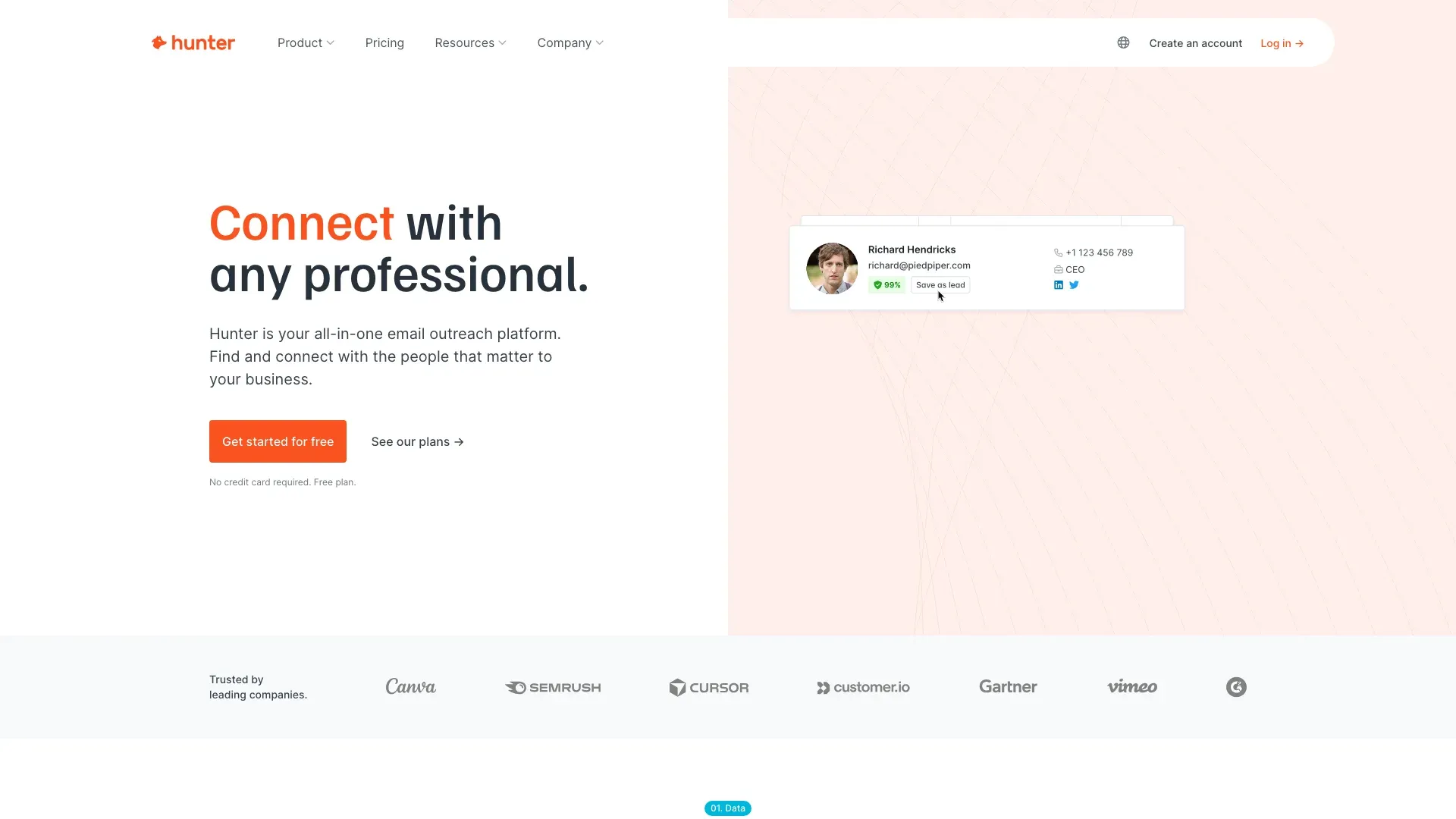
Hunter.io is the specialist pick. If your primary need is finding and verifying business email addresses — not building a full-stack sales intelligence platform — Hunter does that one job extremely well.
Enter a company domain, and Hunter returns all associated email addresses it finds by crawling public sources. Verify emails before sending, build cold email campaigns with scheduling and tracking, or use the Google Sheets add-on for bulk verification.
Key Features
- Domain Search: Find all emails associated with a company domain
- Email Finder: Locate a specific person's business email
- Email Verifier: Reduce bounce rates before outreach
- Cold email campaign builder with scheduling and tracking
- Google Sheets add-on for bulk verification
- API for developers
Hunter.io Pricing
| Plan | Price (Annual Billing) | Credits |
|---|---|---|
| Free | $0 | 50 credits/month, 500 recipients/sequence |
| Starter | $34/month | More credits, additional features |
| Growth | $104/month | Higher volume |
| Scale | $209/month | Highest self-serve tier |
| Enterprise | Custom | Custom |
Hunter lets you take a subscription for one month and cancel — no annual lock-in required. That's a refreshing contrast to ZoomInfo's multi-year contracts.
Hunter.io Pros and Cons
| Pros | Cons |
|---|---|
| Excellent email accuracy and verification | Email-only — no phone numbers |
| Transparent, published pricing | No intent data or firmographic filters |
| Simple, focused tool that does one thing well | Limited for teams that need a full prospecting platform |
| Free tier available | Domain-based discovery can miss hidden decision-makers |
| No annual lock-in | Verifications draw on the same credit pool (0.5 credit each) |
Best for: Teams running email-only outreach who need reliable email discovery and verification without the overhead of a full platform. Pairs well with Thunderbit (for scraping additional contact details) or Lusha/Cognism (for phone numbers).
6. Clay: The Waterfall Enrichment ZoomInfo Alternative (The Forum Favorite)
Clay is the power pick that keeps coming up in RevOps forums. It represents a fundamentally different approach to data enrichment: instead of relying on one database, Clay routes each lookup through multiple providers in sequence — a process called waterfall enrichment — until it finds the data.
Think of it like this: if Apollo doesn't have the email, Clay tries Hunter. If Hunter doesn't have it, Clay tries Clearbit. Then Lusha. Then another provider. Clay's data marketplace includes 150+ providers, and the waterfall logic means you maximize coverage while controlling cost.
The trade-off is complexity. Clay is more of a data workflow builder than a plug-and-play lookup tool — beloved by RevOps teams and GTM engineers, but potentially overkill for a solo rep who just wants to find a phone number.
Key Features
- Waterfall enrichment across 150+ data providers
- Salesforce and HubSpot integrations (reps can click a button and refresh contact data)
- AI-powered data enrichment and formatting (Claygent)
- Workflow builder for custom prospecting sequences
- Credit-based pricing for data lookups
Clay Pricing
Clay's pricing changed materially in 2026. The official pricing page now separates Actions (workflow steps) from Data Credits (provider lookups):
| Plan | Price (Month-to-Month) | Data Credits/Month | Actions/Month |
|---|---|---|---|
| Free | $0 | 100 | 500 |
| Launch | ~$185/month | 2,500 | 15,000 |
| Growth | ~$495/month | 6,000 | 40,000 |
| Enterprise | Custom | Custom | Custom |
Switch the page to annual billing and the same tiers come to $167/month (Launch) and $446/month (Growth). Note: older articles may still cite Starter/Explorer/Pro at $149/$349/$800. Clay's own March 2026 pricing memo confirms the changes.
Clay Pros and Cons
| Pros | Cons |
|---|---|
| Highest data coverage through multi-source waterfall | Steeper learning curve than simpler tools |
| Extremely flexible workflows | Credit and action costs add up with heavy usage |
| Strong CRM connectors | Overkill for simple email lookups |
| Beloved by RevOps teams | Requires someone who owns GTM ops |
Best for: RevOps teams and GTM engineers who need maximum data coverage and are comfortable building enrichment workflows. Not the right pick for a solo rep who just wants to find an email address.
ZoomInfo Alternatives Comparison Table: All 6 Tools Side by Side
The video above is a review of Thunderbit being used to build a sales lead list. The table below lines all six up — real price ranges and honest accuracy expectations instead of marketing superlatives.
| Tool | Free Tier | Starting Paid Price | Email Accuracy (Realistic) | Phone Data | US vs. Intl Coverage | CRM Integrations | Best Use Case | Ease of Setup |
|---|---|---|---|---|---|---|---|---|
| Thunderbit | 6 pages (10 w/ trial) | ~$9/mo yearly | Fresh as source page | Extracts public phones from pages | Any website; strong for niche/non-US | Exports to Sheets/Excel/Airtable/Notion; API | Scrape live leads from directories/events/sites | Very easy |
| Apollo.io | ~75 credits/mo | $49/user/mo annual | 60–80% before verification | Available but mixed user reports | Broad US/global database | Salesforce, HubSpot, Pipedrive, Zoho | Budget all-in-one database + engagement | Moderate |
| Lusha | ~50 credits/mo | ~$37–$59/user/mo | Good for lookup; confidence scoring | Strong quick direct-dial lookup | US + global | Salesforce, HubSpot, Outreach, more | Fast LinkedIn/company direct-dial prospecting | Easy |
| Cognism | None | ~$15K+/year (custom) | Strong for verified/EMEA | Diamond Data phone-verified mobiles | EMEA/EU + North America | HubSpot, Salesforce, Salesloft, Outreach | GDPR-sensitive EU and phone-led teams | Moderate |
| Hunter.io | 50 credits/mo | $34/mo annual | Strong email finding/verification | Not a phone tool | Domain/public email discovery globally | Sheets, API, CRM tools | Email-only discovery + verification | Very easy |
| Clay | 100 data credits + 500 actions/mo | ~$185/mo (Launch) | Depends on providers in waterfall | Depends on providers selected | Global via provider marketplace | CRM enrichment, HTTP API, webhooks | Waterfall enrichment + custom RevOps workflows | Harder |
Budget is everything? Every tool here except Cognism has a free plan you can test with. Phone numbers are critical? Lusha and Cognism lead. Need maximum data coverage and have someone to build workflows? Clay is hard to beat.
2026 Pricing Reality Check: What These ZoomInfo Alternatives Actually Cost
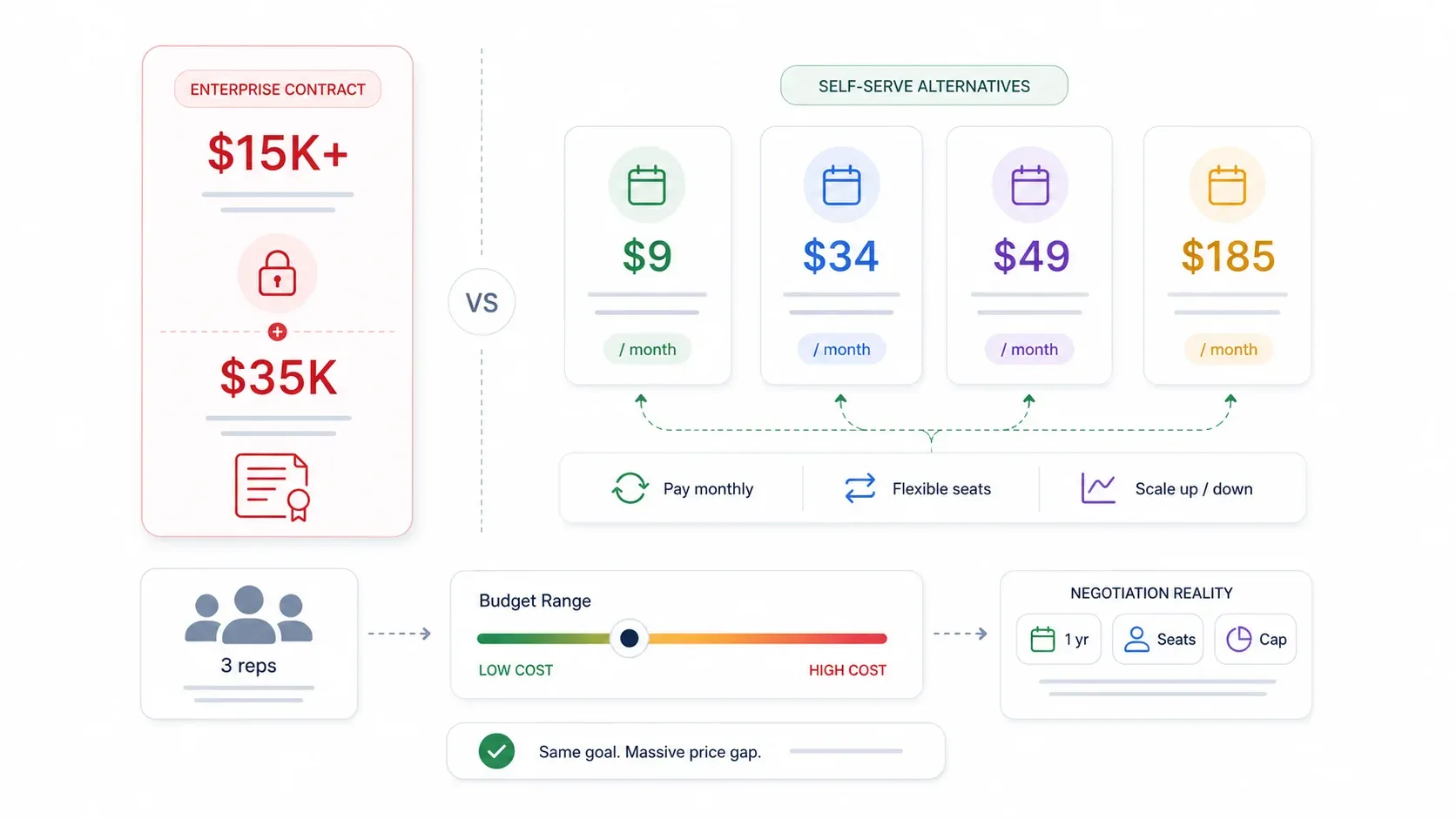
Pricing is the #1 reason teams leave ZoomInfo, so let's put real numbers on the table.
| Tool | Free Tier | Starting Paid Plan | Enterprise / Notes |
|---|---|---|---|
| ZoomInfo | None | ~$15K/year (estimated entry) | Median contract $33,500/yr; recorded deals $7,200–$155,280 (Vendr) |
| Thunderbit | 6 pages/mo (max 30 credits/page) | $9/mo billed yearly ($15 monthly) | Credit-based; month-to-month available |
| Apollo.io | ~75 credits/mo | $49/user/mo billed yearly | Volume discounts at scale |
| Lusha | ~50 credits/mo | ~$37–$59/user/mo | Per-credit phone lookups |
| Cognism | None | ~$15K+/year (custom) | Two tiers, 5 seats each; premium mobile data |
| Hunter.io | 50 credits/mo | $34/mo billed yearly ($49 monthly) | Email-only, no phone |
| Clay | 100 data credits + 500 actions/mo | ~$167/mo billed yearly ($185 monthly) | Waterfall data credits extra |
Some quick math: a team of three reps on Apollo Basic comes to $1,764/year at the annual rate, because Apollo charges per seat. Thunderbit's Starter plan is $108/year billed annually, priced on credits rather than seats. ZoomInfo? The low end of Vendr's recorded deals is $7,200/year, and most land well above it.
Can You Negotiate ZoomInfo's Price?
Yes. Vendr reports that ZoomInfo commonly negotiates based on volume, multi-year terms, and timing. Forum anecdotes show buyers pushing initial quotes of $30K+ down to $9K–$15K. A few negotiation tips:
- Push back on multi-year terms — ask for a one-year contract with a renewal option.
- Negotiate seat flexibility and credit rollover.
- Ask for capped annual increases (ZoomInfo contracts often include 5–10% annual escalation).
- Time your negotiation near quarter-end.
- Use quotes from Apollo, Cognism, or Clay as leverage.
Even with negotiation, though, ZoomInfo's floor is significantly higher than any alternative on this list.
Setting Honest Data Accuracy Expectations (No Tool Is Perfect)
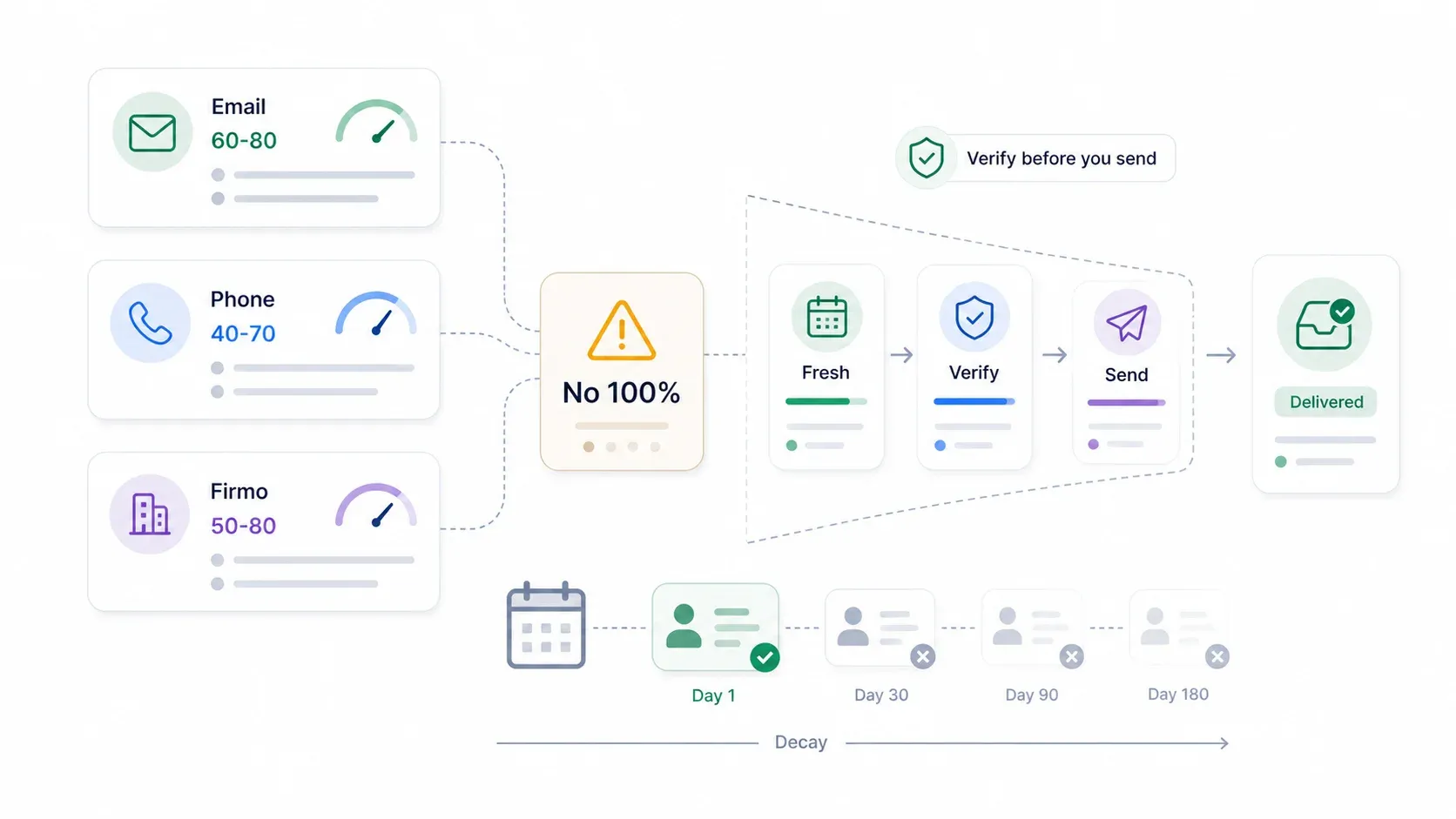
No B2B data tool delivers 100% accuracy. Full stop.
I want to be blunt about this, because overpromising on data accuracy is one of the fastest ways to lose a buyer's trust — and I've seen too many articles do exactly that. Not ZoomInfo. Not Apollo. Not any tool on this list. People change jobs, companies reorganize, email addresses get retired, and phone numbers move. Apollo's own data-decay explainer cites a range of 22.5%–70.3% annual decay depending on the field, with a commonly cited monthly deterioration of about 2.1%.
Here's what realistic accuracy looks like across the category:
| Data Type | Realistic Accuracy Range | Why It Varies |
|---|---|---|
| Email addresses | 60–80% before verification | Job changes, domain changes, inbox retirement |
| Mobile/direct dials | 40–70% | Number portability, turnover, limited public sources |
| Company firmographics | Generally higher | Less volatile than individual contact data |
How Thunderbit approaches this differently: Because Thunderbit scrapes data in real time from live webpages, the information is as fresh as the source itself. If a company's "About Us" page lists current team members, that's what you get — not a database record from six months ago. The trade-off is that Thunderbit only knows what's on the page. If a contact's email isn't publicly listed, it won't appear.
How Clay approaches this differently: Clay's waterfall enrichment queries multiple providers in sequence, which can improve coverage. But it requires workflow design, and the best practice is to waterfall only qualified leads — not every scraped row — to control cost.
The bottom line: always verify emails before sending outbound sequences, regardless of which tool you use. Treat any vendor-reported accuracy claim as methodology-dependent, not a guarantee.
Which ZoomInfo Alternative Should You Pick?
Here's how I'd match each tool to a real scenario:
-
Niche prospecting on a budget: Thunderbit. Scrape contacts from the specific websites your prospects live on — directories, event pages, association sites — without a database subscription. Start with the free tier and see what you can pull in an afternoon.
-
High-volume outbound with email sequences: Apollo.io. Biggest database at the lowest price, with built-in engagement tools. The free plan is enough to test the workflow before committing.
-
Cold calling with mobile numbers: Lusha (simple setup, fast lookups) or Cognism (verified numbers + EU coverage). If you're calling into Europe, Cognism is worth the premium.
-
Email-only outreach: Hunter.io. Focused, accurate, affordable, and no annual lock-in. Pair it with Thunderbit or Lusha if you eventually need phone numbers.
-
Maximum data coverage across sources: Clay. Waterfall enrichment for teams that need every possible data point and have someone to build the workflows.
-
EU/GDPR-sensitive markets: Cognism. Purpose-built for European compliance with DNC checking across 15 territories.
Many teams end up using two or three tools together. Thunderbit for niche scraping + Apollo for bulk outbound is a combination I've seen work well. Hunter for email verification + Lusha for phone numbers is another common pairing. The monolithic-platform era is winding down.
If you want to see what modern lead extraction looks like without a five-figure annual contract, give Thunderbit's free tier a spin. You might be surprised how much pipeline you can build from the websites you already visit every day.
Try AI Web Scraper for better lead extraction Get Started Free
FAQs
1. What is the cheapest alternative to ZoomInfo?
Five of the six have a free plan — Cognism is the only one without. Apollo gives ~75 credits/month, Hunter 50 credits/month, Lusha ~50 credits/month, Clay 100 data credits plus 500 actions/month, and Thunderbit 6 pages/month. For paid plans, Hunter starts at $34/month billed yearly ($49 month-to-month), and Thunderbit's Starter plan is $9/month billed yearly ($15 month-to-month).
2. Is ZoomInfo worth it for small teams?
For most teams under five reps, ZoomInfo's $15K+ annual cost is hard to justify. Alternatives like Apollo, Lusha, Hunter, or Thunderbit deliver sufficient data for pipeline building at a fraction of the price. ZoomInfo makes more sense when you need enterprise-scale firmographic filters, intent data, and deep CRM integrations.
3. Can you negotiate ZoomInfo's price?
Yes — buyers regularly report negotiating ZoomInfo contracts from list price ($30K+) down to $9K–$15K. Tactics that work: push back on multi-year terms, ask for seat flexibility and credit rollover, request capped annual increases, and use competing quotes from Apollo, Cognism, or Clay as leverage.
4. Which ZoomInfo alternative has the best phone numbers?
Cognism (Diamond Data® phone-verified numbers) and Lusha are most frequently praised for mobile number quality. The 45% correct-person pickup rate for verified numbers vs. 18% for standard mobile data comes from Cognism's own page, which credits an unnamed independent organisation — treat it as a vendor number, not a guarantee.
5. How does web scraping compare to a contact database for lead generation?
Databases are faster for high-volume, filtered prospecting across millions of contacts. Scraping tools like Thunderbit are better for niche sources, international markets, and always-fresh data from live webpages. Many teams combine both approaches — using Thunderbit to build targeted lists from specific websites and Apollo or Hunter to enrich or verify the contacts.
Learn More




