Barcode / UPC Lookup

By
Look up product details by entering a barcode or UPC code. Retrieve name, brand, manufacturer, and category to verify items and speed up product research.
Chrome Store Rating
PRODUCT HUNT#1 Product of the Week
Accenture logoCriteo logoGrammarly logoVerisk logoklook logoPuma logoRingCentral logoAccenture logoCriteo logoGrammarly logoVerisk logoklook logoPuma logoRingCentral logoAccenture logoCriteo logoGrammarly logoVerisk logoklook logoPuma logoRingCentral logoAccenture logoCriteo logoGrammarly logoVerisk logoklook logoPuma logoRingCentral logoAccenture logoCriteo logoGrammarly logoVerisk logoklook logoPuma logoRingCentral logoAccenture logoCriteo logoGrammarly logoVerisk logoklook logoPuma logoRingCentral logo
Scrape Product Data with AIUse Thunderbit to automate web scraping and extract structured product data fast. Pull details from pages, subpages, PDFs, docs, and images, then export in a few clicks.
chrome-web-store
Install fromChrome Web Store

Scrape Product Data with AI

Collect product listings from ecommerce sites, catalogs, and directories with Thunderbit’s AI Web Scraper Chrome Extension. Click AI Suggest Fields, then Scrape to extract structured data like names, brands, categories, prices, and URLs, even when layouts change. Use subpage scraping to enrich each row with details from product pages, and scrape across pagination or infinite scroll. Thunderbit can also extract from PDFs, docs, and images, then summarize, categorize, or format fields before exporting to Google Sheets, Airtable, or Notion.

How to Lookup Product Information Using Thunderbit

step_01.png
STEP 1Download and InstallDownload and install the Thunderbit Chrome Extension from the Thunderbit Chrome Extension Download Page. Once installed, log in or create a free account to get started.
step_02.png
STEP 2Open ExtensionOpen the Thunderbit Chrome Extension from your browser toolbar. In Thunderbit, find and open the tool named "Barcode / UPC Lookup". Under the tab "Enter a Barcode / UPC", enter a valid barcode, UPC, or EAN code (typically 8 to 14 digits) into the "barcode_upc" field exactly as shown on the product packaging, for example 012345678905.
step03.png
STEP 3Click the Lookup product ButtonClick the "Lookup product" button to run the lookup. Thunderbit will return a table of results that can include Barcode/UPC, Product Name, Brand, Manufacturer, Category, Description, and a Product Image URL when available. After reviewing the table, export the results to Excel, Google Sheets, Airtable, or Notion, or download as CSV or JSON.

Learn how to look up product details from a barcode or UPC

Enter a barcode or UPC to retrieve product data
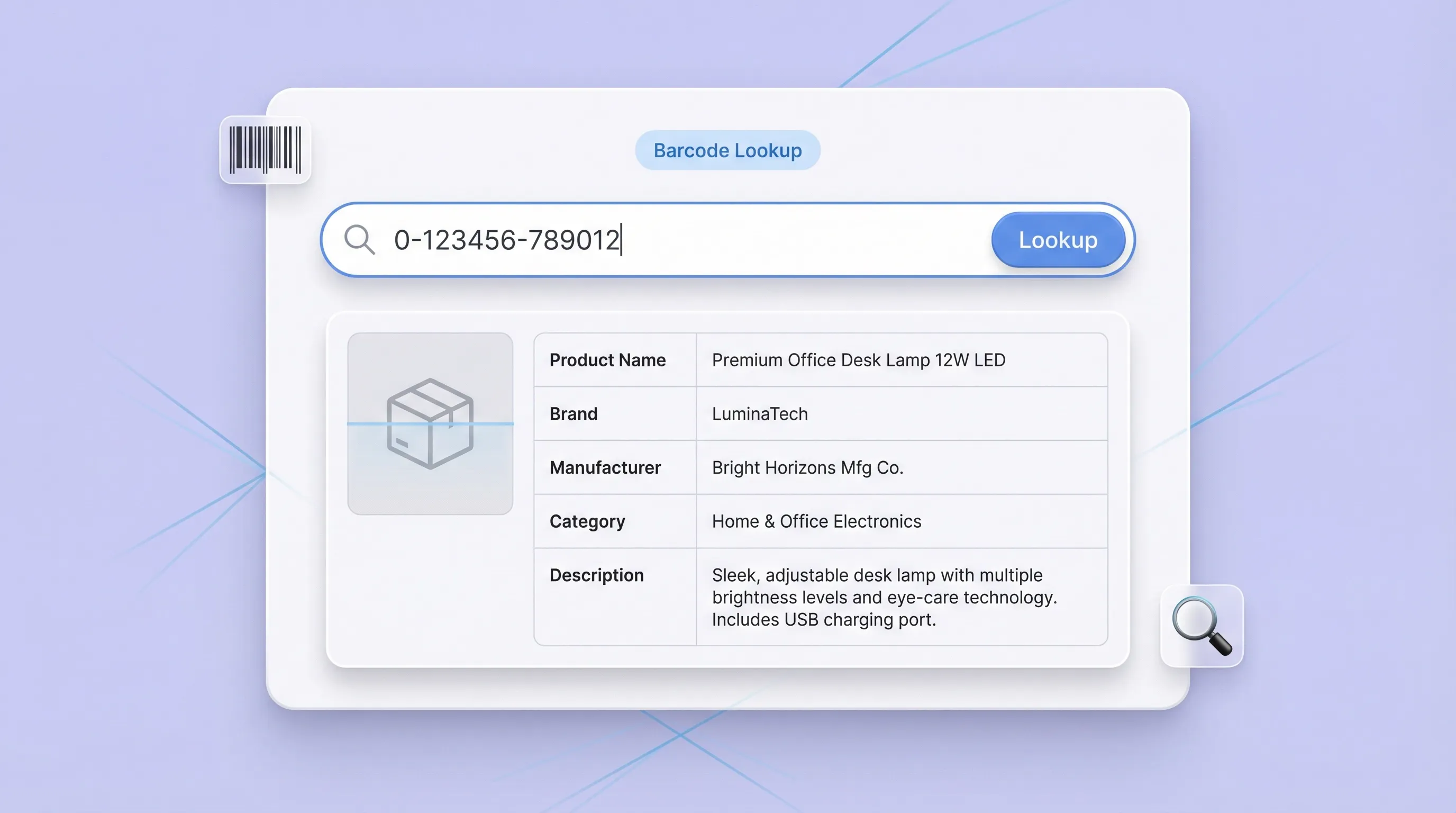
Barcode / UPC Lookup lets you paste an 8–14 digit UPC, EAN, or barcode number and return a structured product record. It helps teams avoid manual searching across multiple sites when they need a product name, brand, manufacturer, category, and description. This is useful for ecommerce operators, retail teams, and analysts who need quick product identification for listings, audits, and catalog cleanup.
Get Started Free
barcode_section1.png

Verify and standardize product information for accuracy
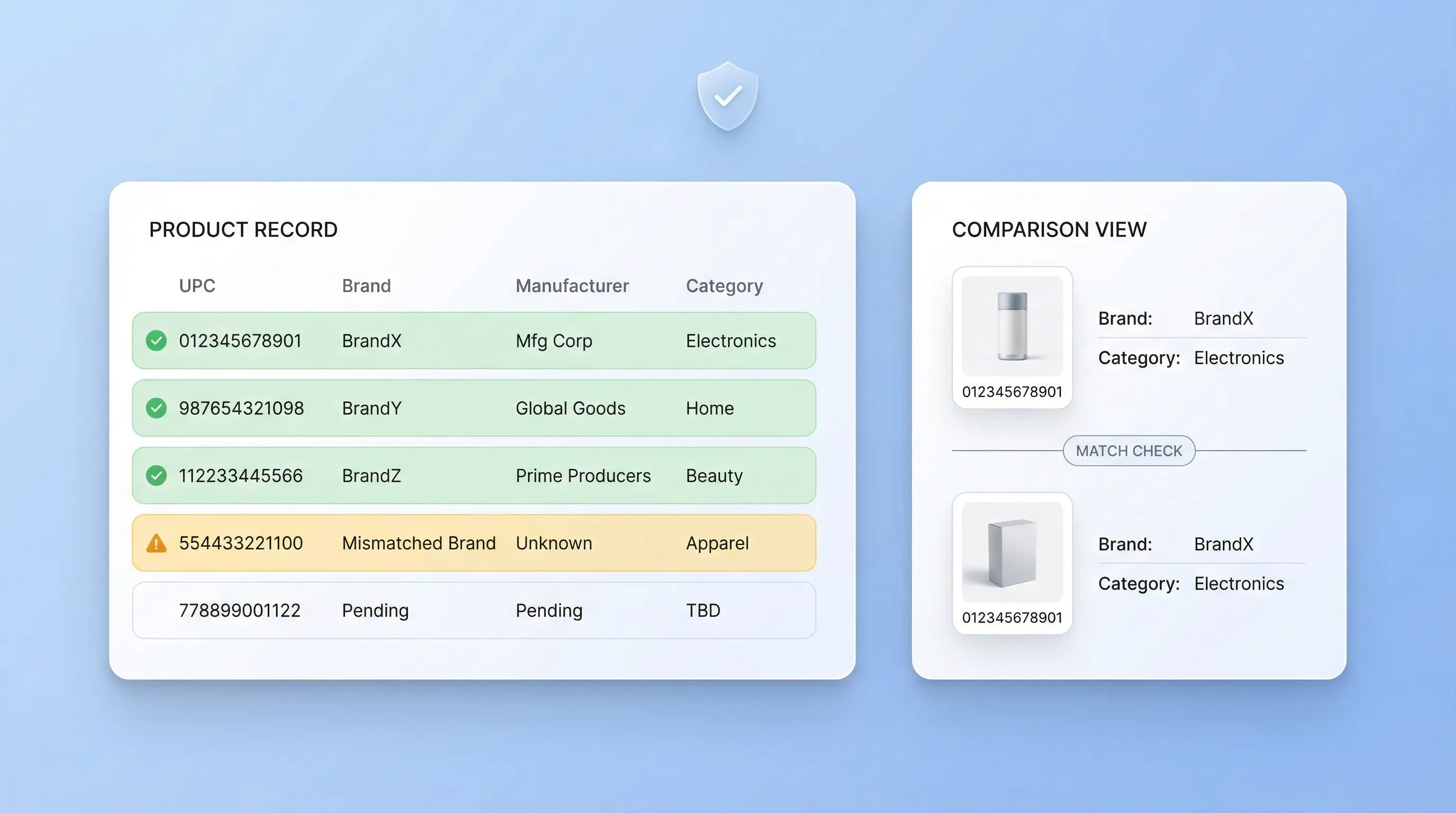
Use the lookup results to confirm that a code matches the right item and to spot mismatches in brand, manufacturer, or category. This supports authenticity checks, reduces listing errors, and improves data quality when you are onboarding new SKUs or reconciling supplier files. The output is returned as a table, making it easy to compare multiple codes and keep a consistent product taxonomy.
Get Started Free
barcode_section2.png

Build SKU catalogs and enrich listings with images and descriptions
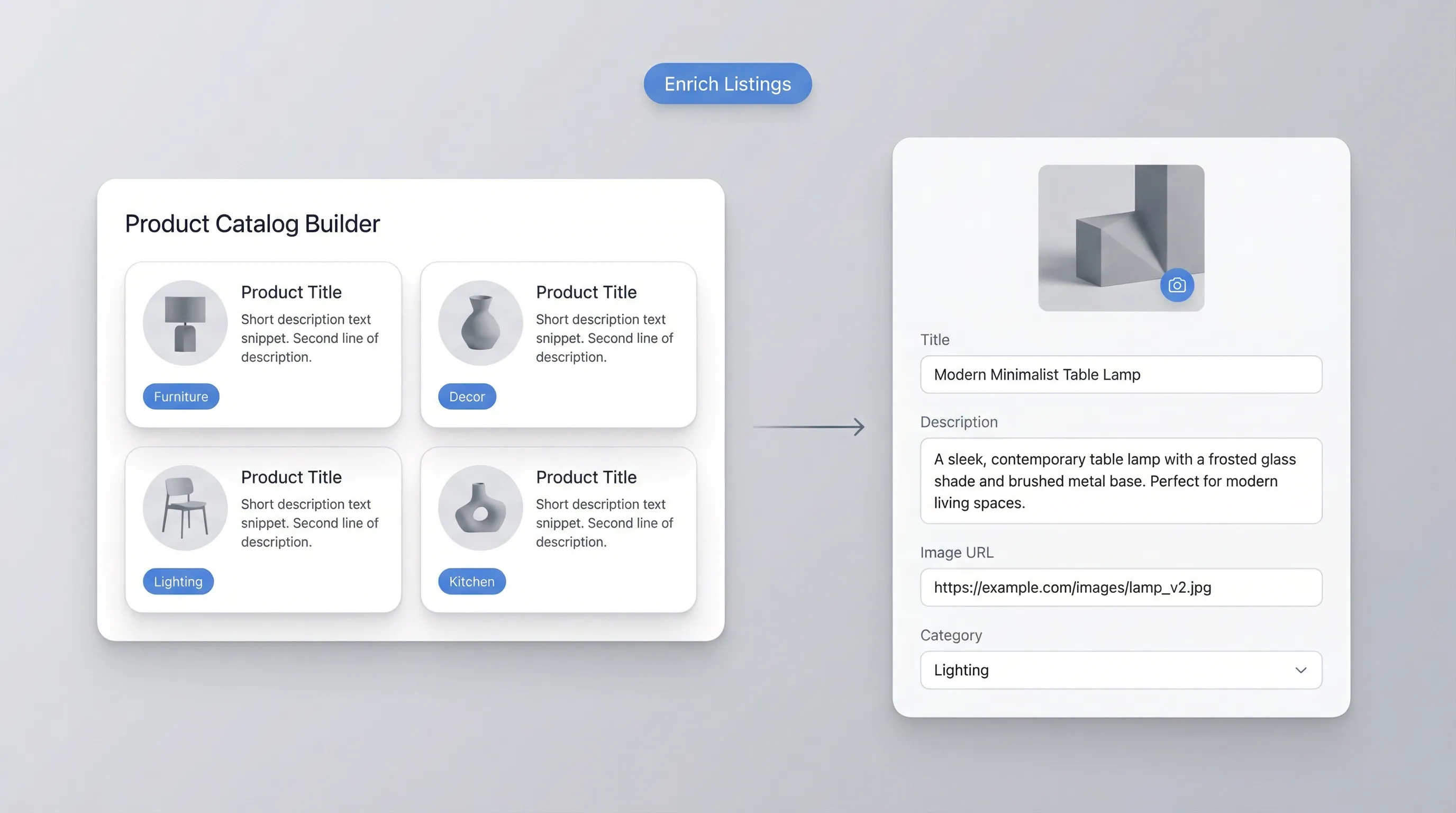
Teams can use the returned fields, including Product Image URL and Description, to enrich product pages and internal catalogs. This is helpful when creating new listings, improving marketplace content, or filling gaps in a PIM spreadsheet. Because the results are structured, you can copy the table into your workflow and keep product attributes aligned across channels and storefronts.
Get Started Free
barcode_section3.png

Support operations workflows like receiving, audits, and competitor research
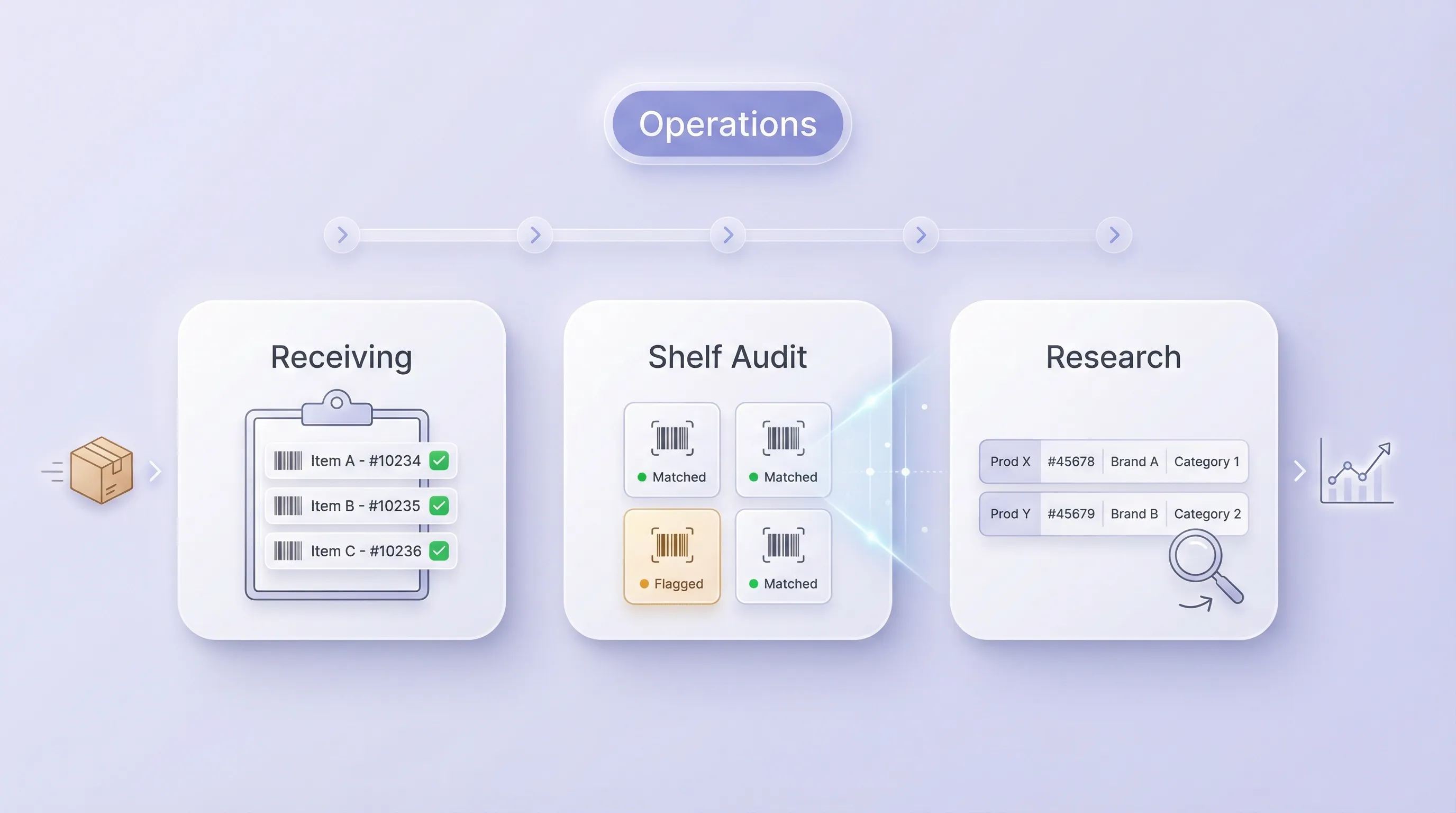
Barcode / UPC Lookup fits day-to-day operations where fast identification matters, such as warehouse receiving, shelf audits, returns processing, and customer support. It also helps ecommerce and marketing teams map competitor products by code and organize items by category for analysis. When you need a reliable reference record tied to a barcode, the tool provides a consistent starting point for downstream decisions.
Get Started Free
barcode_section4.png

What users say about Thunderbit

Taryn W.Growth Strategist@Thunderbit changed how I run competitor research. I click 'AI Suggest Fields,' and it builds a clean table across paginated results—no coding, no CSS. Huge time-saver when analyzing product data from long-tail marketplaces.
Miles T.Sales Development ConsultantI use Thunderbit to grab emails and phone numbers from directories. It extracts clean contact info in one click, and exporting to Sheets or Notion takes seconds. No extra setup, no coding—just usable data ready to work with.
Rhea C.E-commerce AnalystThunderbit helps me monitor SKU data across multiple pages. I scrape the listings, then use Subpage Scraping to pull full product specs, pricing, reviews, and stock. The AI organizes everything into columns I define.
Cassian B.Real Estate AdvisorThunderbit's Scheduled Scraper makes real estate tracking easier. I describe the interval in plain English, and it automatically pulls updated listings, prices, and links without touching the setup again. Simple and very practical.
Dorian B.Content & SEO SpecialistI use Thunderbit's Field AI Prompts to clean and tag scraped blog content. It extracts titles, authors, and even suggests categories. Works great across dynamic sites and subpages—perfect for building structured SEO datasets.
Lina K.Marketplace Operations LeadWe track SKUs from niche stores using Thunderbit. Cloud Scraping handles 50 pages at a time, and for login-required sites, we switch to browser mode. It’s fast, flexible, and doesn’t need ongoing maintenance or manual edits.
Jorge F.Inbound Sales ManagerThunderbit’s AI Autofill is a lifesaver. After scraping contact info, I use it to fill lead forms directly in my browser. I just select the tab, and it fills everything using the scraped row. No manual input needed.
Alina D.Freelance ResearcherI rely on Thunderbit for extracting data from PDFs, image-based sites, and infinite scroll pages. It handles messy formats with AI and delivers ready-to-export tables I can send to Google Sheets or Airtable in seconds.
Taryn W.Growth Strategist@Thunderbit changed how I run competitor research. I click 'AI Suggest Fields,' and it builds a clean table across paginated results—no coding, no CSS. Huge time-saver when analyzing product data from long-tail marketplaces.
Miles T.Sales Development ConsultantI use Thunderbit to grab emails and phone numbers from directories. It extracts clean contact info in one click, and exporting to Sheets or Notion takes seconds. No extra setup, no coding—just usable data ready to work with.
Rhea C.E-commerce AnalystThunderbit helps me monitor SKU data across multiple pages. I scrape the listings, then use Subpage Scraping to pull full product specs, pricing, reviews, and stock. The AI organizes everything into columns I define.
Cassian B.Real Estate AdvisorThunderbit's Scheduled Scraper makes real estate tracking easier. I describe the interval in plain English, and it automatically pulls updated listings, prices, and links without touching the setup again. Simple and very practical.
Dorian B.Content & SEO SpecialistI use Thunderbit's Field AI Prompts to clean and tag scraped blog content. It extracts titles, authors, and even suggests categories. Works great across dynamic sites and subpages—perfect for building structured SEO datasets.
Lina K.Marketplace Operations LeadWe track SKUs from niche stores using Thunderbit. Cloud Scraping handles 50 pages at a time, and for login-required sites, we switch to browser mode. It’s fast, flexible, and doesn’t need ongoing maintenance or manual edits.
Jorge F.Inbound Sales ManagerThunderbit’s AI Autofill is a lifesaver. After scraping contact info, I use it to fill lead forms directly in my browser. I just select the tab, and it fills everything using the scraped row. No manual input needed.
Alina D.Freelance ResearcherI rely on Thunderbit for extracting data from PDFs, image-based sites, and infinite scroll pages. It handles messy formats with AI and delivers ready-to-export tables I can send to Google Sheets or Airtable in seconds.

Frequently Asked Questions

Extract Data using AI
Easily transfer data to Google Sheets, Airtable, or Notion
Chrome Store Rating
PRODUCT HUNT#1 Product of the Week