Wikipedia Scraper for Infoboxes, Citations, and Sections













Organize Wikipedia Articles for Research
Keep article facts, infobox values, citations, and section context in separate fields.
Extract Wikipedia Data in One Click
It proposes columns for the page you open and completes the capture in one run. Adjust or rename fields in natural language, then run again if you like.
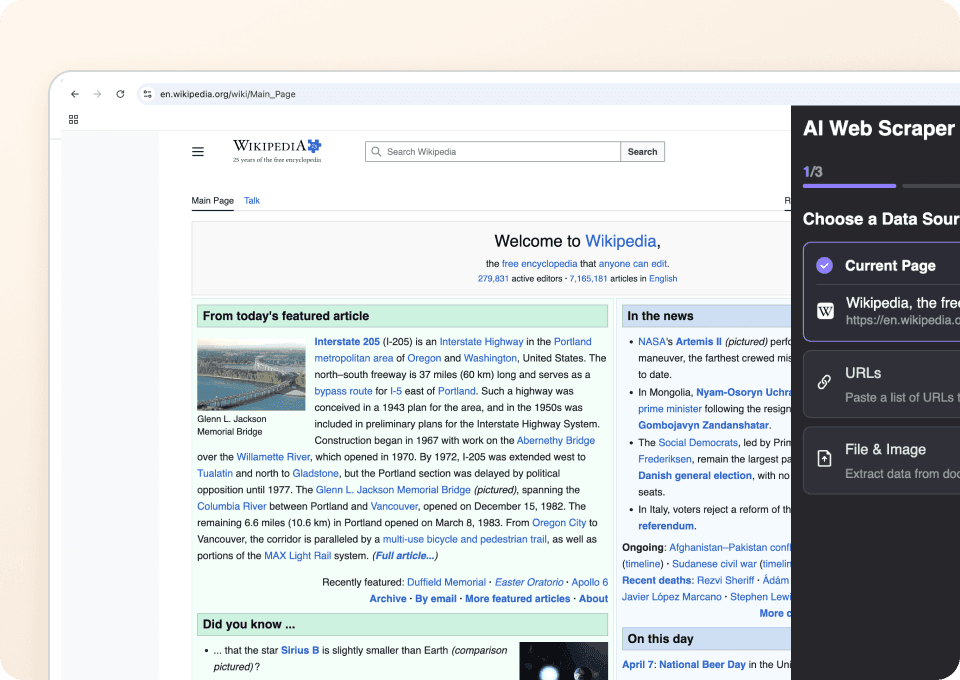
Work Across Different Wikipedia Page Types
The agent reads visible labels, headers, and section titles to map values on the page you can access. If a field isn’t present, the column stays blank.
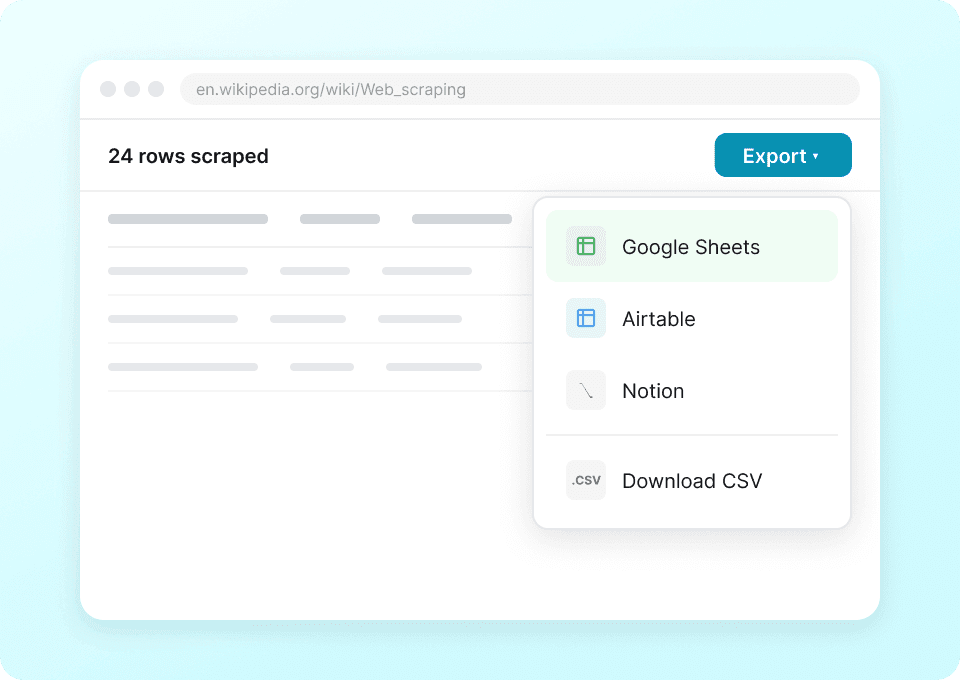
Export Wikipedia Data Directly
Continue the research in Google Sheets, Excel, Airtable, Notion, or a downloaded CSV.
Collect Wikipedia Research Data Without Building a Scraper
Cut selector upkeep for Wikipedia research.
Manual or selector-based setup
Time spent maintaining rulesThunderbit AI Agent
Field suggestions and a single runColumns for article facts, infobox, citations, and sections
Columns appear only when shown on the page you can access.
- page_title
- page_url
- lead_paragraph
- first_sentence
- infobox_image_url
- infobox_image_caption
- birth_name
- birth_date
- death_date
- birth_place
- death_place
- nationality
- occupation
- years_active
- employer
- alma_mater
- spouse
- children
- website
- notable_works
- latitude
- longitude
- categories
- reference_titles
- reference_links
- external_links
- article_sections
- table_of_contents
- hatnotes
- page_last_edited_date
See researchers capture structured facts from open pages
In user-recorded videos, researchers pick page facts, check the rows, and move the result into their own tools.






Questions about Wikipedia research runs
Short answers for Agent Mode on Wikipedia.
When your research spans Wikimedia projects
Pair Wikipedia articles with Wikidata items, Commons groups, or media pages.

iBegin Scraper
The Thunderbit iBegin Scraper lets you extract business search results and detailed business information from the iBegin website. Use AI-powered field suggestions to quickly gather business names, contact details, addresses, ratings, and more for lead generation, research, or marketing analysis.
Learn more ->
UNIQLO Scraper
Extract Uniqlo product names, prices, colors, and sizes in 2 clicks with Thunderbit's AI-powered Chrome extension. Export directly to Google Sheets, Excel, or Notion and keep your product research always current.
Learn more ->
Rakuten Travel Scraper
The Thunderbit Rakuten Travel Scraper lets you extract data from Rakuten Travel hotel listings and details pages. Use AI-powered field suggestions to quickly gather hotel names, prices, ratings, room types, and amenities for research or travel planning. Ideal for travel agents, researchers, and businesses seeking structured travel data.
Learn more ->
People-Search Scraper
The Thunderbit People-Search Scraper lets you extract structured data from People-Search profiles and reverse phone lookup pages. Use AI-powered field suggestions to quickly gather names, locations, phone numbers, emails, and more for research, marketing, or lead generation. Ideal for marketers, researchers, and businesses seeking public records and contact details.
Learn more ->
United Airlines scraper
In 2 clicks, extract flight numbers, departure times, arrival airports, and prices from United Airlines — then export to Excel, Google Sheets, or Notion instantly. Thunderbit AI handles the rest.
Learn more ->
DialIndia Scraper
The Thunderbit DialIndia Scraper lets you extract data from DialIndia's business profiles and travel directories with AI-powered field suggestions. Gather business names, contact details, locations, and descriptions for research, marketing, or lead generation in just a few clicks.
Learn more ->Ready to supercharge your data extraction?
Join 200,000+ professionals already using Thunderbit to automate their web scraping workflows.
Free trial provides unlimited credits for 8 webpages.



