walmart-product-scraper

Walmart Product Scraper

Thunderbit’s Walmart scraper helps you extract structured product data from Walmart listings and single product pages using AI. Click AI Suggest Fields, then Scrape to capture titles, prices, ratings, availability, images, and more, and export to Excel, Google Sheets, Airtable, or Notion. Use subpage scraping and scheduling to monitor SKU details over time.
4.9
Monthly users14.6k
AI-Powered
E-commerce
Get Started Free
Free tier available

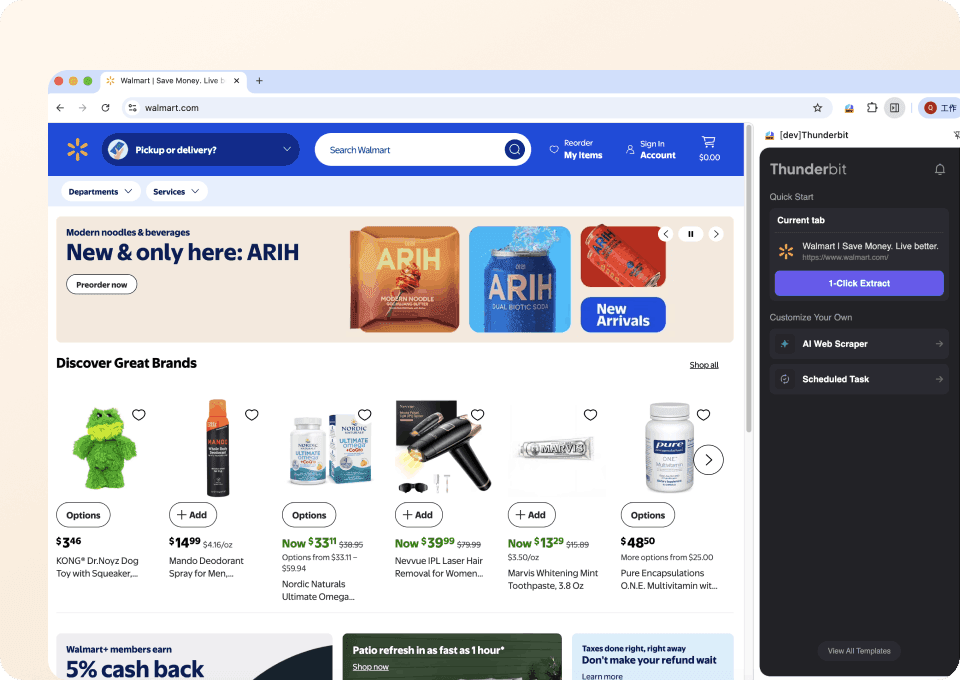
Thunderbit’s Walmart Scraper helps you turn Walmart product pages into clean, structured data using AI. You open a Walmart page, click AI Suggest Fields, then click Scrape—Thunderbit reads the page layout and builds a table you can export to Excel, Google Sheets, Airtable, or Notion. It’s built for product research, catalog ops, and SKU monitoring where you need accurate fields like price, availability, ratings, images, and specs.

🛒 What is Walmart Scraper

A Walmart Scraper is an that extracts product data from pages and converts it into structured rows and columns. With the , you can scrape Walmart product details in two clicks: AI Suggest Fields (to generate the best columns) and Scrape (to collect the data).

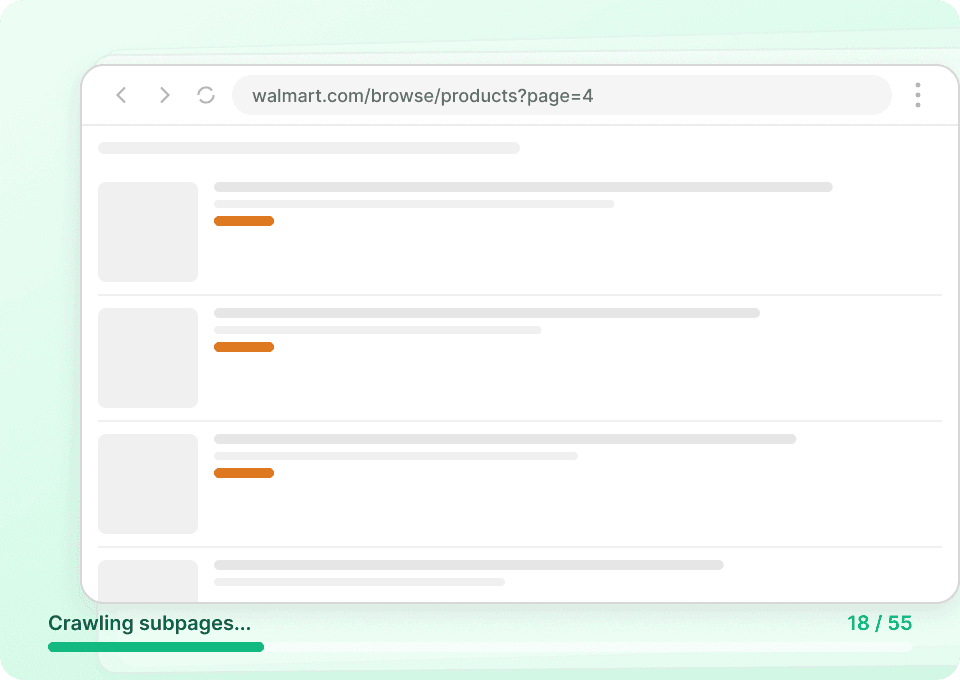
Thunderbit also supports subpage scraping (visit each product URL to enrich your dataset) and scheduled scraping (monitor SKU changes over time), which is ideal for ecommerce operations and competitive tracking.

Walmart Screenshot

🧾 What can you scrape with Walmart Product Scraper

Walmart pages contain a lot of valuable ecommerce signals—pricing, inventory status, reviews, seller info, images, and specifications. Below are two common workflows you can automate with Thunderbit’s .

📦 Scrape Walmart Single Product Data Extraction

This use case focuses on extracting structured data from a single Walmart product page—perfect for catalog enrichment, product research, and building internal product databases from a specific SKU page like this one:

Walmart Single Product Screenshot

Steps:

  1. Download the and register an account.
  2. Go to the destination page, for example: a .
  3. Click AI Suggest Fields to generate recommended column names and data types.
  4. Click Scrape to run the scraper, then export to Excel, Google Sheets, Airtable, or Notion.

Column names

ColumnDescription
🏷️ Product TitleThe full product name shown on the Walmart product page.
🔗 Product URLThe page URL for the SKU you scraped.
💲 Current PriceThe current listed price (including sale price when applicable).
🧾 List Price / Was PriceThe original price if Walmart shows a discount or “was” price.
RatingAverage star rating for the product.
🗣️ Review CountTotal number of reviews displayed on the page.
📦 AvailabilityStock status such as in stock, out of stock, or limited availability.
🚚 Shipping / Delivery InfoDelivery estimate, shipping method, or pickup availability when shown.
🏪 Seller / Fulfilled BySeller name and fulfillment details (Walmart or marketplace seller).
🖼️ Main Image URLThe primary product image link (useful for catalogs).
🧩 Variant InfoVariant attributes like color, storage size, or model when available.
🧷 Key SpecsImportant specifications extracted from the product details section.

📈 Scrape Walmart SKU Detail Monitoring

This use case is designed for ongoing monitoring of a SKU’s key fields—price changes, availability changes, rating movement, and seller changes. It’s commonly used by ecommerce operators and analysts who need a repeatable workflow for a product like:

Walmart SKU Monitoring Screenshot

Steps:

  1. Download the and register an account.
  2. Go to the destination page, for example: a .
  3. Click AI Suggest Fields to generate monitoring-friendly columns (price, stock, seller, etc.).
  4. Click Scrape to capture the latest snapshot, then export or schedule recurring runs.

Column names

ColumnDescription
🆔 Item ID / SKU IdentifierA unique identifier from the page (when available) to track the same product over time.
🏷️ Product TitleThe product name used for reporting and matching.
💲 Current PriceThe latest price at the time of scraping.
📉 Price Change (Optional)A derived field you can compute in Sheets/Excel by comparing runs.
📦 Availability StatusStock state used for alerts and monitoring.
🏪 Seller NameSeller identity for marketplace tracking.
🚚 Delivery ETADelivery estimate or shipping speed shown on the page.
RatingCurrent average rating snapshot.
🗣️ Review CountCurrent review count snapshot for trend tracking.
🖼️ Image URLImage link for catalog QA and change detection.
🕒 Scrape TimestampThe time the data was collected (useful for monitoring history).
🧾 Return / Warranty InfoPolicy details when present, useful for compliance checks.

🎯 Why Use Walmart Scraper Tool

Scraping Walmart product data is useful when you need consistent, structured ecommerce data without manual copy/paste.

Common reasons teams use a Walmart product scraper and Walmart SKU scraper:

  • Ecommerce operations: Build product catalogs, validate listings, and track availability across key SKUs.
  • Pricing & competitive research: Monitor price changes, discounts, and seller shifts to support pricing decisions.
  • Sales & sourcing teams: Collect product specs, variants, and seller details for sourcing analysis.
  • Marketing & merchandising: Analyze ratings, review volume, and product positioning to improve assortment decisions.
  • Analytics teams: Create datasets for dashboards in Sheets/Airtable/Notion and keep them updated with scheduled runs.

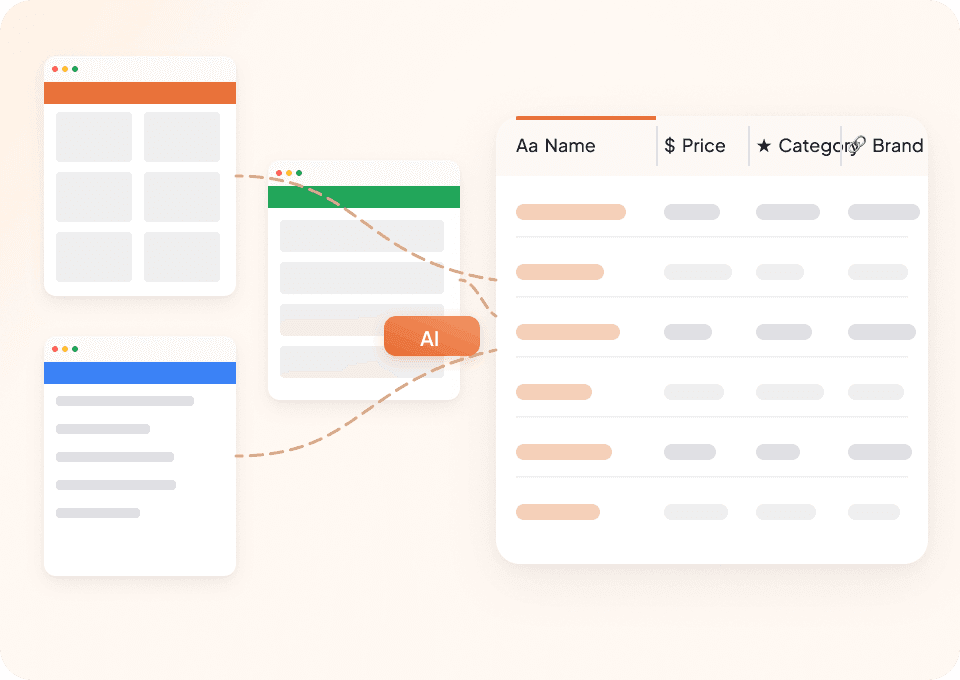
Thunderbit is especially helpful when pages vary by category or layout, because the reads the page and adapts—so you spend less time maintaining scraping rules.

🧩 How to Use Walmart Chrome Extension

  1. Install the Thunderbit Chrome Extension: Get it from the and create your account on .
  2. Navigate to a Walmart page: Open a Walmart product page (example: ) or a SKU you want to monitor (example: ).
  3. Activate AI-Powered Scraper: Click AI Suggest Fields to generate columns, adjust any field names or data types, then click Scrape to collect data and export.

If you’re scraping a list of products, you can also use Subpage Scraping to visit each product URL and enrich your table with deeper details (specs, seller, policies, and more).

💳 Pricing for Walmart Scraper

Thunderbit uses a credit system where 1 credit = 1 output row. If you scrape a page and your results table contains 120 products (rows), that run uses 120 credits.

What you can try for free:

  • The Free plan lets you scrape 6 pages per month (regardless of how many rows are on each page).
  • If you start a free trial, you can scrape 10 pages for free, which is a practical way to test Walmart product extraction and exports.

Paid plans are designed for ongoing ecommerce workflows like SKU monitoring and catalog building. If you scrape regularly, the yearly plan is typically more cost effective because it includes a discount compared to monthly pricing.

You can review plan details on .

❓ FAQ

  1. What is the AI Powered Walmart Scraper?
    The AI Powered Walmart Scraper is a workflow in Thunderbit that uses AI to read Walmart pages and extract product data into structured columns. Instead of writing scraping rules, you click AI Suggest Fields and Thunderbit proposes the best fields to capture, then you click Scrape to collect the data.

  2. What is Thunderbit?
    is an AI-first productivity tool and Chrome Extension that helps you scrape data from websites, PDFs, and images into structured formats. It’s designed for business teams who want fast setup, reliable extraction, and easy exports to tools like Excel, Google Sheets, Airtable, and Notion.

  3. What Walmart data can I extract with Thunderbit?
    You can extract product titles, prices, ratings, review counts, availability, seller details, images, and product specifications. Thunderbit can also capture URLs and timestamps so you can track changes across repeated runs.

  4. Can I scrape Walmart product listings and then enrich each product with details?
    Yes. You can scrape a listing page first, then use Subpage Scraping to have Thunderbit visit each product URL and append additional fields (like specs, seller, delivery info, and policies) back into the same table. This is useful when the listing page doesn’t show everything you need.

  5. How does scheduled scraping work for Walmart SKU monitoring?
    Thunderbit’s Scheduled Scraper lets you run the same scrape automatically at intervals you describe in plain English. This is helpful for monitoring price and stock changes over time, and for keeping a dataset updated without manual work.

  6. Should I use Cloud Scraping or Browser Scraping for Walmart?
    If the page is public and doesn’t require login, Cloud Scraping is usually faster and can process many pages in batches. If you need to scrape content tied to your session (or you’re troubleshooting a page that behaves differently), Browser Scraping runs inside your Chrome session and can be more reliable for session-based access.

  7. What formats can I export Walmart scraped data to?
    You can export to Excel, Google Sheets, Airtable, or Notion, or download as CSV or JSON. Export is free, so you can run a scrape and move the data into your workflow without extra steps.

  8. Will the Walmart scraper break when Walmart changes its layout?
    Traditional scrapers often break when page structure changes, but Thunderbit’s AI reads the page each time and rebuilds extraction logic based on what it sees. You may still want to review your fields occasionally, but you typically won’t need ongoing maintenance.

  9. Is it okay to scrape Walmart pages?
    You should always follow applicable laws, respect privacy, and review Walmart’s terms and policies before collecting data. Thunderbit is a tool for extracting data; how you use the data and whether it’s permitted for your specific purpose depends on your jurisdiction and use case.

📚 Learn More

  • Get started with the
  • Install the
  • Read:
  • Read:
  • Read:
  • Explore more guides on the
  • See plans on