ulta-beauty-scraper

Ulta Beauty Scraper

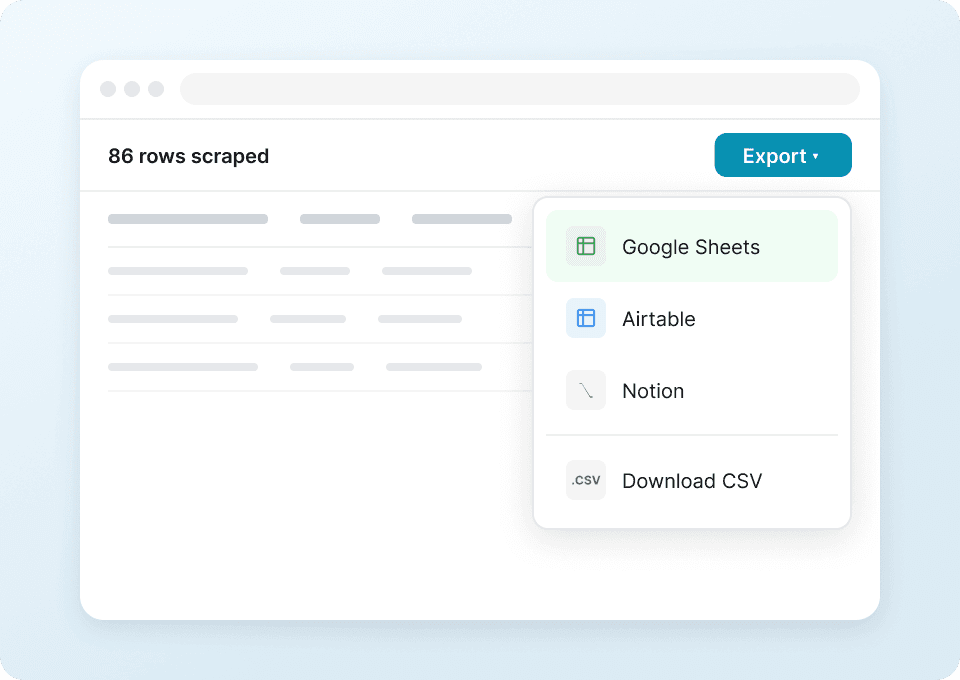
Thunderbit’s Ulta Beauty Scraper lets you extract product listings and detailed product data from Ulta using AI. Use AI Suggest Fields to capture prices, ratings, shades, ingredients, and availability, then scrape pagination and subpages to enrich your table. Export results to Excel, Google Sheets, Airtable, Notion, CSV, or JSON.
5.0
Monthly users17.2k
AI-Powered
E-commerce
Get Started Free
Free tier available

Thunderbit’s Ulta Beauty Scraper helps you turn Ulta product pages into clean, structured data using AI. You can extract product listings, then enrich your dataset by visiting each product subpage for details like ingredients, shades, and availability. With the AI web scraper, you click AI Suggest Fields and Scrape, then export to Excel, Google Sheets, Airtable, Notion, CSV, or JSON.

🛍️ What is Ulta Beauty Scraper

The Ulta Beauty Scraper is an AI Web Scraper that lets you scrape product data from category, brand, and collection pages. Using the , you simply open an Ulta page, click AI Suggest Fields to let AI structure the data into columns, then click Scrape to collect results.

It also supports pagination scraping (click pagination and infinite scroll) and subpage scraping, so you can capture both listing-level fields (name, price, rating) and detail-level fields (ingredients, shade range, size, availability).

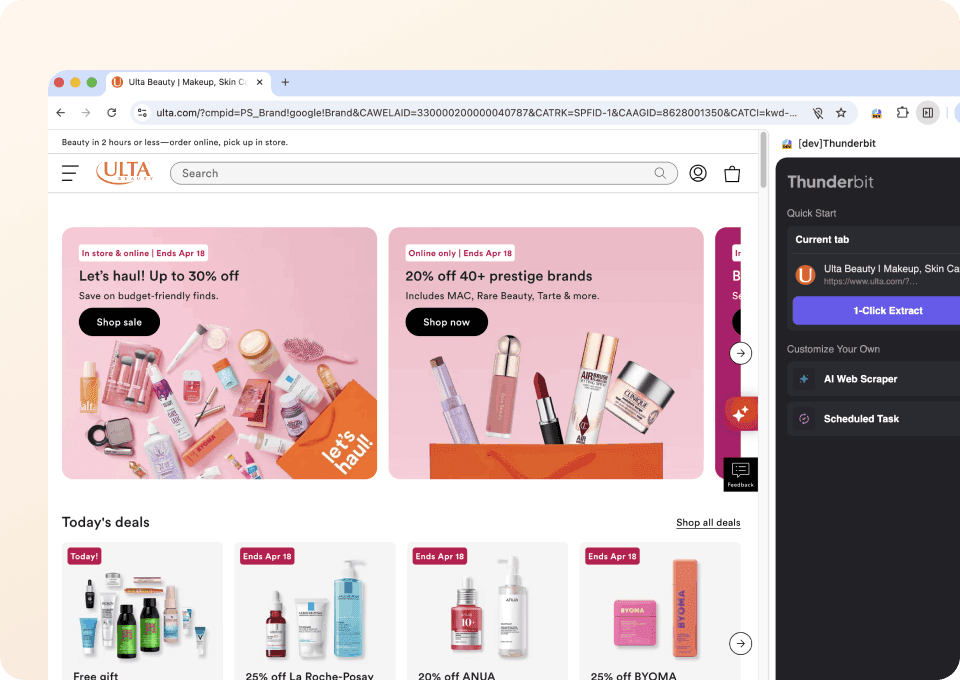
Ulta Beauty Homepage

🧴 What can you scrape with Ulta Beauty

Below are two common workflows for scraping Ulta product data for ecommerce ops, pricing analysis, assortment tracking, and competitive research.

Scrape Ulta Beauty Skincare Products

Use this workflow to scrape cleanser listings from Ulta’s skincare category page, including pricing, ratings, and product URLs. Then use Scrape Subpages to pull ingredients, size, and other product details from each product page.

Target page:

Ulta Skincare Cleansers Listing

Steps:

  1. Download the and register an account.
  2. Go to the destination page, for example: .
  3. Click AI Suggest Columns, which recommends column names and data types based on the page.
  4. Click Scrape to run the scraper, then download or export your data.

Column names

ColumnDescription
🧴 Product NameThe product title shown in the listing (great for catalog matching).
🔗 Product URLDirect link to the product detail page for subpage enrichment.
🏷️ BrandBrand name displayed on the listing card.
💲 PriceCurrent listed price (capture sale price if shown).
🧾 List PriceOriginal price when a discount is present (useful for promo tracking).
RatingAverage star rating shown on the listing.
🧍 Review CountNumber of reviews associated with the product.
🖼️ Image URLMain product image URL (useful for Airtable/Notion image fields).
🧪 Key IngredientsPulled from the product subpage (use Scrape Subpages).
📦 Size / VolumeNet weight/volume from the product subpage for normalization.
AvailabilityIn stock / out of stock or availability messaging from the subpage.

Scrape Ulta Beauty Makeup Products

Use this workflow to scrape a brand-filtered makeup listing (Rare Beauty) and track new arrivals, pricing changes, and shade availability. This is especially useful for assortment monitoring and merchandising analysis.

Target page:

Ulta Rare Beauty Listing

Steps:

  1. Download the and register an account.
  2. Go to the destination page, for example: .
  3. Click AI Suggest Columns to generate recommended fields for the listing and product cards.
  4. Click Scrape to collect the data, then export to your preferred tool.

Column names

ColumnDescription
💄 Product NameThe makeup product name as shown in the listing.
🏷️ BrandBrand name (useful when scraping multiple brands).
🔗 Product URLProduct detail page link for subpage scraping.
💲 PriceCurrent price displayed (capture sale price if applicable).
RatingStar rating shown on the listing card.
🧍 Review CountTotal number of reviews shown.
🎨 Shade CountNumber of shades/variants (often found on the subpage).
🎨 Shade NamesShade list pulled from the product subpage (multi-select friendly).
🧾 Product TypeCategory/type (foundation, blush, lip, etc.), often on subpage.
🧪 IngredientsIngredient list from the product subpage for compliance checks.
🖼️ Image URLMain image URL for cataloging and creative review.
AvailabilityStock status or availability messaging from the subpage.

📈 Why Use Ulta Beauty Tool

Scraping Ulta product data is useful when you need repeatable, structured datasets for analysis, reporting, and operations.

Common reasons you might scrape Ulta:

  • Ecommerce & merchandising teams: Track assortment changes, new arrivals, and price movements across categories and brands.
  • Brand & competitive intelligence: Monitor competitor pricing, review velocity, and product positioning.
  • Marketing teams: Build product feeds for analysis, identify top-rated items, and compare claims/ingredients across products.
  • Operations & analytics: Create a clean dataset for dashboards in Sheets, Airtable, or BI tools without manual copy/paste.
  • Retail researchers: Collect structured data for trend analysis (skincare ingredients, shade ranges, product formats).

Thunderbit is designed for business workflows: AI structures the data, pagination scraping collects multiple pages, and subpage scraping enriches each row with deeper product details.

🧩 How to Use Ulta Beauty Chrome Extension

  1. Install the Thunderbit Chrome Extension: Get it from the and create your account on .
  2. Navigate to an Ulta page: Open a category or brand listing like or .
  3. Activate AI-Powered Scraper: Click AI Suggest Columns to generate fields, then adjust column names and data types if needed (Text, Number, URL, Image, Multi Select).
  4. Scrape and enrich: Click Scrape for the listing, then use Scrape Subpages to pull ingredients, shade lists, sizes, and more into the same table. Export to Excel, Google Sheets, Airtable, or Notion.

Helpful reading if you’re building a repeatable workflow:

  • More guides:

💳 Pricing for Ulta Beauty

Thunderbit uses a simple credit system: 1 credit = 1 output row in your results table. If you scrape 100 products, that’s about 100 credits (subpage enrichment may add more rows only if you choose to scrape additional lists; typically it enriches existing rows).

What you can try for free:

  • The Free tier lets you scrape 6 pages per month (page-based free usage).
  • If you start a free trial, you can scrape 10 pages for free, which is ideal for testing Ulta category pages and subpage enrichment.

Paid plans (monthly and yearly) scale with your volume. The yearly plan is more cost effective because it includes a discount compared to paying month-to-month.

You can review the latest options on .

TierMonthly PriceYearly PriceYearly Total PriceCredits (Monthly)Credits (Yearly)
FreeFreeFreeFree6 pagesN/A
Starter$15$9$1085005,000
Pro 1$38$16.5$1993,00030,000
Pro 2$75$33.8$3986,00060,000
Pro 3$125$68.4$79610,000120,000
Pro 4$249$137.5$1,59220,000240,000

❓ FAQ

  1. What is the AI Powered Ulta Beauty Scraper?
    The AI Powered Ulta Beauty Scraper is a workflow in Thunderbit that extracts Ulta product listings and product details into a structured table. You can use AI to identify fields like price, rating, and product URL, then enrich each row by scraping subpages for ingredients, shades, and availability.

  2. What is Thunderbit?
    is an AI web scraper Chrome Extension that helps you collect structured data from websites in a couple of clicks. It’s built for business teams who want reliable exports to Excel, Google Sheets, Airtable, and Notion without maintaining scripts.

  3. Can I scrape both listing pages and product detail pages on Ulta?
    Yes. You typically scrape the listing page first to capture product cards, then use Scrape Subpages to visit each product URL and pull deeper fields like ingredients, size, shade names, and availability. This approach keeps your dataset consistent and reduces manual work.

  4. Does Thunderbit support pagination on Ulta category pages?
    Yes. Thunderbit supports pagination scraping, including click-based pagination and infinite scroll patterns. This matters for Ulta because categories and brand pages often span many pages, and you may want to collect up to hundreds of products per run.

  5. What data fields are most useful for Ulta product analysis?
    For pricing and assortment tracking, focus on product name, brand, price, list price, rating, review count, and product URL. For deeper analysis, add ingredients, size/volume, shade count, shade names, and availability from subpages to support normalization and comparisons.

  6. Can I export Ulta data to Google Sheets, Airtable, or Notion?
    Yes. Thunderbit supports free export to Excel and also exports to Google Sheets, Airtable, and Notion. If you include image fields, Thunderbit can carry image URLs and, for tools like Airtable/Notion, images can be handled as image-type fields for easier viewing.

  7. How fast can I scrape Ulta with Thunderbit?
    Typical runs are quick for a few pages, and speed depends on page size, pagination depth, and whether you enable subpage scraping. If the pages are public and don’t require login, Cloud Scraping can be faster; if you need your own session, Browser Scraping is a better fit.

  8. Do I need coding skills to use Thunderbit on Ulta?
    No. Thunderbit is designed for non-technical workflows: open the page, click AI Suggest Columns, then click Scrape. You can still customize columns and add field instructions when you want more control, but you don’t need scripts.

  9. Is it okay to scrape Ulta product data?
    You should always follow applicable laws, Ulta’s terms, and your organization’s compliance requirements. In practice, many teams scrape publicly available product information for internal analysis, but you’re responsible for using the data appropriately and respecting site policies.

📚 Learn More

  • Get the extension:
  • Explore product updates and guides:
  • Learn scraping fundamentals:
  • Build list + pagination workflows:
  • Export clean datasets:
  • See plans:
  • Watch tutorials: