coinmarketcap-scraper

CoinMarketCap Scraper

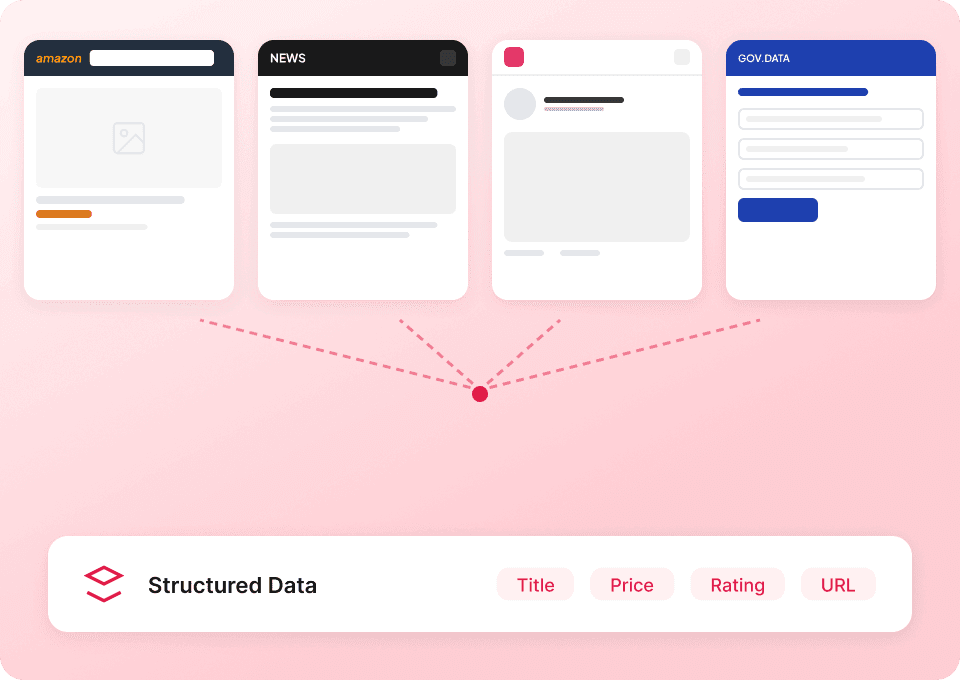
Thunderbit’s CoinMarketCap Scraper lets you extract structured crypto market data using AI in just two clicks. Scrape coin listings and enrich results with subpage details like market cap, volume, and price changes, then export to Excel, Google Sheets, Airtable, or Notion.
4.8
Monthly users7.7k
AI-Powered
Other
chrome-web-store
Add to ChromeFree tier available
Free tier available

Thunderbit’s AI-Powered CoinMarketCap Scraper helps you turn live crypto market pages into clean, structured datasets in minutes. You simply open CoinMarketCap, let AI suggest the best columns, and scrape—Thunderbit uses AI to structure the data so it’s ready for analysis and reporting. Export your results to Excel, Google Sheets, Airtable, or Notion with free data export.

🪙 What is CoinMarketCap Scraper

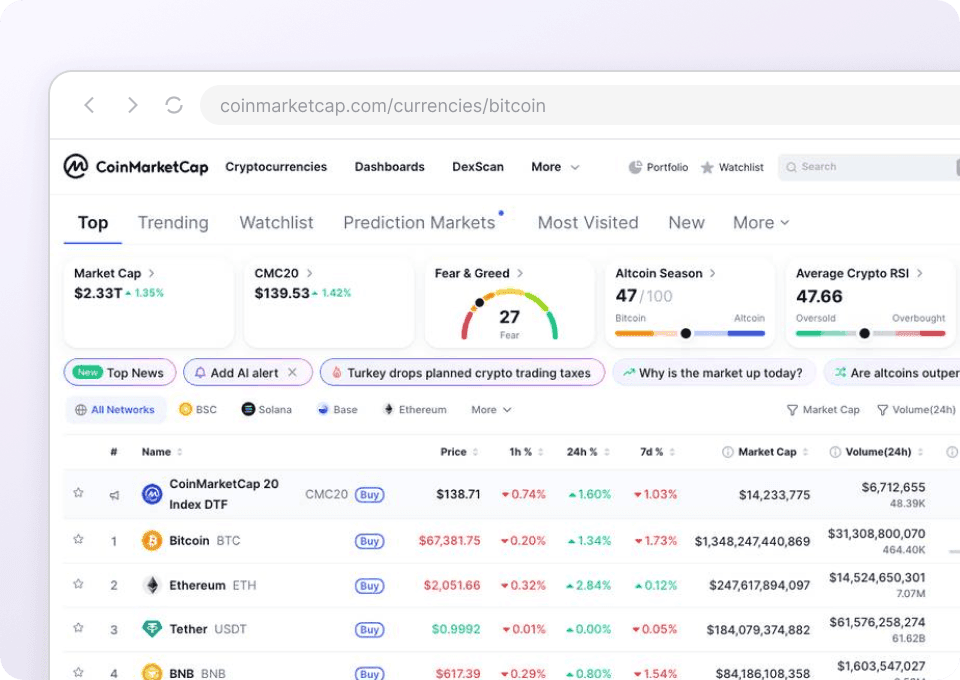
The CoinMarketCap Scraper is an that extracts cryptocurrency prices, market cap, volume, and exchange rankings from . With the , you navigate to the page you want, click AI Suggest Columns, then click Scrape—Thunderbit’s AI reads the page and outputs structured rows you can download or sync to your tools.

CoinMarketCap — Cryptocurrency Prices, Charts And Market Capitalizations

📊 What can you scrape with CoinMarketCap

CoinMarketCap is packed with fast-changing market data. Thunderbit is built for this kind of workflow: scrape a list page, then use Subpage Scraping to visit each coin or exchange page and enrich your table with deeper metrics.

Scrape Cryptocurrency Prices from CoinMarketCap

Use this to collect a snapshot of the market from the main listings page—great for tracking price movements, building watchlists, or creating internal dashboards from the same source your team already checks daily.

Target page:

Scrape Cryptocurrency Prices from CoinMarketCap

Steps:

  1. Download the and register an account.
  2. Go to the destination page, for example: .
  3. Click AI Suggest Columns to generate recommended column names and data types.
  4. Click Scrape to run the scraper, then export to Excel, Google Sheets, Airtable, or Notion.

Column names

ColumnDescription
🏷️ Coin NameThe cryptocurrency name (e.g., Bitcoin, Ethereum) shown in the listing.
🔤 SymbolThe ticker symbol (e.g., BTC, ETH).
🔗 Coin URLThe link to the coin’s detail page on CoinMarketCap (useful for subpage scraping).
💵 PriceCurrent listed price for the coin.
⏱️ 1h ChangePercentage price change over the last hour (when available on the table).
📅 24h ChangePercentage price change over the last 24 hours.
📈 7d ChangePercentage price change over the last 7 days.
🧢 Market CapMarket capitalization shown on the listing.
🔄 24h VolumeTrading volume over the last 24 hours.
🪙 Circulating SupplyCirculating supply value displayed in the table.
🧩 Tags / CategoryAny labels shown (e.g., DeFi, Layer 1) if present on the page.
🖼️ Logo ImageThe coin logo image URL (useful for dashboards in Notion/Airtable).

Scrape Cryptocurrency Exchanges from CoinMarketCap

Use this to extract exchange rankings and key metrics for market research, partner evaluation, or monitoring changes in liquidity and traffic over time.

Target page:

Scrape Cryptocurrency Exchanges from CoinMarketCap

Steps:

  1. Download the and register an account.
  2. Go to the destination page, for example: .
  3. Click AI Suggest Columns to generate recommended column names and data types.
  4. Click Scrape to run the scraper, then export your data to your preferred format.

Column names

ColumnDescription
🏦 Exchange NameThe exchange name listed in the rankings.
🔗 Exchange URLLink to the exchange detail page on CoinMarketCap (great for subpage enrichment).
🏁 RankThe exchange’s position in the ranking table.
Score / RatingAny score metric shown (e.g., CMC score) depending on the page layout.
🔄 24h Volume (Reported)Reported trading volume over the last 24 hours.
🧾 Markets / PairsNumber of markets or trading pairs listed for the exchange.
🌍 Country / RegionLocation information if displayed.
👥 Traffic / VisitsTraffic indicators if present on the table.
🧩 Supported AssetsCount or summary of supported coins/tokens when available.
🖼️ Exchange LogoLogo image URL for the exchange.

🎯 Why Use CoinMarketCap Tool

Scraping CoinMarketCap data is useful when you need repeatable, structured exports for analysis, monitoring, or internal reporting—without copying and pasting tables every day.

Common ways you can use it:

  • Crypto research & analytics: Build datasets for backtesting, correlation analysis, or market snapshots.
  • Trading & portfolio workflows: Track watchlists, price changes, and volume shifts in a spreadsheet you control.
  • Ecommerce and payments teams: Monitor major coins and stablecoins you accept, including liquidity signals like volume.
  • Marketing and partnerships: Compare exchanges by rank, traffic, and market coverage to prioritize outreach.
  • Operations teams: Use Scheduled Scraper to collect daily/weekly snapshots for trend reporting.

Thunderbit is especially helpful when:

  • You want AI to adapt to layout changes (tables and columns can shift).
  • You need pagination scraping or infinite scroll scraping on ranking pages.
  • You want Subpage Scraping to enrich each row (e.g., open each coin page to capture extra metrics).

If you’re new to scraping, these guides can help:

🧩 How to Use CoinMarketCap Chrome Extension

  1. Install the Thunderbit Chrome Extension: Get it from the and create your account on .
  2. Navigate to a CoinMarketCap page: Open either the or the .
  3. Activate AI-Powered Scraper: Click AI Suggest Columns to generate a ready-to-scrape schema, then adjust column names, data types, or add a Field AI Prompt if you want custom formatting.
  4. Scrape, enrich, and export: Click Scrape. Then optionally run Scrape Subpages to pull extra details from each coin/exchange page. Export to CSV/JSON or send to Excel, Google Sheets, Airtable, or Notion (export is free).

💳 Pricing for CoinMarketCap

Thunderbit uses a simple credit system:

  • 1 credit = 1 output row (one row in your results table).
  • The AI-powered scraper experience (AI Suggest Columns + structured extraction) is included—you’re mainly spending credits on the rows you extract.

Free options to start:

  • Free tier: scrape 6 pages per month (page-based allowance).
  • Free trial: scrape 10 pages for free, which is ideal for testing CoinMarketCap price lists and exchange rankings before upgrading.

Paid plans (monthly and yearly) scale with your workload. If you scrape frequently (daily monitoring, multiple categories, subpage enrichment), the yearly plan is typically more cost effective because it includes a discount compared to paying month-to-month.

You can review the latest options here:

❓ FAQ

  1. What is the AI Powered CoinMarketCap Scraper?
    The AI Powered CoinMarketCap Scraper is a Thunderbit workflow that extracts CoinMarketCap tables into structured rows using AI. You click AI Suggest Columns to generate the schema, then click Scrape to collect the data and export it.

  2. What is Thunderbit?
    is an AI web scraping and web automation Chrome Extension built for business users who want fast, structured data without coding. It also includes features like subpage scraping, pagination handling, scheduled scraping, and free export to popular tools.

  3. What data can I extract from CoinMarketCap with Thunderbit?
    You can scrape coin listings (price, market cap, volume, percent changes, supply) and exchange rankings (rank, volume, markets/pairs, and other visible metrics). You can also enrich your dataset by scraping subpages for additional details shown on each coin or exchange page.

  4. Can Thunderbit handle pagination and infinite scroll on CoinMarketCap?
    Yes. Thunderbit supports pagination scraping for pages that use numbered pagination, “Next” buttons, or infinite scrolling patterns. This is useful when you want more than the first screen of results, such as deeper exchange rankings or extended coin lists.

  5. How does Subpage Scraping work for coins and exchanges?
    After scraping a list page, Thunderbit can visit each row’s detail link (for example, a coin URL) and extract additional fields into new columns. This is helpful when the list page doesn’t include everything you need, like deeper market stats or profile information.

  6. Do I need to know CSS selectors or write code?
    No. Thunderbit is designed for non-technical workflows: AI reads the page and suggests columns automatically. If you want more control, you can rename columns, change data types (text, number, date, URL), and add a Field AI Prompt to guide extraction.

  7. Can I export CoinMarketCap data to Google Sheets or Airtable?
    Yes. Thunderbit supports free export to Excel and CSV, and direct export to Google Sheets, Airtable, and Notion. If you export image fields (like logos) to Airtable/Notion, Thunderbit can upload them so they display properly in your base/database.

  8. Should I use Cloud Scraping or Browser Scraping for CoinMarketCap?
    For public CoinMarketCap pages, Cloud Scraping is usually faster because it can process many pages quickly. If you need to scrape while logged in or want the scrape to reflect your browser state, choose Browser Scraping since it runs inside your Chrome session.

  9. Is it okay to scrape CoinMarketCap data?
    You should always follow CoinMarketCap’s terms, applicable laws, and your organization’s compliance requirements. Thunderbit is a tool for extracting data you have access to, and it’s your responsibility to use it in a compliant way and avoid collecting restricted or sensitive information.

📚 Learn More

  • Get started with the extension:
  • Explore product details and use cases:
  • Read more tutorials and strategies:
  • Practical guides you can use right away:

Ready to turn CoinMarketCap pages into structured data you can actually use? Start with Thunderbit, click AI Suggest Columns, then Scrape, and export your dataset where your team works.

Extract Data using AI
Easily transfer data to Google Sheets, Airtable, or Notion
Chrome Store Rating
PRODUCT HUNT#1 Product of the Week