
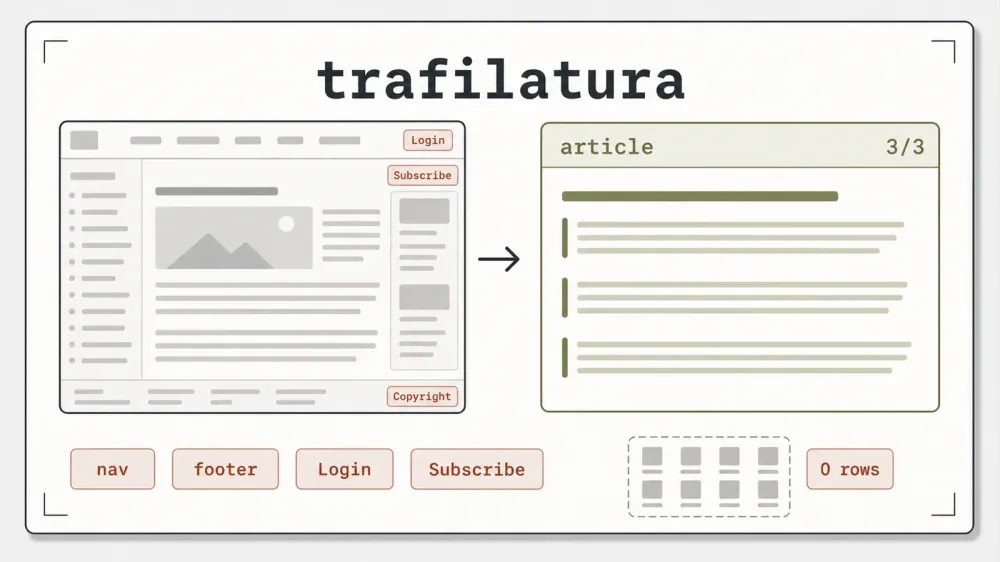
Most of the scraping tools getting attention this year want to drive a browser. trafilatura doesn't. It's a pure-Python library that reads static HTML, decides which blocks are the actual article, and throws the rest away. That narrow job — main-content extraction — is the whole point, and it's one the library has been doing since before "LLM-ready markdown" was a phrase anyone used.
I put version 2.1.0 through a fixed set of fixtures on Python 3.14, and the article test is the one that stuck with me. I wrapped a body of real text in the usual page furniture — a login prompt, a "Subscribe" nag, nav links, a copyright footer — and trafilatura handed back the title, all three body paragraphs, the author, and the date, with every one of those boilerplate markers gone. No browser, no per-site rules, one function call. The catch, and there is one, shows up the moment you ask it for anything structured. More on that below (it's a design line, not a flaw).
What trafilatura is, and the assumption worth dropping
The official one-liner calls it a "Python & command-line tool to gather text and metadata on the Web: crawling, scraping, extraction," with output as CSV, JSON, HTML, Markdown, TXT, or XML. That's a wide net, and it undersells the part that actually differentiates the tool. The value isn't the crawl helpers or the six output formats. It's content extraction: HTML document in, main article text out, page chrome stripped.
Here's the mental model, because it explains the strength and the boundary in one move. Most scrapers you point at a page are selector-driven. You tell them "grab the element with class product-price" and they return whatever lives at that address. trafilatura runs the other direction. It reads the entire document and decides which blocks are the article and which are boilerplate, using content heuristics instead of a selector you hand-wrote. That's why it needs zero per-site configuration to clean a page you've never seen. And it's precisely why it can't return a structured catalog: there's no schema, no field map, just a judgment call about what counts as the content. It's an extractor, not a parser you aim.
It's also genuinely light. Pure Python, no headless browser, no chromium binary parked in your cache, no Playwright install waiting to ambush you on first run. That property sounds minor until you're running extraction across thousands of URLs and every megabyte of dependency and every subprocess is something you have to operate. This is roughly a 6.26k-star project as of 2026-07-09 (adbar/trafilatura) — a much smaller repo than the browser and crawler frameworks it gets grouped with, which is context about its scope, not a knock on its quality.
Setup is the short section, and that's the review
The install is one line and there's nothing to warn you about, which is itself worth reporting. pip install trafilatura in a fresh virtualenv pulled a single clean package tree on Python 3.14 — no browser to download, no post-install step, no transitive dependency wall to scale. I've reviewed enough of these libraries to sit and wait for the second shoe: the 150MB browser bundle you discover on first execution, the native extension that won't compile, the extra [fetchers] group nobody mentioned. With trafilatura, the shoe never dropped.
The version pip gave me (2.1.0) matches the current release, published 2026-06-07, so none of the numbers below carry a "you tested something stale" asterisk. That's not always true in this category — plenty of the heavier tools I've looked at were a major version behind by the time I ran them. Here the tested build and the shipping build are the same.
Hands-on: what the extractor actually returned
I ran trafilatura against fixtures built to hit both its sweet spot and its wall. The article test is the one that decided my read on it.
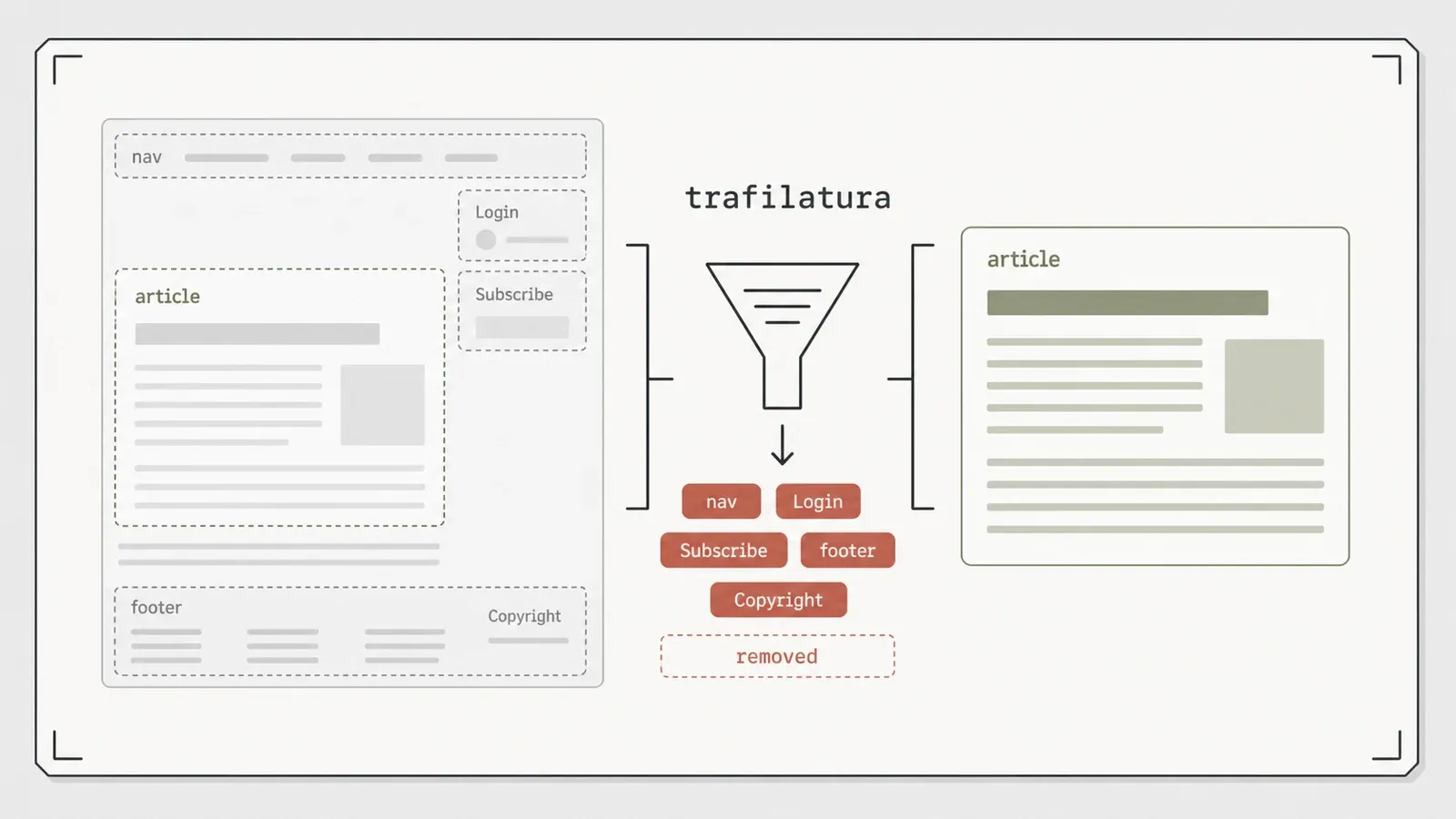
I took a local article fixture and buried the real content in noise — a login prompt, a "Subscribe" call-to-action, navigation links, and a copyright footer, the exact kind of boilerplate a naive scraper drags in alongside the body. trafilatura returned the title plus all three of three body paragraphs, and every unique boilerplate marker — Login, Subscribe, Copyright — was absent from the output. On top of the text, it pulled the author and the date correctly from the page metadata. The result came out across .txt, .md, and .json from a single call.
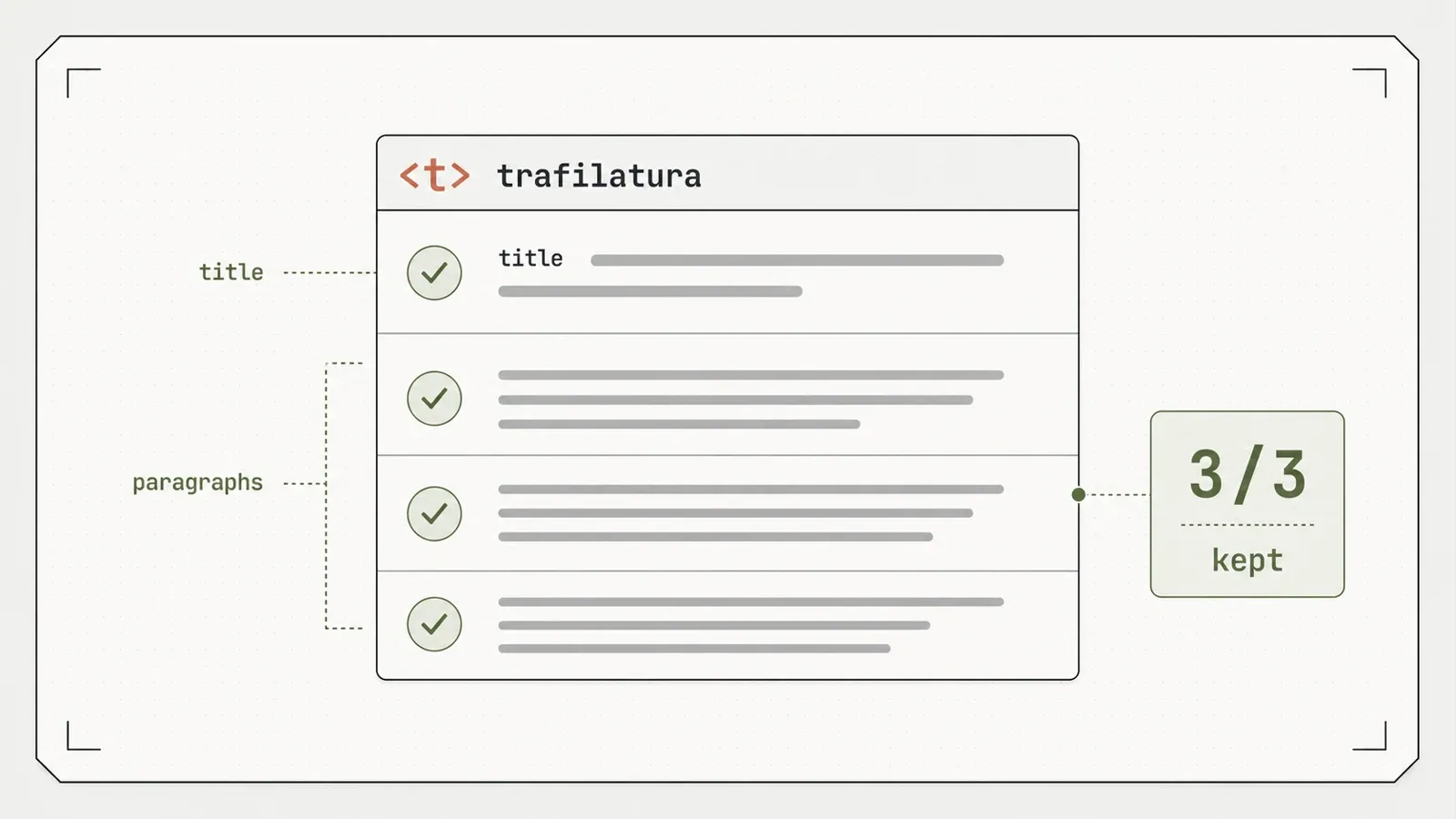
That multi-format detail deserves a beat. One extraction dropped out as plain text, as Markdown, and as JSON. The Markdown path is the "LLM-ready text" step everyone is chasing right now: feed a messy page in, get clean prose with structure preserved, hand it to a model. trafilatura does that with no browser anywhere in the loop, which is a quieter route to the same output that the browser-driving tools spin up a whole rendering stack to produce.
Then the public check. I pointed it at a live product page — a Books to Scrape product page — and it returned 1,324 characters of clean text plus Markdown: the description block, readable, no page chrome around it. And when I fed it a page that answered with HTTP 500, fetch_url returned None rather than raising. No crash, no stack trace to trap. That boring-but-correct failure behavior is exactly what you want in something running unattended on a schedule.
The caveats
Three of them, and each one narrows where the tool fits.
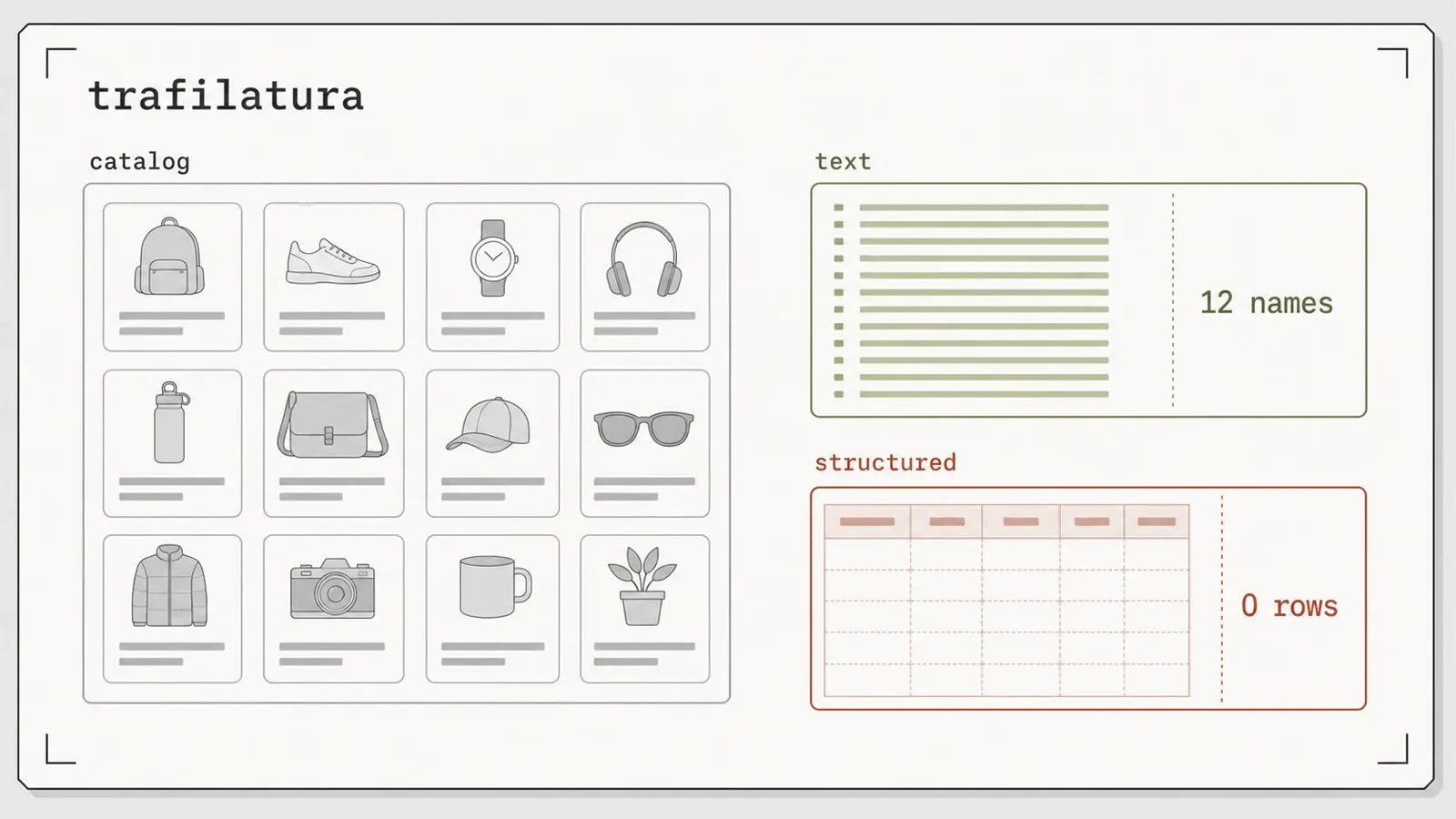
First and biggest: trafilatura is a content extractor, not a structured scraper. I ran it on a 12-product catalog fixture. It returned all 12 product names — as text — and exactly 0 structured rows (478 characters of flat text). The names and prices are in the output; they simply aren't fields. If what you need is [{name, price, rating}, …], this is the wrong tool, and no configuration flag changes that. It's a design choice about what the tool is for, not a bug to file.
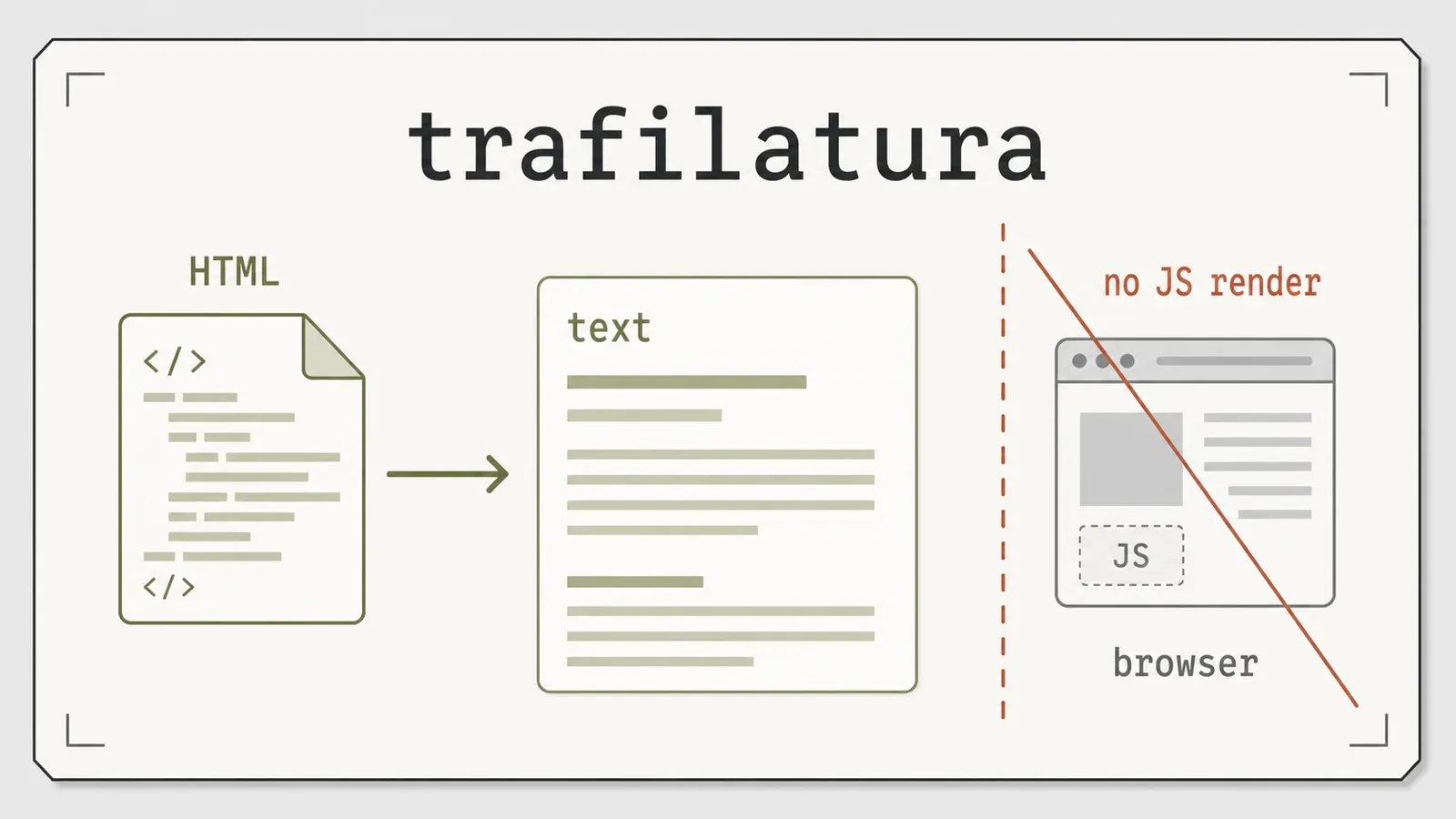
Second: it does not render JavaScript. It consumes static HTML. Point it at a client-rendered single-page app and you get whatever the server sent before the JS ran, which is frequently nothing useful. Pair it with a renderer if your targets are JS-heavy — trafilatura won't do that half for you, and it doesn't claim to.
Third, a caveat on my own evidence. The public extraction test above leaned on a product-description block, not a genuine news article, because the public sandbox I used (the toscrape family) is all catalogs with no news pages. The clean article-cleaning result is from a controlled local fixture. I trust that result — the boilerplate removal is unambiguous and reproducible — but a product page isn't proof of newsroom-grade extraction, so I won't file it as one.
To partly close that gap, I ran a separate, deliberately-unscored demonstration on two real article pages, reading saved fixtures so the run is deterministic. On the Wikipedia "Web scraping" article, trafilatura pulled the body down from 230,049 bytes of raw HTML to 26,673 bytes of extracted content (a 0.116 body-to-raw ratio), and all four checked site-chrome markers — "Jump to content," "Privacy policy," "Powered by MediaWiki," "This page was last edited" — were gone. On an archived Wikinews article, it went from 79,716 bytes to 2,200 (a 0.028 ratio), with all five checked markers dropped. Title, date, and hostname came back populated on both; author and sitename came back null on both, and I'm reporting those misses rather than hiding them. Two things to keep straight here: that byte ratio measures how much markup and chrome got stripped, not extraction accuracy, and both pages are from the same MediaWiki family, so this is a demonstration on real articles, not a representative corpus.
On accuracy specifically, I'll point at external evidence rather than pretend I measured it. trafilatura publishes its own evaluation page, and it posts the top open-source F1 (around 0.945) in the ScrapingHub article-extraction benchmark against comparators like readability-lxml (~0.887). Two honest qualifiers on that number: it comes from that benchmark, not from my testing, and the reported ~0.945 figure is tied to an older 0.5.1 line in the source, not the 2.1.0 I ran. Treat it as external benchmark evidence for why the tool has an extraction reputation, not as a measurement from this review.
Pros and cons
Pros:
- Cleanest article extraction in my set — title plus all 3 of 3 paragraphs, every boilerplate marker (Login/Subscribe/Copyright) removed.
- Pulls author and date metadata correctly alongside the body.
- Multi-format output from one call: txt, Markdown, and JSON — the Markdown is a real LLM-ready text step.
- Lightweight, pure-Python install — no browser, no binary download, no dependency wall.
- Graceful failure:
fetch_urlreturnsNoneon HTTP 500 instead of throwing. - Tested version equals the current release (2.1.0) — no version drift.
- Apache-2.0 licensed — permissive and commercially friendly.
Cons:
- Not a structured scraper: the catalog test returned 12 names as text and 0 typed rows. No schema, no fields.
- No JavaScript rendering — static HTML only; needs a separate renderer for client-side pages.
- Metadata is partial on some sites: author and sitename came back null on both real-article fixtures.
- My public prose test used a product-description block, not a real news article.
- The built-in crawl/sitemap spider and the CSV/XML output formats weren't exercised in this pass, so I make no claims about them.
Who it's for — and who should skip it
trafilatura is aimed squarely at the person whose problem is "I have URLs and I want the clean article text, without the nav bar and the cookie banner and the newsletter nag." Building a text corpus, feeding pages to a model, archiving readable content, running NLP over web articles — that's the lane, and the tool is very good in it. If you want a lightweight, no-browser step that turns messy HTML into clean Markdown or JSON, install it and get on with your day.
Skip it if what you actually need is structured extraction: priced product rows, typed records, key: value fields. It hands you text, not tables — the catalog test recovered the names but not the rows, and that won't change. Skip it too if your targets render their content in the browser and you're not willing to bolt on a separate renderer, since trafilatura reads static HTML and stops there. The failure mode isn't dramatic; you just get an empty or thin result and wonder why. Match the tool to the job — article text, yes; structured JSON or JS-rendered pages, look elsewhere.
Alternatives, including where Thunderbit fits
Try Thunderbit for Web Data Extraction
The fair framing first. trafilatura is a free, Apache-2.0, self-hosted library you run yourself. You own the code, it costs nothing per page, and it's light enough to drop into any pipeline without operational drag. For the specific job of stripping an article down to clean text, that combination is hard to beat, and a paid service doesn't change that verdict.
The comparison only gets interesting at the boundary trafilatura draws on purpose: structured data and JavaScript. Those are the two things it won't do, and they happen to be the two things a managed extraction API is built to absorb. That's where Thunderbit's developer stack sits — on the other side of that line, complementing trafilatura rather than competing with it on static-HTML article text. The /distill endpoint does the same shape of job trafilatura does, page to clean LLM-ready Markdown, but with JavaScript rendering handled server-side, which is the exact half trafilatura skips. And /extract returns structured JSON against a schema you define, which is the half trafilatura refuses by design: the catalog that came back as 478 characters of flat text is the case where you'd reach for /extract instead. For AI agents and coding assistants there's an MCP server, whose field-suggestion tool is free to try, and a CLI via npx @thunderbit/thunderbit-cli for terminal, CI, and cron work. It runs on the same engine as the Thunderbit Chrome Extension used by over 100,000 people, so the non-technical route exists too, but for this audience the API, MCP, and CLI are the relevant surface.
So the real trade-off was never text-extraction quality — trafilatura wins that on the pages it's built for, and I'll say so plainly. It's about scope and who runs the browser. Need clean article text from static HTML, self-hosted, at zero per-call cost? trafilatura is the lighter, sharper tool, full stop. Need structured JSON against a schema, or the page only renders after JavaScript runs? That's the managed stack's lane, and it isn't a fight trafilatura is trying to have. Pricing for the managed side is on the Thunderbit pricing page if you're weighing per-page cost against operating a renderer yourself.
If you're weighing options across the whole category, I keep a running comparison of the web scraping tools I actually use that puts libraries like this one next to the browser-driven and managed alternatives.
Verdict
Should you use trafilatura? Yes — if your job is turning messy HTML into clean article text, and you're clear-eyed about the two things it deliberately won't do. It stripped a page of every boilerplate marker and returned the title, all three body paragraphs, and the author and date, from a single lightweight install with no browser in sight. It emits txt, Markdown, and JSON together, which makes it a legitimate LLM-ready text step. In a field convinced you need a headless browser and an AI crawler to do anything at all, the tool that opens no browser did the cleaning I care about.
Just size it correctly. It's an extractor, not a structured scraper — the catalog came back as 12 names of text and 0 rows. It reads static HTML and doesn't run JavaScript. Its metadata extraction is strong on some pages and partial on others (author and sitename went null on both real-article fixtures I checked). And my public prose test leaned on a product-description block, not a real news article, so treat the newsroom-grade claim as promising rather than settled. Inside those lines, trafilatura does its one job cleaner than the heavier tools I compared it against — and it does it with almost nothing installed.
Try Thunderbit for Web Data Extraction Get Started Free
FAQs
What does trafilatura actually extract from a page? Main content — the article body plus the title, and metadata such as author and date — with boilerplate removed. In my test it returned the title and all 3 of 3 body paragraphs from a page wrapped in nav, login, subscribe, and copyright noise, and every one of those markers was absent from the output. It decides what counts as content using heuristics, so it needs no per-site selectors to clean a page it hasn't seen before.
Can trafilatura scrape a product catalog into structured rows? No. It's a content extractor, not a structured scraper. On a 12-product catalog fixture it returned all 12 product names as flat text (478 characters) and 0 structured rows — the names are in the output but they aren't fields. If you need typed records like name/price/rating, use a selector-based parser or a schema-driven extraction API instead.
Does trafilatura render JavaScript? No. It consumes static HTML only. Point it at a client-rendered page and you get whatever the server sent before the JavaScript ran, which is often not the content you're after. Pair it with a separate renderer if your targets are JS-heavy; trafilatura reads the static document and stops there.
Is trafilatura hard to install?
No — that's one of its real selling points. pip install trafilatura pulled a single clean package tree in a fresh virtualenv on Python 3.14, with no browser download, no post-install step, and no hidden extras group. The version pip installed (2.1.0) equals the current release, published 2026-06-07.
How accurate is trafilatura compared to other extractors? I didn't benchmark accuracy in this review, so I'll point at the external evidence instead. trafilatura publishes an evaluation page, and it reports the top open-source F1 (around 0.945) in the ScrapingHub article-extraction benchmark against comparators like readability-lxml (~0.887). Note that figure comes from that benchmark on an older 0.5.1 line, not the 2.1.0 I tested — so read it as external evidence for the tool's reputation, not as a measurement from this article.




