
Two people search "Thunderbit vs ZenRows" on the same afternoon, and they want completely different answers. One is a sales ops manager who needs a lead list off a directory site by 3pm and has never opened a terminal in her life. The other is a backend engineer trying to pull 40,000 product pages off a Cloudflare-protected site without getting IP-banned into oblivion. Google, bless its heart, gives them both the same seven-tool listicle that barely mentions Thunderbit and treats ZenRows as one line in a spreadsheet.
I run Thunderbit, so obviously I have a horse in this race. But I've also spent enough years in SaaS and automation (shoutout to my Automation Anywhere days, where I learned that "no-code" and "actually usable by a non-coder" are two very different promises) to know that most comparison articles are written by nobody who's used either product for a real job. So here's my attempt at the real head-to-head: a full feature table, a job-and-skill-based recommendation instead of a fake "winner," a worked pricing example using ZenRows' actual credit multipliers, and an honest explanation of why comparing "success rates" between these two tools is a bit like comparing a Swiss Army knife to a tow truck.
What Are Thunderbit and ZenRows? (Quick Definitions)
Before getting into features, it helps to know these two tools aren't really competing for the same job most of the time. They just keep showing up in the same search results because people assume "web scraper" means one category of product. It doesn't.
Thunderbit: No-Code AI Web Scraper for Business Teams
Thunderbit started as a browser extension built for people who need data off a webpage and have zero interest in writing a parser. The core experience lives in the Thunderbit Chrome Extension: you open a page, click One Click Extract, and the agent reads the page, figures out what data makes sense to pull, and prepares the fields on its own. There's a Run Now button if you want to kick things off immediately, but if you just sit there sipping your coffee, it starts automatically anyway. One click, no schema-building, no CSS selectors.
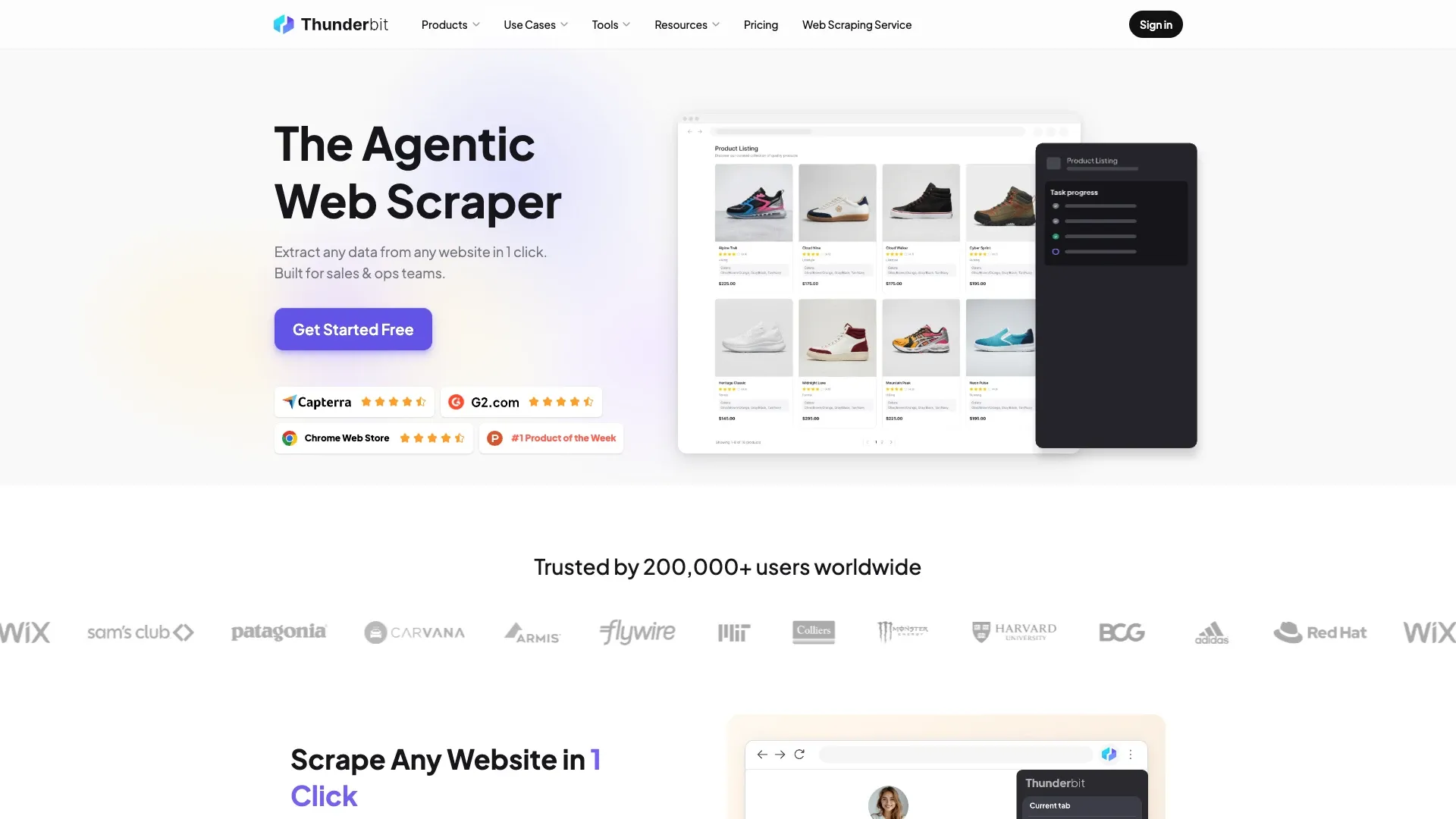
That's the surface most people think of when they hear "Thunderbit." But my team also built an Open API, an MCP Server, and a CLI for developers who want the same extraction intelligence wired into a backend pipeline or an AI agent instead of a browser tab. I want to be upfront here: the extension and the API are not the same product wearing different hats. They're different surfaces for different jobs, and I'll come back to that distinction again below because it matters a lot for the "which one do I actually need" question.
ZenRows: Developer-First Web Scraping API
ZenRows is infrastructure. It's not something you click a button on and export a spreadsheet from — it's an API you call from Python or Node, and what you get back is HTML, Markdown, or structured data, depending on how you configure the request. The product family includes the Universal Scraper API, a Scraping Browser for interactive automation (clicking, typing, navigating), Residential Proxies for geotargeting, and its own MCP Server for agent workflows.
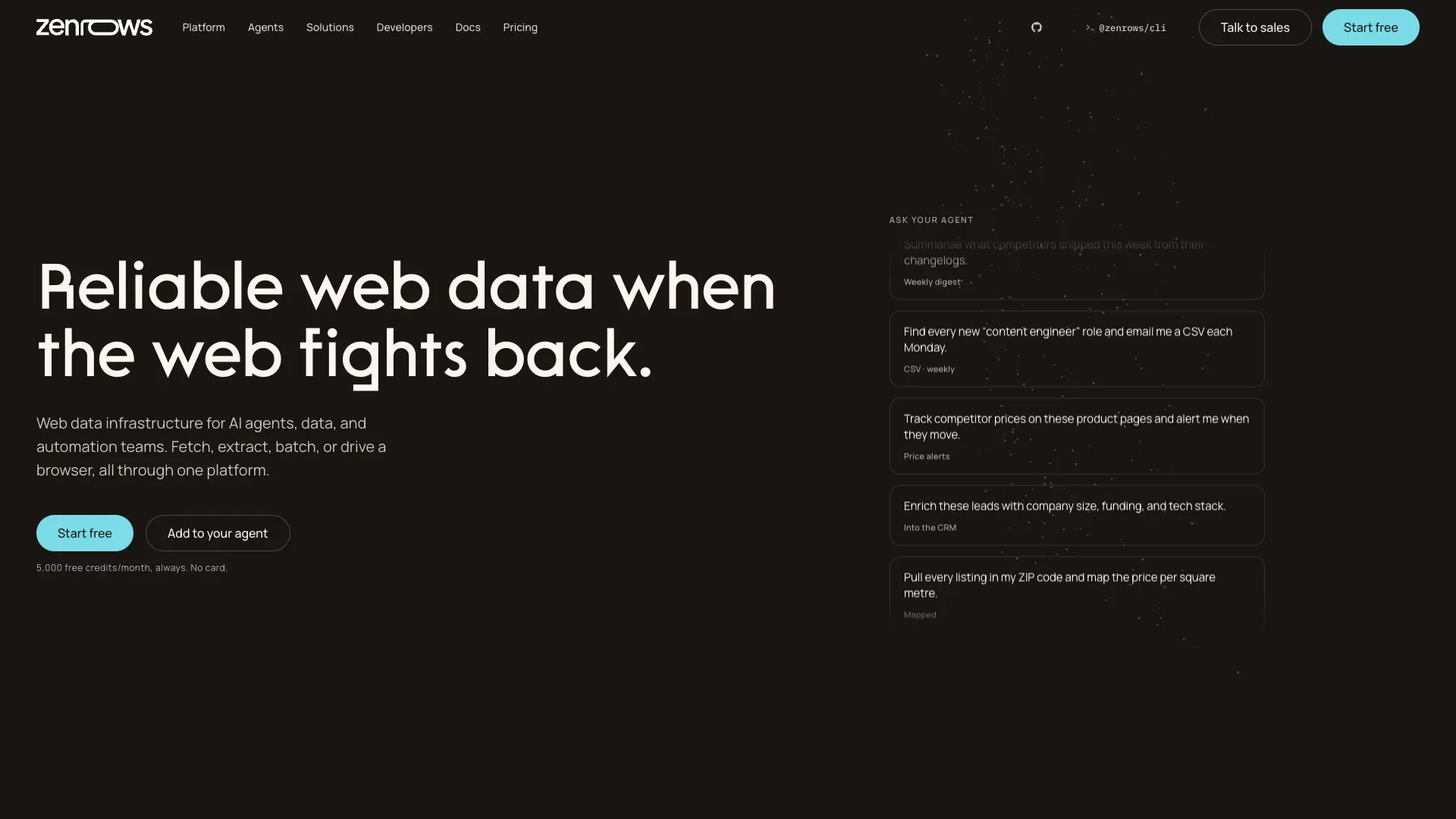
The pitch is straightforward: send a URL, tell it whether you need JavaScript rendering or premium proxies, and it handles the anti-bot cat-and-mouse game — fingerprinting, header rotation, Cloudflare challenges, the whole mess — so your scraper doesn't get flagged. That's genuinely hard engineering, and it's the entire reason ZenRows exists. But it requires code. Every single request goes through an API key and a parameter list. There's no "click here" for someone in marketing who just wants a CSV.
Thunderbit vs ZenRows: The Full Head-to-Head Comparison Table
I looked at the top-ranking pages for "Thunderbit vs ZenRows" before writing this, and it's a little wild what's out there. ZenRows' own blog post buries Thunderbit as one entry in a seven-tool roundup. A Slashdot comparison page shows an empty ratings widget for both products, which tells you nothing. Scrapeway's benchmark article doesn't include Thunderbit at all. Nobody has actually built a direct, feature-by-feature table for these two specific products, so here's my attempt at one.
| Category | ZenRows | Thunderbit |
|---|---|---|
| Core workflow | API request + code (Python/Node) | One Click Extract in browser extension — agentic detection, Run Now optional |
| Best for | Developers building scraping pipelines | Business users / one-off or recurring extraction jobs |
| Anti-bot / CAPTCHA / Cloudflare | Purpose-built proxy rotation + headless infra | Authorized browser-session extraction on compatible pages; not positioned as an anti-bot bypass API |
| JS-rendered pages | Yes, via headless rendering | Yes, on supported/compatible pages |
| Export destinations | JSON/CSV via API response | Export to Excel, Google Sheets, Airtable, Notion (verify current list) |
| Setup time | Requires code + API key config | No schema setup for the default browser workflow |
| Pricing model | Credit-based, multiplier per request type | Verify live plan/credit structure before purchasing |
A quick disclaimer, because I've been burned by outdated pricing tables before: this data is verified as of August 2026. Pricing, credit units, and export integration lists change on both sides more often than either company probably wants to admit. Check ZenRows' live pricing page and Thunderbit's pricing page before you make a purchase decision based on those numbers.
How Thunderbit's One Click Extract Workflow Works
The whole point of the browser extension is that there's basically nothing to learn. You navigate to the page you want data from — a directory listing, a product catalog, a job board, whatever — and click One Click Extract. The agent looks at the page structure, figures out what fields would make sense (names, prices, emails, whatever's actually there), and prepares them without you telling it what to look for.
Run Now shows up as an option, but it's genuinely optional. If you don't touch anything, extraction starts on its own. I've talked to users who didn't realize this and just assumed they had to click twice — which, fair, most software trains you to expect a confirmation step. Once it's done, you can adjust fields with plain-language instructions (formatting a phone number, translating a column, categorizing entries) and send the results to Excel, Google Sheets, Airtable, or Notion.
What this workflow is not: a backend pipeline. If you need extraction wired into a scheduled job, a RAG system, or an agent that's running without a human watching a browser tab, that's what the Open API and MCP Server are for. I mention this because I've seen people try to force the browser extension into a role it wasn't built for, and it's like trying to run a factory line with a pair of kitchen scissors. Right tool, wrong job.
How ZenRows' Scraping API Workflow Works
The typical ZenRows flow starts with generating an API key, then writing a request — usually through their Python or Node SDK, though raw HTTP calls work fine too. You pass a target URL and a set of parameters: do you need JavaScript rendering, do you want premium (residential) proxies, do you want the response as raw HTML or converted to Markdown or plain text. The API executes the request through its infrastructure and hands back whatever you asked for.
This is where the credit system starts mattering, and it's worth flagging early because it comes up again in the pricing section: a basic static-page request costs one credit multiplier, but add JavaScript rendering or premium proxies and that multiplier jumps. I'll walk through the actual numbers shortly.
For teams that don't want to build a full backend around this, ZenRows also connects to low-code automation platforms like Zapier, Make, and n8n, so the scraped data can route somewhere useful without a dedicated engineer maintaining glue code forever. It's a reasonable middle ground, though you're still fundamentally working in an API-and-parameters world, not a point-and-click one.
Thunderbit vs ZenRows: Which One Fits Your Job and Skill Level
Every comparison article I've read treats this like a feature checklist competition — more checkmarks wins. That's not how anyone actually picks a scraping tool. The real question is who you are and what you're scraping, so here's how I'd break it down if a friend asked me over lunch.
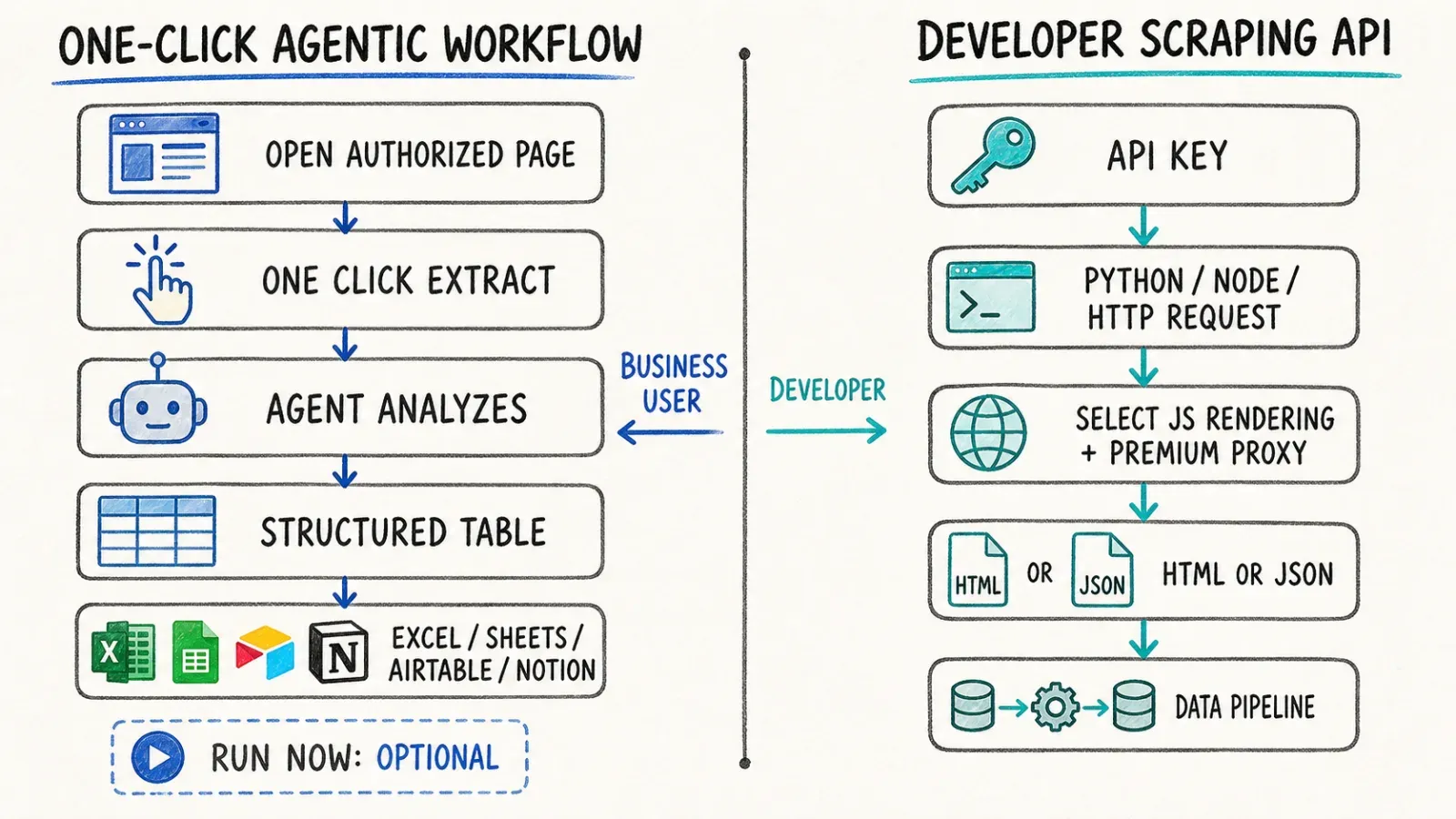
Choose ZenRows if:
- You're a developer scraping thousands of Cloudflare or CAPTCHA-protected pages inside a coded pipeline
- Your team already has infrastructure for parsing, retries, and storage, and you just need reliable page access
- Concurrency and fine-grained proxy/rendering control matter more than setup speed
Choose Thunderbit if:
- You're a non-technical sales, ops, or research person who needs a lead list, product catalog, or listing data pulled from an open, authorized page
- You want to skip writing any code and go straight from "open the page" to "data in a spreadsheet"
- The browser extension's One Click Extract flow fits your actual daily workflow better than a code editor
Choose Thunderbit's Open API or MCP Server if:
- You want backend, RAG, or automated pipeline access but don't want to build ZenRows-level scraping infrastructure yourself
- You're already working inside Claude, Cursor, or another MCP-compatible AI agent and want extraction available as a callable tool
Notice that "Thunderbit" shows up twice in different forms — that's intentional. It's a genuinely different decision whether you're picking the extension or the API, and pretending they're interchangeable does readers a disservice.
Pricing Comparison: What "Cheaper" Actually Means at Scale
Here's where things get genuinely tricky, and where I think most comparison articles either skip the math entirely or get it wrong. ZenRows doesn't charge a flat per-request fee — it uses a shared credit balance with multipliers that depend on what kind of page you're hitting. A plan that advertises "250,000 requests" sounds generous until you realize that number assumes every single page is a basic static request, which almost never happens in the real world.
ZenRows' Credit-Multiplier Pricing, Explained
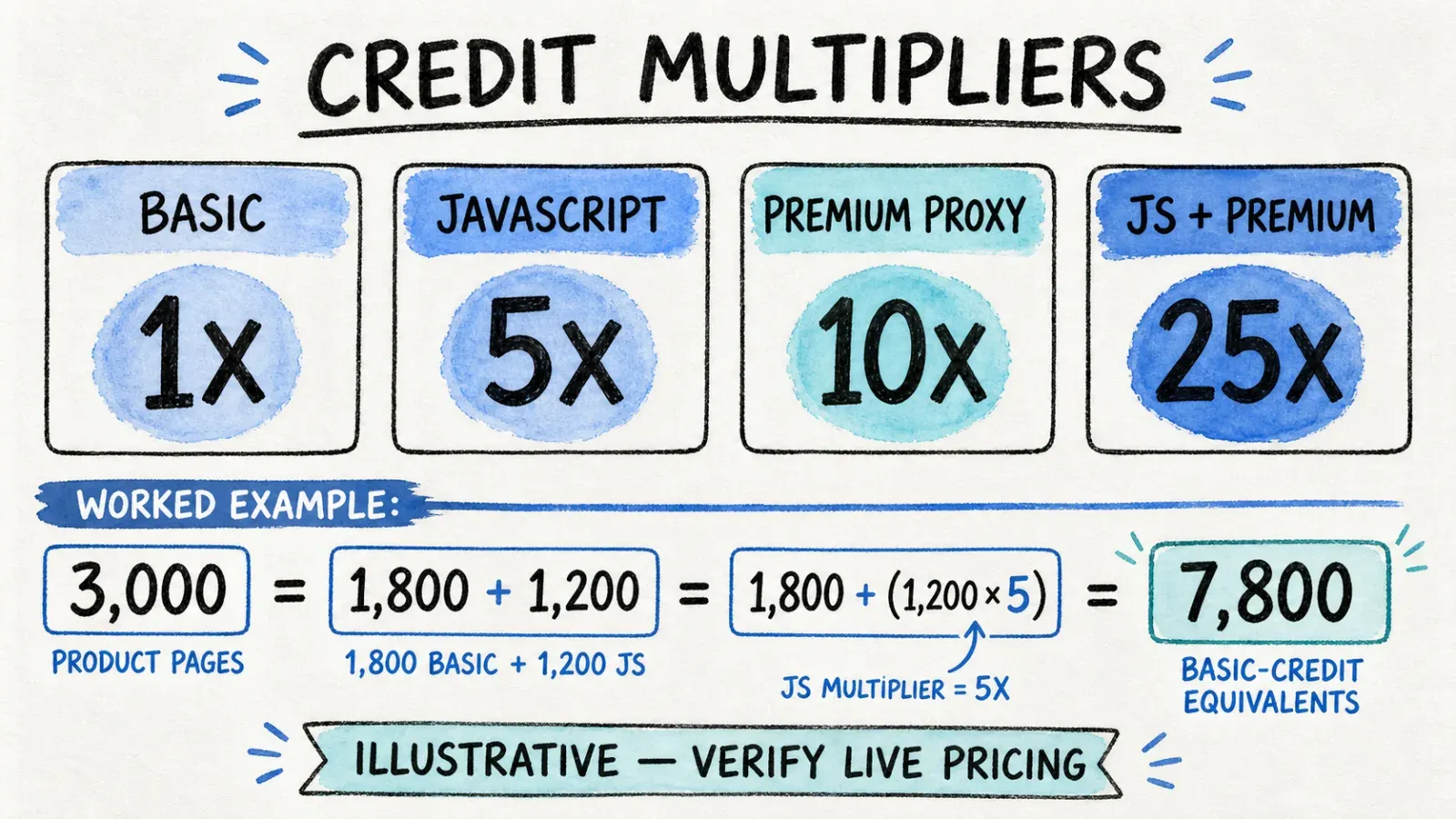
According to ZenRows' official pricing documentation, the Universal Scraper API multipliers currently break down like this: a basic request costs 1x credits, JavaScript rendering costs 5x, premium proxies cost 10x, and combining JavaScript rendering with premium proxies costs 25x. That's not a small spread — a page that needs both JS rendering and premium proxies costs 25 times more than a plain static page.
One more detail that trips people up: failed or retried requests aren't billed, which is fair, but HTTP 404 and 410 responses are still counted as successful and billed. So if your target list has dead links mixed in, you're paying for those too.
The current standard tiers, per the same docs: Trial gives you $1 of shared allowance (roughly 1,000 basic requests, 200 JS-only, 100 premium-proxy-only, or 40 fully protected results). Developer runs $69.99/month for 250,000 basic requests or 10,000 protected results with 20 concurrent connections. Startup jumps to $129.99/month for 1 million basic or 40,000 protected, at 50 concurrency. Business starts at $299.99/month for 3 million basic or 120,000 protected requests, 100 concurrency, with higher Business tiers running from $499.99 up to $2,999.99 monthly before you hit custom Enterprise pricing.
Thunderbit's Pricing Model
Thunderbit's structure works differently — it's built around plan tiers tied to the browser-based workflow rather than a per-request multiplier system, since most users are running extraction jobs on individual pages rather than firing thousands of programmatic API calls. I'd rather not quote specific credit numbers here because plan structures shift, and I'd hate for outdated numbers to make someone budget wrong. Check the current tiers directly on Thunderbit's pricing page before committing.
What I can say confidently: there's no 25x multiplier lurking in the browser workflow. You're not paying drastically more because a page happened to load some JavaScript. That simplicity is kind of the whole point of a browser-based tool — the extraction happens inside a real browser session, so "is this page JS-rendered" isn't really a pricing question the way it is for an API that has to spin up headless rendering on demand.
Worked Example: Scraping 1,000–5,000 Product Pages
Let's say you need product data off 3,000 e-commerce pages, and roughly 40% of them require JavaScript rendering to load prices (a common situation with modern storefronts). On ZenRows, that's about 1,800 basic-rate pages and 1,200 pages at the 5x JS-rendering multiplier — meaning your "3,000 pages" actually consumes credits equivalent to roughly 7,800 basic requests (1,800 + 1,200×5). If any of those pages also sit behind premium-proxy-requiring anti-bot protection, that number climbs fast, since the multiplier for JS-plus-premium-proxies hits 25x.
On Thunderbit's browser extension, you'd be running One Click Extract page by page (or using pagination/subpage enrichment on compatible list-to-detail workflows), and the cost model doesn't swing wildly based on whether a given page rendered JavaScript — it's tied to your plan tier, not a per-page multiplier. For a job this size, that's a meaningfully different cost conversation.
I want to be very clear this is illustrative math, not a quote. Real costs depend on the specific target site's protection level, your plan tier, and whatever the live pricing pages say on the day you check. Treat this example as a way to think about the multiplier problem, not a number to build a budget around.
Success Rate and Anti-Bot Handling: Why It's Not an Apples-to-Apples Comparison
A few benchmark sites (Scrapeway and numerous.ai among them) publish success-rate percentages for ZenRows against notoriously tough targets like Amazon, Zillow, and Walmart. Those numbers are useful if you're evaluating anti-bot bypass APIs against each other. They tell you almost nothing about Thunderbit, because Thunderbit was never built to solve the same problem.
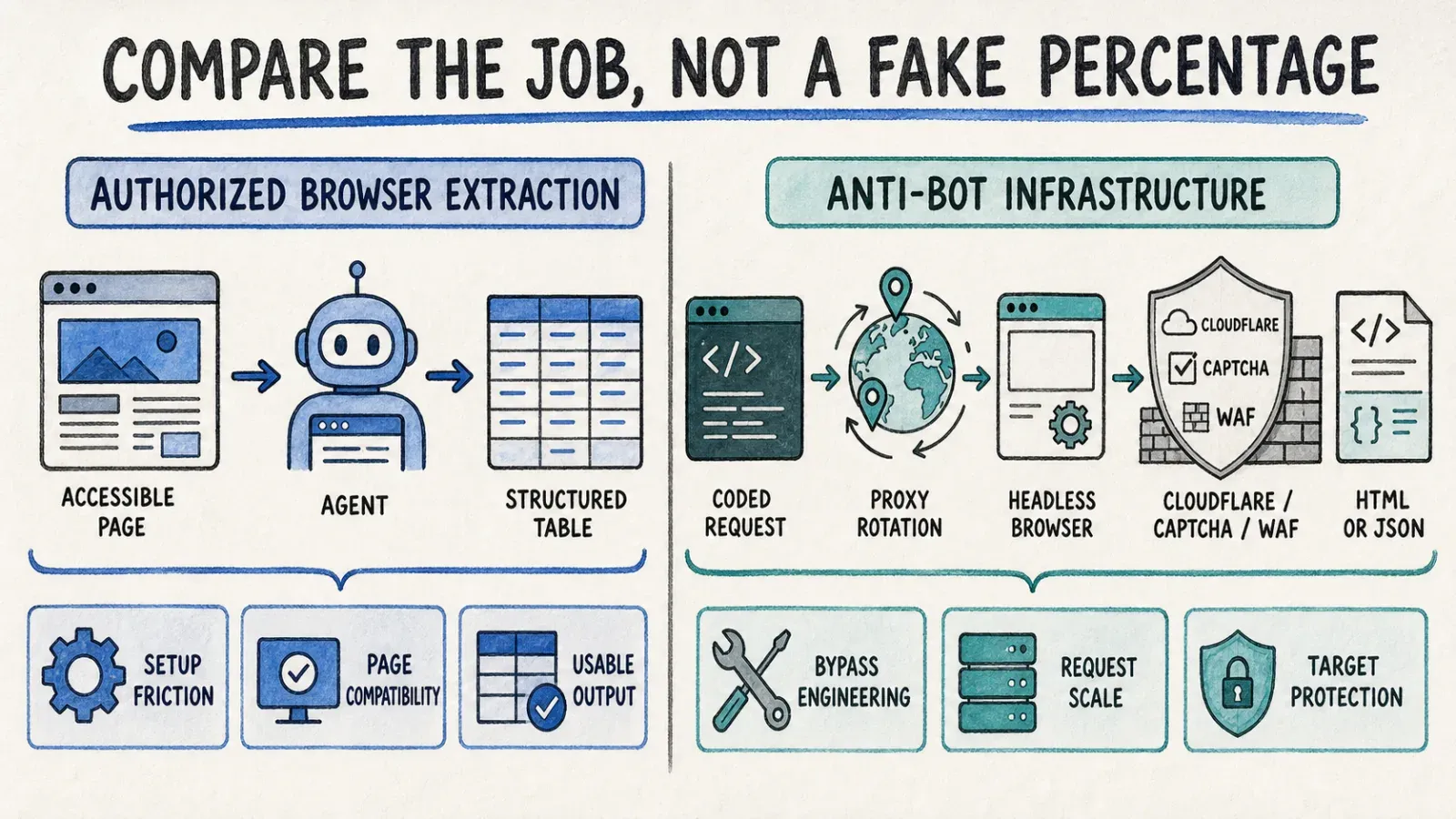
ZenRows exists specifically to defeat CAPTCHAs, Cloudflare challenges, and web application firewalls at scale, using proxy rotation and headless infrastructure engineered for exactly that fight. Thunderbit performs extraction within an authorized browser session on pages you can already access — it's an agentic scraper for getting structured data out of a page, not a service designed to punch through defenses on sites actively trying to block bots. Publishing a fake "Thunderbit success rate against Amazon's anti-bot system" would be dishonest, because that's simply not the job the tool was built for.
The fairer comparison is setup friction, authorization model, and target-page compatibility. Thunderbit's one-click experience is genuinely one click — but that description applies to compatible, authorized pages, not a guarantee across every website or anti-bot environment on the internet. If you're trying to scrape a site that's actively fighting automated access with enterprise-grade WAF rules, that's squarely ZenRows territory, and pretending otherwise would be doing readers a disservice.
Export, Integrations, and Where Your Data Ends Up
ZenRows hands back JSON or HTML through its API response, which means you (or a connected automation tool) are responsible for routing it somewhere useful — a database, a spreadsheet, a data warehouse. That's not a knock on ZenRows; it's just what an infrastructure API does. It gives you raw material and trusts you to build the rest.
Thunderbit exports directly to the destinations most business teams already live in: Excel, Google Sheets, Airtable, and Notion, without writing a line of code to make that happen. For anyone doing lead generation or pulling e-commerce product data, that's the difference between "I have a JSON file now" and "I have a spreadsheet I can hand to my manager."
Both tools can also plug into broader automation platforms like Zapier, Make, or n8n for more complex routing, so neither is locked into its default export path if your workflow needs something fancier.
Legal and Compliance Considerations When Choosing a Scraper
I'll keep this short because it deserves a mention, not a dissertation. Both tools should be used to collect public or otherwise authorized data, respecting a site's terms of service, robots directives, and applicable privacy laws like GDPR or CCPA depending on where your data and users are. Neither Thunderbit nor ZenRows — nor any scraping tool, honestly — guarantees automatic legal compliance. That responsibility sits with the person running the job, not the software.
Conclusion: Thunderbit or ZenRows — Which Should You Choose?
The honest answer is that these two tools were built to solve different problems, and picking a "winner" would be a little like asking whether a bicycle or a delivery truck is better. Thunderbit is the no-code, browser-based path for business users who need fast, authorized extraction without touching a code editor — and if you need that same intelligence in a backend, the Open API or MCP Server covers it without asking you to build ZenRows-level infrastructure. ZenRows is the developer-first API for teams building coded pipelines against protected, high-volume targets where anti-bot bypass is the actual engineering problem you're solving.
Match the tool to the job in front of you, not a generic feature checklist. If you're still not sure which camp you're in, that's usually a good sign you don't need the heavier infrastructure yet — and my team built the Thunderbit Chrome Extension precisely for the people who'd rather click a button than write a scraper from scratch.
FAQs
Is Thunderbit good for non-coders? Yes — that's the entire design premise. The browser extension's One Click Extract workflow means the agent reads the page and prepares fields on its own; you don't write selectors, build a schema, or touch code. Run Now is optional, since extraction auto-starts if you don't click anything. That's exactly why it fits sales, ops, and research teams that need data without writing code.
Does ZenRows bypass Cloudflare and CAPTCHAs? Yes, that's core to its design. ZenRows uses proxy rotation, header/fingerprint management, and an Adaptive Stealth Mode specifically to get past anti-bot systems like Cloudflare and CAPTCHAs. For the current specifics on how it handles any given protection layer, check ZenRows' Universal Scraper API documentation directly, since anti-bot tactics on both sides evolve constantly.
Which is cheaper, Thunderbit or ZenRows? It depends heavily on your job type and volume. ZenRows' credit multipliers mean JavaScript-rendered or proxy-protected pages can cost up to 25 times more than basic static requests, which can quietly balloon a "cheap" plan's real usable capacity. Thunderbit's browser-based plans don't carry that per-page multiplier structure. Run your own numbers against the worked example above and always verify current pricing on ZenRows' pricing page and Thunderbit's pricing page before deciding.
Can Thunderbit replace an API for backend data pipelines? The browser extension itself isn't designed for that — it's built for current-page, no-code extraction with a human clicking the button. For backend, scheduled, or agent-driven pipeline work, Thunderbit's Open API or MCP Server is the relevant surface, giving developers programmatic access without needing to build ZenRows-style infrastructure from scratch.
Can I use Thunderbit and ZenRows together? Actually, yes, and it's not a weird combination. Some teams use ZenRows to handle raw access to heavily protected, high-volume targets inside a custom pipeline, then use Thunderbit for ad hoc business extraction, quick lead lists, or agent-facing tasks that don't need that level of anti-bot engineering. They're solving different layers of the same broader problem, so there's no rule against running both depending on which job is in front of you.




