
Somebody in our Discord asked me point blank last month: "How is Thunderbit different from Nimble?" I went hunting for a real answer and came up empty. Every ranked page was either a thin auto-generated widget, a competitor's own listicle that lumps Thunderbit into a "lightweight/no-code" footnote, or a Thunderbit-vs-something-else article that happened to rank because of brand proximity. Nobody had actually sat down and compared the two products feature by feature.
So I did the digging myself, partly because I'm the CEO of one of these companies and partly because I was genuinely curious how our own product stacks up against a platform built for a completely different buyer. Here's what I found — and spoiler, these two tools aren't really competing for the same customer, which makes the comparison more interesting, not less.
Quick Answer
If you want the short version before I get into the weeds:
- Thunderbit is built for immediate, page-to-table work. You open a page, click once, and get a structured dataset — with an Open API, MCP Server, and CLI for when developers want to plug it into something bigger.
- Nimble is a developer and enterprise web data platform spanning Search, Extract, Crawl, Map, and Agent products, plus managed Data Services for teams running large-scale pipelines.
- The right pick depends on who's actually running the workflow — a salesperson trying to build a prospect list this afternoon, or a data engineer standing up production infrastructure for a RAG system.
At a Glance
I like tables because they force honesty — you can't hand-wave your way through a comparison table the way you can in prose. Here's how the two products line up across the dimensions that actually matter when you're choosing between them.
| Dimension | Thunderbit | Nimble |
|---|---|---|
| Primary user | Non-technical business users (sales, ops, marketing) | AI/data engineers, enterprise teams |
| Entry interface | Browser extension, Web App | REST APIs, SDKs |
| Setup effort | One click, no schema or selectors | API key, driver/tier selection, schema config |
| Extraction scope | Single page or set of pages, subpage enrichment | Search, Extract, Crawl, Map, Agent products |
| Anti-bot approach | Managed rendering on supported/authorized pages | Tiered "drivers" (VX6/VX8/VX10) with stealth options |
| Output | Table, Excel, Google Sheets, Airtable, Notion | HTML, Markdown, JSON, screenshots, structured parses |
| Scheduling | Plan-dependent scheduled runs | Sync/async jobs, webhook callbacks |
| Developer surfaces | Open API, MCP Server, CLI | SDKs, MCP integration in managed Data Services |
| Observability | Basic run history in-app | Job status, callbacks, cloud storage integration |
| Pricing motion | Credit-based, self-serve plans | Usage-based PAYG plus annual managed tiers |
| Best fit | Fast, one-off or recurring structured data needs | Production-scale web data infrastructure |
What Is Thunderbit?
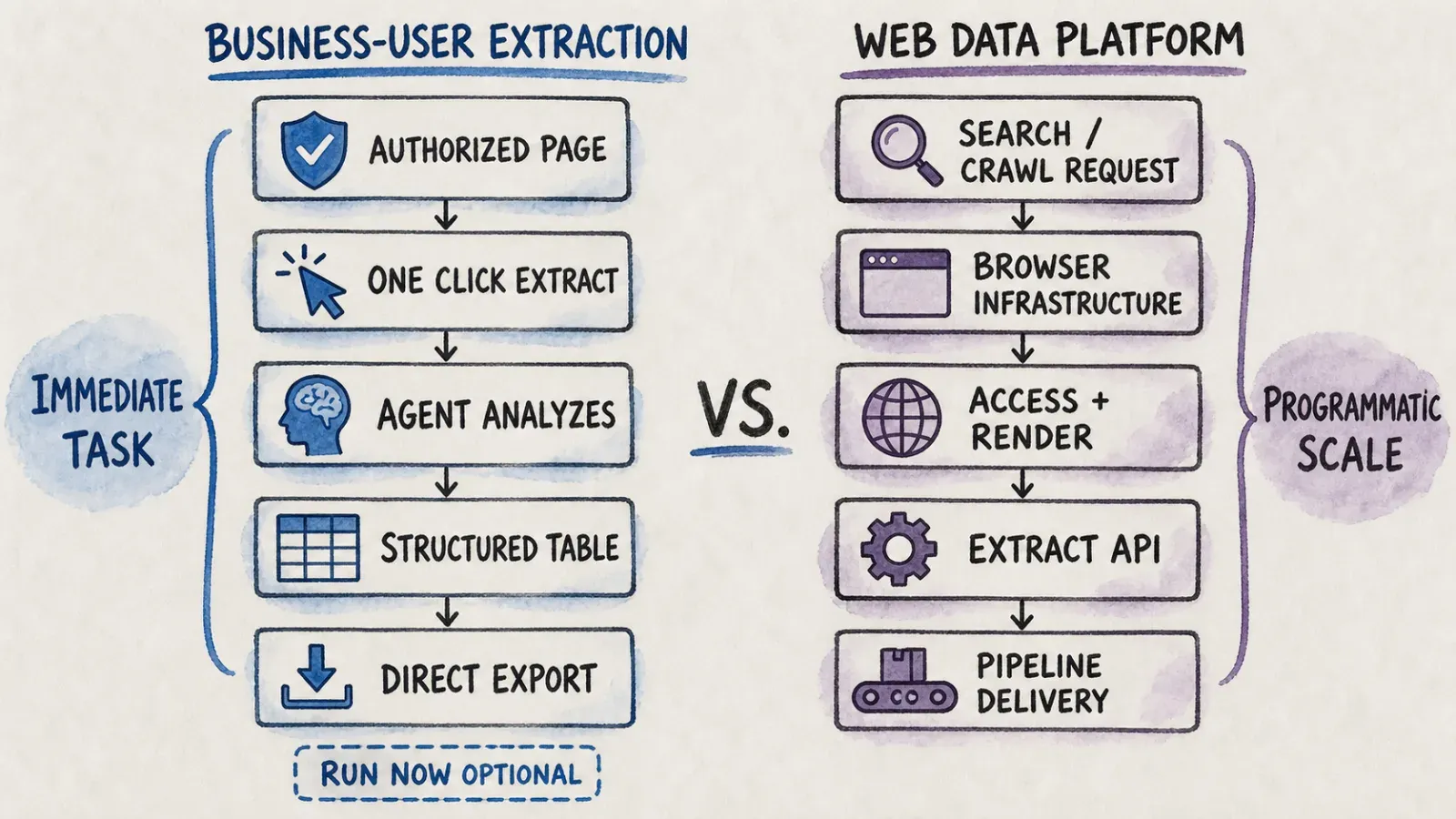
Thunderbit is an agentic web scraper that lives, first and foremost, as a browser extension. The workflow is intentionally boring in the best way: you open a page you're authorized to view, click One Click Extract, and the agent reads the page, figures out what's worth pulling, and prepares the fields on its own. You'll see a Run Now button pop up — click it if you're impatient, or just wait a beat, because the extraction auto-starts if you don't touch anything. That's the whole setup. No selectors, no schema, no Python.
That said, Thunderbit isn't only a point-and-click tool. There's a Web App for running and managing extractions from the browser without the extension, an Open API for teams that want to trigger extraction from their own applications, an MCP Server for hooking Thunderbit into Claude, Cursor, Windsurf, and other MCP-compatible AI agents, and a CLI for coding-agent and terminal workflows. Once you've got structured data, you can export it to Excel, Google Sheets, Airtable, or Notion, and refine fields with plain-English instructions instead of regex.
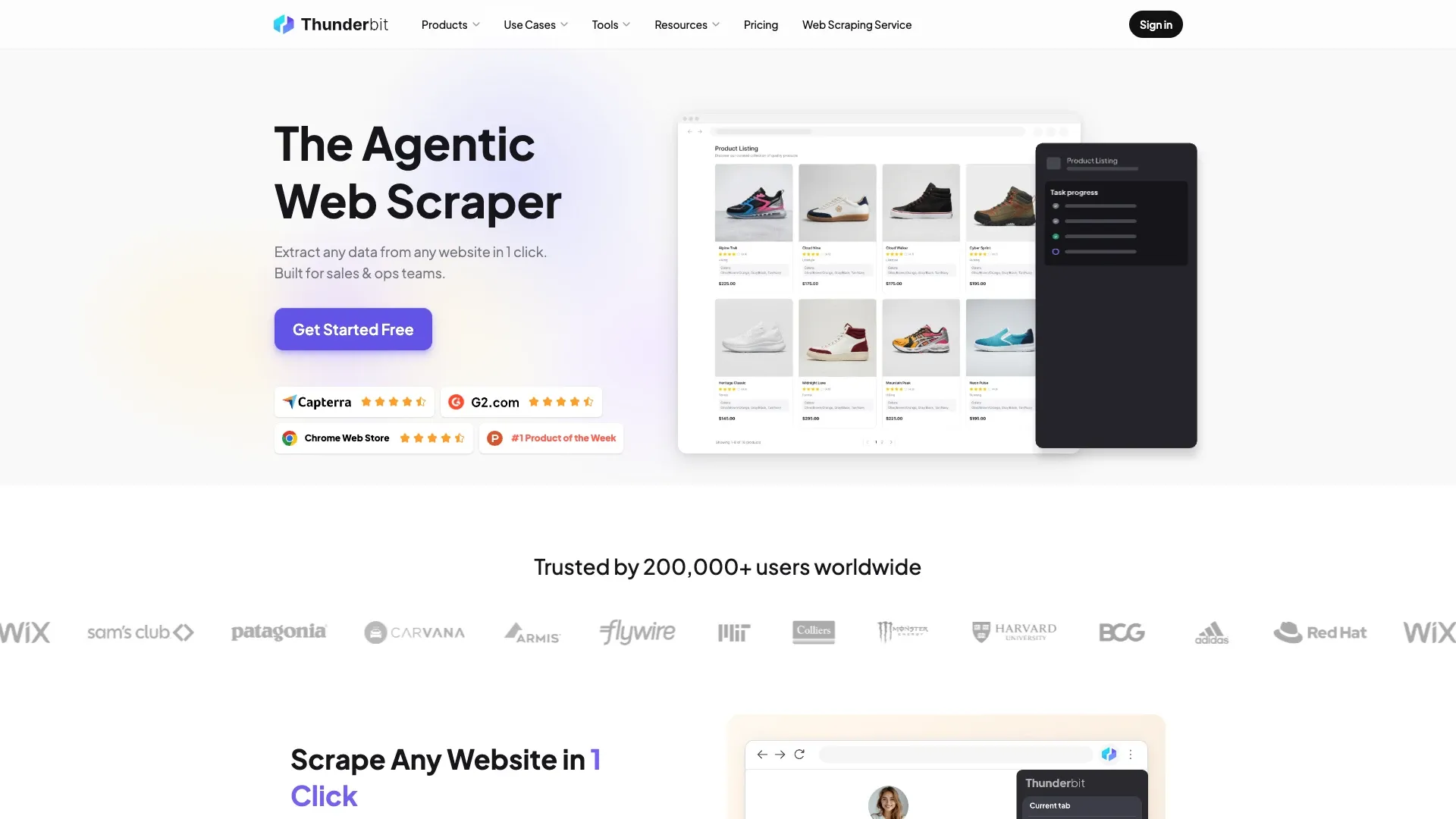
I want to be careful here, because I've seen a lot of "AI scraper" marketing copy that oversells what these tools can do. One-click extraction works well on supported, authorized pages — it's not a universal bypass for every login wall or anti-bot system on the internet. It's a genuinely fast way to turn a page you can already see into a spreadsheet, which covers a surprising amount of what business users actually need day to day.
What Is Nimble?
Nimble is a different animal entirely — it's a web data platform built for engineers, not for the person in your company who still calls a spreadsheet a "database." According to Nimble's own documentation, the product family includes a Search API, an Extract API, Crawl, Map, a Web Search Agent product, and a Proxy network, all wired together as SDKs that developers drop into their own applications.
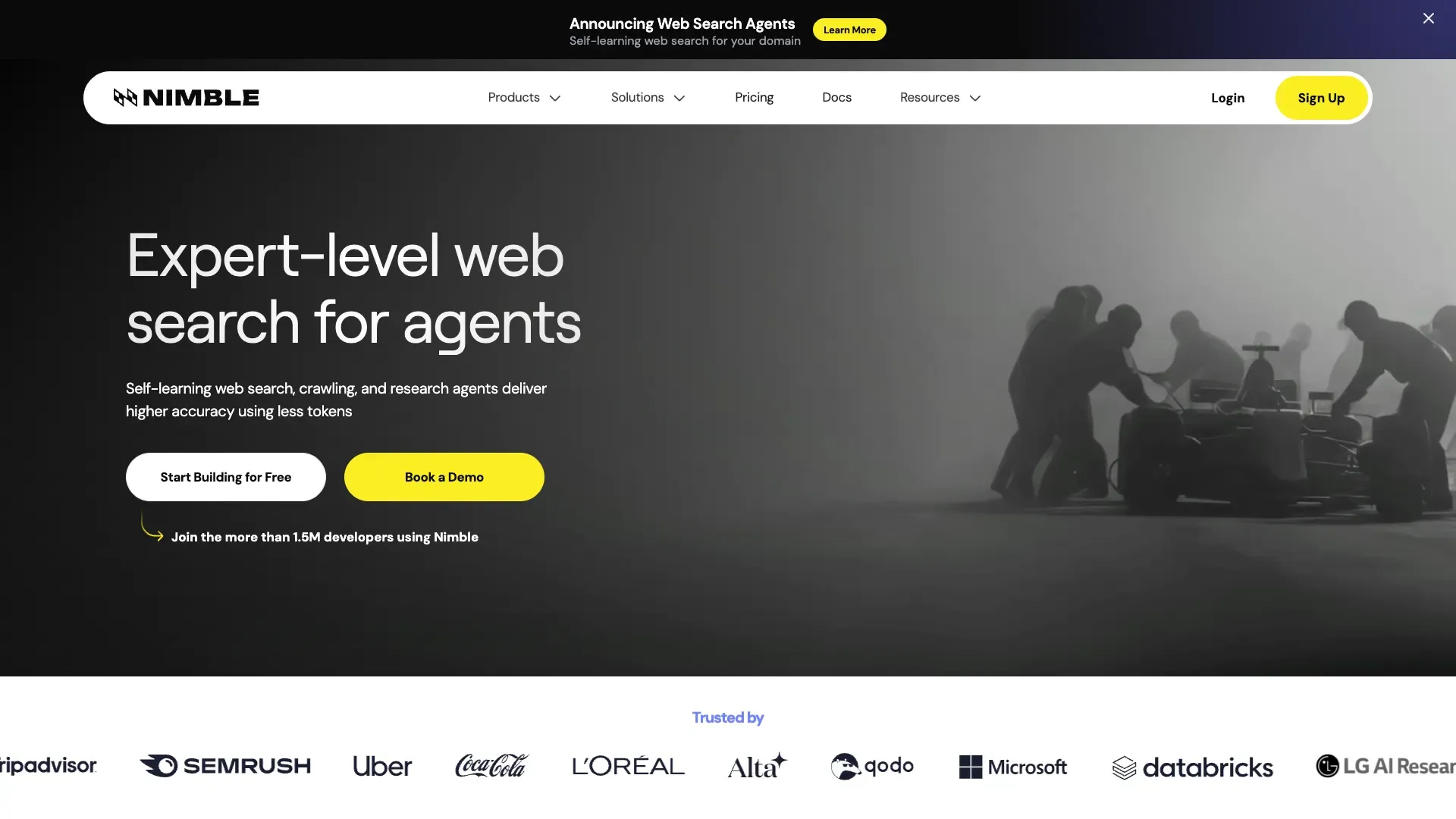
The Extract API alone gives you HTML, Markdown, screenshots, headers, or structured parsing, JavaScript rendering, stealth drivers for protected sites, CSS-selector-based parsing schemas, and even scripted browser actions like clicking, scrolling, and typing. You can target requests by country, state, or city, pass custom headers and cookies, capture network traffic, and run jobs synchronously or asynchronously with webhook callbacks. Crawl and Map extend this to whole domains, and Web Search Agents offer template-based extractors for popular sites that need less manual configuration.
On top of the raw APIs, Nimble sells Managed Data Services — annual contracts that bundle custom agent ETL pipelines, data retention windows, and MCP integration for teams that want Nimble to essentially run their web data operations for them. This is enterprise infrastructure, not a browser tool, and it's priced and sold that way.
Core Difference: Business-User Extraction vs Web Data Infrastructure
Immediate browser task
The clearest way I can put it: Thunderbit is built for the moment when you have a page open right now and you need the data in it as a table, today, without filing a ticket with IT. That's the entire premise of the browser extension — you're not architecting a pipeline, you're just trying to get 200 rows of product listings into a spreadsheet before your meeting starts.
Programmatic search/crawl/extract workflow
Nimble assumes you're not looking at a single page — you're building something that runs continuously, at scale, across thousands or millions of URLs, feeding a system rather than a spreadsheet. Choosing a driver tier, writing a parsing schema, and wiring up webhook callbacks is a fundamentally different mental model than clicking a button in your browser. It's infrastructure work, and it's meant to be.
Enterprise operations and governance
Nimble's Managed Data Services tier exists because some companies don't want to own any of that infrastructure work themselves — they want an SLA, a retention policy, and a vendor accountable for uptime. Thunderbit doesn't really compete here; its plans are built around self-serve credits and business teams, not annual enterprise contracts with dedicated concurrency guarantees.
Hands-On Scenarios
Comparisons get abstract fast, so let me ground this in situations I've actually seen come up.
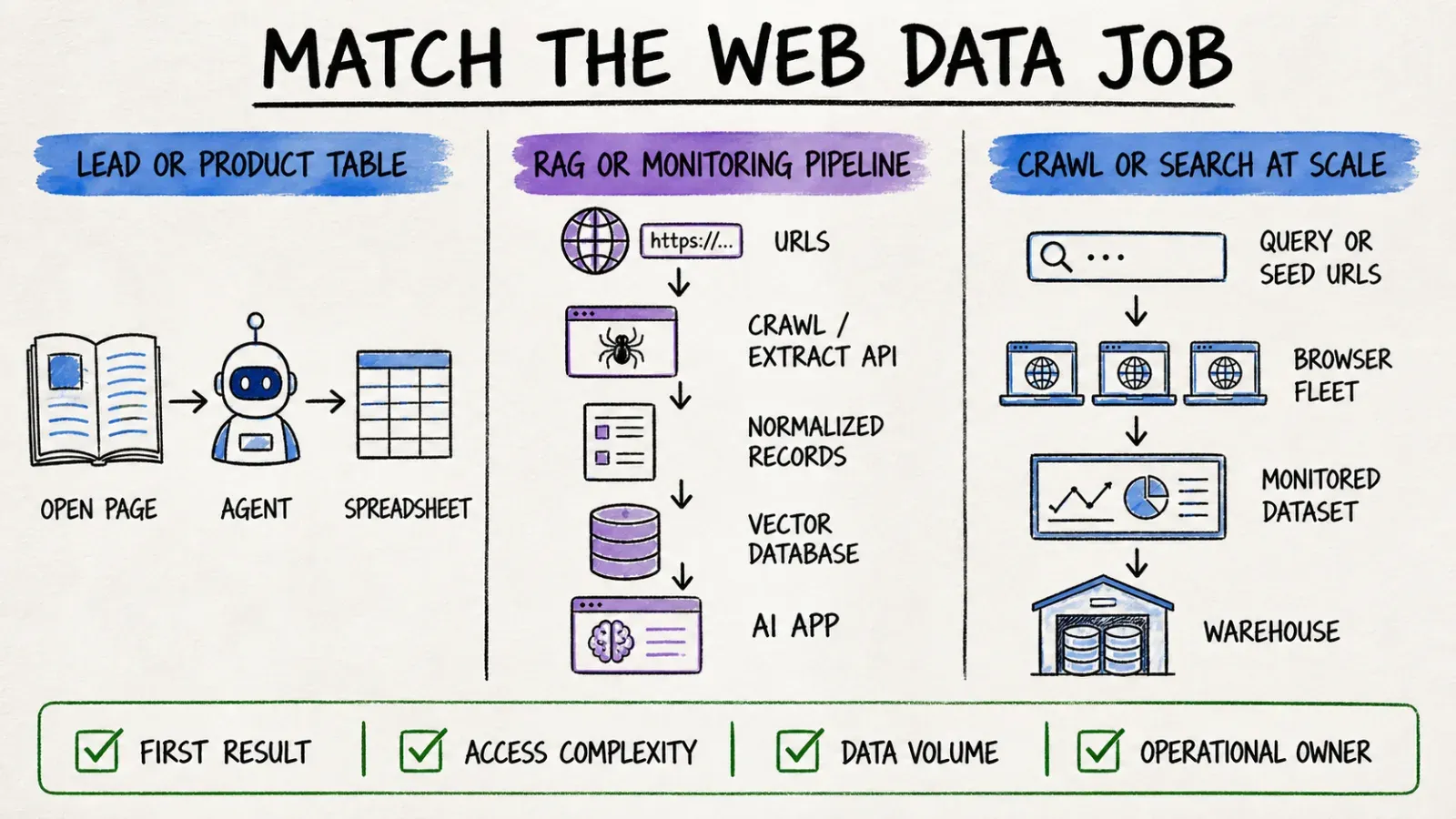
Building a lead or product table from the open page
Say you're in sales ops and your boss wants a list of every exhibitor at a trade show, scraped from the event's website, with company name, booth number, and website URL. You open the page, click One Click Extract, let the agent figure out the columns, hit export to Google Sheets, and you're done in a few minutes. This is squarely Thunderbit territory — check out our take on AI lead generation if this is a recurring part of your job.
Feeding a RAG or monitoring pipeline
Now imagine you're building a retrieval-augmented generation system that needs fresh content from thousands of URLs every day, with structured parsing and webhook notifications when jobs finish. That's Nimble's Extract and Crawl APIs doing what they're designed for — async jobs, cloud storage, and a schema that a downstream service can consume without a human ever looking at the raw output.
Crawling or searching at scale
If the task is "find every page on this domain" or "search the web and summarize what's out there," you're past extraction and into discovery — that's Nimble's Search, Map, and Answer products, which combine retrieval with AI-generated summaries rather than just pulling structured fields off a known page.
AI-agent integration
Both products now speak to AI agents, just from different directions. Thunderbit's MCP Server lets a Claude or Cursor session call Thunderbit's extraction tools directly, while Nimble's managed Data Services list MCP integration as part of its enterprise offering. Neither company has a monopoly on "agent-ready" — the difference is that Thunderbit's agent access sits on top of the same one-click product a salesperson uses, while Nimble's sits on top of a broader infrastructure stack.
Data Quality, Blocking, and Maintenance
This is where I want to be blunt, because vendors on both sides (mine included) have an incentive to oversell reliability. Thunderbit's managed rendering handles a lot of common JavaScript-heavy pages automatically, but it applies to supported, authorized pages — it's not a guarantee against every anti-bot system out there. Nimble's driver model is explicit about this trade-off: it offers three tiers — VX6 for standard static HTTP requests, VX8 for JavaScript rendering, and VX10 for stealth rendering on protected sites — and lets the price climb as the target gets harder to access.
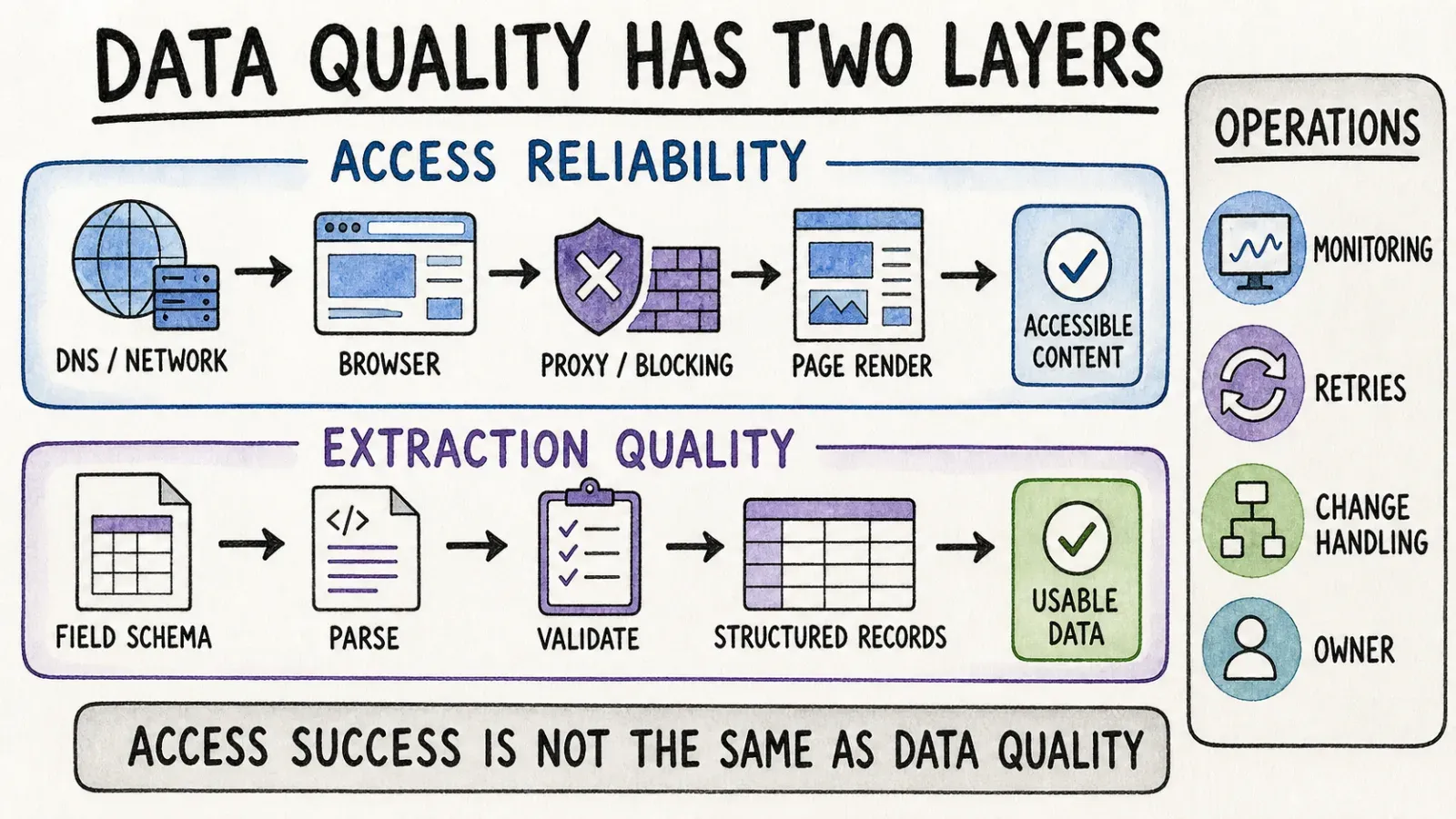
I actually respect that Nimble is upfront about tiering complexity into pricing, because it's honest about a truth every scraping vendor deals with: the harder the site fights back, the more infrastructure it takes to get through, and somebody pays for that infrastructure one way or another. Neither company can promise zero blocking or zero maintenance on every site on the internet, and I'd be suspicious of any tool that claims otherwise.
What differs is who owns the ongoing maintenance burden. With Thunderbit, my team owns the extraction logic and the agent that interprets pages — you're not writing or maintaining selectors. With Nimble, if you're using CSS-selector-based parsing schemas on the Extract API, you're the one keeping those selectors in sync when a target site redesigns its layout, unless you lean on the template-based Web Search Agents instead.
Pricing and Total Cost
Pricing comparisons for this exact matchup basically don't exist anywhere online, which surprised me given how much content exists comparing either tool to something else. Here's what I found on official pages, with the caveat that pricing pages change and you should always check the live version before budgeting.
| Item | Thunderbit | Nimble |
|---|---|---|
| Entry point | Self-serve plans, credit-based | Free trial: 5,000 web pages, no card required |
| Basic extraction | Credits scale with plan (see Thunderbit Pricing) | Extract/Crawl/Map on VX6: $0.90 per 1,000 URLs |
| JS rendering | Included in agentic extraction | VX8: $1.30 per 1,000 URLs |
| Stealth/protected sites | Managed automatically where supported | VX10: $1.45 per 1,000 URLs |
| Search/Answer | Not a core product surface | Nimble's own pricing page and SDK docs disagree here — one lists $5 per 1,000 inputs, the other $1 per 1,000, so verify directly before you budget |
| Agent-based extraction | Included in plan | From $3 per 1,000 pages scanned, plus 10% for managed Web Search Agents |
| Residential proxy | Not applicable | $5.30 per GB |
| Enterprise/managed tier | Not the current positioning | Managed Data Services from $2,500/month for 350,000 page credits up to $15,000/month for 3 million pages, or custom Enterprise |
A few honest observations. First, Nimble's own pricing page and SDK documentation contradict each other on Search API pricing — one says $5 per 1,000 inputs, the other $1 per 1,000. That's the kind of discrepancy I'd want cleared up before signing a contract, and I'm flagging it here rather than picking whichever number looks better. Second, Thunderbit's credit-based model has come up as a mild friction point in G2 reviews, with some users noting the pricing "could be more affordable" for heavy usage — fair feedback, and something my team keeps in mind as the product evolves. Third, comparing these two head-to-head on price alone is a little like comparing a taxi fare to a car lease — the total cost of Nimble includes engineering time to build and maintain the integration, which never shows up on a pricing page but is very real.
Who Should Choose Thunderbit?
Thunderbit is the right call if you're a non-technical operator — sales, marketing, recruiting, ecommerce ops — who needs structured data out of a webpage today, without waiting on engineering. It's also a solid fit for small teams that want one tool covering both the quick one-click extraction and, when needed, a way to hook into an API or MCP-compatible AI agent without hiring a dedicated data engineer. If your team has ever said "we just need this list in a spreadsheet," that's the use case. For a broader sense of where no-code extraction fits, our piece on web scraping without coding covers more ground.
Who Should Choose Nimble?
Nimble makes sense once you're an engineering or data team building something that needs to run continuously and at real scale — search, crawl, or extraction jobs numbering in the tens of thousands or millions of pages, feeding a RAG pipeline, a monitoring system, or an internal data warehouse. If you need driver-level control over JavaScript rendering and stealth behavior, geotargeted requests, network capture, or an enterprise SLA with dedicated storage and concurrency, that's infrastructure Thunderbit isn't trying to be.
Can They Be Complementary?
I'll admit I thought about this while researching — could a team reasonably use both? In theory, yes, as separate architectural layers: Nimble handling large-scale discovery and retrieval, Thunderbit handling the last-mile, human-facing task of turning a specific page into a clean table for a non-technical stakeholder. I want to be careful not to imply there's any official partnership or integration between the two companies, because there isn't one that I'm aware of. It's just that the products occupy different layers of a hypothetical stack, the same way a proxy network and a spreadsheet tool occupy different layers without ever needing to talk to each other directly.
Verdict
If I had to boil this down to one piece of advice: pick based on who's operating the workflow, not based on which company has the flashier AI marketing. A five-person sales team trying to build a prospect list doesn't need driver tiers and webhook callbacks — they need to click a button and get a spreadsheet, which is exactly why I've spent the last few years building Thunderbit the way we have. A data engineering team building production RAG infrastructure across a million pages doesn't want a browser extension — they want an API with tiered access controls and enterprise support, which is Nimble's whole reason for existing.
Volume is the other tiebreaker. Under a few thousand pages a month, one-click extraction saves more time than it costs. Past that, the economics start to favor infrastructure you can automate and monitor programmatically — which is where tools like our Open API or a platform like Nimble's Extract API start to earn their keep. And on maintenance: if nobody on your team wants to own selector logic or driver configuration, that's a strong signal you want the product that abstracts it away, not the one that hands you the controls.
FAQ
Is Nimble a browser extension? No. Nimble is API and SDK based — Search, Extract, Crawl, Map, and Agent products accessed through developer integrations, not a point-and-click browser tool. Thunderbit, by contrast, offers a browser extension as its primary entry point.
Does Thunderbit have API and MCP access? Yes. Thunderbit offers an Open API for programmatic extraction, an MCP Server for AI agents like Claude, Cursor, and Windsurf, and a CLI for terminal and coding-agent workflows, alongside the no-code browser extension.
Which handles large-scale crawls better? Nimble is purpose-built for large-scale crawling and searching through its Crawl, Map, and Search APIs, with driver tiers and async job handling designed for volume. Thunderbit is optimized for page-level and multi-page extraction with subpage enrichment rather than domain-wide crawling.
Which is easier for business users? Thunderbit, by a wide margin. Its one-click extraction workflow requires no selectors, schemas, or code — you open a page, click, and get structured output. Nimble assumes a developer is configuring the request, which is a meaningfully higher bar for a non-technical user.
How do current pricing models differ? Thunderbit uses self-serve, credit-based plans (see Thunderbit Pricing). Nimble uses usage-based pay-as-you-go pricing tied to driver complexity, plus annual Managed Data Services contracts starting around $2,500 per month for enterprise-scale needs. Always check both companies' live pricing pages, since Nimble's own documentation shows inconsistencies between its pricing page and SDK docs.




