
MarkItDown gets filed next to web scrapers a lot, and that filing is wrong. It has no crawler, no JavaScript engine, and no way to fetch a URL and clean the boilerplate off it. What it does is take bytes you already have — a PDF, a Word doc, a spreadsheet, a slide deck — and turn the whole thing into Markdown that a language model can read.
I spent a couple of weeks running Microsoft's MarkItDown through a battery of real documents on a single Mac, scoring every table against a manifest I wrote before the run and timing every conversion. The short version: on clean input it is fast and faithful, its packaging hides a 73 MB machine-learning runtime you didn't ask for, and its tables break in ways that pass a "did the text survive?" check and fail a "is the data in the right column?" check. Here is the whole picture, with the numbers.
What MarkItDown actually is
MarkItDown is a Python utility from Microsoft that converts files and Office documents into Markdown optimized for LLMs. Point it at a PDF, a .docx, an .xlsx, a .pptx, an image, an HTML file, or a handful of other formats, and it hands back Markdown. It ships three ways to call it: a CLI (markitdown file.pdf -o out.md, or piped from stdin), a Python API (MarkItDown().convert(...)), and an optional MCP server for agent workflows.
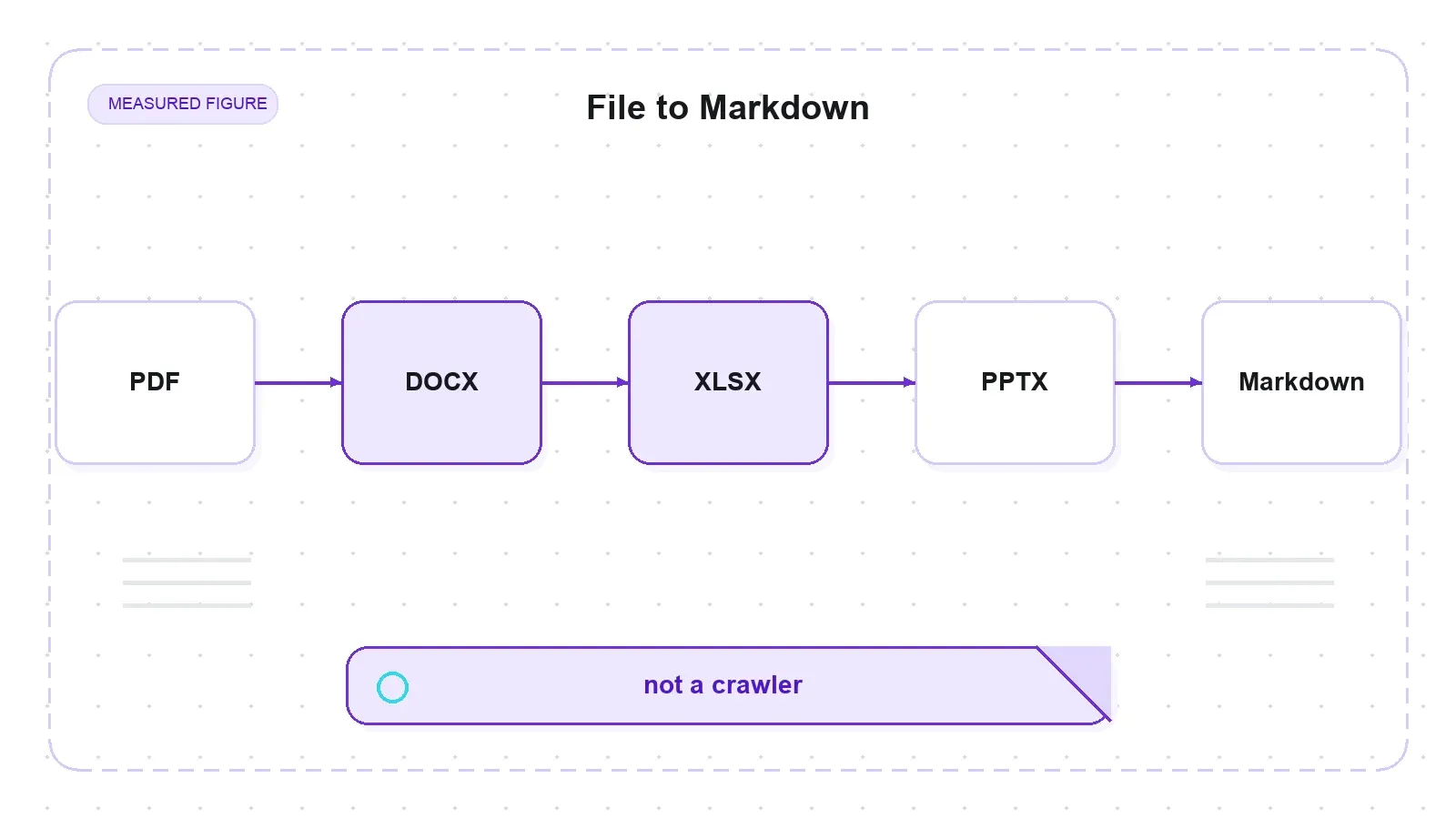
The framing that matters most is what it does not do, because the README doesn't claim it and I confirmed it in testing: no crawling, no JS rendering, no link-following, no pagination, and no readability-style main-content extraction. It is a whole-document converter. You bring the bytes; it standardizes them. That single distinction decides whether this tool belongs in your stack or not, so I'll keep coming back to it.
The repo itself is a heavyweight by GitHub's vanity metrics — 165,282 stars and 11,790 forks as of mid-July 2026, MIT-licensed, with the latest release (v0.1.6) out on 2026-05-26. That star count is a Microsoft-org repo riding general LLM-tooling enthusiasm, though, not a maturity signal for the conversion internals. There are also 833 open issues, and a few of them matter to you before you install (more on that below).
HTML to Markdown: fast and complete, boilerplate included
Since the rest of my scraper-review series ingests the same four web fixtures, I fed MarkItDown the identical local HTML files — not to grade it as a scraper, but to see how good its HTML-to-Markdown conversion is. On well-tagged pages it is genuinely good.
All four pages converted on the core install with no extras needed, and every body-content probe survived. The Wikipedia "Web scraping" article (226 KB) came out with its heading tree mirrored — one h1, seven h2s, twelve h3s, matching the article's real section structure — and 418 links preserved as proper [text](url). The 25×9 hockey-stats table on the Scrape This Site forms page became a clean 27-row GFM pipe table (header + separator + 26 data rows), empty cells and all. Speed was a non-issue on these: a median of 48 ms for the small quotes page up to 352 ms for the 226 KB Wikipedia page.
Here is the catch, and it is a design choice rather than a bug. MarkItDown does not strip boilerplate. It converts the entire <body>, so site chrome rides along — and the residue scales with how much chrome the page has.
| Page | Output chars | Headings (h1/h2/h3) | Links | Site-chrome lines |
|---|---|---|---|---|
| Books to Scrape | 10,478 | 1 / 0 / 0 | 94 | 0.6% (1/159) |
| Quotes to Scrape | 2,973 | 1 / 1 / 0 | 55 | 1.2% (1/86) |
| ScrapeThisSite forms | 3,385 | 1 / 0 / 0 | 31 | 6.7% (5/75) |
| Wikipedia Web scraping | 60,159 | 1 / 7 / 12 | 418 | 12.4% (42/338) |
On the near-chrome-free Books homepage, 0.6% of output lines are chrome. On Wikipedia, it's 12.4% — 42 of 338 non-empty lines are "jump to content," "toggle the table of contents," "22 languages," "retrieved from," cookie and license footers. Those Wikipedia maintenance banners ("This article needs additional citations") even get faithfully rendered into two-column pipe tables, which is where nine table rows come from on a page with no real data table.
None of that is MarkItDown doing something wrong. It's a whole-document converter, not a readability extractor: faithful HTML-to-Markdown is a different job from clean article extraction. Trafilatura and Firecrawl-style tools aim to return only the main content; MarkItDown returns the page. Under the hood, its _html_converter.py strips <script> and <style>, then hands the entire body to the markdownify library — no main-content heuristic anywhere in the path. If you want just the article, this is the wrong layer.
The home turf: PDF, DOCX, XLSX, PPTX
Documents are what MarkItDown is built for. I ran it against real public files — an arXiv paper with a text layer, the Bitcoin whitepaper, an image-only scanned PDF I rendered to have zero text, and the DOCX/XLSX/PPTX files from MarkItDown's own test suite (seeded with UUIDs so I could detect silent content loss).
| Document | Input | Output chars | Probes | Median time | Notes |
|---|---|---|---|---|---|
| arXiv 1706.03762 (text-layer PDF) | 2.2 MB | 40,174 | 7/7 | 3.7 s (warm) | title, "Transformer", "BLEU", "References" all present |
| Bitcoin whitepaper (9 pp PDF) | 184 KB | 22,485 | 6/6 | 1.4 s | "Satoshi Nakamoto", "proof-of-work", "Conclusion" present |
| Scanned PDF (no text layer) | 89 KB | 0 | 0/4 | 15 ms | empty output, no error, no OCR |
| DOCX (test.docx) | 136 KB | 4,651 | — | 70 ms | headings + GFM table; embedded UUIDs survive |
| DOCX with equations | 15 KB | 240 | — | 101 ms | Office Math preserved as LaTeX |
| XLSX (test.xlsx) | 12 KB | 808 | — | 57 ms | each sheet → ## SheetName + GFM table |
| PPTX (test.pptx) | 278 KB | 2,047 | — | 52 ms | slide-number markers, tables, chart → table |
Text recall on the text-layer PDFs was excellent — 7 of 7 pre-registered probes on the arXiv "Attention Is All You Need" paper, 6 of 6 on the Bitcoin whitepaper — and none of the Office files lost a single UUID sentinel, so no silent content loss on the maintainers' own regression fixtures. A nice narrow win: the DOCX path (via mammoth) preserves Office Math equations as LaTeX, converting equations.docx into real $$...$$ math. If you're feeding math-heavy Word docs to an LLM, that's a real, if specific, strength I couldn't find written up anywhere else.
Two findings on this turf deserve their own attention, because they are the ones most likely to bite you.
The scanned PDF that vanishes
Feed MarkItDown an image-only PDF with no text layer, and it returns an empty string. Zero characters, no exception, no warning — converted in about 15 ms because there's nothing to extract. MarkItDown's PDF path is text-extraction only (pdfminer and pdfplumber under the hood), and it ships no OCR in the core install or in any pip extra.
That matters in a batch. A developer feeding a folder of PDFs where some are scans gets silently empty results for those files with no signal anything was skipped. I checked the fixture wasn't broken by running pdfminer's extract_text straight at it — zero stripped characters, no text layer, confirmed — so the empty output is MarkItDown's real behavior on a real scan. This reproduces a long-open OCR-fallback gap (#1268) that's been tracked upstream for a while. The documented path is the optional Azure Document Intelligence backend or a plugin; neither is in the default install.
PDFs come out as flat text, not structure
Across both text-layer PDFs, MarkItDown produced zero Markdown heading markers. A PDF carries no semantic heading tags, and MarkItDown doesn't infer them from font size, so every line lands at body level. Text recall is high; the structure is flat.
This isn't just my result. Third-party public benchmarks score MarkItDown's PDF heading-hierarchy at about 0.0 and its table fidelity around 0.27, well below Docling's TableFormer-backed 0.88 (see the MarkItDown vs Docling vs Marker comparison and the READoc benchmark). My fixtures reproduce theirs, which is a strength of the evidence — my numbers agree with an outside source. The trade-off those same benchmarks report is that MarkItDown runs roughly 100× faster than Docling, which squares with my seconds-not-minutes times on documents a layout-model tool chews on for minutes. The takeaway: MarkItDown gives you clean, fast PDF text; it does not give you the PDF's structure. If headings and tables must survive, a layout-model tool like Docling or Marker is the right layer.
Tables: content always survives, structure sometimes doesn't
Tables are where "did the text survive?" and "is the data usable?" split apart, so I built a 13-case matrix — one <table> per case, each scored against a manifest written before the run — to map exactly which shapes hold and which break.
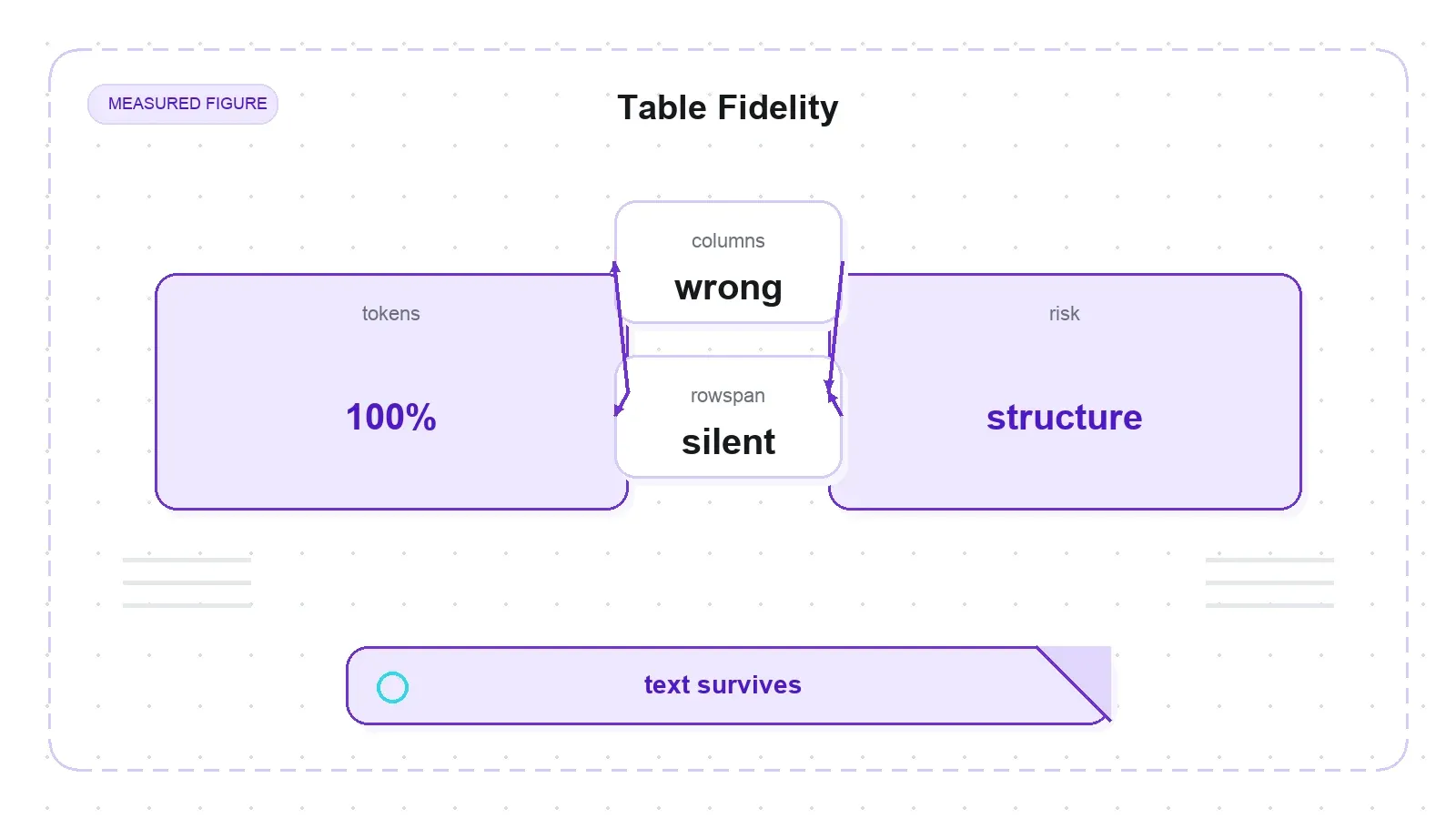
The headline: MarkItDown never lost table content. All 13 cases kept 100% of their pre-registered tokens. Structural fidelity, though, split three ways. Seven of thirteen produced a well-formed GFM grid (plain, header-colspan, 24-column-wide, headerless, empty-cells, block-in-cell, and right-to-left Arabic). Four went ragged, because Markdown has no concept of a spanned cell, so rowspan, colspan, and malformed sources emit short rows. And two were flat-out broken.
The two breaks are worth naming. A nested table (a <table> inside a <td>) gets flattened inline, dumping its own pipes and separator row into the parent cell and producing a 14-"column" garbage row. And a literal | inside a cell is not escaped — cell text a | b becomes two columns, x || y becomes three — so a two-column table emits rows of two, three, and four columns, and any downstream Markdown parser reads the wrong boundaries. Curiously, in-cell asterisks and backticks are escaped; pipes just aren't. The root cause is that MarkItDown's HTML path uses markdownify's default table handling, and its custom subclass overrides links, images, and headings but not table cells. The same pipe-escaping bug class is an open issue for the CSV converter (#2019), though that fix doesn't touch the HTML path I exercised.
The subtle one — the finding I'd most want a data engineer to see — is rowspan. Case t03 doesn't just go ragged; it silently misaligns data. A rowspan=2 label ("Fruit") is emitted once, and the row beneath it becomes a short two-column row (| Banana | 8 |), so "Banana" lands under the Group column instead of Item. Every token is present. A naive "read the second column" consumer gets the wrong value. That's the kind of bug that passes a text-survival check and quietly corrupts a dataset.
The span limitation itself is a known, tracked design constraint (#1211, #1248) — a flat GFM pipe grid genuinely cannot represent spans or nesting, so the converter trades structure for content-completeness. There are good behaviors in the mix too: headerless tables get a synthesized blank header row (so no data gets silently promoted into a header), empty cells are preserved, and <caption> survives as a text line above the table.
Install and startup: the tax a "lightweight utility" doesn't warn you about
Nothing here surprised me more, and it's where the "lightweight Python utility" framing quietly overpromises.
First, don't run pip install 'markitdown[all]'. On Python 3.14, it silently backtracks to markitdown 0.0.2 — a two-year-old release — which I reproduced live in a clean venv. Pinning exposes why: pip install 'markitdown[all]==0.1.6' errors because the [all] extra pins youtube-transcript-api~=1.0.0, and on current PyPI every build in that range is gated to Python <3.14, while the only 3.14-compatible builds fall outside the pin. So the resolver walks all the way back to the last release whose dependencies it can satisfy. This matches an open upstream issue (#2179). The fix is straightforward — pin the version and install extras individually: pip install 'markitdown==0.1.6', then pip install 'markitdown[pdf,docx,pptx,xlsx,xls]==0.1.6'. Each of those resolves cleanly; only the combined [all] bundle carries the poisoned pin. (This trap is Python-version-dependent — on Python 3.13 or earlier the gate may not bite, so [all] could resolve differently.)
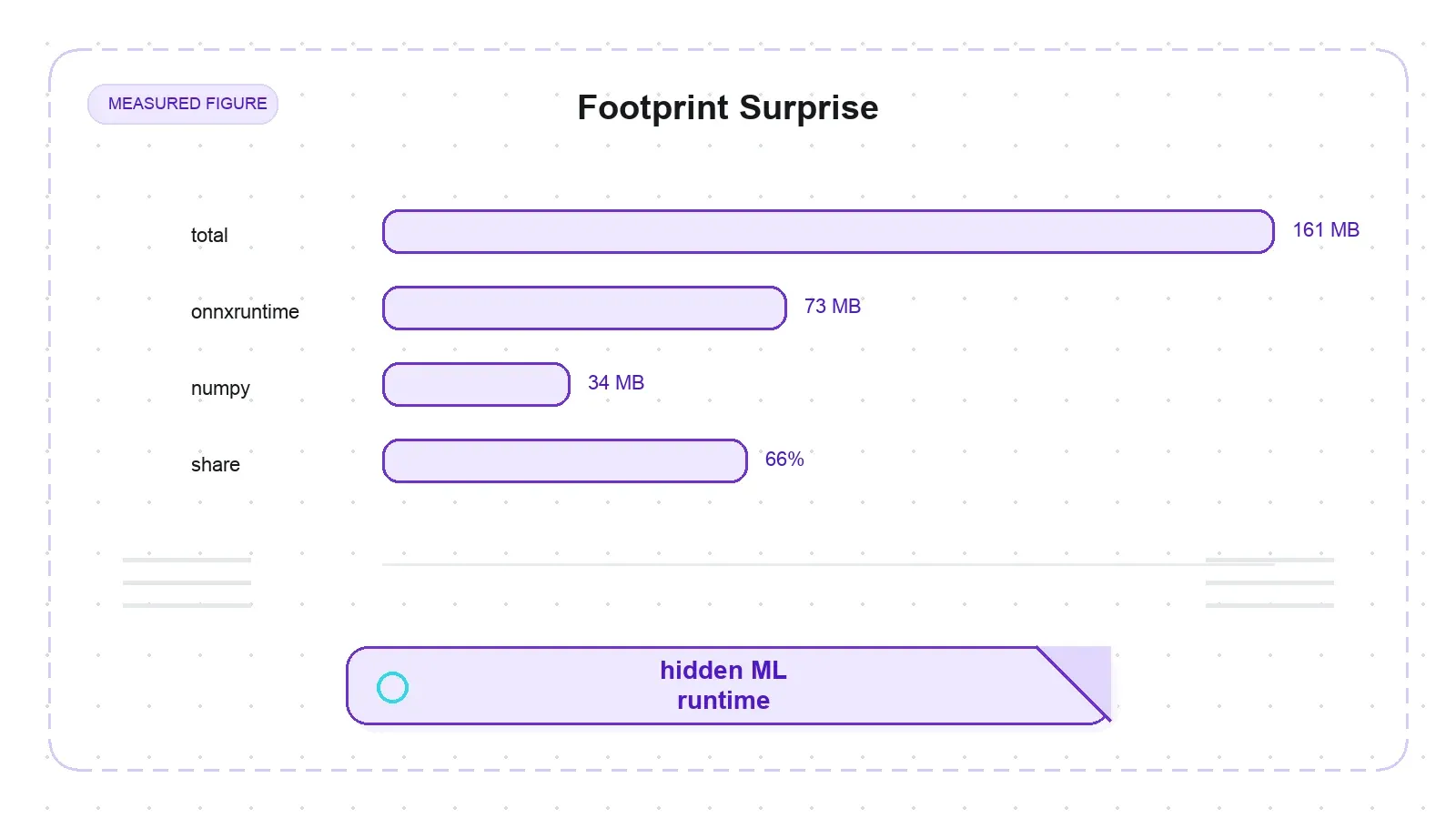
Second, the footprint. The core install is 161 MB (an empty venv of 13 MB plus 148 MB). Of that, onnxruntime (73 MB) and numpy (34 MB) together are 107 MB — 66% of the entire core footprint — and both are dragged in by a single hard dependency: magika, Google's ML file-type detector. So a text converter ships a 73 MB ONNX inference runtime in its base install before you add a single document extra. Add the document extras and the venv reaches 310 MB. This is far lighter than a headless-browser stack, but if you were expecting a pip install-and-done micro-utility, know that an ONNX runtime rides along.
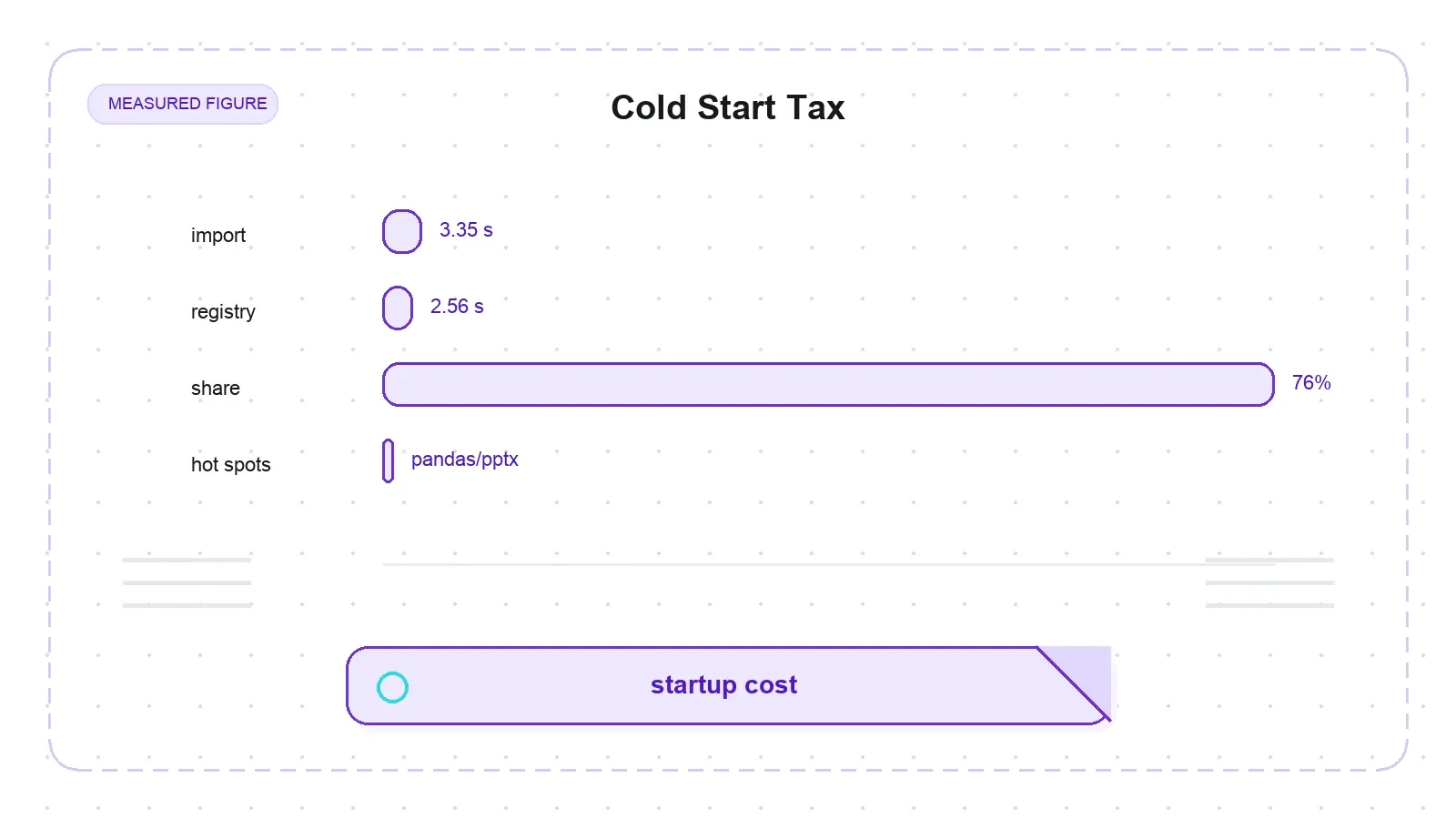
Third — and this is the one finding in my whole pack that clears every novelty check I ran — even after a clean install, import markitdown costs about 3.35 seconds on this machine. The cost is almost entirely at import time: markitdown._markitdown eagerly imports the entire converter registry (2.56 s cumulative, 76% of the total), which pulls in pandas (1.21 s, via the XLSX converter), python-pptx (427 ms), magika (354 ms), and requests (270 ms) — whether or not you convert any of those formats. For a long-running service that import is amortized and irrelevant. For a CLI invocation or a serverless cold start, it's a real per-process tax that the "lightweight utility" label does not lead you to expect. (Fair caveat: this is a single profiled run, treated as one observation, not a multi-run distribution.)
Scale: it doesn't crash, but budget CPU for PDFs and RAM for spreadsheets
I pushed four large subjects through, each in its own process so peak memory wasn't contaminated by a prior run. Nothing crashed. The cost profile, though, is lopsided.
| Subject | Input | Output chars | Median time | Peak RSS Δ |
|---|---|---|---|---|
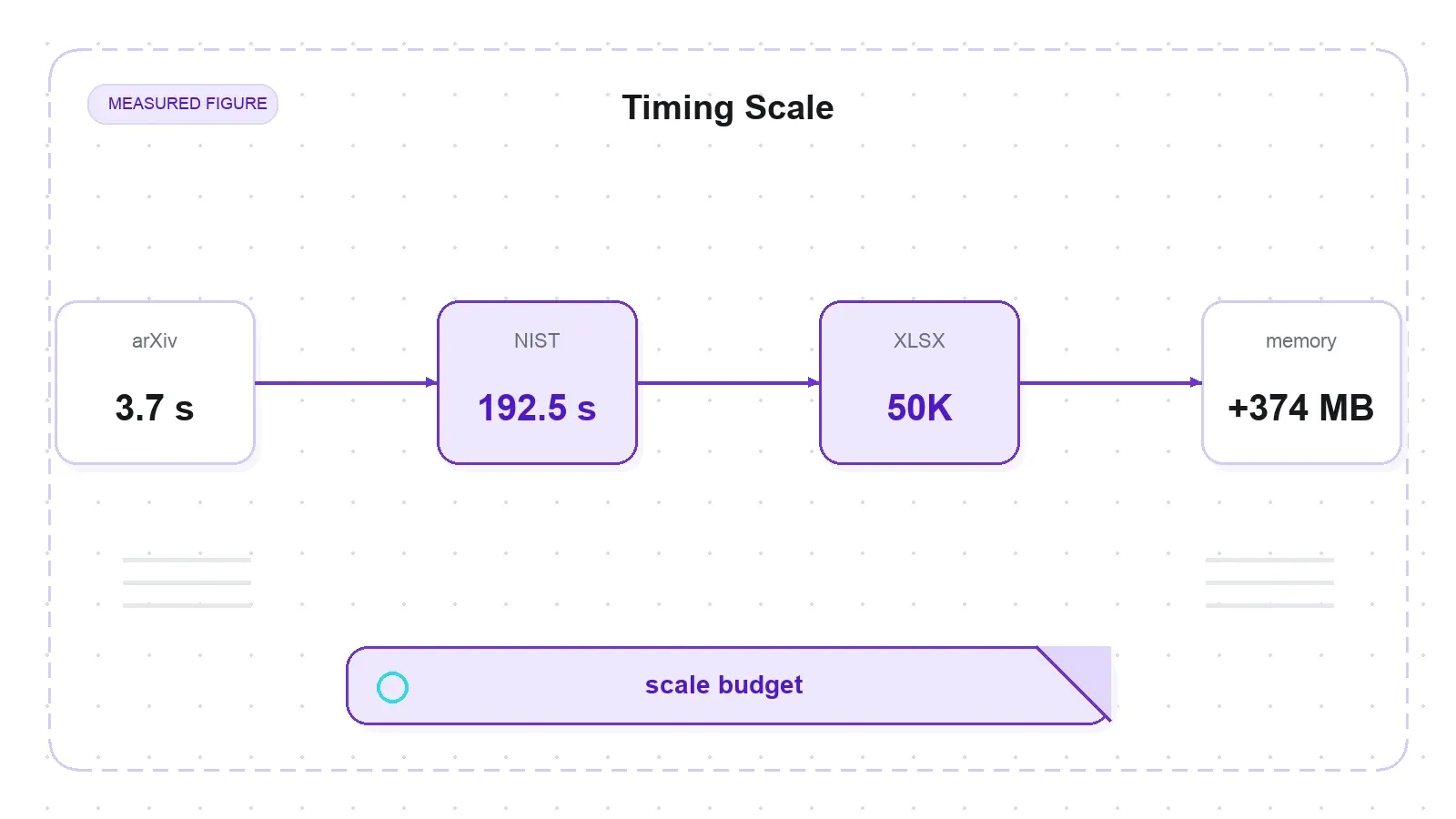
| NIST SP 800-53r5 (492-page PDF) | 6.07 MB | 1,625,365 | 192.5 s | +40 MB |
| XLSX 50,000 rows × 8 cols | 2.1 MB | 3,722,955 | 62.1 s | +374 MB |
| arXiv 1706.03762 (~15-page PDF) | 2.2 MB | 40,174 | 12.6 s | +25 MB |
| XLSX 200 rows × 64 cols | 46 KB | 120,129 | 2.9 s | +22 MB |
The 492-page NIST PDF took a median of 192.5 seconds — about 3.2 minutes, or 0.39 s/page — because pdfplumber runs word-position form-detection on every page. Peak RSS stayed at +40 MB, so it's CPU-bound, not memory-bound. Even the 15-page arXiv PDF took 12.6 seconds in its own isolated process, about 3.4× the 3.7 seconds the same file showed warm inside my document suite. That gap is the cold-process cost, and it confirms the per-page work is the driver, not raw byte size. If you want a single transferable number for that PDF, use the isolated 12.6 s.
The spreadsheet path flips the bottleneck. A 2.1 MB, 50,000-row XLSX ballooned to +374 MB peak RSS (and 3.7 million output characters) because the converter loads the whole sheet and builds one big Markdown string. So the practical guidance is blunt: large PDFs, budget minutes of CPU; large spreadsheets, budget hundreds of MB of RAM. These are single-machine numbers on macOS arm64 and Python 3.14, and the per-page and per-row constants are platform-specific — but the shape (PDF is slow and CPU-bound, XLSX is memory-heavy, nothing crashes) is the part that transfers.
Where Thunderbit fits — and where it doesn't
Try Thunderbit for Web Data Extraction
This is the one comparison it would be easy to overclaim, so I'll draw the line carefully. MarkItDown and Thunderbit solve adjacent problems, not the same one.
MarkItDown converts files you already have. Thunderbit fetches the page first. Thunderbit's /distill endpoint turns a live web page into clean, LLM-ready Markdown — handling the JS rendering, anti-bot, and dynamic content that MarkItDown has no machinery for — and its /extract endpoint returns schema-matched structured JSON, not just raw Markdown. For developers, that's exposed as an API (POST /distill / POST /extract), an MCP server, and a CLI (npx @thunderbit/thunderbit-cli) over one AI engine, the same one behind the 100,000+ user extension.
So they overlap on exactly one thing — both can emit "LLM-ready Markdown" — but the input domain is different: Thunderbit's distill takes a URL on the open web, MarkItDown takes a local file. They aren't drop-in equivalents, and I won't pretend they are. The realistic stack uses both: fetch and crawl the web with Thunderbit (or a Firecrawl-style service), then normalize the mixed local documents you also have — the PDFs, decks, and spreadsheets — with MarkItDown. One handles the network; the other handles the file drawer.
Pros and cons
Strengths
- Full body recall on clean HTML (4/4 pages), with heading trees and links preserved faithfully
- High PDF/DOCX text recall (arXiv 7/7 probes, Bitcoin 6/6) and no silent content loss on the maintainers' own Office fixtures
- Office Math equations preserved as LaTeX — a genuine niche win
- Never crashed on any scale subject, up to a 492-page PDF and a 50k-row XLSX
- Trivial to call: CLI,
convert(), stdin piping, and an optional MCP server - MIT-licensed, actively maintained by Microsoft, responsive issue tracker
Weaknesses
- Keeps boilerplate — up to 12.4% chrome lines on Wikipedia; not an article extractor
- Tables break on spans, nesting, and in-cell pipes (2/13 broken, 4/13 ragged), and rowspan silently misaligns data
- Scanned/image-only PDFs return empty output with no OCR and no error
- PDF output has zero heading structure (matches public benchmarks)
- 161 MB core install carrying a 73 MB ONNX runtime; ~3.35 s cold import
[all]extra silently backtracks to a two-year-old 0.0.2 on Python 3.14
Who should use it, and who shouldn't
Reach for MarkItDown if you're standardizing a pile of mixed local documents — Word, Excel, PowerPoint, text-layer PDFs — into Markdown for an LLM pipeline, and you care more about complete text than preserved structure. As the last-mile converter in a batch job, feeding clean text to a model, it's fast, faithful, and free.
Skip it, or pair it with something else, if your job is any of these: you need only the main article from a web page (use a readability or Firecrawl-style tool); you need a PDF's headings and tables to survive intact (that's Docling or Marker territory); or your inputs include scanned documents that require OCR (you'll need the Azure backend or a different tool entirely). And if you thought you were shopping for a scraper — something that fetches and crawls — this isn't that at all.
The provisional scoring I ran, on a scraper-shaped rubric, lands MarkItDown at 60/100, and that low total is an artifact of grading a converter on a crawler's test. On its own turf, its text-fidelity scores are high; its weak spots are structural (tables, PDF headings) and packaging (footprint, import, the [all] trap), not text quality. Judge it as what it is — a file-to-Markdown converter — and it's a solid, well-maintained tool with a few sharp edges you should know about before you wire it into production.
Frequently asked questions
Is MarkItDown a web scraper?
No. It has no crawler, no JavaScript rendering, no link-following, and no pagination. It converts files and documents you already have — PDF, DOCX, XLSX, PPTX, images, HTML — into Markdown. If you need to fetch and crawl live web pages, you want a scraping tool like Thunderbit or Firecrawl; MarkItDown is the step that comes after, turning fetched or local files into clean Markdown.
Why does pip install markitdown[all] install an old version?
On Python 3.14, the [all] extra pins youtube-transcript-api~=1.0.0, and every build in that range is gated to Python versions below 3.14. The resolver can't satisfy the pin, so it silently backtracks to markitdown 0.0.2, a two-year-old release. The fix is to pin the version and install extras individually: pip install 'markitdown==0.1.6', then add 'markitdown[pdf,docx,pptx,xlsx,xls]==0.1.6'. This is tracked as issue #2179.
Does MarkItDown do OCR on scanned PDFs?
Not in the default install. Its PDF path is text-extraction only, so an image-only PDF with no text layer returns an empty string — no error, no warning. OCR requires the optional Azure Document Intelligence backend or a plugin, neither of which ships by default. This is a long-tracked gap (issue #1268).
How well does MarkItDown handle tables?
Content-wise, very well — in my 13-case test it kept 100% of the table content in every case. Structurally, it depends on the shape: simple, wide, headerless, and empty-cell tables come out as clean GFM grids, but rowspan and colspan go ragged (and rowspan can silently misalign data into the wrong column), nested tables get flattened into garbage rows, and literal pipe characters inside cells aren't escaped. Markdown's flat table format simply can't represent spans or nesting.
Is MarkItDown fast enough for large documents?
It doesn't crash on large files, but budget resources by type. A 492-page PDF took about 3.2 minutes (roughly 0.39 s/page) because it does per-page form-detection, and it's CPU-bound. A 50,000-row spreadsheet finished in about a minute but used +374 MB of RAM because it builds one large Markdown string in memory. For big PDFs plan on minutes of CPU; for big spreadsheets plan on hundreds of MB of RAM.
Try Thunderbit for Web Data Extraction Get Started Free




