
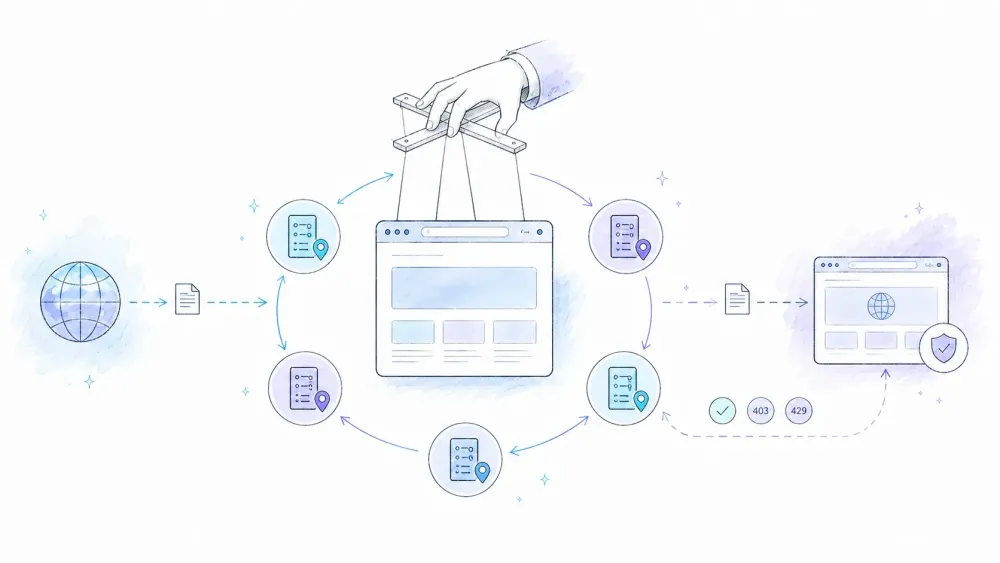
A familiar Puppeteer failure pattern is that early requests succeed, then later requests return a 403 or 429, time out, or land on a challenge page. Yet many guides still treat rotating proxies like a two-line configuration change.
It's not. The gap between an "add the --proxy-server flag" example and a maintainable system is enormous. This guide covers browser-wide rotation, authenticated gateways, browser sharding or external relays, consistent browser profiles, production-grade error handling, and an honest answer to when you should not manage proxies at all.
What Is a Rotating Proxy (and Why Does Puppeteer Need One)?
A proxy sits between your Puppeteer instance and the site you're hitting. The site sees the proxy's exit IP, not your machine's. A rotating proxy cycles through a pool of these exit IPs — sometimes per request, sometimes per session — so your traffic doesn't look like one client hammering a server a thousand times in a row.
Puppeteer specifically needs this because headless Chrome making hundreds of sequential requests from a single IP is exactly the pattern anti-bot systems are built to catch. Cloudflare's own documentation describes multiple detection layers running simultaneously — heuristics, JavaScript fingerprint checks, machine learning models, and behavioral anomaly detection. A rotating IP address addresses exactly one of those layers. Just one.
There are three proxy types worth knowing, and they're not interchangeable:
- Datacenter proxies — cheap, fast, and sourced from hosting providers. Easy for targets to flag because the ASN (the network block) is obviously a data center, not a home.
- Residential proxies — routed through real consumer ISPs, so they look like actual home internet connections. Slower and pricier, but far more plausible.
- Mobile proxies — carrier-network IPs, typically the most expensive option and useful when a mobile-network identity is genuinely required.
Residential exits can be less obvious from ASN classification alone than datacenter exits, but neither category is immune to blocking. There is no universal detection rate: outcomes depend on the target, exit reputation, location, session history, browser profile, and request behavior.
One more distinction that trips people up: a static list you rotate yourself (you manage the pool, pick the next IP, handle failures) is different from a backconnect/gateway proxy (you hit one endpoint, and the provider rotates exits behind the scenes). Both are valid; they just shift where the complexity lives.
Why Set Up Rotating Proxies in Puppeteer? Common Use Cases
The honest answer is: you probably don't need rotation until you do, and then you need it badly.
| Use Case | Why Rotation Matters |
|---|---|
| Price monitoring across product catalogs | Repeated catalog requests from one IP can accumulate rate limits and reputation signals |
| Lead enrichment / contact data extraction | Repeated profile visits from one IP look like scraping, not browsing, and get flagged by behavioral engines |
| SERP scraping | Search engines are among the most aggressive at IP-based throttling and CAPTCHA gating |
| Competitor intelligence | Scraping the same domain repeatedly over days builds a fingerprint tied to your IP and cookie history |
| Content aggregation | High page-volume, low per-page value — exactly the traffic shape bot detection is tuned to catch |
There's no fixed, citable number like "Amazon blocks at request 51." Sites do not publish universal thresholds, and controls can change with the endpoint, account state, ASN reputation, and traffic shape. Start with the lowest authorized request rate, validate content as well as status codes, and add rotation only when measured behavior and the target's policies justify it.
Three Proxy Rotation Strategies in Puppeteer: Which One Do You Need?
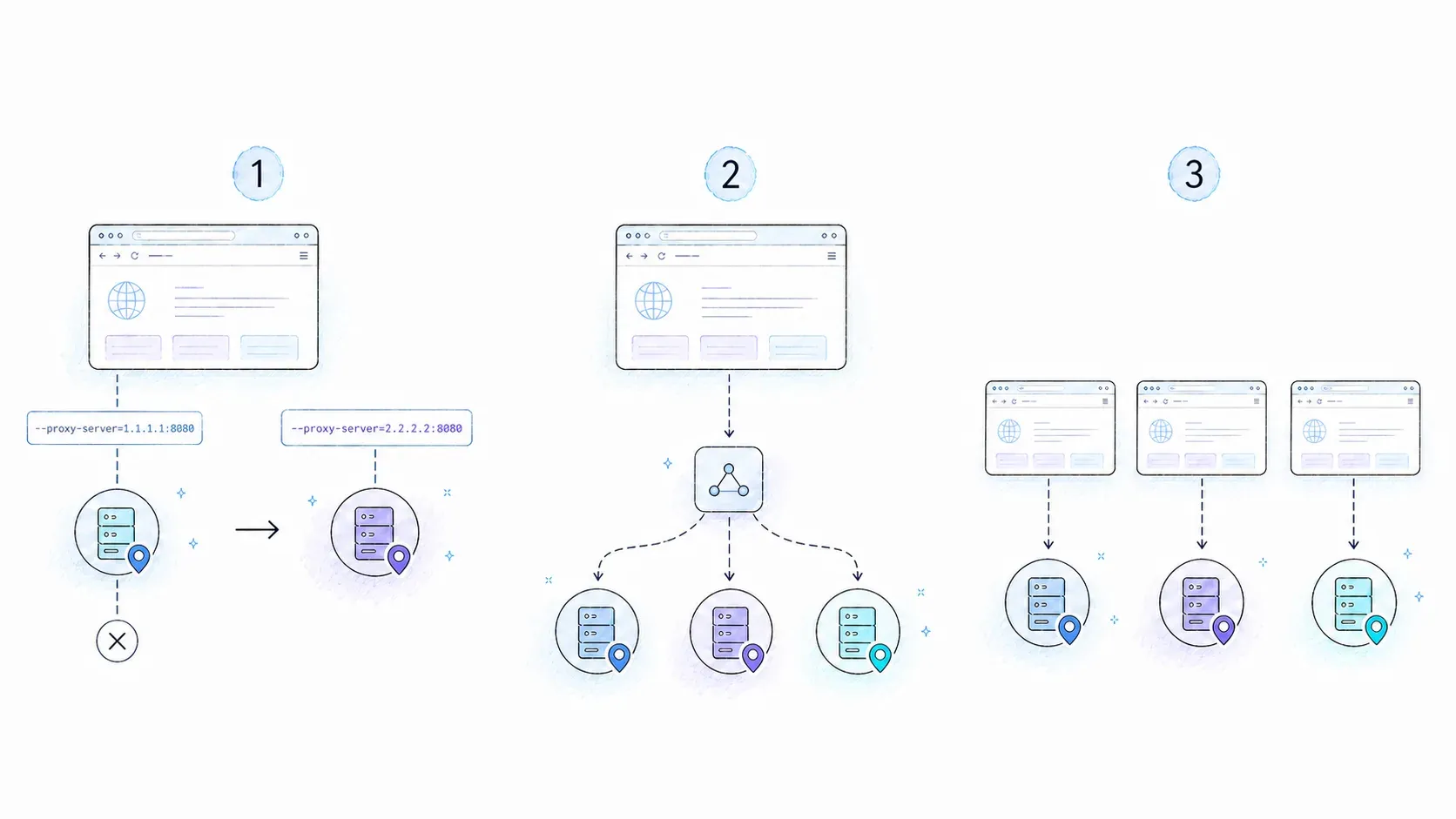
This is the part most tutorials skip entirely, or worse, only show you the crudest version of. There are three levels of granularity, and picking the wrong one either wastes your time or overcomplicates a simple job.
| Rotation Strategy | Granularity | Browser Restarts? | Complexity | Best For |
|---|---|---|---|---|
Per-browser (--proxy-server) | 1 proxy per browser instance | Yes | Low | Simple, low-volume scrapes |
Gateway-managed (proxy-chain + backconnect endpoint) | Provider/session policy | No | Medium | Authenticated rotating gateways |
| Browser sharding or external relay | 1 proxy per browser shard or relay rule | No single-process swap | High | Controlled concurrency and fine-grained routing |
A quick note before you pick one: Puppeteer's own network interception docs are explicit that setRequestInterception isn't a clean "swap proxy per request" switch — every intercepted request stalls until you explicitly continue, respond to, or abort it. True per-request proxy routing usually means running requests through a local programmable gateway (like proxy-chain) rather than juggling proxies directly inside the interception handler. Keep that in mind before you commit to Method 3 below.
How to Set Up Rotating Proxy in Puppeteer: Step-by-Step Guide
Difficulty: Intermediate
Time Required: ~30–45 minutes for all three methods
What You'll Need: Node.js 18+, npm, a proxy list or provider account (format: protocol://user:pass@host:port), and the puppeteer, proxy-chain, and puppeteer-extra packages
Prerequisites: What You Need Before You Start
Install the core packages:
npm install puppeteer proxy-chain puppeteer-extra puppeteer-extra-plugin-stealth
Get a proxy list from a provider (residential preferred for anything beyond casual testing) or, at minimum, a handful of test proxies to validate the code before you spend real request volume on it. Store credentials in environment variables — never hardcode them, and never put them in a URL that ends up in a log file.
Method 1: Per-Browser Proxy Rotation with --proxy-server
This is the baseline everyone starts with, and for good reason — it's predictable. Puppeteer's LaunchOptions documents args as the supported way to pass Chrome command-line flags, and --proxy-server is a native Chromium flag.
import puppeteer from 'puppeteer';

const proxyPool = [
  'http://proxy1.example:8080',
  'http://proxy2.example:8080',
  'http://proxy3.example:8080',
];

let proxyIndex = 0;

async function scrapeWithRotation(url) {
  const proxy = proxyPool[proxyIndex % proxyPool.length];
  proxyIndex++;

  const browser = await puppeteer.launch({
    headless: true,
    args: [`--proxy-server=${proxy}`],
  });

  const page = await browser.newPage();

  // If your proxy requires auth, this must run before any navigation
  await page.authenticate({
    username: process.env.PROXY_USER,
    password: process.env.PROXY_PASS,
  });

  await page.goto(url, { waitUntil: 'domcontentloaded', timeout: 30_000 });
  const content = await page.content();

  await browser.close(); // close before switching proxies
  return content;
}
Note that page.authenticate() quietly enables request interception behind the scenes, per Puppeteer's own docs — which is a small performance cost worth knowing about before you're debugging why things feel slower than expected.
Expected result: each call launches a fresh browser bound to a different proxy. To rotate, you close and relaunch — there's no way around the startup overhead. For a 50-page scrape, expect this to run noticeably slower than the other two methods, purely from browser boot time.
When to use it: low-concurrency scripts, one-off scrapes, situations where debugging simplicity matters more than speed.
Method 2: Authenticated Rotating Gateway with proxy-chain
Chrome does not accept user:pass@host credentials embedded directly in a proxy URL. The proxy-chain package (maintained by Apify) solves that authentication problem by spinning up a local anonymous proxy that forwards to your authenticated upstream. If the upstream is a provider's rotating or backconnect gateway, the provider changes exit IPs behind that one endpoint according to its session policy. proxy-chain itself does not assign a different proxy to each existing Puppeteer page.
import puppeteer from 'puppeteer';
import { anonymizeProxy, closeAnonymizedProxy } from 'proxy-chain';

async function scrapeThroughGateway(upstreamProxyUrl, targetUrl) {
  const localProxy = await anonymizeProxy(upstreamProxyUrl);
  let browser;

  try {
    browser = await puppeteer.launch({
      headless: true,
      args: [`--proxy-server=${localProxy}`],
    });
    const page = await browser.newPage();
    await page.goto(targetUrl, { waitUntil: 'domcontentloaded' });
    return await page.content();
  } finally {
    if (browser) await browser.close();
    await closeAnonymizedProxy(localProxy, true); // always clean up
  }
}
That finally block isn't decorative — orphaned local proxy servers leak ports, and I've had scrapers quietly eat through available file descriptors overnight because nobody closed the anonymized proxy. proxy-chain also surfaces specific error codes (593 for DNS issues, 594 for connection refused, 597 for auth failure) that are genuinely useful for classifying failures — more on that later.
When to use it: authenticated residential/datacenter gateways where rotation is controlled by the provider's endpoint or session parameters. If you need several fixed proxy identities concurrently, use separate browser processes (browser sharding) or a purpose-built external relay; native Puppeteer does not expose a supported per-page proxy setting.
Method 3: Per-Request Routing Requires an External Relay
This is the highest-granularity option — theoretically, every image, script, and API call on a page could route through a different exit. In practice, it's the most fragile and least documented approach, because Puppeteer's request interception was designed for filtering and modifying requests, not for swapping network transport per request.
import puppeteer from 'puppeteer';

async function inspectRequests(url) {
  const browser = await puppeteer.launch({ headless: true });
  const page = await browser.newPage();

  await page.setRequestInterception(true);

  page.on('request', async (request) => {
    // In practice, true per-request proxy swapping requires routing
    // through a local relay (proxy-chain) rather than switching
    // the browser's transport mid-flight — Chrome doesn't support that.
    // Most production setups use this handler to filter/abort resource
    // types instead, pairing it with browser sharding or a gateway.
    if (['image', 'font', 'stylesheet'].includes(request.resourceType())) {
      request.abort();
    } else {
      request.continue();
    }
  });

  await page.goto(url, { waitUntil: 'networkidle2' });
  await browser.close();
}
Honest take: true per-request IP switching inside Puppeteer is not provided by setRequestInterception(). If you genuinely need that granularity, route Chrome through a programmable external relay or use a scraping framework built around proxy sessions. For most projects, one proxy per browser shard or a provider-managed rotating gateway is easier to operate and audit.
The Full Anti-Detection Stack: Rotating Proxies Alone Won't Keep You Unbanned
A common complaint is: "I'm using proxies and still getting blocked." IP address is only one of several signals a modern bot system can evaluate, and rotating it while everything else stays inconsistent can create a stronger anomaly. A browser that claims to be Windows Chrome while its client hints, timezone, or locale says otherwise is an obvious example.
Layer 1: Rotating Residential Proxies
Covered above — residential exits are often more plausible than datacenter exits, but there is no universal minimum pool size. Size the pool from measured request volume, session length, cooldowns, and provider reuse behavior instead of publishing an arbitrary IP count.
Layer 2: Stealth Plugin to Mask Headless Chrome Signals
puppeteer-extra-plugin-stealth patches a set of known headless tells: navigator.webdriver, WebGL vendor strings, missing Chrome runtime objects, and a handful of other CDP leaks. It's a genuinely useful compatibility layer, but the project's own README is refreshingly honest that this is a cat-and-mouse game and complete prevention probably isn't possible. Treat it as a baseline, not a guarantee.
Layer 3: Consistent Browser Profiles and Responsible Pacing
User-agent strings need to be internally consistent with everything else the browser reports. Chrome's User-Agent Client Hints expose structured platform data, so a hand-written user-agent string can contradict the actual platform. Prefer the user agent supplied by the bundled Chrome build, keep viewport/locale/timezone stable within a session, and pace requests conservatively instead of inventing a new fingerprint for every page.
Here's all three layers wired together in one launch config:
import puppeteer from 'puppeteer-extra';
import StealthPlugin from 'puppeteer-extra-plugin-stealth';
import { anonymizeProxy, closeAnonymizedProxy } from 'proxy-chain';

puppeteer.use(StealthPlugin());

function boundedDelay(minMs = 800, maxMs = 1800) {
  return new Promise((r) => setTimeout(r, minMs + Math.random() * (maxMs - minMs)));
}

async function stableProfileScrape(targetUrl, upstreamProxy) {
  const localProxy = await anonymizeProxy(upstreamProxy);
  let browser;

  try {
    browser = await puppeteer.launch({
      headless: true,
      args: [`--proxy-server=${localProxy}`, '--lang=en-US'],
    });
    const page = await browser.newPage();
    await page.setViewport({ width: 1366, height: 768 });
    await boundedDelay();
    await page.goto(targetUrl, { waitUntil: 'domcontentloaded' });
    return await page.content();
  } finally {
    if (browser) await browser.close();
    await closeAnonymizedProxy(localProxy, true);
  }
}
This is the block most competing guides never show — proxy, stealth, and fingerprint randomization in one place, ready to copy and adapt.
Production-Ready Error Handling and Proxy Health Checks
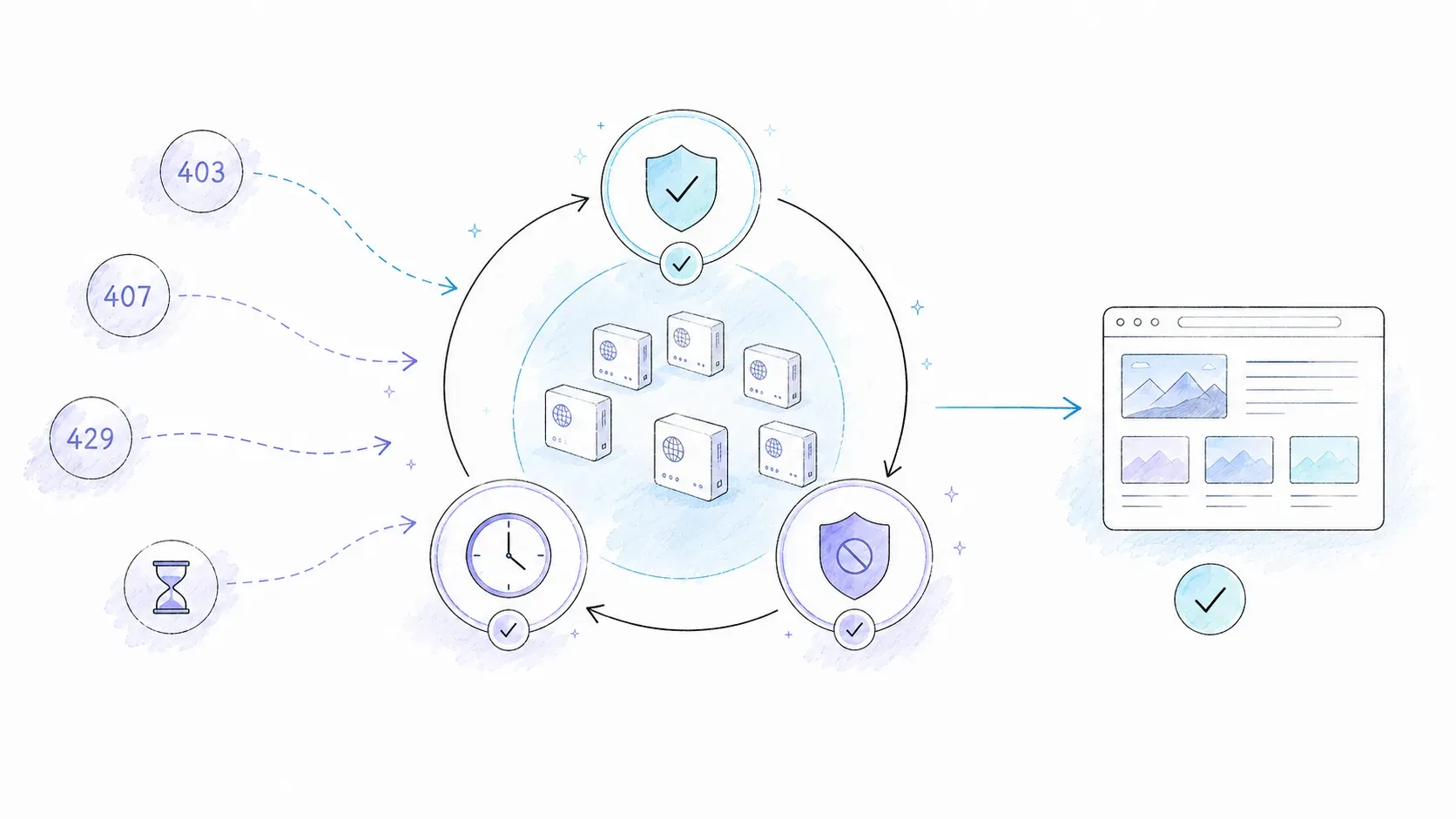
Most tutorials stop the moment the happy path works. Real scraping fails constantly — proxies die, credentials expire, targets rate-limit you mid-run — and none of that gets handled by hoping for the best.
Retry Logic with Exponential Backoff and Jitter
function backoffMs(attempt, base = 1000, cap = 30_000) {
  const exponential = Math.min(cap, base * 2 ** attempt);
  return Math.floor(exponential * (0.5 + Math.random() * 0.5)); // jitter prevents thundering herd
}

async function withRetry(fn, maxRetries = 4) {
  for (let attempt = 0; attempt <= maxRetries; attempt++) {
    try {
      return await fn();
    } catch (err) {
      if (attempt === maxRetries) throw err;
      const delay = backoffMs(attempt);
      console.warn(`Attempt ${attempt + 1} failed: ${err.message}. Retrying in ${delay}ms`);
      await new Promise((r) => setTimeout(r, delay));
    }
  }
}
Auto-Blacklisting Failing Proxies
const proxyStats = new Map(); // proxyUrl -> { success, failure }

function recordResult(proxyUrl, success) {
  const stats = proxyStats.get(proxyUrl) || { success: 0, failure: 0 };
  success ? stats.success++ : stats.failure++;
  proxyStats.set(proxyUrl, stats);
}

function isHealthy(proxyUrl) {
  const stats = proxyStats.get(proxyUrl);
  if (!stats) return true;
  const total = stats.success + stats.failure;
  if (total < 5) return true; // not enough data yet
  return stats.failure / total < 0.5; // blacklist if failure rate exceeds 50%
}

function getHealthyProxy(pool) {
  const healthy = pool.filter(isHealthy);
  if (healthy.length === 0) throw new Error('No healthy proxies remaining in pool');
  return healthy[Math.floor(Math.random() * healthy.length)];
}
Track error type, not just pass/fail — a 407 (bad credentials) and a 429 (rate limit) need completely different responses. Hammering a proxy that's failing auth with rapid retries just burns time; the fix is checking credentials, not rotating faster.
Troubleshooting Common Rotating Proxy Errors in Puppeteer
| Error | Likely Cause | Fix |
|---|---|---|
ERR_PROXY_CONNECTION_FAILED | Proxy down or unreachable | Remove from pool, retry with next proxy |
407 Proxy Authentication Required | Wrong credentials or unsupported auth | Verify page.authenticate() creds; use proxy-chain for URL-embedded auth |
TimeoutError | Slow proxy or target blocking | Increase timeout; switch to residential proxy |
403 Forbidden | IP or fingerprint flagged | Rotate proxy + enable stealth + randomize UA |
ERR_TUNNEL_CONNECTION_FAILED | HTTPS tunnel issue | Check CONNECT method support; try proxy-chain local tunneling |
A couple of things worth knowing that don't fit neatly in the table: a 200 status code doesn't mean success. Soft blocks frequently return a fully formed HTML page — a login wall or challenge screen — with a normal status code, so validate the actual content, not just the response status. And when you're stuck, Puppeteer's debugging guide recommends running with headless: false, adding slowMo, and setting NODE_DEBUG="puppeteer:*" to get verbose protocol logs — just be aware those logs can contain sensitive request data, so don't leave them running against production credentials.
Self-Managed Proxy Rotation vs. Proxy Gateway vs. AI Extraction API
| Criteria | Self-Managed List Rotation | Backconnect Gateway (Bright Data, Oxylabs, Decodo) | AI Extraction API (Thunderbit) |
|---|---|---|---|
| Cost (low volume) | Low to Medium | Medium–High per GB | Low (free tier, then per-unit) |
| Reliability | Depends on your health checks | High (provider-managed) | High (managed infra) |
| Anti-detection | DIY — you build it | Partial (IP rotation only) | Built-in |
| Structured output | No (raw HTML) | No (raw HTML) | Yes (JSON via schema) |
| Setup time | Hours | Minutes | Minutes |
| Control | Full | Limited to provider's API | Limited to schema model |
Current vendor pricing (checked 2026-08-07) gives a sense of the gateway option's cost curve: Bright Data's residential pricing offers pay-as-you-go and volume plans whose promotions can change; Oxylabs shows $6/GB at 5 GB and $2.50/GB at 1 TB; and Decodo (formerly Smartproxy) shows $3.75/GB at 3 GB, $2.75/GB at 100 GB, and a $4/GB pay-as-you-go offer. Decodo also advertises a 115M+ IP pool and 99.92% success rate — vendor claims, not independently reproduced benchmarks.
The decision tree I actually use: do you need to interact with the page — click, scroll, fill out forms, maintain a login session? Build with Puppeteer and proxies. Do you just need the data that's already on the page? Look at an extraction API before you build proxy infrastructure you'll be maintaining forever.
When Puppeteer + Proxies Is Overkill: Extract Structured Data with an API Instead
Somewhere around the third time I rebuilt a proxy health-check system for a project that just needed product prices in a spreadsheet, it clicked: most of this infrastructure exists to solve a problem — getting raw HTML off a page — that isn't actually the developer's goal. The goal is structured data. HTML is just the annoying intermediate format.
Thunderbit's Open API treats extraction as the primary operation instead of a side effect of browser automation. POST /extract takes a URL and a JSON Schema, and returns matched structured data — handling JS rendering, anti-bot measures, and CAPTCHAs on the backend rather than leaving you to wire up stealth plugins and proxy pools yourself:
curl -X POST https://openapi.thunderbit.com/openapi/v1/extract \
  -H "Authorization: Bearer $THUNDERBIT_API_KEY" \
  -H "Content-Type: application/json" \
  -d '{
    "url": "https://example.com/product",
    "schema": {
      "type": "object",
      "properties": {
        "name": {"type": "string"},
        "price": {"type": "number"}
      },
      "required": ["name", "price"]
    }
  }'
There's also a POST /distill endpoint for cases where you just want clean Markdown instead of a strict schema, and batch extraction support for running the same schema across multiple URLs in one call. Per Thunderbit's current API pricing, Distill runs 1 unit per page and Extract runs 20 units per page — the free tier includes 600 one-time units, enough to test the workflow before committing.
For developers working inside Claude, Cursor, or another MCP-compatible client, Thunderbit also exposes thunderbit_extract and thunderbit_distill as MCP tools, letting an agent decide mid-task when it needs to pull data from a page rather than requiring a separate scraping step. I'd check the live API reference before wiring up an MCP config, since tool names and parameters can shift between doc versions.
| Dimension | Puppeteer + Rotating Proxies | Thunderbit API |
|---|---|---|
| Setup complexity | High — proxy pool, rotation logic, stealth, retries | Low — single API call with a JSON Schema |
| Anti-bot handling | Manual | Built-in |
| Output | Raw HTML (parsing required) | Structured JSON matching your schema |
| Maintenance | High — selectors break, proxies rot | Low |
| Best for | Custom automation, login flows, niche interactions | Data extraction at scale |
To be fair to the DIY path: if your use case involves logging into an account, clicking through a multi-step flow, or anything that requires holding state across a session, an extraction API generally can't replace that — Thunderbit's own FAQ is upfront that interactive login flows aren't currently supported through the API. Puppeteer plus proxies still wins there. But if the job is "get data off a bunch of public pages into a schema I define," building your own proxy rotation stack is solving a harder problem than you actually have. For teams who'd rather skip the code entirely, the Thunderbit Chrome Extension offers the same AI-driven extraction with a point-and-click interface — worth a look if you're weighing no-code web scraping against a full developer setup.
Conclusion and Key Takeaways
Rotating proxies in Puppeteer is not one technique. Per-browser rotation is simple and isolated. An authenticated backconnect gateway can rotate exits behind one browser-wide endpoint. Fine-grained per-request or concurrent identities require browser sharding or an external relay; request interception alone does not change Chrome's network route.
None of that matters much without the rest of the stack, though. Proxies solve the IP-reputation problem; stealth plugins and fingerprint consistency solve the browser-signal problem; jitter and pacing solve the behavioral problem. Skip any layer and you're still bannable, just for a different reason.
If you're building this yourself, start with the proxy-chain repository and the code blocks above — they'll get you further than most paid courses. If you'd rather skip proxy management entirely and just get structured data back, Thunderbit's API docs are worth ten minutes of your time before you sink a weekend into building health-check infrastructure you'll need to maintain forever. Either path is legitimate — just make sure you're solving the problem you actually have, not the one every tutorial assumes you have. For a broader look at how AI is changing this space, check out our deeper dive into AI web scraping and how it compares to traditional approaches.
FAQs
How often should I rotate proxies in Puppeteer?
It depends on how aggressive the target's rate limiting is. For sites with strict bot detection, rotate per page or per session. For lenient sites, per-session or even a single sticky IP for the whole scrape run can work fine. There's no universal number — treat 403s, 429s, and timeouts as your signal to rotate more aggressively, not a fixed request count.
Can I use free proxies for Puppeteer scraping?
Technically yes, but I wouldn't recommend it for anything beyond quick tests. Free proxy lists are usually slow, unreliable, and frequently already blacklisted by the sites you're trying to scrape. For anything production-facing, residential proxies from a paid provider or a managed gateway are worth the cost.
Does puppeteer-extra-plugin-stealth work against all anti-bot systems?
No, and the plugin's own documentation says as much. It reduces some common headless-Chrome signals, but a target can still evaluate network reputation, TLS characteristics, cookies, client hints, and behavior. Treat the plugin as one compatibility layer, not a guarantee.
What's the difference between proxy-chain and --proxy-server in Puppeteer?
--proxy-server is a native Chromium launch flag that assigns one proxy endpoint to an entire browser instance, and Chrome does not accept embedded proxy credentials there. proxy-chain creates a local anonymous tunnel to an authenticated upstream. Rotation then comes from relaunching with another upstream, a provider-managed backconnect gateway, or a separately engineered relay — not from proxy-chain assigning proxies to individual Puppeteer pages.
Is rotating proxies enough to avoid getting blocked entirely?
No — and this is the most common misconception. Modern anti-bot systems like Cloudflare's bot management correlate IP reputation with browser fingerprint, behavioral patterns, and session history. Proxies solve the IP-reputation piece; you still need stealth configuration, consistent fingerprints, and realistic timing to avoid getting flagged on other signals.
Learn More




