
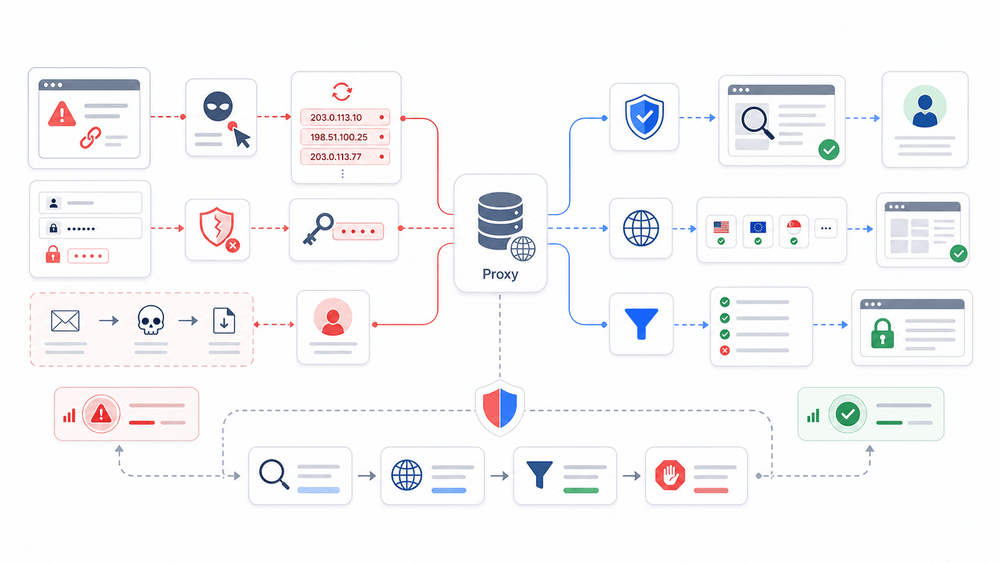
APWG counted 971,181 phishing attacks in Q1 2026 alone — up 13.8% from the previous quarter. And in January 2026, Google disrupted what it called one of the world's largest residential proxy networks after finding that over 550 threat groups were routing traffic through it in a single week. Proxies, it turns out, sit on both sides of the phishing fight.
That's the tension most articles about "proxies and phishing" ignore. They either tell you proxies are a shield (buy our proxy product, stay safe) or warn you that proxies are an attacker weapon (be afraid). The reality is messier and more interesting.
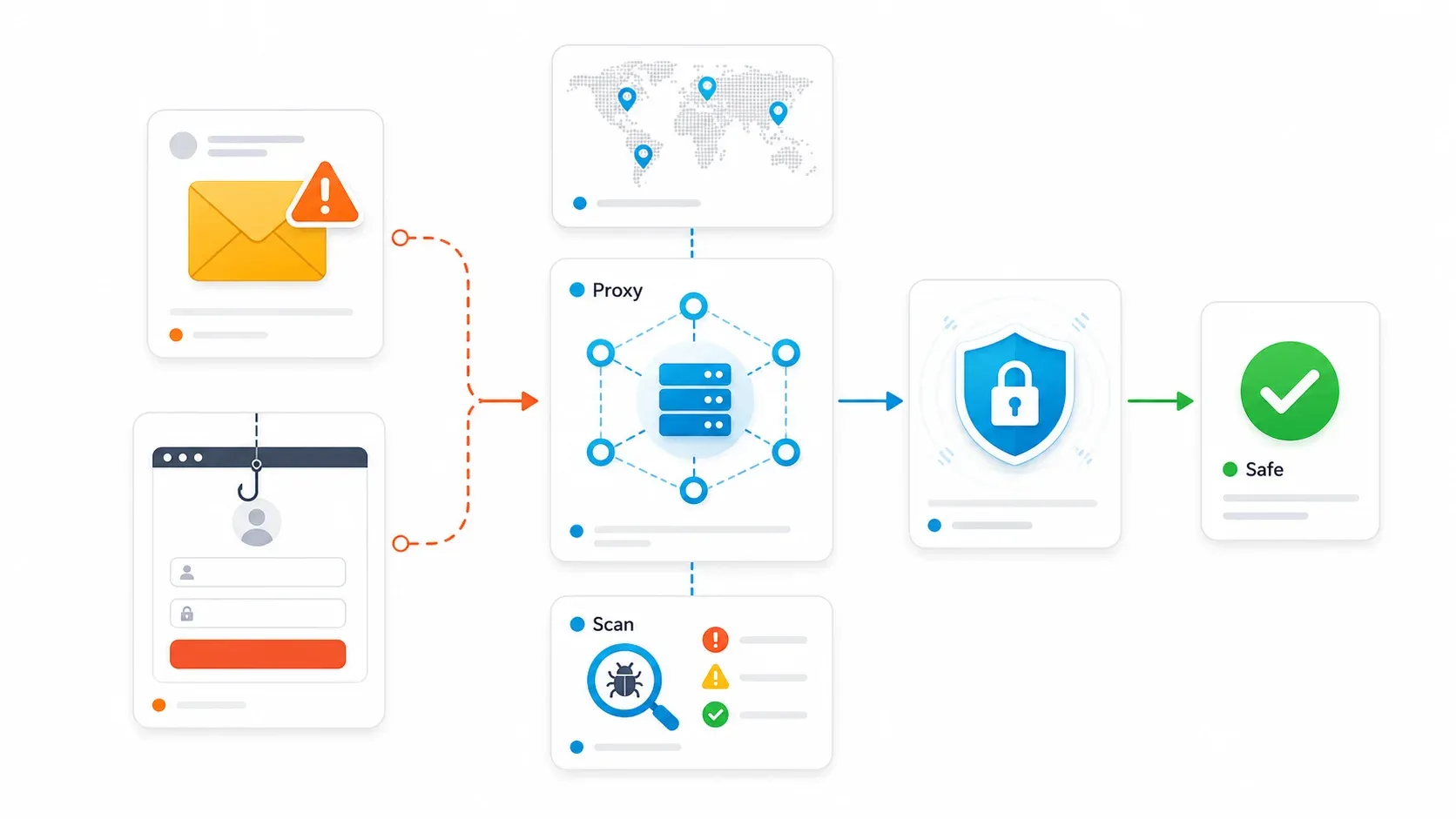
Attackers use proxy infrastructure to hide their origin, rotate through trusted IP addresses, and steal authenticated sessions — even after MFA. Defenders use proxies to investigate suspicious links safely, test what phishing pages show in different countries, and filter malicious traffic before it reaches their own sites. This guide covers both sides, then walks through a concrete workflow you can actually implement. No hand-waving, no silver bullets.
- Difficulty: Intermediate
- Time Required: ~25 minutes to read and plan; implementation varies by step
- What You'll Need: A basic understanding of your organization's web infrastructure, access to DNS settings for your domain, a Chrome browser (for Thunderbit steps), and optionally a proxy provider account
What Is Phishing and Why Should Your Business Care?
Phishing is a deception attack. Criminals use email, text messages, fake login pages, QR codes, or spoofed websites to trick people into handing over credentials, approving a login, installing malware, or wiring money.
It's not just a "bad email" problem anymore. Modern phishing involves cloud-hosted pages, fake Microsoft 365 login flows, QR codes, and session-token theft.
For businesses, the stakes are concrete. IBM's 2025 Cost of a Data Breach report puts the global average breach cost at USD 4.4 million. The FBI's 2025 Internet Crime Report says IC3 received roughly 453,000 cyber-enabled fraud complaints with reported losses exceeding USD 17.7 billion, with business email compromise (BEC) accounting for over $3 billion of that.
Credential theft, wire fraud, supply chain compromise, regulatory fines — phishing touches all of it.
What follows: how proxies fit into both the attack and defense landscape, and what a layered, honest defense actually looks like.
The Dual Nature of Proxies: Your Shield and Their Weapon
A proxy is an intermediary between your device and the internet. Instead of a website seeing your real IP address, it sees the proxy's address. Think of it like a mail-forwarding service: the recipient gets the letter from the forwarding address, not from your home.
That same property creates the dual-use problem. Security teams use proxies to investigate threats without exposing a corporate IP or analyst workstation. Attackers use the exact same technology to make malicious traffic appear to come from ordinary users, different countries, or trusted residential networks. Barracuda's April 2026 analysis explains it plainly: residential IP addresses look authentic because they are tied to real home or small business internet connections, so fraud systems are less likely to flag them.
Most competing articles only cover one side. That leaves readers with an incomplete picture — and incomplete defenses.
How Attackers Use Proxies Against You
Three main attack vectors matter most for business defenders: anonymity and IP rotation, residential proxy abuse, and trusted-platform evasion.
AiTM (Adversary-in-the-Middle) Phishing Explained
AiTM is the attack that breaks the "MFA protects us" assumption (spoiler: traditional MFA doesn't survive it).
In an AiTM attack, the attacker places a reverse proxy between the victim and a legitimate login page — say, Microsoft 365. The user sees what looks like a real login flow. They enter credentials, complete MFA, and the real identity provider issues a session cookie. But because all traffic passes through the attacker's proxy, the attacker captures that session cookie. They can now replay it to access the account — no password or MFA prompt needed.
Microsoft's analysis of Tycoon2FA, one of the leading AiTM phishing kits, shows operators can impersonate Microsoft 365, Outlook, SharePoint, OneDrive, and Google login pages. The kit generates PDFs and QR codes, manages redirect chains, and tracks MFA usage and session cookie capture. Its infrastructure uses short-lived subdomains and Cloudflare-hosted infrastructure to frustrate blocklists.
None of this is theoretical. AiTM kits are actively exploited at scale, and they are the #1 reason "we have MFA" is not a complete answer to phishing.
Residential Proxy Abuse and IP Rotation
Residential proxy networks route attacker traffic through real home IP addresses, making phishing requests appear legitimate and slipping past IP-based fraud detection. Many providers don't rigorously verify how their IPs are used, which creates a gray market.
The most concrete example: in January 2026, Google Threat Intelligence Group disrupted the IPIDEA residential proxy network, reducing its available device pool by millions. GTIG observed over 550 individual threat groups using IPIDEA exit nodes in a single seven-day period. The investigation found overlaps with botnets, SaaS access abuse, password spray attacks, and global espionage actors. Many proxy SDK deployments lacked clear user consent.
The FBI's 2026 advisory on residential proxies lists phishing, stolen-credential login, brute force attacks, account takeovers, spam, and C2 obfuscation as criminal uses.
Trusted-Platform Hosting and Phishing Kit Evasion
Another evasion tactic: hosting phishing pages on trusted platforms — SharePoint, Google Docs, Azure Blob Storage — to piggyback on domain reputation. Microsoft's analysis of Azure Blob Storage threats shows attackers use it to host spoofed Microsoft sign-in pages, making them harder for victims to recognize as malicious based on certificates alone.
Phishing kits also use evasion logic. Cofense's phishing-kit analysis documents geolocation filtering, user-agent and language filtering, CAPTCHA, developer-tools detection, and redirects to legitimate pages. If a visitor doesn't match the intended victim profile — wrong country, wrong browser, or appears to be a security scanner — the page shows a benign page or a 404.
Scanning from a single corporate IP or cloud datacenter will miss these pages. The kit is literally designed to hide from you.
How Defenders Use Proxies to Fight Back
On the defensive side, proxies serve four practical jobs:
-
Anonymous URL and domain scanning. Route suspicious links through a controlled proxy so the destination sees the proxy IP, not an employee laptop or corporate network. This reduces direct exposure and creates a repeatable investigation process.
-
Threat intelligence gathering. Use rotating proxies for crawling phishing infrastructure, domain lists, public threat feeds, or newly registered domain sources without being blocked after a small number of requests. (Always within legal and terms-of-service constraints.)
-
Geo-distributed phishing detection. Use proxies in multiple regions to see whether a suspicious URL behaves differently from the US, EU, APAC, or another target market. This catches kits using geofencing or user-agent filtering — the same evasion techniques described above.
-
Reverse proxy / WAF deployment. Reverse proxies sit in front of your own domains. They don't stop employees from clicking outbound phishing links, but they protect owned web properties from bot traffic, credential stuffing, malicious payloads, and abusive traffic patterns.
Why MFA Alone Fails Against Proxy-Based Phishing
I've watched this conversation play out in dozens of IT forums: "We have MFA, so we're covered." The sysadmins who've actually dealt with an AiTM incident have a very different view.
The mechanism is straightforward. The victim completes MFA on what appears to be a real login flow. The real identity provider issues a session token. The attacker captures that token via their reverse proxy.
The authentication succeeded — but the attacker now owns the session. Password reset alone may not be enough if active sessions and attacker-made MFA modifications remain in place. Microsoft explicitly states that affected organizations need to revoke session cookies and roll back attacker-made MFA modifications, beyond standard remediation.
SMS codes, OTP apps, push approvals — all can be phished if the user completes them inside an attacker-controlled flow. The MFA did its job. The problem is that the attacker was watching the whole time.
What Actually Stops AiTM Phishing
FIDO2 / Passkeys. The FIDO Alliance explains that passkeys are phishing-resistant by design: no passwords to steal, no sign-in data that can be reused. The cryptographic key pair is bound to the legitimate domain's origin, so an attacker's proxy simply can't replicate the challenge. CISA confirms that FIDO and PKI are the only widely available non-proprietary MFA methods that prevent credential phishing.
Certificate-based authentication. Enterprise-grade, more complex to deploy, but equally phishing-resistant because it relies on device certificates rather than user-entered codes.
Conditional Access policies. In Microsoft environments, Conditional Access can require compliant devices, trusted locations, risk-based checks, or phishing-resistant authentication strength — reducing the value of a stolen session token even if the attacker gets one.
All of these are complementary to proxies, not replacements. The goal is layers.
Practical Options for SMBs on a Budget
The obvious objection: "Intune, MDM, hardware keys — that's enterprise budget territory." Fair. Here's the budget path:
- Browser-based passkeys. Most modern browsers support passkeys natively. No hardware purchase needed. Start with admin, finance, and HR accounts.
- Free DMARC deployment. SPF, DKIM, and DMARC records are free to publish. Google Workspace and Microsoft 365 have built-in setup guides.
- Defensive domain registration. Register common misspellings and lookalike domains for your brand. Most registrars charge $10–15/year per domain. Set DMARC reject policies on each one.
- Targeted training. Focus employee awareness on AiTM lures specifically: fake Microsoft 365 login pages, fake document shares, QR codes, device code scams, and "urgent payroll/vendor" workflows.
Think of it as "start here, upgrade later." Even partial adoption drastically reduces risk.
Which Proxy Type Works Best to Avoid Phishing?
Different proxy types serve different anti-phishing purposes, and choosing the wrong one wastes money or creates blind spots.
| Proxy Type | Best Anti-Phishing Use Case | Pros | Cons | Cost Level |
|---|---|---|---|---|
| Datacenter | Bulk URL scanning, domain monitoring | Fast, cheap, high volume | Easily detected by sophisticated phishing kits | Low |
| Residential | Geo-targeted phishing detection, user-perspective testing | Appears as real user traffic, bypasses geo-blocks | Slower, more expensive, serious ethical sourcing concerns | High |
| Rotating | Threat intel crawling, sustained monitoring | Avoids IP bans during long crawl sessions | More complex setup, variable latency | Medium |
| Reverse Proxy / WAF | Defending your own web properties | Filters inbound threats, bot detection, DDoS protection | Does not help with outbound phishing detection | Medium |
A note on ethical sourcing. The Google/IPIDEA case and the FBI advisory both make clear that residential proxy networks can be built from compromised devices, deceptive SDKs, hidden VPN terms, or malware. Before buying residential proxy traffic, demand transparent user consent, opt-out mechanisms, auditability, and abuse handling from the provider. Providers previously flagged in security research (PacketStream, the now-defunct 911 Proxy) should be approached with extreme caution.
For most small and mid-sized businesses, start with datacenter proxies for bulk scanning and a reverse proxy/WAF for your own domains. Add residential proxies only if you need geo-targeted testing and can vet the provider thoroughly.
Step-by-Step: How to Avoid Phishing With Proxies (A Practical Workflow)
Most articles stop at theory. Each step below includes a tool recommendation and enough detail to hand to your IT team or follow yourself.
Step 1: Monitor Newly Registered Lookalike Domains
Attackers register domains that look like yours before launching campaigns: thunderb1t.com, thunderbit-login.com, thunderbit-support.net.
Catching these early is one of the highest-value defensive actions available.
How to do it:
- Build a watchlist of your brand terms, product names, executive names, and login-related words (e.g., "login," "portal," "invoice," "payment").
- Query Certificate Transparency (CT) logs daily using crt.sh, which lets you search certificate records by domain or organization name. CT logs require publicly trusted certificates to be logged, so newly issued certificates for lookalike domains will appear here.
- Flag domains with close edit distance to your brand, suspicious TLDs (.xyz, .top, .click), or login/payment keywords.
- Render flagged pages through a proxy or sandbox — never from an employee browser.
Thunderbit tie-in: Thunderbit's batch extract API can process up to 100 suspicious URLs per job, using renderMode: "full" to render JavaScript-heavy phishing clones. You define a JSON Schema for the data you want back — page title, whether a login form is present, form action domain, SSL issuer, redirect chain, final URL. The CLI equivalent fits neatly into cron-based monitoring:
thunderbit batch extract --file suspicious-urls.txt --schema phishing-signals.json --render-mode full
For non-technical users, the Thunderbit Chrome extension can also be used to quickly scrape and review suspicious pages in a couple of clicks — useful when you just need to eyeball a handful of URLs rather than run a scheduled pipeline.
Expected result: A daily or weekly report of newly registered lookalike domains with structured metadata, ready for triage.
Try Thunderbit for suspicious URL review
Step 2: Route Suspicious Links Through Datacenter Proxies
Before anyone in your organization clicks a suspicious link, analyze it through a controlled path. The proxy IP is exposed, not the employee's device or corporate network.
How to do it:
- For quick checks, use urlscan.io (a web sandbox that lets you select a scan country) or VirusTotal (scans URLs against dozens of antivirus products and blocklists).
- For internal scripts or higher-volume analysis, route requests through a datacenter proxy:
curl -x http://proxy.example.com:8080 -I "https://suspicious.example"
- For live phishing pages, use a disposable VM or browser sandbox. Disable credential entry. Capture the redirect chain, page title, final destination, form posts, scripts, and screenshots.
- Never submit real corporate credentials. And treat public scans carefully — some services expose submitted URLs unless configured as private or unlisted.
Expected result: A safe assessment of the link's destination, behavior, and indicators — without any corporate exposure.
Step 3: Use Geo-Distributed Proxies to Catch Targeted Phishing Campaigns
Some phishing kits only show malicious content to visitors from a target country or language setting. Cofense documents that geolocation filtering is commonly used: visitors from the "wrong" region see a benign page or a 404, while the target audience gets the credential-harvesting form.
How to do it:
- Test suspicious links from the regions where your employees, customers, and finance teams actually operate. If your company is US-based with a UK office, test from both.
- Compare final URLs, screenshots, page titles, forms, and HTTP response codes by region.
- Rotate user-agent and language settings when investigating QR-code or mobile-targeted lures — some kits filter on these too.
- Escalate URLs that show benign content in one location but login forms in another. That's a strong phishing signal.
Expected result: Detection of geo-targeted campaigns that would be invisible to a single-location scanning approach.
Step 4: Deploy a Reverse Proxy or WAF for Your Own Domains
Time to shift from outbound detection to inbound defense. Reverse proxies and WAFs sit in front of your web properties, inspecting incoming traffic before it reaches your servers.
How to do it:
- Point your domain's DNS to a reverse proxy provider. Cloudflare is the most accessible option for SMBs — DNS, CDN, WAF, and rules live in one interface. For AWS-hosted applications, AWS WAF works well if you're already using CloudFront, ALB, or API Gateway.
- Enable managed WAF rules. These block known malicious IPs, filter bot traffic, and detect credential-stuffing patterns.
- Turn on rate limits for login, password reset, and contact forms.
- Add bot or challenge rules for high-risk endpoints.
- Monitor WAF events weekly — don't just set and forget.
Expected result: Inbound malicious traffic is filtered before reaching your servers. Credential-stuffing attempts against your login pages are blocked or challenged.
Step 5: Automate and Schedule Ongoing Monitoring
Phishing is not a one-time audit. New domains, kits, and infrastructure appear daily — so monitoring needs a cadence:
- Daily: CT lookalike scan and suspicious domain queue.
- Daily or hourly (for high-risk brands): URL sandbox checks for newly discovered domains.
- Weekly: DMARC aggregate report review and spoofing pattern review.
- Weekly: WAF event review for credential stuffing and bot spikes.
- Monthly: Phishing-resistant MFA rollout progress check.
- Quarterly: Test finance and HR workflows against realistic AiTM and BEC scenarios.
Thunderbit tie-in: Thunderbit's scheduled scraping and CLI/API workflows can support recurring monitoring for non-technical operations teams. The best use case isn't "Thunderbit prevents phishing by itself" — it's "Thunderbit helps operations teams collect structured signals from suspicious pages and domain-monitoring sources without writing a custom scraper from scratch." Results can be piped into Google Sheets or Airtable for team visibility, or into Slack via a simple integration.
Expected result: A continuous monitoring loop that catches new threats within hours, not weeks.
What Proxies Can't Catch: Securing Email With DMARC, SPF, and DKIM
Proxy vendors won't tell you this part: proxies are one layer of defense, but email-based phishing that never touches a proxy layer requires separate protection.
Many phishing attacks arrive via spoofed email addresses. A proxy won't intercept those.
Setting Up SPF With Hard Fail
SPF (Sender Policy Framework) is a DNS record listing which IPs are authorized to send email on behalf of your domain. Configure with -all (hard fail) rather than ~all (soft fail) to reject unauthorized senders outright.
Common pitfall: forgetting to include all legitimate sending services — your CRM, marketing platform, transactional email provider, helpdesk. Audit your sending sources before publishing the record.
Deploying DKIM Signing
DKIM (DomainKeys Identified Mail) adds a cryptographic signature to outgoing emails. The receiver verifies the message hasn't been tampered with in transit. Both Google Workspace and Microsoft 365 have built-in DKIM setup guides. It takes about 15 minutes.
Enforcing DMARC to Reject
DMARC (Domain-based Message Authentication, Reporting & Conformance) tells receiving servers what to do when SPF or DKIM checks fail. The critical step most organizations skip: graduating from p=none (monitoring only) to p=reject (block failing messages) after verifying legitimate email flows.
Many organizations leave DMARC at p=none indefinitely — visibility without protection. It's like installing a security camera but never locking the door.
Defensive Registration of Lookalike Domains
Proactively register common misspellings and lookalike domains for your brand. Set DMARC reject policies on these defensive domains so they can't be used for spoofed email. At $10–15/year per domain, this is one of the cheapest, highest-impact measures available — and most small businesses overlook it entirely.
Putting It All Together: A Layered Defense Against Phishing
No single tool stops phishing. The combination is what makes the defense hold. Practical checklist:
Outbound (investigating threats):
- Proxy-based URL scanning for suspicious links
- Domain monitoring via CT logs and batch extraction
- Geo-distributed testing for region-targeted campaigns
Inbound (protecting your properties):
- Reverse proxy / WAF for your web domains
- DMARC/SPF/DKIM for email authentication
- Defensive registration of lookalike domains
Authentication (protecting accounts):
- FIDO2 / passkeys for phishing-resistant MFA
- Conditional Access policies (compliant devices, risk-based checks)
- Session token monitoring and revocation procedures
People (the last safety net):
- Training focused specifically on AiTM lures, QR codes, and BEC scenarios
- Clear reporting culture — make it easy and non-punitive to report suspicious messages
- Regular testing of finance and HR workflows against realistic phishing scenarios
The approach maps to the NIST Cybersecurity Framework's defense-in-depth principle: multiple independent layers, so failure in one doesn't mean total compromise.
For teams that need to investigate suspicious URLs, scrape threat data, or monitor domains at scale, Thunderbit's AI web scraper can accelerate the workflow — Chrome extension for non-technical users, API/CLI for technical teams. It's not a security product in itself, but it earns a spot in the analyst's toolkit. You can learn more about web scraping without coding or explore AI web scraping approaches on our blog.
Use AI web scraping for threat monitoring Get Started Free
FAQs
How do attackers use proxies for phishing attacks?
Attackers use residential and rotating proxies to hide their real IP, rotate through trusted addresses, bypass IP-based fraud detection, and deploy AiTM reverse proxies to intercept authenticated sessions — even after the victim completes MFA. The IPIDEA disruption in January 2026 showed over 550 threat groups using a single residential proxy network.
How does a reverse proxy prevent phishing and website compromise?
A reverse proxy sits in front of your web servers and inspects inbound traffic before it reaches your infrastructure. It blocks known malicious IPs, filters bot traffic, rate-limits login attempts, and detects credential-stuffing or phishing-related activity. It does not, however, protect employees from clicking outbound phishing links.
Can proxies completely prevent phishing?
No. Proxies are one critical layer, but email-based phishing requires DMARC/SPF/DKIM, and session hijacking via AiTM attacks requires phishing-resistant MFA like FIDO2/passkeys. A layered defense combining proxies, email authentication, phishing-resistant credentials, and employee training is essential.
What is AiTM phishing and why doesn't MFA stop it?
AiTM (Adversary-in-the-Middle) phishing uses a reverse proxy between the victim and the real login page, capturing the session token after MFA completes. Traditional MFA doesn't stop it because the attacker steals the authenticated session, not the password. FIDO2/passkeys resist this attack because the cryptographic challenge is bound to the legitimate domain and can't be replayed through the attacker's proxy.
Which proxy type is best for phishing detection?
Datacenter proxies are best for bulk URL scanning (fast and cheap). Residential proxies are best for geo-targeted testing (realistic but more expensive — vet the provider for ethical sourcing). Reverse proxies/WAFs are best for defending your own sites. The strongest approach uses a combination based on what you're trying to detect or protect.
Try Thunderbit for threat monitoring and AI scraping Get Started Free
Learn More




