
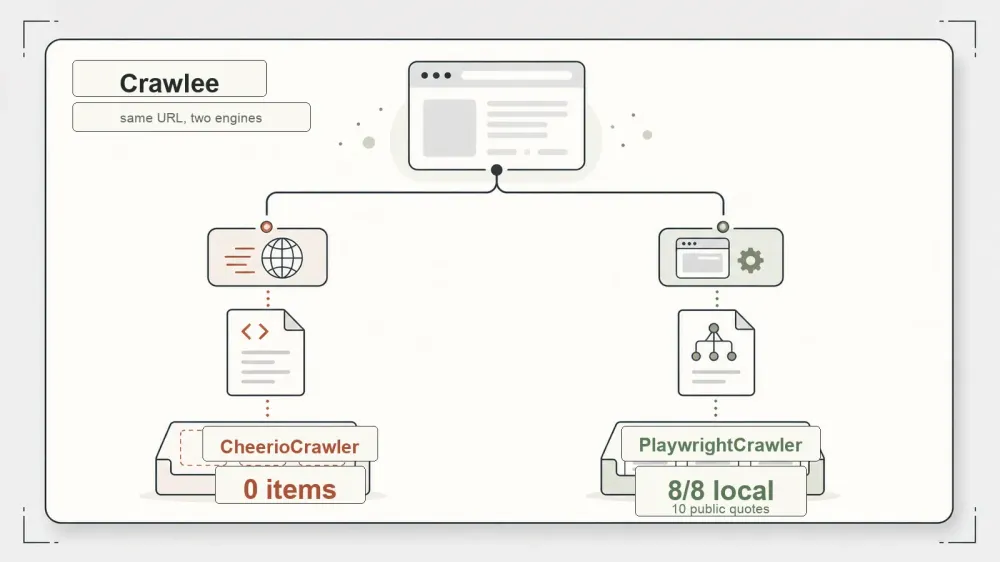
Most people meet Crawlee while trying to answer a different question: "which headless browser should I use?" That's the wrong question, and Crawlee is the reason. It isn't a browser. It's the Node/TypeScript framework that wraps one when you need it and skips it when you don't.
I spent a couple of days running Crawlee 3.17.0 against a controlled set of fixtures and a few public demo sites, on Node v22.22.3 and macOS. The headline pitch — one library, one API, either an HTTP crawler or a real browser underneath — is the thing I most wanted to pressure-test, because it's the claim that decides whether Crawlee is worth adding to your stack or whether you should just reach for Playwright directly. Short version: the two-engine story holds up, with a few asterisks I'll get to.
What Crawlee Actually Is (and Isn't)
Crawlee describes itself as a web scraping and browser automation library for Node.js, built to make reliable crawlers. The official positioning is broad: extract data for AI, LLMs, RAG, or GPTs; download HTML, PDF, JPG, PNG and other files; works with Puppeteer, Playwright, Cheerio, JSDOM, and raw HTTP; headful or headless; proxy rotation included. That's a lot of surface area, so it helps to say what Crawlee is not.
It is not a rendering engine. It doesn't have its own browser. When you want JavaScript executed, Crawlee drives Playwright or Puppeteer, which in turn drive Chromium (or another browser). It is also not a hosted service you call over the network — it's a dependency you install and run yourself. What Crawlee is, precisely, is the layer above the fetcher: the crawler classes, the request queue, the storage, the link-following logic. Think of it as the crawl framework, with a pluggable engine slot underneath.
For the record, the version I tested was 3.17.0 (released 2026-06-04), it's TypeScript, the license is Apache-2.0, and the repo sat at roughly 24.6k stars as of 2026-07-09 on apify/crawlee. Star counts drift — the repo picked up 53 in the two days I was watching — so treat that number as a snapshot, not a fixed fact.
The Two Engines: CheerioCrawler vs PlaywrightCrawler
Here's where the design earns its keep, and where I spent most of my time.
CheerioCrawler is the HTTP path. It fetches raw HTML over the wire and parses it with Cheerio — no browser, no JavaScript execution, no rendering. It's fast and cheap. PlaywrightCrawler is the browser path. It launches real Chromium, renders the page including whatever JavaScript builds the DOM, and can even take screenshots.
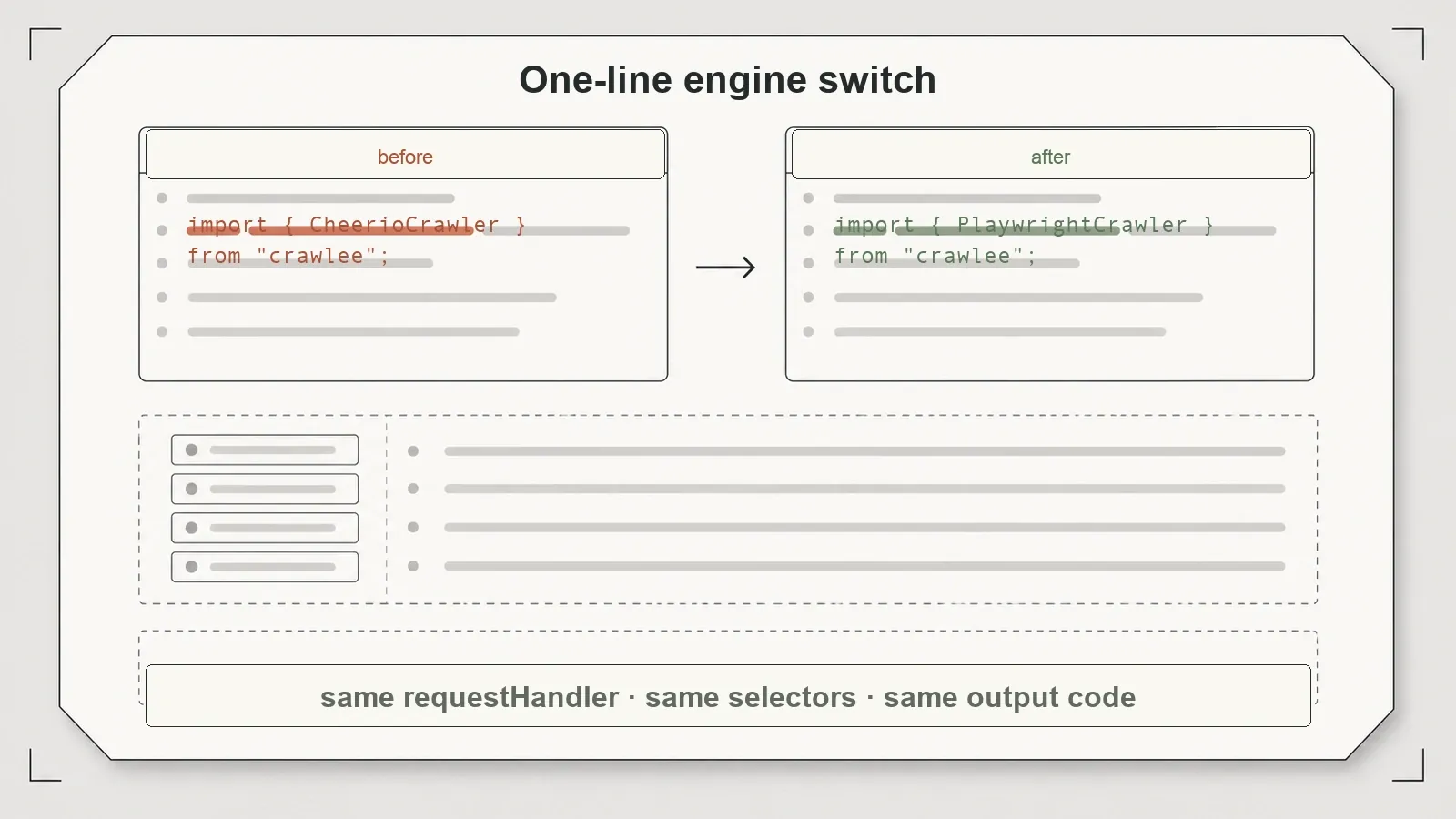
Two different engines with genuinely different capabilities. The point Crawlee is making is that they wear the same clothes. Both take a requestHandler. Both expose run(). Both crawl links with enqueueLinks. Moving from one engine to the other is a class swap, not a rewrite — I verified that by keeping my extraction logic byte-identical and only changing which crawler class wrapped it.
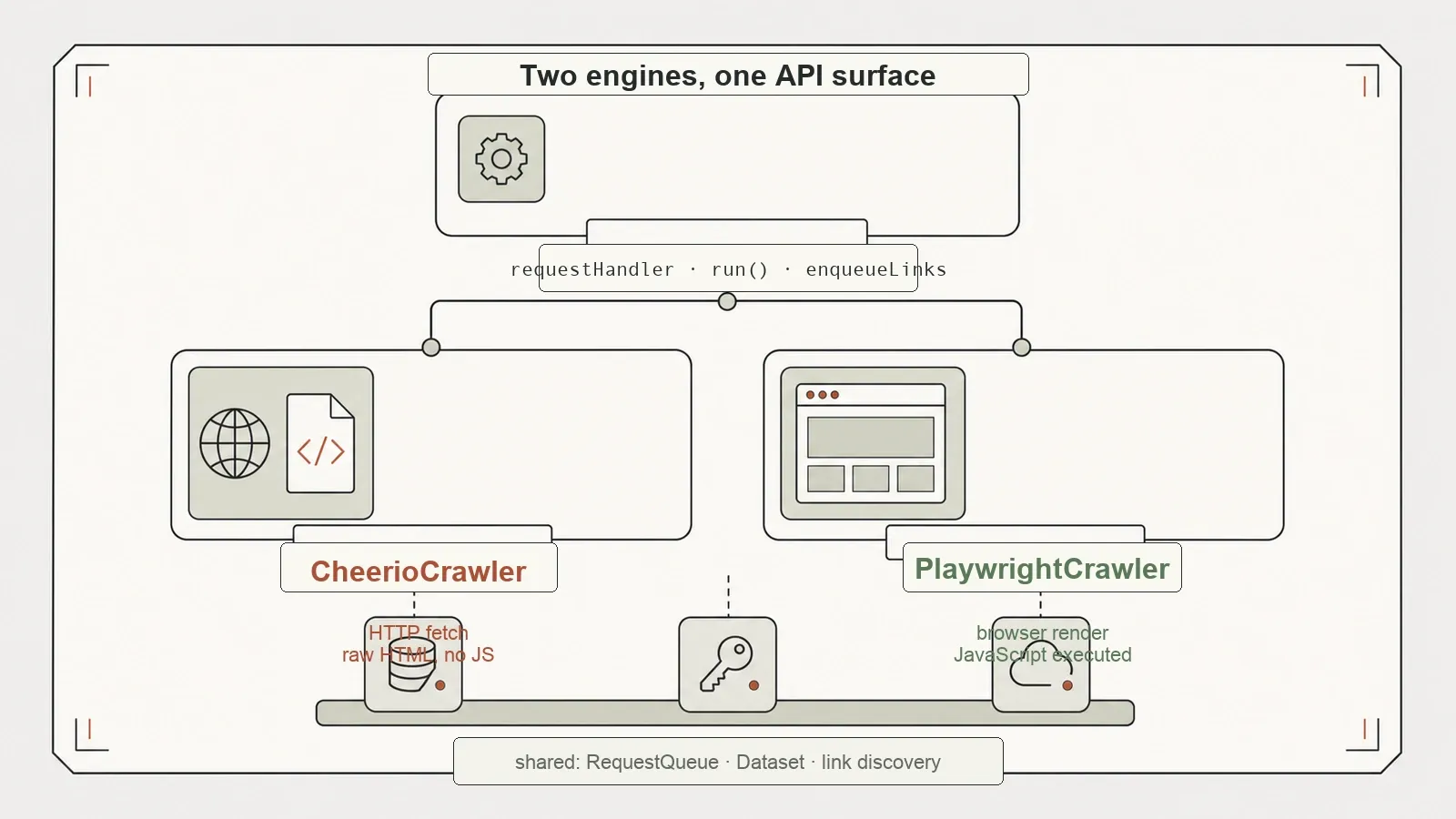
One thing to be precise about, because it's the seam where the parity stops: the content handle differs. Inside a CheerioCrawler handler you get $ — a static, already-parsed DOM you query like jQuery. Inside a browser handler you get a live page object. So the queue, the routing, the "push this data, follow those links" plumbing stays identical, but the line where you actually read the page changes shape. Crawlee's own docs say as much — they scope the shared interface to the crawl operations and name the content access as the thing that varies.
| Engine | How it fetches | Runs JavaScript? | My run (1 dynamic page) | Best for |
|---|---|---|---|---|
CheerioCrawler | Raw HTTP + Cheerio parse | No | ~0.035s | Static HTML, JSON APIs, speed |
PlaywrightCrawler | Real Chromium via Playwright | Yes | ~4.967s | JS-rendered pages, screenshots |
Those timings are from a single machine and a single run — not a benchmark, just the shape of the trade. The browser path cost roughly two orders of magnitude more time on the same URL. That's the price of rendering, and it's why you don't reach for it by default.
The Test: Same URL, 0 vs 8/8
Claims are cheap. The reason I trust the two-engine story is that I could make it fail and then fix it by swapping one class.
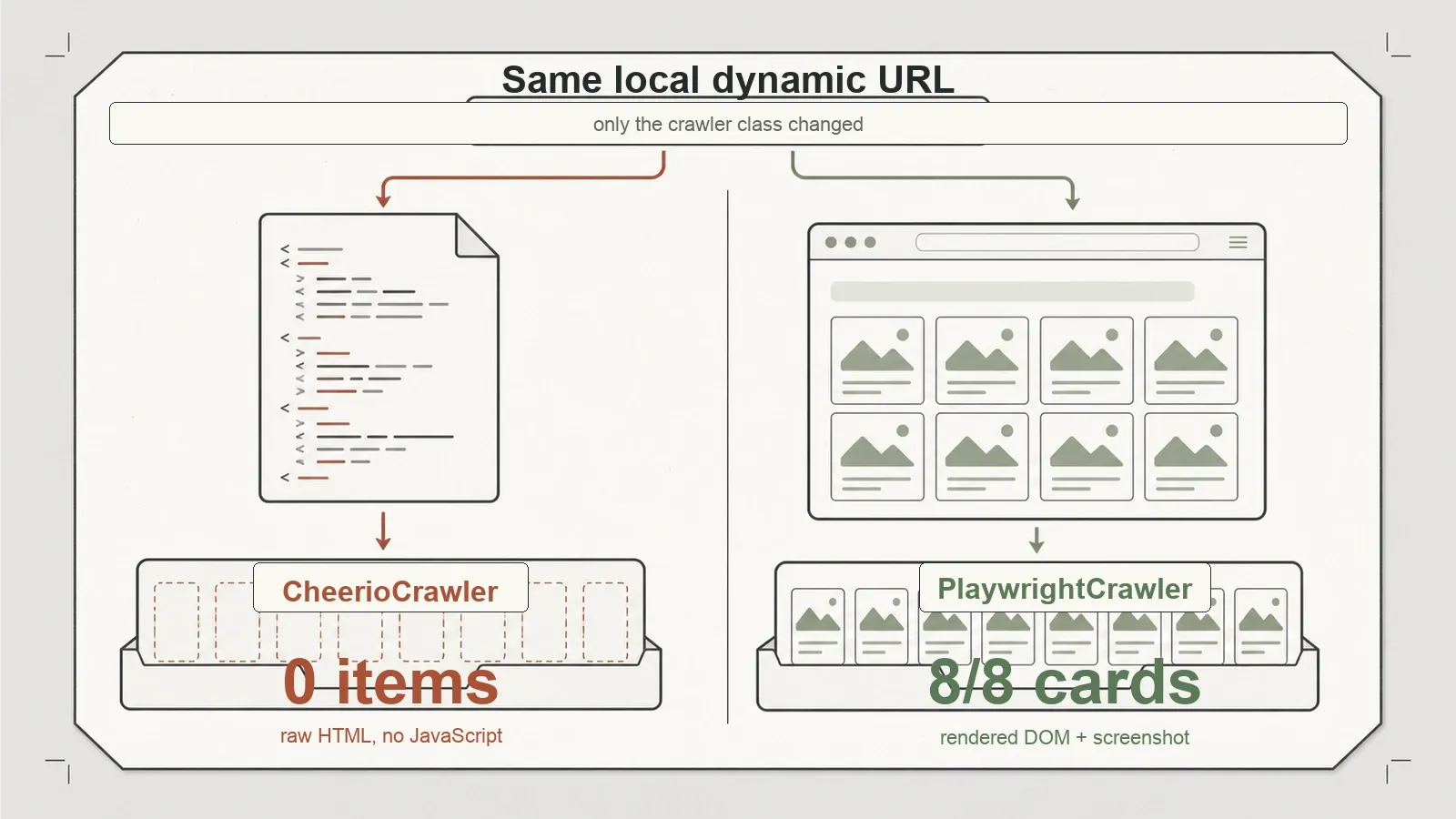
I built a local dynamic fixture — a catalog page where the product cards are injected by JavaScript after load, the kind of page that's become the default on the modern web. I pointed CheerioCrawler at it. It returned 0 product cards. That's not a bug; it's physics. Cheerio never ran the JavaScript, so the cards never existed in the HTML it parsed. Then I pointed PlaywrightCrawler at the exact same URL, changed nothing else, and it rendered 8 of 8 products and grabbed a screenshot for proof.
To make sure that wasn't a quirk of my own fixture, I ran the same pattern against a public site — the Quotes to Scrape JavaScript demo page, which builds its quotes client-side. Same result in the same direction: CheerioCrawler saw 0 quotes, PlaywrightCrawler recovered 10.
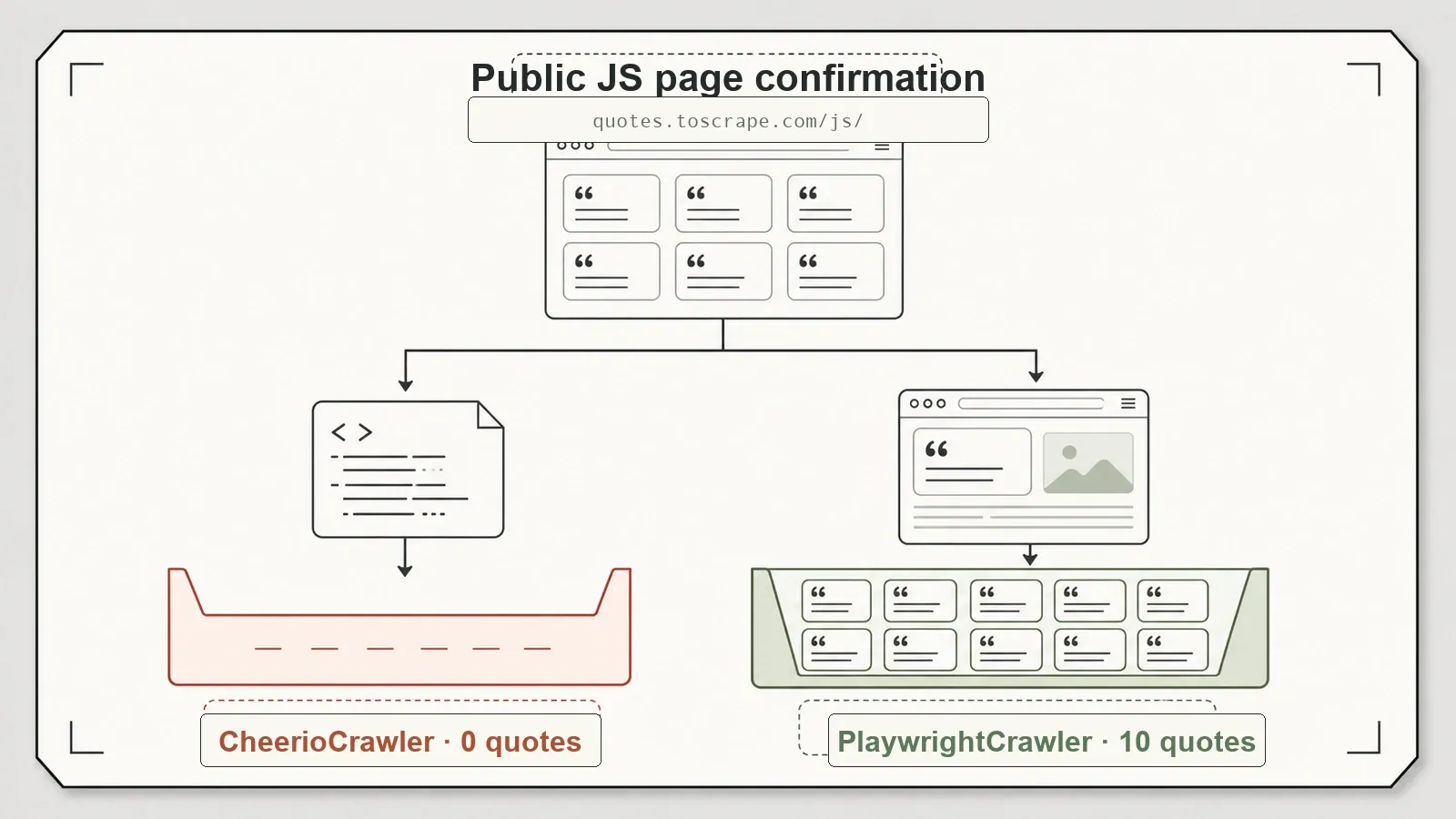
I want to be careful about what this proves. It's a clean reproduction of a claim Crawlee already documents — the framework has shared the same base class and interface across its crawler types since version 3.0. So this is verification, not discovery. But that's exactly the value: the marketing line "one interface, HTTP or browser" is real, and here's the 0 → full-data receipt on both a fixture I control and a site I don't.
Where the HTTP Path Wins
It would be easy to read the section above as "always use the browser." Don't. The whole reason the two-engine design matters is that the browser is the expensive fallback, not the default.
On static content, CheerioCrawler was accurate and quick. My static catalog fixture returned 12 of 12 products at full recall, following pagination via enqueueLinks({ selector: '.next-page' }), in about 0.155 seconds. An article page gave up its title and all 3 of 3 body paragraphs with the login/subscribe/copyright boilerplate cleanly separated from the content.
The one that's worth internalizing: a page whose data is loaded by JavaScript often has a JSON API sitting right behind it. My dynamic fixture's data lived at an endpoint, and when I pointed CheerioCrawler straight at that API, it recovered 8 of 8 products — no browser, in about 0.035 seconds. Same data the browser path took nearly five seconds to render. The lesson is old but keeps being true: if you can reproduce the underlying request, do that instead of launching Chromium. Crawlee lets you make that choice per-crawler without changing frameworks.
The Crawl Framework Part (the reason to pick Crawlee over a bare browser lib)
If all you needed was to render one page, you wouldn't need Crawlee — you'd use Playwright or Puppeteer on their own. What a bare browser library doesn't give you is a crawl: a queue, deduplication, depth control, retries. That's the part of Crawlee that isn't about engines at all.
I ran a same-hostname crawl from a fixture root using enqueueLinks with depth tracking. Crawlee walked 11 pages across depths {0:1, 1:3, 2:7} — one root, three pages one hop out, seven pages two hops out — and honored maxRequestsPerCrawl as a stop condition. The RequestQueue handled the bookkeeping. When I aimed a request at a page returning HTTP 500, Crawlee retried and then surfaced the failure through its failedRequestHandler rather than silently swallowing it or crashing the run.
This is the strongest argument for Crawlee over a standalone browser tool: the crawl orchestration is built in and, crucially, it's the same orchestration whether the engine underneath is HTTP or browser. You write your queue-and-follow logic once. You decide separately whether each crawler renders JavaScript.
Setup and the Hidden Browser Download
Installation was mostly painless, with one trap that will bite first-time users.
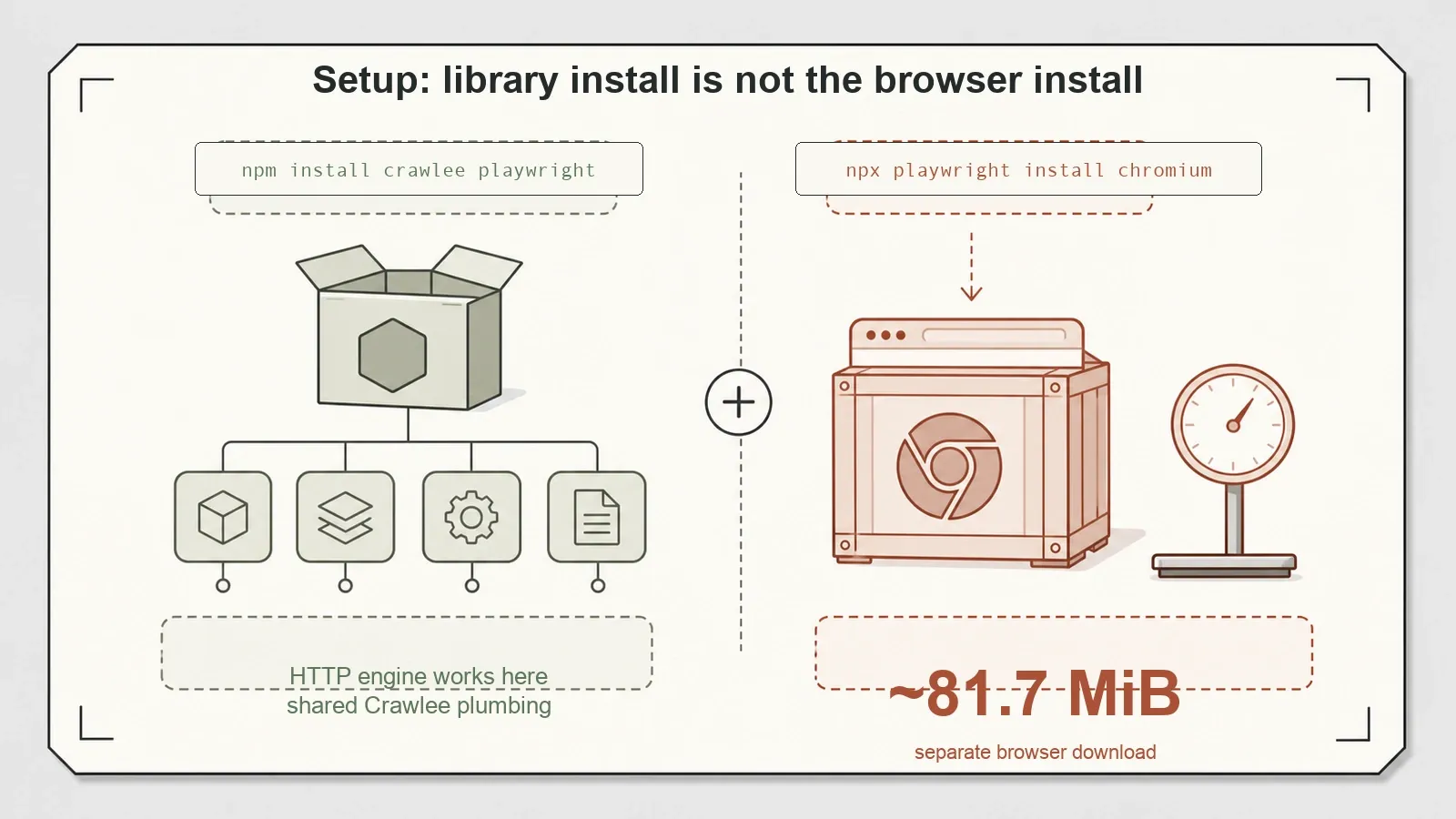
npm install crawlee playwright ran clean — 0 vulnerabilities reported. But PlaywrightCrawler will not launch until you also run npx playwright install chromium, which pulls down a Chromium binary of about 81.7 MiB. Installing the crawlee package alone does not fetch a browser. If you skip that step and go straight to a browser crawler, you'll hit a launch error that isn't obvious if you don't already know Playwright's packaging model. It's inherited Playwright behavior, not a Crawlee defect, but it's a real first-run friction point worth flagging.
One more operational note: by default Crawlee writes to a local storage/ directory. My test harness redirected that to a scratch temp dir and disabled persistence to keep things clean, but a plain-vanilla run will leave a storage/ folder in your project. Not a problem, just a thing to know before it shows up in your git status.
A Third Engine, Briefly
Crawlee's parity story isn't limited to Cheerio and Playwright. There's also PuppeteerCrawler, and I checked how far the "same interface" claim stretches to it — at the class and API-surface level, not with a live crawl.
All three crawler classes trace back to the same BasicCrawler base. CheerioCrawler routes through an HttpCrawler; PlaywrightCrawler and PuppeteerCrawler both route through a shared BrowserCrawler. Introspecting the installed package, 24 public methods are shared across all three engines, including the queue and storage operations the whole design rests on — run, addRequests, pushData, getData, getDataset, exportData, getRequestQueue, useState, stop. PuppeteerCrawler and PlaywrightCrawler actually expose an identical public method set. The only cross-engine differences sit along the HTTP-versus-browser seam, which is exactly where you'd expect them.
The boundary worth stating plainly: I did not run a live PuppeteerCrawler crawl. The puppeteer peer dependency is optional and wasn't installed in my test pack, and exercising it would mean another browser download. So the Puppeteer parity here is verified structurally — same base class, same shared methods, same handler context shape — not by an executed run. And even where the interface matches, the behavior underneath doesn't perfectly: Crawlee's own guidance notes that Playwright auto-waits for elements while Puppeteer makes you wait explicitly. That's an engine trait, not a Crawlee flaw, but it means "same API" is not "same code inside every handler."
What I Didn't Test
Here's what this round deliberately left on the table, so you don't read my results as broader than they are.
- Scale. Everything ran on small fixtures and short public crawls. No 100–1,000-page long run, so I can't speak to Crawlee's autoscaling or stability under real load.
- Queue persistence and resume. I never killed a crawl mid-run to see whether
RequestQueuepicks back up cleanly after a crash. That's a headline capability for long jobs and it's untested here. - Dataset and KeyValueStore export. I hand-wrote my JSON/CSV exports in the harness. Crawlee's built-in
Dataset/KeyValueStoreexport ergonomics — arguably the ergonomic payoff of using the framework — I didn't exercise. - Proxy and session pools. Crawlee ships proxy rotation and fingerprinting features. I'm treating those strictly as a compliance and operations topic, not as an "anti-bot bypass" selling point, and I didn't stress-test them either way.
And the timings throughout are single-machine, single-run. They show the shape of the HTTP-versus-browser cost. They are not benchmarks, and I wouldn't quote them as such.
Pros and Cons
Pros
- One API surface across HTTP and browser crawling — the engine swap really is a class change, verified with 0 → full-data on both a local fixture and a public site.
- A genuine crawl framework:
RequestQueue,enqueueLinkswith depth control, retries, and afailedRequestHandler, not just a page renderer. - Accurate HTTP extraction (12/12 static, 3/3 article paragraphs, 8/8 via JSON API) when JavaScript isn't in the way.
- Browser path recovers content the HTTP path physically can't see, and takes screenshots.
- Apache-2.0, TypeScript, actively maintained.
Cons
- The browser crawlers need a separate
npx playwright install chromium(~81.7 MiB) thatnpm install crawleedoesn't handle — easy to miss. - Browser rendering carries real per-page cost (~5s vs sub-second on my one-page test).
- Default
storage/directory side effect on plain runs. - Scale, queue persistence/resume, and Dataset export ergonomics are unproven in my testing.
- Proxy and fingerprinting features must be used within a site's terms and the law — a responsibility, not a feature to lean on.
When to Reach for Crawlee vs a Managed API
Crawlee is a build-it-yourself tool, and that's the right call for a lot of teams. Reach for it when you want to own the crawler in your own Node codebase, mix HTTP and browser crawling in one project without switching frameworks, and control the queue and storage yourself. If you're comfortable running and eventually scaling a browser fleet, Crawlee gives you a clean, well-designed spine to hang that on.
The other path is not running any of that infrastructure. If babysitting Chromium instances, proxy rotation, and anti-bot handling isn't how you want to spend your engineering time, a managed API is the alternative — and that's where our own developer stack at Thunderbit fits. For technical users, Thunderbit isn't the Chrome extension; it's an AI scraping API, MCP server, and CLI. You call POST /distill to turn a page into clean, LLM-ready Markdown, or POST /extract with a JSON Schema to get structured data back, with a renderMode of none, basic, or full so you decide when a full browser render is worth it. The MCP server lets an AI agent (Claude, Cursor, and other MCP clients) scrape mid-task, and the CLI runs from the terminal or CI:
Try Thunderbit for Web Data Extraction
npx -y @thunderbit/thunderbit-cli distill "<url>" -f markdown > out.md
The distinction that matters for developers: Crawlee hands you the raw material — rendered HTML, parsed nodes — and you own the pipeline; a managed API hands back schema-matched structured JSON with JS rendering, CAPTCHAs, and anti-bot handled server-side. Different jobs. If you want maximum control and don't mind the ops, Crawlee. If you want the data without the browser fleet, the managed route. Plenty of teams end up using both, one for bespoke crawls and one for the "just get me the structured data" cases. You can see the tradeoff on cost at Thunderbit's pricing.
Verdict
Should you use Crawlee? Yes — if you're a Node or TypeScript developer who wants a single framework that spans HTTP and browser crawling with a real crawl queue underneath. The two-engine promise is the reason to pick it, and it held up cleanly on my fixtures: the same URL went from 0 to full data with a one-class swap, static extraction was accurate and fast, and the queue-and-depth crawling worked as documented.
Go in with two things in mind. Budget for the hidden browser download the first time you use PlaywrightCrawler, and don't assume the parts I didn't test — scale, crash-resume, built-in exports — behave as well as the parts I did until you've run them on your own workload. As a foundation for building your own crawler, Crawlee is a strong, well-designed piece of engineering. As a finished, hands-off data pipeline, it's a starting point, not the destination.
Try Thunderbit for Web Data Extraction Get Started Free
FAQs
Is Crawlee free, and what license is it under?
Yes. Crawlee is open source under the Apache-2.0 license and installs from npm (npm install crawlee). The version I tested was 3.17.0. Running the browser crawlers requires a separate Chromium download via Playwright, which is also free but adds about 81.7 MiB to your setup.
CheerioCrawler vs PlaywrightCrawler — which one should I use?
Use CheerioCrawler when the data is in the raw HTML or an underlying JSON API — it's much faster and never launches a browser. Use PlaywrightCrawler when the content is rendered by JavaScript, which you can spot when the HTTP path returns empty results. In my tests the HTTP engine returned 0 items on a JS-rendered page and the browser engine returned everything. Because they share the same API, switching is a class change, not a rewrite.
Does Crawlee need a browser to run?
Only for the browser crawlers. CheerioCrawler needs no browser at all. PlaywrightCrawler (and PuppeteerCrawler) need a browser binary — install it with npx playwright install chromium. Note that npm install crawlee on its own does not fetch a browser, which is the most common first-run gotcha.
Can Crawlee handle pagination and multi-page crawls?
Yes, and this is a core reason to choose it over a standalone browser library. enqueueLinks follows links (including pagination selectors like .next-page), the RequestQueue deduplicates and manages the crawl, and you get depth control plus maxRequestsPerCrawl limits. In testing, a same-hostname crawl walked 11 pages across depths 0–2, and failed requests surfaced through a failedRequestHandler.
How does Crawlee compare to a hosted scraping API?
Crawlee is self-hosted: you write and run the crawler, and you own scaling, proxies, and anti-bot handling. A managed API like Thunderbit's distill/extract endpoints returns clean Markdown or schema-matched structured JSON with rendering and anti-bot handled server-side, exposed through an API, an MCP server, and a CLI. Choose Crawlee for maximum control over your own pipeline; choose a managed API when you'd rather not run and scale the browser infrastructure yourself.




