

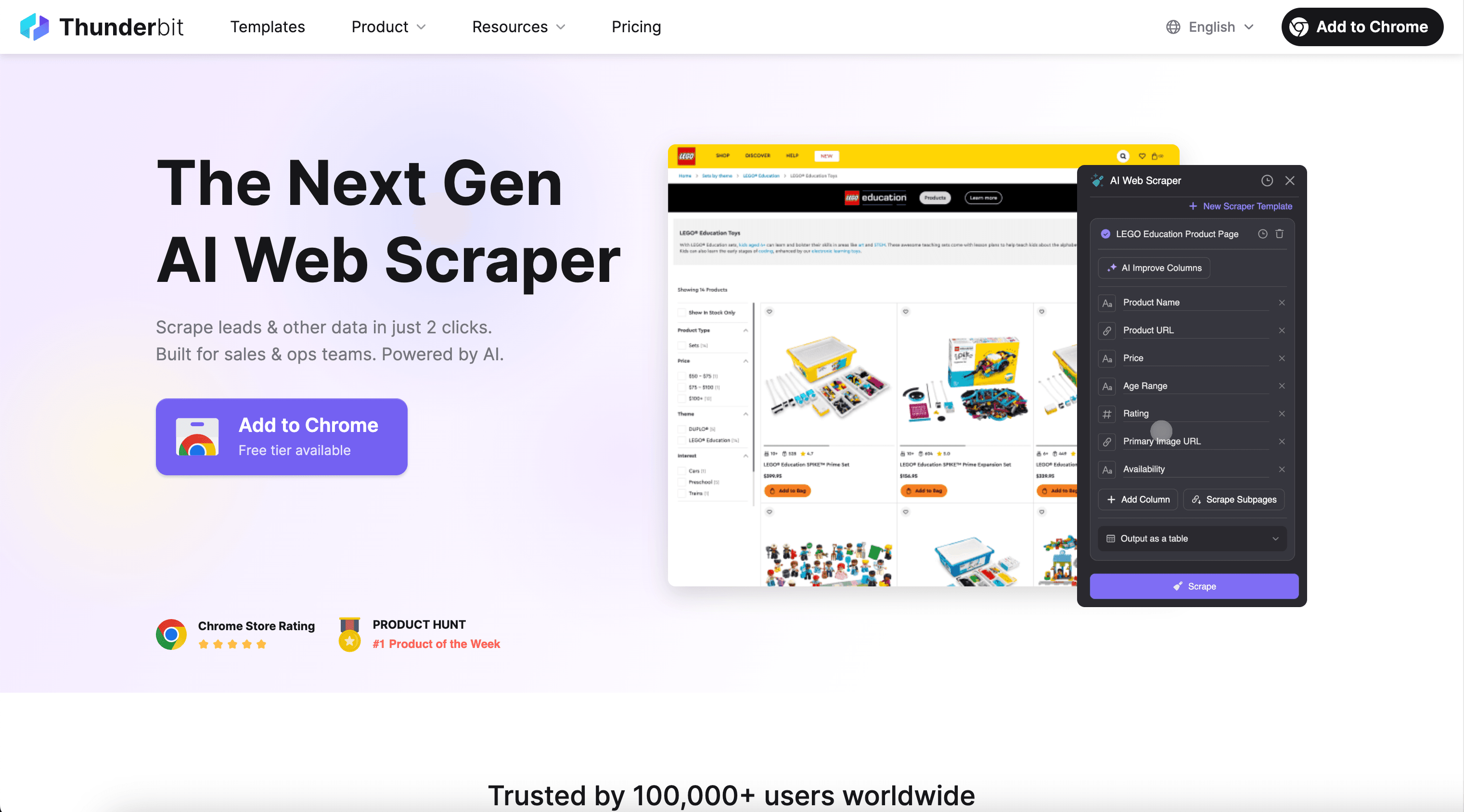
Thunderbit’s Image Scraper helps you extract image URLs and related page data from listing pages and detail pages, then uses AI to structure the data into a clean table you can export anywhere. You can collect product images for e-commerce workflows or pull social media thumbnails for content analysis in just a couple of clicks using the Thunderbit AI Web Scraper.
🖼️ What is Image Scraper
The AI-Powered Image Scraper is an AI Web Scraper that lets you scrape images (and the context around them) from websites like Amazon and TikTok. You simply open the page you want, click AI Suggest Fields to let AI propose the best columns (image URL, title, price, post link, and more), then click Scrape to generate structured data you can export to Excel, Google Sheets, Airtable, or Notion.
🧲 What can you scrape with Image Scraper
Whether you’re building a product image library, monitoring competitor listings, or collecting social thumbnails for creative research, Thunderbit’s Image Scraper can capture both image assets and metadata from the same page. You can also use Subpage Scraping to visit each detail page and enrich your dataset with additional images, variants, or descriptions.
🛍️ Scrape E-commerce Product Image Collection
From an Amazon search results page like Amazon “SHOES” search, you can collect product thumbnails, titles, prices, ratings, and product URLs. This is useful for catalog building, competitor monitoring, merchandising research, and creative testing.
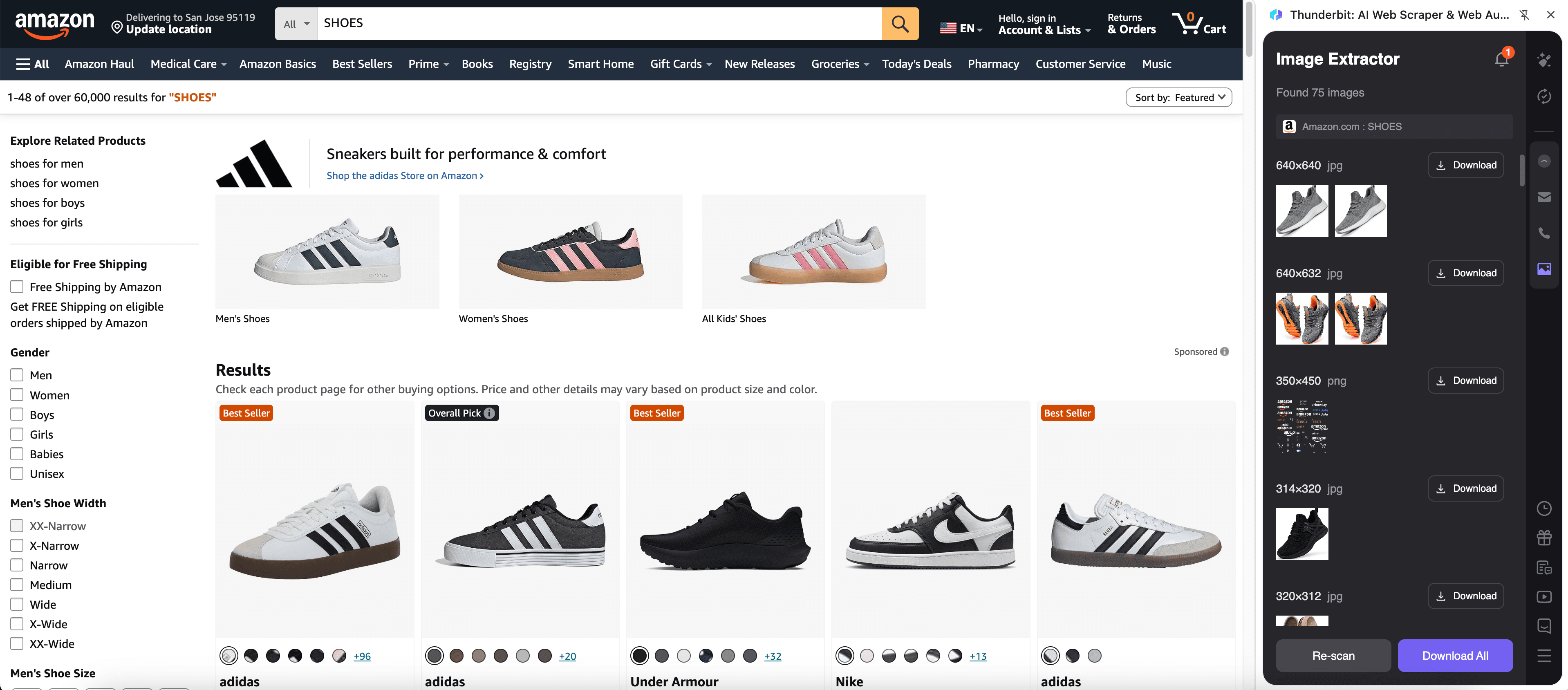
Steps:
- Download the Thunderbit Chrome Extension and register an account.
- Go to the destination page, for example: Amazon “SHOES” search results.
- Click AI Suggest Fields, which recommends column names and data types for images and product attributes.
- Click Scrape to run the scraper, then export to Excel, Google Sheets, Airtable, Notion, CSV, or JSON.
Column names
| Column | Description |
|---|---|
| 🖼️ Image URL | The product thumbnail image link from the listing page (great for building an image library). |
| 🏷️ Product Title | The product name as shown in the search results. |
| 🔗 Product URL | The link to the product detail page for subpage enrichment. |
| 💲 Price | The listed price (when available), captured as a number for analysis. |
| ⭐ Rating | Average star rating shown on the listing. |
| 🧾 Review Count | Total number of reviews displayed for the product. |
| 🏪 Brand / Store | Brand or store name when present on the card. |
| 📦 Prime / Shipping Badge | Any shipping/Prime indicators visible on the listing card. |
Tip: After scraping the listing page, use Scrape Subpages to visit each product page and collect additional images (gallery images), variants, or richer descriptions.
🎬 Scrape Social Media Influencer Image Analysis
From a TikTok profile like @justinbieber, you can collect post thumbnails, post URLs, captions (when visible), and engagement signals. This supports content audits, creative inspiration boards, influencer research, and trend tracking.
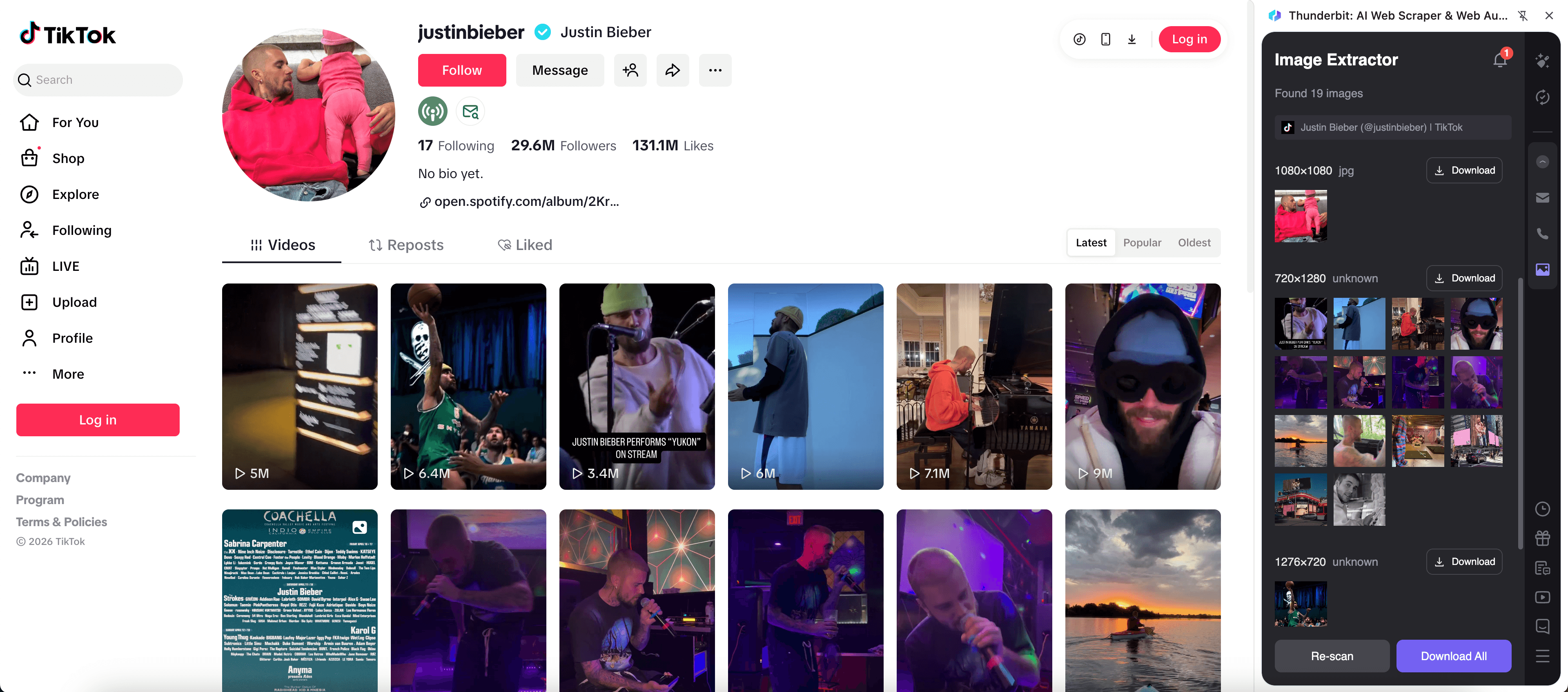
Steps:
- Download the Thunderbit Chrome Extension and register an account.
- Go to the destination page, for example: TikTok profile @justinbieber.
- Click AI Suggest Fields to generate columns for thumbnails, links, and visible metadata.
- Click Scrape to collect the data and export it to your preferred tool.
Column names
| Column | Description |
|---|---|
| 🖼️ Thumbnail Image URL | The preview image for each post on the profile grid. |
| 🔗 Post URL | Direct link to the post page for deeper analysis via subpage scraping. |
| 📝 Caption / Text | Post caption text when available on the page. |
| 👤 Creator Handle | The account handle associated with the content. |
| 📅 Post Date | Date/time when available (often best captured from the post subpage). |
| ▶️ Views | View count shown on the grid (if displayed). |
| ❤️ Likes | Like count when visible (often best captured from the post subpage). |
| 🧩 Tags / Hashtags | Hashtags extracted from caption text when present. |
Tip: TikTok pages often load content dynamically. If you’re logged in or need the exact browser session, choose Browser Scraping. If the page is public and accessible, Cloud Scraping can be faster.
🎯 Why Use Image Scraper Tool
Scraping images is rarely just about downloading pictures. You usually need the image + context (title, URL, price, creator, engagement) so you can search, filter, and analyze.
Here’s how different teams use an AI-powered image URL scraper:
- E-commerce operators: Build competitor image sets, track assortment changes, and compare pricing alongside visuals from marketplaces and brand sites.
- Marketing teams: Collect creative references, organize ad inspiration boards, and map visuals to performance signals.
- Sales teams: Enrich lead lists with brand assets and page context for outreach personalization.
- Real estate teams: Capture listing photos plus address, price, and property details (especially powerful with subpage scraping).
- Analysts and researchers: Create structured datasets from messy pages without maintaining brittle selectors.
Thunderbit is designed for business workflows where you want speed, accuracy, and low setup time, plus exports that fit your existing stack.
🧩 How to Use Image Scraper Chrome Extension
- Install the Thunderbit Chrome Extension: Get it from the Chrome Web Store and create your account on Thunderbit.
- Navigate to an image-rich page: Open a listing page (like Amazon search results) or a profile grid (like TikTok @justinbieber).
- Activate AI-Powered Scraper: Click AI Suggest Fields to generate column names and data types, then adjust columns if you want (for example, add “Image Alt Text” or “Variant”).
- Scrape, then enrich with subpages: Click Scrape for the current page, then use Scrape Subpages to visit each product/post URL and capture additional images and details.
If you want a deeper walkthrough of AI scraping workflows, these guides help:
- How to Scrape Any Website Using AI
- How to Scrape Website Data into Excel using AI
- What Is Data Scraping and How to Do It in 2025
- What Is List Crawling and How to Do It Using AI
💳 Pricing for Image Scraper
Thunderbit’s Image Scraper runs on a credit system where 1 credit = 1 output row in your results table. If you scrape a page and get 120 rows (products or posts), that run uses 120 credits.
Key points:
- AI-powered scraping is included in Thunderbit, and you can start right away.
- On the Free tier, you can scrape 6 pages per month (page-based allowance).
- If you start a free trial, you can scrape 10 pages for free, which is a good way to test listing + subpage scraping on your real workflow.
- Exporting your data to Excel, Google Sheets, Airtable, Notion, CSV, or JSON is free.
If you scrape images regularly (daily monitoring, large catalogs, or multiple markets), the yearly plans are typically more cost effective because they include a discount. You can compare options on Thunderbit Pricing.
❓ FAQ
-
What is the AI Powered Image Scraper?
The AI Powered Image Scraper is a tool inside Thunderbit that extracts image URLs and related metadata from web pages and turns them into structured rows and columns. Instead of configuring selectors manually, you click AI Suggest Fields and Thunderbit’s AI proposes a table schema that matches the page. -
What is Thunderbit?
Thunderbit is an AI Web Scraper Chrome Extension built for business users who want fast, structured data from the web without coding. It also includes productivity features like subpage scraping, pagination handling, scheduled scraping, and free extractors for emails, phone numbers, and images. -
Can you scrape images and also capture the page context (title, price, link)?
Yes. Thunderbit is designed to scrape images and the surrounding fields you need for analysis, such as product title, price, rating, or post URL. This is especially useful when you want to filter images by attributes or join them with other datasets later. -
How does subpage scraping help with image collection?
Many sites show only one thumbnail on the listing page, while the detail page contains a full gallery. With Subpage Scraping, Thunderbit can visit each product or post URL and append extra columns like additional image URLs, descriptions, or variant information to the same table. -
Does Thunderbit download the image files or only extract image URLs?
Thunderbit primarily extracts image URLs and image-related fields into a structured dataset. When you export to tools like Airtable or Notion, image fields can be uploaded into their image libraries, making the dataset easier to browse and use. -
What’s the difference between Cloud Scraping and Browser Scraping for image pages?
Cloud Scraping is faster and can scrape up to 50 pages at a time, which is great for public pages like many e-commerce listings. Browser Scraping runs in your Chrome session, which is better when a site requires login, region settings, or dynamic content that depends on your local browser state. -
Can you scrape pages with infinite scroll or pagination?
Yes. Thunderbit supports both click-based pagination and infinite scroll patterns. This matters for image scraping because many listing pages load more products or posts as you scroll, and Thunderbit can continue collecting rows as the list expands. -
How much does it cost to scrape 500 rows of images?
Since 1 credit equals 1 output row, scraping 500 rows uses 500 credits. Your actual cost depends on your plan’s monthly or yearly credit allowance, and you can estimate usage by running a small test scrape first. -
Is it okay to scrape images from Amazon or TikTok?
You should always follow the website’s terms, respect copyright and privacy rules, and comply with applicable laws and regulations. Thunderbit provides the tooling to extract data, but how you use that data should be aligned with your legal and compliance requirements.
📚 Learn More
- Get started with the Thunderbit Chrome Extension
- Explore tutorials and workflows on the Thunderbit Blog
- Learn scraping fundamentals: What Is Data Scraping and How to Do It in 2025
- Build list-based datasets: What Is List Crawling and How to Do It Using AI
- Export clean tables fast: How to Scrape Website Data into Excel using AI
- If you also need text extraction from documents: How to Scrape Data from PDF using AI










