

Den AI-drivna Zlaté stránky-skraparen från Thunderbit är ett specialiserat verktyg som är utformat för att extrahera företagslistningar och detaljer från webbplatsen Zlaté stránky med hjälp av artificiell intelligens. Genom att använda Thunderbits Chrome-tillägg kan användare omvandla webbplatsinnehåll till strukturerade datamängder, vilket gör datainsamlingen effektiv och enkel.
Vad är Zlaté stránky-skrapare
Zlaté stránky-skraparen är en AI-webbskrapare som låter användare skrapa data från Zlaté stránky-webbplatsen med hjälp av AI. Genom att bara gå till Zlaté stránky-webbplatsen kan användare klicka på knappen AI Suggest Columns och knappen Scrape för att enkelt extrahera värdefull data.
Vad kan du skrapa med Zlaté stránky-skraparen
Skrapa sökresultat för företag
Den AI-drivna Zlaté stránky-skraparen gör det möjligt att extrahera detaljerad information från vilket Zlaté stránky-sökresultat för företag som helst. Den här funktionen är perfekt för att samla insikter om olika företag som listas på plattformen.
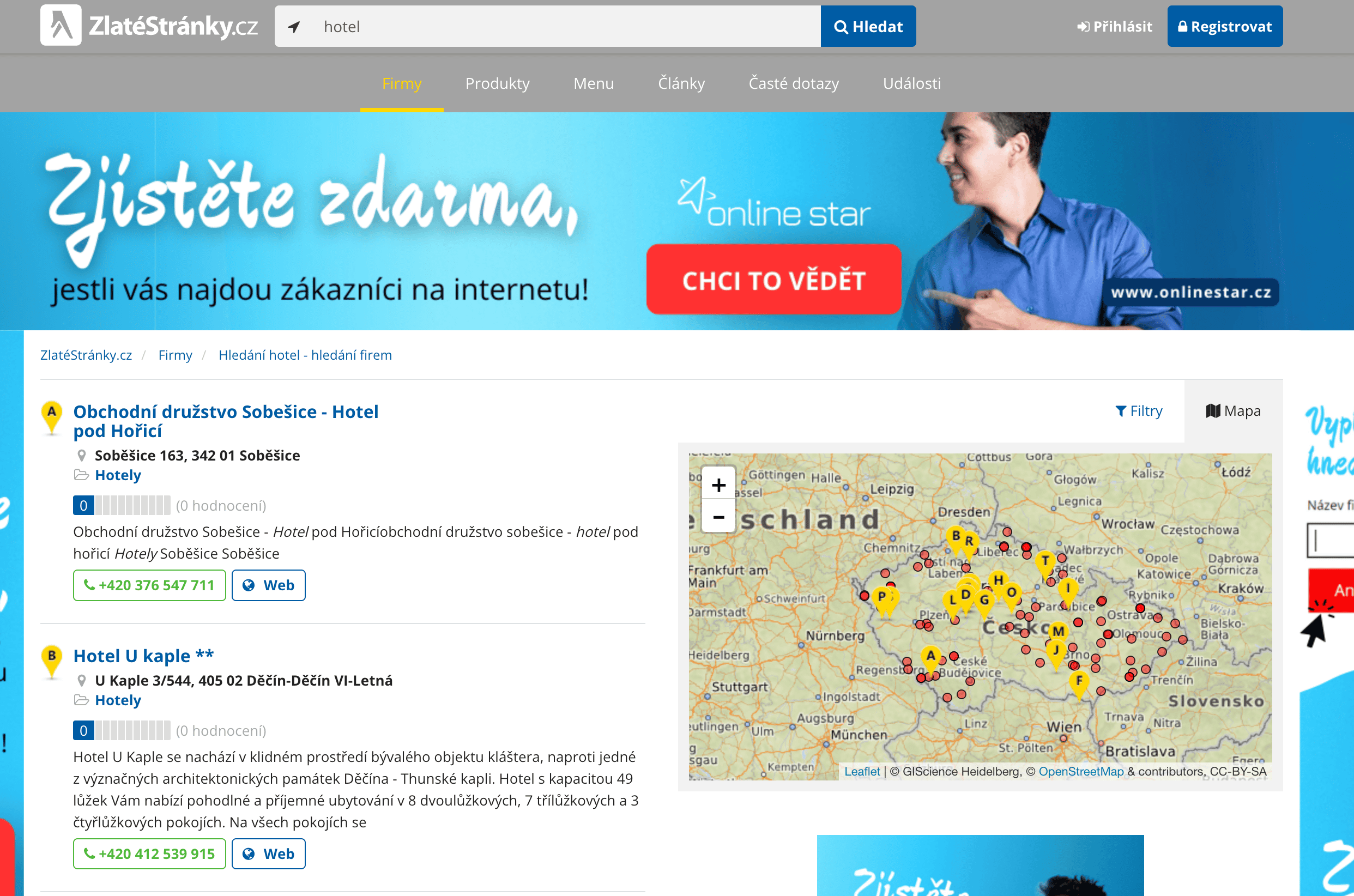
Steg:
- Ladda ner Thunderbits Chrome-tillägg och registrera ett konto.
- Gå till målsidan, till exempel: Zlaté stránky-sökresultat för företag.
- Klicka på AI Suggest Columns, så läser AI:n av webbsidan och föreslår sedan kolumnnamn.
- Klicka på Scrape för att köra skraparen, hämta data och ladda ner filen.
Kolumnnamn
| Kolumn | Beskrivning |
|---|---|
| 🏢 Företagsnamn | Namnet på det listade företaget. |
| 🌐 Företags-URL | Länken till företagets sida. |
| 📍 Adress | Företagets fysiska adress. |
| 📞 Telefonnummer | Företagets kontaktnummer. |
| 📧 E-post | Företagets e-postadress. |
| 🕒 Öppettider | Företagets öppettider. |
Skrapa företagsdetaljer
Den AI-drivna Zlaté stránky-skraparen låter dig också extrahera omfattande detaljer från vilken Zlaté stránky-företagsprofil som helst. Den här funktionen passar perfekt för att få djupgående information om specifika företag.
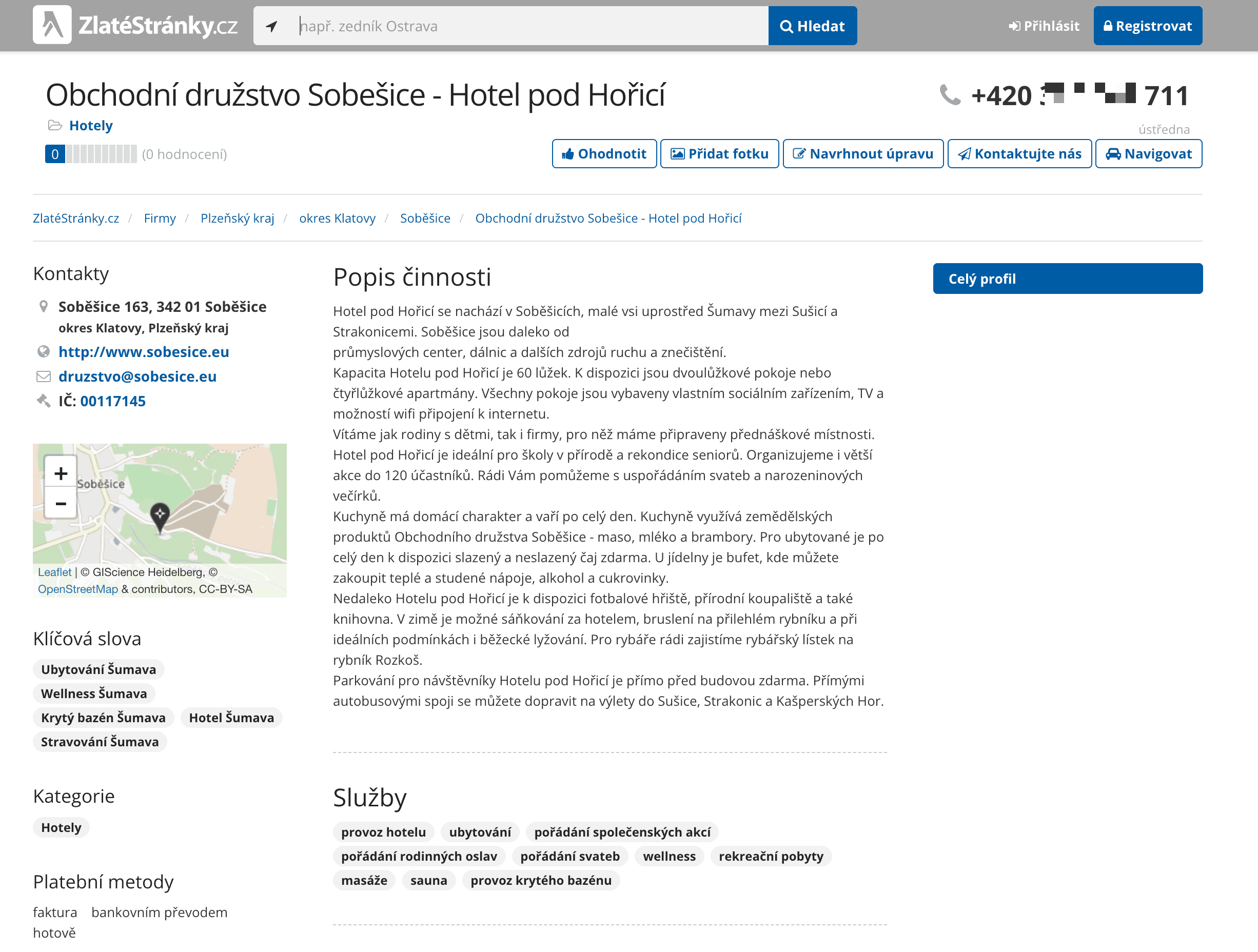
Steg:
- Ladda ner Thunderbits Chrome-tillägg och registrera ett konto.
- Gå till målsidan, till exempel: Zlaté stránky-företagsdetaljer.
- Klicka på AI Suggest Columns, så läser AI:n av webbsidan och föreslår sedan kolumnnamn.
- Klicka på Scrape för att köra skraparen, hämta data och ladda ner filen.
Kolumnnamn
| Kolumn | Beskrivning |
|---|---|
| 🏢 Företagsnamn | Namnet på företaget. |
| 🌐 Webbplats-URL | Företagets officiella webbplats. |
| 📍 Adress | Företagets fullständiga adress. |
| 📞 Telefonnummer | Kontaktnumret för frågor. |
| 📧 E-post | E-postadressen för kommunikation. |
| 🕒 Öppettider | De tider då företaget har öppet. |
| 📜 Beskrivning | En kort beskrivning av företaget. |
Varför använda Zlaté stránky-skraparverktyget
Att skrapa Zlaté stránky kan ge värdefulla insikter för olika syften:
- Marknadsförare: Analysera företagslistningar för att stärka marknadsföringsstrategier.
- Forskare: Studera företagstrender och marknadsdynamik.
- Säljteam: Samla in leads och kontaktuppgifter för outreach.
- Entreprenörer: Utforska möjliga affärsmöjligheter och partnerskap.
Genom att extrahera korrekt och välorganiserad data kan du fatta datadrivna beslut och öppna upp nya möjligheter.
Så använder du Zlaté stránky Chrome-tillägget
- Installera Thunderbits Chrome-tillägg: Ladda ner tillägget och registrera ditt konto.
- Navigera till sidan med sökresultat för företag eller företagets detaljsida: Gå till den Zlaté stránky-sida du vill skrapa.
- Aktivera den AI-drivna skraparen: Klicka på AI Suggest Column för att generera kolumnnamn eller anpassa kolumnerna efter dina behov.
Prissättning för Zlaté stránky-skraparen
Thunderbit använder ett kreditsystem där 1 kredit motsvarar 1 skrapad rad. Verktyget är gratis att prova, och ytterligare abonnemang ger flexibilitet för både sporadiska användare och användare med höga volymer.
Planer:
| Nivå | Månadspris | Årspris | Total årskostnad | Krediter/månad | Krediter/år |
|---|---|---|---|---|---|
| Gratis | Gratis | Gratis | Gratis | 6 sidor | Ej tillgängligt |
| Starter | $15 | $9 | $108 | 500 | 5 000 |
| Pro 1 | $38 | $16.5 | $199 | 3 000 | 30 000 |
| Pro 2 | $75 | $33.8 | $406 | 6 000 | 60 000 |
| Pro 3 | $125 | $68.4 | $821 | 10 000 | 120 000 |
| Pro 4 | $249 | $137.5 | $1 650 | 20 000 | 240 000 |
Gratis funktioner:
- 6 sidor per månad på gratisplanen.
- 10 sidor gratis med gratis provperiod, perfekt för att utforska skraparens funktioner.
FAQ
-
Vad är den AI-drivna Zlaté stránky-skraparen?
Den AI-drivna Zlaté stránky-skraparen är ett specialiserat verktyg som är utformat för att extrahera detaljerad information från företagslistningar och profiler på Zlaté stránky. Det effektiviserar datainsamlingen genom att använda Thunderbits Chrome-tillägg, vilket gör att användare snabbt och enkelt kan samla strukturerad data för forskning, marknadsföring eller analys utan att behöva teknisk expertis.
-
Vad är Thunderbit?
Thunderbit är ett avancerat Chrome-tillägg som förenklar webbskrapning, datainsamling och automatiseringsuppgifter med hjälp av artificiell intelligens. Det låter användare skrapa data från webbplatser, anpassa kolumner, autofylla onlineformulär och sammanfatta innehåll. Thunderbit vänder sig till yrkesverksamma inom marknadsföring, e-handel, forskning och mer genom att göra tidskrävande webbaserade uppgifter snabbare, enklare och mer träffsäkra.
-
Hur många företagslistningar eller profiler kan jag skrapa med gratisprovet?
Med Thunderbits gratisprov kan du skrapa upp till 10 företagslistningar eller profiler gratis. Det ger användare möjlighet att utforska verktygets kapacitet och avgöra om det uppfyller deras behov av datainsamling innan de uppgraderar till en betald plan.
-
Kan jag anpassa kolumnerna och datafälten som ska skrapas?
Absolut! Thunderbit erbjuder kraftfulla anpassningsmöjligheter som låter dig ange exakt vilka datafält du vill extrahera. Från företagsdetaljer som namn, adresser och kontaktuppgifter till specifik data som öppettider och beskrivningar anpassar sig skraparen efter dina behov.
-
Hur ofta kan jag köra skraparen?
Hur ofta du kan köra skraparen beror på din prenumerationsplan och hur många krediter som finns tillgängliga på ditt konto. Högre nivåer innehåller fler krediter, vilket möjliggör större eller mer frekventa datainsamlingar. Användare som behöver löpande åtkomst till verktyget kan uppgradera till en premiumplan för avbrottsfri användning.
-
Vad händer om jag får slut på krediter?
Om du får slut på krediter kan du enkelt köpa fler krediter vid behov eller uppgradera till en högre prenumerationsplan. Det säkerställer att du har kontinuerlig åtkomst till skraparens funktioner när du behöver dem.
-
Är det lagligt att skrapa företagslistningar och profiler på Zlaté stránky?
Att skrapa offentligt tillgänglig data från Zlaté stránky är generellt tillåtet så länge du följer tillämpliga lagar, respekterar integritetsrättigheter och undviker att bryta mot Zlaté stránky användarvillkor. Det är viktigt att använda data ansvarsfullt och säkerställa efterlevnad av alla relevanta regler för att undvika potentiella problem.
-
Vilka typer av data kan jag extrahera från företagslistningar på Zlaté stránky?
Du kan extrahera en mängd olika data från företagslistningar på Zlaté stránky, inklusive företagsnamn, URL:er, adresser, telefonnummer och e-postadresser. Dessa data kan användas för analys, marknadsföringsstrategier och konkurrentanalyser, och ger värdefulla insikter om plattformens företagslandskap.
-
Hur kan jag säkerställa att den extraherade datan är korrekt och uppdaterad?
Thunderbits AI-drivna skrapare är utformad för att ge korrekt och uppdaterad data genom att kontinuerligt analysera och anpassa sig till förändringar på Zlaté stránky-webbplatsen. Om du kör skraparen regelbundet och uppdaterar dina datamängder hjälper det till att bibehålla riktigheten och relevansen i den information du samlar in.
Läs mer
För fler insikter och detaljerade guider om webbskrapning, besök Thunderbit-bloggen och utforska artiklar som Vad är dataskrapning och hur gör man det 2025 och Hur du skrapar vilken webbplats som helst med AI.