

There are roughly 2,000 repositories on GitHub matching "google maps scraper." Most of them are broken.
That sounds dramatic, but if you've spent any time cloning repos, wrestling with Playwright dependencies, and watching your scraper return empty CSV files at 2 AM, you already know the feeling. Google Maps has over 200 million business listings globally — it's one of the richest local business databases on the planet. Naturally, everyone from sales reps to agency owners wants to extract that data. The problem is that Google changes its Maps UI on a weeks-to-months cadence, and every change can silently break the scraper you just spent an hour setting up. As one GitHub user put it in a March 2026 issue: the tool "could not find search box on google maps." That's not a niche edge case. That's the core flow failing. I've been tracking these repos closely this year, and the gap between "looks active on GitHub" and "actually returns data today" is wider than most people expect. This guide is my honest attempt to sort the signal from the noise — covering which repos work, which break, when to skip GitHub entirely, and what to do after you've scraped your data.
What Is a Google Maps Scraper on GitHub (and Why Do People Use Them)?
A Google Maps scraper on GitHub is typically a Python or Go script (sometimes wrapped in Docker) that opens Google Maps in a headless browser, runs a search query like "dentists in Chicago," and extracts the business listing data that appears — names, addresses, phone numbers, websites, ratings, review counts, categories, hours, and sometimes latitude/longitude coordinates.
GitHub is the default home for these tools because the code is free, open-source, and (theoretically) customizable. You can fork a repo, tweak the search parameters, add your own proxy logic, and export to whatever format you need.
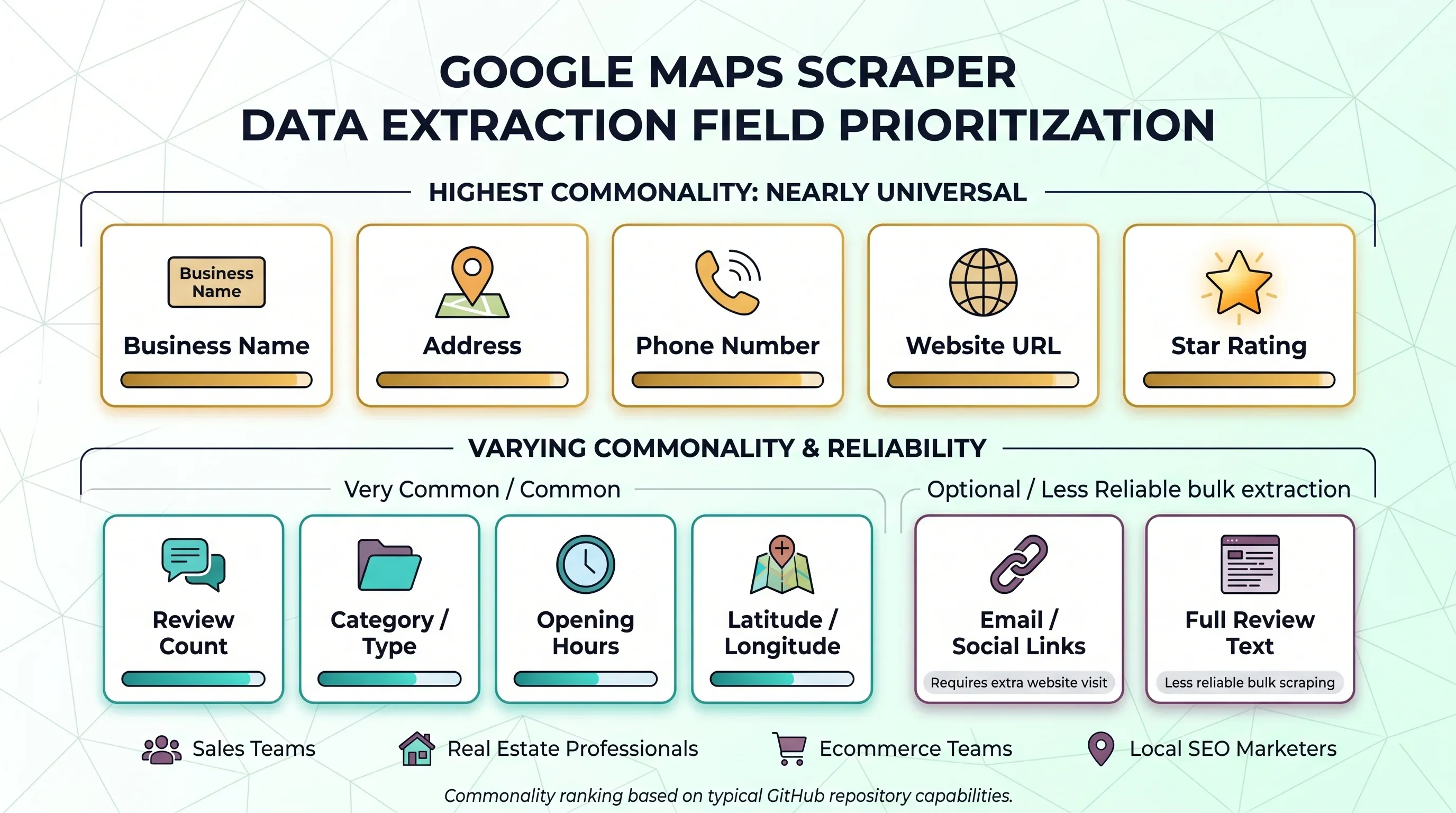
The typical data fields people want to pull look like this:
| Field | How Common Across Repos |
|---|---|
| Business name | Nearly universal |
| Address | Nearly universal |
| Phone number | Nearly universal |
| Website URL | Nearly universal |
| Star rating | Nearly universal |
| Review count | Very common |
| Category / type | Common |
| Opening hours | Common |
| Latitude / longitude | Common in stronger repos |
| Email / social links | Only when the scraper also visits the business website |
| Full review text | Common in specialized review scrapers, less reliable in bulk scrapers |
Who uses these? Sales teams building outbound lead lists. Real estate professionals mapping local markets. Ecommerce teams doing competitor analysis. Marketers running local SEO audits. The common thread: they all need structured local business data, and they'd rather not copy-paste it from a browser one listing at a time.
Why Sales and Ops Teams Search for Google Maps Scraper GitHub Repos
Google Maps is attractive for a simple reason: it's where local business information actually lives. Not in some niche directory. Not behind a paywall. Right there, in the search results.
The business value breaks down into three main buckets.
Lead Generation and Prospecting
This is the big one. A founder building a Google Maps scraper for freelancers and agencies described the workflow bluntly: find leads in specific cities and niches, collect contact info for cold outreach, and generate CSVs with name, address, phone, website, ratings, review count, category, hours, emails, and social handles. One of the most active repos (gosom/google-maps-scraper) literally tells users they can ask its agent to "Find me all dentists in Berlin with their emails." That's not a hobbyist use case — that's a sales pipeline.
Market Research and Competitive Analysis
Operations and strategy teams use scraped Maps data to count competitors by neighborhood, analyze review sentiment, and spot gaps. A local SEO practitioner reported auditing 76,228 local businesses in a single niche by extracting public data from Google Maps. That kind of analysis is nearly impossible to do manually at scale.
Local SEO Audits and Directory Building
Marketers scrape Google Maps to audit local search presence, check NAP (Name, Address, Phone) consistency, and build directory websites. One user described importing spreadsheets of scraped Google Maps data into WordPress with WP All Import.
The Labor Math That Makes Scraping Tempting
Manual collection isn't free just because it uses a browser window. Upwork puts administrative data-entry VAs at $12–20+ per hour. If a human spends 1 minute per business capturing the basics, 1,000 businesses consume about 16.7 hours — roughly $200–$334 in labor before QA. At 2 minutes per business, the same list costs $400–$668. That's the real benchmark every "free GitHub scraper" competes against.
Scrape Google Maps data with AI Get Started Free
Google Maps API vs. GitHub Scraper Repos vs. No-Code Tools: A 2026 Decision Tree
Pick your path before you clone anything. Volume, budget, technical skills, and tolerance for maintenance all matter here.
| Criteria | Google Places API | GitHub Scraper | No-Code Tool (e.g., Thunderbit) |
|---|---|---|---|
| Cost per 1,000 lookups | $7–32 (common Pro calls) | Free software + proxy costs + time | Free tier, then credit-based |
| Data fields | Structured, limited to API schema | Flexible, depends on repo | AI-configured per site |
| Reviews access | Max 5 reviews per place | Full (if scraper supports it) | Depends on tool |
| Rate limits | Per-SKU free caps, then paid | Self-managed (proxy-dependent) | Managed by provider |
| Legal clarity | Explicit license | Gray area (ToS risk) | Provider handles compliance operationally |
| Maintenance | Google-maintained | You maintain | Provider maintains |
| Setup complexity | API key + code | Python + dependencies + proxies | Install extension, click scrape |
When Google Places API Makes Sense
For small-to-medium volume lookups where you need official licensing and predictable billing, the API is the obvious choice. Google's March 2025 pricing change replaced the universal monthly credit with per-SKU free caps: 10,000 free calls for many Essentials SKUs, 5,000 for Pro, and 1,000 for Enterprise. After that, Text Search Pro runs $32 per 1,000 calls and Place Details Enterprise + Atmosphere is $5 per 1,000.
The biggest limitation: reviews. The API returns a maximum of 5 reviews per place. If you need the full review surface, the API won't cut it.
When a GitHub Scraper Makes Sense
Bulk discovery by keyword plus geography, browser-visible data beyond API fields, full review text, custom parsing logic — if you need any of these and have the Python/Docker skills to maintain a scraper, GitHub repos are the right choice. The trade-off is that "free" shifts the bill into time, proxies, retries, and breakage. Proxy costs alone can add up: Decodo residential proxies start at $1/GB, Bright Data datacenter PAYG at $0.6/GB, and Oxylabs residential at $6/GB.
When a No-Code Tool Like Thunderbit Makes Sense
Non-technical team? Priority is getting data into Sheets, Airtable, Notion, or CSV quickly? A no-code tool skips the entire Python/Docker/proxy setup. With Thunderbit, you install the Chrome extension, open Google Maps, click "AI Suggest Fields," then "Scrape" — and export to Google Sheets, Excel, Airtable, or Notion. Cloud scraping mode handles anti-bot protections automatically, scraping up to 50 pages concurrently without proxy configuration.
Try Thunderbit for Google Maps scraping
The simple decision flow: If you need <500 businesses and have budget → API. If you need thousands and have Python skills → GitHub repo. If you need data fast without technical setup → no-code tool.
The 2026 Freshness Audit: Which Google Maps Scraper GitHub Repos Actually Work Today?
This is the section I wish existed when I started researching. Most "best Google Maps scraper" articles just list repos with one-line descriptions and star counts. None of them tell you whether the thing actually returns data this month.
How to Tell If a Google Maps Scraper GitHub Repo Is Still Alive
Before cloning anything, run this checklist:
- Recent code push: Look for a real commit in the last 3–6 months (not just issue comments).
- Issue health: Read the 3 most recently updated issues. Are they about core failures (empty fields, selector errors, browser crashes) or feature requests?
- README quality: Does it document the current browser stack, Docker setup, and proxy configuration?
- Red-flag phrases in issues: Search for "search box," "reviews_count = 0," "driver," "Target page," "selector," "empty."
- Fork and PR activity: Active forks and merged PRs suggest a living community.
No recent code activity, unresolved core scraping bugs, and no proxy or browser-maintenance guidance? That repo is probably not alive enough for business use — even if the star count looks impressive.
Top Google Maps Scraper GitHub Repos Reviewed
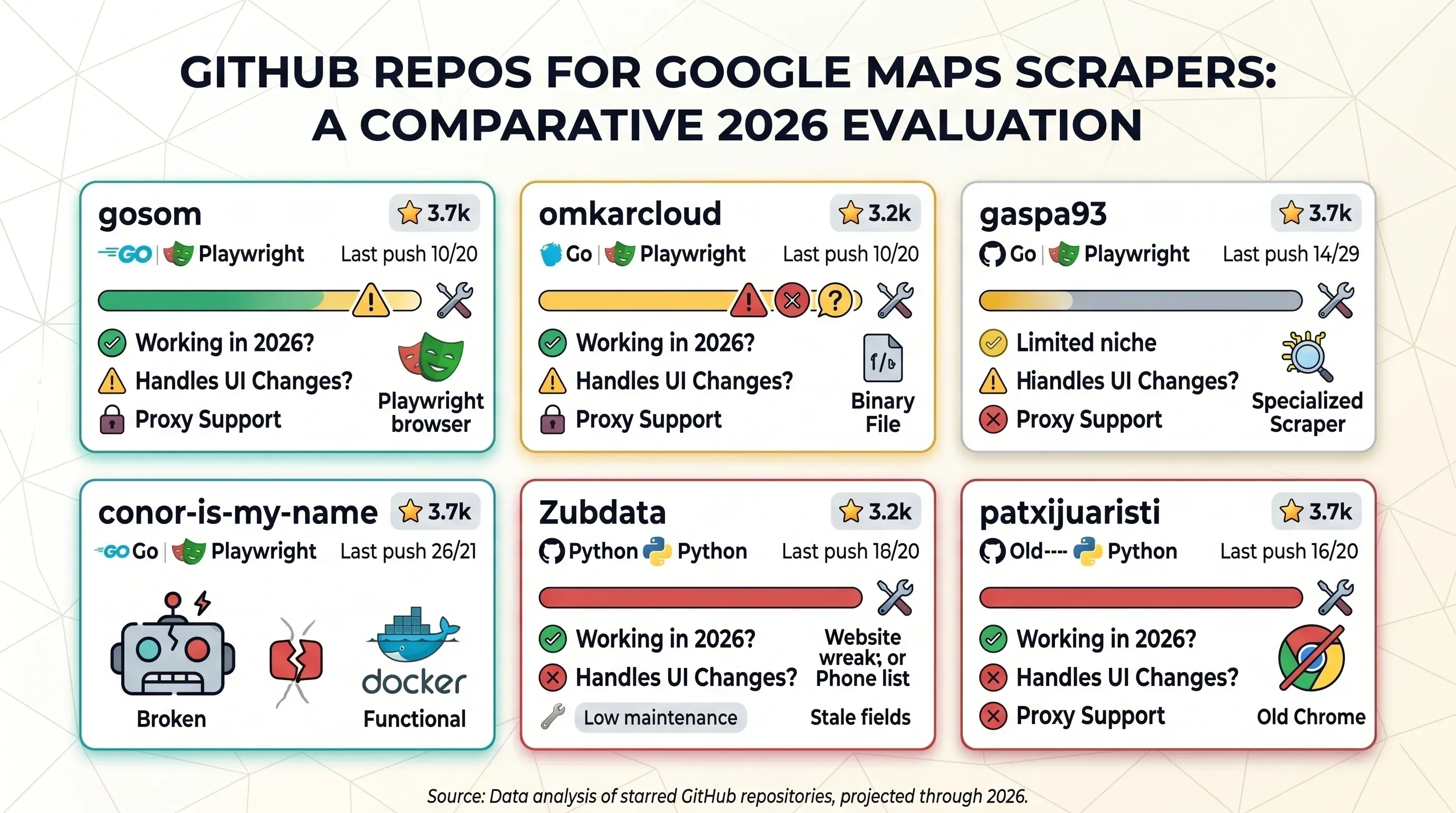
I evaluated the most-starred repos based on the methodology above. Here's the summary table, followed by individual notes.
| Repo | Stars | Last Push | Working in 2026? | Handles UI Changes? | Proxy Support | Stack |
|---|---|---|---|---|---|---|
| gosom/google-maps-scraper | 3.7k | 2026-04-19 | ⚠️ Core extraction alive; review fields flaky | Active maintenance | Yes, explicit | Go + Playwright |
| omkarcloud/google-maps-scraper | 2.6k | 2026-04-10 | ⚠️ Active app, but crash/support issues | Vendor-maintained | Not clearly documented | Desktop app / binary |
| gaspa93/googlemaps-scraper | 498 | 2026-03-26 | ⚠️ Narrow review-scraper niche | Limited evidence | No strong proxy story | Python |
| conor-is-my-name/google-maps-scraper | 284 | 2026-04-14 | ⚠️ Promising Docker flow, but March selector breakage | Some evidence of fixes | Dockerized, proxy unclear | Python + Docker |
| Zubdata/Google-Maps-Scraper | 120 | 2025-01-19 | ❌ Too many stale/null-field issues | Little evidence | Not emphasized | Python GUI |
| patxijuaristi/google_maps_scraper | 113 | 2025-02-24 | ❌ Low-signal, old Chrome-driver issue | Little evidence | No strong evidence | Python |
gosom/google-maps-scraper
Currently the strongest open-source generalist option in the crop. The README is unusually mature: CLI, web UI, REST API, Docker instructions, proxy configuration, grid/bounding-box mode, email extraction, and multiple export targets. It claims 33+ data points and explicitly documents proxies because "for larger scraping jobs, proxies help avoid rate limiting."
The downside isn't abandonment — it's correctness drift in edge fields. Recent 2026 issues show "reviews_count" = 0, user_reviews returning empty arrays, and open_hours writing only Wednesday. So it's credible for business listing extraction, but shakier for rich review and hours data until fixes land.
omkarcloud/google-maps-scraper
Highly visible thanks to its star count and long presence, but it reads less like transparent OSS and more like a packaged extractor product — support channels, desktop installers, enrichment upsells. One April 2026 user said the app launched and then flooded the terminal with "Target page, context or browser has been closed" errors until it hung. Another open issue complains the tool is "Very slow and inefficient." Not dead, but not the cleanest answer for readers who want inspectable OSS they can confidently patch themselves.
gaspa93/googlemaps-scraper
Not a general bulk-search lead-gen scraper. It's a focused review scraper that starts from a specific Google Maps POI review URL and retrieves recent reviews, with options for metadata scraping and review sorting. That narrower scope is actually a strength for certain workflows — but it doesn't solve the main query-discovery problem most business users have in mind.
conor-is-my-name/google-maps-scraper
The right instincts for modern ops teams: Docker-first install, JSON API, business-friendly fields, and community visibility in r/n8n. But the March 2026 issue is a perfect example of why this category is brittle: a user updated the container and the output said the scraper "could not find search box on google maps." That's a core-flow failure, not a cosmetic edge case.
Zubdata/Google-Maps-Scraper
On paper, the field set is wide: email, reviews, ratings, address, website, phone, category, hours. In practice, the public issue surface tells a different story: users report missing assets in the app bundle, null phone/address/website fields, and scraping limits. Combined with the older push history, it's hard to recommend for 2026 use.
patxijuaristi/google_maps_scraper
Easy to find in GitHub search, but the strongest public signal is an old Chrome-driver error issue rather than active maintenance. It belongs in this article mostly as an example of what "looks alive in search but is risky in practice" means.
Step-by-Step: Setting Up a Google Maps Scraper from GitHub
Decided a GitHub repo is the right path? Here's what setup actually looks like. I'm keeping this general rather than repo-specific — the steps are remarkably similar across the active options.
Step 1: Clone the Repository and Install Dependencies
The common path:
git clonethe repo- Create a Python virtual environment (or pull a Docker image)
- Install dependencies via
pip install -r requirements.txtordocker-compose up - Sometimes install a browser runtime (Chromium for Playwright, ChromeDriver for Selenium)
Docker-first repos like gosom/google-maps-scraper and conor-is-my-name/google-maps-scraper reduce dependency headaches but don't eliminate them — you'll still need Docker running and enough disk space for browser images.
Step 2: Configure Your Search Parameters
Most generalist scrapers want:
- Keyword + location (e.g., "plumbers in Austin TX")
- Result limit (how many listings to extract)
- Output format (CSV, JSON, database)
- Sometimes geographic bounding boxes or radius for grid-based discovery
The stronger repos expose these as CLI flags or JSON request bodies. Older repos might require editing a Python file directly.
Step 3: Set Up Proxies (If Needed)
Anything beyond a small test run? You'll want proxies. gosom/google-maps-scraper documents HTTP/HTTPS/SOCKS5 proxy rotation and explicitly frames proxies as the standard answer for larger jobs. Without them, expect CAPTCHAs or IP blocks after a few dozen requests.
Step 4: Run the Scraper and Export Your Data
Run the script, watch the browser traverse result cards, and wait for the CSV or JSON output. The happy path takes minutes. The unhappy path — which is more common than anyone admits — involves:
- Browser closes unexpectedly
- Chrome driver version mismatch
- Selector/search-box failure
- Review counts or hours come back empty
All four patterns appear in current issue threads.
Step 5: Handle Errors and Breakages
When the scraper returns empty results or errors:
- Check the repo's GitHub Issues for similar reports
- Look for Google Maps UI changes (new selectors, different page structure)
- Update the repo to the latest commit
- If the maintainer hasn't fixed it, check forks for community patches
- Consider whether the time spent debugging is worth it vs. switching tools
Realistic first-time setup time: For someone comfortable with terminals but not already carrying a working Playwright/Docker/proxy setup, 30–90 minutes to first successful scrape is the realistic range. Not five minutes.
How to Avoid Bans and Rate Limits When Scraping Google Maps
There's no published Google Maps web threshold that says "you will be blocked at X requests." Google keeps it noisy on purpose. Some users report CAPTCHAs after roughly 50 automated requests on server-based Playwright setups. A different user claimed 10,000 queries per day from a single IP for a company-built Maps scraper. Thresholds aren't high or low. They're unstable and context-dependent.
Here's a practical strategy table:
| Strategy | Difficulty | Effectiveness | Cost |
|---|---|---|---|
| Random delays (2–5s between requests) | Easy | Medium | Free |
| Lower concurrency (fewer parallel sessions) | Easy | Medium | Free |
| Residential proxy rotation | Medium | High | $1–6/GB |
| Datacenter proxies (for easy targets) | Medium | Medium | $0.02–0.6/GB |
| Headless browser fingerprint randomization | Hard | High | Free |
| Browser persistence / warmed sessions | Medium | Medium | Free |
| Cloud-based scraping (offload the problem) | Easy | High | Varies |
Add Random Delays Between Requests
Fixed 1-second intervals are a red flag. Use random jitter — 2 to 5 seconds between actions, with occasional longer pauses. Easiest thing you can do, and it costs nothing.
Rotate Proxies (Residential vs. Datacenter)
Residential proxies are more effective because they look like real users, but they're more expensive. Current pricing: Decodo residential at $1/GB, Oxylabs residential at $6/GB, Oxylabs datacenter at $0.59/GB. Datacenter proxies work for lighter scraping but get flagged faster on Google properties.
Randomize Browser Fingerprints
For headless browser scrapers: rotate user agents, viewport sizes, and other fingerprint signals. Default Playwright/Puppeteer configurations are trivially detectable. This is harder to implement but free and highly effective.
Use Cloud-Based Scraping to Offload the Problem
Tools like Thunderbit handle anti-bot protections, IP rotation, and rate limiting automatically through cloud scraping infrastructure. Thunderbit scrapes up to 50 pages concurrently in cloud mode — no proxy setup or delay configuration needed. For teams that don't want to become part-time anti-bot engineers, this is the most practical path.
What Google's Rate Limit Thresholds Actually Look Like
Signs you're being rate-limited:
- CAPTCHAs appearing mid-scrape
- Empty result sets after previously successful queries
- Temporary IP blocks (usually 1–24 hours)
- Degraded page loads (slower, partial content)
Recovery: stop scraping, rotate IPs, wait 15–60 minutes, then resume at lower concurrency. If you're hitting limits regularly, your setup needs proxies or a fundamentally different approach.
The No-Code Escape Hatch: When a Google Maps Scraper GitHub Repo Isn't Worth Your Time
About 90% of articles about Google Maps scraping assume Python proficiency. But a big share of the audience — agency owners, sales reps, local SEO teams, researchers — just needs rows in a spreadsheet. Not a browser automation project. If that's you, this section is honest about the trade-offs.
The Real Cost of "Free" GitHub Scrapers
| Factor | GitHub Repo Approach | No-Code Alternative (e.g., Thunderbit) |
|---|---|---|
| Setup time | 30–90 min (Python/Docker/proxies) | ~2 minutes (browser extension) |
| Maintenance | Manual (you fix breakages) | Automatic (provider maintains) |
| Customization | High (full code access) | Moderate (AI-configured fields) |
| Cost | Free software, but time + proxies | Free tier available, then credit-based |
| Scale | Depends on your infrastructure | Cloud-based scaling |
"Free" GitHub scrapers shift the bill into time. If you value your time at $50/hour and spend 2 hours on setup + 1 hour on troubleshooting + 30 minutes on proxy configuration, that's $175 before you've scraped a single listing. Add proxy costs and ongoing maintenance when Google changes its UI, and the "free" option starts looking expensive.
How Thunderbit Simplifies Google Maps Scraping
Here's the actual workflow with Thunderbit:
- Install the Thunderbit Chrome Extension
- Navigate to Google Maps and run your search
- Click "AI Suggest Fields" — Thunderbit's AI reads the page and suggests columns (business name, address, phone, rating, website, etc.)
- Click "Scrape" and data is structured automatically
- Use subpage scraping to visit each business's website from the scraped URLs and extract additional contact info (emails, phone numbers) — automating what GitHub repo users do manually
- Export to Google Sheets, Excel, Airtable, or Notion — no paywall on exports
No Python. No Docker. No proxies. No maintenance. For the sales and marketing audience doing lead generation, this eliminates the entire setup burden that GitHub repos require.
Pricing context: Thunderbit uses a credit model where 1 credit = 1 output row. The free tier covers 6 pages per month, the free trial covers 10 pages, and the starter plan is $15 monthly or $9 yearly for 500 credits/month.
After the Scrape: Cleaning Up and Enriching Your Google Maps Data
Most guides stop at raw extraction. Raw data isn't a lead list. Forum users regularly report "many formatting issues which required significant data cleanup" and ask "How do you handle duplicates with this setup?" Here's what happens after the scrape.
Deduplicating Your Results
Duplicates creep in from pagination overlap, repeated searches across overlapping areas, grid/bounding-box strategies that cover the same businesses, and businesses with multiple listings.
Best-practice dedup order:
- Match on place_id if your scraper exposes it (most reliable)
- Exact match on normalized business name + address
- Fuzzy matching on name + address, confirmed by phone or website
Simple Excel/Sheets formulas (COUNTIF, Remove Duplicates) handle most cases. For larger datasets, a quick Python dedup script with pandas works well.
Normalizing Phone Numbers and Addresses
Scraped phone numbers come in every format imaginable: (555) 123-4567, 555-123-4567, +15551234567, 5551234567. For CRM import, normalize everything to E.164 format — that's + country code + national number, e.g., +15551234567.
Thunderbit automatically normalizes phone numbers to E.164 when scraping — one less cleanup step.
For addresses, standardize to a consistent format: street, city, state, zip. Remove extra whitespace, fix abbreviation inconsistencies (St vs Street), and validate against a geocoding service if accuracy matters.
Enriching with Emails, Websites, and Social Profiles
Google Maps listings almost always include a website URL. They almost never include an email address directly. The winning pattern:
- Scrape Maps for business discovery (name, address, phone, website URL)
- Visit each business's website to extract email addresses, social links, and other contact info
This is where the best GitHub repos and no-code tools converge:
- gosom/google-maps-scraper offers optional email extraction by visiting business websites
- Thunderbit's subpage scraping feature can visit each business's website from the scraped URLs and extract email addresses and phone numbers — all appended to your original table
For GitHub repo users without built-in enrichment, this means writing a second scraper or manually visiting each site. Thunderbit collapses both steps into one workflow.
Exporting to Your CRM or Workflow Tools
The most practical export destinations:
- Google Sheets for collaborative cleanup and sharing
- Airtable for structured databases with filtering and views
- Notion for lightweight ops databases
- CSV/JSON for CRM import or downstream automation
Thunderbit supports direct export to all of these. Most GitHub repos export to CSV or JSON only — you'll need to handle the CRM integration separately. If you're looking for more ways to get scraped data into spreadsheets, check out our guide on how to scrape into Google Sheets.
Google Maps Scraper GitHub Repos: The Full Side-by-Side Comparison
Here's the bookmarkable summary table covering all approaches:
| Tool / Repo | Type | Cost Model | Setup Time | Proxy Management | Maintenance | Export Options | Working in 2026? |
|---|---|---|---|---|---|---|---|
| Google Places API | Official API | $7–32 / 1K calls (Pro) | Low | None needed | Low | JSON / app integration | ✅ |
| gosom/google-maps-scraper | GitHub OSS | Free + proxies + time | Medium | Yes, documented | High | CSV, JSON, DB, API | ⚠️ |
| omkarcloud/google-maps-scraper | GitHub packaged | Free-ish, productized | Medium | Unclear | Medium-High | App outputs | ⚠️ |
| gaspa93/googlemaps-scraper | GitHub review scraper | Free + time | Medium | Limited | Medium-High | CSV | ⚠️ (niche) |
| conor-is-my-name/google-maps-scraper | GitHub Docker API | Free + time | Medium | Possible | High | JSON / Docker service | ⚠️ |
| Zubdata/Google-Maps-Scraper | GitHub GUI app | Free + time | Medium | Limited | High | App output | ❌ |
| Thunderbit | No-code extension | Credits / rows | Low | Abstracted (cloud) | Low-Medium | Sheets, Excel, Airtable, Notion, CSV, JSON | ✅ |
For more context on choosing between scraping approaches, you might also find our best automated web scraping tools roundup useful, or our comparison of web scraping vs. data mining.
Legal and Terms-of-Service Considerations
Brief section, but it matters.
Google's current Maps Platform Terms are explicit: customers may not "export, extract, or otherwise scrape Google Maps Content for use outside the Services," including copying and saving business names, addresses, or user reviews outside permitted service usage. Google's service-specific terms also permit only limited caching for certain APIs, typically up to 30 consecutive calendar days.
The legal hierarchy is clear:
- API use has the clearest contractual footing
- GitHub scrapers operate in a much murkier space
- No-code tools reduce your operational burden but don't erase your own compliance obligations
Consult your own legal counsel for your specific use case. For a deeper look at the legal landscape, we've covered web scraping legal implications separately.
Key Takeaways: Picking the Right Google Maps Scraper Approach in 2026
After digging through repos, issues, forums, and pricing pages, here's where things stand:
-
Always check repo freshness before investing setup time. Star count is not a proxy for "works today." Read the three most recent issues. Look for code commits in the last 3–6 months.
-
The best current open-source option is gosom/google-maps-scraper — but even that one shows fresh 2026 field regressions. Treat it as a living system that needs monitoring, not a set-and-forget tool.
-
The Google Places API is the right answer for stability and legal clarity — but it's limited (5 reviews max, per-call pricing) and doesn't solve bulk discovery well.
-
For non-technical teams, no-code tools like Thunderbit are the practical alternative. The setup-to-first-data gap is minutes instead of hours, and you're not signing up to become a part-time scraper maintainer.
-
Raw data is only half the job. Budget time for deduplication, phone number normalization, email enrichment, and CRM export. The tools that handle these steps automatically (like Thunderbit's subpage scraping and E.164 normalization) save more time than most people expect.
-
"Free scraper" is best understood as software with unpaid maintenance attached. That's fine if you have the skills and enjoy the work. It's a bad deal if you're a sales rep who just needs 500 dentist leads in Phoenix by Friday.
If you want to explore more options for extracting business data, check out our guides on scraping Google Maps with Python, best Google Map review scrapers, and best data extraction tools. You can also watch tutorials on the Thunderbit YouTube Channel.
FAQs
Is it free to use a Google Maps scraper from GitHub?
The software is free. The job is not. You'll invest 30–90 minutes in setup, ongoing time troubleshooting breakages, and often $10–100+/month in proxy costs for any serious volume. If your time has value, "free" is a misnomer.
Do I need Python skills to use a Google Maps scraper from GitHub?
Most popular repos require basic Python and command-line knowledge. Docker-first repos reduce the burden but don't eliminate it — you still need to debug container issues, configure search parameters, and handle proxy setup. For non-technical users, no-code tools like Thunderbit offer a 2-click alternative with no coding required.
How often do Google Maps scraper GitHub repos break?
There's no fixed schedule, but current GitHub issue history shows core breakages and field regressions appearing on a weeks-to-months cycle. Google updates its Maps UI regularly, which can break selectors and parsing logic overnight. Active repos fix these quickly; abandoned repos stay broken indefinitely.
Can I scrape Google Maps reviews with a GitHub scraper?
Some repos support full review extraction (gaspa93/googlemaps-scraper is specifically designed for this), while others only pull summary data like rating and review count. Reviews are also one of the first field groups to drift when Google changes page behavior — so even repos that support reviews may return incomplete data after a UI update.
What's the best alternative if I don't want to use a GitHub scraper?
Two main paths: the Google Places API for official, structured access (with cost and field limitations), or a no-code tool like Thunderbit for fast, AI-powered extraction with no coding required. The API is best for developers who need compliance certainty. Thunderbit is best for business users who need data in a spreadsheet quickly.
Learn More




