
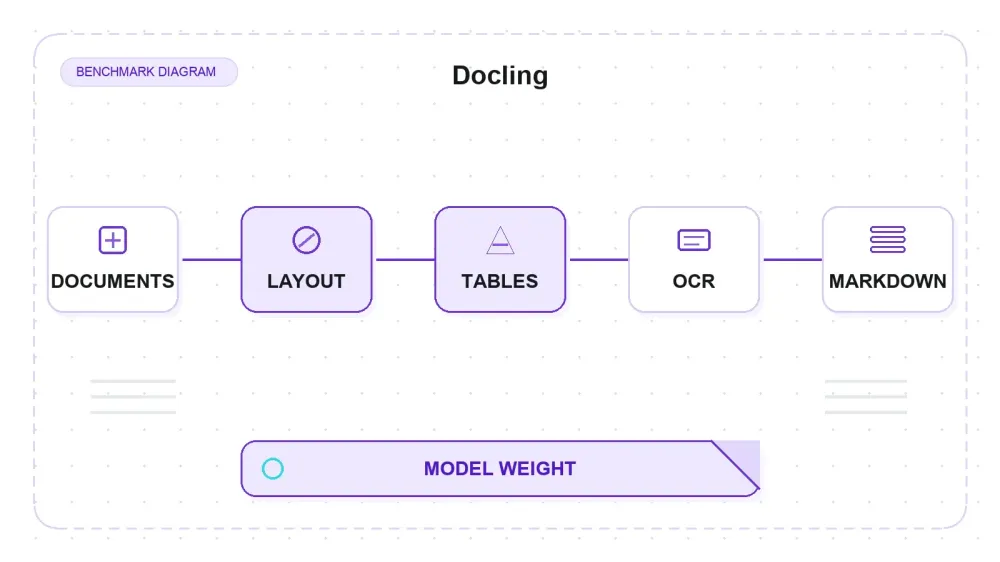
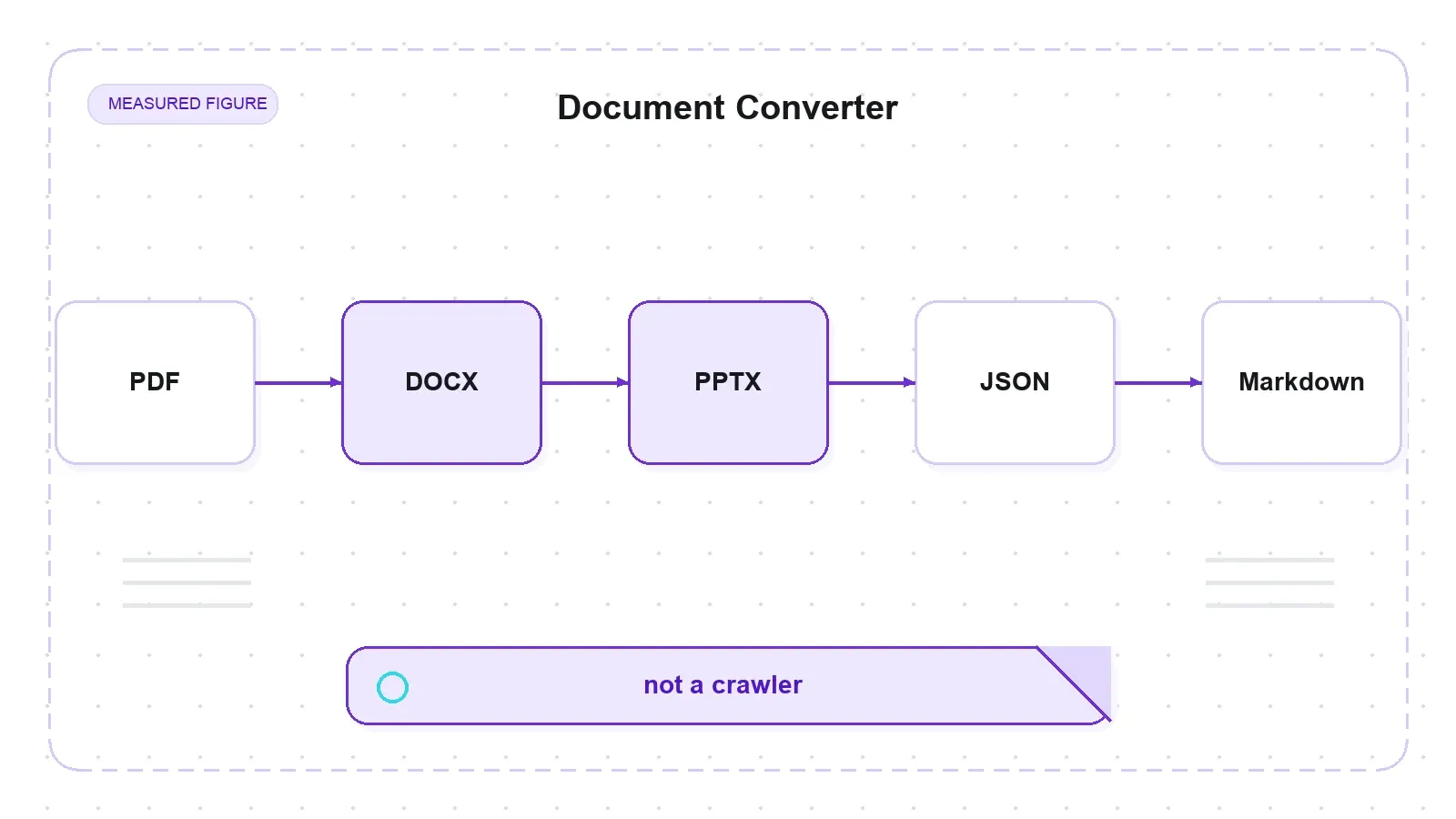
Docling keeps getting filed next to web scrapers, and it isn't one. It's a document-conversion toolkit from IBM Research — now an LF AI & Data Foundation project — that takes files you already hold (PDF, DOCX, PPTX, XLSX, HTML, images) and turns them into Markdown or JSON. Its own tagline is literally "Get your documents ready for gen AI."
So this is a hands-on review of a converter, not a crawler. Everything below was measured on one CPU-only machine (macOS arm64, Python 3.14.2, Docling 2.111.0), scored from scripts, with failures recorded as failures. The repo is enormous and moves daily — 63,069 stars, 4,449 forks, and a push on the same day I pulled the metadata — so treat any issue count or version number here as a snapshot, not a constant.
What Docling Actually Is (and Isn't)
The unit of everything in Docling is the DoclingDocument: parse a file into that structure, then export Markdown, HTML, DocTags, or lossless JSON. The code is MIT-licensed (individual model licenses vary), it originated at IBM Research Zurich, and as of writing the latest release is v2.112.0, published two days before I ran this.
The headline capability is the PDF and image path. That path is not string-parsing — it's a stack of machine-learning models: an RT-DETR layout model, the TableFormer table-structure model, an optional vision-language model, and RapidOCR for scans. Those models recover page layout, reading order, and table structure. That's the part worth reviewing, and it's the part an HTML-only test would never see.
One distinction saves a week of confusion. Docling does not fetch anything. It doesn't render JavaScript, it doesn't beat anti-bot walls, it doesn't crawl. You bring the file; it does the understanding. Crawling is a different tool's job, which matters later when people ask whether Docling replaces Firecrawl (it doesn't — they're complements, and I'll get to why).
The First Run Nobody Warns You About
pip install docling succeeds cleanly on Python 3.14.2. Then you look at the venv, and it's 1.3 GB. Docling pulls the entire ML stack as hard dependencies even if all you ever convert is an HTML file:
| Dependency | On-disk size (MiB, du) |
|---|---|
| torch (2.13.0) | 536 |
| opencv (cv2) | 119 |
| transformers (5.8.1) | 101 |
| scipy | 99 |
| sympy | 76 |
| pandas | 72 |
| rapidocr (+ bundled models) | 72.1 |
| docling_parse | 30 |
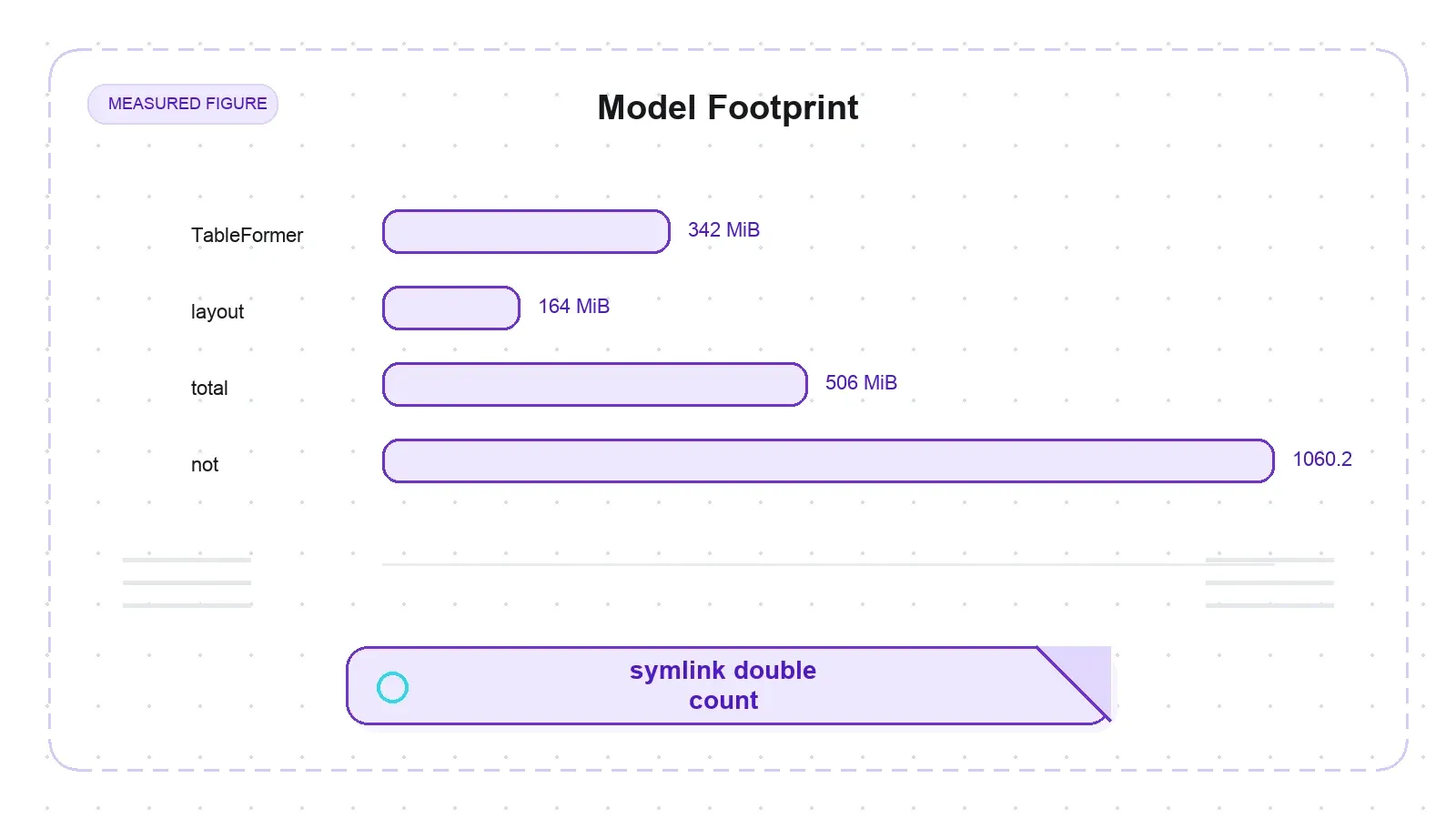
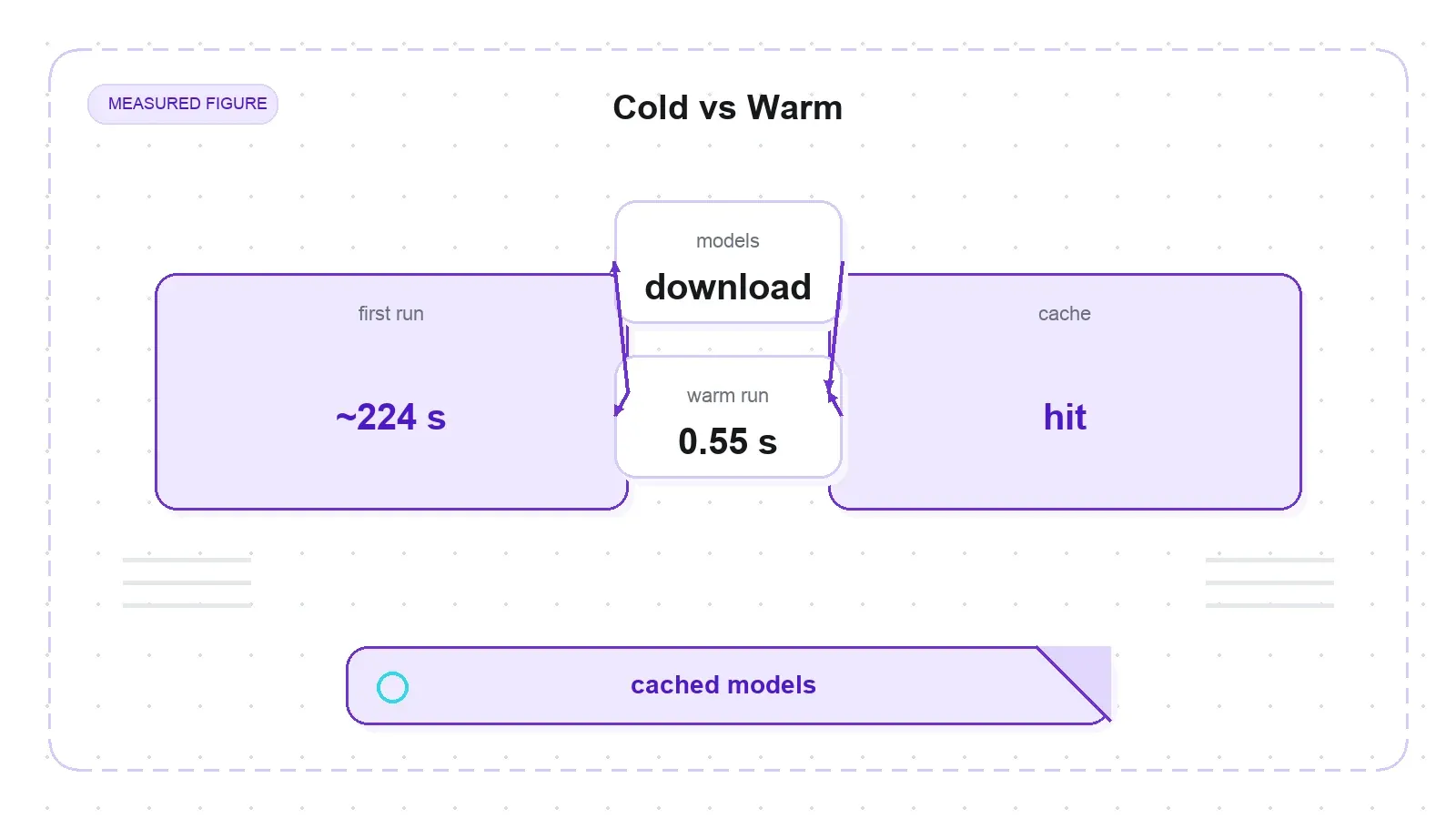
That's before you convert a single PDF. The first PDF conversion is where the real friction lands, because that's when the models download. On a fresh, isolated HuggingFace cache, the first PDF conversion took ~224 seconds — and almost all of that is the download, not the compute. The layout plus TableFormer models land as ~506 MiB on disk (342 MiB TableFormer + 164 MiB layout, du-verified), and RapidOCR fetches ~40 MB of PP-OCRv4 weights into site-packages. The second conversion of the same file? 0.55 seconds. The models are cached; you pay the toll once.
One number you should ignore: the coldstart script prints a model_download_mb of 1060.2. Don't quote that as the footprint. It comes from an os.walk that follows symlinks, and the HuggingFace cache stores each model file once under blobs/ then re-exposes it as a snapshots/ symlink — so the walk counts the 14 model files twice. The du-matching, symlink-de-duplicated figure is ~506 MiB (blobs-only 505.4 MiB). The takeaway for anyone benchmarking Docling: report download bytes and on-disk bytes as separate numbers, because they are.
There's a second wrinkle that bites anyone building a Docling container. The weights split across two locations on two schedules. The layout and TableFormer models honor HF_HOME and download on first PDF conversion. RapidOCR's models do not — they land in …/site-packages/rapidocr/models/, bypassing your cache config entirely. If you're pre-baking or air-gapping an image, you have to handle both caches, and no amount of setting HF_HOME will catch the second one.
Now, the fair part. Since Docling's earlier releases, the project shipped docling-slim — a ~50 MB core that lets you pip install docling-slim[format-html] for HTML without dragging in torch. So the 1.3 GB weight is real for the default docling metapackage, but it's now opt-out. I tested the default package because that's still what pip install docling gives you, but the heaviness isn't an unaddressed flaw — the modular fix exists, tracked in issue #2393.
While setting up, I hit one small papercut worth flagging: import docling; docling.__version__ raises AttributeError: module 'docling' has no attribute '__version__'. The module simply doesn't expose it. The working probe is importlib.metadata.version("docling"), which returns '2.111.0'. It's a minor DX annoyance, open upstream since July 2026 as issue #3733.
Table Fidelity: Where TableFormer Earns Its Keep
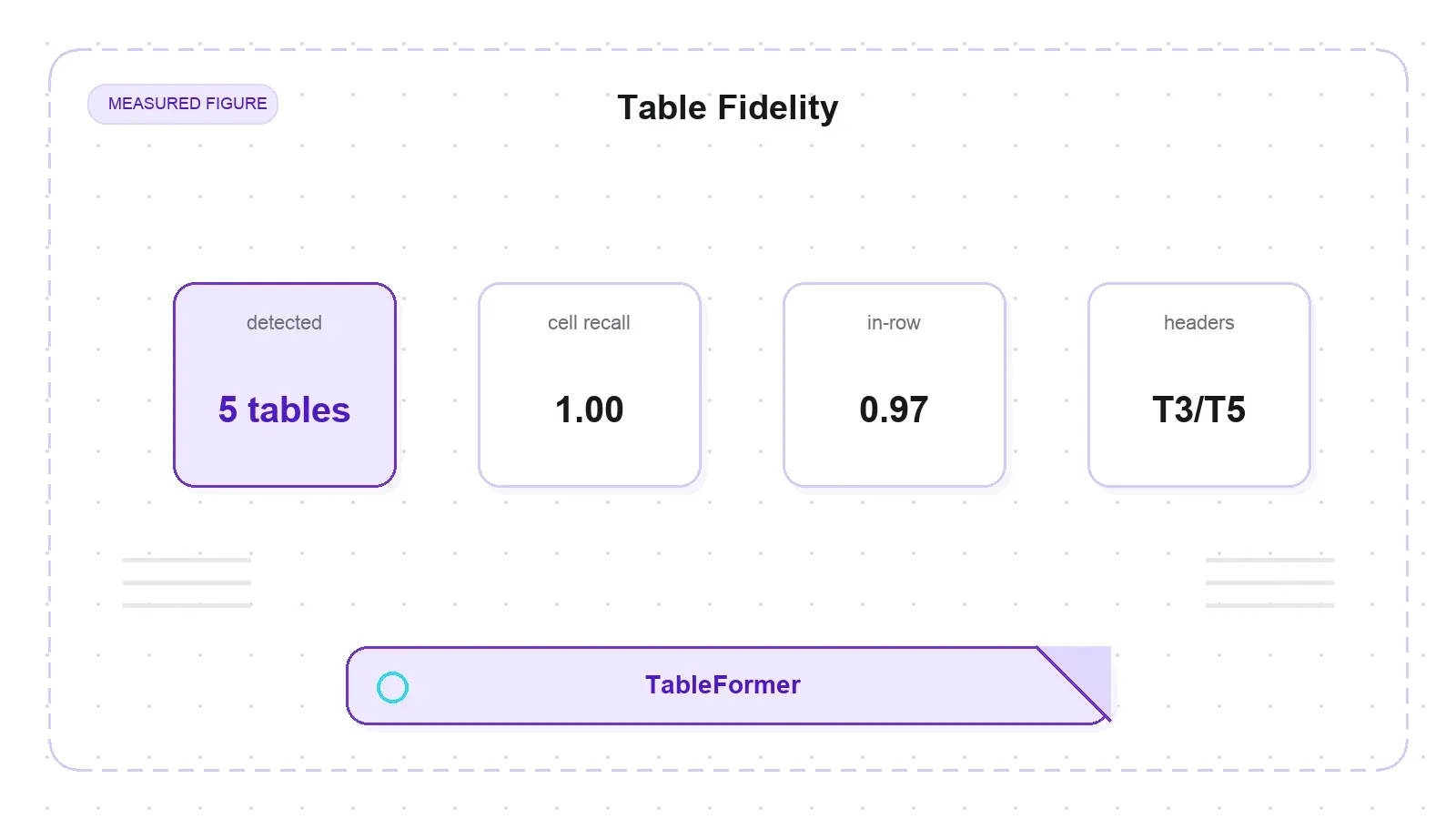
Tables are the reason anyone reaches for Docling over a plain PDF-to-text dump, so I generated seven table PDFs with machine-readable ground truth and scored the output cell by cell. Two metrics matter, and they are not the same thing: cell recall is the fraction of ground-truth values present anywhere in the detected table; in-row rate is the fraction that land in the correct row. Conflating those two flatters the tool, so here are both:
| Table (stress) | Detected | Cell recall | In-row rate | Note |
|---|---|---|---|---|
| T1 simple bordered grid (8 rows × 5 cols), alone on page | No | 0.0 | — | classified as <!-- image -->, all cells dropped |
| T2 borderless (only a header rule) | Yes | 1.00 | 1.00 | perfect, exact grid |
| T3 merged 2-level colspan header | Yes | 1.00 | 0.97 | all values found; one header value shifts a row |
| T4 merged rowspan row-label, alone on page | No | 0.0 | — | classified as <!-- image --> |
| T5 colspan header + borderless | Yes | 1.00 | 0.97 | all values found; same header-row shift as T3 |
| T6 financials, blank column, right-aligned | Yes | 1.00 | 1.00 | blank column preserved, not shifted |
| T7 wide 12-column grid | Yes | 1.00 | 1.00 | no column shift on a wide table |
On the five tables Docling detected, every ground-truth value came through — cell recall 1.00 across the board. On three of those five, every value also landed in its correct row. On the two multi-level-header cases (T3 and T5), one header value slips off its original row, dropping in-row to 0.97 — all the data is present, the row assignment just wobbles by one on a stacked header.
The hard structural cases held up better than I expected. The two-level colspan header flattened correctly into GitHub-flavored Markdown (the "Q1 2026" label repeated over its two spanned columns, which is the right way to collapse a colspan into GFM). The borderless grid with only a header rule (T2) came through exactly. The 12-column wide table (T7) didn't shift. And a fully blank financial column (T6) was preserved as empty cells rather than dropped or collapsed. That's consistent with the official TableFormer TEDS scores — 95.4 simple, 90.1 complex, 93.6 all-tables — which the model card benchmarks well above Camelot (73.0) and EDD (88.3).
A word of caution on merged cells, because there's an open issue that says the opposite. Issue #3698 reports that V1 and V2 mishandle merged rows and columns. On my fixtures, simple colspan (T3/T5) and rowspan values were flattened correctly, with only the multi-level-header row shift noted above. But #3698's failing cases are irregular multi-row/multi-column merges and multi-page tables — the pathological end. Mine are the simple end. So the accurate statement is narrow: simple colspan and rowspan values were recovered here (multi-level headers can shift a row); complex and irregular merges remain a documented open problem. Not "merged cells work," not "merged cells are broken."
The Trap: A Table Alone on a Page Can Vanish
Look back at the table — T1 and T4 were not detected at all. Docling emitted <!-- image --> and dropped every cell, with no error. T1 is a perfectly ordinary bordered 8-row, 5-column grid. That's alarming enough that I refused to call it a table-parsing weakness until I'd isolated what actually triggered it, so I built a scripted A/B.
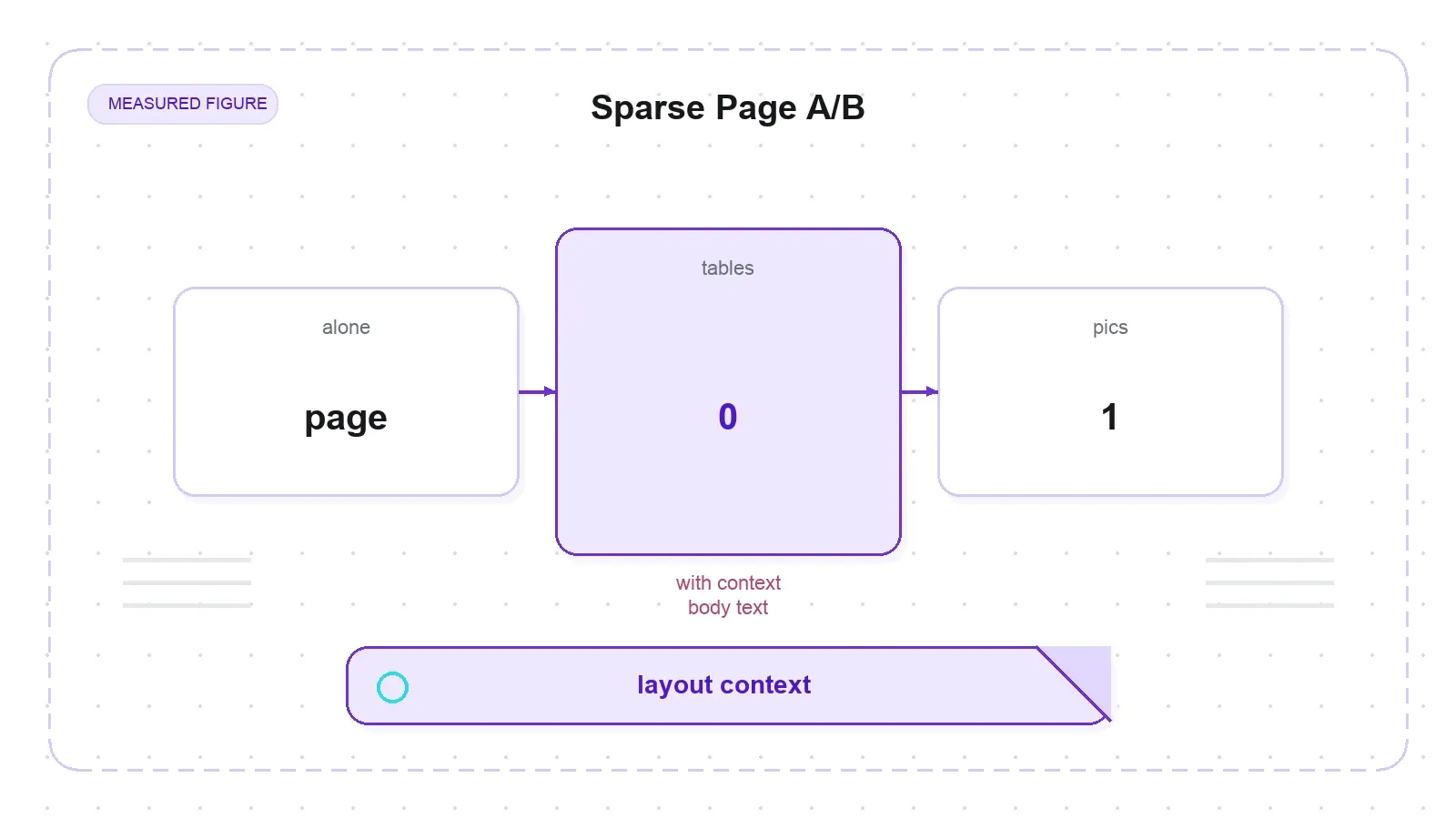
First, I ruled out the obvious explanations. The text layer is intact — pypdfium2 reads 327 characters from T1 and 221 from T4, so these are real digital PDFs, not scanned images. Turning OCR off (do_ocr=False) doesn't help; the tables still drop. And inspecting the DoclingDocument directly, len(doc.tables) == 0 while len(doc.pictures) == 1 — the layout model had classified the whole table region as a Picture.
Then the decisive test. I re-rendered the identical T1 and T4 tables, this time surrounded by a few ordinary body paragraphs, and converted again. Both came through perfectly: len(doc.tables) == 1, proper GFM tables emitted, and T4b's rowspan label "North" correctly repeated across its three rows. Same table. The only variable changed was whether it sat alone on a sparse page or was embedded in text.
So the real caveat isn't that TableFormer is fragile — it's that Docling's RT-DETR layout model uses page context, and a small table alone on an otherwise near-empty page is liable to be read as a Picture and dropped silently. This is easy to hit in practice, because it's exactly what invoices, spec sheets, and cropped exports look like: one table per page, no surrounding prose. The fix is boring and effective — give the layout model page context, or post-check doc.tables after conversion and flag pages where the count is zero. This is adjacent to issue #3495 (a table detected as both Table and Picture), but the page-sparsity trigger specifically — same table, drops when isolated, converts when embedded — I couldn't find published anywhere. Measured, not previously documented; not a bug nobody knew about.
OCR on Real Scans: RapidOCR, Not EasyOCR
Scanned PDFs are where a lot of converters quietly fail, so I fed Docling two genuine scans with a measured 0-character text layer — pypdfium2 reports zero recoverable characters, confirming any output is OCR, not a hidden text layer riding along.
The single-page ocr_test.pdf came back clean in 14.3 seconds on CPU: "Docling bundles PDF document conversion to JSON and Markdown in an easy self contained package," recovered verbatim. The four-page nemotron_multipage.pdf fired OCR on all four pages in 70.1 seconds total (17.5 s/page), emitting the repeated test sentence per page. Default OCR fired automatically — no flag, no config.
Here's the detail most write-ups get wrong: the default OCR engine is RapidOCR, not EasyOCR. I confirmed it by watching the PP-OCRv4 .pth weights download at first run. A lot of existing blogs and older Docling FAQ text still say EasyOCR is the default; that's stale. EasyOCR is now an extra you opt into. The caveat that stays true: OCR is the slow path at scale, and everything here is a CPU-only ceiling — a GPU would cut these times materially.
Real PDFs, Reading Order, and Per-Page Time
Synthetic fixtures prove specific behaviors; real PDFs prove the thing actually works. I ran two born-digital academic papers — the 9-page Docling technical report and the 15-page "Attention Is All You Need," both two-column with tables and formulas.
On the 15-page Attention paper, all five section markers — Abstract, Introduction, Background, Conclusion, References — appear in document order in the linearized Markdown, despite the two-column layout. Every content probe (Transformer, encoder, BLEU, multi-head) is present, and the famous multi-column results tables register as four detected tables. That's genuine reading-order and column-merge recovery, which is the core value proposition for RAG chunking — you can't chunk a document sensibly if the linearizer scrambles a two-column page into interleaved nonsense.
The timing carries a counterintuitive lesson. Per-page time is driven by how much structure is on each page, not by page count. The denser 9-page report ran at 14.95 seconds per page — slower per page than the 15-page paper at 5.99 seconds per page — because it packs more tables and figures per page — 3 tables across 9 pages against 4 across 15 — and each one triggers more layout and TableFormer inference. That is a thin margin, and in absolute terms the denser document has fewer tables, not more. So "seconds per page" on CPU is a function of structural density, not length. This is a single CPU-only run; it's a ceiling, not a production number.
Multi-Format and the Lossless-JSON Claim
Docling advertises unified multi-format parsing, so I generated a DOCX, an XLSX, and a PPTX with known content and ground-truth probes, then checked two things: do the probes appear in the Markdown, and do they survive the JSON round-trip via export_to_dict().
| File | Convert s | MD probes found | Tables in MD | Probes survive JSON |
|---|---|---|---|---|
report.docx (headings + merged-"Total" table + bullets) | 0.137 | 7/7 | 1 | Yes |
workbook.xlsx (2 sheets, blank column) | 0.016 | 6/6 | 2 | Yes |
deck.pptx (3 slides, bullets + table) | 0.038 | 6/6 | 1 | Yes |
All content probes landed in the Markdown, tables were recovered (including the DOCX's merged "Total" row and both XLSX sheets), and every probe also survived the export_to_dict() JSON — which is the evidence that matters for the lossless-DoclingDocument claim, at least on clean inputs. These formats go through format-native backends rather than the ML models, which is why they run in tens of milliseconds and work fully offline. The scope is honest: one clean file per format substantiates breadth, not a stress test of pathological Office files.
HTML: Faithful, But Not Clean
This is the caveat that decides whether Docling belongs in your RAG pipeline, so read it carefully. Docling converts the whole HTML document. It does not do readability-style main-content extraction. I quantified how much site chrome survives by counting nav, TOC, cookie, and footer marker lines in Docling's own output.
| Page | Non-blank MD lines | Boilerplate lines | % boilerplate | Article starts at line |
|---|---|---|---|---|
| Wikipedia "Web scraping" | 255 | 34 | 13.3% | 28 |
| scrapethissite/forms | 63 | 1 | 1.6% | — |
| books.toscrape | 65 | 0 | 0.0% | — |
| quotes.toscrape | 35 | 0 | 0.0% | — |
On a chrome-heavy page like Wikipedia, ~13% of the Markdown lines are nav/TOC/footer boilerplate, and the real article doesn't start until line 28 — the output opens with "move to sidebar / Contents / Toggle the table of contents" and closes with "CS1 maint… / Search Wikipedia." On clean content pages (books, quotes) it's ~0%, so this is a template-chrome problem, not a per-page tax. Docling gives you faithful full-document Markdown, not clean main-article extraction. Upstream tracks the HTML furniture problem in issue #1865 (closed) and #1930 (open).
Two things keep this fair. First, on HTML specifically Docling runs no ML models at all — it's a BeautifulSoup backend on a simple pipeline. The "vision models reading your page" story applies to PDF and images only; feed Docling HTML and none of the layout or TableFormer machinery fires. Second, the PDF path does attempt header and footer furniture classification, so "no boilerplate removal at all" would be too strong a claim — it's the HTML backend, specifically, that hands back the chrome.
How It Stacks Up (and Where Thunderbit Fits)
Try Thunderbit for Web Data Extraction
The anchor tool people compare Docling to is Firecrawl, so here's a positioning table. One caveat up front, because it matters: this is a documentation-level comparison, not a same-machine benchmark. I did not run Firecrawl on these fixtures. Only the Docling column is measured here; the Firecrawl column is from its public docs.
| Axis | Firecrawl (per its docs) | Docling (measured here) |
|---|---|---|
| Core job | Crawl + scrape the live web → Markdown | Convert a document you already have → Markdown/JSON |
| Fetching / JS render / anti-bot | Yes (hosted browser) | No — you supply the file |
| Main-content extraction | Yes | No — faithful full-document (~13% chrome on Wikipedia) |
| PDF table structure (ML) | limited | Yes — TableFormer (TEDS 93.6 official; cell recall 1.00, in-row 0.97–1.00 on detected fixtures) |
| Scanned PDF / OCR | limited | Yes — RapidOCR by default (recovered a 0-text-layer scan) |
| Format breadth | web pages | PDF/DOCX/PPTX/XLSX/HTML/EPUB/images |
| Deployment | hosted API (+ self-host) | local pip library, offline, no API key |
| Setup weight | API key / light client | 1.3 GB default install + ~506 MiB models (or docling-slim) |
| License | commercial / source-available | MIT |
The one-line version: Firecrawl is the tool when your data is on the live web and needs crawling, JS rendering, and main-content cleanup. Docling is the tool when you already hold the document — especially PDFs, scans, and table-heavy Office files — and want faithful, offline, structure-preserving conversion with real table and OCR understanding. They complement each other. A realistic pipeline crawls with one and converts documents with the other.
Which is where I'll be straight about Thunderbit, since I work here and you'd rightly be suspicious if I pretended otherwise. Thunderbit and Docling do not do the same job, and I'm not going to force an equivalence. For developers, Thunderbit is an AI scraping API plus MCP server plus CLI, and its unit of work is the live web page: POST /distill turns a URL into clean, LLM-ready Markdown (handling the JS rendering, anti-bot, and CAPTCHA that Docling explicitly doesn't touch), and POST /extract returns schema-matched structured JSON via a JSON Schema you define. That's the fetch-and-clean end of a RAG pipeline. Docling is the local-document end — the PDF, the scan, the spreadsheet already sitting on your disk. If your corpus is web pages, reach for Thunderbit's API, its MCP tools (thunderbit_suggest_fields, thunderbit_distill, thunderbit_extract), or the CLI (npx @thunderbit/thunderbit-cli). If it's PDFs and scans, reach for Docling. If it's both — which is most real pipelines — you pair them, and neither one is trying to be the other.
The Verdict: Provisional, With Homework Left
I'm not going to hand you a single 0–100 score, because a weighted total here would fold in penalties for things Docling never claimed to do (like crawling) and pretend they're comparable. Per dimension, on the fixtures I tested:
- Setup / first run: heavy — 1.3 GB venv, ~506 MiB models, ~224s first PDF, ~0.55s warm — but
docling-slimopts you out of the weight. - Table fidelity: strong when a table is detected (cell recall 1.00 on 5/5, in-row 0.97–1.00), matching the official TEDS story on these fixtures.
- Table detection robustness: the sparse-page trap — an isolated table can drop as a Picture. Post-check
doc.tables. - Scanned / OCR: works, RapidOCR by default; slow at scale.
- Multi-format: solid, with the JSON round-trip intact.
- HTML: faithful, not clean — no main-content extraction.
- Developer experience: clean 3-line API and a tidy
DoclingDocument, minus the missing__version__.
Who it's for: teams building RAG or data pipelines over PDFs, scans, and Office files who want offline, structure-preserving conversion and genuine table plus OCR understanding. Who it's not for: anyone who needs live-web crawling or clean main-article HTML extraction — that's a different tool.
And because this is a review and not a press release, the limits stay on the label. This is a targeted probe — 7 synthetic tables plus 2 real PDFs on one CPU-only machine — not a TEDS-scale accuracy benchmark. Several things I did not test and you should before betting a pipeline on Docling: the optional VLM (GraniteDocling) path, the actual docling-slim footprint, any GPU run, complex and irregular merged cells plus multi-page tables, formula-to-LaTeX fidelity, and — the one most likely to surprise you in production — the durability triad of batch memory growth, thread/GIL scaling, and object lifecycle across thousands of conversions. Docling is strong at what it claims, measured rather than marketed, and it has real edges you'll want mapped before you trust it with a corpus. Know the sparse-page caveat, budget for the first-run download, and verify the at-scale behavior yourself.
Try Thunderbit for Web Data Extraction Get Started Free
FAQs
Is Docling a web scraper or crawler? No. Docling converts documents you already have — PDF, DOCX, PPTX, XLSX, HTML, images — into Markdown or JSON. It doesn't fetch URLs, render JavaScript, or handle anti-bot. Crawling the live web is a separate job handled by tools like Firecrawl or Thunderbit's web API; Docling starts from the file you supply.
How big is the Docling install and first-run download?
The default docling metapackage produces a ~1.3 GB venv because it pulls the full ML stack (torch alone is 536 MiB) as hard dependencies. The first PDF conversion downloads ~506 MiB of layout and TableFormer models to disk plus ~40 MB of RapidOCR weights, and takes about 224 seconds — almost entirely download time. The second conversion is ~0.55 seconds. If you only need lightweight formats, docling-slim (~50 MB core) skips the heavy path.
Does Docling do OCR, and with which engine? Yes. On a scanned PDF with no text layer, Docling's OCR fires automatically and recovered the text cleanly in my test. The default engine is RapidOCR, not EasyOCR — a common mistake in older write-ups. EasyOCR is now an opt-in extra. OCR is the slow path at scale, especially on CPU.
Why did Docling turn my table into an image or drop it?
Most likely the sparse-page effect. Docling's RT-DETR layout model uses page context, and a small table alone on a near-empty page can be classified as a Picture and dropped with no error. The same table surrounded by body text converts fine. The fix is to give the layout model page context, or to post-check doc.tables after conversion and flag any page where the count is zero.
Docling vs Firecrawl — which should I use? Different jobs, so it's usually not either/or. Firecrawl crawls the live web, renders JavaScript, and extracts main content. Docling converts documents you already hold, with real PDF table structure and OCR, fully offline. If your source is web pages, use a web tool (Firecrawl, or Thunderbit's API/MCP/CLI). If it's PDFs, scans, or Office files, use Docling. Most real pipelines run both.




