
The web is overflowing with information, but turning that chaos into actionable business data? That’s where the real challenge—and opportunity—lies. In my years building SaaS and automation tools, I’ve watched the world shift from gut-feel decisions to data-driven everything. It’s not just the tech giants anymore; even small teams are racing to extract data from websites to power sales, marketing, pricing, and product moves. But as the web grows messier and more dynamic, getting clean, compliant, and useful data out of it is a whole new ballgame.
Let’s get practical: I’ll walk you through why extracting data from websites is so critical for modern business, the biggest hurdles you’ll face, and the best practices (including some hard-won lessons from the Thunderbit team) to do it right—legally, efficiently, and at scale. Whether you’re wrangling unstructured content, worried about GDPR, or just want to stop copy-pasting into spreadsheets, this guide is for you.
Why Extract Data From Websites Matters for Modern Businesses
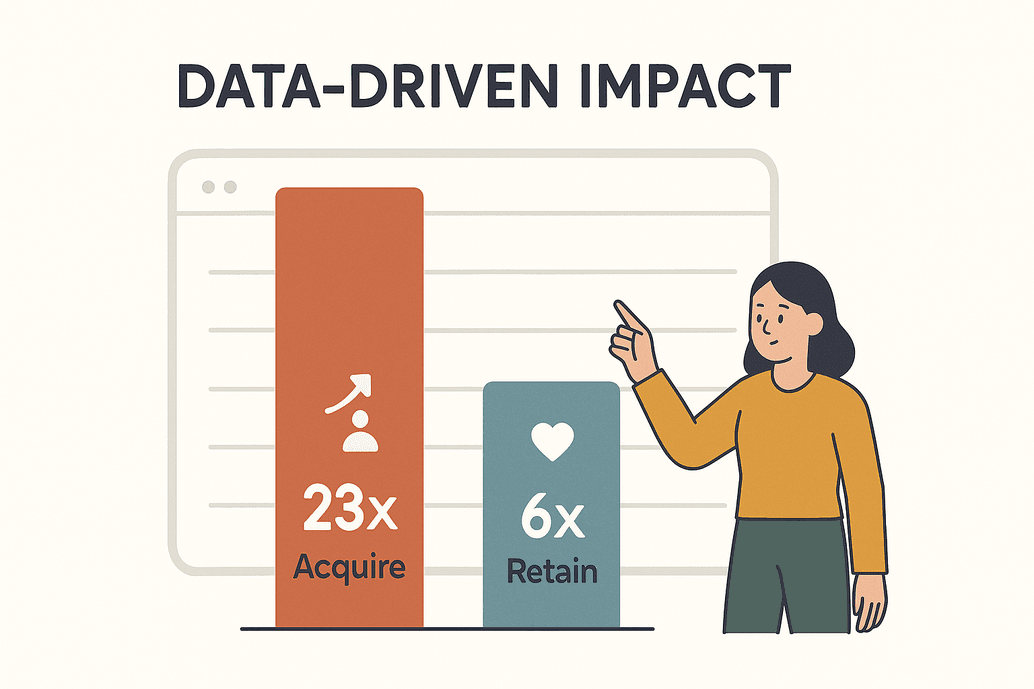 Data isn’t just a buzzword—it’s the lifeblood of competitive business today. According to a McKinsey survey, data-driven organizations are 23× more likely to acquire customers and 6× more likely to retain them. That’s not just impressive—it’s existential. By 2025, businesses will scrape billions of web pages every day to feed analytics, AI models, and real-time decision-making (kanhasoft.com).
So, what does this look like in the real world? Here are just a few scenarios I see every week:
| Business Application | Description & Benefits | Example/Stat |
|---|---|---|
| Price Monitoring | Track competitor prices, stock, and promos in real time; adjust your own strategy to stay ahead. | 80%+ of top online retailers scrape competitor pricing daily (kanhasoft.com). |
| Lead Generation | Scrape directories, social media, or review sites for fresh leads and contact info. | Automated data extraction fills CRMs faster than any manual research. |
| Market Trend Analysis | Aggregate reviews, forums, and news to spot trends or shifts in sentiment early. | 26% of scraping focuses on social media for trend insights (blog.apify.com). |
| Content Aggregation | Collect news, product listings, or events from multiple sites for easy access. | Media teams curate feeds for their audiences. |
| Product & Research Data | Gather product details, reviews, or research data for analysis and development. | 67% of investment advisors use alternative web data (scrap.io). |
| AI Training Data | Pull huge volumes of text, images, or records to train AI models. | ~70% of large AI models rely on scraped web data (kanhasoft.com). |
If you’re not extracting data from websites, you’re not just behind—you’re invisible in your market. I’ve seen e-commerce teams triple their ROI in six months just by automating competitor price scraping (kanhasoft.com). The bottom line: web data is a strategic asset, and extracting it well is now table stakes.
The Key Challenges When You Extract Data From Any Website
Of course, it’s not all sunshine and CSVs. The web is a wild place, and extracting data from websites comes with real challenges:
- Unstructured Data: About 80% of online data is unstructured—buried in messy HTML, scattered across pages, or hidden behind interactive elements. Turning that into a clean table is no small feat (scrapingapi.ai).
- Changing Websites: Sites update their layouts constantly. I’ve seen scrapers break 15 times in a single month just because a target site tweaked its design (scrap.io).
- Volume and Scale: Businesses need to extract data from hundreds or thousands of pages—often on a schedule. Manual copy-paste just can’t keep up.
- Anti-Scraping Defenses: CAPTCHAs, rate limits, login walls… Sites are getting smarter at blocking bots. Over one-third of all web traffic is now bots (scrap.io), and anti-bot tech is evolving fast.
- Manual Errors: Human copy-paste is slow and error-prone. One wrong selector, and you’re pulling the wrong data—or nothing at all.
Traditional methods just don’t scale. That’s why more teams are turning to smarter, automated solutions (and why I’m so bullish on AI-powered tools).
Legal, Compliance, and Security Best Practices for Website Data Extraction
Let’s get this out of the way: just because you can extract data from a website doesn’t mean you should—at least not without thinking about the legal and ethical side. Here’s what every business needs to know:
- Public vs. Private Data: Scraping publicly available info is generally legal in many places. But anything behind a login? Off-limits. Bypassing authentication is a no-go (xbyte.io).
- Terms of Service: Always check a site’s ToS. If scraping is forbidden, you risk lawsuits or getting blocked. When in doubt, ask for permission or use official APIs.
- Privacy Laws (GDPR, CCPA): If you’re collecting personal data, you need a lawful basis (like legitimate interest), must minimize what you collect, and be ready to delete data if asked. Non-compliance can mean massive fines (xbyte.io).
- Respect robots.txt: It’s not legally binding, but it’s good manners. Follow crawl-delay rules and don’t overload servers.
- Data Security: Treat scraped data as sensitive. Store it securely, limit access, and clean it before use.
Compliance Checklist:
| Consideration | Best Practice |
|---|---|
| Legal Access | Scrape only public data; never bypass logins (xbyte.io). |
| Terms of Service | Review and respect site ToS; use APIs if scraping is forbidden. |
| Personal Data | Avoid if possible; if needed, minimize and comply with GDPR/CCPA. |
| robots.txt & Crawl Delays | Honor site rules; throttle requests. |
| Data Security | Encrypt, restrict access, and delete when no longer needed. |
Boosting Efficiency: How AI Enhances Website Data Extraction
Here’s where things get exciting. AI has completely changed the game for extracting data from websites. Instead of wrestling with selectors or writing brittle scripts, you can now use AI-powered tools that “read” the page and figure out what to extract—often with just a couple of clicks.
What does this mean in practice?
- Minimal Setup: AI-driven scrapers like Thunderbit can auto-detect fields. Just click “AI Suggest Fields” and the tool proposes the right columns—no coding, no trial-and-error.
- Adaptability: AI scrapers recognize patterns, not just fixed layouts. If a site changes, the AI often adapts automatically. That means less maintenance and fewer late-night emergencies.
- Accuracy: AI can filter out noise, deduplicate, and even clean up messy data as it scrapes. Some teams report accuracy rates as high as 99.5% with AI-based extractors (scrapingapi.ai).
- Dynamic Content: AI scrapers can handle JavaScript-heavy sites, infinite scrolls, and even extract text from images or PDFs.
- On-the-Fly Processing: Need data translated, categorized, or summarized as you scrape? AI can do that in one pass.
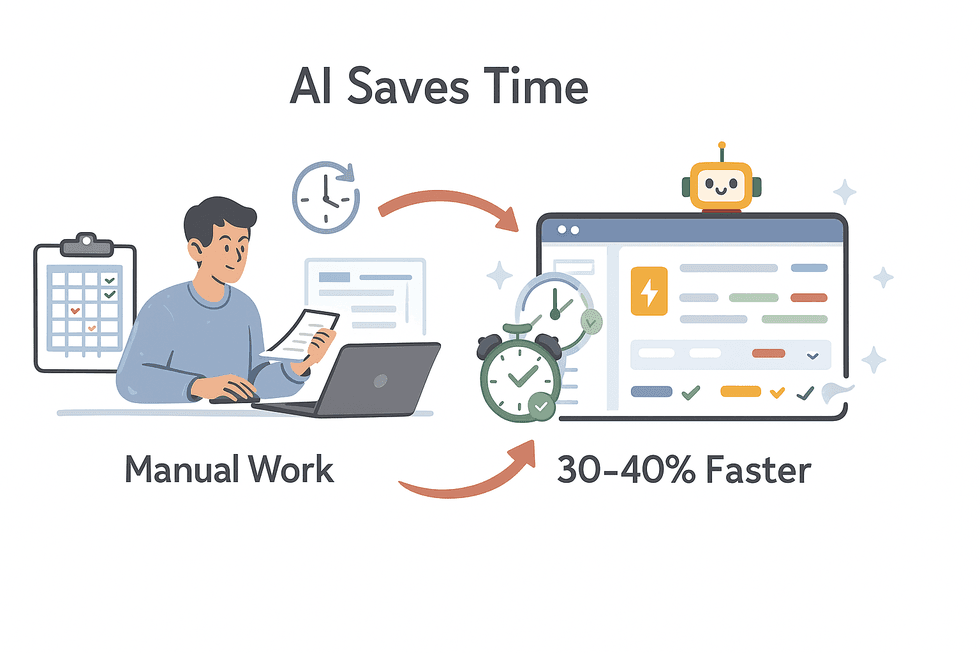 I’ve seen teams save 30–40% of their time on data extraction just by switching to AI-powered tools (scrapingapi.ai). That’s not just a productivity boost—it’s a competitive edge.
Scrape data from any website using AI Get Started Free
Thunderbit is all about making extraction easy, accurate, and accessible—even for folks who’ve never written a line of code. (And yes, my mom can use it. She’s still working on Netflix, though.)
Thunderbit AI Web Scraper: Key Features for Business Users
Let me brag a little about what we’ve built at Thunderbit (hey, I’m allowed, right?). Thunderbit is designed for business users—sales, ops, marketing, real estate—who want results, not headaches. Here’s what makes it stand out:
- AI Suggest Fields: Click once, and Thunderbit’s AI scans the page, suggests columns, and sets up the scraper for you. No more fiddling with selectors.
- 2-Click Scraping: Once fields are set, just hit “Scrape” and get a clean table—no coding, no setup.
- Subpage Scraping: Need more details? Thunderbit can automatically visit each subpage (like product or profile pages) and enrich your table with extra info.
- Pre-Built Templates: For popular sites (Amazon, Zillow, Instagram, Shopify, etc.), just pick a template and go—no setup required.
- Export Anywhere: Free export to Excel, Google Sheets, Airtable, Notion, or CSV. No hidden fees.
- Scheduled Scraping: Automate recurring scrapes—just describe the interval (“every Monday at 8am”) and Thunderbit handles the rest.
- Cloud or Browser Scraping: Use Thunderbit’s cloud servers for speed, or your own browser for sites that need login.
- Multi-Language Support: Scrape in 34 languages, including English, Spanish, Chinese, and more.
Try Thunderbit AI Web Scraper for Free
Automate and Scale: Using Scheduling and Integration Tools to Extract Data
Manual scraping is so 2015. The real value comes when you automate and integrate data extraction into your workflows:
- Scheduled Scraping: Set up Thunderbit to run scrapes daily, weekly, or on any schedule you want. Perfect for price monitoring, lead generation, or news aggregation.
- Direct Integration: Export scraped data straight to Google Sheets, Excel, Airtable, or Notion. No more downloading and re-uploading files.
- CRM & Analytics Integration: Pipe data into your CRM or BI tools for real-time dashboards, alerts, or automated outreach.
Example: Automated Price Monitoring Workflow
- Set up Thunderbit on a competitor’s product page.
- Use “AI Suggest Fields” to capture product name, price, and URL.
- Schedule the scrape for every morning at 7am.
- Export results to Google Sheets, linked to a dashboard.
- Pricing manager reviews changes and adjusts strategy before the competition wakes up.
With automation, you’re not just faster—you’re always up to date.
Best Practices for Handling Unstructured Data When Extracting From Websites
Let’s face it: most web data isn’t neat and tidy. It’s unstructured, inconsistent, and sometimes just plain weird. Here’s how to wrestle it into shape:
- Define Structure Upfront: Use AI field suggestions or templates to impose order—decide on your columns and data types before you scrape.
- Field AI Prompts: Thunderbit lets you add custom instructions for each field. Want to categorize products, format phone numbers, or translate descriptions? Just tell the AI what you want.
- Leverage NLP: For reviews, comments, or articles, use built-in NLP features to summarize, score sentiment, or extract keywords.
- Normalize Data: Clean up formats (dates, prices, phone numbers) as you scrape, not after. Consistency is key.
- Deduplicate and Validate: Remove duplicates and spot-check results for accuracy. If something looks off, tweak your prompts or settings.
Field AI Prompts: Customizing Data Extraction for Better Results
This is one of my favorite features. With field-level AI prompts, you can:
- Label and Categorize: “Classify this product as Electronics, Furniture, or Clothing based on its description.”
- Enforce Formats: “Output the date in YYYY-MM-DD format.” “Extract the numeric price only.”
- Translate On the Fly: “Translate the product description to English.”
- Clean Up Noise: “Extract the user bio, ignoring ‘Read more’ links or ads.”
- Combine Fields: “Merge address lines into a single field.”
It’s like having a junior analyst built into your scraper—one who never complains about coffee breaks.
Ensuring Data Quality and Consistency in Website Data Extraction
Great data extraction doesn’t end when you hit “Export.” Here’s how to keep your data clean and reliable:
- Validation Checks: Use range checks, required fields, and unique keys to catch errors.
- Sample Auditing: Manually review a sample of scraped data against the source site—especially after setup or if the site changes.
- Error Handling: Log failed scrapes and set up alerts for anomalies (like a sudden drop in row count).
- Ongoing Cleaning: Use spreadsheet tools or scripts to trim spaces, fix encoding, and normalize text.
- Schema Consistency: Keep your field names and formats stable over time. Document changes so your team isn’t left guessing.
Trust in your data is everything. A little diligence up front saves a lot of headaches later.
Compare the Best Web Scraping Tools Get Started Free
Comparing Extraction Tools: What to Look For When Choosing a Solution
Not all web scraping tools are created equal. Here’s what to consider:
| Tool | Strengths | Considerations |
|---|---|---|
| Thunderbit | Easiest for non-tech users; AI field detection; subpage scraping; pre-built templates; free export; affordable plans (Thunderbit Blog). | Not built for ultra-large, developer-heavy projects; uses a credit system. |
| Browse AI | No-code, good for monitoring changes; Google Sheets integration; bulk extraction. | More expensive starting plans; setup can be time-consuming. |
| Octoparse | Powerful, handles dynamic sites; advanced features for technical users. | Steep learning curve; higher pricing. |
| Web Scraper (webscraper.io) | Free for small projects; visual setup; strong community. | Manual setup can be confusing; limited AI assistance. |
| Diffbot | AI-powered, parses unstructured pages via API; great for developers. | Expensive, API-based, not for non-technical users. |
My advice: If you’re a business user who wants quick, accurate results, Thunderbit is a great fit. For power users or developers, Octoparse or Diffbot might be worth the extra complexity. Always try a free tier or trial before committing.
Conclusion: Putting Website Data Extraction Best Practices Into Action
Extracting data from websites is no longer a “nice-to-have”—it’s a must for any business that wants to stay competitive. Here’s what I hope you’ll take away:
- Value: Web data fuels smarter, faster decisions. Don’t leave it on the table.
- Overcome Challenges: Use AI-powered tools to handle unstructured data, volume, and site changes.
- Stay Legal: Respect privacy laws, site rules, and data security.
- Automate: Schedule and integrate extraction into your daily workflows.
- Quality First: Validate, clean, and monitor your data for ongoing trust.
Ready to see how easy it can be? Download the Thunderbit Chrome Extension and try it on your next data project. And if you want to dive even deeper, check out the Thunderbit Blog for more guides, tips, and real-world examples.
Happy scraping—and may your data always be structured, compliant, and ready for action.
Start Extracting Data with Thunderbit
FAQs
1. Is it legal to extract data from any website?
Generally, scraping publicly available data is legal in many jurisdictions, but you must avoid bypassing logins or security measures. Always review a site’s terms of service and comply with privacy laws like GDPR and CCPA (xbyte.io).
2. How does AI improve the process of extracting data from websites?
AI-powered tools like Thunderbit can auto-detect fields, adapt to changing layouts, clean and format data, and even handle dynamic content or translations—all with minimal setup and high accuracy (scrapingapi.ai).
3. What are the best practices for handling unstructured data?
Define your data structure up front, use field-level AI prompts to guide extraction, normalize formats as you scrape, and validate your results. Tools like Thunderbit make it easy to categorize, format, and label data on the fly.
4. How can I automate and scale website data extraction?
Use scheduling features to run scrapes at regular intervals, and integrate outputs directly into tools like Google Sheets, Airtable, or your CRM. Automation ensures your data stays fresh and reduces manual effort.
5. How do I ensure the quality and consistency of extracted data?
Implement validation checks, audit samples regularly, handle errors gracefully, and keep your schema consistent over time. Continuous improvement and monitoring are key to maintaining trustworthy data.
Want to see these best practices in action? Try Thunderbit’s free tier and experience how easy, legal, and scalable web data extraction can be.
Try AI Web Scraper Get Started Free
Learn More




