

Thunderbit’s PubMed Scraper helps you turn PubMed pages into clean, structured datasets using AI. You can extract trending medical research, clinical trial evidence, abstracts, authors, affiliations, publication dates, PMIDs, and article links, then export to Excel, Google Sheets, Airtable, or Notion. You simply open PubMed in Chrome, let AI suggest the best columns, and scrape.
🧬 What is PubMed Scraper
The PubMed Scraper is an AI Web Scraper built for PubMed | US National Library of Medicine. With Thunderbit (an AI web scraper Chrome extension), you can navigate to any PubMed results page, click AI Suggest Columns, then click Scrape to extract structured data without writing code.
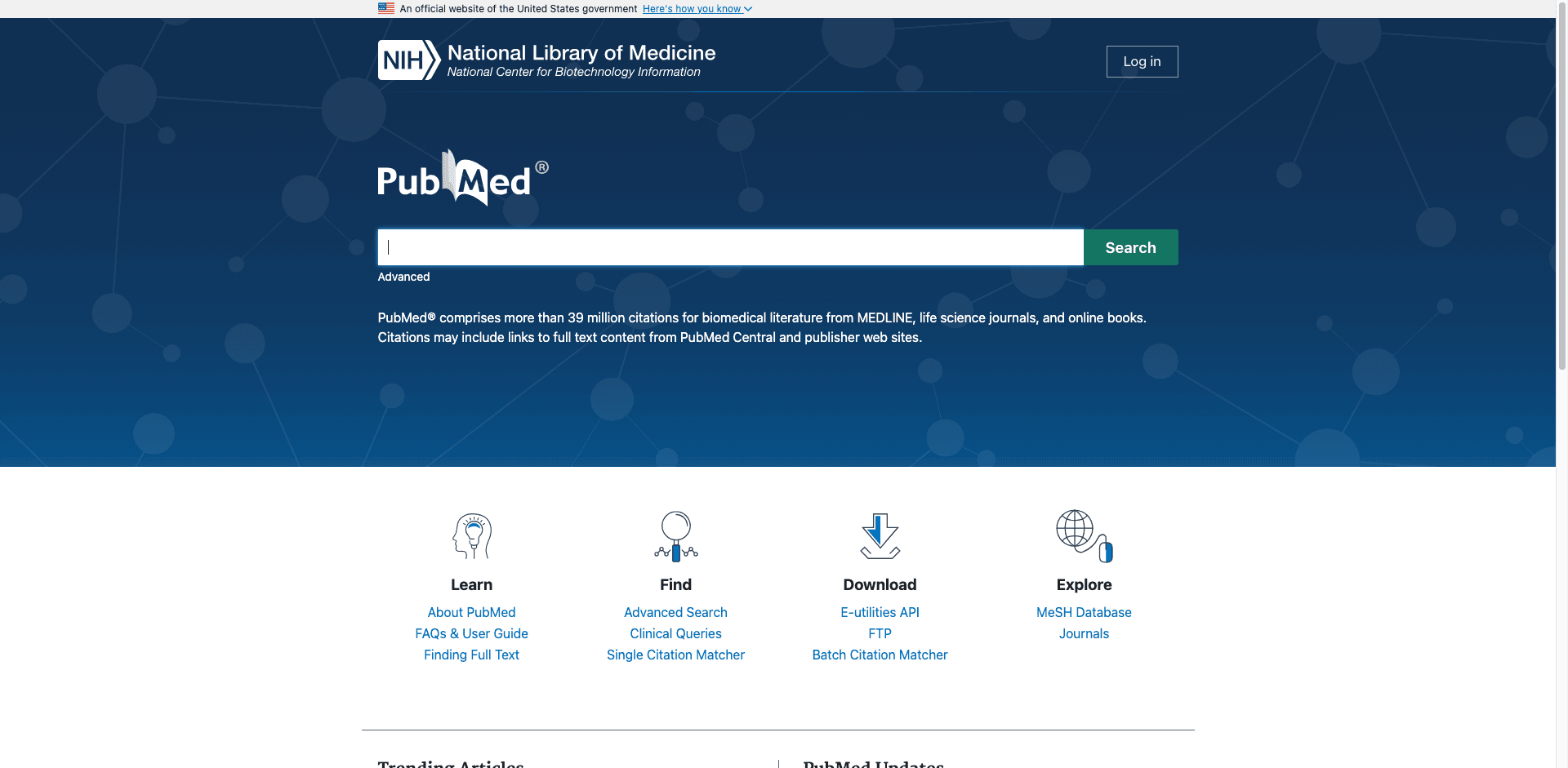
🔎 What can you scrape with PubMed
PubMed is packed with high-value biomedical metadata, but it’s not always analysis-ready. Thunderbit’s AI Web Scraper (https://thunderbit.com/) helps you collect and structure PubMed listings and enrich them with article-level details via Subpage Scraping (open each article page and append fields like abstract, affiliations, DOI, and more).
Below are two common workflows you can run in minutes.
📈 Scrape PubMed Trending Medical Research Monitoring
Use this workflow to monitor what’s trending in medical research on the PubMed trending page. It’s useful for staying current, building internal digests, tracking competitor publications, or feeding a literature monitoring pipeline.
Destination page example: PubMed Trending
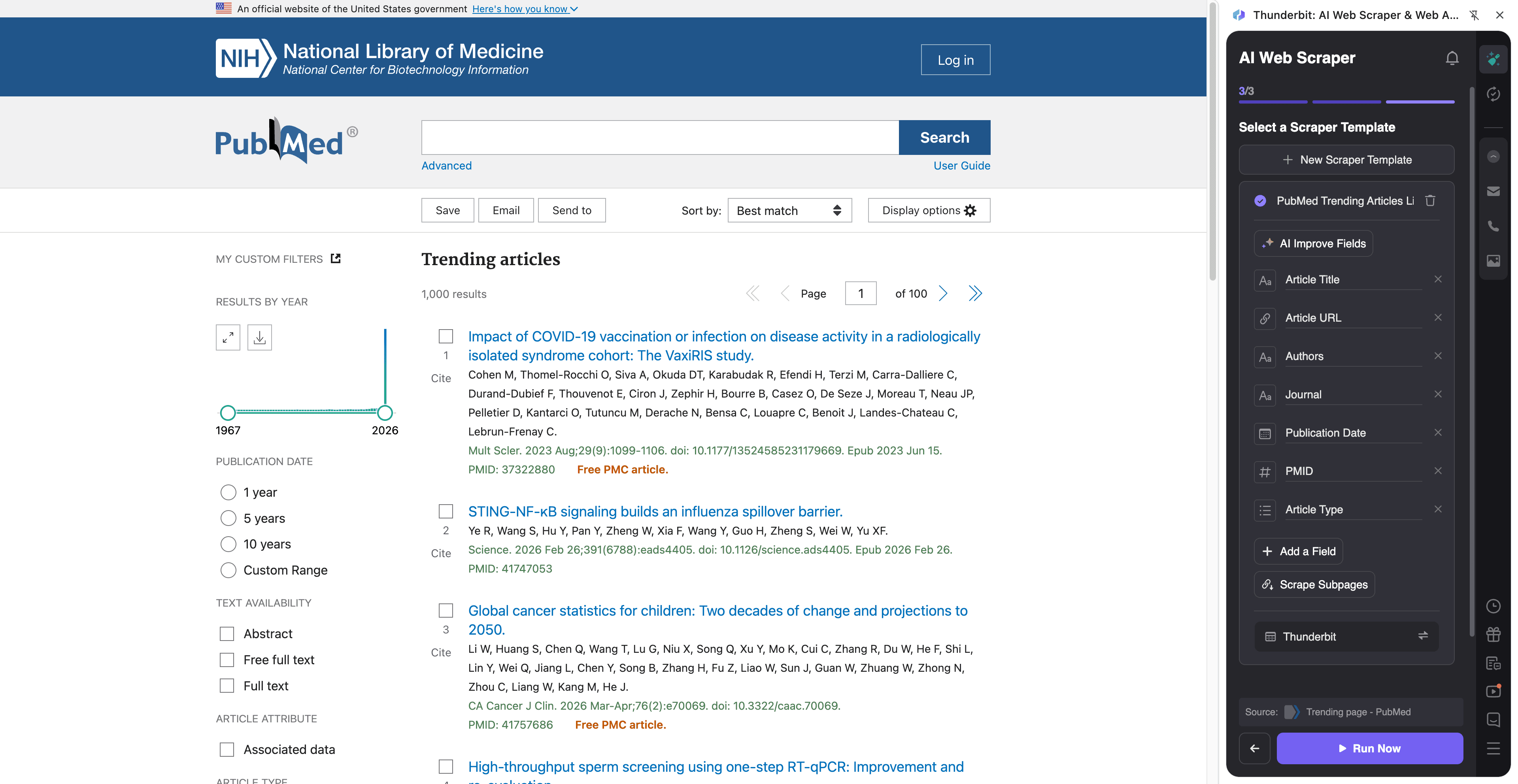
Steps:
- Download the Thunderbit Chrome Extension and register an account.
- Go to the destination page, for example: PubMed Trending.
- Click AI Suggest Columns to let AI recommend the best column names and data types.
- Click Scrape to extract the data, then export to Excel, Google Sheets, Airtable, or Notion.
Column names
| Column | Description |
|---|---|
| 🧾 Article Title | The title of the trending PubMed article. |
| 🔗 Article URL | Direct link to the PubMed record page. |
| 🆔 PMID | PubMed identifier for the record (useful as a stable key). |
| 🏛️ Journal | Journal name where the article is published. |
| 📅 Publication Date | The publication date shown in the listing. |
| ✍️ Authors | Author string shown on the results card. |
| 🧪 Article Type | Publication type when available (e.g., Review, Clinical Trial). |
| 🏷️ Keywords / Topics | Any visible topic tags or keywords on the listing (if present). |
| 📝 Snippet / Summary | Short snippet text shown in the listing (if present). |
| 🧷 DOI | DOI when available (often best captured via subpage scraping). |
| 🧑🔬 Affiliations | Author affiliations (typically extracted via subpage scraping). |
| 📄 Abstract | Abstract text (typically extracted via subpage scraping). |
🧫 Scrape PubMed Clinical Trial Evidence Extraction
Use this workflow to extract clinical trial-related evidence from PubMed search results, then enrich each row by visiting the article page to capture abstract, trial signals, and metadata you need for review.
Destination page example: Clinical trial search results
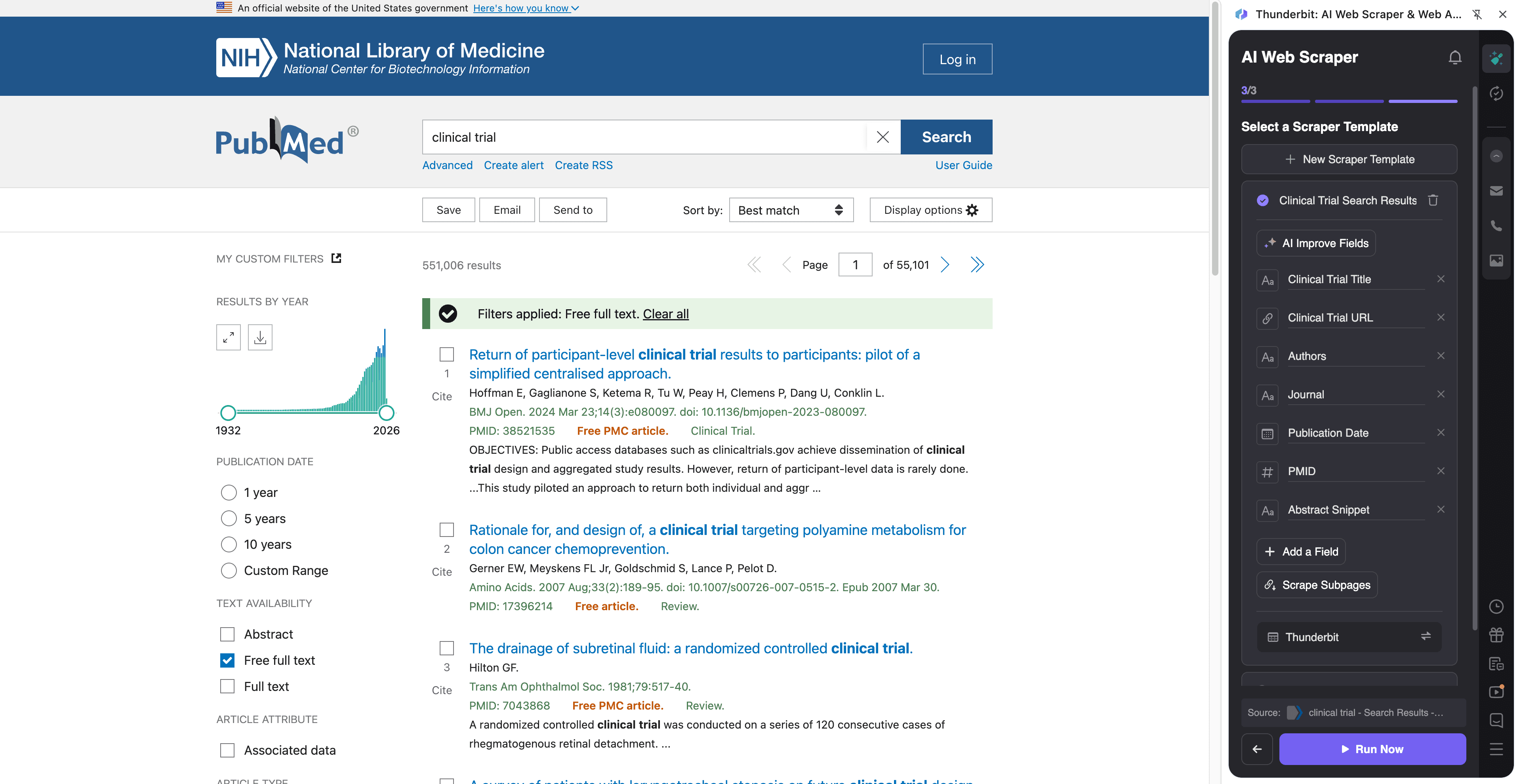
Steps:
- Download the Thunderbit Chrome Extension and register an account.
- Go to the destination page, for example: Clinical trial search results.
- Click AI Suggest Columns to generate recommended fields (you can rename or add your own).
- Click Scrape to collect results, then use Scrape Subpages to enrich each row with abstract, affiliations, DOI, and more.
Column names
| Column | Description |
|---|---|
| 🧾 Title | Article title from the search results. |
| 🔗 PubMed URL | Link to the PubMed article page for subpage enrichment. |
| 🆔 PMID | PubMed identifier for deduping and referencing. |
| 🧑⚕️ Authors | Authors listed in the result snippet. |
| 🏛️ Journal | Journal name and citation info shown in results. |
| 📅 Date | Publication date (or ePub date) shown in the listing. |
| 🧪 Publication Type | Signals like Clinical Trial, Randomized Controlled Trial, Meta-Analysis (often clearer on the article page). |
| 🧾 Abstract | Full abstract text (best via subpage scraping). |
| 🧬 MeSH Terms | Medical Subject Headings when available (often on the article page). |
| 🧷 DOI | DOI for linking to publisher pages and reference managers. |
| 🏥 Affiliations | Author affiliations for institution analysis (subpage scraping). |
| 🌍 Country / Institution | Parsed from affiliations using Field AI Prompts (optional). |
| 🔍 Clinical Trial Keywords | AI-labeled flags like “randomized”, “double-blind”, “placebo” (optional via Field AI Prompt). |
| 📎 Full Text Links | Outbound links to publisher or free full text when present. |
🎯 Why Use PubMed Tool
Scraping PubMed is about speed, consistency, and making research data usable across your workflow. Instead of copying citations one by one, you can build a structured dataset you can filter, tag, and share.
Common reasons teams scrape PubMed:
- Medical affairs & pharma teams: Track new publications in a therapeutic area, monitor competitor trials, and build evidence tables for internal reviews.
- Biotech & clinical operations: Collect trial-related publications, map institutions and investigators, and keep a living bibliography.
- Healthcare marketing & content teams: Identify trending topics, high-impact journals, and emerging keywords for content planning.
- Academic researchers & librarians: Build literature review datasets, deduplicate by PMID, and export to spreadsheets for screening.
- Data teams: Create structured inputs for downstream analytics, dashboards, or internal knowledge bases.
Thunderbit is especially helpful when you need more than the listing page. With Subpage Scraping, you can extract abstracts, affiliations, DOI, MeSH terms, and full-text links at scale.
🧩 How to Use PubMed Chrome Extension
- Install the Thunderbit Chrome Extension: Get it from the Chrome Web Store and create your account.
- Navigate to a PubMed page: Open PubMed, a trending page like Trending, or a query like clinical trial results.
- Activate AI-Powered Scraper: Click AI Suggest Columns to generate fields, adjust data types (text/date/url), and add optional Field AI Prompts (for labeling, formatting, or extracting trial signals).
- Scrape and export: Click Scrape. If you need abstracts/affiliations/MeSH, run Scrape Subpages to enrich each row, then export to Excel, Google Sheets, Airtable, or Notion.
Helpful reading if you’re building a repeatable workflow:
- How to Scrape Any Website Using AI
- What Is Data Scraping and How to Do It in 2025
- How to Scrape Website Data into Excel using AI
- What Is List Crawling and How to Do It Using AI
💳 Pricing for PubMed
Thunderbit uses a simple credit system:
- 1 credit = 1 output row in your results table (for example, one PubMed record).
- Data export is free: download CSV/JSON or send to Excel, Google Sheets, Airtable, or Notion.
You can start with:
- Free tier: scrape 6 pages per month (page-based allowance on Free).
- Free trial: scrape 10 pages for free, which is ideal for testing PubMed trending pages and a few clinical trial result pages.
If you scrape regularly (weekly monitoring, evidence updates, or large queries), paid plans give you more credits. The yearly plan is typically more cost effective because it includes a discount compared to paying month to month.
You can review options on Thunderbit Pricing.
❓ FAQ
-
What is the AI Powered PubMed Scraper?
The AI Powered PubMed Scraper is a workflow in Thunderbit that extracts structured data from PubMed search results and article pages. You can use AI to suggest columns, scrape listings, and enrich each row by visiting article subpages for abstracts, affiliations, DOI, and more. -
What is Thunderbit?
Thunderbit is an AI web scraper Chrome extension designed for business and research workflows where you need structured data from websites. It helps you extract, label, and export data quickly, without building or maintaining scraping scripts. -
Can you scrape PubMed trending pages and regular search results?
Yes. You can scrape the PubMed Trending page, standard keyword searches, and filtered result pages (such as clinical trial-focused queries). Thunderbit’s AI adapts to different layouts by reading the page and proposing fields. -
Can Thunderbit extract abstracts, affiliations, and MeSH terms?
Yes, and this is where Subpage Scraping helps most. You can scrape the results list first, then have Thunderbit open each PubMed record page to extract abstract text, affiliations, MeSH terms, DOI, and other metadata into the same table. -
How do pagination and infinite scroll work on PubMed?
Thunderbit supports pagination scraping, including “next page” style navigation. If PubMed changes how results load, AI-based extraction is designed to be more resilient than rigid selectors, since it re-reads the page structure each run. -
What formats can you export PubMed data to?
You can export to CSV or JSON, or send the dataset to Excel, Google Sheets, Airtable, or Notion. This is useful for screening workflows, evidence tables, dashboards, and sharing with collaborators. -
How many PubMed records can I scrape for free?
On the Free tier, you can scrape 6 pages per month, which is often enough for small monitoring tasks. With the free trial, you can scrape 10 pages for free to validate your column setup and subpage enrichment strategy. -
Can I customize columns for specific evidence extraction needs?
Yes. You can rename columns, set data types (text/date/url), and add Field AI Prompts to extract or label information such as trial design keywords, population, intervention, comparator, outcomes, or country from affiliations. This helps you go beyond raw scraping into structured evidence prep. -
Is it okay to scrape PubMed?
PubMed is a public resource, and many teams collect bibliographic metadata for research and analysis. You should still follow applicable laws, respect site terms, and use responsible scraping practices, especially if you’re running large, frequent jobs.
📚 Learn More
- Get the extension: Thunderbit Chrome Extension Download Page
- Explore guides on the Thunderbit Blog
- Learn fundamentals: What Is Data Scraping and How to Do It in 2025
- Build list workflows: What Is List Crawling and How to Do It Using AI
- Export to spreadsheets: How to Scrape Website Data into Excel using AI
- If you also scrape PDFs in research ops: How to Scrape Data from PDF using AI