
The digital marketing world is buzzing with a new energy, and it’s not just another shiny tool or passing fad. Conversational lead generation is taking center stage, transforming how brands connect with prospects. I’ve watched this shift unfold up close—gone are the days when a static web form or a “Contact Us” button could reliably fill your pipeline. Now, it’s all about real-time, personalized conversations that turn curious visitors into qualified leads, often before they even realize it themselves.
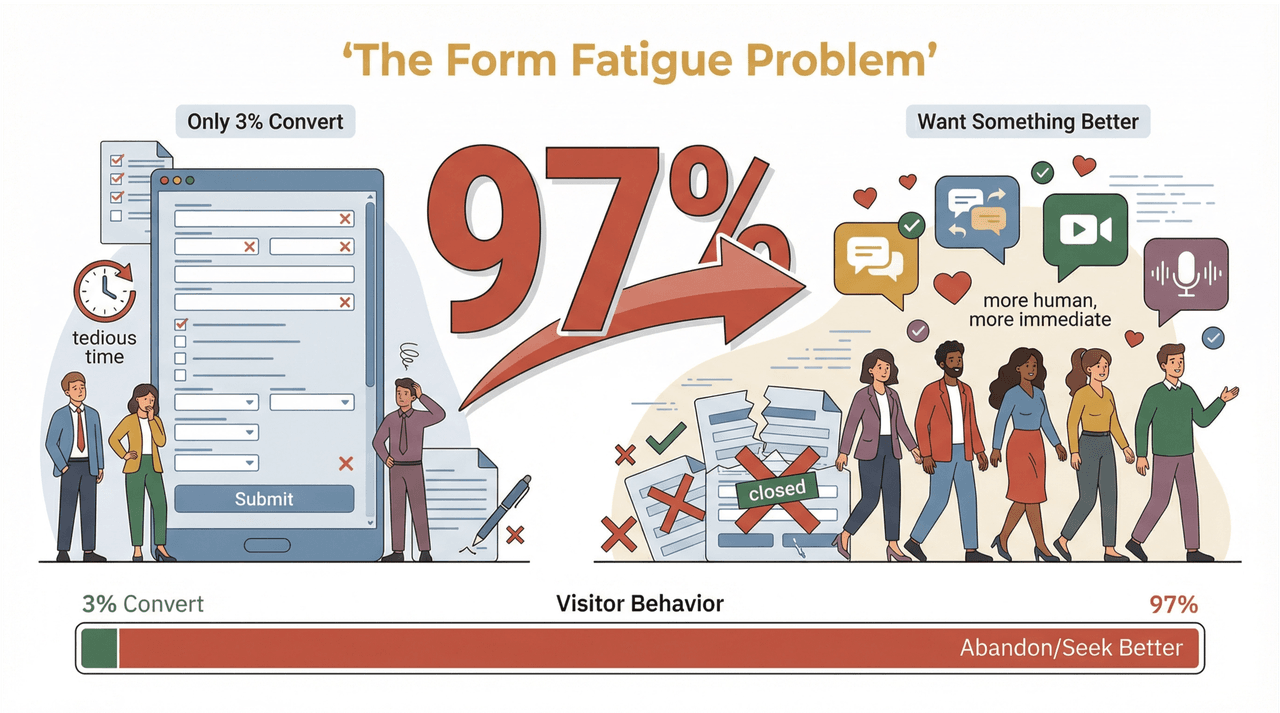
If you’re in sales, marketing, or operations, you’ve probably felt the pain of chasing cold leads or watching most of your website visitors bounce without a trace. The numbers don’t lie: only . The other 97%? They’re looking for something more human, more immediate, and way less tedious. That’s where conversational lead generation comes in—and why I’m convinced it’s the future of high-converting, data-driven marketing.
What Is Conversational Lead Generation? The Basics for Business Teams
Let’s break it down. Conversational lead generation is the process of capturing, qualifying, and nurturing leads through real-time, interactive dialogues—think chatbots, live chat, and AI-powered web conversations. Instead of asking visitors to fill out a static form and wait for a follow-up, you engage them instantly, answer their questions, and collect relevant info as part of a natural back-and-forth.
How is this different from traditional lead capture? Well, static forms are a one-way street: you ask, they (maybe) answer, and then…crickets. Conversational lead gen is a two-way street. It feels more like a helpful sales rep greeting you at a store than a clipboard shoved in your face.
The main channels for conversational lead generation include:
- Chatbots: Automated assistants that guide visitors, answer FAQs, and collect lead info 24/7.
- Live Chat: Real humans (or a hybrid of humans and bots) chatting with prospects in real time.
- AI-Driven Web Interactions: Smart systems that use data and context to personalize every conversation, from product recommendations to demo scheduling.
The result? More leads, higher engagement, and a customer experience that feels, well, human.
Why Conversational Lead Generation Is the New Marketing Trend
So, why is everyone suddenly talking about conversational lead generation? Simple: it works. Businesses are waking up to the fact that real-time, personalized conversations outperform old-school form fills by a mile.
Let’s look at the numbers:
- . That means 97% slip through the cracks if you rely on forms alone.
- compared to traditional methods.
- .
 Let’s dig into what makes conversational lead generation so powerful.
Real-Time Engagement: Turning Browsers into Buyers
Timing is everything. When someone lands on your site, their interest is at its peak—but it fades fast. Studies show that , and conversion rates . Conversational lead gen tools—like chatbots and live chat—let you engage visitors the moment they’re interested, answer their questions, and guide them toward the next step.
Personalization and Human Touch
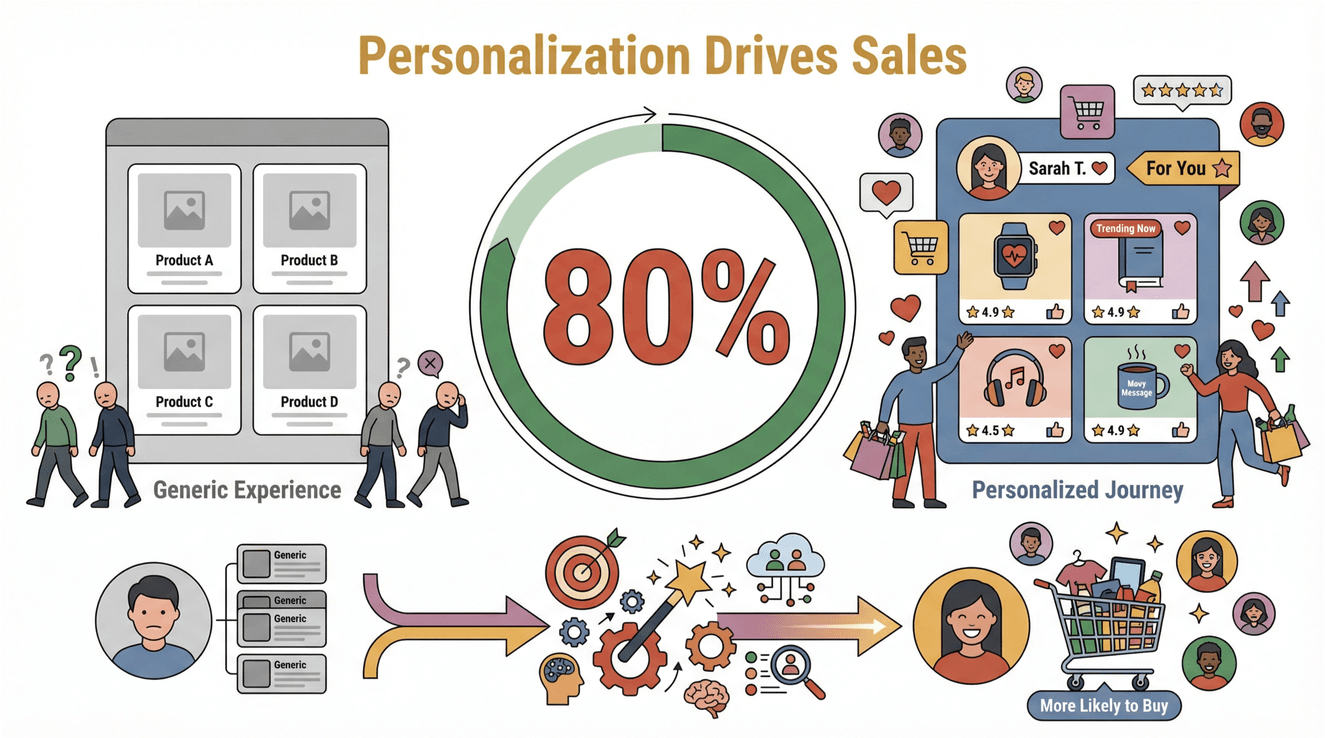
Nobody likes feeling like a number. Conversational lead gen lets you tailor every interaction to the individual—using their name, referencing their interests, and adapting your pitch in real time. According to , brands that personalize experiences can create “significant value” and stand out in crowded markets. And found that 80% of consumers are more likely to buy from brands that make them feel special.
How Thunderbit’s AI Web Scraper Supercharges Conversational Lead Generation
Now, let’s talk about the secret sauce: data. Real-time conversations are only as good as the data behind them. That’s where comes in.
Thunderbit is an built for business users—no coding, no templates, just results. Here’s how it helps you master conversational lead generation:
- AI Suggest Fields: Thunderbit reads any web page and suggests the most relevant data fields for lead capture—names, emails, company info, product specs, you name it.
- Natural Language Prompts: You can describe what you want (“Find all the decision-makers and their emails on this page”), and Thunderbit’s AI figures out how to extract it.
- Subpage Scraping: Need more context? Thunderbit can visit each subpage (like individual profiles or product pages) and enrich your lead data automatically.
- Instant Export: Push your data straight to Excel, Google Sheets, Airtable, or Notion—ready for your CRM or chatbot to pick up.
AI-Powered Data Discovery for Dynamic Conversations
Traditional data extraction is a slog—manual copy-paste, endless spreadsheets, and a constant risk of missing key info. Thunderbit flips the script. Its AI scans the page, understands what matters, and suggests the best fields to capture. You can tweak, add, or remove columns as needed, but most of the time, it just works ().
This means your sales or support team always has the latest, most relevant data at their fingertips—no more guessing or scrambling for context in the middle of a chat.
Real-Time Data for Real-Time Dialogues
Conversational lead gen thrives on relevance. If your chatbot or rep can reference the latest product specs, pricing, or customer reviews, you’re way more likely to close the deal. Thunderbit makes it easy to keep your data fresh—just schedule a scrape, and your sheets or CRM update automatically ().
And because Thunderbit integrates with tools like Google Sheets, Airtable, and Notion, you can feed this data directly into your chat workflows, ensuring every conversation is powered by the best info available.
Integrating Thunderbit into Your Conversational Lead Generation Workflow
Let’s get practical. Here’s how you can embed Thunderbit into your lead gen process and supercharge your conversational workflows.
From Web Data to CRM: Automating Context for Every Conversation
- Scrape Lead Data: Use Thunderbit to extract names, emails, company info, and other key fields from directories, event lists, or social profiles.
- Enrich with Subpage Data: Click “Scrape Subpages” to pull in extra context—like LinkedIn profiles, product details, or recent reviews.
- Export to Your CRM or Chat Platform: With one click, send your leads to Google Sheets, Airtable, Notion, or download as CSV for your CRM.
- Automate Lead Routing: Set up your chatbot or sales workflow to pull from these enriched profiles, so every conversation starts with context.
- Personalize Every Interaction: Use the data to greet leads by name, reference their company, or tailor your pitch to their interests.
The best part? Thunderbit’s AI adapts to different websites and data structures, so you’re not stuck rebuilding templates every time something changes ().
Step-by-Step Guide: Using Thunderbit for Conversational Lead Generation
Ready to see it in action? Here’s a simple walkthrough for using Thunderbit in a conversational lead gen scenario.
1. Setting Up Thunderbit for Your Website
- Install the Chrome Extension: Download .
- Sign Up or Log In: Create a free account (the free tier lets you scrape up to 6 pages to start).
- Pin the Extension: Keep Thunderbit handy in your Chrome toolbar for quick access.
2. Using AI Suggest Fields for Lead Data Discovery
- Open Your Target Page: Navigate to the directory, event list, or product page you want to scrape.
- Click the Thunderbit Icon: The extension will pop up on the right.
- Hit “AI Suggest Fields”: Thunderbit’s AI will scan the page and recommend columns like “Name,” “Email,” “Company,” or any other relevant fields.
- Customize as Needed: Add, remove, or rename columns to fit your workflow.
3. Scraping and Enriching Lead Data (Including Subpages)
- Start the Scrape: Click “Scrape” and watch Thunderbit pull the data into a neat table.
- Enrich with Subpages: For deeper context, click “Scrape Subpages.” Thunderbit will visit each linked page (like individual profiles or product detail pages) and add more info to your table.
- Review and Edit: Check your results, make any tweaks, and get ready to export.
4. Exporting and Syncing with CRM or Chat Tools
- Choose Your Export Format: Send your data directly to Google Sheets, Airtable, Notion, or download as CSV/Excel.
- Sync with Your CRM: Import the data into your CRM or chat platform, or connect via integrations/automation tools.
- Automate Updates: Schedule recurring scrapes to keep your lead data fresh and your conversations relevant.
For more detailed instructions, check out the .
Real-World Examples: Conversational Lead Generation in Action
Let’s look at how teams are using Thunderbit-powered conversational lead gen to drive results across different industries.
Ecommerce: Boosting Sales with Real-Time Product Conversations
Ecommerce teams use Thunderbit to scrape product data, reviews, and competitor pricing. This info feeds directly into chatbots or live chat, enabling reps to answer questions instantly (“Yes, this product is in stock and ships tomorrow!”) and recommend the right items. The result? Higher conversion rates and happier customers.
Real Estate: Qualifying Buyers with Instant Property Insights
Real estate agents leverage Thunderbit to pull the latest property listings, price changes, and neighborhood data. When a buyer starts a chat, the agent can instantly provide up-to-date info—no more scrambling for details. This speeds up qualification and builds trust, leading to more showings and faster deals ().
High-Tech: Personalizing Demos and Onboarding
SaaS and tech companies use Thunderbit to gather user data from sign-ups, product reviews, and support forums. When a prospect starts a conversation, the chatbot or sales rep can reference their company size, tech stack, or recent activity—making demos and onboarding feel truly personalized.
The Future of Conversational Lead Generation: Trends and Opportunities
Conversational lead generation is just getting started. Here’s where I see things heading:
- AI-Driven Personalization: As AI gets smarter, conversations will become even more tailored—anticipating needs, suggesting solutions, and building relationships at scale ().
- Real-Time Data Mining: Tools like Thunderbit will make it easier to pull fresh data from anywhere on the web, powering conversations with up-to-the-minute context.
- Omnichannel Integration: Conversational lead gen will span chat, email, SMS, and even voice—meeting prospects wherever they are.
- Continuous Feedback Loops: Real-time conversations will feed insights back into product development, marketing, and sales, creating a virtuous cycle of improvement ().
The bottom line? The brands that win will be the ones that combine smart data collection, AI-driven insights, and genuine human connection.
Key Takeaways: Elevate Your Lead Generation with Conversational Techniques
Let’s recap the essentials:
- Conversational lead generation is transforming how businesses capture and qualify leads—moving from static forms to real-time, interactive dialogues.
- Personalization and speed are the new currency. The faster and more relevant your response, the higher your conversion rates.
- Thunderbit’s AI Web Scraper makes it easy to gather, enrich, and export the data you need for high-impact conversations—no coding required.
- Integrating Thunderbit into your workflow means more context, less manual work, and a better experience for both your team and your prospects.
- The future is data-driven and conversational. Stay ahead by combining AI, automation, and a human touch in every interaction.
Ready to modernize your lead generation? and start building smarter, more engaging conversations today. And if you’re hungry for more tips, check out the for deep dives on web scraping, sales automation, and the future of digital marketing.
FAQs
1. What is conversational lead generation, and how does it differ from traditional lead capture?
Conversational lead generation uses real-time dialogues—via chatbots, live chat, or AI-powered web interactions—to capture and qualify leads. Unlike static forms, it engages visitors instantly, collects richer data, and creates a more personalized experience.
2. Why are traditional web forms losing effectiveness for lead generation?
Only about , leaving most prospects unengaged. Forms are impersonal and slow, while conversational tools offer instant, human-like interaction.
3. How does Thunderbit support conversational lead generation?
Thunderbit’s AI Web Scraper helps teams quickly gather and organize the data needed for personalized conversations—suggesting fields, scraping subpages, and exporting to your CRM or chat platform for real-time use.
4. Can Thunderbit integrate with my existing CRM or chat tools?
Yes! Thunderbit exports data directly to Google Sheets, Airtable, Notion, or CSV/Excel, making it easy to sync with most CRMs and chat platforms through imports or automation tools.
5. What industries benefit most from conversational lead generation with Thunderbit?
Ecommerce, real estate, and high-tech companies are seeing big wins—using Thunderbit to power chat-based sales, qualify buyers instantly, and personalize demos or onboarding with up-to-date data.
Ready to see what conversational lead generation can do for your business? and start turning conversations into conversions.