
Auto form fill isn’t just a nice-to-have anymore—it’s become a lifeline for anyone who deals with repetitive data entry in business. I’ve seen it firsthand: sales reps burning hours copying customer info into CRMs, ecommerce teams slogging through order forms, and operations folks stuck in a copy-paste loop that would make even the most patient person want to scream. The kicker? According to , the average office worker spends nearly 40% of their day on repetitive tasks—much of it tied to manual data entry and filling out forms. That’s not just a productivity leak; it’s a full-on flood.
But here’s the good news: the world of auto form fill has evolved, and AI-powered tools like are changing the game for business users. In this guide, I’ll walk you through what auto form fill really means in 2024, why the old ways are holding you back, and how Thunderbit’s AI Autofill can help you reclaim your time, boost accuracy, and finally make form-filling feel less like a chore and more like a superpower.
What is Auto Form Fill and Why Does It Matter for Business Users?
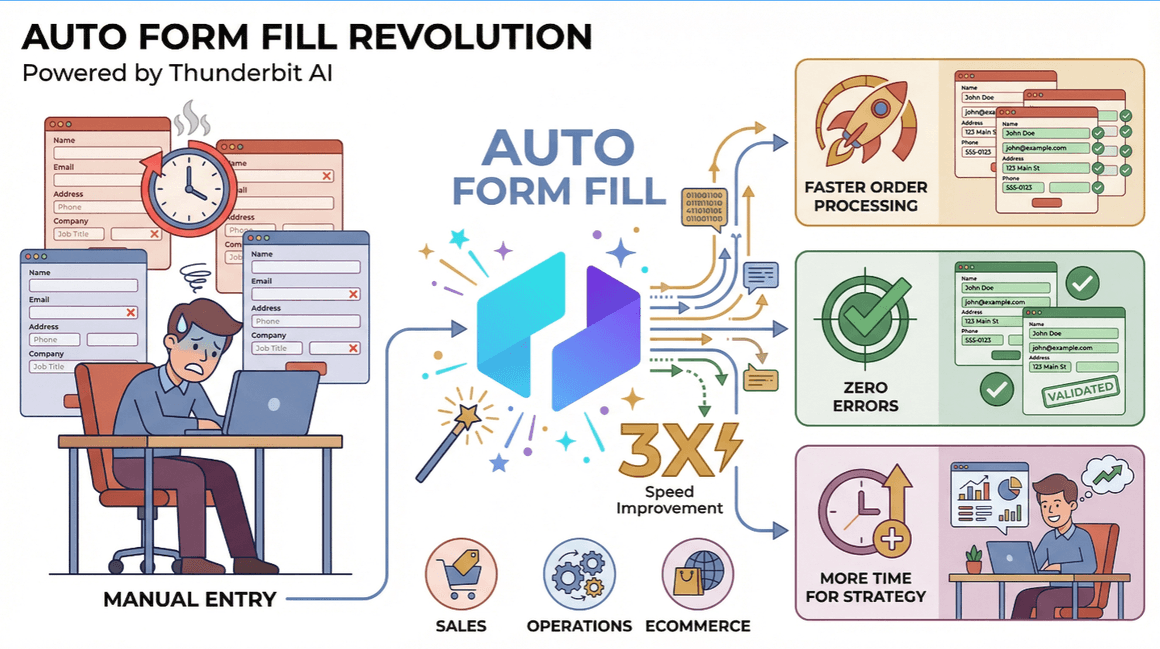
At its core, auto form fill is exactly what it sounds like: a tool or feature that automatically enters information into web forms for you. Instead of typing the same name, email, or address a hundred times, you let the software do the heavy lifting. For business users—especially in sales, operations, and ecommerce—this isn’t just about saving a few keystrokes. It’s about:
- Speeding up order processing: The faster you can move through forms, the more orders or leads you can handle in a day.
- Reducing errors: Manual entry is a magnet for typos and inconsistencies, which can lead to lost sales or compliance headaches.
- Freeing up time for real work: Less time on grunt work means more time for strategy, customer calls, or, you know, lunch.
Auto form fill has come a long way from the early days of browser autofill. What started as a way to remember your name and address has grown into a suite of tools that can handle complex, multi-step forms, dynamic fields, and even bulk data entry for entire teams ().
Comparing Traditional Auto Form Fill Methods vs. Modern AI Tools
Let’s be honest: most of us have used the built-in autofill in Chrome or Safari. It’s fine for simple stuff—until it isn’t. Traditional auto form fill methods include:
- Browser autofill: Remembers basic info like names, addresses, and passwords. Great for personal use, but struggles with business forms or anything custom.
- Copy-paste tools: Slightly better, but still manual and prone to mistakes.
- Basic scripts/macros: Can automate some tasks, but break easily when forms change or get more complex.
 The problem? These methods are rigid. They don’t understand context, can’t adapt to new layouts, and often require constant tweaking. If you’ve ever watched your browser autofill put your street address in the “Company Name” field, you know the pain.
Enter modern AI-driven tools like Thunderbit. Here’s how they stack up:
| Feature | Traditional Autofill | Thunderbit AI Autofill |
|---|---|---|
| Handles dynamic forms | Rarely | Yes, adapts in real time |
| Understands context | No | Yes, via AI and natural language |
| Bulk/batch form filling | No | Yes, for high-volume workflows |
| Data validation & consistency | Minimal | AI-driven, reduces errors |
| Integration with business tools | Limited | Export to Sheets, Notion, Airtable |
| Maintenance required | Frequent | Minimal—AI adapts to changes |
| Ease of use for non-tech users | Moderate | High—natural language prompts |
Thunderbit’s AI Autofill doesn’t just “remember” your info—it reads the form, understands what’s needed, and fills it out based on your instructions. That’s a huge leap in both accuracy and flexibility ().
How Thunderbit’s Auto Form Fill Works: A Quick Overview
So, what makes Thunderbit’s AI Autofill different? It’s all about making complex form-filling as easy as talking to a colleague. Here’s the basic workflow:
- Select the form you want to fill—it could be an order page, a CRM entry, or a survey.
- Provide context or a natural language prompt—for example, “Fill in customer info from this spreadsheet” or “Register these 20 leads for the webinar.”
- Thunderbit’s AI analyzes the form—it figures out what each field is asking for, matches your data, and fills it in automatically.
- Review and export—check the filled form, make any tweaks, and export the results to Excel, Google Sheets, Notion, or wherever you need them.
No coding, no templates, no wrestling with weird field names. Just describe what you want, and Thunderbit does the rest ().
Step-by-Step Guide: Using Thunderbit for Efficient Auto Form Fill
Ready to see it in action? Here’s how to get started with Thunderbit’s auto form fill, step by step.
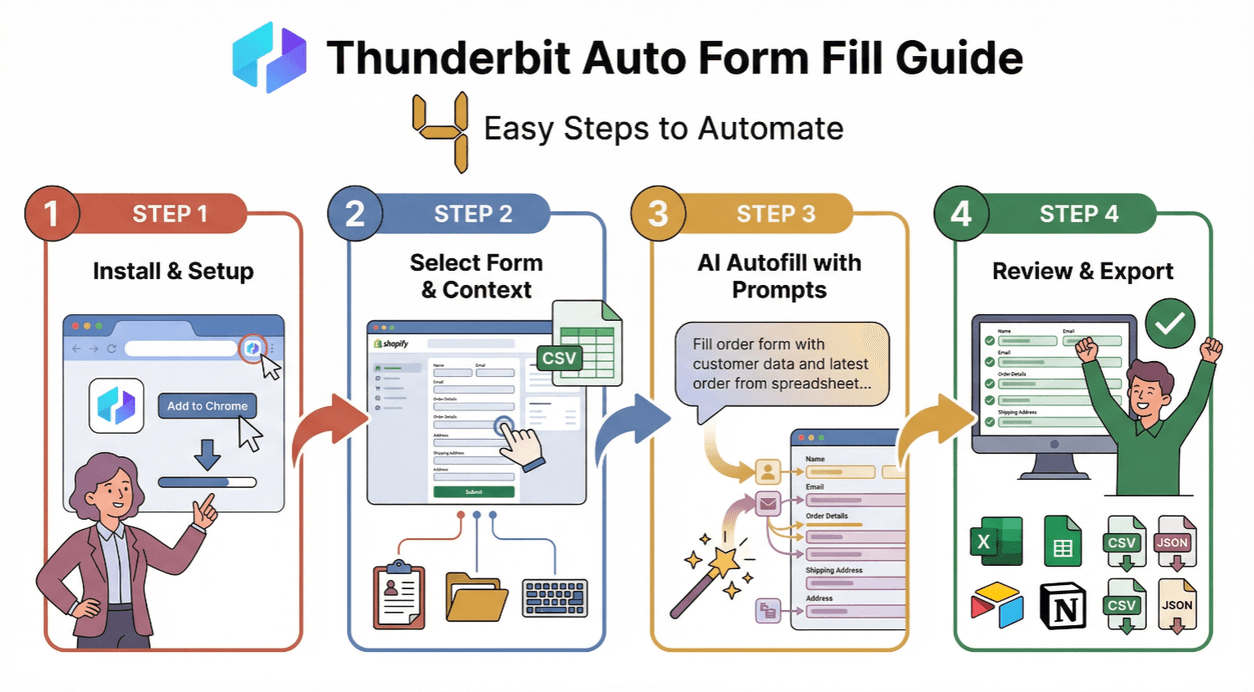
Step 1: Install and Set Up Thunderbit
First things first: . It’s a quick install, and the free tier lets you try out the AI Autofill feature right away. Once installed, you’ll see the Thunderbit icon in your browser—just click to launch.
Step 2: Select the Form and Context
Navigate to the web form you want to fill. This could be anything from a Shopify order page to a custom CRM entry form. Thunderbit works on almost any site, including those with dynamic or multi-step forms.
If you have specific data (like a spreadsheet of leads or order info), keep it handy. Thunderbit can pull from multiple sources, including your clipboard, a file, or even data you type in directly ().
Step 3: Use AI Autofill with Natural Language Prompts
Here’s where the magic happens. Instead of mapping fields one by one, just tell Thunderbit what you want. Some example prompts:
- “Fill out this order form using the customer info in my spreadsheet.”
- “Register these 50 leads for the webinar, using their name, email, and company.”
- “Complete the survey for each row in this CSV.”
Thunderbit’s AI reads your instructions, matches your data to the form fields, and fills everything in—handling even tricky layouts or conditional fields ().
Step 4: Review and Export Filled Data
Once the form is filled, take a quick look to make sure everything’s in the right place. Thunderbit highlights any issues or missing data, so you can fix them before submitting.
When you’re happy, export the filled data directly to . You can also download as CSV or JSON for use in other tools. This makes it easy to keep your records up to date and share results with your team.
Boosting Productivity: Batch Auto Form Fill with Thunderbit
One of my favorite things about Thunderbit is how it handles batch or bulk form filling. Instead of entering data one record at a time, you can process dozens—or even hundreds—of entries in a single go. This is a lifesaver for:
- Sales teams: Quickly registering multiple leads for events, demos, or follow-ups.
- Ecommerce operations: Processing bulk orders or updating inventory across platforms.
- Customer support: Filling out ticket forms or survey responses for large groups.
Just provide your list (spreadsheet, CSV, or even copied text), and Thunderbit’s AI Autofill will work through each entry, filling and submitting forms as needed. It’s like having a super-fast assistant who never gets tired or distracted ().
Integrating Thunderbit Auto Form Fill with Your Business Tools
Thunderbit isn’t just a standalone tool—it plays nicely with your existing workflow. Thanks to its flexible export options, you can:
- Push filled data directly to Google Sheets, Airtable, or Notion—no manual copy-paste required.
- Export as CSV or Excel for easy import into CRMs, ecommerce platforms like Shopify, or marketing automation tools.
- Transform data formats on the fly, ensuring everything matches your target system’s requirements.
This cross-platform compatibility means fewer errors, less manual cleanup, and a smoother flow of information between your tools ().
Ensuring Data Accuracy: How Thunderbit AI Autofill Minimizes Errors
Let’s talk about accuracy. Traditional autofill tools are notorious for putting the wrong data in the wrong place, especially when forms change or have non-standard fields. Thunderbit’s AI Autofill tackles this head-on by:
- Reading and understanding each form field—not just matching by name, but by context and expected data type.
- Validating data as it fills—flagging inconsistencies, missing info, or formatting issues before you submit.
- Supporting automatic unit conversion and labeling—so your data is always consistent, even across different platforms.
- Reducing error rates—users report up to 4× fewer mistakes compared to manual entry or basic autofill ().
You can also customize AI prompts for specific workflows, ensuring Thunderbit knows exactly how to handle special cases or industry-specific requirements.
Key Takeaways: Making the Most of Auto Form Fill with Thunderbit
If you’re still stuck in the manual data entry grind, it’s time to level up. Thunderbit’s AI-powered auto form fill delivers:
- Serious speed: Handle forms in seconds, not minutes.
- Fewer errors: AI validation and context-aware filling mean cleaner data.
- Easy integration: Export to Sheets, Notion, Airtable, Excel, and more.
- No learning curve: Natural language prompts make it accessible for everyone.
- Batch power: Process dozens or hundreds of forms at once—perfect for sales, ops, and ecommerce teams.
Ready to see it for yourself? and try the AI Autofill feature on your next big data entry project. And if you want more tips, check out the for guides, best practices, and real-world success stories.
FAQs
1. What types of forms can Thunderbit’s AI Autofill handle?
Thunderbit can fill out nearly any web form, including order pages, CRM entries, surveys, and custom business workflows—even those with dynamic or multi-step layouts.
2. How does Thunderbit’s AI Autofill differ from browser autofill?
Unlike browser autofill, Thunderbit uses AI to understand context, match data to the right fields, and handle complex or changing forms. It’s designed for business use, not just personal info.
3. Can I use Thunderbit to fill out multiple forms in bulk?
Absolutely. Thunderbit’s batch autofill lets you process lists of leads, orders, or survey responses in one go, saving hours on repetitive tasks.
4. Is Thunderbit’s auto form fill feature free?
Yes, Thunderbit’s AI Autofill is completely free—even on the free tier. You can try it with no risk and upgrade for more advanced features as needed.
5. How does Thunderbit ensure data accuracy and reduce errors?
Thunderbit’s AI validates data as it fills forms, flags inconsistencies, and supports features like unit conversion and labeling. This results in significantly fewer errors compared to manual entry or basic autofill tools.
Ready to make form-filling the easiest part of your day? Give Thunderbit a spin and let AI do the typing for you.
Learn More