
Web scraping isn’t just a buzzword anymore—it’s the backbone of modern business intelligence. Whether you’re in retail, finance, real estate, or just about any data-driven field, chances are your competitors are already leveraging web scraping to fuel their lead generation, price monitoring, and market research. In fact, , and the global web scraping market is projected to skyrocket from $7.5 billion in 2025 to over $38 billion by 2034. That’s not just growth—it’s a tidal wave of demand for real-time, actionable data.
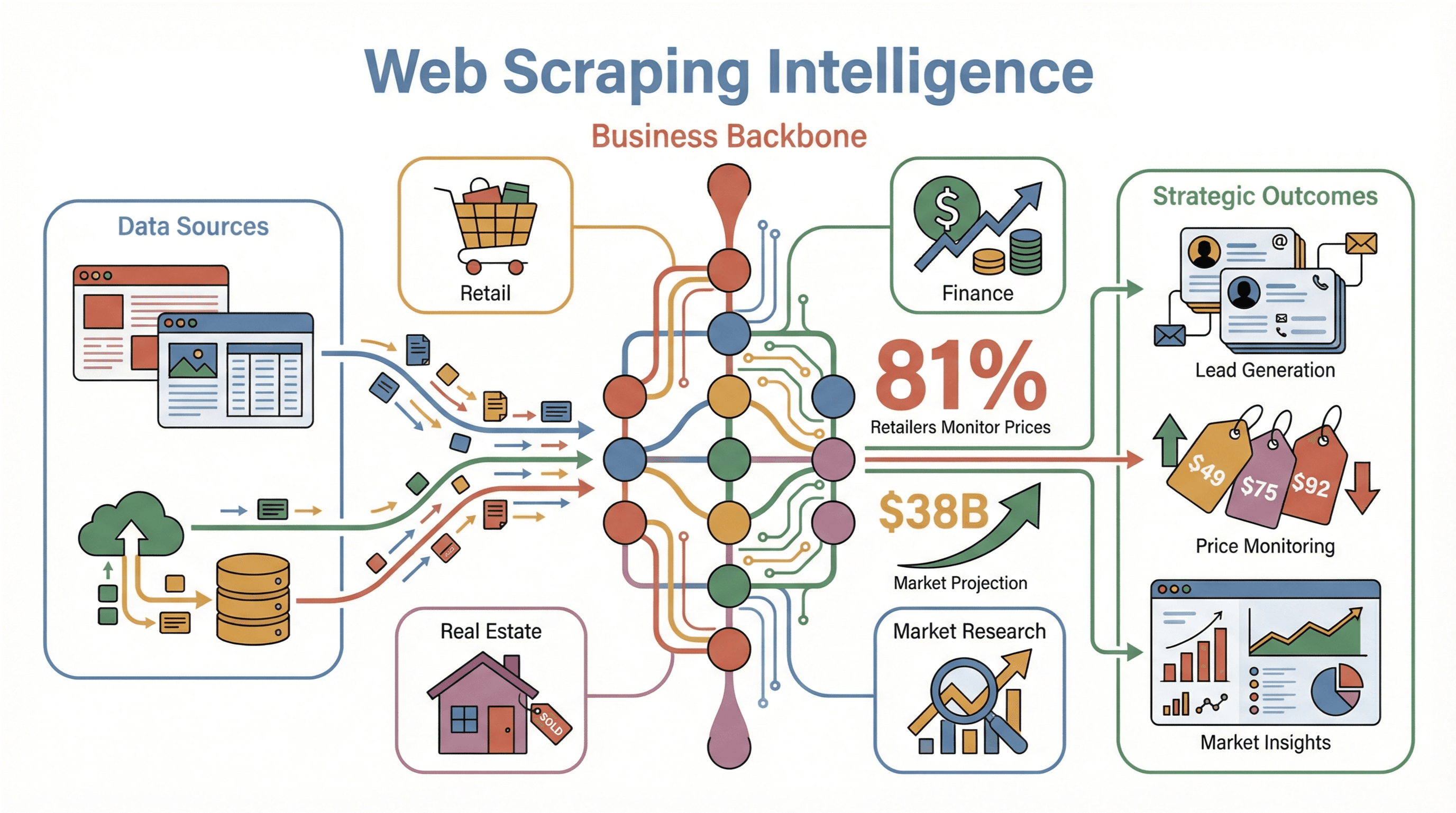
Having spent years in SaaS and automation, I’ve seen firsthand how teams struggle to bridge the gap between “I need this data” and “I actually have it in a usable format.” Java, with its robust ecosystem and enterprise pedigree, remains a go-to language for serious web scraping projects. But let’s be honest: the world of Java scraping is full of both power and pitfalls. In this guide, I’ll walk you through how to master web scraping with Java—from the basics of Jsoup and Selenium to advanced techniques for dynamic pages, all while keeping compliance and business value front and center. And yes, I’ll show you where AI-powered tools like fit into the picture, making scraping accessible even for non-coders.
What is Web Scraping with Java? Demystifying the Basics

At its core, web scraping is the automated process of fetching and extracting information from websites. Imagine a robot that reads web pages, picks out the data you care about (like prices, emails, or product specs), and organizes it neatly into a spreadsheet or database. For businesses, this means transforming the chaotic, ever-changing web into structured, actionable insights—without the endless copy-paste marathons.
Why Java? Java’s popularity in web scraping comes down to three things: reliability, cross-platform compatibility, and a mature ecosystem of libraries. It runs anywhere (thanks to the JVM), scales well for large jobs, and has a massive developer community. Two libraries stand out:
- Jsoup: Perfect for parsing and extracting data from static HTML pages.
- Selenium: The go-to for automating browsers and handling dynamic, JavaScript-heavy sites.
With Java, you get the speed and scalability needed for enterprise-grade scraping, plus the flexibility to integrate with backend systems or data pipelines ().
Why Web Scraping with Java Matters for Business Teams
Let’s get practical. Why should your business care about web scraping with Java? Here are some real-world scenarios where Java-powered scraping delivers serious ROI:
| Use Case | What’s Collected | Business Impact |
|---|---|---|
| Lead Generation | Contact info from directories, LinkedIn | Fills sales pipelines faster, reduces manual research, boosts outreach efficiency |
| Price Monitoring | Competitors’ prices, stock levels | Enables dynamic pricing, prevents being undercut, improves pricing strategy by ~40% |
| Market Research | Product details, reviews, ratings | Informs product development, identifies trends, benchmarks competitors |
| Financial Analysis | News, filings, stock info | Provides up-to-date insights for trading or client advisories |
| Real Estate | Property listings from multiple sites | Aggregates market data, reveals pricing trends, ensures no opportunity is missed |
| Content Aggregation | News, blog posts, social media | Centralizes information, aids brand monitoring, drives research and engagement |
(, )
The real beauty? Even non-technical teams can benefit. With the right setup, marketing or sales can get fresh, structured data delivered straight to their spreadsheets—no coding required.
Exploring Java Web Scraping Solutions: From Jsoup to Selenium
When it comes to scraping with Java, you’ve got options. Here’s how the main players stack up:
| Solution | Setup & Ease of Use | Capabilities | Maintenance |
|---|---|---|---|
| Jsoup | Lightweight Java library, easy for devs, not for newbies | Fast static HTML parsing, CSS/XPath selectors | Low for static sites, manual updates if HTML changes |
| Selenium | Requires browser drivers, more complex setup | Handles dynamic content, user interactions, JS-heavy sites | Higher—browser updates, selectors, anti-bot handling |
| Thunderbit | Chrome extension, minimal setup, no code needed | AI-powered field suggestions, subpage scraping, dynamic sites | Virtually none—AI adapts, maintained by Thunderbit team |
Let’s break down each approach.
Jsoup: The Go-To Library for Static Web Scraping
is like having a mini web browser in your Java code—minus the visuals. It fetches a page’s HTML and lets you use CSS selectors or XPath to pull out exactly what you need. For static pages (where the data is right there in the HTML), Jsoup is fast, lightweight, and developer-friendly.
Typical use cases: Scraping product listings, extracting article text, pulling links from sitemaps.
Limitations: No JavaScript execution. If the data loads after the page (via AJAX or infinite scroll), Jsoup won’t see it.
Sample code:
1Document doc = Jsoup.connect("https://books.toscrape.com/").get();
2Elements books = doc.select("article.product_pod");
3for (Element book : books) {
4    String title = book.select("h3 a").attr("title");
5    String price = book.select(".price_color").text();
6    System.out.println(title + " -> " + price);
7}()
Selenium: Tackling Dynamic and Interactive Pages
is your tool when the web page acts more like an app than a document. It actually controls a real browser (like Chrome or Firefox), so it can handle JavaScript, clicks, logins, and scrolling—just like a human.
When to use: Sites with infinite scroll, “Load More” buttons, or content that appears only after logging in.
Sample code:
1WebDriver driver = new ChromeDriver();
2driver.get("https://example.com/login");
3driver.findElement(By.id("user")).sendKeys("myUsername");
4driver.findElement(By.id("pass")).sendKeys("myPassword");
5driver.findElement(By.id("loginBtn")).click();
6// Wait for content, then extract
7String pageHtml = driver.getPageSource();()
Trade-offs: It’s slower and heavier than Jsoup, and you’ll need to keep browser drivers up to date. But for dynamic sites, it’s a lifesaver.
Thunderbit: AI-Powered Web Scraping for Everyone
Now, what if you could get the power of Selenium and the simplicity of Jsoup—without writing a single line of code? That’s where comes in. It’s an AI web scraper Chrome extension that’s designed for business users, not just developers.
What makes Thunderbit unique?
- AI Suggest Fields: With one click, Thunderbit’s AI scans the page and suggests what data to extract—no need to dig through HTML or write selectors.
- Subpage Scraping: Need more details? Thunderbit can automatically visit each subpage (like individual product or profile pages) and enrich your data table.
- No-code, 2-click workflow: Just open the extension, let AI suggest fields, and hit “Scrape.”
- Free data export: Send your results straight to Excel, Google Sheets, Airtable, or Notion—no paywall for exports.
- Advanced features: Scheduled scraping, email/phone/image extractors, and even AI autofill for online forms.
Thunderbit is especially handy for teams who want results fast, or for non-technical users who don’t want to wrangle code or browser drivers. It’s also a great complement to Java-based workflows—more on that later.
()
Step-by-Step Guide: Building Your First Web Scraper with Java
Ready to get your hands dirty? Here’s how to build a basic Java web scraper using Jsoup.
Setting Up Your Java Environment
- Install Java (JDK): Download the latest LTS version (Java 21 is a safe bet). Check with
java -version. - Choose a build tool: Maven or Gradle are both solid. Maven’s
pom.xmlfor Jsoup:1<dependency> 2 <groupId>org.jsoup</groupId> 3 <artifactId>jsoup</artifactId> 4 <version>1.16.1</version> 5</dependency> - Pick an IDE: IntelliJ IDEA, Eclipse, or VS Code with Java extensions work great.
()
Writing a Basic Web Scraper with Jsoup
Let’s scrape book titles and prices from a demo site:
1import org.jsoup.Jsoup;
2import org.jsoup.nodes.Document;
3import org.jsoup.select.Elements;
4import org.jsoup.nodes.Element;
5public class ScrapeBooks {
6    public static void main(String[] args) throws Exception {
7        Document doc = Jsoup.connect("https://books.toscrape.com/").get();
8        Elements books = doc.select("article.product_pod");
9        for (Element book : books) {
10            String title = book.select("h3 a").attr("title");
11            String price = book.select(".price_color").text();
12            System.out.println(title + " -> " + price);
13        }
14    }
15}
This prints out all the book titles and prices on the page.
Handling Cookies and Sessions
Many sites require you to maintain a session (especially after login). Jsoup’s Connection.newSession() makes this easy:
1Connection session = Jsoup.newSession();
2Document loginResponse = session.newRequest("https://example.com/login")
3    .data("username", "user", "password", "pass")
4    .post();
5Document dashboard = session.newRequest("https://example.com/dashboard").get();
All requests through this session share cookies automatically ().
Overcoming Dynamic Web Pages: Asynchronous Requests and Selenium
Modern websites love JavaScript and AJAX. If the data you need isn’t in the initial HTML, you’ll need to get creative.
Using Selenium for Page Interactions
Selenium lets you automate everything a human can do in a browser: logins, clicks, scrolling, and more.
Example: Automating login and scraping after
1WebDriver driver = new ChromeDriver();
2driver.get("http://example.com/login");
3driver.findElement(By.name("email")).sendKeys("user@example.com");
4driver.findElement(By.name("pass")).sendKeys("password");
5driver.findElement(By.id("loginButton")).click();
6// Wait for content to load
7new WebDriverWait(driver, Duration.ofSeconds(10))
8    .until(ExpectedConditions.presenceOfElementLocated(By.id("welcomeMessage")));
9String pageHtml = driver.getPageSource();()
Pro tip: Use WebDriverWait instead of Thread.sleep for reliability.
Asynchronous Requests for AJAX Data
Sometimes, you can skip the browser entirely by calling the same APIs the site uses for AJAX. Open your browser’s dev tools, watch for network calls, and replicate them in Java:
1HttpClient client = HttpClient.newHttpClient();
2HttpRequest req = HttpRequest.newBuilder(URI.create(apiUrl))
3    .header("Accept", "application/json")
4    .build();
5HttpResponse<String> resp = client.send(req, BodyHandlers.ofString());
6String json = resp.body();
Then parse with Jackson or Gson. This is much faster than browser automation, but only works if the APIs aren’t locked down ().
Boosting Data Accuracy: Regular Expressions and XPath in Java
Sometimes, the data you want is buried in messy text or complex HTML. That’s where regex and XPath come in.
Regular Expressions for Pattern Matching
Regex is your best friend for pulling out emails, phone numbers, or prices from unstructured text.
Example: Extracting emails
1Pattern emailPat = Pattern.compile("\\b[A-Za-z0-9._%+-]+@[A-Za-z0-9.-]+\\.[A-Za-z]{2,}\\b");
2Matcher m = emailPat.matcher(text);
3while(m.find()) {
4    String email = m.group();
5    // Do something with email
6}()
XPath for Navigating HTML Structures
XPath lets you select elements based on their position or attributes, even when CSS selectors fall short.
Example: Using XPath in Jsoup
1Document doc = Jsoup.connect("https://jsoup.org/").get();
2Elements elements = doc.selectXpath("//div[@class='col1']/p");()
When to use XPath: When you need “the third <td> in the second <tr>” or to select elements by text content.
Thunderbit and Java: The Perfect Web Scraping Duo
Here’s where things get fun. Thunderbit isn’t just a replacement for Java scraping—it’s a powerful complement.
- Prototyping: Use Thunderbit’s AI to quickly discover what fields are extractable from a site. Export a sample to guide your Java code.
- No-code for non-devs: Let your sales or marketing team use Thunderbit to get quick data, while your devs focus on integrating or processing it in Java.
- Hybrid workflows: Scrape with Thunderbit, export to Google Sheets, then have a Java app pick up the data for further analysis or integration.
- Filling gaps: For sites with heavy anti-bot measures or constantly changing layouts, Thunderbit’s AI adapts automatically—saving you hours of maintenance.
Thunderbit’s highlight its practicality and ease of use, especially for go-to-market teams who need data fast.
Staying Compliant: Legal and Risk Considerations for Web Scraping with Java
Before you unleash your scraper, let’s talk compliance:
- Public vs. private data: Only scrape publicly available info. Personal data (emails, names, etc.) may be protected by laws like GDPR or CCPA ().
- Copyright: Factual data (prices, stock levels) is usually fair game. Creative content (articles, images) is not.
- Terms of Service: Always check the site’s ToS. If you’re scraping behind a login, you’re likely bound by contract.
- Rate limiting: Don’t overload servers. Throttle your requests and respect
robots.txtwhere possible. - User-Agent: Identify your scraper politely, or at least don’t use the default “Java/1.x” (a dead giveaway).
- Audit trail: Keep logs of what you scrape—just in case.
For a deeper dive, check out .
Conclusion & Key Takeaways
Web scraping with Java is a superpower for any data-driven business—but it’s not without its quirks. Here’s what I’ve learned (sometimes the hard way):
- Start with the right tool: Use Jsoup for static pages, Selenium for dynamic ones, and Thunderbit when you want speed, simplicity, or no code.
- Master the basics: Get comfortable with selectors, sessions, and error handling.
- Go advanced when needed: Use regex and XPath for tricky data, and asynchronous requests for AJAX-heavy sites.
- Think hybrid: Combine Thunderbit’s AI-powered scraping with Java’s integration and processing muscle for the best of both worlds.
- Stay compliant: Respect privacy, copyright, and site rules. It’s not just about avoiding lawsuits—it’s about being a good internet citizen.
If you’re ready to level up your web scraping game, don’t be afraid to experiment. Start small, automate what you can, and let AI tools like handle the heavy lifting when it makes sense. And if you want more tips, check out the for guides, tutorials, and real-world use cases.
Happy scraping—and may your selectors always match, your sessions never expire, and your data always be clean.
FAQs
1. What is the main advantage of using Java for web scraping?
Java offers strong performance, cross-platform compatibility, and a mature ecosystem of libraries like Jsoup and Selenium, making it ideal for scalable, enterprise-grade scraping projects ().
2. When should I use Jsoup vs. Selenium for scraping?
Use Jsoup for static pages where the data is in the HTML. Use Selenium for dynamic or interactive sites that require JavaScript execution, logins, or user actions ().
3. How does Thunderbit complement Java-based scraping?
Thunderbit’s AI-powered, no-code approach lets non-developers extract data quickly and easily, while Java can handle integration, post-processing, or more complex automation. They work great together in hybrid workflows ().
4. What are the legal risks of web scraping?
Risks include violating privacy laws (GDPR, CCPA), copyright infringement, and breaching site terms of service. Always scrape public data, respect site rules, and avoid collecting personal information without consent ().
5. Can I use regular expressions and XPath in Java scraping?
Absolutely! Regex is great for extracting patterns (like emails or prices) from text, while XPath helps target specific elements in complex HTML structures. Jsoup now supports XPath selectors directly ().
Want to see how easy web scraping can be? and try it for yourself—or dive deeper with more guides on the .
Learn More