Yelp Review Scraper

מאת
Extract detailed Yelp reviews including usernames, ratings, and review content into a structured table. Save time collecting feedback for analysis or reporting.

חלצו נתונים ממאות דפי אינטרנט בלחיצה אחת באמצעות התוסף של Thunderbit ל-Chrome. מעדיפים להעביר את המשימה ל-AI? השתמשו ב-Thunderbit API או ב-Thunderbit MCP. רוצים שאנחנו נבצע את כל העבודה עבורכם? השתמשו ב-שירות גירוד האתרים שלנו.

Collect Yelp Reviews in SecondsScrape reviewer details, ratings, and comments from any Yelp business page with Thunderbit’s Chrome extension.

Collect Yelp Reviews in Seconds

Thunderbit lets you gather reviewer usernames, ratings, and comments from Yelp business pages in a single step. The AI-powered scraper structures all review data, including reviewer profiles and dates, for easy analysis or reporting. You can also export your review tables to Google Sheets, Airtable, or Notion. Thunderbit supports scraping subpages and paginated reviews, making it ideal for market research, reputation management, or competitor analysis.

How to Scrape Yelp Reviews Using Thunderbit

step_01.png
STEP 1Download and InstallDownload and install the Thunderbit Chrome Extension from the Thunderbit Chrome Extension Download Page. Once installed, log in or create a free account to get started.
step_02.png
STEP 2Open ExtensionNavigate to the Yelp business page you want to scrape reviews from. Open the Thunderbit Chrome Extension and select the 'Yelp Review Scraper' tool. Enter the Yelp business page URL in the provided field.
step03.png
STEP 3Click the Scrape Yelp Reviews ButtonClick the 'Scrape Yelp Reviews' button. Thunderbit will extract review details such as Reviewer Username, Reviewer Profile URL, Business URL, Review Content, Rating, Review Date, and Reviewer Location into a structured table. You can export the results to Excel, Google Sheets, Airtable, Notion, or download them as CSV or JSON.

Learn how to extract Yelp reviews for business insights

Scrape Detailed Yelp Reviews

The Yelp Review Scraper allows you to collect comprehensive review data from any Yelp business page. By entering the business URL, you can extract reviewer usernames, profile links, review content, ratings, dates, and reviewer locations. This tool is ideal for business owners, marketers, and analysts who want to monitor customer feedback, analyze sentiment, or benchmark competitors without spending hours copying data manually.
התחילו בחינם
yelp_review_scraper (1).png

Capture Reviewer Profiles and Ratings

With this tool, you not only gather review text but also capture valuable metadata such as reviewer profiles, ratings, and locations. This enables deeper analysis of customer demographics and review trends. By automating the data collection process, you reduce the risk of missing important details and ensure that your review database is accurate and up to date for further analysis or reporting.
התחילו בחינם
reviewer_profiles_capture (1).png

Export Review Data to Your Workflow

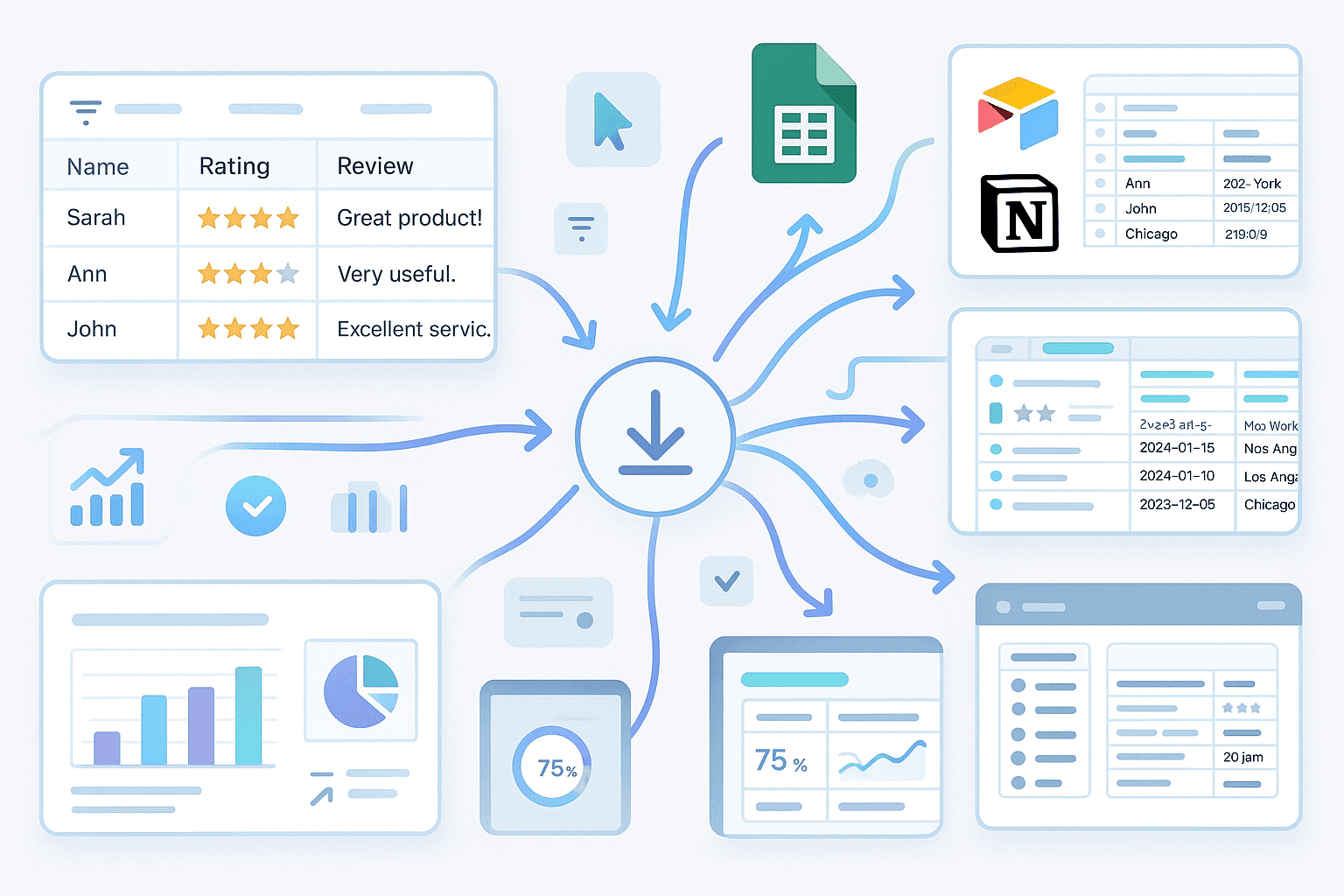
Once the reviews are scraped, you can export the data as a table to Excel, Google Sheets, Airtable, or Notion. The output includes all relevant fields, making it easy to filter, sort, or visualize the information. This integration streamlines your workflow, allowing you to quickly incorporate review insights into presentations, dashboards, or CRM systems for actionable business decisions.
התחילו בחינם
export_review_workflow (1).png

Monitor Brand Reputation and Competitors
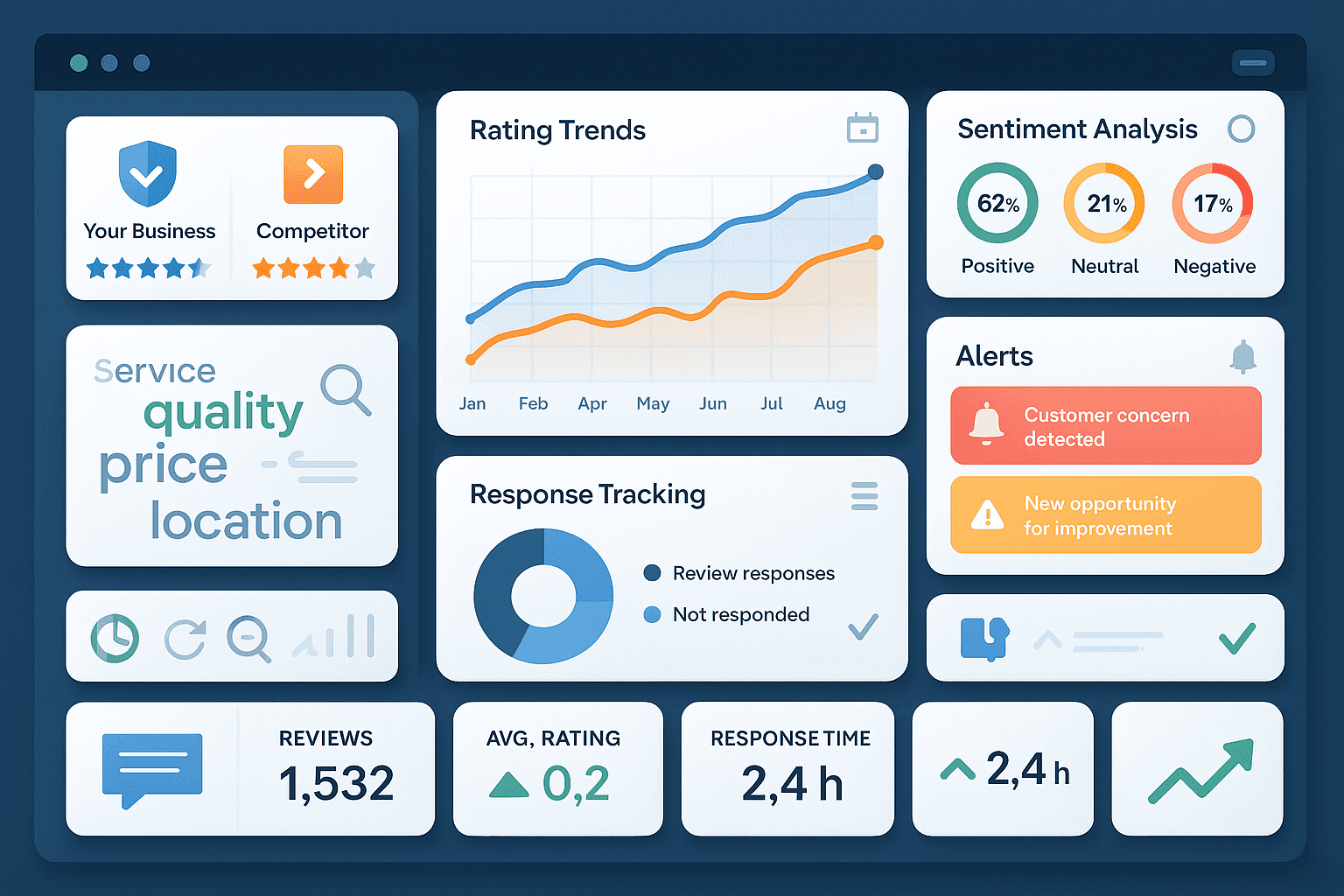
Use the Yelp Review Scraper to track your own business reviews or analyze competitors’ feedback over time. By regularly exporting and reviewing this data, you can identify trends, respond to customer concerns, and spot opportunities for improvement. This tool is especially useful for reputation management, market research, and customer experience teams aiming to stay informed and proactive.
התחילו בחינם
brand_reputation_monitoring (1).png

גלו עוד כלים חינמיים

מסכם PDF מבוסס AI בחינם

סכמו כל קובץ PDF לתמצית קצרה, תקציר מפורט ורשימת תובנות/עמדות מרכזיות—להבנה וניתוח מהירים.

מאתר נישות

גלו נישות טרנדיות ורווחיות מכל מילת מפתח. בדקו אותות ביקוש, רמת תחרות ותתי־נישות קשורות כדי לזהות הזדמנויות מהר יותר.

Pinterest Scraper

גריפת לוחות ציבוריים לכתובות URL של תמונות, כותרות ומטה־נתונים ברשימה מובנית. חסכו זמן עם ייצוא נקי לצורך ניתוח או ארכוב.

בודק רשימות שחורות של אימייל

בדקו אם דומיין אימייל או כתובת ה‑IP של שרת הדואר מופיעים ברשימות שחורות מובילות. השוו תוצאות מול כמה מאגרי נתונים כדי לזהות סיכוני מסירה, וקבלו סטטוס ברור והכוונה לצעדים הבאים.

TED-Ed Scraper

Extract structured data from TED-Ed for research, analysis, or knowledge management. Save time by automatically collecting titles, subjects, durations, and view counts.

email extractor

מחלץ כתובות אימייל

מצאו וחלצו כתובות אימייל מתוך טקסט, קובצי PDF או דפי אינטרנט בעזרת Email Extractor. מהיר, מדויק ומוכן לייצוא בכל רגע.

Product Details Scraper

מחלץ פרטי מוצר

חלצו פרטי מוצרים מאתרי מסחר אלקטרוני כמו Amazon, Walmart, Shein, Lazada ו‑Zalando. אספו שם, מותג, מחיר, תמונות, דירוגים וביקורות בפורמט מובנה לניתוח מהיר או לייצוא.

Zillow Scraper

חלץ נתוני נכסים ונתוני סוכנים מ-Zillow. חסוך זמן עם נתוני נדל״ן מובנים לצורך ניתוח שוק ומחקר לידים.

מצאו עוד כלים עכשיו

מה משתמשים אומרים על Thunderbit

Taryn W.Growth Strategist@Thunderbit שינה את הדרך שבה אני עושה מחקר מתחרים. אני לוחצת על 'AI Suggest Fields', והוא בונה טבלה נקייה גם מתוצאות מחולקות לעמודים — בלי קוד, בלי CSS. חיסכון עצום בזמן בניתוח נתוני מוצרים ממרקטפלייסים ארוכי זנב.
Miles T.Sales Development Consultantאני משתמש ב-Thunderbit כדי לחלץ אימיילים ומספרי טלפון מספריות. הוא מחלץ פרטי קשר נקיים בקליק אחד, והייצוא ל-Sheets או ל-Notion לוקח שניות. בלי הגדרה נוספת, בלי קוד — רק נתונים שימושיים ומוכנים לעבודה.
Rhea C.E-commerce AnalystThunderbit עוזר לי לעקוב אחרי נתוני SKU בכמה עמודים. אני מחלצת את הרשימות, ואז משתמשת ב-Subpage Scraping כדי למשוך מפרטי מוצר מלאים, תמחור, ביקורות ומלאי. ה-AI מארגן הכול לעמודות שאני מגדירה.
Cassian B.Real Estate Advisorה-Scheduled Scraper של Thunderbit הופך את המעקב בנדל״ן לפשוט יותר. אני מתאר את המרווח באנגלית פשוטה, והוא מושך אוטומטית רישומים מעודכנים, מחירים וקישורים בלי לגעת שוב בהגדרה. פשוט ופרקטי מאוד.
Dorian B.Content & SEO Specialistאני משתמש ב-Field AI Prompts של Thunderbit כדי לנקות ולתייג תוכן בלוג שחולץ. הוא מחלץ כותרות, מחברים ואפילו מציע קטגוריות. עובד נהדר גם באתרים דינמיים ובדפי משנה — מושלם לבניית מאגרי SEO מובנים.
Lina K.Marketplace Operations Leadאנחנו עוקבים אחרי SKU מחנויות נישתיות באמצעות Thunderbit. Cloud Scraping מטפל ב-50 עמודים בכל פעם, ובאתרים שדורשים התחברות אנחנו עוברים למצב דפדפן. זה מהיר, גמיש, ולא דורש תחזוקה שוטפת או עריכות ידניות.
Jorge F.Inbound Sales Managerה-AI Autofill של Thunderbit מציל אותי. אחרי חילוץ פרטי קשר, אני משתמש בו כדי למלא טפסי לידים ישירות בדפדפן. אני פשוט בוחר את הלשונית, והוא ממלא הכול לפי השורה שחולצה. בלי הזנה ידנית.
Alina D.Freelance Researcherאני מסתמכת על Thunderbit כדי לחלץ נתונים מ-PDF, מאתרים מבוססי תמונות ומעמודי infinite scroll. הוא מטפל בפורמטים מבולגנים עם AI ומספק טבלאות מוכנות לייצוא שאפשר לשלוח ל-Google Sheets או ל-Airtable בתוך שניות.
Taryn W.Growth Strategist@Thunderbit שינה את הדרך שבה אני עושה מחקר מתחרים. אני לוחצת על 'AI Suggest Fields', והוא בונה טבלה נקייה גם מתוצאות מחולקות לעמודים — בלי קוד, בלי CSS. חיסכון עצום בזמן בניתוח נתוני מוצרים ממרקטפלייסים ארוכי זנב.
Miles T.Sales Development Consultantאני משתמש ב-Thunderbit כדי לחלץ אימיילים ומספרי טלפון מספריות. הוא מחלץ פרטי קשר נקיים בקליק אחד, והייצוא ל-Sheets או ל-Notion לוקח שניות. בלי הגדרה נוספת, בלי קוד — רק נתונים שימושיים ומוכנים לעבודה.
Rhea C.E-commerce AnalystThunderbit עוזר לי לעקוב אחרי נתוני SKU בכמה עמודים. אני מחלצת את הרשימות, ואז משתמשת ב-Subpage Scraping כדי למשוך מפרטי מוצר מלאים, תמחור, ביקורות ומלאי. ה-AI מארגן הכול לעמודות שאני מגדירה.
Cassian B.Real Estate Advisorה-Scheduled Scraper של Thunderbit הופך את המעקב בנדל״ן לפשוט יותר. אני מתאר את המרווח באנגלית פשוטה, והוא מושך אוטומטית רישומים מעודכנים, מחירים וקישורים בלי לגעת שוב בהגדרה. פשוט ופרקטי מאוד.
Dorian B.Content & SEO Specialistאני משתמש ב-Field AI Prompts של Thunderbit כדי לנקות ולתייג תוכן בלוג שחולץ. הוא מחלץ כותרות, מחברים ואפילו מציע קטגוריות. עובד נהדר גם באתרים דינמיים ובדפי משנה — מושלם לבניית מאגרי SEO מובנים.
Lina K.Marketplace Operations Leadאנחנו עוקבים אחרי SKU מחנויות נישתיות באמצעות Thunderbit. Cloud Scraping מטפל ב-50 עמודים בכל פעם, ובאתרים שדורשים התחברות אנחנו עוברים למצב דפדפן. זה מהיר, גמיש, ולא דורש תחזוקה שוטפת או עריכות ידניות.
Jorge F.Inbound Sales Managerה-AI Autofill של Thunderbit מציל אותי. אחרי חילוץ פרטי קשר, אני משתמש בו כדי למלא טפסי לידים ישירות בדפדפן. אני פשוט בוחר את הלשונית, והוא ממלא הכול לפי השורה שחולצה. בלי הזנה ידנית.
Alina D.Freelance Researcherאני מסתמכת על Thunderbit כדי לחלץ נתונים מ-PDF, מאתרים מבוססי תמונות ומעמודי infinite scroll. הוא מטפל בפורמטים מבולגנים עם AI ומספק טבלאות מוכנות לייצוא שאפשר לשלוח ל-Google Sheets או ל-Airtable בתוך שניות.

Frequently Asked Questions

מדף אינטרנט לגיליון נתונים
תארו מה אתם צריכים — סוכן ה-AI של Thunderbit מחלץ את זה ומייצא ל-Excel, Google Sheets, Airtable או Notion. חינמי להתחלה.
Chrome Store Rating
PRODUCT HUNT#1 Product of the Week