TED-Ed Scraper

מאת
Extract structured data from TED-Ed for research, analysis, or knowledge management. Save time by automatically collecting titles, subjects, durations, and view counts.

Scrape hundreds of webpages with the Thunderbit Chrome Extension in one click, try the Thunderbit API for free, or use our שירות Web Scraping to save engineering time.

Collect TED-Ed Data in SecondsUse Thunderbit to batch extract TED-Ed details for research or content analysis—no manual copy-paste required.

Collect TED-Ed Data in Seconds

Thunderbit scrapes TED-Ed pages and subpages, capturing lesson titles, URLs, subjects, durations, and view counts in a structured format. With just a few clicks, you can gather comprehensive data for research, content curation, or educational projects. Export your results directly to Google Sheets, Airtable, or Notion. Thunderbit also supports summarizing and categorizing data, making it easy to organize and analyze large TED Talk collections.

How to Extract TED-Ed Data Using Thunderbit

step_01.png
STEP 1Download and InstallDownload and install the Thunderbit Chrome Extension from the Thunderbit Chrome Extension Download Page. Once installed, log in or create a free account to get started.
step_02.png
STEP 2Open ExtensionNavigate to the TED-Ed channel or TED-Ed video page you want to extract data from. Open the Thunderbit Chrome Extension and select the 'TED-Ed Scraper' tool from the menu. Enter the TED-Ed channel or video URL in the provided field.
step03.png
STEP 3Click the Extract TED-Ed Data ButtonClick the 'Extract TED-Ed Data' button. Thunderbit will process the page and extract structured information such as Lesson Title, Lesson URL, Subject, Lesson Duration (minutes), and Views. Once the data is displayed in a table, you can export it to Excel, Google Sheets, Airtable, Notion, or download it as a CSV or JSON file.

Learn how to extract structured data from TED-Ed for research and analysis

Collect TED-Ed Information in Bulk
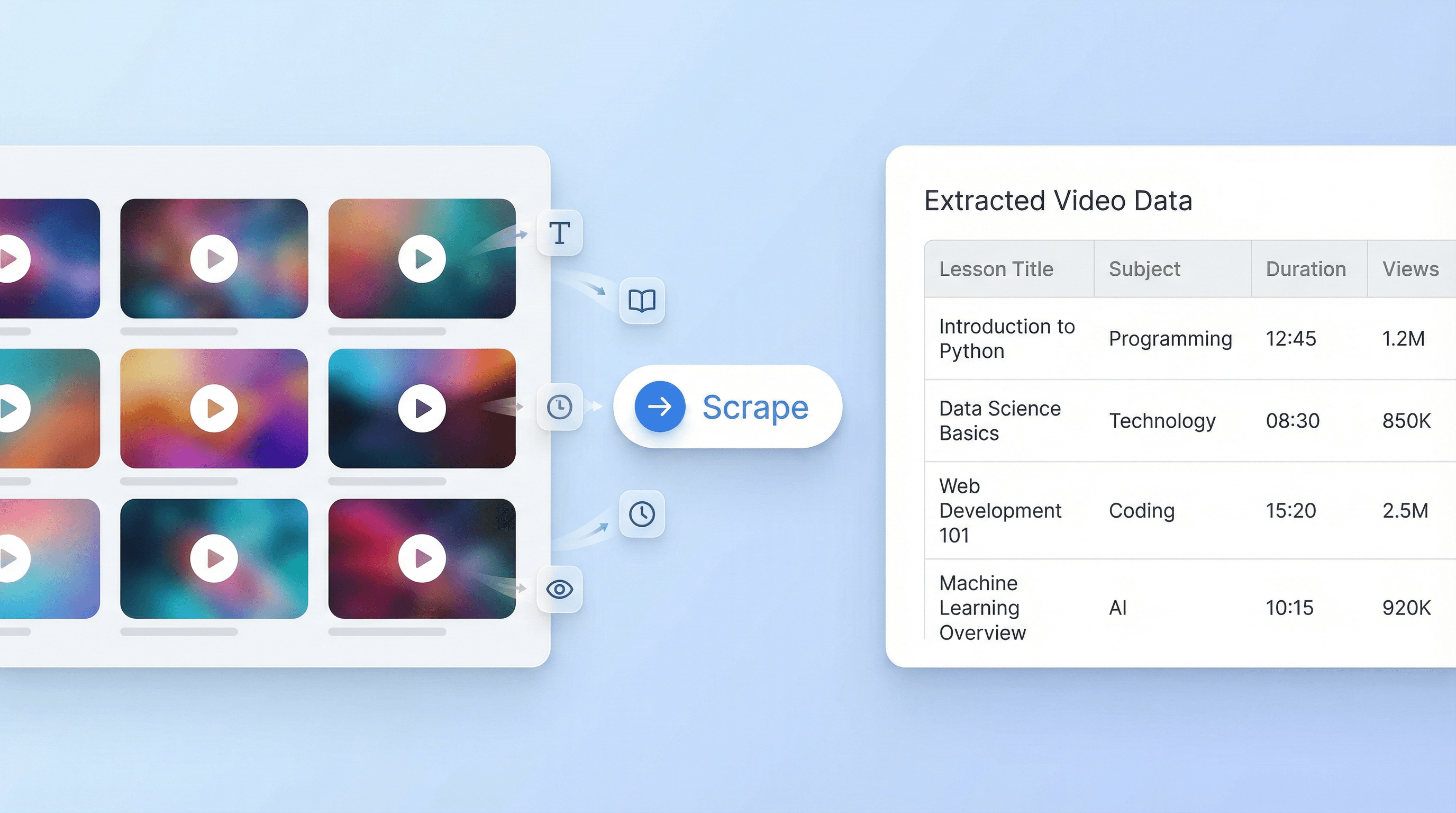
The TED-Ed Scraper enables users to gather detailed information from multiple TED Talks or entire TED-Ed channels with just a single URL input. It automatically identifies and extracts key data such as lesson titles, subjects, durations, and view counts. This feature is ideal for researchers, educators, and content analysts who need to organize large volumes of TED content without manual data entry.
התחל/י בחינם
ted_ed_scraper_illustration.png

Organize and Structure TED-Ed Content Efficiently
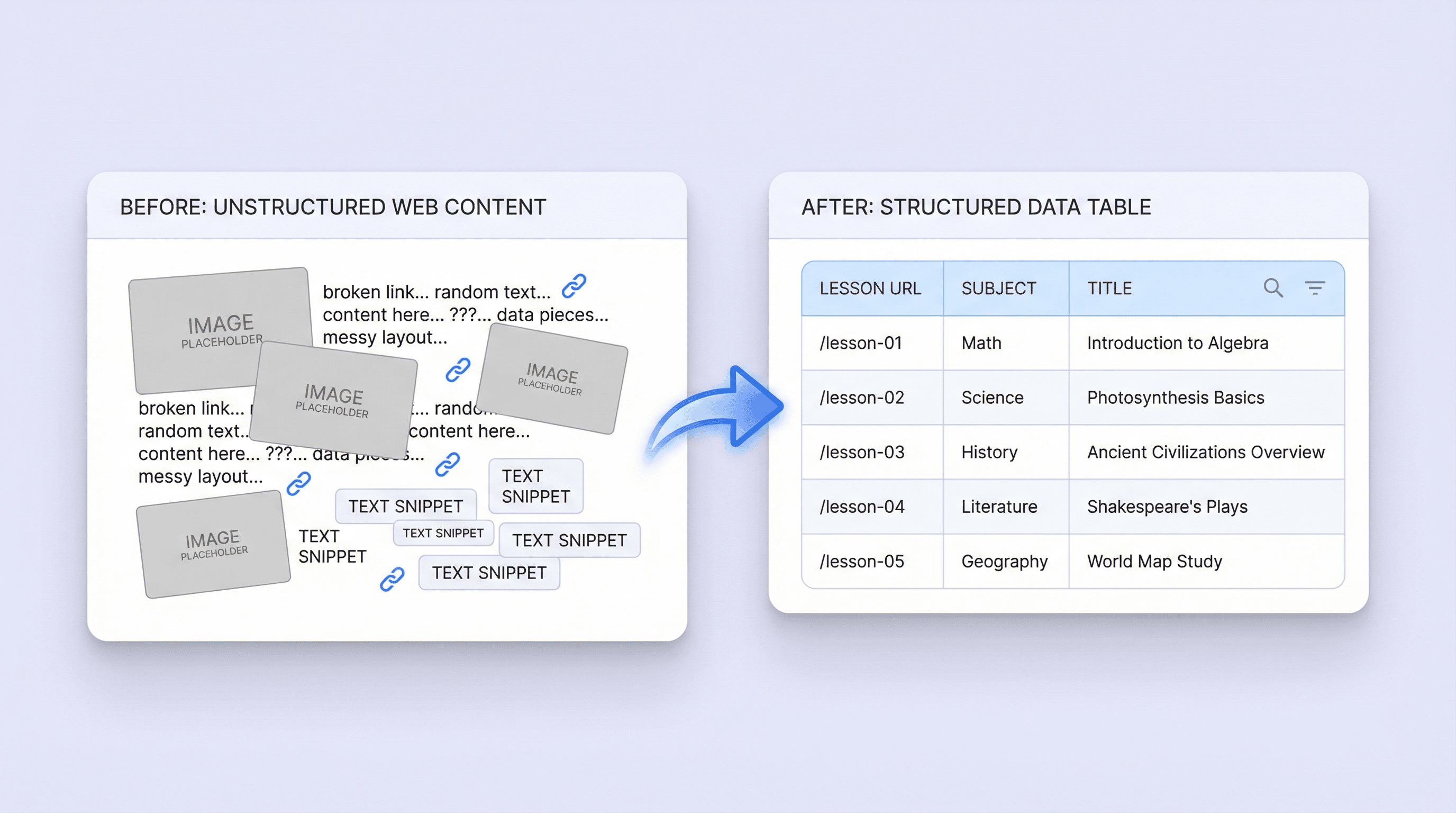
By transforming unstructured TED-Ed pages into a clean, tabular format, the tool streamlines the process of content analysis and knowledge management. Users can quickly access lesson URLs, subjects, and other relevant details, making it easier to compare talks, track trends, or curate educational resources. This structured approach saves time and reduces the risk of missing important information.
התחל/י בחינם
content_organization_illustration.png

Export Data for Further Research and Collaboration
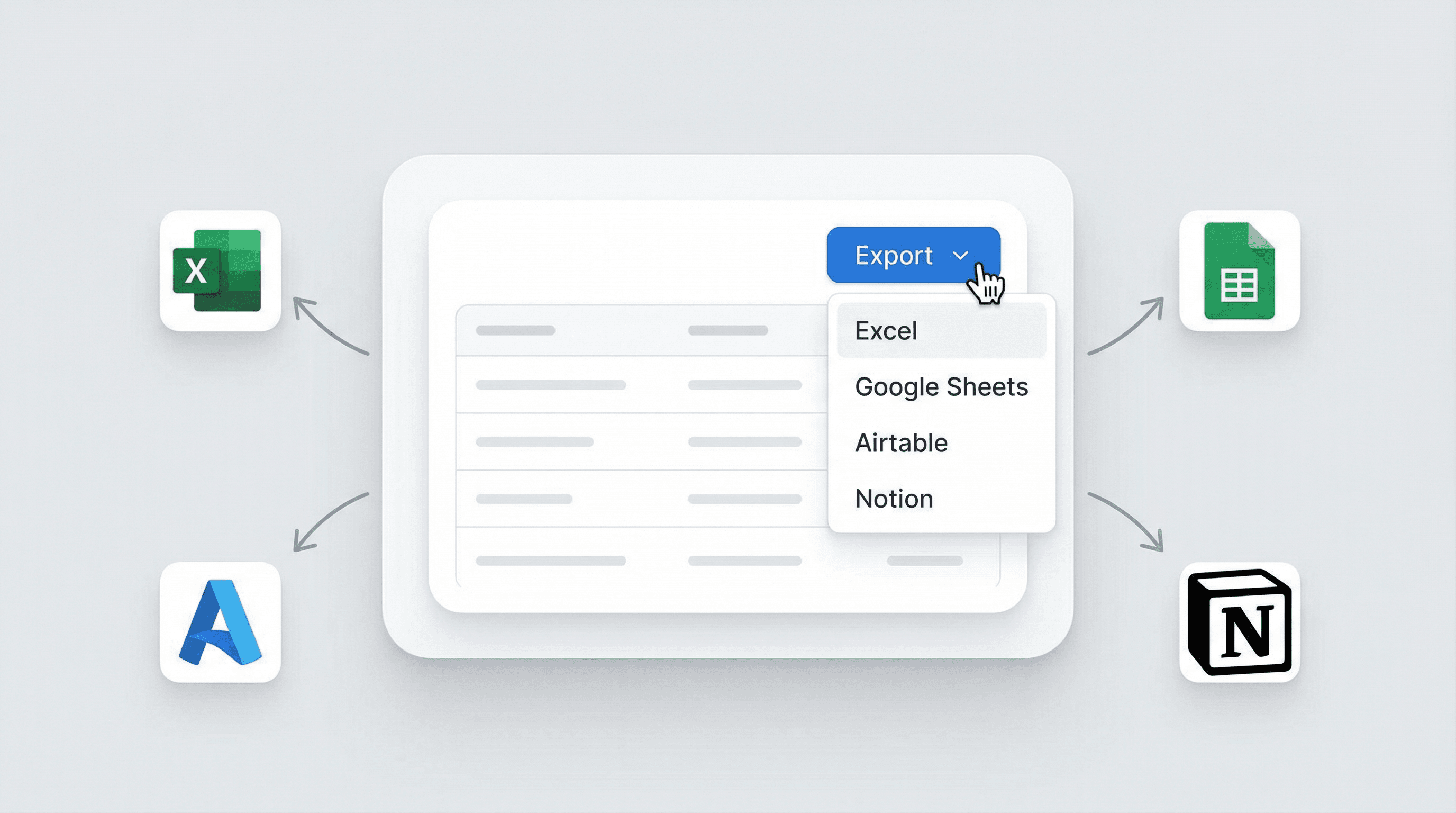
Once the TED-Ed data is extracted, users can export the results to Excel, Google Sheets, Airtable, or Notion. This makes it simple to share findings with colleagues, integrate the data into research projects, or build custom databases for ongoing analysis. The export-ready format ensures that the information is immediately usable for presentations, reports, or collaborative work.
התחל/י בחינם
data_export_illustration.png

Support Academic, Educational, and Content Curation Workflows
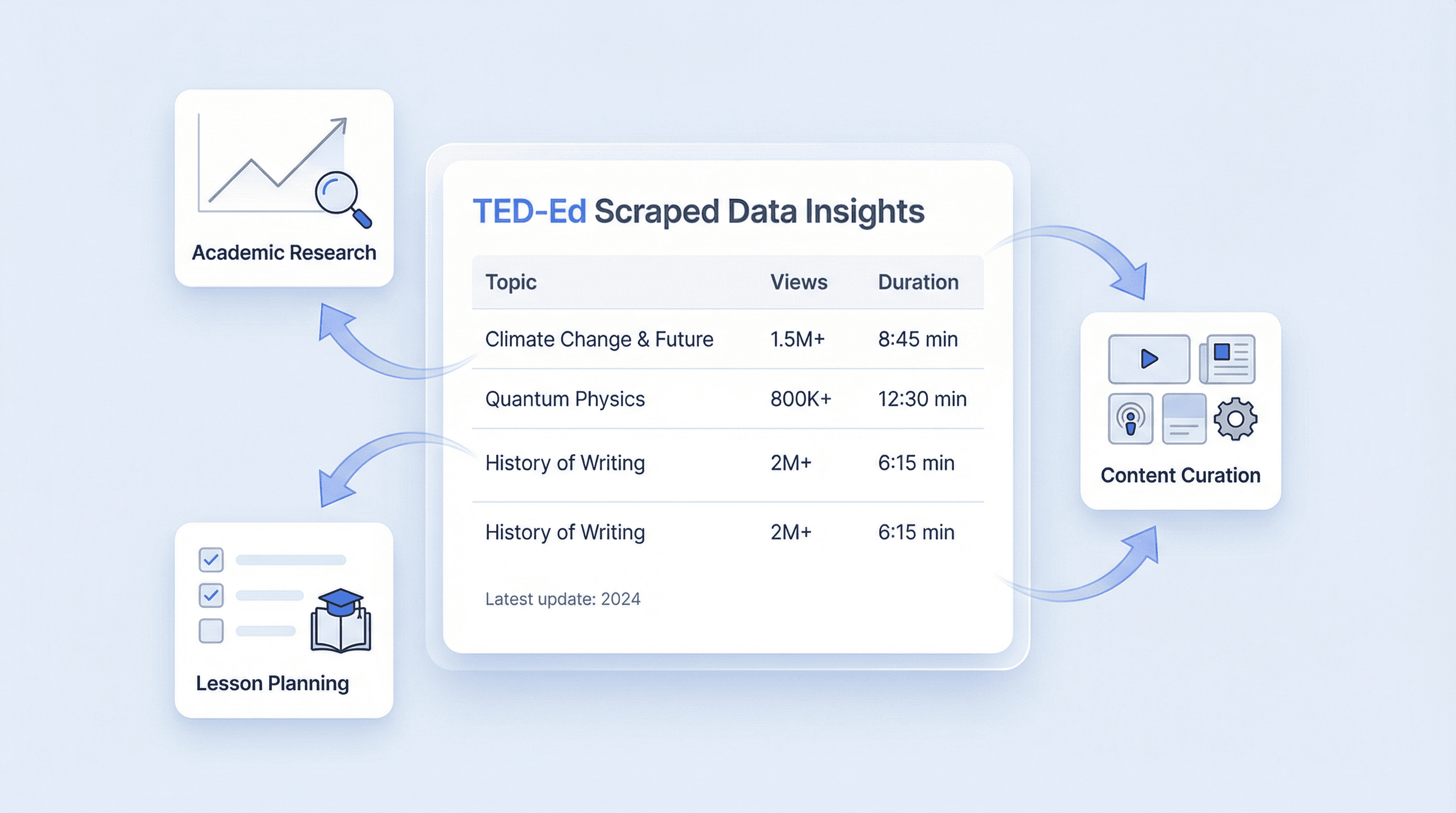
The Ted Talk Scraper is especially useful for academic teams, educators, and content curators who need to analyze TED-Ed content at scale. Whether you’re conducting topic research, building lesson plans, or tracking the popularity of talks, this tool provides a reliable way to collect and manage the data you need. It helps streamline workflows and supports data-driven decision making in educational and research settings.
התחל/י בחינם
academic_workflow_illustration.png

גלו עוד כלים בחינם

מאתר נישות

גלו נישות טרנדיות ורווחיות מכל מילת מפתח. בדקו אותות ביקוש, רמת תחרות ותתי־נישות קשורות כדי לזהות הזדמנויות מהר יותר.

מחולל שמות דומיין

הפיקו רעיונות יצירתיים לשמות דומיין מתוך מילות המפתח שלכם וקבלו אפשרויות שמתאימות למותג ולפרויקט שלכם.

מחולל תיאורי משרה

צרו תיאורי משרה מלוטשים מתוך פרטי התפקיד, כדי לשמור על אחידות בפרסומים ולהאיץ את תהליך הגיוס.

מחולל חתימות לאימייל

צרו חתימת אימייל מקצועית ומלוטשת על בסיס פרטי הקשר והחברה שלכם. התאימו פריסה, גופנים, צבעים ולוגו למיתוג עקבי. העתיקו או הורידו ב‑HTML ובטקסט רגיל לשימוש בכל לקוח דוא״ל.

מחולל פיץ' מעלית

יוצר פיץ' מעלית תמציתי ומשכנע מתוך הפרטים המרכזיים שלך, כדי לעזור לך להסביר את הערך בצורה ברורה בפחות זמן.

Yelp Review Scraper

Extract detailed Yelp reviews including usernames, ratings, and review content into a structured table. Save time collecting feedback for analysis or reporting.

מחולל שמות לעסק

יצירת רעיונות לשמות עסק ממותגים על סמך מילות המפתח והעדפות הסגנון שלכם, כדי לזרז סיעור מוחות ולמצוא שם שמתאים לעסק שלכם.

מסכם PDF מבוסס AI בחינם

סכמו כל קובץ PDF לתמצית קצרה, תקציר מפורט ורשימת תובנות/עמדות מרכזיות—להבנה וניתוח מהירים.

מצאו עוד כלים עכשיו

מה משתמשים אומרים על Thunderbit

Taryn W.Growth Strategist@Thunderbit שינה את האופן שבו אני עושה מחקר מתחרים. אני לוחץ/ת 'AI Suggest Fields', וזה בונה טבלה נקייה גם על פני תוצאות מחולקות לעמודים—בלי קוד, בלי CSS. חוסך המון זמן בניתוח נתוני מוצרים ממרקטפלייסים ארוכי-זנב.
Miles T.Sales Development Consultantאני משתמש/ת ב-Thunderbit כדי לאסוף אימיילים ומספרי טלפון מספריות. הוא מחלץ פרטי קשר נקיים בלחיצה אחת, והייצוא ל-Sheets או ל-Notion לוקח שניות. בלי הגדרה נוספת, בלי קוד—רק נתונים שימושיים ומוכנים לעבודה.
Rhea C.E-commerce AnalystThunderbit עוזר לי לנטר נתוני SKU על פני כמה עמודים. אני מחלץ/ת את הרשימות ואז משתמש/ת ב-Subpage Scraping כדי להביא מפרטי מוצר מלאים, תמחור, ביקורות ומלאי. ה-AI מארגן הכול לעמודות שאני מגדיר/ה.
Cassian B.Real Estate Advisorה-Scheduled Scraper של Thunderbit הופך מעקב נדל״ן לפשוט יותר. אני מתאר/ת את התדירות באנגלית רגילה, והוא מושך אוטומטית רשימות מעודכנות, מחירים וקישורים בלי לגעת שוב בהגדרה. פשוט ופרקטי מאוד.
Dorian B.Content & SEO Specialistאני משתמש/ת ב-Field AI Prompts של Thunderbit כדי לנקות ולטייג תוכן בלוג שחולץ. הוא מוצא כותרות, מחברים ואפילו מציע קטגוריות. עובד מצוין גם באתרים דינמיים ובדפי משנה—מושלם לבניית מאגרי SEO מובנים.
Lina K.Marketplace Operations Leadאנחנו עוקבים אחרי SKUs מחנויות נישתיות עם Thunderbit. Cloud Scraping מטפל ב-50 עמודים בכל פעם, ובאתרים שדורשים התחברות אנחנו עוברים למצב דפדפן. זה מהיר, גמיש, ולא דורש תחזוקה שוטפת או עריכות ידניות.
Jorge F.Inbound Sales Managerה-AI Autofill של Thunderbit מציל חיים. אחרי שאני מחלץ/ת פרטי קשר, אני משתמש/ת בו כדי למלא טפסי לידים ישירות בדפדפן. פשוט בוחר/ת את הטאב, והוא ממלא הכול לפי השורה שחולצה. בלי הזנה ידנית.
Alina D.Freelance Researcherאני נשען/ת על Thunderbit כדי לחלץ נתונים מ-PDF, מאתרים מבוססי תמונות ומדפי infinite scroll. הוא מטפל בפורמטים מבולגנים עם AI ומספק טבלאות מוכנות לייצוא שאפשר לשלוח ל-Google Sheets או ל-Airtable בשניות.
Taryn W.Growth Strategist@Thunderbit שינה את האופן שבו אני עושה מחקר מתחרים. אני לוחץ/ת 'AI Suggest Fields', וזה בונה טבלה נקייה גם על פני תוצאות מחולקות לעמודים—בלי קוד, בלי CSS. חוסך המון זמן בניתוח נתוני מוצרים ממרקטפלייסים ארוכי-זנב.
Miles T.Sales Development Consultantאני משתמש/ת ב-Thunderbit כדי לאסוף אימיילים ומספרי טלפון מספריות. הוא מחלץ פרטי קשר נקיים בלחיצה אחת, והייצוא ל-Sheets או ל-Notion לוקח שניות. בלי הגדרה נוספת, בלי קוד—רק נתונים שימושיים ומוכנים לעבודה.
Rhea C.E-commerce AnalystThunderbit עוזר לי לנטר נתוני SKU על פני כמה עמודים. אני מחלץ/ת את הרשימות ואז משתמש/ת ב-Subpage Scraping כדי להביא מפרטי מוצר מלאים, תמחור, ביקורות ומלאי. ה-AI מארגן הכול לעמודות שאני מגדיר/ה.
Cassian B.Real Estate Advisorה-Scheduled Scraper של Thunderbit הופך מעקב נדל״ן לפשוט יותר. אני מתאר/ת את התדירות באנגלית רגילה, והוא מושך אוטומטית רשימות מעודכנות, מחירים וקישורים בלי לגעת שוב בהגדרה. פשוט ופרקטי מאוד.
Dorian B.Content & SEO Specialistאני משתמש/ת ב-Field AI Prompts של Thunderbit כדי לנקות ולטייג תוכן בלוג שחולץ. הוא מוצא כותרות, מחברים ואפילו מציע קטגוריות. עובד מצוין גם באתרים דינמיים ובדפי משנה—מושלם לבניית מאגרי SEO מובנים.
Lina K.Marketplace Operations Leadאנחנו עוקבים אחרי SKUs מחנויות נישתיות עם Thunderbit. Cloud Scraping מטפל ב-50 עמודים בכל פעם, ובאתרים שדורשים התחברות אנחנו עוברים למצב דפדפן. זה מהיר, גמיש, ולא דורש תחזוקה שוטפת או עריכות ידניות.
Jorge F.Inbound Sales Managerה-AI Autofill של Thunderbit מציל חיים. אחרי שאני מחלץ/ת פרטי קשר, אני משתמש/ת בו כדי למלא טפסי לידים ישירות בדפדפן. פשוט בוחר/ת את הטאב, והוא ממלא הכול לפי השורה שחולצה. בלי הזנה ידנית.
Alina D.Freelance Researcherאני נשען/ת על Thunderbit כדי לחלץ נתונים מ-PDF, מאתרים מבוססי תמונות ומדפי infinite scroll. הוא מטפל בפורמטים מבולגנים עם AI ומספק טבלאות מוכנות לייצוא שאפשר לשלוח ל-Google Sheets או ל-Airtable בשניות.

Frequently Asked Questions

חלץ/י נתונים בעזרת AI
העבר/י בקלות נתונים ל-Google Sheets, Airtable או Notion
Chrome Store Rating
PRODUCT HUNT#1 Product of the Week