Yellow Pages Scraper

מאת
Extract business data from Yellow Pages in minutes. Gather company names, phone numbers, addresses, and more—ready for export to Sheets, Airtable, or Notion.

רוצה לחלץ נתונים בכמות גדולה? נסו את Thunderbit בחינם.

PRODUCT HUNT#1 Product of the Week
Accenture logoCriteo logoGrammarly logoVerisk logoklook logoPuma logoRingCentral logoAccenture logoCriteo logoGrammarly logoVerisk logoklook logoPuma logoRingCentral logoAccenture logoCriteo logoGrammarly logoVerisk logoklook logoPuma logoRingCentral logoAccenture logoCriteo logoGrammarly logoVerisk logoklook logoPuma logoRingCentral logoAccenture logoCriteo logoGrammarly logoVerisk logoklook logoPuma logoRingCentral logoAccenture logoCriteo logoGrammarly logoVerisk logoklook logoPuma logoRingCentral logo
Extract Business Data from Yellow PagesScrape company details, phone numbers, and addresses from Yellow Pages with Thunderbit’s AI-powered Chrome extension. Export structured data to your favorite tools.
chrome-web-store
התקנה מ-Chrome Web Store

Extract Business Data from Yellow Pages

Thunderbit’s Yellow Pages Scraper lets you collect business names, phone numbers, addresses, and websites from any Yellow Pages page in just a few clicks. AI automatically structures the data, so you can export it directly to Google Sheets, Airtable, Notion, or download as CSV or Excel—no coding required. Use subpage scraping to enrich your tables with additional business details, and take advantage of instant templates for popular directories. Perfect for building lead lists, conducting market research, or updating your CRM with accurate contact information.

How to Extract Business Data from Yellow Pages Using Thunderbit

step_01.png
STEP 1Download and InstallDownload and install the Thunderbit Chrome Extension from the Thunderbit Chrome Extension Download Page. Once installed, log in or create a free account to get started.
step_02.png
STEP 2Open ExtensionNavigate to the Yellow Pages website and copy the URL of the search or listing page you want to scrape. Open the Thunderbit Chrome Extension, select the Yellow Pages Scraper tool, and paste the Yellow Pages URL into the input field.
step03.png
STEP 3Click the Extract Business Data ButtonClick the "Extract Business Data" button. Thunderbit will process the Yellow Pages URL and extract business names, phone numbers, addresses, websites, and other details into a structured table. You can then export the results to Google Sheets, Airtable, Notion, CSV, or Excel.

Learn how to extract business data from Yellow Pages with AI

Extract Business Listings from Yellow Pages
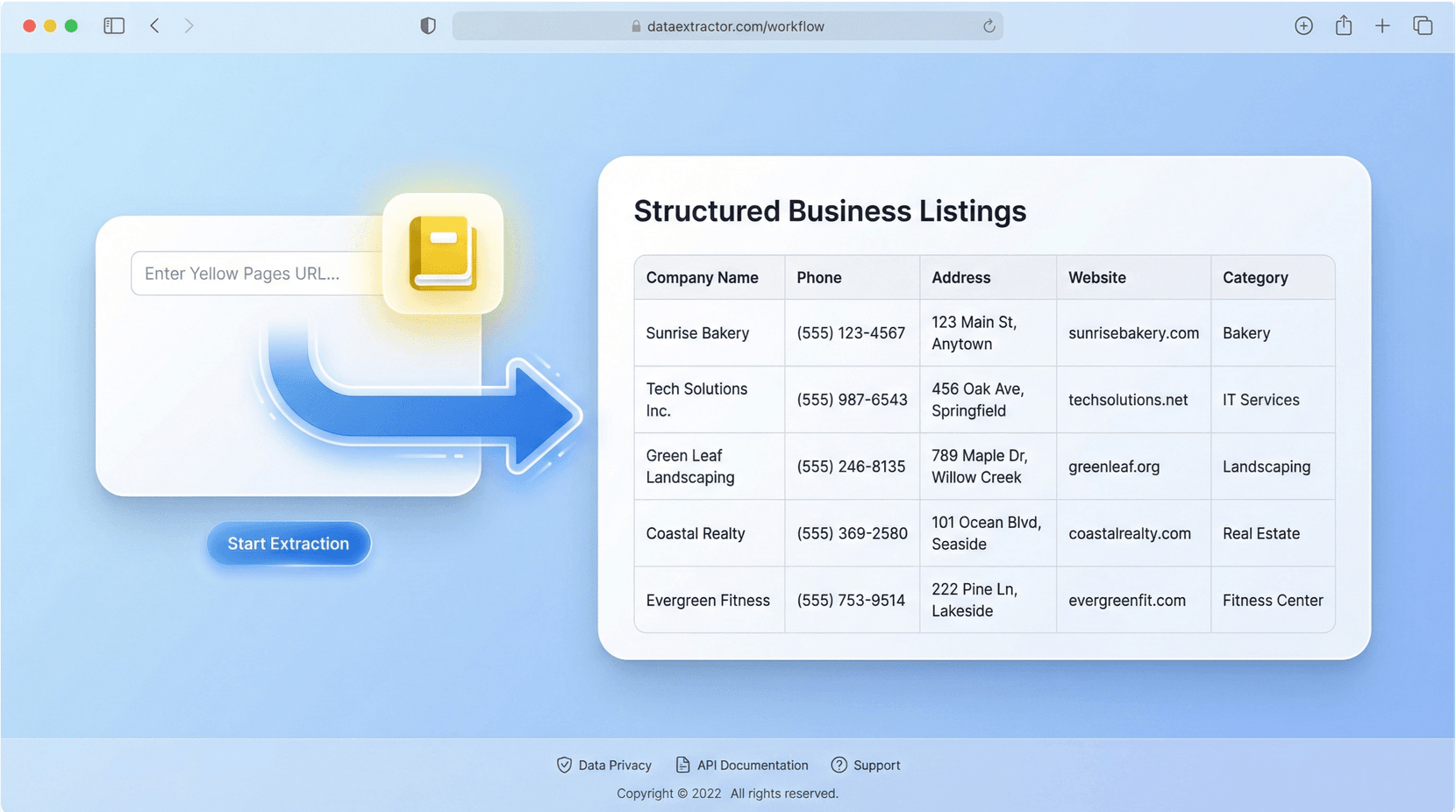
The Yellow Pages Scraper lets you collect business information such as company names, phone numbers, addresses, websites, and categories directly from Yellow Pages. Designed for sales, marketing, and research professionals, this tool eliminates the need for manual data entry. Simply input a Yellow Pages URL, and Thunderbit’s AI organizes the listings into a structured table, making it easy to gather leads or analyze local markets.
התחל/י בחינם
yellow_pages_scraper_illustration_compressed.png

Customize and Structure Your Data

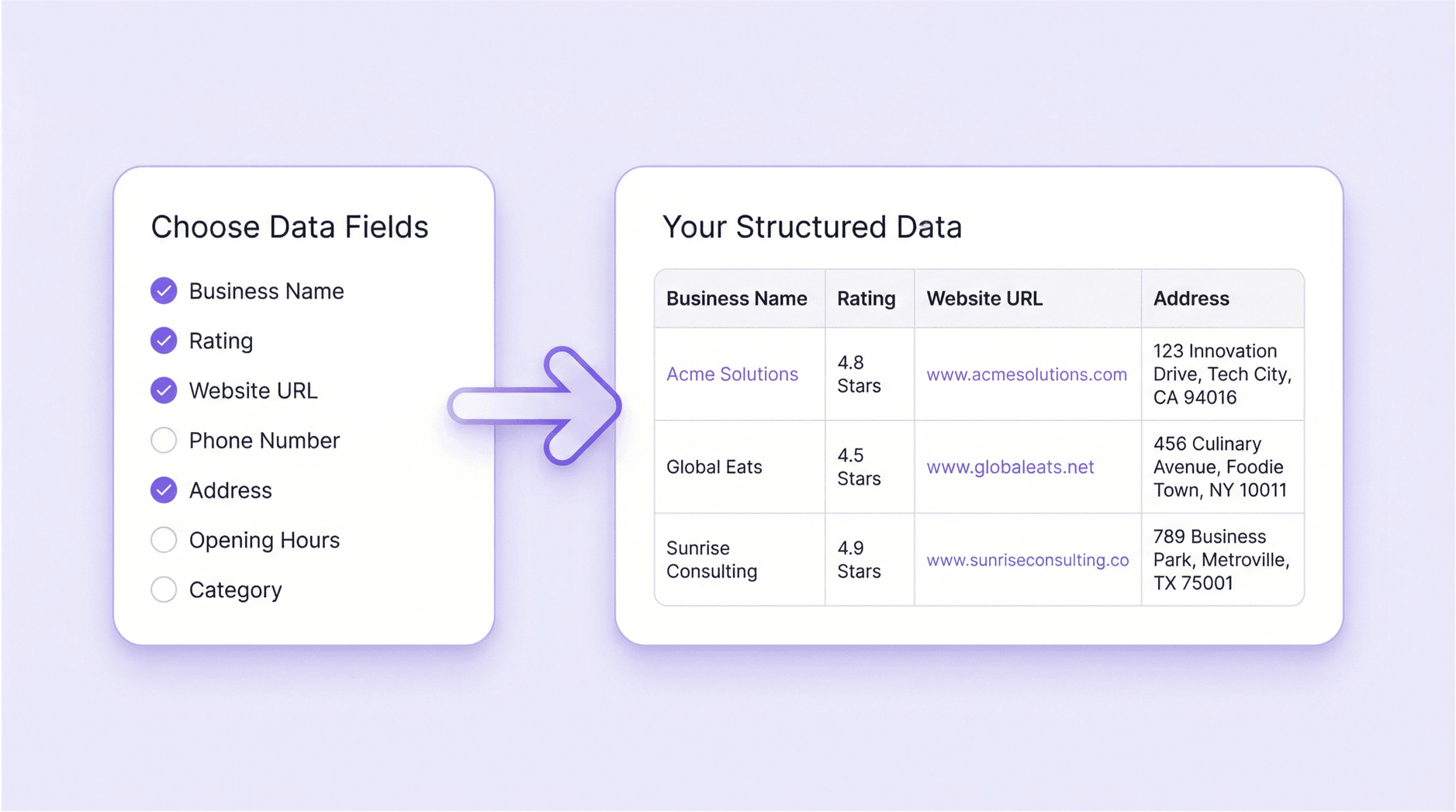
Choose exactly which fields you want to extract—like business name, years in business, rating, or website URL. Thunderbit’s AI reads the page and structures the data into clear columns, so you get clean, organized results every time. This feature is ideal for users who need specific information for targeted outreach or market analysis, saving hours compared to copying and pasting details by hand.
התחל/י בחינם
structured-data-fields-selection.png

Export to Google Sheets, Airtable, Notion, and More
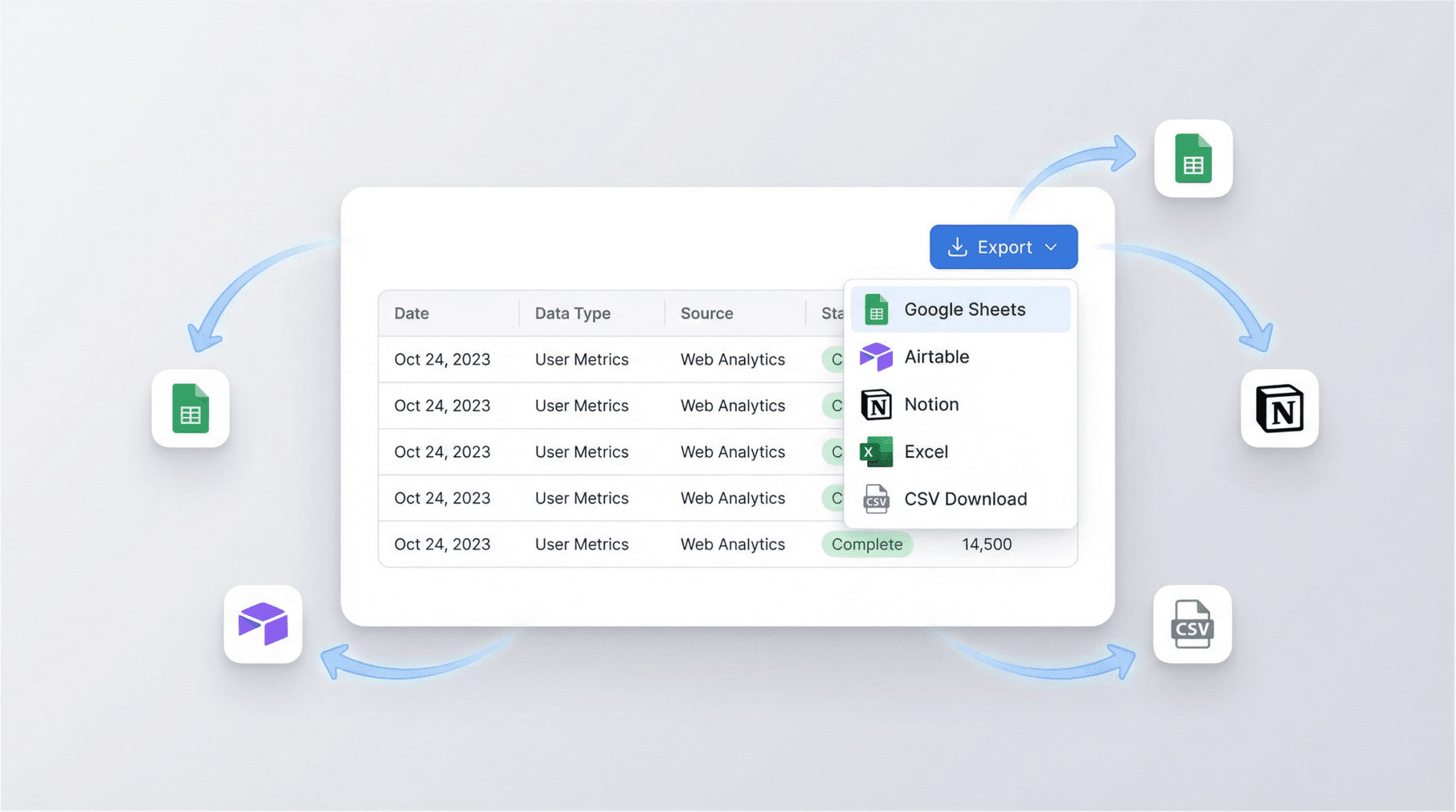
Once your data is extracted, you can export it directly to Google Sheets, Airtable, Notion, Excel, or download as CSV. This makes it simple to integrate business listings into your existing workflows, whether you’re building a CRM, tracking leads, or sharing information with your team. The export process is straightforward, ensuring your data is ready for immediate use.
התחל/י בחינם
data-export-options-dashboard.png

Accelerate Lead Generation and Market Research
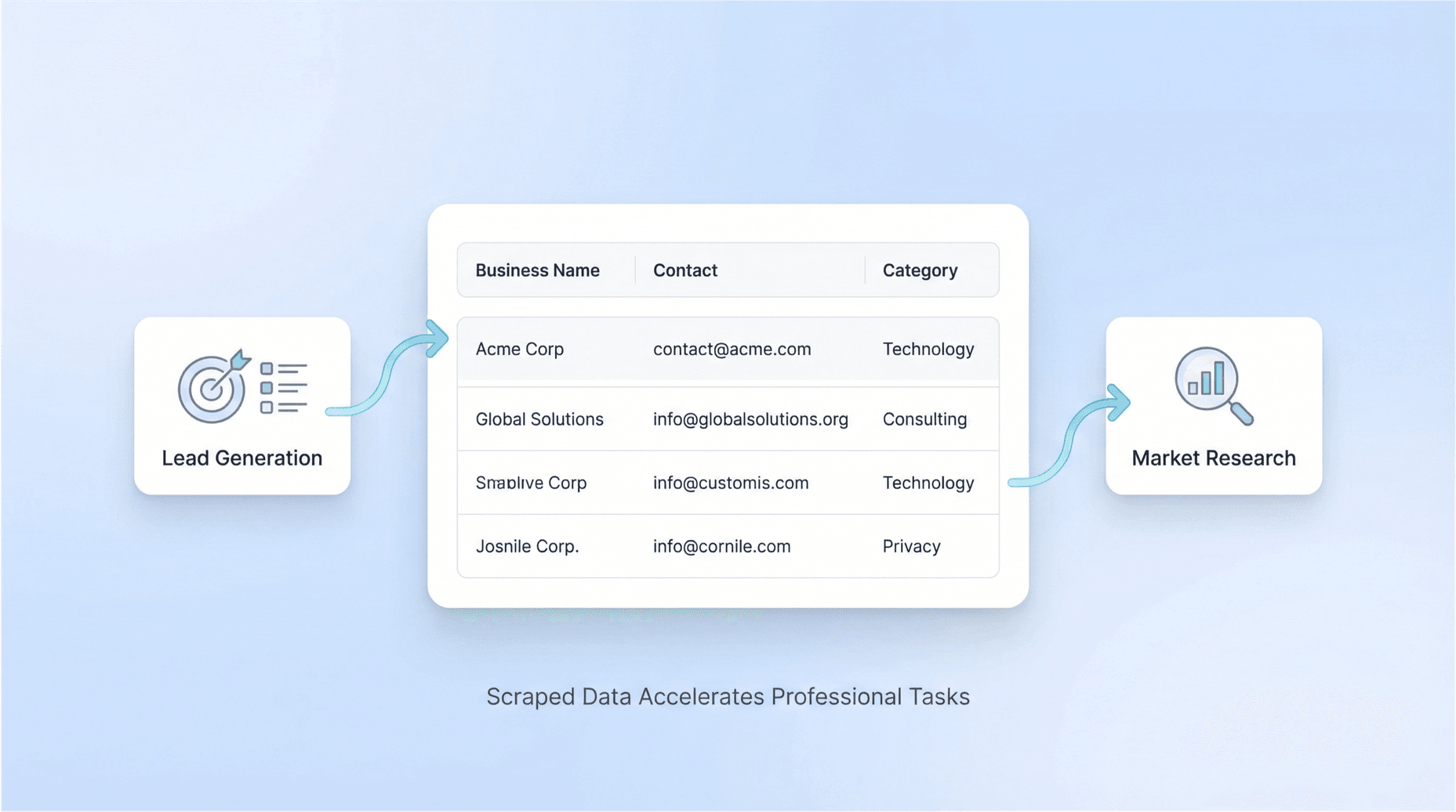
Use the Yellow Pages Scraper to quickly build targeted lead lists or conduct market research. Sales teams can gather contact details for outreach, while researchers can analyze business trends in specific regions or industries. By automating data collection, you can focus on strategy and engagement rather than repetitive tasks, making your prospecting and research more efficient.
התחל/י בחינם
lead-generation-market-research-data-flow.png

גלו עוד כלים בחינם

מחולל וריאציות כתובות אימייל

יצירת וריאציות נפוצות של כתובות אימייל על בסיס שם ודומיין לצורכי פנייה ובדיקות. הפקת וריאציות בכמות גדולה לתהליכי עבודה של מכירות, גיוס ונטוורקינג.

Zillow Scraper

חלץ נתוני נכסים ונתוני סוכנים מ-Zillow. חסוך זמן עם נתוני נדל״ן מובנים לצורך ניתוח שוק ומחקר לידים.

מנקה רשימות אנשי קשר

ניקוי ואחידות לרשימות אנשי קשר: הסרת כפילויות, תיקון פורמטים וסימון רשומות לא תקינות. קבלו קובץ מסודר שמוכן לייבוא ולפעולות פנייה.

מחולל תבניות אימייל קר

צרו תבניות אימייל קר מותאמות אישית עם שורת נושא וגוף מוכן לשליחה. התאימו את הפנייה לפי תפקיד, חברה ומטרה כדי לשפר את שיעורי התגובה.

בודק אימיילים חד־פעמיים

בדקו אם כתובת אימייל משתמשת בדומיין חד־פעמי וראו מי הספק שזוהה. צמצמו הרשמות ספאם ושמרו על הרשימות שלכם נקיות יותר. קבלו תוצאה ברורה עם הסבר קצר.

בודק יכולת מסירה של אימייל

בדקו את הסיכון להגעה לתיבת הדואר הנכנס באמצעות סקירת האימות, מוניטין הדומיין ותוכן ההודעה. קבלו תיקונים ברורים לשיפור המסירה ולהפחתת סינון כספאם.

מאתר אימיילים

מצאו כתובות אימייל עבודה סבירות באמצעות שם האדם והחברה או הדומיין, עם דירוג ביטחון. חסכו זמן בפניות על ידי זיהוי פורמטים תקפים מתוך נתוני רשת ציבוריים.

כלי גריפת קורות חיים

חלץ נתוני מועמדים מובנים מקובצי קורות חיים לטבלה נקייה לצורך סינון וחיפוש. נתח פרטי קשר, כישורים, ניסיון, השכלה ועוד, ואז ייצא לניתוח.


מאמת אימיילים בכמות גדולה

אמתו רשימות אימייל גדולות כדי לצמצם החזרות (bounces) ולהגן על מוניטין השולח. בדקו תחביר, תקינות דומיין וסימני סיכון—ואז ייצאו רשימה נקייה לפעילות פנייה.

מחלץ פרטי קשר מאתרים

חלצו כתובות אימייל, מספרי טלפון וקישורים לרשתות חברתיות מכל כתובת URL של דף אינטרנט, ואז בדקו את התוצאות בטבלה מסודרת שמאיצה פניות ומחקר.

Idealista סקרייפר

חלצו רשומות נכסים מ-Idealista לטבלה נקייה לניתוח. לכדו כתובת, כתובת URL, מחיר, מספר חדרי שינה וגודל (מ״ר) מתוצאות החיפוש. ייצאו נתונים מובנים למחקר ולהשוואות מהירים יותר.

חיפוש חברה

חיפוש עסק לפי שם או מספר רישום כדי לאחזר פרטים רשמיים כמו כתובת, קודי ענף ומעמד. אמתו ספקים, סננו לידים ותמכו במחקר שוק בעזרת נתונים ציבוריים אמינים.

מחלץ נתוני משרות מ-Indeed

חלץ שמות חברות, כותרות משרה, כתובות URL של משרות, מיקומים וסוגי משרה מכל דף משרות ב-Indeed. חסוך זמן באיסוף נתוני משרות מובנים לניתוח או לפנייה.

מחלץ משרות

חלץ משרות מלוחות דרושים ומדפי קריירה לתוך טבלה מסודרת למעקב ולניתוח. חסוך זמן על ידי איסוף כותרות, חברות, מיקומים, תאריכים ופרטים בייצוא אחד.

Zoominfo Scraper

חלץ פרטי חברה ויצירת קשר מדפי ZoomInfo לתוך טבלה מובנית לצורך איתור לידים וניתוח מהיר יותר.

AI Sales Email Generator

Create personalized sales emails in seconds with the free AI Sales Email Generator. Perfect for sales teams and entrepreneurs. Try it now and boost your outreach with Thunderbit’s suite of AI tools.

מצאו עוד כלים עכשיו

מה המשתמשים אומרים על Thunderbit

Taryn W.אסטרטגית צמיחה@Thunderbit שינה את הדרך שבה אני עושה מחקר מתחרים. אני לוחצת על 'AI Suggest Fields', והוא בונה טבלה מסודרת גם בתוצאות מחולקות לעמודים — בלי קוד ובלי CSS. חוסך המון זמן בניתוח נתוני מוצרים משווקים ארוכי-זנב.
Miles T.יועץ פיתוח מכירותאני משתמש ב-Thunderbit כדי לשלוף אימיילים ומספרי טלפון מספריות. הוא מחלץ פרטי קשר נקיים בלחיצה אחת, והייצוא ל-Sheets או ל-Notion לוקח שניות. בלי הגדרה נוספת ובלי קוד — פשוט נתונים מוכנים לעבודה.
Rhea C.אנליסטית E-commerceThunderbit עוזר לי לעקוב אחרי נתוני SKU בכמה עמודים. אני מחלצת את הרישומים ואז משתמשת ב-Subpage Scraping כדי למשוך מפרטי מוצר מלאים, מחירים, ביקורות ומלאי. ה-AI מארגן הכול לעמודות שאני מגדירה.
Cassian B.יועץ נדל״ןה-Scheduled Scraper של Thunderbit הופך את המעקב אחר נדל״ן לפשוט יותר. אני מתאר את התדירות באנגלית פשוטה, והוא מושך אוטומטית רישומים מעודכנים, מחירים וקישורים בלי לגעת שוב בהגדרות. פשוט ופרקטי מאוד.
Dorian B.מומחה תוכן ו-SEOאני משתמש ב-Field AI Prompts של Thunderbit כדי לנקות ולתייג תוכן בלוג שחילצתי. הוא מוציא כותרות, מחברים ואפילו מציע קטגוריות. עובד מצוין גם באתרים דינמיים ובתתי-עמודים — מושלם לבניית מאגרי SEO מובנים.
Lina K.מנהלת תפעול מרקטפלייסאנחנו עוקבים אחרי SKUs מחנויות נישתיות בעזרת Thunderbit. Cloud Scraping מטפל ב-50 עמודים בכל פעם, ובאתרים שדורשים התחברות אנחנו עוברים למצב דפדפן. זה מהיר, גמיש ולא דורש תחזוקה שוטפת או עריכות ידניות.
Jorge F.מנהל מכירות Inboundה-AI Autofill של Thunderbit הוא מציל חיים. אחרי חילוץ פרטי קשר, אני משתמש בו כדי למלא טפסי לידים ישירות בדפדפן. אני פשוט בוחר את הטאב, והוא ממלא הכול לפי השורה שחולצה. בלי הזנה ידנית.
Alina D.חוקרת עצמאיתאני נשענת על Thunderbit לחילוץ נתונים מ-PDF, אתרים מבוססי תמונות ודפי infinite scroll. הוא מתמודד עם פורמטים מבולגנים בעזרת AI ומספק טבלאות מוכנות לייצוא, שאפשר לשלוח ל-Google Sheets או ל-Airtable תוך שניות.
Taryn W.אסטרטגית צמיחה@Thunderbit שינה את הדרך שבה אני עושה מחקר מתחרים. אני לוחצת על 'AI Suggest Fields', והוא בונה טבלה מסודרת גם בתוצאות מחולקות לעמודים — בלי קוד ובלי CSS. חוסך המון זמן בניתוח נתוני מוצרים משווקים ארוכי-זנב.
Miles T.יועץ פיתוח מכירותאני משתמש ב-Thunderbit כדי לשלוף אימיילים ומספרי טלפון מספריות. הוא מחלץ פרטי קשר נקיים בלחיצה אחת, והייצוא ל-Sheets או ל-Notion לוקח שניות. בלי הגדרה נוספת ובלי קוד — פשוט נתונים מוכנים לעבודה.
Rhea C.אנליסטית E-commerceThunderbit עוזר לי לעקוב אחרי נתוני SKU בכמה עמודים. אני מחלצת את הרישומים ואז משתמשת ב-Subpage Scraping כדי למשוך מפרטי מוצר מלאים, מחירים, ביקורות ומלאי. ה-AI מארגן הכול לעמודות שאני מגדירה.
Cassian B.יועץ נדל״ןה-Scheduled Scraper של Thunderbit הופך את המעקב אחר נדל״ן לפשוט יותר. אני מתאר את התדירות באנגלית פשוטה, והוא מושך אוטומטית רישומים מעודכנים, מחירים וקישורים בלי לגעת שוב בהגדרות. פשוט ופרקטי מאוד.
Dorian B.מומחה תוכן ו-SEOאני משתמש ב-Field AI Prompts של Thunderbit כדי לנקות ולתייג תוכן בלוג שחילצתי. הוא מוציא כותרות, מחברים ואפילו מציע קטגוריות. עובד מצוין גם באתרים דינמיים ובתתי-עמודים — מושלם לבניית מאגרי SEO מובנים.
Lina K.מנהלת תפעול מרקטפלייסאנחנו עוקבים אחרי SKUs מחנויות נישתיות בעזרת Thunderbit. Cloud Scraping מטפל ב-50 עמודים בכל פעם, ובאתרים שדורשים התחברות אנחנו עוברים למצב דפדפן. זה מהיר, גמיש ולא דורש תחזוקה שוטפת או עריכות ידניות.
Jorge F.מנהל מכירות Inboundה-AI Autofill של Thunderbit הוא מציל חיים. אחרי חילוץ פרטי קשר, אני משתמש בו כדי למלא טפסי לידים ישירות בדפדפן. אני פשוט בוחר את הטאב, והוא ממלא הכול לפי השורה שחולצה. בלי הזנה ידנית.
Alina D.חוקרת עצמאיתאני נשענת על Thunderbit לחילוץ נתונים מ-PDF, אתרים מבוססי תמונות ודפי infinite scroll. הוא מתמודד עם פורמטים מבולגנים בעזרת AI ומספק טבלאות מוכנות לייצוא, שאפשר לשלוח ל-Google Sheets או ל-Airtable תוך שניות.

Frequently Asked Questions

חילוץ נתונים בעזרת AI
העבר/י נתונים בקלות ל-Google Sheets, Airtable או Notion
PRODUCT HUNT#1 Product of the Week