Crunchbase Scraper

מאת
Extract key company details from any Crunchbase profile, including funding, social links, and descriptions. Save time on research and export structured data in one click.

Scrape hundreds of webpages with the Thunderbit Chrome Extension in one click, try the Thunderbit API for free, or use our שירות Web Scraping to save engineering time.

Extract Company Data from CrunchbaseScrape company profiles from Crunchbase in seconds with Thunderbit. Get structured data for research, sales, or analysis—no manual copy-paste required.

Extract Company Data from Crunchbase

Thunderbit lets you pull company names, funding, social links, and more from Crunchbase with just a URL. The AI-powered scraper structures your data and supports exporting to Google Sheets, Airtable, or Notion for easy analysis. With support for subpage and pagination scraping, Thunderbit captures all relevant company information, even from linked pages or documents. Use built-in templates for popular sites and automate your data collection workflow—no coding or setup needed.

How to Extract Company Details from Crunchbase Using Thunderbit

step_01.png
STEP 1Download and InstallDownload and install the Thunderbit Chrome Extension from the Thunderbit Chrome Extension Download Page. Once installed, log in or create a free account to get started.
step_02.png
STEP 2Open ExtensionNavigate to the Crunchbase company profile page you want to extract details from. Open the Thunderbit Chrome Extension and select the 'Crunchbase Scraper' tool from the menu. Enter the full Crunchbase company profile URL in the provided field.
step03.png
STEP 3Click the Extract Company Details ButtonClick the 'Extract Company Details' button. Thunderbit will process the Crunchbase page and extract information such as Company Name,Headquarters Location, Description, Company Type, LinkedIn URL, Facebook URL, Company Website, and Total Funding into a structured table. You can then export the results to Excel, Google Sheets, Airtable, Notion, or download them as CSV or JSON.

Learn how to extract company details from Crunchbase profiles

Extract Comprehensive Company Information
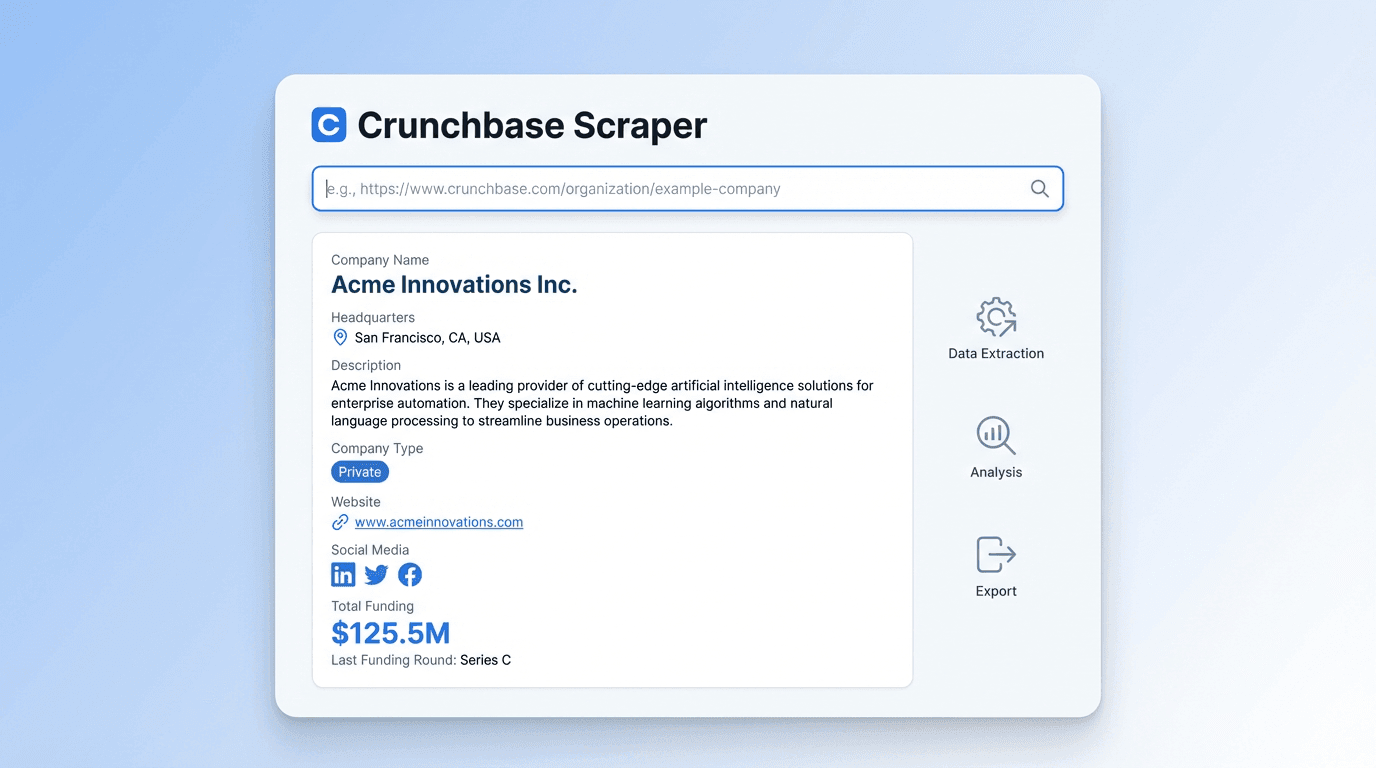
The Crunchbase Scraper allows you to gather a wide range of company details by simply entering a Crunchbase company profile URL. It identifies and organizes information such as company name, headquarters location, full description, company type, social media links, website, and total funding. This tool is ideal for sales, business development, and research professionals who need accurate company data for prospecting or market analysis.
התחל/י בחינם
crunchbase_scraper_interface (1).png

Automate Data Collection for Lead Research
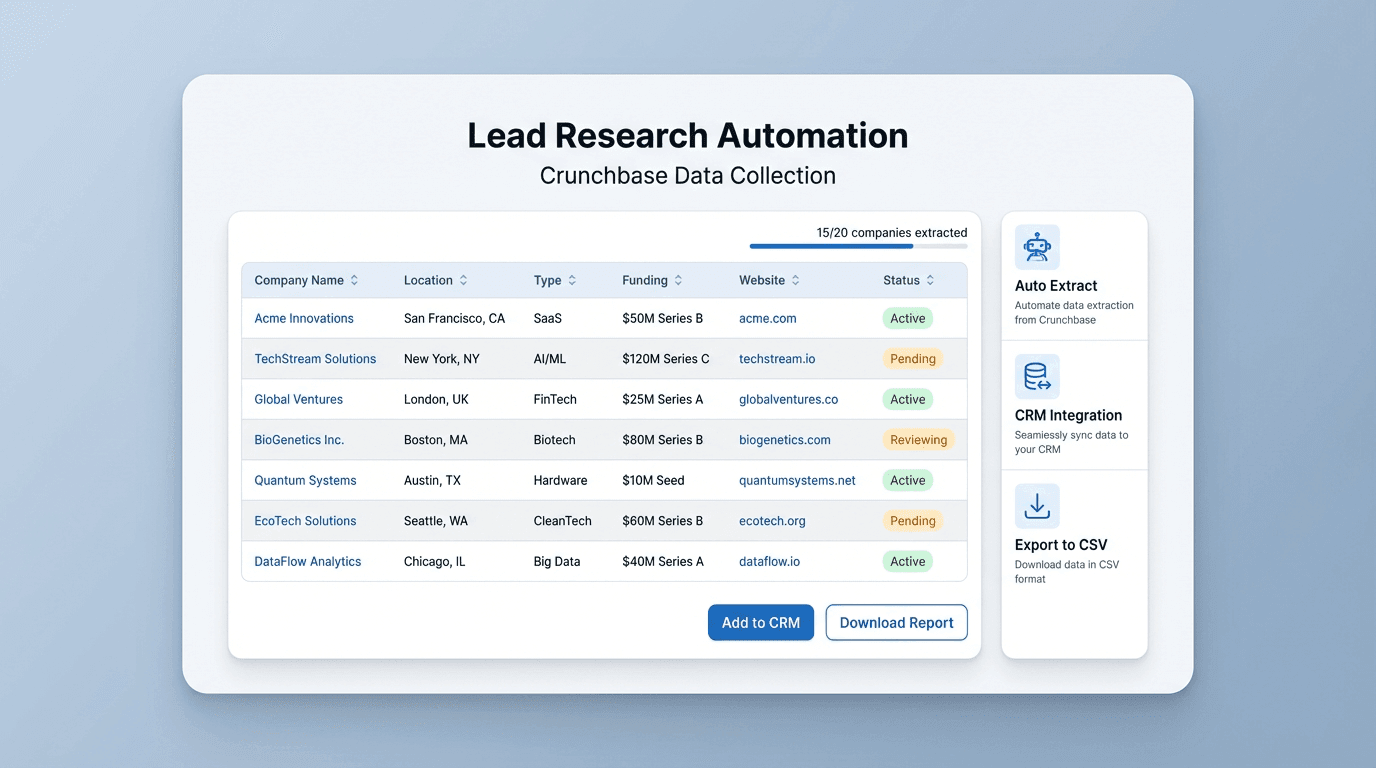
By automating the extraction of company data from Crunchbase, you can save significant time compared to manual research. The tool ensures that all relevant fields are captured and structured in a table, reducing the risk of missing key information. This is especially useful for teams building lead lists, tracking competitors, or enriching CRM records with up-to-date company profiles.
התחל/י בחינם
crunchbase_lead_research_interface (1).png

Export and Integrate Company Data Effortlessly

Once the company details are extracted, you can export the data to Excel, Google Sheets, Airtable, or Notion. The output is formatted in a table, making it easy to integrate into your existing workflows. This feature supports quick sharing with your team or direct import into sales and marketing tools, streamlining your data management process.
התחל/י בחינם
crunchbase_export_integration_interface (1).png

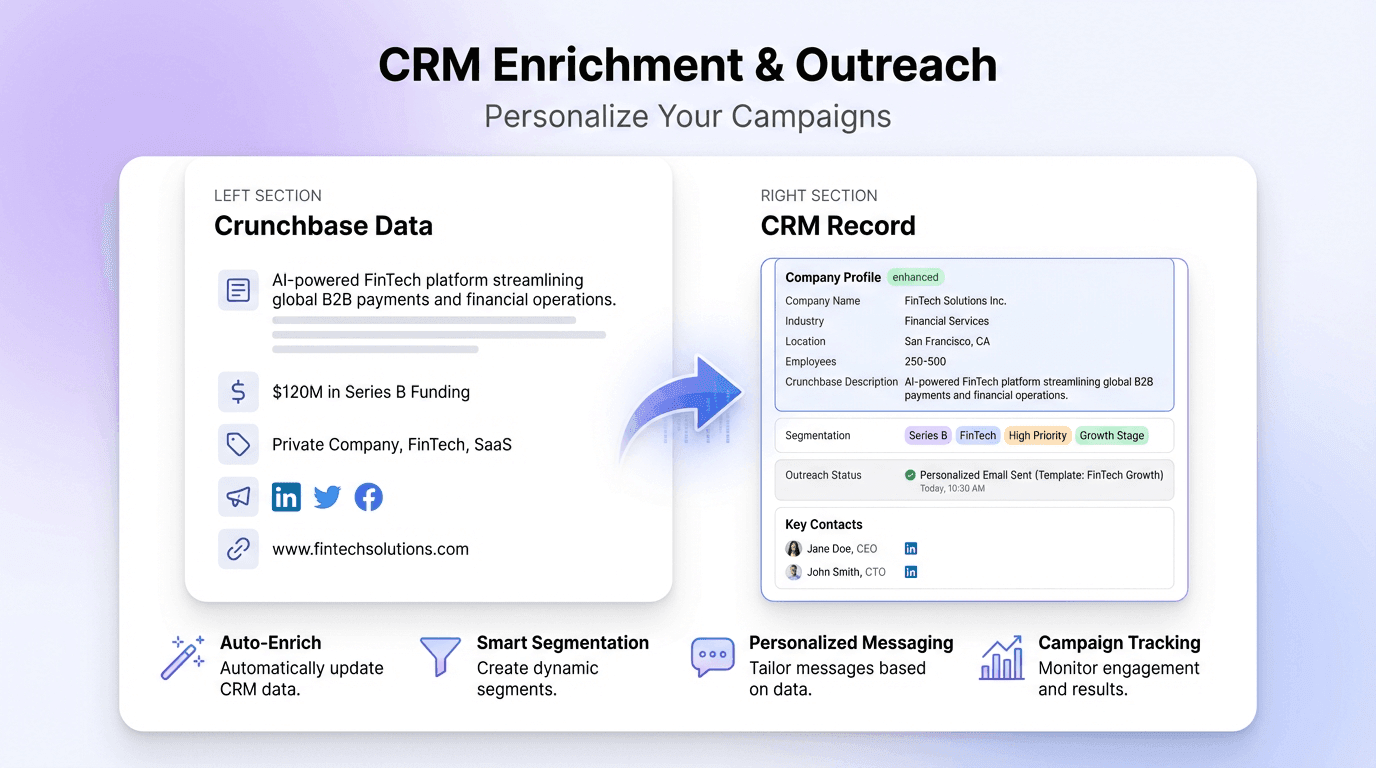
Enrich CRM and Outreach Campaigns

Use the extracted Crunchbase data to enhance your CRM records or personalize outreach campaigns. With access to company descriptions, funding information, and social media links, you can tailor your messaging and segment your audience more effectively. This helps sales and marketing teams improve targeting and engagement with potential clients or partners.
התחל/י בחינם
crunchbase_crm_enrichment_interface (1).png

גלו עוד כלים בחינם

Talabat Scraper

חלצו נתוני מסעדות מרשימות Talabat והפכו אותם לטבלה מובנית לצורך ניתוח. חסכו זמן במחקר ידני וקבלו תובנות על המתחרים.

מחשבון הנחות

חשבו את סכום החיסכון ואת המחיר הסופי לפי מחיר מקורי ואחוז הנחה, או חשבו לאחור את אחוז ההנחה לפי המחיר הסופי. קבלו תוצאות ברורות בדיוק של שתי ספרות אחרי הנקודה כדי לקבל החלטות קנייה מהר יותר.

מחשבון ROI

חשבו את התשואה על ההשקעה לפי עלות ורווח נקי. קבלו אחוז ROI ברור להשוואת הזדמנויות ולהערכת ביצועי פרויקטים.

מייצא ביקורות Glassdoor

חלץ ביקורות על חברות מ-Glassdoor, כולל דירוגים, סיכומים, יתרונות, חסרונות ופרטי עובדים, לתוך טבלה מובנית לניתוח קל.


בודק מע"מ

אמתו מספרי מע"מ מול מאגרי מידע רשמיים ואשרו את תקפותם. כשזמין, שלפו גם פרטי חברה רשומים כמו שם וכתובת כדי לצמצם טעויות בחשבוניות וסיכוני ציות לרגולציה.

בודק ציון ספאם

בדקו עד כמה דומיין נראה מסוכן בעיני מנועי החיפוש. קבלו ציון ספאם יחד עם אותות מרכזיים כמו קישורים נכנסים, ותק ובעיות תוכן. השתמשו בו כדי לאתר בעיות ולשמור על אמון ה-SEO.

Random Team Generator

Quickly split a list of names into random teams based on your chosen team count. Ideal for group activities, meetings, or classroom assignments.

בודק BIN

בדקו BIN של כרטיס כדי לזהות את הבנק המנפיק, המותג, הסוג והמדינה. אמתו פרטי תשלום כדי לצמצם טעויות ולאתר עסקאות בסיכון מהר יותר.

מצאו עוד כלים עכשיו

מה משתמשים אומרים על Thunderbit

Taryn W.Growth Strategist@Thunderbit שינה את האופן שבו אני עושה מחקר מתחרים. אני לוחץ/ת 'AI Suggest Fields', וזה בונה טבלה נקייה גם על פני תוצאות מחולקות לעמודים—בלי קוד, בלי CSS. חוסך המון זמן בניתוח נתוני מוצרים ממרקטפלייסים ארוכי-זנב.
Miles T.Sales Development Consultantאני משתמש/ת ב-Thunderbit כדי לאסוף אימיילים ומספרי טלפון מספריות. הוא מחלץ פרטי קשר נקיים בלחיצה אחת, והייצוא ל-Sheets או ל-Notion לוקח שניות. בלי הגדרה נוספת, בלי קוד—רק נתונים שימושיים ומוכנים לעבודה.
Rhea C.E-commerce AnalystThunderbit עוזר לי לנטר נתוני SKU על פני כמה עמודים. אני מחלץ/ת את הרשימות ואז משתמש/ת ב-Subpage Scraping כדי להביא מפרטי מוצר מלאים, תמחור, ביקורות ומלאי. ה-AI מארגן הכול לעמודות שאני מגדיר/ה.
Cassian B.Real Estate Advisorה-Scheduled Scraper של Thunderbit הופך מעקב נדל״ן לפשוט יותר. אני מתאר/ת את התדירות באנגלית רגילה, והוא מושך אוטומטית רשימות מעודכנות, מחירים וקישורים בלי לגעת שוב בהגדרה. פשוט ופרקטי מאוד.
Dorian B.Content & SEO Specialistאני משתמש/ת ב-Field AI Prompts של Thunderbit כדי לנקות ולטייג תוכן בלוג שחולץ. הוא מוצא כותרות, מחברים ואפילו מציע קטגוריות. עובד מצוין גם באתרים דינמיים ובדפי משנה—מושלם לבניית מאגרי SEO מובנים.
Lina K.Marketplace Operations Leadאנחנו עוקבים אחרי SKUs מחנויות נישתיות עם Thunderbit. Cloud Scraping מטפל ב-50 עמודים בכל פעם, ובאתרים שדורשים התחברות אנחנו עוברים למצב דפדפן. זה מהיר, גמיש, ולא דורש תחזוקה שוטפת או עריכות ידניות.
Jorge F.Inbound Sales Managerה-AI Autofill של Thunderbit מציל חיים. אחרי שאני מחלץ/ת פרטי קשר, אני משתמש/ת בו כדי למלא טפסי לידים ישירות בדפדפן. פשוט בוחר/ת את הטאב, והוא ממלא הכול לפי השורה שחולצה. בלי הזנה ידנית.
Alina D.Freelance Researcherאני נשען/ת על Thunderbit כדי לחלץ נתונים מ-PDF, מאתרים מבוססי תמונות ומדפי infinite scroll. הוא מטפל בפורמטים מבולגנים עם AI ומספק טבלאות מוכנות לייצוא שאפשר לשלוח ל-Google Sheets או ל-Airtable בשניות.
Taryn W.Growth Strategist@Thunderbit שינה את האופן שבו אני עושה מחקר מתחרים. אני לוחץ/ת 'AI Suggest Fields', וזה בונה טבלה נקייה גם על פני תוצאות מחולקות לעמודים—בלי קוד, בלי CSS. חוסך המון זמן בניתוח נתוני מוצרים ממרקטפלייסים ארוכי-זנב.
Miles T.Sales Development Consultantאני משתמש/ת ב-Thunderbit כדי לאסוף אימיילים ומספרי טלפון מספריות. הוא מחלץ פרטי קשר נקיים בלחיצה אחת, והייצוא ל-Sheets או ל-Notion לוקח שניות. בלי הגדרה נוספת, בלי קוד—רק נתונים שימושיים ומוכנים לעבודה.
Rhea C.E-commerce AnalystThunderbit עוזר לי לנטר נתוני SKU על פני כמה עמודים. אני מחלץ/ת את הרשימות ואז משתמש/ת ב-Subpage Scraping כדי להביא מפרטי מוצר מלאים, תמחור, ביקורות ומלאי. ה-AI מארגן הכול לעמודות שאני מגדיר/ה.
Cassian B.Real Estate Advisorה-Scheduled Scraper של Thunderbit הופך מעקב נדל״ן לפשוט יותר. אני מתאר/ת את התדירות באנגלית רגילה, והוא מושך אוטומטית רשימות מעודכנות, מחירים וקישורים בלי לגעת שוב בהגדרה. פשוט ופרקטי מאוד.
Dorian B.Content & SEO Specialistאני משתמש/ת ב-Field AI Prompts של Thunderbit כדי לנקות ולטייג תוכן בלוג שחולץ. הוא מוצא כותרות, מחברים ואפילו מציע קטגוריות. עובד מצוין גם באתרים דינמיים ובדפי משנה—מושלם לבניית מאגרי SEO מובנים.
Lina K.Marketplace Operations Leadאנחנו עוקבים אחרי SKUs מחנויות נישתיות עם Thunderbit. Cloud Scraping מטפל ב-50 עמודים בכל פעם, ובאתרים שדורשים התחברות אנחנו עוברים למצב דפדפן. זה מהיר, גמיש, ולא דורש תחזוקה שוטפת או עריכות ידניות.
Jorge F.Inbound Sales Managerה-AI Autofill של Thunderbit מציל חיים. אחרי שאני מחלץ/ת פרטי קשר, אני משתמש/ת בו כדי למלא טפסי לידים ישירות בדפדפן. פשוט בוחר/ת את הטאב, והוא ממלא הכול לפי השורה שחולצה. בלי הזנה ידנית.
Alina D.Freelance Researcherאני נשען/ת על Thunderbit כדי לחלץ נתונים מ-PDF, מאתרים מבוססי תמונות ומדפי infinite scroll. הוא מטפל בפורמטים מבולגנים עם AI ומספק טבלאות מוכנות לייצוא שאפשר לשלוח ל-Google Sheets או ל-Airtable בשניות.

Frequently Asked Questions

חלץ/י נתונים בעזרת AI
העבר/י בקלות נתונים ל-Google Sheets, Airtable או Notion
Chrome Store Rating
PRODUCT HUNT#1 Product of the Week