Invoice OCR

Extracts text from invoice PDFs or images, making it easy to digitize and organize billing information for faster processing.

גררו ושחררו חשבוניות (PDF או תמונה), או לחצו לעיון — עד 10 קבצים

Scrape hundreds of webpages with the Thunderbit Chrome Extension in one click, try the Thunderbit API for free, or use our שירות Web Scraping to save engineering time.

Extract Invoice Data in SecondsUse Thunderbit to quickly convert invoice PDFs or images into structured text—no manual entry required.

Extract Invoice Data in Seconds

Thunderbit’s Invoice OCR reads invoices from PDFs or images and extracts key details like dates, amounts, and vendor names. The process is fully automated, saving you time and reducing errors compared to manual data entry. You can further organize, categorize, and export the extracted data to Google Sheets, Airtable, or Notion. Thunderbit supports batch processing and works with invoices in multiple languages.

How to Extract Invoice Text Using Thunderbit

step_01.png
STEP 1Download and InstallDownload and install the Thunderbit Chrome Extension from the Thunderbit Chrome Extension Download Page. Once installed, log in or create a free account to get started.
step_02.png
STEP 2Open ExtensionNavigate to the PDF or image file of the invoice you want to process. Open the Thunderbit Chrome Extension and select the "Invoice OCR" tool from the menu. Click on "Upload Invoice File" and upload your invoice file by dragging and dropping it into the provided area.
step03.png
STEP 3Click the Extract Invoice Text ButtonClick the "Extract Invoice Text" button. Thunderbit will process the uploaded invoice and extract all visible text in reading order. Once extraction is complete, you can copy the text or export it to your preferred application.

Learn how to extract text from invoices using AI-powered OCR

Extract Text from Invoice PDFs and Images
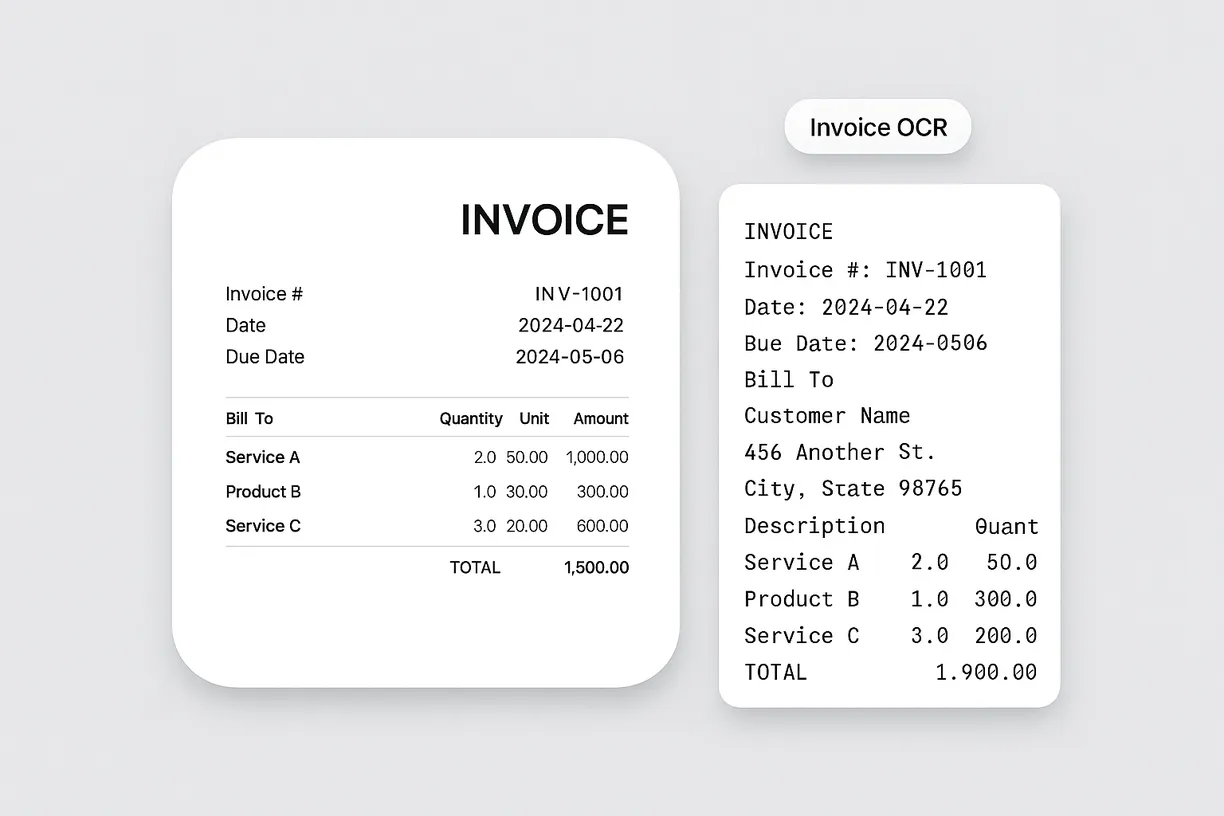
The Invoice OCR tool allows you to upload a PDF or image of an invoice and extract all visible text. This feature is designed for finance teams, accountants, and business owners who need to digitize invoice data quickly. By converting printed or scanned invoices into editable text, you can reduce manual data entry and minimize errors, making it easier to process and organize financial documents.
התחל/י בחינם
1.webp

Preserve Reading Order for Accurate Data Capture
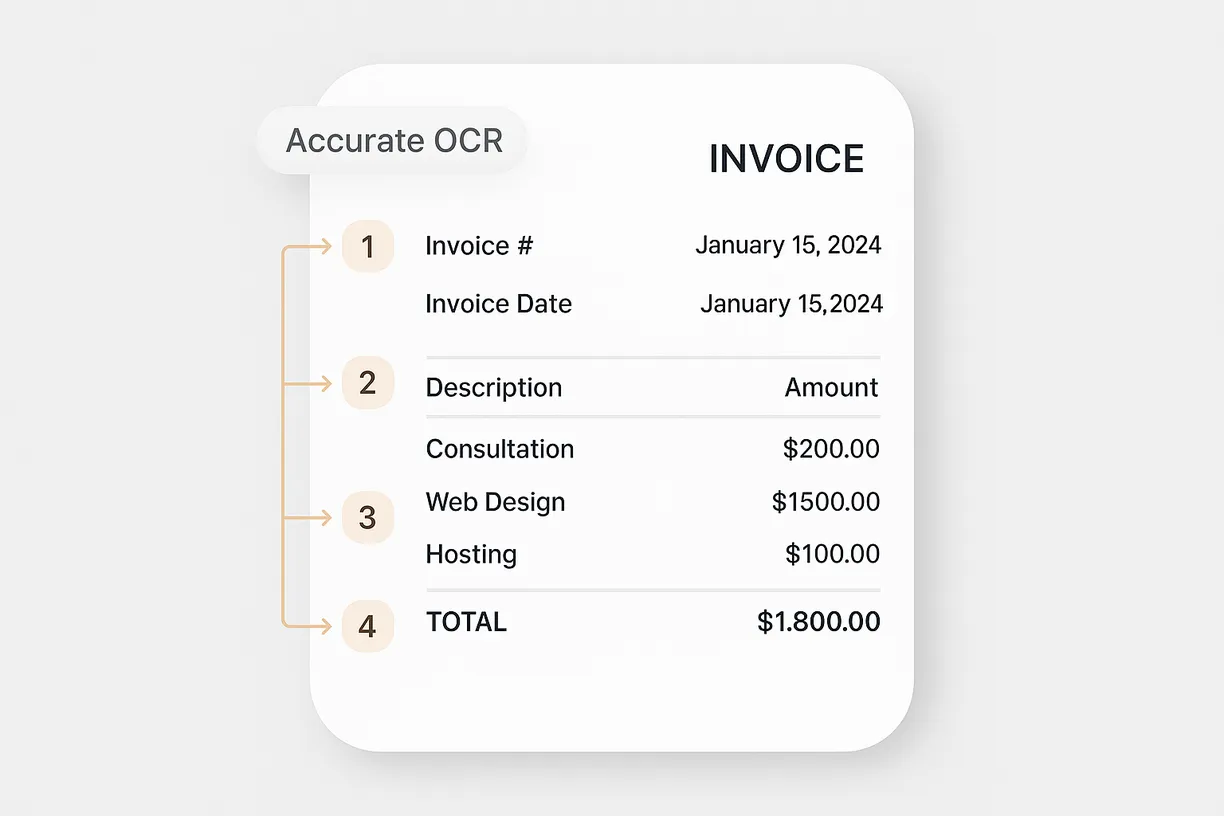
With advanced OCR technology, the tool maintains the original reading order of the invoice content as much as possible. This ensures that important details like invoice numbers, dates, line items, and totals are captured in a logical sequence. Accurate text extraction helps streamline downstream processes such as bookkeeping, auditing, and compliance checks, saving time and improving data reliability.
התחל/י בחינם
2.webp

Export Extracted Text for Further Processing

Once the invoice text is extracted, you can easily copy and paste it into spreadsheets, accounting software, or document management systems. This makes it simple to integrate the data into your existing workflows, whether you’re reconciling accounts or preparing financial reports. The extracted text is ready for immediate use, helping you stay organized and efficient.
התחל/י בחינם
3.webp

Support Document Digitization for Multiple Use Cases
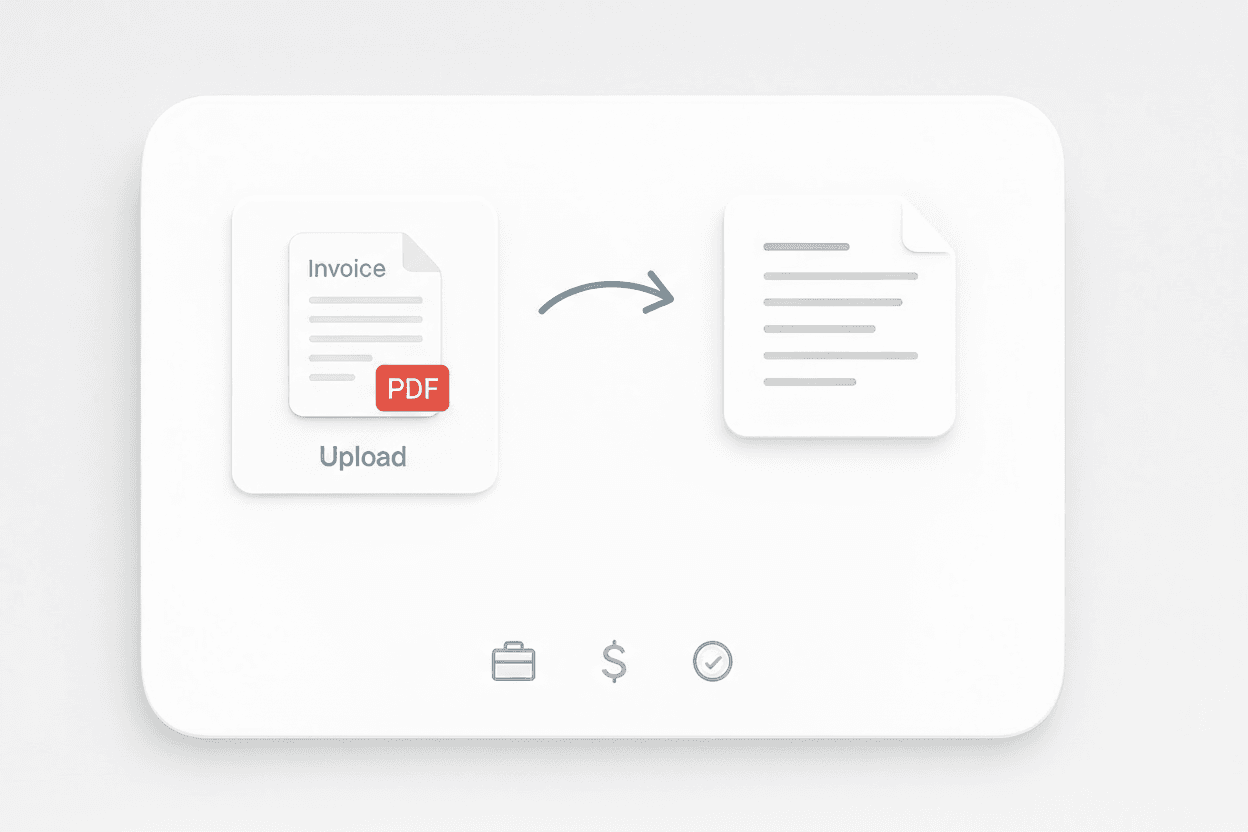
The Invoice OCR tool is ideal for businesses looking to digitize paper records, automate invoice processing, or archive financial documents. It’s also useful for auditors and consultants who need to review large volumes of invoices. By turning physical or scanned invoices into searchable text, you can improve document accessibility and support digital transformation initiatives.
התחל/י בחינם
4.png

גלו עוד כלים בחינם

ממיר PDF ל-CSV

המרת טבלאות מקובצי PDF ל-CSV נקי שמתאים לגיליונות אלקטרוניים. מעלים PDF ומורידים שורות ועמודות מסודרות תוך שניות. אידיאלי לחשבוניות, דוחות ותדפיסים.

ממיר JPG לטקסט

המר תמונות JPG לטקסט שניתן לעריכה באמצעות OCR. חלץ מילים מסריקות, צילומי מסך והערות כדי שתוכל להעתיק, לחפש ולהשתמש בתוכן במהירות.

Image to Excel Converter

ממיר תמונה ל-Excel

המירו תמונות של טבלאות, קבלות או רשימות למערכי JSON מובנים לייצוא קל ל-Excel. חסכו זמן בהזנת נתונים ידנית והבטיחו דיוק.

ממיר PNG לטקסט

חלץ טקסט ניתן לעריכה מתמונות PNG באמצעות OCR. המר צילומי מסך וגרפיקה סרוקה לעותק שניתן לחיפוש, לשימוש חוזר ולעריכה.

ממיר PNG ל-Excel

המר תמונות של טבלאות PNG לגיליונות Excel מובנים בעזרת OCR. שמרו על שורות, עמודות ועיצוב מרכזי כדי להאיץ הזנת נתונים ודיווח.

Table Extraction

Convert tables from images into downloadable Excel files. Quickly turn visual or scanned tables into structured spreadsheets for easy analysis.

ממיר JPG ל-Excel

הפכו תמונות JPG של טבלאות לקובצי Excel ניתנים לעריכה באמצעות OCR. חלצו שורות ועמודות בדיוק גבוה כדי לחסוך זמן בהזנת נתונים ידנית.


ממיר תמונה לטקסט

חלצו טקסט מכל תמונה בתוך שניות והפכו אותו לתוכן עריך ומובנה. חסכו זמן בהקלדה ידנית וייעלו את תהליך העבודה שלכם.

מצאו עוד כלים עכשיו

מה משתמשים אומרים על Thunderbit

Taryn W.Growth Strategist@Thunderbit שינה את האופן שבו אני עושה מחקר מתחרים. אני לוחץ/ת 'AI Suggest Fields', וזה בונה טבלה נקייה גם על פני תוצאות מחולקות לעמודים—בלי קוד, בלי CSS. חוסך המון זמן בניתוח נתוני מוצרים ממרקטפלייסים ארוכי-זנב.
Miles T.Sales Development Consultantאני משתמש/ת ב-Thunderbit כדי לאסוף אימיילים ומספרי טלפון מספריות. הוא מחלץ פרטי קשר נקיים בלחיצה אחת, והייצוא ל-Sheets או ל-Notion לוקח שניות. בלי הגדרה נוספת, בלי קוד—רק נתונים שימושיים ומוכנים לעבודה.
Rhea C.E-commerce AnalystThunderbit עוזר לי לנטר נתוני SKU על פני כמה עמודים. אני מחלץ/ת את הרשימות ואז משתמש/ת ב-Subpage Scraping כדי להביא מפרטי מוצר מלאים, תמחור, ביקורות ומלאי. ה-AI מארגן הכול לעמודות שאני מגדיר/ה.
Cassian B.Real Estate Advisorה-Scheduled Scraper של Thunderbit הופך מעקב נדל״ן לפשוט יותר. אני מתאר/ת את התדירות באנגלית רגילה, והוא מושך אוטומטית רשימות מעודכנות, מחירים וקישורים בלי לגעת שוב בהגדרה. פשוט ופרקטי מאוד.
Dorian B.Content & SEO Specialistאני משתמש/ת ב-Field AI Prompts של Thunderbit כדי לנקות ולטייג תוכן בלוג שחולץ. הוא מוצא כותרות, מחברים ואפילו מציע קטגוריות. עובד מצוין גם באתרים דינמיים ובדפי משנה—מושלם לבניית מאגרי SEO מובנים.
Lina K.Marketplace Operations Leadאנחנו עוקבים אחרי SKUs מחנויות נישתיות עם Thunderbit. Cloud Scraping מטפל ב-50 עמודים בכל פעם, ובאתרים שדורשים התחברות אנחנו עוברים למצב דפדפן. זה מהיר, גמיש, ולא דורש תחזוקה שוטפת או עריכות ידניות.
Jorge F.Inbound Sales Managerה-AI Autofill של Thunderbit מציל חיים. אחרי שאני מחלץ/ת פרטי קשר, אני משתמש/ת בו כדי למלא טפסי לידים ישירות בדפדפן. פשוט בוחר/ת את הטאב, והוא ממלא הכול לפי השורה שחולצה. בלי הזנה ידנית.
Alina D.Freelance Researcherאני נשען/ת על Thunderbit כדי לחלץ נתונים מ-PDF, מאתרים מבוססי תמונות ומדפי infinite scroll. הוא מטפל בפורמטים מבולגנים עם AI ומספק טבלאות מוכנות לייצוא שאפשר לשלוח ל-Google Sheets או ל-Airtable בשניות.
Taryn W.Growth Strategist@Thunderbit שינה את האופן שבו אני עושה מחקר מתחרים. אני לוחץ/ת 'AI Suggest Fields', וזה בונה טבלה נקייה גם על פני תוצאות מחולקות לעמודים—בלי קוד, בלי CSS. חוסך המון זמן בניתוח נתוני מוצרים ממרקטפלייסים ארוכי-זנב.
Miles T.Sales Development Consultantאני משתמש/ת ב-Thunderbit כדי לאסוף אימיילים ומספרי טלפון מספריות. הוא מחלץ פרטי קשר נקיים בלחיצה אחת, והייצוא ל-Sheets או ל-Notion לוקח שניות. בלי הגדרה נוספת, בלי קוד—רק נתונים שימושיים ומוכנים לעבודה.
Rhea C.E-commerce AnalystThunderbit עוזר לי לנטר נתוני SKU על פני כמה עמודים. אני מחלץ/ת את הרשימות ואז משתמש/ת ב-Subpage Scraping כדי להביא מפרטי מוצר מלאים, תמחור, ביקורות ומלאי. ה-AI מארגן הכול לעמודות שאני מגדיר/ה.
Cassian B.Real Estate Advisorה-Scheduled Scraper של Thunderbit הופך מעקב נדל״ן לפשוט יותר. אני מתאר/ת את התדירות באנגלית רגילה, והוא מושך אוטומטית רשימות מעודכנות, מחירים וקישורים בלי לגעת שוב בהגדרה. פשוט ופרקטי מאוד.
Dorian B.Content & SEO Specialistאני משתמש/ת ב-Field AI Prompts של Thunderbit כדי לנקות ולטייג תוכן בלוג שחולץ. הוא מוצא כותרות, מחברים ואפילו מציע קטגוריות. עובד מצוין גם באתרים דינמיים ובדפי משנה—מושלם לבניית מאגרי SEO מובנים.
Lina K.Marketplace Operations Leadאנחנו עוקבים אחרי SKUs מחנויות נישתיות עם Thunderbit. Cloud Scraping מטפל ב-50 עמודים בכל פעם, ובאתרים שדורשים התחברות אנחנו עוברים למצב דפדפן. זה מהיר, גמיש, ולא דורש תחזוקה שוטפת או עריכות ידניות.
Jorge F.Inbound Sales Managerה-AI Autofill של Thunderbit מציל חיים. אחרי שאני מחלץ/ת פרטי קשר, אני משתמש/ת בו כדי למלא טפסי לידים ישירות בדפדפן. פשוט בוחר/ת את הטאב, והוא ממלא הכול לפי השורה שחולצה. בלי הזנה ידנית.
Alina D.Freelance Researcherאני נשען/ת על Thunderbit כדי לחלץ נתונים מ-PDF, מאתרים מבוססי תמונות ומדפי infinite scroll. הוא מטפל בפורמטים מבולגנים עם AI ומספק טבלאות מוכנות לייצוא שאפשר לשלוח ל-Google Sheets או ל-Airtable בשניות.

Frequently Asked Questions

חלץ/י נתונים בעזרת AI
העבר/י בקלות נתונים ל-Google Sheets, Airtable או Notion
Chrome Store Rating
PRODUCT HUNT#1 Product of the Week