
The web has gotten a lot messier—and a lot more interesting—since the days when you could just “right-click, save as” and call it a day. These days, websites are sprawling mazes of dynamic content, hidden links, pop-ups, and multi-layered navigation. If you’ve ever tried to pull all the product data from a modern e-commerce site or gather every last listing from a real estate portal, you know that basic web scrapers just don’t cut it anymore. That’s where deep crawlers come in—a new breed of web scraping tool designed to go further, dig deeper, and bring back the data that really matters.
So, what exactly is a deep crawler? Why are businesses—from sales teams to market researchers—suddenly obsessed with them? And how can a tool like make deep crawling as easy as two clicks, even if you’re not a coder? Let’s break it all down, from the basics to the business impact, and see why deep crawlers are quickly becoming the secret weapon of modern web data extraction.
What Is a Deep Crawler? Breaking Down the Basics
At its core, a deep crawler is a specialized type of web crawler or web scraper designed to navigate and extract data from complex, multi-layered, and often dynamic websites. Unlike traditional crawlers—which might just skim the surface, grabbing whatever’s visible on the main page—a deep crawler is built to follow links, traverse through multiple levels of navigation, and handle everything from paginated lists to content hidden behind tabs or expandable sections.
Think of a traditional crawler as someone doing a quick walk-through of a library, jotting down the titles on the front shelves. A deep crawler, on the other hand, is the person who explores every aisle, opens every book, checks the footnotes, and even peeks behind the “Staff Only” door (well, as long as it’s not locked).
In the world of web scraping, this means a deep crawler can:
- Navigate through multiple layers of a website (categories, subcategories, detail pages)
- Extract dynamic content loaded by JavaScript or hidden behind user interactions
- Handle complex pagination and infinite scrolls
- Track and follow internal links to ensure no relevant data is left behind
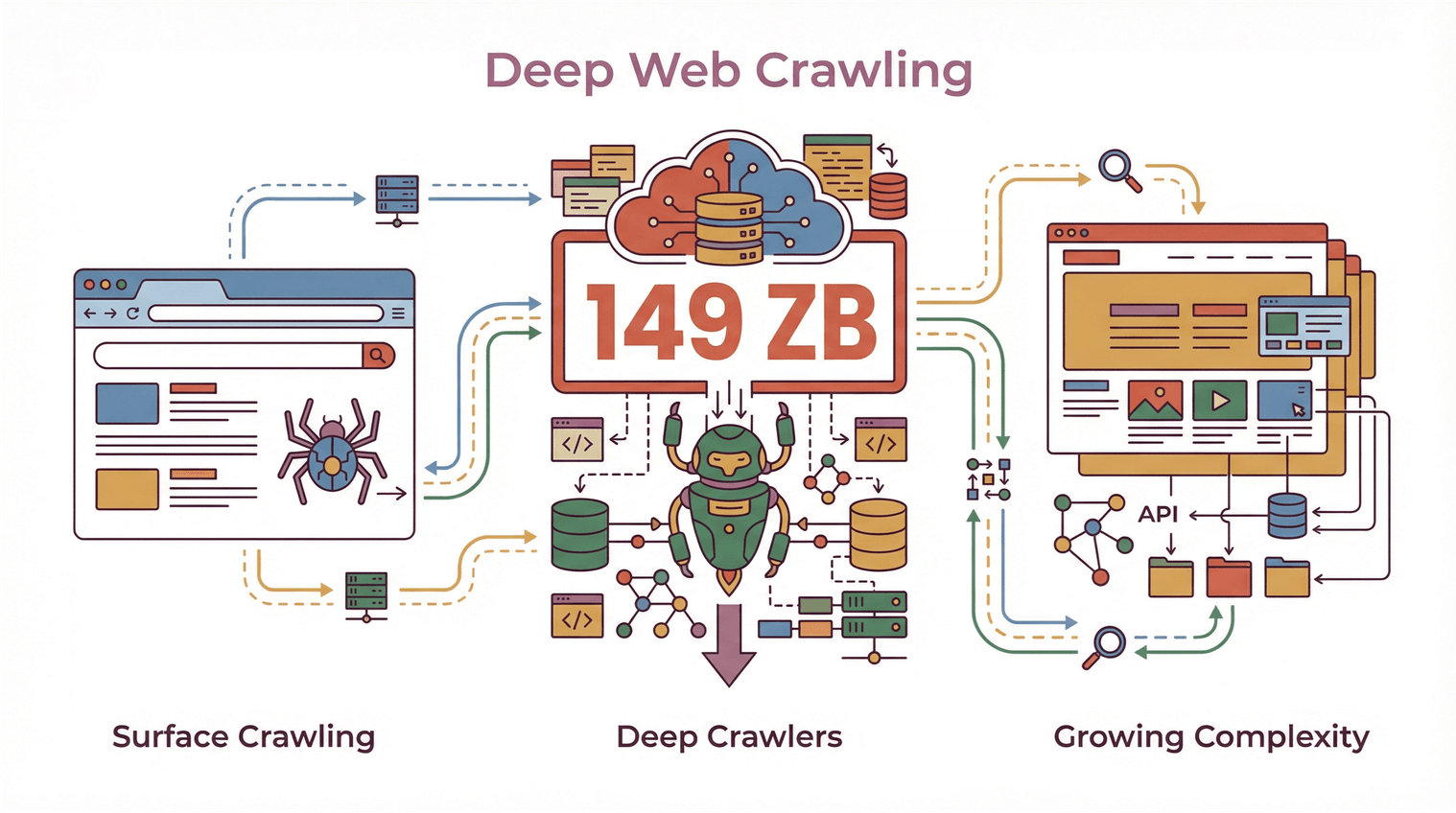 With the global volume of web data reaching , and websites doubling in complexity every few years, deep crawlers are quickly becoming essential for anyone who needs more than just a superficial scan of the web.
Deep Crawler vs. Traditional Crawler: What Sets Them Apart?
Let’s get a little more specific. What makes a deep crawler different from the “regular” crawlers you might have heard about?
Traditional Crawlers: Skimming the Surface
Traditional web crawlers (sometimes called “shallow crawlers”) are designed for speed and breadth. They’re great at quickly scanning a site, grabbing whatever’s on the main pages, and moving on. This is the approach used by most search engines—they want to index as many pages as possible, as fast as possible, but they don’t always go deep into every nook and cranny.
Limitations of traditional crawlers:
- Often miss data hidden behind navigation, tabs, or dynamic elements
- Struggle with JavaScript-heavy sites or content loaded after the initial page load
- Can’t handle multi-step navigation or complex page structures
- Tend to bring back incomplete or fragmented datasets
Deep Crawlers: Going Beyond the Obvious
A deep crawler, by contrast, is designed to fully explore a website—following every relevant link, clicking through paginated lists, and extracting data from subpages, pop-ups, and dynamically loaded content. It’s less about speed, more about completeness and accuracy.
Key features of deep crawlers:
- Advanced navigation: Can follow links recursively, handle multi-level site structures, and avoid dead ends or duplicate pages ().
- Dynamic content extraction: Can interact with JavaScript, expand hidden sections, and extract data that only appears after user actions ().
- Improved efficiency: Focuses on relevant areas of the site, reducing duplicate or irrelevant data, and ensuring nothing important is missed ().
- Data completeness: Ensures all levels of information—main listings, detail pages, related documents—are captured in one go.
If you’ve ever tried to scrape all the reviews from a product page, or get every listing from a real estate portal (including the agent’s info on a separate subpage), you’ve probably run into the limits of traditional crawlers. That’s where deep crawlers shine.
How Deep Crawlers Ensure Data Completeness and Advanced Page Navigation
So, how do deep crawlers actually work their magic? It’s all about link following, recursive navigation, and smart handling of dynamic content.
Subpage Scraping and Multi-Layer Navigation
A deep crawler doesn’t just stop at the first page. It:
- Identifies internal links (like “View Details,” “Next Page,” or “See More”)
- Follows those links to subpages, detail views, or even pop-ups
- Extracts data from each layer, combining everything into a single, structured dataset
This approach is sometimes called “recursive crawling” or “multi-level scraping.” It’s especially useful for sites where the information you need is spread across multiple pages—think product listings with separate detail pages, or directories where contact info is only available after clicking through.
Handling Pagination and Dynamic Content
Modern websites love to hide data behind “Load More” buttons, infinite scrolls, or JavaScript-driven tabs. Deep crawlers are built to:
- Detect and interact with pagination controls
- Scroll or click through dynamic elements
- Wait for content to load before extracting data
This means you get a complete dataset, not just whatever happened to be visible when the page first loaded ().
Deep Link Tracking and Multi-Layer Scraping
One of the trickiest parts of deep crawling is making sure you don’t miss hidden or nested data. Deep crawlers use algorithms to:
- Track which links have been visited (to avoid duplicates or loops)
- Prioritize important pages (like detail views or downloadable documents)
- Handle edge cases (like pop-ups, expandable sections, or content loaded via AJAX)
This is especially important for business use cases—missing a single contact detail or product spec can mean lost opportunities or incomplete analysis ().
Thunderbit: Simplifying Deep Crawling with AI-Powered Tools
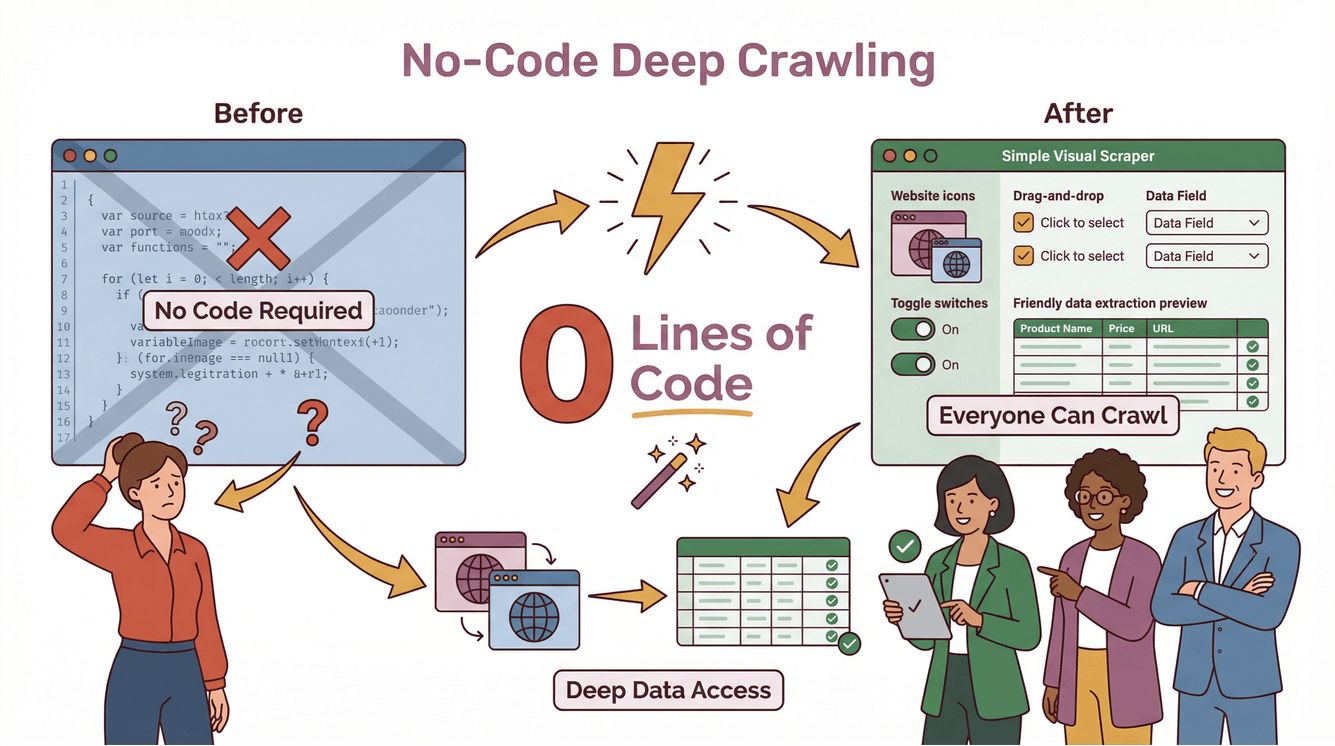
Now, I’ll be honest: deep crawling used to be the domain of hardcore developers and data engineers. You’d need to write custom scripts, handle edge cases, and spend hours maintaining your code every time a website changed. But with , we set out to make deep crawling accessible to everyone—even if you’ve never written a line of code in your life.
Thunderbit’s Deep Crawler Features in Action
Here’s how Thunderbit makes deep crawling a breeze:
- AI Suggest Fields: Just click “AI Suggest Fields,” and Thunderbit’s AI scans the page, suggests the best columns to extract, and even creates prompts for each field.
- Subpage Scraping: Need more info? Thunderbit can automatically visit each subpage (like product details, agent profiles, or review tabs) and enrich your table with extra data.
- Dynamic Content Handling: Thunderbit interacts with pagination, infinite scrolls, and dynamic elements—no manual setup required.
- No-Code, Two-Step Process: Describe what you want, click “Scrape,” and Thunderbit does the rest. Export your data directly to Excel, Google Sheets, Notion, or Airtable—no extra fees or limits ().
Step-by-Step Example: Deep Crawling with Thunderbit
Let’s say you want to scrape all the real estate listings from a site, including agent contact info hidden on subpages:
- Open the listings page in Chrome.
- Click the Thunderbit extension.
- Use “AI Suggest Fields” to let Thunderbit recommend columns like “Listing Title,” “Price,” “Address,” and “Agent Link.”
- Click “Scrape.” Thunderbit grabs all the main listings.
- Click “Scrape Subpages.” Thunderbit visits each agent’s profile, pulls out phone numbers, emails, and more, and merges it into your main table.
- Export your data to Google Sheets or Excel—ready for your sales or ops team.
No code, no templates, no headaches. And if the website changes, Thunderbit’s AI adapts automatically ().
Business Benefits: How Deep Crawlers Drive Sales and Marketing Success
Okay, so deep crawlers sound cool—but what’s the real business value? Here’s where things get exciting.
Unlocking Valuable Insights from E-commerce, Real Estate, and Competitor Sites
For sales and marketing teams, deep crawlers are a goldmine. They let you:
- Extract every product, price, and review from e-commerce sites—even if the data is buried behind multiple layers or tabs
- Aggregate real estate listings (including hidden agent info or property details)
- Monitor competitor websites for new products, pricing changes, or market shifts ()
- Build richer lead lists by capturing contact info from directories, event sites, or niche portals
With deep crawling, you’re not just getting more data—you’re getting better, more actionable data that can drive real business outcomes.
Deep Scraping for Competitive Intelligence
Imagine your sales team wants to target companies that just launched a new product. A deep crawler can:
- Scan competitor sites for new product pages
- Follow links to press releases or investor updates
- Extract key details (launch dates, pricing, features)
- Feed that data into your CRM or analytics tools
The result? Faster, smarter decision-making—and a serious edge over teams still relying on surface-level scraping.
Compliance and Best Practices: What to Watch Out for When Using Deep Crawlers
With great crawling power comes great responsibility. Deep crawlers can access a lot of data—but that doesn’t mean you should grab everything in sight. Here’s what to keep in mind:
Data Privacy and Copyright
- Respect website terms of service: Many sites outline what’s allowed in their TOS. Violating these can lead to legal headaches ().
- Avoid scraping personal or confidential data unless you have explicit permission.
- Be mindful of copyright: Don’t republish or sell scraped content without checking the rights.
Responsible Crawling
- Throttle your requests: Don’t overload websites with too many requests at once.
- Check robots.txt: While not legally binding, it’s good etiquette to respect sites’ crawling preferences.
- Stay up to date on laws: Regulations like GDPR and CCPA can affect what data you’re allowed to collect and how you use it ().
For a deeper dive, see .
Choosing the Right Deep Crawler Solution for Your Business
So, how do you pick the right deep crawler? Here’s what I look for:
- Ease of use: Can non-technical users set it up quickly? (Thunderbit: yes.)
- Scalability: Does it handle big sites, lots of pages, and dynamic content?
- Compliance tools: Does it help you stay on the right side of the law?
- Integration: Can you export data to the tools your team already uses (Excel, Sheets, Notion, Airtable)?
- Maintenance: Does it adapt to website changes automatically, or are you stuck fixing broken scripts every week?
Thunderbit is built with all of these in mind. It’s trusted by , from solo founders to enterprise teams, and it’s priced so that even small businesses can get started for as little as $15/month.
Key Takeaways: The Future of Deep Crawling in Business Data Strategy
Let’s wrap it up:
- Deep crawlers are essential for extracting complete, accurate data from today’s complex, dynamic websites.
- They go beyond traditional crawlers by handling multi-layer navigation, dynamic content, and hidden data.
- Business teams use deep crawlers to unlock insights, drive sales, monitor competitors, and make faster decisions.
- Compliance matters: Always scrape responsibly, respect privacy, and follow the rules.
- Thunderbit makes deep crawling accessible to everyone, with AI-powered features, no-code setup, and seamless data export.
If you’re ready to leave surface-level scraping behind and start digging deeper, and see for yourself how easy deep crawling can be. And for more tips, check out the for guides, best practices, and the latest in AI-powered web scraping.
FAQs
1. What is a deep crawler, and how is it different from a regular web crawler?
A deep crawler is a web scraping tool designed to navigate through multiple layers of a website, extracting data from subpages, dynamic content, and hidden sections. Unlike traditional crawlers, which only skim the surface, deep crawlers ensure comprehensive data collection by following links and handling complex site structures.
2. Why do businesses need deep crawlers in 2025?
Websites are more complex than ever, with data often hidden behind navigation, tabs, or dynamic elements. Deep crawlers help businesses extract complete datasets for sales, marketing, research, and competitive intelligence—something basic crawlers can’t do.
3. How does Thunderbit simplify deep crawling for non-technical users?
Thunderbit uses AI to suggest fields, handle subpage scraping, and manage dynamic content—all through a simple, no-code interface. Users just describe what they want, click “Scrape,” and export the results to their favorite tools.
4. What compliance issues should I consider when using a deep crawler?
Always respect website terms of service, avoid scraping personal or confidential data without permission, and stay up to date on privacy laws like GDPR and CCPA. Responsible crawling and data use are key to minimizing legal risks.
5. Can deep crawlers help my sales and marketing team get better results?
Absolutely. Deep crawlers unlock richer, more actionable data from e-commerce, real estate, and competitor sites—fueling lead generation, market analysis, and faster decision-making. With tools like Thunderbit, even non-technical teams can access the insights they need to drive growth.
Learn More