
The web is overflowing with information—sometimes it feels like you need a second brain just to keep up. If you’re in sales, ecommerce, or operations, you know the struggle: your team is buried in articles, product listings, competitor updates, and customer reviews, all demanding attention. But here’s the kicker—most of us spend 2.5 to 3 hours a day just searching for the information we need to do our jobs (). That’s not counting the time spent actually reading and making sense of it all. In a world where the global data volume is expected to hit , it’s no wonder 76% of workers report daily stress and anxiety from information overload.

So, how do you turn this avalanche of content into quick, actionable insights—without losing your mind (or your lunch break)? That’s exactly what I set out to solve with Thunderbit, and what I’ll walk you through today: why and how to summarize web pages online, the difference between manual and automated methods, and how you can use AI tools like Thunderbit to make web summarization a breeze for your business.
Why Summarize Web Pages Online? The Business Case
Let’s get real: in today’s business world, speed and clarity are everything. Whether you’re qualifying leads, tracking competitors, or analyzing market trends, the ability to summarize web pages online isn’t just a nice-to-have—it’s a competitive edge.
Here’s why online summarization is such a game-changer for business users:
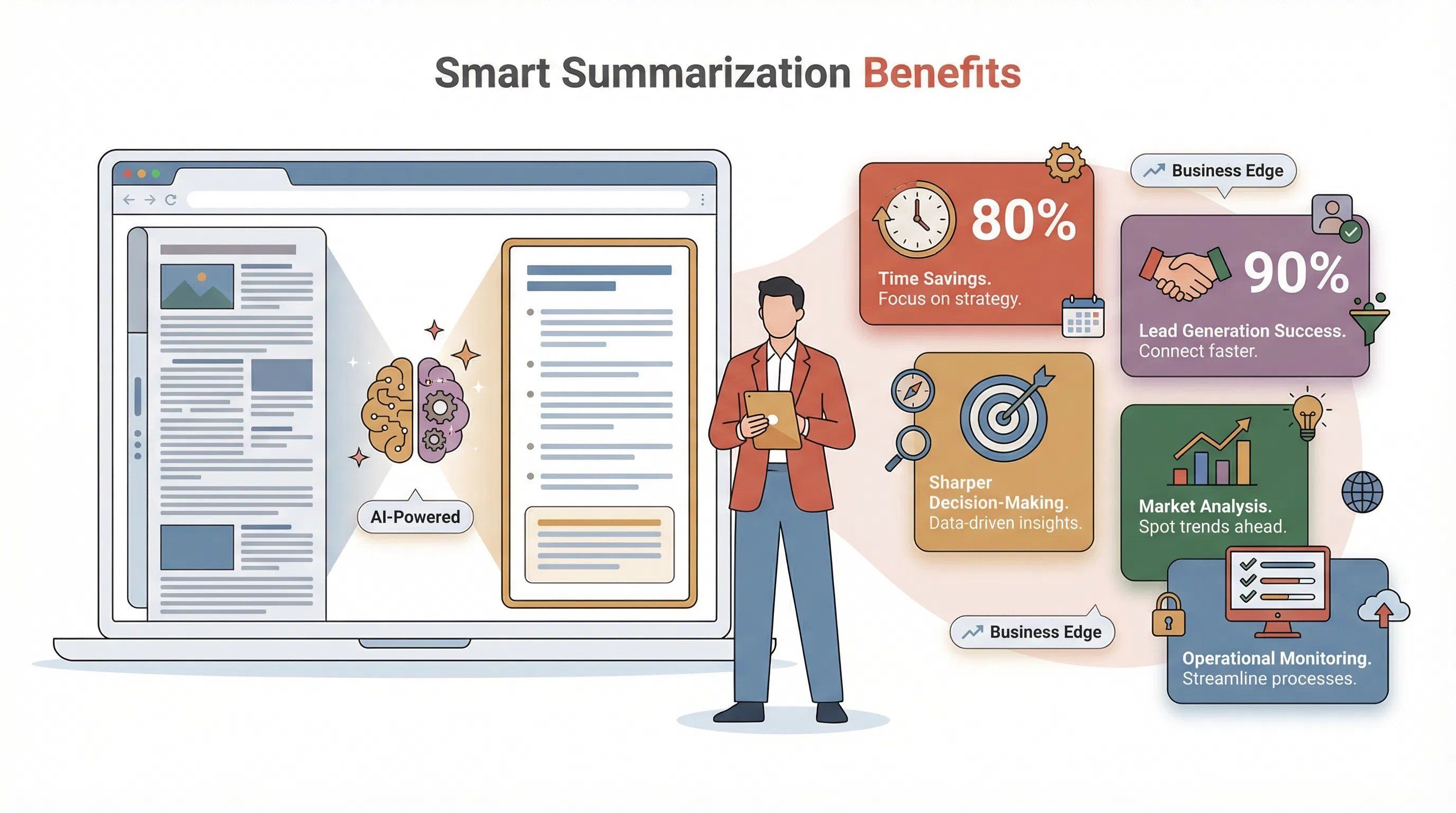
- Time Savings & Productivity: Every minute you’re not slogging through a 5,000-word article is a minute you can spend actually making decisions. AI summarization can cut document processing time by .
- Sharper Decision-Making: Summaries help you surface the signal from the noise. When you get the key points up front, you’re less likely to miss critical details or fall into “analysis paralysis” ().
- Faster Lead Generation: Sales teams can extract and qualify leads in minutes, not hours. Over 90% of high-performing sales teams are already using AI for tasks like this ().
- Market & Competitor Analysis: Summaries let you spot trends and competitor moves before they hit mainstream—giving you a first-mover advantage ().
- Operational Monitoring: Operations teams can automate the tracking of pricing, inventory, or regulatory updates, turning hours of manual checking into a quick daily scan.
Here’s a quick look at how different teams benefit:
| Use Case | AI-Driven Benefit | ROI Impact |
|---|---|---|
| Lead Generation (Sales) | Extract contacts from directories in seconds | More leads, less manual research (Thunderbit Blog) |
| Market Research (Marketing) | Summarize trends from news, reviews, forums | Spot opportunities before competitors |
| Competitor Analysis (Strategy) | Track updates and summarize competitor web pages | Faster, smarter strategic decisions |
| Lead Qualification (Sales) | AI filters and summarizes lead info | Higher conversion rates, less wasted effort |
| Ongoing Monitoring (Ops) | Scheduled scraping & summarizing for updates | Lower costs, quick response, fewer surprises |
In short, summarizing web pages online is about working smarter, not harder. And in a world where over half of business owners believe AI can effectively summarize information (), the expectation is clear: if you’re not using these tools, you’re falling behind.
Manual vs. Automated: Comparing Web Page Summarization Methods
Let’s be honest: I’ve tried the manual route. You read the page, jot down notes, maybe copy-paste a few lines into a doc, and hope you didn’t miss anything important. It works… until you have to do it for 20 pages. Or 200. Or you’re on your third cup of coffee and your attention span is shot.
The truth? Manual summarization is slow, error-prone, and inconsistent (). Here’s how it stacks up against automated tools:
| Factor | Manual Summarization | Automated (AI/Online) Summarization |
|---|---|---|
| Speed | 10–30 minutes per page | Seconds per page |
| Scalability | Doesn’t scale (linear effort) | Scales to hundreds/thousands of pages |
| Consistency | Varies by person, mood, or fatigue | Consistent output every time |
| Error Rate | High (typos, missed details) | Low (AI reads everything, no fatigue) |
| Cost | High (labor, lost productivity) | Low (one-time or subscription fee) |
Automated tools like Thunderbit don’t just save time—they eliminate human error, ensure you never miss a hidden detail, and let you process more information than you ever could by hand. In fact, companies that switched to AI summarization saw an 80% reduction in time spent per document ().
Sure, there are times when human judgment is needed—like summarizing a sensitive legal contract. But for 99% of business web content, automation wins hands down.
Why Choose Online Automated Tools for Summarizing Web Pages?
So, why go online? Why not just use offline software or stick with old-school methods? Here’s what makes online automated tools the go-to for summarizing web pages:
- Accessibility: No complicated installs. Just add a browser extension or use a web app—works anywhere, on any device ().
- Ease of Use: Most tools are “paste link, click summarize.” No learning curve, no tech headaches ().
- Workflow Integration: Export summaries straight to Google Sheets, Excel, Airtable, Notion, or Slack. Your data lives where your team works ().
- Always Up-to-Date: Cloud-based tools update themselves with the latest AI models and features. No manual upgrades needed.
- Customization: Choose summary length, style (bullets, narrative), or even language—many tools support 30+ languages.
And let’s not forget the ecosystem: from dedicated summarizers like QuillBot and TLDR This, to AI chatbots like ChatGPT (which, by the way, ), there’s an online tool for every workflow.
But if you want a tool that’s built for business users—especially for sales, ecommerce, and operations—Thunderbit is in a league of its own.
Meet Thunderbit: Summarize Web Pages Online with AI
Let me introduce you to , the AI-powered web summarization tool my team and I built for people who want results, not headaches. Thunderbit is a Chrome Extension that acts like a super-smart intern: it “reads” any web page (or PDF, or image), understands what matters, and outputs a structured summary or data table in seconds.
Here’s what makes Thunderbit special:
- AI That Understands Context: Thunderbit uses advanced natural language processing to “visually read” web pages—identifying titles, prices, names, dates, and more, just like a human would.
- “AI Suggest Fields” for Instant Summaries: With one click, Thunderbit scans the page and suggests the key fields to extract—think “Product Name,” “Price,” “Summary,” or “Contact Email.” You can tweak these or just hit go.
- Handles Subpages and Pagination: Need more detail? Thunderbit can automatically visit subpages (like individual product or profile pages) and append deeper info to your summary. It also handles paginated or infinite-scroll content.
- No Coding Needed: Everything is done in plain English. Want a one-sentence summary? Just add a field and type “Summarize this article in one sentence.”
- Export Anywhere: Download your summary as Excel, CSV, or push it straight to Google Sheets, Airtable, or Notion—free and unlimited.
- Content-Aware Summaries: Thunderbit can generate one-liners, detailed abstracts, key statistics, and even glossaries—tailored to the type of page you’re on ().
I’ve seen users scrape and summarize 500 leads from a business directory, enrich each with LinkedIn data, and export to Google Sheets—all before their coffee gets cold (). That’s the kind of productivity boost we’re talking about.
Step-by-Step Guide: How to Summarize Web Pages Online with Thunderbit
Ready to see how easy it is? Here’s a step-by-step walkthrough for summarizing web pages online with Thunderbit:
Step 1: Install Thunderbit Chrome Extension
- Go to the and click “Add to Chrome.”
- Works on any Chromium-based browser (Chrome, Edge, Brave) on desktop.
- Pin the Thunderbit icon to your toolbar for easy access.
- Sign up with email or Google—no credit card needed. The free tier lets you summarize up to 6 pages (or 10 with a trial boost).
Step 2: Open the Target Web Page and Launch Thunderbit
- Navigate to the web page you want to summarize—news article, product page, directory, you name it.
- Click the Thunderbit icon in your toolbar to open the panel.
- Choose “Current Page Scraping” mode.
Step 3: Use “AI Suggest Fields” for Instant Summary Setup
- Click the “AI Suggest Fields” button.
- Thunderbit’s AI scans the page and suggests fields like “Headline,” “Summary,” “Price,” or “Contact Info.”
- Review the suggestions—rename, add, or remove fields as needed.
- For custom summaries, add a field with an AI prompt (e.g., “Summarize this article in two sentences”).
Step 4: Click “Scrape” to Generate Your Web Page Summary
- Hit “Scrape” and let Thunderbit do its thing.
- In seconds, you’ll see a structured summary table—one row per item, with your chosen fields as columns.
- For multi-page content, enable “Pagination” to auto-scrape all results. For deeper info, use “Scrape Subpages” to visit linked pages and enrich your summary.
Step 5: Export Summarized Data to Excel, Google Sheets, or Airtable
- Click “Export” and choose your destination: Excel, CSV, Google Sheets, Airtable, or Notion.
- Exports are free and unlimited—no paywall.
- Once exported, your team can collaborate, analyze, or present the data however you like.
Troubleshooting Tips:
- If Thunderbit misses a detail, add a custom field with a specific AI prompt.
- For complex sites, try switching between Browser and Cloud Scraping modes.
- Use “AI Improve Fields” to refine the summary structure if needed.
Thunderbit in Action: Use Cases Across Sales, Ecommerce, and Operations
Let’s make this concrete. Here’s how Thunderbit helps real teams summarize web pages online:
Sales: Lead Extraction and Qualification
- Scrape a directory of companies or conference attendees.
- Use “AI Suggest Fields” to extract company name, contact info, and a one-line summary of what they do.
- Use “Scrape Subpages” to pull LinkedIn profiles or deeper contact details.
- Export to Google Sheets for instant outreach and tracking.
Ecommerce: Product Review and Price Summaries
- Summarize competitor product listings—grab product names, prices, ratings, and review counts.
- Use AI prompts to summarize customer sentiment (“Summarize the top 3 complaints in reviews”).
- Schedule daily scrapes to monitor price changes and stock status.
Operations: Market Trend and Regulatory Monitoring
- Scrape news sites or government portals for market updates.
- Summarize key statistics, regulatory changes, or trend highlights.
- Export to Airtable for a living market intelligence dashboard.
Mini Case Study:
One indie ecommerce seller used Thunderbit to monitor competitor prices and stock across multiple sites. With scheduled scrapes and AI summaries, they adjusted their pricing strategy on the fly—and beat competitors to market changes.
Managing and Sharing Summarized Data: Worksheet & Airtable Integration
Summarizing is just the first step—the real magic happens when you manage and share that data with your team.
- Centralize Data: Export summaries to Google Sheets or Airtable for a single source of truth. Everyone sees the same info, in real time.
- Collaborate: Team members can comment, filter, and analyze the data together—no more emailing spreadsheets back and forth.
- Enrich & Visualize: Use spreadsheet formulas or Airtable views to create dashboards, charts, or pivot tables from your summaries.
- Automate Updates: With Thunderbit’s scheduled scraping, your summary sheets update themselves—no manual effort required.
Best practice: Use Google Sheets for quick collaboration, Airtable for richer databases, and Notion for internal wikis or knowledge bases. Thunderbit even uploads images to these platforms, so your summaries can include visuals, not just text ().
Tips for Getting the Most Out of Web Page Summarization Tools
Want to go from casual user to power user? Here are my top tips:
- Customize AI Prompts: Don’t just settle for default fields. Add custom prompts for summaries, categories, or sentiment analysis.
- Use Subpage Scraping Wisely: Start with a high-level summary, then enrich only the rows you care about with deeper subpage data.
- Schedule Recurring Summaries: Automate daily, weekly, or monthly scrapes to keep your data fresh.
- Mix Templates and AI: Use Thunderbit’s instant templates for popular sites, then layer on AI for custom fields or summaries.
- Verify & Refine: Double-check critical info, especially for high-stakes decisions. Use “AI Improve Fields” to refine your summary structure.
- Stay Compliant: Only summarize public data, and respect website terms of service.
And don’t forget—Thunderbit includes free tools for email, phone, and image extraction, plus PDF and OCR summarization. It’s your all-in-one web data Swiss Army knife.
Conclusion & Key Takeaways
Let’s bring it home:
- Summarizing web pages online is a productivity superpower. It turns information overload into actionable insight, saving you hours every week.
- Automated tools like Thunderbit outclass manual methods in speed, accuracy, and scalability. You get more done, with fewer errors.
- Thunderbit stands out for business users—with AI-powered field suggestions, subpage scraping, and instant exports to your favorite platforms.
- Workflow integration is key: Export summaries to Google Sheets, Airtable, or Notion for team collaboration and analysis.
- A little customization goes a long way: Use AI prompts, schedule recurring summaries, and refine your fields to get exactly what you need.
If you’re ready to turn the web from a firehose into a fountain of insight, and give it a spin. Or check out the for more guides, tips, and real-world use cases.
Happy summarizing—and may your inbox (and your brain) finally get a break.
FAQs
1. What does it mean to summarize web pages online?
It means using an online tool or browser extension (like Thunderbit) to automatically condense the content of a web page into key points, structured data, or a concise summary—saving you time and effort.
2. How does Thunderbit summarize web pages?
Thunderbit uses AI to “read” the page, suggest relevant summary fields, and extract the most important information. You can customize what’s summarized and export the results to Excel, Google Sheets, Airtable, or Notion.
3. Can I use Thunderbit for any type of web page?
Yes! Thunderbit works on news articles, product pages, directories, search results, PDFs, and even images. It can also handle subpages and paginated content.
4. How do I export summaries for team collaboration?
After summarizing, simply click “Export” in Thunderbit and choose your destination—Excel, Google Sheets, Airtable, or Notion. Your team can then collaborate, analyze, and share the data as needed.
5. Are there any costs to using Thunderbit?
Thunderbit offers a free tier (scrape up to 6 pages, or 10 with a trial boost), with paid plans for higher volume. All exports are free and unlimited, so you can share and manage your summaries without extra fees.
Ready to see what you’ve been missing? and start turning web chaos into clarity today.
Learn More