

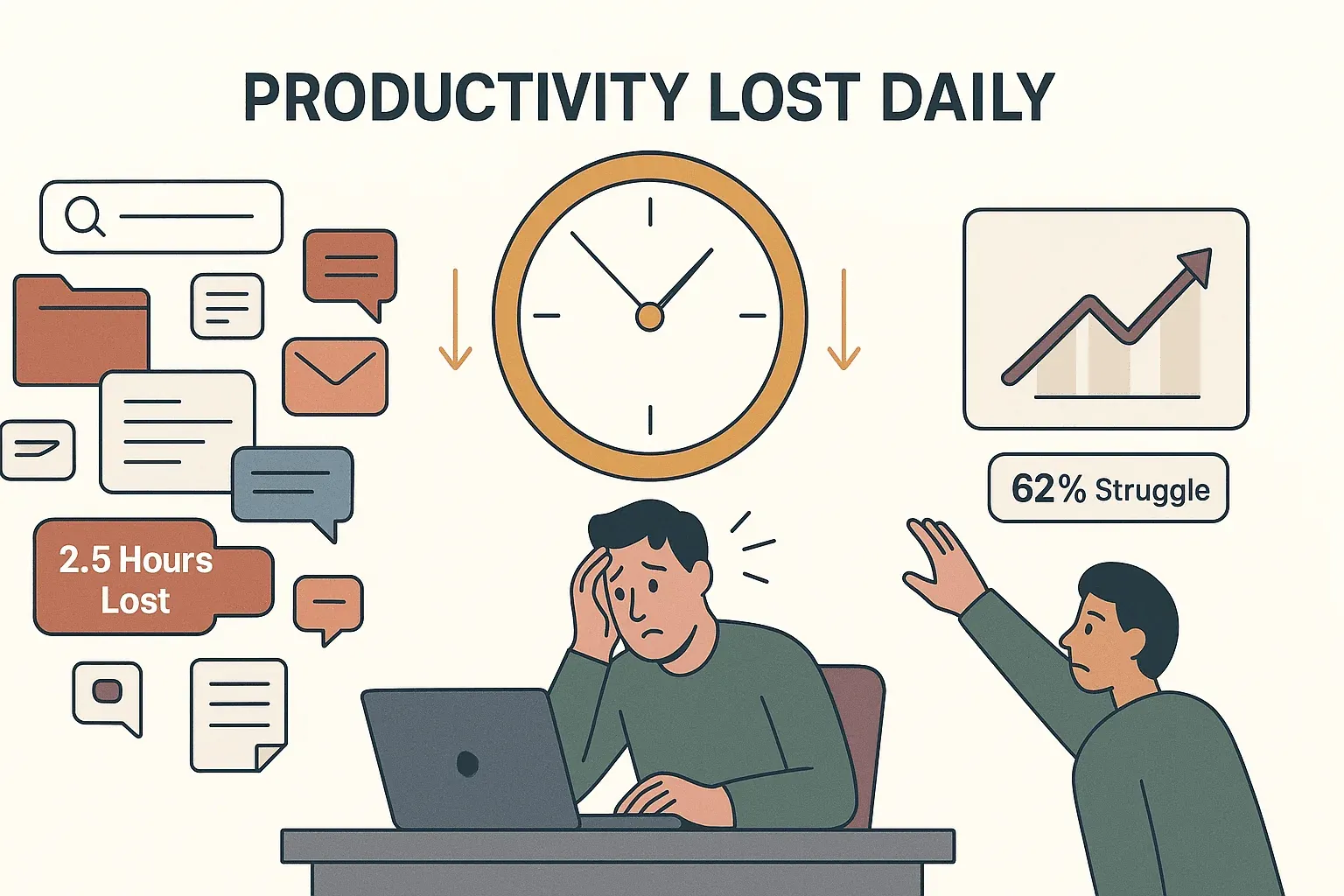
The modern workplace is awash in data—emails, web pages, reports, reviews, and more. But here’s the kicker: despite all this information at our fingertips, most professionals spend a staggering chunk of their day just trying to find what they need. According to recent studies, knowledge workers lose about 2.5 hours every day—that’s nearly 30% of the workday—just searching for information (Rev.com). And it’s not just a minor annoyance. This endless hunt for data drains productivity, leads to missed opportunities, and leaves over 62% of employees feeling like they don’t even have time to search for what matters (Coveo). If you’ve ever found yourself lost in a sea of browser tabs or copy-pasting the same info for the hundredth time, you know exactly what I’m talking about.
Scrape data from any website using AI Get Started Free
That’s why I’m so passionate about search automation—a smarter, faster way to tackle the information overload that plagues today’s teams. In this guide, I’ll break down what search automation really means, why it’s a must-have for modern businesses, and how tools like Thunderbit are making it easier than ever to turn hours of manual searching into a few clicks of automated magic (well, not magic, but pretty close). Whether you’re in sales, marketing, operations, or finance, this is your roadmap to working smarter—not just harder.
What Is Search Automation? Breaking Down the Basics
Let’s start with the basics: search automation is the use of technology—often powered by AI—to automatically find, extract, and organize information from various sources, without the need for constant manual effort. Instead of spending your afternoon copying leads from a website into a spreadsheet, search automation lets a smart software agent do the heavy lifting for you.
Think of it as the evolution of web scraping: while traditional web scraping automates data extraction from websites, search automation goes further. It can handle PDFs, images, and even unstructured text, pulling together everything you need for lead generation, price monitoring, market research, and more (Thunderbit Blog). The real difference? Search automation isn’t just about speed—it’s about accuracy, scale, and the ability to process huge volumes of information with minimal oversight.
A common misconception is that search automation is only for coders or IT teams. Not anymore. Modern tools use AI to interpret web pages, understand context, and deliver structured results—even if you’ve never written a line of code in your life.
Why Traditional Search Methods Fall Short
Let’s be honest: manual search is a productivity killer. Here’s what I’ve seen (and experienced) time and again:
- It’s slow. Manually searching for leads, tracking competitor updates, or compiling market data can eat up hours—sometimes days—of valuable time.
- It’s error-prone. Humans get tired, distracted, or just plain bored. Studies show manual data entry has a 1–5% error rate (Fluxygen).
- It doesn’t scale. One person can only check so many sites or pages in a day. If you need to monitor thousands of SKUs or track every mention of your brand, manual efforts just can’t keep up.
- It’s inconsistent. Two people searching for the same thing might get totally different results, or miss key info buried deep in the results.
For example, the average sales rep spends 17 minutes per prospect on research and CRM updates. With automation, that drops to under 30 seconds (Autobound.ai). Multiply that across hundreds of prospects, and the lost time is mind-boggling.
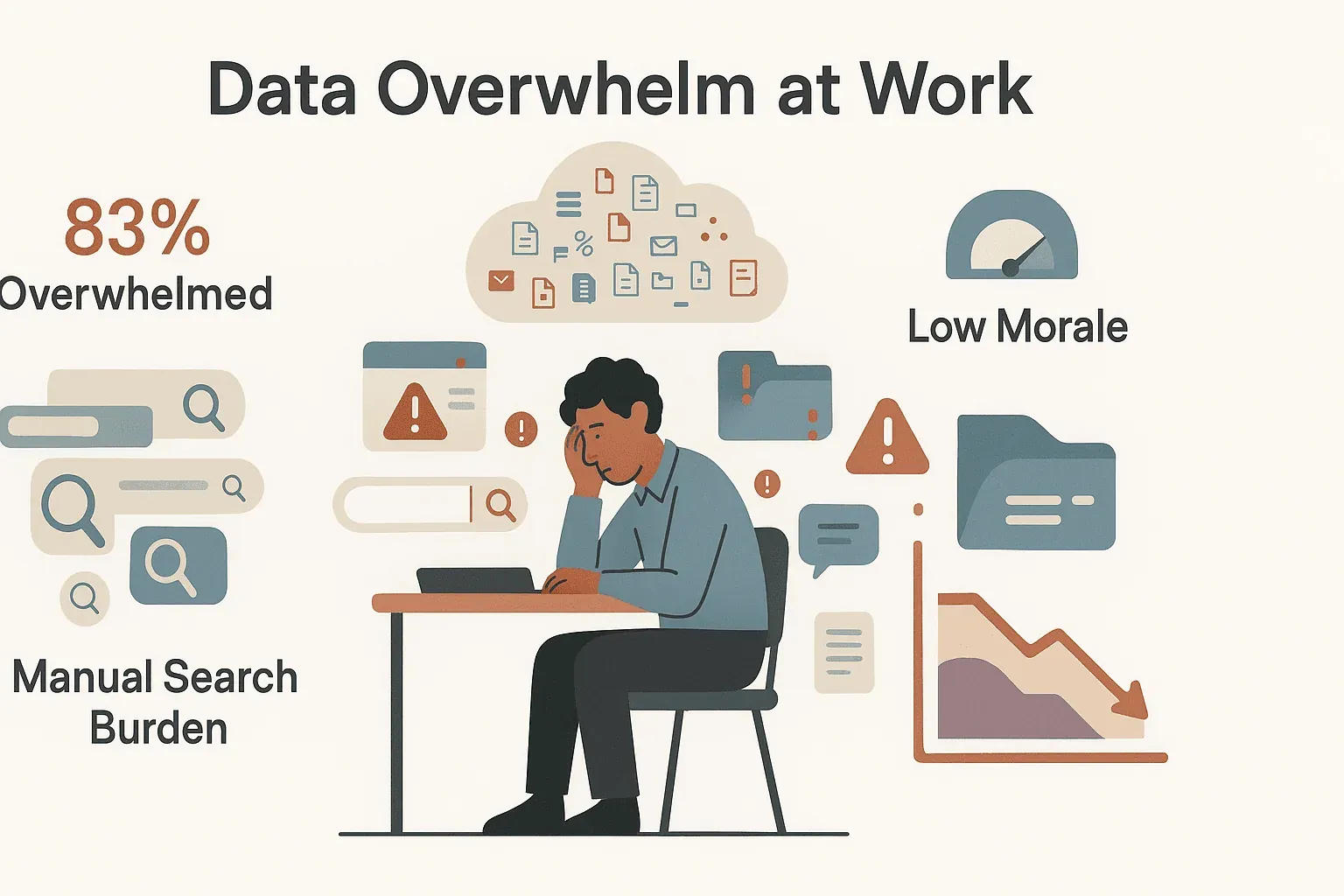
Manual search is also a morale killer. 83% of workers say they feel overwhelmed by the sheer amount of data required for their jobs (Coveo). That’s not just a productivity issue—it’s a recipe for burnout.
The Rise of AI-Driven Search Automation
So, what happens when you add AI to the mix? Suddenly, search automation isn’t just about automating clicks—it’s about intelligent discovery.
AI-driven search automation can:
- Recognize patterns and context (not just keywords)
- Adapt to website changes (self-healing scrapers!)
- Interpret natural language queries (“find me all executive contacts on this page”)
- Summarize and categorize data on the fly (think sentiment analysis on reviews, or auto-categorizing products)
Modern AI-enabled scrapers now achieve 95% success rates even on websites they’ve never seen before (Scrap.io). If a site changes its layout, AI can often figure out where the data moved—no manual reprogramming needed.
And it’s not just about extraction. AI can enrich, translate, or even predict what data you’ll need next. Some tools let you chat with the AI to describe exactly what you want—no technical jargon required (Dev.to).
Key Benefits of Search Automation for Business Teams
Let’s get specific. Here’s why search automation is a must-have for any modern business:
- Time Savings: Automation can turn hours of manual work into minutes. Some organizations report generating 4.5× more qualified leads at 33% lower cost after switching to automated outreach (GetSales.io).
- Improved Accuracy: No more typos or missed records—automated systems follow instructions to the letter, every time.
- Scalability: Need to monitor 100 competitor sites or scrape 10 years of filings? Automation can handle it, running jobs in parallel or on a schedule.
- Consistency: Every search follows the same rules, so your data is standardized and reliable.
- Cost Efficiency: Do more with less—reduce the need for manual labor and focus your team on higher-value work.
Here’s a quick comparison:
| Aspect | Manual Search & Data Gathering | Automated Search & Scraping |
|---|---|---|
| Speed | Slow—hours per task | Fast—dozens of pages per minute |
| Scale | Limited—hard to cover large volumes | Scalable—thousands of records, no sweat |
| Accuracy | Prone to human error | Highly consistent and precise |
| Effort | Labor-intensive, repetitive | Hands-free after setup |
| Frequency | Infrequent updates | Can run on schedules (hourly, daily, etc.) |
| Focus | Staff tied up in low-level tasks | Staff freed for analysis, strategy, and selling |
(Fluxygen)
Thunderbit: Transforming the Search Automation Experience
This is where Thunderbit comes in—a tool my team and I built to make search automation accessible to everyone, not just the techies.
Thunderbit is an AI-powered web scraper Chrome Extension designed for business users. Here’s what makes it stand out:
- AI Suggest Fields: Just click one button, and Thunderbit’s AI scans the page, suggesting the most relevant columns (like Product Name, Price, Review, etc.)—no setup required.
- Subpage Scraping: Need more details? Thunderbit can automatically visit each subpage (like product details or reviewer profiles) and enrich your dataset.
- Pagination Handling: Whether it’s “Next page” buttons or infinite scroll, Thunderbit grabs the entire dataset, not just the first few results.
- Batch Scraping & Scheduling: Feed it a list of URLs, or set up scheduled scrapes to keep your data fresh.
- Field AI Prompts: Customize how each field is extracted, labeled, or even translated—right as you scrape.
- Instant Data Export: Export directly to Excel, Google Sheets, Airtable, or Notion. And yes, exporting is totally free.
- Supports 34 Languages: Thunderbit is built for teams around the world.
Let’s see it in action: Imagine you’re a sales rep trying to monitor competitor product reviews. Manually, you’d have to check each product page, copy reviews, maybe even click into reviewer profiles for more info. With Thunderbit, you open the page, click “AI Suggest Fields,” hit “Scrape,” and you’re done. Want to dig deeper? Click “Scrape Subpages” and Thunderbit will pull in reviewer profiles or related data—no extra setup.
Try Thunderbit AI Web Scraper for Free
One of my favorite stories: a sales analyst used Thunderbit to scrape competitor reviews from Amazon, Walmart, and Target in a single afternoon. They used AI prompts to summarize sentiment and highlight recurring complaints. That’s the kind of insight that arms your sales team with real, actionable data—without the grunt work.
And the best part? Thunderbit’s pricing is accessible for any team. The free tier lets you scrape up to 6 pages (or 10 with a trial), and paid plans start at just $9/month.
Search Automation in Action: Use Cases Across Industries
Search automation isn’t just for data geeks. Here’s how different teams are using it:
- Marketing: Monitor competitor pricing, track campaign launches, and pull real-time SEO or social media insights. For example, marketers use automation to spot price drops or new product launches the moment they happen (Datahut).
- Sales: Automate lead generation by scraping directories, event attendee lists, or LinkedIn profiles. Extract emails and phone numbers in one click (Thunderbit includes free email and phone extractors).
- Operations: Track competitor inventory, monitor price changes, or stay on top of compliance updates. Retailers scrape millions of product listings daily to stay competitive (PromptCloud).
- Finance: Collect alternative data—like job postings, consumer reviews, or real-time news—to inform investment decisions. 67% of U.S. investment advisors now use web-scraped data (Scrap.io).
Here’s a quick snapshot:
| Industry | Use Case Example | Benefit |
|---|---|---|
| Marketing | Competitor price monitoring | Respond to market shifts instantly |
| Sales | Lead generation from event attendee lists | 80% more leads, lower cost per lead |
| Operations | Inventory and price tracking | Real-time visibility, proactive action |
| Finance | Scraping job boards/news for investment signals | Faster, data-driven decisions |
Essential Tools and Features for Effective Search Automation
Not all search automation tools are created equal. Here’s what to look for:
- No-Code, User-Friendly Interface: If it’s not easy, your team won’t use it.
- AI-Powered Field Detection: Auto-suggest fields to save setup time.
- Dynamic Content & Subpage Handling: Scrape what a human actually sees—including pop-ups, tabs, and subpages.
- Pagination & Scrolling Support: Get all the data, not just the first page.
- Data Type Recognition: Extract text, numbers, dates, emails, phone numbers, images, and more.
- Scheduling & Automation: Run scrapes on a schedule—hourly, daily, or whenever you need.
- Cloud Scraping: Scale up fast, run jobs in parallel, and avoid local network issues.
- Template Library: Use pre-built templates for popular sites (Amazon, Zillow, etc.).
- Flexible Export: One-click export to Excel, Sheets, Notion, Airtable, or JSON.
- Reliability & Error Handling: Self-healing scrapers, error alerts, and robust support.
Here’s a quick comparison:
| Tool | Ease of Use | Automation & Flexibility | Integration & Export | Starting Price |
|---|---|---|---|---|
| Thunderbit | No-code, AI-driven | Subpage, scheduling, cloud/local, AI | Excel, Sheets, Airtable, Notion, CSV | Free, $9/mo+ |
| Octoparse | No-code, visual | Dynamic sites, scheduling, templates | CSV, Excel, JSON, API | Free, $83/mo+ |
| Import.io | Point-and-click | Self-healing, large-scale, scheduling | API, BI connectors, webhooks | $299/mo+ |
How to Get Started with Search Automation
Ready to ditch the manual grind? Here’s how to get started:
- Identify High-Impact Use Cases: Where are you or your team losing the most time to manual search? (Think: lead research, price checks, compiling reports.)
- Set Clear Goals: What does success look like? Daily updates? 100% data coverage? Integration with your CRM?
- Trial Tools: Try out a few platforms—most offer free tiers. Test with real-world tasks.
- Evaluate Team Fit: Make sure the tool matches your team’s technical comfort. If no one codes, pick a no-code solution.
- Start Small: Pilot with one or two high-value tasks. Measure time saved and data quality.
- Integrate Into Workflows: Export data directly to where your team already works—Sheets, Notion, CRM, etc.
- Train and Onboard: Show your team how easy it is. Celebrate quick wins to build momentum.
- Scale Up Gradually: Add more use cases as you build confidence.
- Monitor and Maintain: Assign someone to check for errors or website changes. Most tools offer alerts.
- Stay Compliant: Respect website terms, avoid scraping sensitive data, and use ethical practices.
Start Automating Search with Thunderbit
Overcoming Common Challenges in Search Automation
No tool is perfect, but most challenges are manageable:
- Data Quality: Validate early runs against manual checks. Use AI prompts or post-scrape cleaning to fix issues.
- Website Changes: Choose tools with self-healing AI or easy reconfiguration. Monitor for errors and adjust as needed.
- Integration: Make sure output flows into your team’s daily tools—don’t let data sit in a silo.
- User Adoption: Involve team members early, provide training, and highlight quick wins.
- Scaling: Use naming conventions, dashboards, and assign a point person to oversee automation jobs.
The Future of Search Automation: Trends to Watch
Search automation is only getting smarter and more integrated. Here’s what’s next:
- Conversational Search: Ask for data in plain English—or even by voice—and get structured results.
- Deeper BI Integration: Automated data feeds will plug directly into dashboards and analytics tools.
- Hyperautomation: Search automation will be part of larger, end-to-end workflows (think: supply chain bots that search, analyze, and act).
- AI-Enhanced Adaptability: Self-healing, predictive scheduling, and semantic understanding will make automation even more robust.
- Ethical, Permission-Based Scraping: Expect more APIs, machine-readable licenses, and collaborative data sharing.
- Multimodal Data: Automated extraction from images, audio, and video—not just text.
The web data extraction market is projected to grow nearly 20% annually, hitting ~$38 billion by 2034 (Scrap.io). In other words: search automation is becoming as essential as spreadsheets or CRM.
Conclusion: Unlocking Productivity with Search Automation
Read more automation tips on Thunderbit Blog Get Started Free
Search automation is more than a buzzword—it’s a practical way to unlock productivity, insight, and competitive edge for any business team. By automating the tedious parts of research and data gathering, you free up your team to focus on what really matters: analysis, strategy, and execution.
If you’re still stuck in the manual-search rut, now’s the time to try something new. Tools like Thunderbit make it easy to get started—no code, no headaches, just results. Identify one repetitive search task you handle every week, and see how much time you can save by automating it. Your future self (and your team) will thank you.
For more tips, deep dives, and real-world automation stories, check out the Thunderbit Blog.
FAQs
1. What is search automation, in simple terms?
Search automation is using technology (often AI-powered) to automatically find, extract, and organize information from websites, documents, or other sources—so you don’t have to do it manually.
2. How does search automation differ from traditional web scraping?
While traditional web scraping focuses on extracting data from websites, search automation goes further: it handles PDFs, images, and unstructured text, uses AI to understand context, and can automate entire search and analysis workflows.
3. What are the main benefits of search automation for businesses?
Key benefits include major time savings, improved accuracy, scalability, and the ability to focus on higher-value tasks instead of repetitive manual work.
4. How can I get started with search automation in my team?
Start by identifying your most repetitive search tasks, trial a few no-code tools (like Thunderbit), and pilot automation on one or two high-impact use cases. Integrate results into your daily workflows and scale up as you gain confidence.
5. What challenges should I expect, and how do I overcome them?
Common challenges include data quality, website changes, and user adoption. Choose tools with self-healing AI, validate early outputs, provide training, and assign someone to monitor and maintain your automations for long-term success.
Ready to see what search automation can do for you? Download Thunderbit’s Chrome Extension and start automating your search tasks today.
Try Thunderbit AI Web Scraper Today Get Started Free
Learn More




