

The world of web testing is moving at breakneck speed. Just a few years ago, most teams were still wrestling with flaky Selenium scripts, endless manual waits, and the dreaded “it works on my browser” bug. But lately, there’s been a seismic shift. These days, whenever I talk to QA leaders or developers, one name keeps popping up: Playwright. And it’s not just hype—recent surveys show that around 45% of QA professionals now use Playwright, with a whopping 94% saying they’d use it again. That’s a level of satisfaction most tools can only dream of.
Scrape data from any website using AI Get Started Free
So, what’s behind this meteoric rise? Why are so many teams making the switch, and how is Playwright automation redefining what’s possible in web testing? As someone who’s spent years in SaaS and automation (and who’s seen my fair share of test scripts go sideways), I’m excited to break down what Playwright automation really is, why it’s such a leap forward, and how it pairs perfectly with tools like Thunderbit to create a new standard for data-driven, reliable, and scalable testing.
What Is Playwright Automation? The Basics Explained
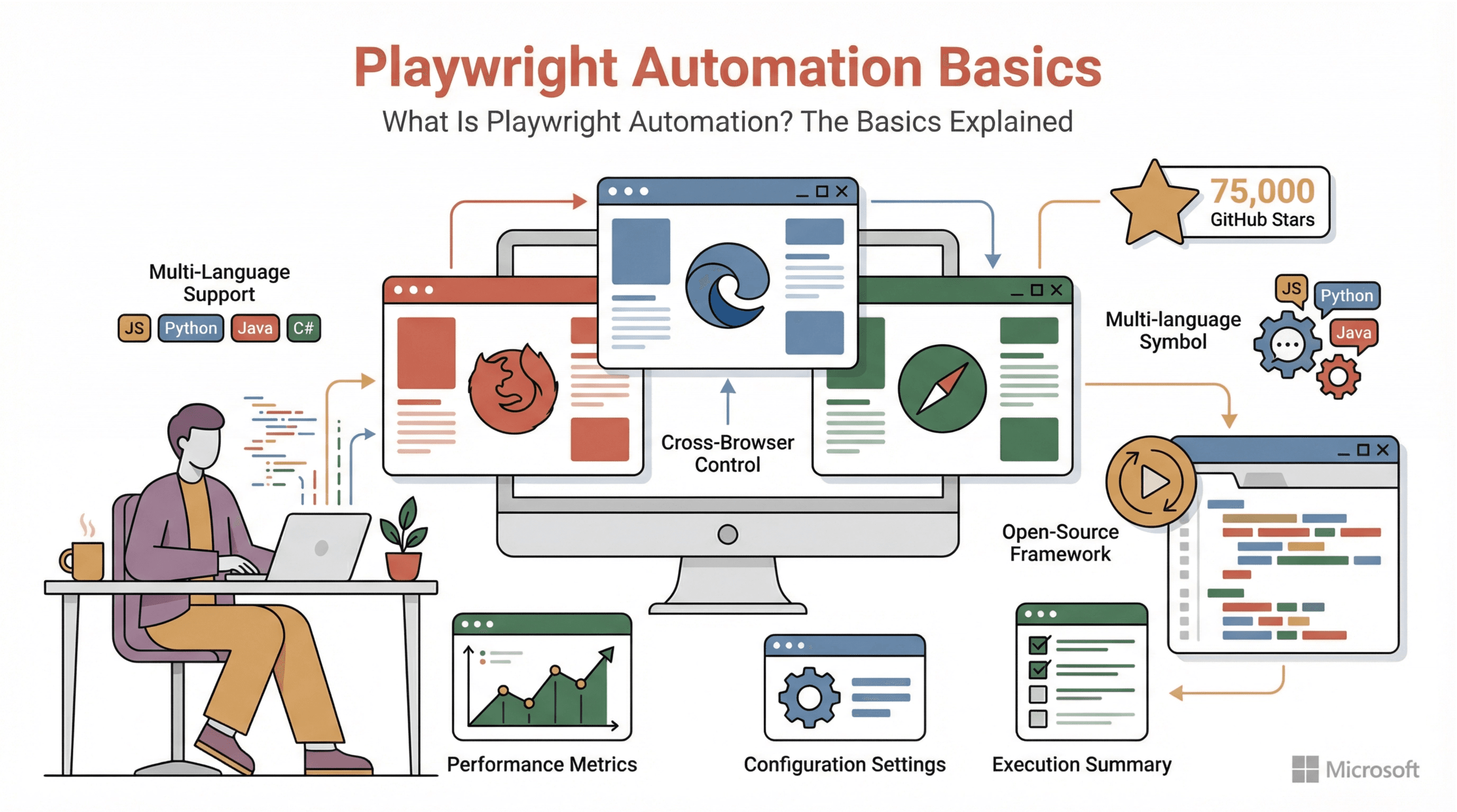 Let’s start at the beginning: What is Playwright automation, really? In plain English, Playwright is an open-source framework for automating web browsers. Developed by Microsoft and released in 2020, it gives you a single, consistent API to control all the major browsers—Chromium (Chrome/Edge), Firefox, and WebKit (Safari)—across Windows, macOS, and Linux. Think of it as a universal remote for the web: you can write scripts to launch browsers, click buttons, fill forms, upload files, and check that everything looks and works as expected, just like a real user would.
But here’s where Playwright really stands out: it’s not just for coders. Thanks to its support for multiple languages—JavaScript/TypeScript, Python, Java, and C#—teams can use Playwright in whatever environment they’re most comfortable with. Whether you’re a developer, a QA engineer, or even a business analyst with some scripting chops, Playwright is designed to be approachable and powerful.
And it’s open-source and free, with a thriving community and over 75,000 GitHub stars as of 2025. That’s not just a popularity contest—it means you’re getting a tool that’s battle-tested, rapidly evolving, and trusted by some of the world’s most demanding teams.
Why Playwright Automation Is a Step Ahead
If you’ve ever struggled with Selenium or other legacy testing tools, you know the pain: flaky tests that fail for no good reason, slow execution, and endless maintenance just to keep up with modern web apps. Playwright was built to solve these headaches from the ground up.
Here’s how Playwright stacks up against traditional tools like Selenium:
| Feature | Playwright (Modern) | Selenium (Traditional) |
|---|---|---|
| Automatic waiting | Yes—built-in smart waits for elements, reducing flaky tests | No—requires manual waits/timeouts; sync issues cause flakiness |
| Cross-browser support | Yes—single API for Chromium, Firefox, WebKit (Safari) | Yes—but each browser uses separate drivers; more setup |
| Test execution speed | Fast—direct browser control, parallel testing out-of-the-box | Slower—uses WebDriver protocol (added overhead); parallelism requires extra infrastructure |
| Languages available | JavaScript/TypeScript, Python, Java, C# (official) | Java, Python, C#, JavaScript, Ruby (older bindings) |
| Advanced features | Many built-in—network interception, API testing, headless mode, screenshots, video recording | Limited out-of-box—requires plugins or extra libraries |
| Test stability | High—auto-wait, auto-retries, isolation, fewer flaky tests | Moderate—flakiness is common unless carefully managed |
Table: Playwright vs. Selenium—why modern teams are making the switch (source).
The bottom line: Playwright was designed to “just work.” It waits for elements to be ready, runs tests in parallel, and gives you robust debugging tools out-of-the-box. Teams report that switching to Playwright cuts down on flaky tests, speeds up QA cycles, and makes automation less of a chore and more of a superpower (source).
Key Features That Boost Testing Efficiency
Let’s dig into the features that make Playwright a favorite for modern QA and dev teams:
Parallel Testing: Speed Up Your QA Cycles
Playwright can run multiple tests at the same time—right out of the box. Imagine you have 100 end-to-end tests that would normally take 100 minutes to run sequentially. With Playwright’s parallel execution, you could run 10 at a time and finish in about 10 minutes (official docs). For large ecommerce sites or teams practicing continuous deployment, this is a game-changer. You get faster feedback, can run more tests more often, and catch bugs before they hit production.
Automatic Waiting: Say Goodbye to Flaky Tests
Flaky tests are the bane of every QA team. Most of the time, they’re caused by timing issues—your script tries to click a button before it’s loaded, or checks for text before it appears. Playwright’s answer? Automatic waiting. Every action—click, type, assert—waits for the element to be ready. No more littering your code with sleep() calls or custom wait loops. The result: tests that are rock-solid and trustworthy (source).
Visual Feedback: Screenshots and Video Recording
Debugging failed tests used to be a guessing game. With Playwright, you get screenshots on failure and optional video recordings of every test run (source). If something breaks in CI, you can see exactly what the browser saw at the moment of failure—or watch a video replay of the whole test. It’s like having a security camera for your test suite. This visual feedback is a lifesaver for remote teams, cross-functional collaboration, and quick bug triage.
Built-in Reporting
After your tests run, Playwright generates detailed HTML reports—logs, errors, screenshots, and more (source). These reports make it easy to spot trends, track regressions, and share results with stakeholders. For teams practicing DevOps or continuous delivery, this transparency is gold.
Typical Use Cases for Playwright Automation
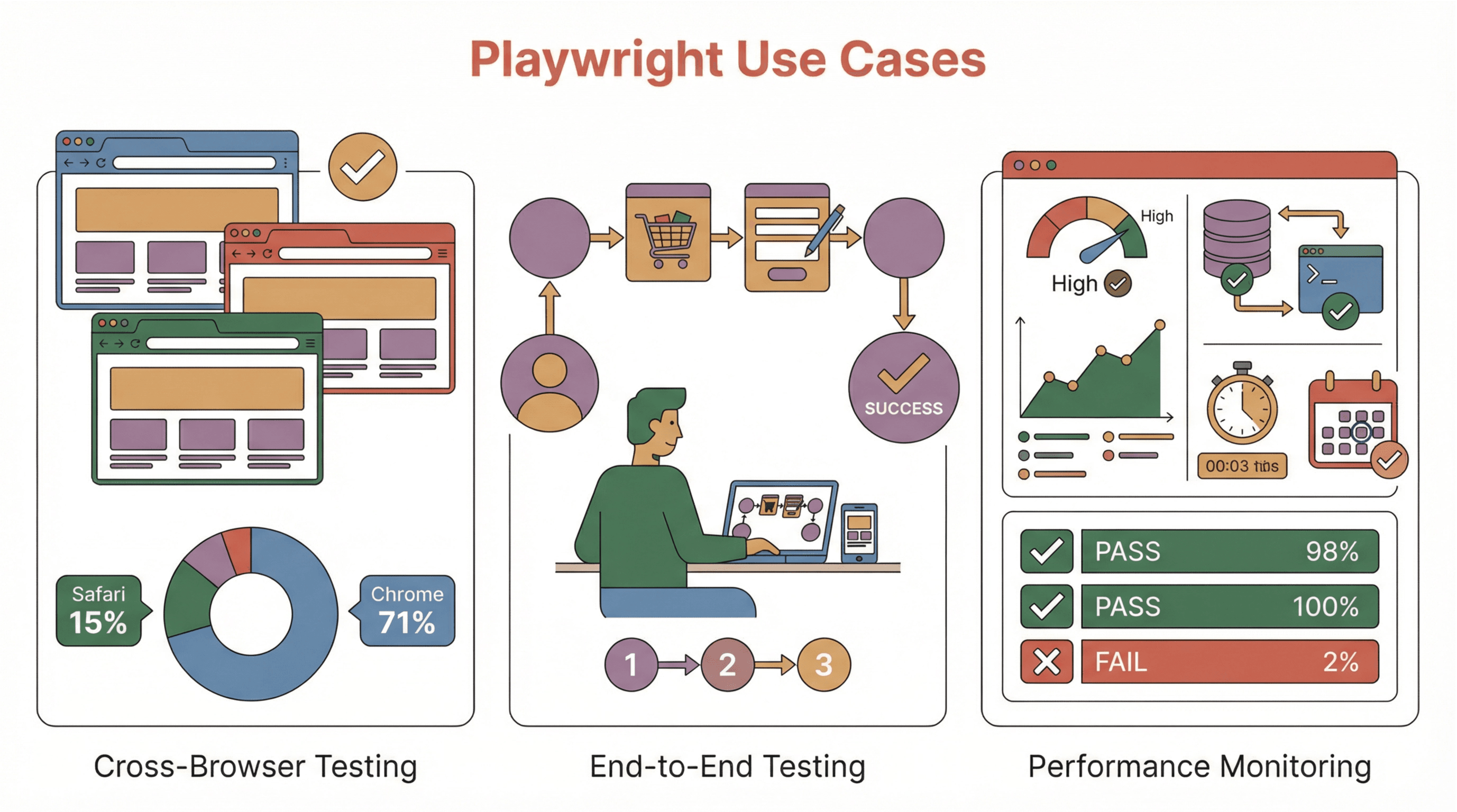 Playwright isn’t just for developers. Its flexibility and power make it a go-to for all sorts of business scenarios:
Cross-Browser Testing Made Simple
With Chrome holding about 71% of the market, Safari at 15%, and Firefox, Edge, and others splitting the rest, you can’t afford to test on just one browser. Playwright lets you write a test once and run it on Chromium, Firefox, and WebKit (Safari)—all with the same script. This means fewer browser-specific bugs, happier users, and less time spent on manual checks.
End-to-End Testing for Real-World Scenarios
Playwright shines at simulating real user journeys. Want to test a checkout flow, a login sequence, or a complex multi-step form? Playwright can automate the entire process, validate each step, and even handle things like file uploads, downloads, and multi-tab workflows. For business teams, this means you can trust your automation to catch the issues that matter most to your users.
Performance Monitoring and Data Validation
Beyond functional testing, Playwright is great for synthetic monitoring—running scheduled scripts to measure site speed, load times, and key performance metrics (source). You can even use it to validate that data displayed on your site matches what’s in your backend or external sources. For ecommerce, real estate, or SaaS platforms, this kind of automated data validation is a huge win.
Playwright Automation Across Languages: Flexibility for Every Team
One of my favorite things about Playwright is its flexibility. Whether your team works in Python, Java, Node.js, or C#, Playwright has you covered (source). This means developers, QA engineers, and even data analysts can all contribute to automation—without having to learn a new language or toolchain. It’s a great way to break down silos and get everyone rowing in the same direction.
Thunderbit + Playwright: A Powerful Duo for Data-Driven Testing
Now, let’s talk about where things get really interesting—combining Playwright with Thunderbit.
Thunderbit is an AI-powered web scraper Chrome Extension that makes it ridiculously easy to gather structured data from any website. With just a couple of clicks, you can extract product listings, real estate data, contact info, or anything else you see on the page—no coding required. Thunderbit’s AI can even handle pagination and subpages, and you can export your data straight to Excel, Google Sheets, Notion, or Airtable.
So how does this pair with Playwright? Here’s the magic: Thunderbit handles the data collection, Playwright handles the testing and validation. Imagine you need a big set of real-world test data for your app—say, competitor prices, property listings, or product SKUs. Thunderbit lets you scrape that data in minutes, then you can feed it directly into your Playwright tests to validate your application against real, up-to-date information.
Example Workflow: From Data Collection to Automated Testing
Let’s walk through a typical workflow:
- Data Collection (Thunderbit): Open your target website, click “AI Suggest Fields,” and let Thunderbit scrape the data you need (e.g., product names, prices, locations).
- Export Data: Send your scraped data to Excel, Google Sheets, or download as CSV.
- Prepare Test Data: Clean or enrich your dataset as needed.
- Automated Testing (Playwright): Write Playwright scripts that read your data and run automated tests—checking, for example, that your app displays the correct prices, or that search results match real-world listings.
- Results & Feedback: Playwright generates reports, screenshots, and videos—so you can quickly spot and fix any mismatches.
This closed-loop system means you’re always testing with the freshest, most relevant data—no more stale test cases or synthetic inputs that don’t match reality.
Try Thunderbit for Test Data Collection
Why Thunderbit + Playwright Is the Future of Automated Testing
Try Thunderbit Chrome Extension Extract data from any website in 2 clicks and supercharge your Playwright tests. Get Started Free
The trend in QA is clear: teams want integrated, low-code solutions that let them move fast, cover more ground, and spend less time on manual setup. Combining Thunderbit’s easy data extraction with Playwright’s robust automation gives you exactly that—a high-efficiency, data-driven testing pipeline that’s accessible to everyone.
For industries like ecommerce and real estate, where data changes daily and accuracy is everything, this approach is a game changer. You can scrape competitor prices, monitor property listings, or validate product catalogs—then instantly test your own site to make sure you’re up to date and error-free. And because Thunderbit is so easy to use, even non-technical team members can help gather and prep test data, freeing up your devs and QA engineers to focus on higher-value work.
Analysts predict that by 2028, 70% of enterprises will have integrated AI-based tools into their testing processes. Thunderbit + Playwright is at the forefront of that wave—bringing together the best of AI, automation, and human expertise.
Getting Started: How to Implement Playwright Automation in Your Team
Ready to dive in? Here are some practical tips for rolling out Playwright (and Thunderbit) in your organization:
- Start Small: Pick a critical user flow—like login or checkout—and automate it with Playwright as a pilot project. Measure the impact on test stability and speed (best practices).
- Upskill Your Team: Leverage Playwright’s official docs and community tutorials. Try the Playwright Codegen tool to record actions and generate scripts automatically.
- Integrate with CI/CD: Set up Playwright to run in your CI pipeline, generate HTML reports, and archive screenshots/videos for easy debugging.
- Adopt Best Practices: Use strict selectors, keep tests independent, and structure your test suite for maintainability. Playwright’s built-in fixtures and hooks make this easier.
- Bring in Thunderbit: Use Thunderbit to gather real-world data for your tests. Schedule regular scrapes to keep your test data fresh, and export to your preferred format for easy integration.
- Foster Collaboration: Encourage developers, QA, and business users to contribute—Playwright’s multi-language support and Thunderbit’s no-code interface make this possible.
- Iterate and Expand: Gradually migrate more tests to Playwright, expand your use of Thunderbit for data collection, and monitor key metrics like test runtime and flakiness.
Get Started with Thunderbit + Playwright
Conclusion: The New Standard for Web Testing
So, what is Playwright automation? It’s more than just a new testing tool—it’s a modern, open-source framework that’s redefining how teams approach web QA. With built-in features like parallel execution, automatic waiting, and rich debugging, Playwright makes reliable, scalable automation accessible to everyone. And when you combine it with Thunderbit’s AI-powered data scraping, you unlock a closed-loop system for data-driven, high-coverage testing—without the headaches of manual setup or brittle scripts.
In a world where web apps are only getting more complex, and the pace of change is relentless, this is the kind of toolkit that lets you keep up—and even get ahead. Whether you’re in ecommerce, real estate, SaaS, or any data-driven business, Playwright + Thunderbit is the future-proof way to ensure quality, speed, and confidence in every release.
Ready to see it for yourself? Try out Playwright on your next project, and download Thunderbit to supercharge your test data. And if you want to dig deeper, check out the Thunderbit Blog for more guides, tips, and real-world examples.
Try Thunderbit AI Web Scraper for Test Data Get Started Free
FAQs
1. What is Playwright automation in simple terms?
Playwright automation is the use of the Playwright framework to script and automate web browser actions—like clicking, typing, and checking content—for testing or data extraction. It’s open-source, supports all major browsers, and works with multiple programming languages.
2. How does Playwright differ from Selenium?
Playwright offers built-in automatic waiting, faster execution, easier parallel testing, and more robust debugging tools compared to Selenium. It’s designed to be more reliable and less flaky, especially for modern, dynamic web applications.
3. What are the main benefits of combining Thunderbit with Playwright?
Thunderbit makes it easy to gather real-world test data from any website, which you can then use in Playwright tests to validate your application. This combination enables data-driven, high-coverage testing with less manual effort.
4. Can non-technical users leverage Playwright and Thunderbit?
Absolutely. Thunderbit’s no-code, AI-powered scraping lets anyone collect structured data, while Playwright’s multi-language support and codegen tools make automation accessible to both technical and semi-technical users.
5. What’s the best way to get started with Playwright automation?
Start with a small, critical user flow and automate it using Playwright. Use Thunderbit to gather real test data if needed. Integrate your tests into your CI/CD pipeline, follow best practices, and gradually expand your coverage as your team gains confidence.
Curious about the next wave of web automation? Explore more on the Thunderbit Blog or subscribe to our YouTube Channel for hands-on tutorials and tips.
Learn More




