

The internet is overflowing with data, but most of it isn’t exactly “ready to use.” If you’ve ever tried to copy product prices from a competitor’s website, build a lead list from an online directory, or keep tabs on your rivals’ latest moves, you know the pain: it’s slow, it’s repetitive, and it’s easy to make mistakes. That’s where scrapers come in—and why they’ve become the secret weapon for sales, marketing, and operations teams everywhere.
In fact, nearly 65% of global enterprises now use web scraping or data extraction tools as part of their daily workflow. Whether it’s for competitive intelligence, lead generation, or market research, scrapers have gone from a niche tech trick to a must-have business tool. But what exactly is a scraper? How does it work? And how can you use one—without needing a computer science degree? Let’s break it down, step by step.
What Is a Scraper? A Simple Explanation
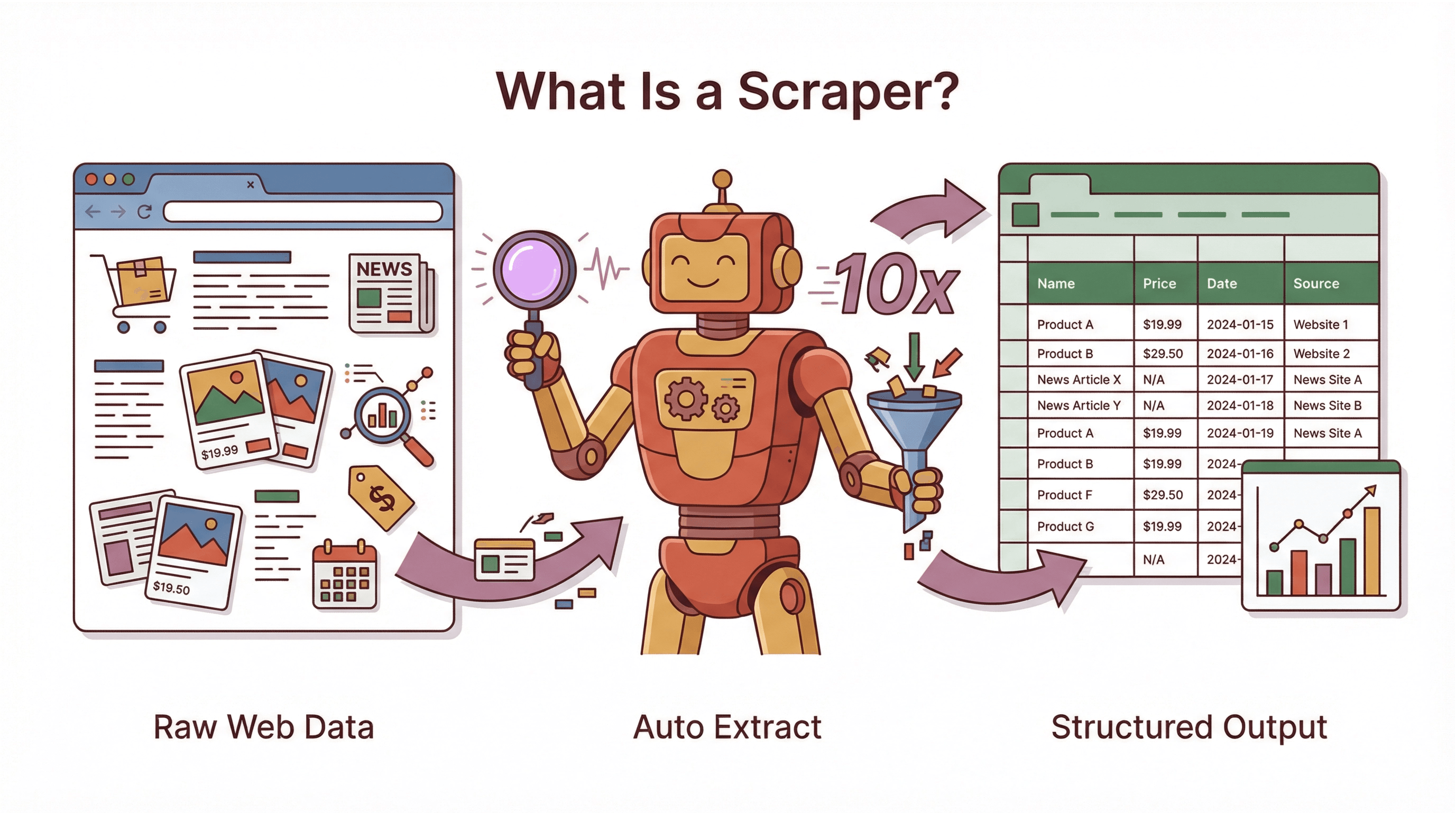 A scraper is a software tool (or sometimes a script) that automatically extracts information from websites. Think of it as a super-fast, tireless robot assistant: instead of you copying and pasting data from a webpage into a spreadsheet, the scraper does it for you—at lightning speed and with fewer mistakes. It’s like having an intern who never sleeps, never complains, and never asks for a raise.
To clear up some confusion, here’s how scrapers fit into the broader world of automation:
- Bot: Any automated program that performs tasks on the internet. Scrapers are a type of bot.
- Crawler: A bot that systematically browses the web, following links to discover and index pages (like Google’s search engine).
- Scraper: A bot focused on extracting specific data from web pages—turning messy, unstructured content into neat, structured tables.
If the web is a giant library, a crawler is the librarian who finds all the books, while a scraper is the assistant who copies out the facts you care about and puts them in your notebook.
Scrapers aren’t just for techies or hackers. They’re used for all kinds of legitimate business purposes: aggregating prices, gathering public data for research, monitoring competitors, and more. The key is that a scraper transforms web data designed for humans into structured information that computers (and business teams) can actually use.
How Does a Scraper Work? From Webpage to Structured Data
Scrape data from any website using AI Get Started Free
Let’s demystify the process. At its core, a scraper follows a workflow that’s surprisingly similar to what a human would do—just much, much faster:
- Input/Starting Point: You give the scraper a target—usually one or more URLs of the webpages you want data from.
- Fetching the Page: The scraper loads the webpage’s content, just like your browser does. For more complex sites, it might even “render” the page to handle dynamic content or infinite scrolls.
- Parsing and Data Detection: The scraper reads the page’s HTML (the code behind the scenes) and looks for the specific pieces of data you want—like product names, prices, or contact info. In traditional scrapers, you tell it exactly where to look (using “selectors” or patterns). In modern AI-powered scrapers, the tool often figures this out for you.
- Extraction: Once it finds the data, the scraper pulls it out—grabbing text, numbers, links, or images. It might also clean or transform the data (for example, turning “$19.99” into a number).
- Iteration: Need data from more than one page? The scraper can follow links, handle pagination, or process a whole list of URLs automatically.
- Output: Finally, the scraper exports the results in a structured format—like CSV, Excel, Google Sheets, or even a database. Now you’ve got a table of clean, ready-to-use data.
In short: visit page → find info → extract → repeat → export. What might take a person days of copy-pasting can be done in minutes or hours by a well-built scraper.
Key Components of a Scraper
Let’s break down the main parts:
- Navigator/Crawler: Finds and loads the pages you want to scrape. Handles pagination, follows links, or works through a list of URLs.
- Parser/Extractor: Reads the HTML and identifies the data to extract—using rules, patterns, or AI.
- Data Cleaner: Cleans up and structures the data (removes HTML tags, standardizes formats, etc.).
- Exporter: Saves the results to a file, spreadsheet, or database—ready for analysis or action.
Some scrapers are simple scripts; others are full-featured platforms. But the core process is always the same: find, extract, structure, export.
Types of Scraper Tools: Code-Based vs. AI-Powered
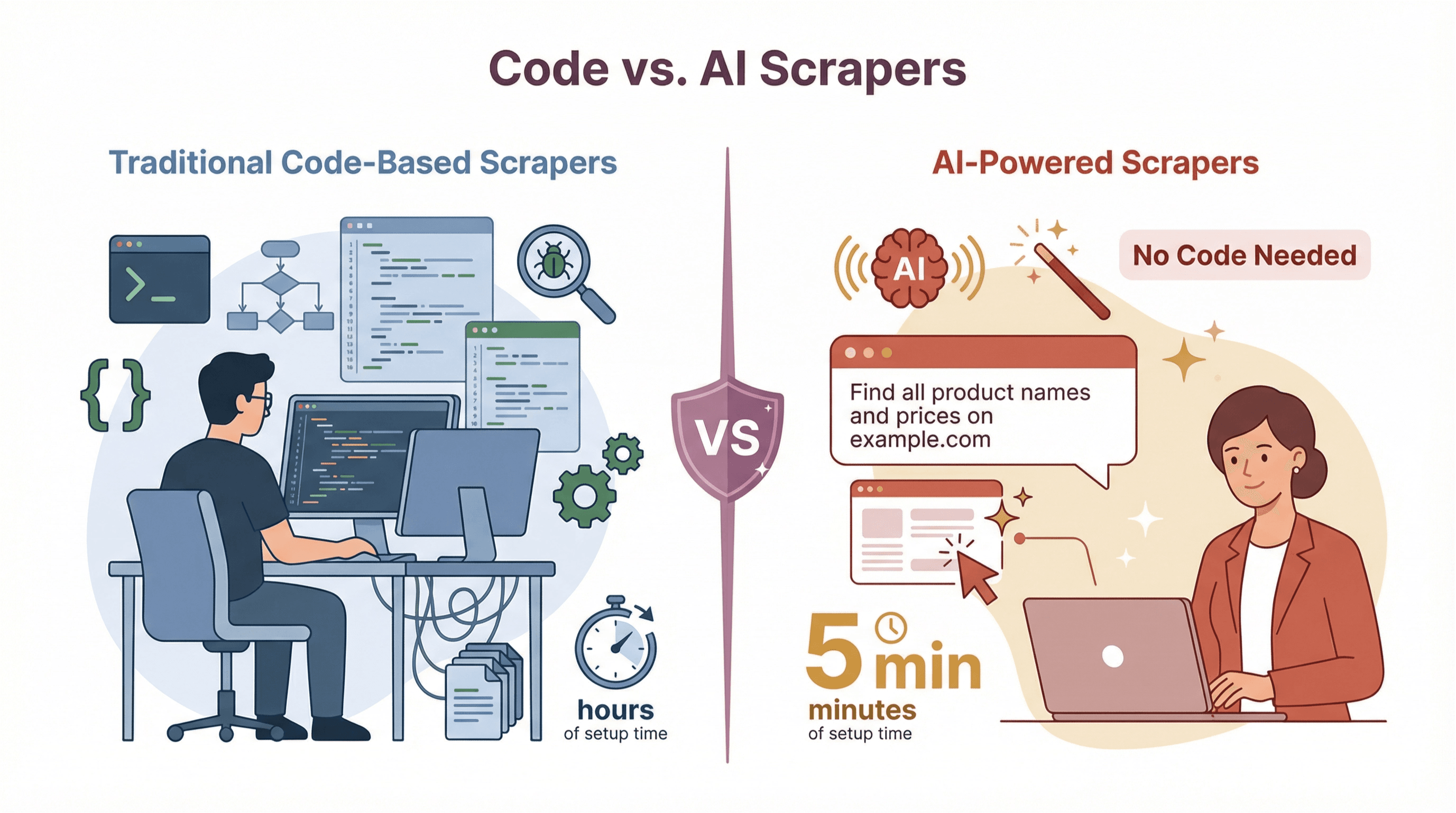 Not all scrapers are created equal. Over the years, two main types have emerged:
Traditional Code-Based Scrapers
These are the OGs of web scraping. They require programming—usually in Python, JavaScript, or another scripting language. You (or your developer) write code to tell the scraper exactly what to do: which pages to visit, which HTML elements to target, how to handle pagination, and so on.
Pros:
- Maximum flexibility—can handle almost any website or data structure.
- Great for custom, complex, or large-scale projects.
Cons:
- High technical barrier—requires coding skills.
- Brittle—breaks easily if the website layout changes.
- High maintenance—scripts need regular updates.
No-Code and AI-Powered Scrapers
Welcome to the future. These tools are designed for business users, not developers. Some use visual interfaces (point-and-click), while the latest generation—like Thunderbit—use AI to figure out what to extract, often from just a plain English prompt.
Pros:
- No coding required—anyone can use them.
- Fast setup—ready in minutes, not hours.
- Adaptive—AI can handle layout changes and dynamic content.
- Low maintenance—less time fixing broken scrapers.
Cons:
- Less customizable for highly specialized tasks.
- Sometimes limited by the tool’s built-in capabilities (though this gap is shrinking fast).
Comparison Table: Code-Based vs. AI-Powered Scrapers
| Aspect | Code-Based Scrapers | AI-Powered/No-Code Scrapers |
|---|---|---|
| Ease of Use | Requires programming | No coding needed |
| Setup Speed | Hours or days | Minutes |
| Adaptability | Brittle—breaks with site changes | Adaptive—AI handles changes |
| Maintenance | High—needs regular updates | Low—AI updates itself |
| Handling Dynamic Content | Needs extra tools (e.g., Selenium) | Built-in AI handles JS, infinite scroll |
| Data Accuracy | Depends on manual setup | High—context-aware extraction |
| Scalability | Custom scripts needed for scale | Cloud-based scaling out of the box |
| Export/Integration | Manual coding for output | One-click export to Sheets, Excel, etc. |
| Cost | Free tools, but high labor cost | SaaS pricing, often with free tiers |
For most business users, AI-powered scrapers are a huge leap forward—they’re faster, easier, and more reliable, especially for everyday data tasks.
When to Choose Each Type of Scraper
- Go code-based if you have unique, complex requirements and a developer on hand.
- Choose AI-powered/no-code if you want to get started quickly, don’t have coding skills, or need to scrape lots of different sites with minimal setup.
For most sales, marketing, and operations teams, AI-powered tools like Thunderbit are the way to go.
Thunderbit: Redefining the Scraper Experience for Business Users
Let’s talk about how Thunderbit is changing the game (okay, not “changing the game”—but definitely making life easier). As an AI-powered web scraper Chrome Extension, Thunderbit is built for business users who want results without the hassle.
Here’s what sets Thunderbit apart:
- AI Suggest Fields: Just click a button, and Thunderbit’s AI scans the page and suggests the best columns to extract (like “Name,” “Price,” “Email,” etc.). No need to mess with HTML or selectors.
- 2-Click Scraping: After the AI suggests fields, just hit “Scrape.” Thunderbit grabs the data and shows it in a neat table—ready to export.
- Subpage & Pagination Scraping: Need more details? Thunderbit can automatically visit each subpage (like product detail pages or LinkedIn profiles) and enrich your table. It also handles paginated and infinite scroll pages.
- Cloud vs. Browser Mode: Scrape in your browser (great for logged-in sites) or let Thunderbit’s cloud servers handle the heavy lifting (super fast for public sites).
- Instant Data Templates: For popular sites (Amazon, Zillow, Instagram, etc.), Thunderbit offers pre-built templates—just load and scrape.
- Free, Unlimited Export: Export your data to Excel, Google Sheets, Airtable, Notion, or download as CSV/JSON—no paywall, even on the free plan.
- AI Autofill: Automate form-filling and repetitive web workflows—also free.
- Scheduled Scraping: Set scrapers to run on a schedule (e.g., every morning), and let the AI handle the timing.
- Specialized Extractors: One-click tools for emails, phone numbers, and images—perfect for quick tasks.
- Multi-language Support: Thunderbit works in 34 languages, so you can scrape data from around the world.
Thunderbit is trusted by over 30,000 users worldwide, from solo entrepreneurs to large teams. It’s the tool I wish I’d had back when I was drowning in manual data work.
Thunderbit’s Core Features Explained
Let’s break down the business value of Thunderbit’s top features:
- AI Suggest Fields: Saves hours of setup—just click and go.
- Subpage Scraping: Pulls in richer data (like full product specs or contact info) without extra work.
- Cloud vs. Browser Scraping: Flexibility to handle any site—public or logged-in.
- Instant Templates: One-click scraping for common sites—no setup needed.
- Free Data Export: Get your data where you need it, fast—no hidden fees.
For a deeper dive, check out the Thunderbit Docs or our YouTube Channel.
Try Thunderbit AI Web Scraper for Free
Real-World Applications: How Businesses Use Scrapers
Scrapers aren’t just for data geeks—they’re powering real results across industries. Here’s how teams are using them:
| Industry/Function | Scraper Use Case | Business Benefit |
|---|---|---|
| Sales & Lead Gen | Scrape directories for leads, enrich CRM data | Larger, fresher lead lists, faster outreach |
| Marketing | Scrape competitor blogs, reviews, social sentiment | Data-driven campaigns, competitive insight |
| Ecommerce | Monitor competitor prices, update product catalogs | Dynamic pricing, improved assortment |
| Real Estate | Aggregate property listings, analyze market trends | Faster analysis, better deal sourcing |
| Finance/Investment | Scrape news, filings, alternative data | Information advantage, broader analysis |
| Research/Journalism | Compile public records, analyze trends | Larger sample sizes, deeper insights |
Sales, Marketing, and Ecommerce: Use Case Deep Dives
Sales:
A sales team needs a list of retail stores in their territory. Instead of Googling for hours, they use Thunderbit to scrape an online directory—names, addresses, phone numbers, all in a spreadsheet in minutes. They even use subpage scraping to grab owner emails from each store’s website.
Marketing:
A marketing manager wants to track competitor blog topics and customer sentiment. Thunderbit scrapes competitor blogs for headlines and dates, and pulls reviews or tweets mentioning their brand. The team spots a trend—30% of competitor reviews mention poor support—so they launch a campaign highlighting their own customer service.
Ecommerce:
An ecommerce manager sets up Thunderbit to monitor competitor prices on 100 top products, scraping every 6 hours. They spot when they’re overpriced and adjust quickly, boosting sales. They also scrape supplier sites to keep their product catalog up to date.
The common thread? Time saved, more accurate data, and smarter decisions.
Strategic Value and Compliance: Using Scrapers Responsibly
Web Scraping Compliance & Best Practices Get Started Free
With great scraping power comes great responsibility (and, yes, a few legal considerations). Here’s what business users need to know:
- Data Privacy: If you’re scraping personal data (like emails or social profiles), be mindful of privacy laws like GDPR and CCPA. Stick to public, non-sensitive info unless you have a clear legal basis.
- Website Terms of Service: Many sites have rules against scraping. While courts have sometimes sided with scrapers (especially for public data), it’s smart to check a site’s terms and proceed carefully.
- robots.txt: This file tells bots which parts of a site they can access. It’s not a law, but it’s good etiquette to respect it.
- Rate Limiting: Don’t overload websites—scrape at a human-like pace, and avoid hammering servers.
- Copyright: Scraping data is one thing; republishing it is another. Stick to facts (like prices or specs), not full articles or proprietary content.
Best practices:
- Use official APIs when available.
- Check robots.txt and terms of service.
- Limit scraping to public, non-sensitive data.
- Store scraped data securely.
- Get legal advice for large or sensitive projects.
For more, see Thunderbit’s guide to web crawling stats and compliance.
Scraper Tools: Choosing the Right Solution for Your Business
When picking a scraper tool, consider:
- Ease of use: Can your team use it without coding?
- Scalability: Does it handle your data volume?
- Adaptability: Will it break if websites change?
- Integration: Can you export data where you need it?
- Compliance: Does it help you stay on the right side of the law?
- Support: Is help available when you need it?
- Cost: Does the pricing fit your needs and budget?
A quick decision matrix:
| Need/Scenario | Best Tool Type |
|---|---|
| No coding skills, quick setup | AI-powered/no-code (Thunderbit) |
| Custom, complex, or huge projects | Code-based (Python, Scrapy) |
| Frequent site changes | AI-powered/no-code |
| Large-scale, automated workflows | Cloud-based, scalable tools |
| Tight compliance requirements | Tools with compliance features |
Try a pilot project with your top choice—see how it handles your real-world data needs before rolling it out company-wide.
Get Started with Thunderbit for Free
Conclusion: The Future of Scrapers in Business Data Automation
Web scrapers have become a cornerstone of modern business automation. They unlock the web’s hidden data, turning it into actionable insights for sales, marketing, ecommerce, and beyond. The rise of AI-powered tools like Thunderbit means that anyone—not just developers—can harness this power, often in just a couple of clicks.
As the web grows more complex and data-driven decisions become the norm, scrapers will only get smarter, faster, and more integrated into everyday workflows. The future? Think of scrapers not just as data collectors, but as AI-powered assistants—summarizing, categorizing, and delivering insights as they go.
If you haven’t tried a modern scraper yet, now’s the time. Start small, stay compliant, and see how much more you can accomplish when the web’s data is at your fingertips. And if you want to dive deeper, check out the Thunderbit Blog for more guides, tips, and real-world stories.
Try Thunderbit AI Web Scraper Today Get Started Free
FAQs
1. What’s the difference between a scraper and a crawler?
A crawler systematically browses the web to discover and index pages (like a search engine). A scraper focuses on extracting specific data from those pages. Many scrapers include crawling features, but not all crawlers are scrapers.
2. Is web scraping legal?
Web scraping is legal when done responsibly—stick to public data, respect privacy laws, and check website terms of service. Avoid scraping sensitive personal info or copyrighted content without permission.
3. Do I need to know how to code to use a scraper?
Not anymore! Modern AI-powered tools like Thunderbit let you scrape data with no coding—just a few clicks or a plain English prompt.
4. What kinds of data can I extract with a scraper?
You can extract text, numbers, prices, emails, images, links, and more—basically anything you see on a webpage. Some scrapers even handle PDFs, images, or subpages for richer data.
5. How do I choose the right scraper for my business?
Consider your team’s skills, the complexity of your target sites, data volume, compliance needs, and integration requirements. For most business users, AI-powered tools like Thunderbit offer the best mix of ease, speed, and reliability.
Ready to see what a modern scraper can do? Download Thunderbit’s Chrome Extension and start turning web data into business results—no code required.
Learn More




