
By 2026, AI in sales has stopped being a "trying it out" topic and turned into a baseline expectation. Per Salesforce's State of Sales 2026, 87% of sales organizations now use some form of AI for prospecting, forecasting, lead scoring, or drafting emails — and McKinsey's State of AI 2025 puts gen-AI usage at 72% of organizations, up from 33% in 2024. The gap is widening, too: Sopro's 2026 roundup finds 83% of AI-using sales teams reported revenue growth in the past year, versus 66% of teams without AI (Sopro). And yet plenty of teams are still stuck in spreadsheet purgatory, losing deals to slow follow-ups and missing out on the data-driven insights AI is now expected to deliver.
Scrape data from any website using AI Get Started Free
I've seen firsthand how AI can transform a sales operation—from automating the grunt work of lead generation to surfacing the right insights at the perfect moment to close a deal. In this guide, I'll walk you through exactly how to use AI in sales in 2026, step by step. We'll cover everything from identifying the best AI opportunities in your sales process, to using tools like Thunderbit for real-time decision support, to automating lead management and forecasting. Whether you're a sales leader, an SDR, or just a data nerd like me, you'll find actionable strategies (and a few stories from the trenches) to help you close more deals, faster.
What Is AI in Sales? Your 2026 Overview
Let’s cut through the jargon: AI in sales means using artificial intelligence to automate, analyze, and optimize your sales workflow. Think of it as a supercharged assistant that never sleeps, never gets bored, and can process more data in a minute than most of us could in a week. In practice, AI in sales covers a few main categories:
- Predictive Analytics & Machine Learning: These tools analyze your sales data to forecast which leads will convert, which deals are likely to close, and what actions will move the needle. Imagine knowing with 95% accuracy which opportunities are worth your time (AIMultiple).
- AI Web Scrapers & Data Mining Agents: Tools like Thunderbit automate the process of collecting leads, competitor info, and market data from across the web—no more endless copy-paste marathons.
- Chatbots & Virtual Assistants: AI-powered chatbots qualify leads, answer questions, and even book meetings 24/7, so you never miss an opportunity (Monday.com).
- Personalization Engines: These systems tailor your outreach—emails, product recommendations, even pricing—to each prospect, based on their behavior and profile. Personalized emails can deliver 6× higher transaction rates (Envive).
- Generative AI for Content: Large language models (like GPT-4) draft sales emails, proposals, and even call scripts, freeing up your team to focus on building relationships.
- Conversation Intelligence: AI listens to and analyzes sales calls, surfacing insights, coaching tips, and even competitor mentions (SalesIntel).
- AI Sales Agents: Autonomous (or semi-autonomous) agents that research prospects, draft outreach, and follow up without a human pressing send each time. Per Salesforce's State of Sales 2026, 54% of sellers have already used agents, and reps with them say they cut prospect research time by ~34% and email drafting by ~36%.
Bottom line: AI isn’t here to replace salespeople—it’s here to make us faster, smarter, and more effective. The best reps in 2025 are the ones who know how to use AI as a partner, not a crutch.
Why Learning How to Use AI in Sales Matters
Let’s get specific: what do you actually gain by bringing AI into your sales process? Here’s what the data says:
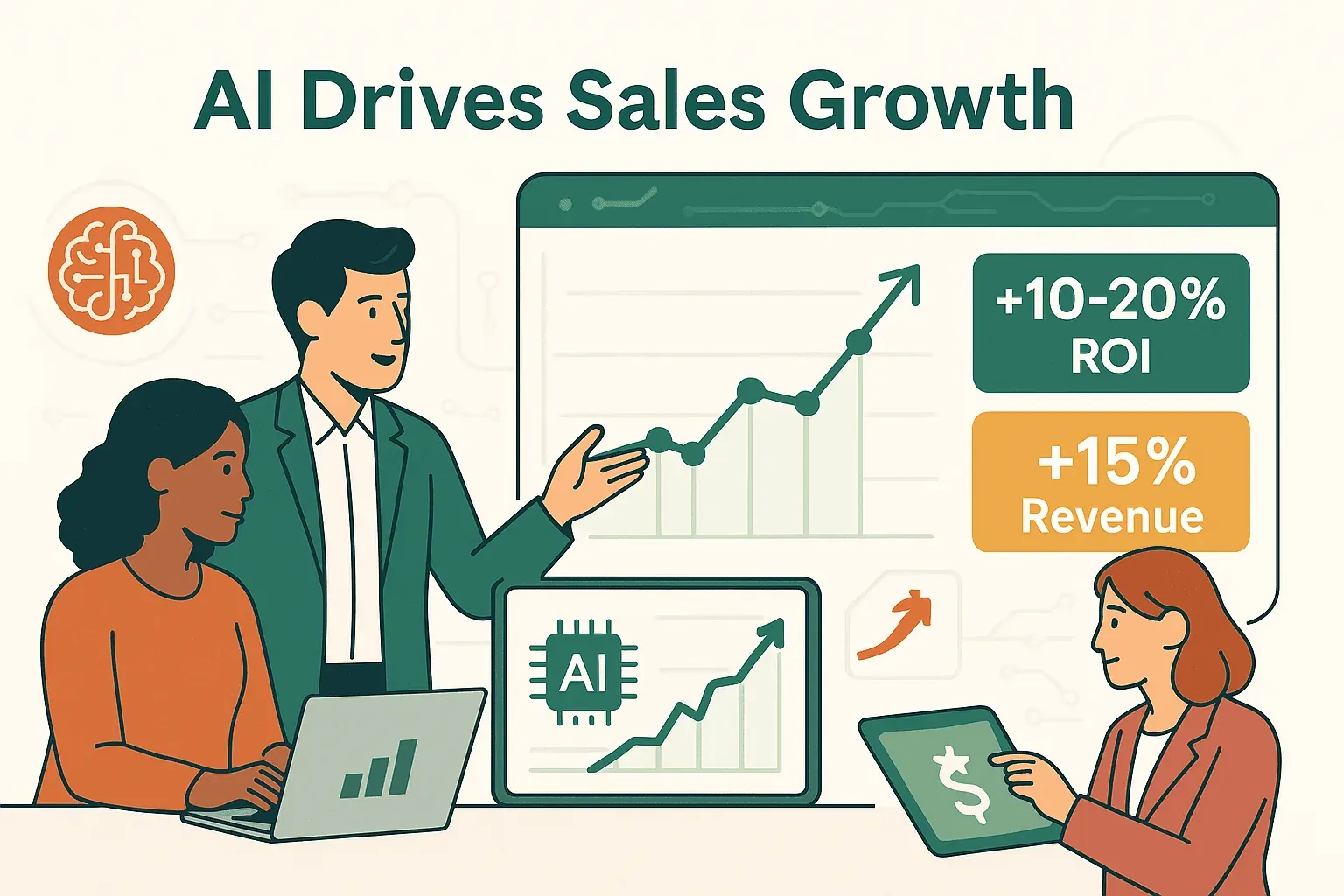
The 2026 lens matters here: AI in sales isn't a side experiment anymore. Salesforce's 2026 research says 85% of reps using AI agents feel freed up to focus on higher-value work, and top-performing sellers are 1.7x more likely than underperformers to use prospecting agents for outreach (Salesforce). The teams not using AI aren't just slower — they're statistically less likely to grow revenue at all.
- More and Better Leads: AI-powered prospecting tools can boost lead volume by up to 50% and double the number of qualified leads (SalesIntel).
- Faster Sales Cycles: 51% of sales orgs say AI has shortened their sales cycles (Allego).
- Higher Productivity: AI can free up 20–30% of a rep’s week by automating data entry, research, and follow-ups (SuperAGI).
- Improved Customer Engagement: AI-driven personalization can boost email click-through rates by 41% and drive higher conversions (Envive).
- Smarter Forecasting: AI-powered forecasting can reach up to 95% accuracy, helping you plan and allocate resources more effectively (AIMultiple).
Here’s a quick table summarizing some of the most impactful use cases:
| Use Case | AI Contribution | Business Impact |
|---|---|---|
| Lead Generation & Enrichment | AI scrapes public data, auto-fills details, and qualifies leads | Double the qualified leads, richer pipeline (SalesIntel) |
| Customer Segmentation | AI analyzes behaviors to personalize outreach | 30% higher conversion rates (SalesIntel) |
| Sales Forecasting | Predictive models spotlight likely-to-close deals | More accurate planning, up to 95% forecast accuracy (AIMultiple) |
| Workflow Automation | AI automates CRM updates, follow-ups, and proposals | 84% higher email engagement, more time for selling (SalesIntel) |
In short: AI isn’t just a shiny new toy—it’s a proven lever for sales growth and efficiency. Teams that master it are pulling ahead, while those who don’t risk being left behind.
Identifying AI Opportunities in the Sales Process: From Lead Generation to Deal Closing
Let’s break down the modern sales funnel and see where AI fits best:
- Lead Generation: AI web scrapers and prospecting tools find and prioritize high-value prospects—no more cold-calling into the void.
- Lead Qualification & Engagement: AI scores leads, personalizes outreach, and automates follow-ups, so reps focus on the hottest opportunities.
- Sales Pitch & Objection Handling: AI analyzes customer data to recommend the best talking points, content, and even helps reps practice their pitch.
- Deal Closing & Forecasting: AI predicts which deals will close, recommends next steps, and optimizes pricing and proposals.
- Post-Sale & Customer Success: AI identifies upsell opportunities, predicts churn, and automates renewals.
Here’s a visual snapshot of where AI can add value at each stage:
| Stage | AI Application Example | Value Delivered |
|---|---|---|
| Lead Generation | Web scraping for targeted contact lists | More leads, less manual work |
| Qualification | Predictive lead scoring, AI chatbots | Focus on best-fit leads |
| Engagement | Personalized email sequences, AI call analysis | Higher response rates |
| Closing | Deal scoring, dynamic pricing, proposal generation | Higher win rates, faster closes |
| Forecasting | AI-driven pipeline analytics | Accurate forecasts, fewer surprises |
| Post-Sale | Churn prediction, upsell/cross-sell recommendations | Higher retention, more expansion |
Let’s dig deeper into each stage with real-world examples.
How AI Enhances Lead Generation
Manual lead research is about as fun as watching paint dry—and about as fast. AI flips the script:
- AI Web Scrapers: Tools like Thunderbit let you scrape hundreds of leads (names, emails, titles) from directories, LinkedIn, or industry sites in minutes. Just click “AI Suggest Fields,” and the AI figures out what to extract—no coding, no templates, no headaches.
- Intent Data & Signal Monitoring: AI can monitor the web for buying signals (like funding news or job postings) and alert you to hot prospects.
- Example: A SaaS company uses Thunderbit to scrape a list of Shopify stores in their target vertical, then enriches each lead with company size and contact info. What used to take days now takes an hour, and the leads are more relevant.
Try Thunderbit for Lead Generation
AI for Customer Engagement and Qualification
Getting a lead is just the start—AI helps you turn them into opportunities:
- Personalized Outreach: Generative AI crafts tailored emails for each prospect, referencing their industry, role, or recent activity. No more “Dear [First Name]” snooze-fests.
- Automated Drip Campaigns: AI sequences send follow-ups at the right time, adapting based on engagement.
- AI Chatbots: Instantly qualify inbound leads by asking the right questions and routing hot prospects to sales.
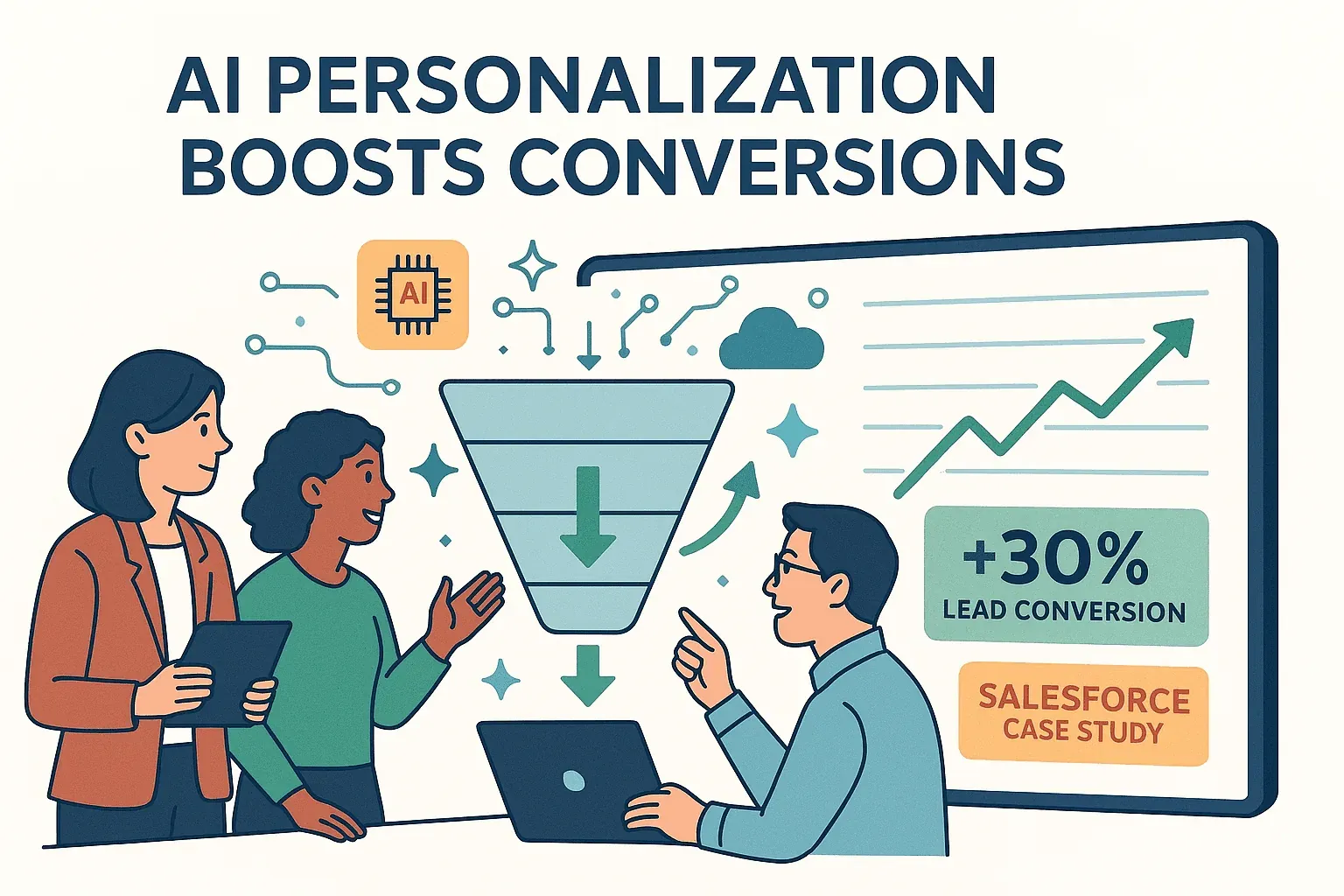
- Example: Salesforce used AI-driven personalization to boost lead conversion rates by 30% (SalesIntel).
Using AI for Deal Closing and Forecasting
Closing is where the money’s made—and AI is your secret weapon:
- Predictive Deal Scoring: AI models assign win probabilities to each deal, so you know where to focus.
- Dynamic Pricing & Proposal Generation: AI analyzes past deals and competitor data to suggest optimal pricing and create proposals in minutes.
- Next-Best-Action Recommendations: AI surfaces the right move at the right time—like looping in a technical expert or sending a specific case study.
- Example: A sales team notices a deal’s AI score drops; they intervene with a targeted case study and close the deal just in time.
How to Use AI Web Scraper for Real-Time Sales Decision Support
Here’s where Thunderbit shines. As a Chrome Extension, Thunderbit is built for business users—no coding required. It’s like having a data vacuum that turns messy web pages into structured, export-ready tables.
- Market & Competitor Intelligence: Scrape competitor pricing, product launches, or customer reviews with a couple of clicks. Thunderbit’s subpage scraping means you can grab details from every product or plan page automatically.
- Buyer Insights: Pull reviews, ratings, or social proof from sites like Amazon or G2. Use AI prompts to summarize pros and cons, so your reps can tailor their pitch.
- Lead Enrichment: Before a sales call, quickly scrape a prospect’s site for recent news or press releases—personalization in seconds.
- Scheduled Monitoring: Set Thunderbit to run scrapes on a schedule (e.g., every Monday at 9am), so you’re always up to date on market moves.
Thunderbit in Action: Market Monitoring and Competitor Analysis
Let’s say you’re a sales manager at a consumer electronics company. You want to track competitor pricing every week:
- Set up a Thunderbit scraper for each competitor’s product page.
- Click “AI Suggest Fields” to auto-select product name, price, specs, etc.
- Enable pagination and subpage scraping to grab all products and details.
- Schedule the scraper to run every Monday morning.
- Export the data to Google Sheets or Airtable for instant analysis.
Now, if a competitor drops their price or launches a new product, you’ll know before your customers do—and you can adjust your pitch or offer in real time.
Simplifying Customer Data Collection and Analysis with Thunderbit
Building a targeted lead list used to mean hours of copy-paste or paying for stale databases. Thunderbit changes the game:
- Automated Extraction: Scrape names, emails, phone numbers, and even images from any website, directory, or Google Maps result.
- AI Suggest Fields: Let Thunderbit’s AI recommend the best fields to extract—improving accuracy and catching details you might miss.
- Subpage Scraping: Need more info? Thunderbit can visit each lead’s website or LinkedIn profile and pull in additional data.
- Instant Export: Send your data straight to Excel, Google Sheets, Notion, or Airtable—ready for CRM import.
Manual vs. AI-powered collection: An intern might gather 50 leads a day by hand. With Thunderbit, you can pull hundreds—complete with enriched data—in under an hour.
AI-Powered Data Structuring: From Raw Web Data to CRM-Ready Insights
Thunderbit doesn’t just grab data—it prepares it for action:
- Smart Data Types: Emails, phone numbers, dates, and images are recognized and formatted for easy import.
- Field AI Prompts: Add custom instructions to summarize, categorize, or translate data as you scrape.
- Seamless Integration: Export directly to your favorite tools—no more CSV headaches or broken imports.
For example, scrape a list of trade show exhibitors, have Thunderbit visit each company’s site for a contact email, and export the whole thing to your CRM in minutes.
Automating Lead Management with AI: Precision Marketing for Higher Conversion
Once you’ve got leads, AI helps you manage and convert them:
- Lead Scoring: AI analyzes your historical data to score each lead in real time—so reps focus on the hottest prospects.
- Segmentation & Categorization: AI clusters leads by industry, company size, or behavior, enabling tailored nurture tracks.
- Automated Nurturing: AI sequences send the right content at the right time, adapting based on engagement.
- Persona Building: AI clusters customer data to create dynamic personas, informing both marketing and sales strategies.
Example: A SaaS company uses AI to score and segment leads scraped with Thunderbit. Top-scoring leads get immediate sales outreach; others enter a nurture sequence. Result? Double the qualified leads and 6× revenue growth in two years (SalesIntel).
Building Customer Personas with AI
AI can analyze your customer base and surface real, data-driven personas—like “Startup Steve” vs. “Enterprise Ellen.” These personas guide everything from email copy to sales playbooks, and they update in real time as your customer base evolves.
Using AI Predictive Analytics to Optimize Sales Strategies and Customer Satisfaction
Predictive analytics is the crystal ball of sales:
- Forecasting Customer Behavior: AI predicts churn, upsell potential, and purchase timing, so you can intervene before issues arise or capitalize on expansion opportunities.
- Optimizing Strategy: Simulate “what-if” scenarios—like changing discount rates or focusing on a new vertical—and let AI forecast the impact.
- Dynamic Deal Guidance: AI recommends the next best action for each deal, based on what’s worked in the past.
- Customer Satisfaction: Proactively reach out to at-risk accounts or upsell happy customers, boosting retention and revenue.
Mini-case: A sales team uses AI to spot that deals in the finance sector are closing at twice the rate of those in manufacturing. They shift focus, double down on finance, and see their win rate climb from 20% to 25%—with happier customers and fewer wasted cycles.
Step-by-Step Guide: How to Use AI in Sales with Thunderbit
Ready to get hands-on? Here’s how I use Thunderbit in my own sales workflow:
- Install Thunderbit: Download the Chrome Extension and sign in.
- Find Your Data Source: Navigate to a directory, LinkedIn search, or competitor page.
- Launch Thunderbit: Click the extension icon.
- AI Suggest Fields: Let the AI recommend what to extract (e.g., name, title, email).
- Customize Fields: Rename or add fields as needed. Add AI prompts for enrichment (e.g., “summarize description”).
- Scrape: Hit “Scrape.” Thunderbit pulls all data into a table—handling pagination and subpages automatically.
- Review & Export: Check your data, then export to Google Sheets, Excel, Notion, or Airtable.
- Import to CRM: Map columns and import your leads or competitor data.
- Automate: Set up scheduled scrapes for ongoing monitoring.
- Leverage the Data: Use AI scoring and segmentation in your CRM or marketing tools to prioritize and personalize outreach.
Pro tips: Use Thunderbit’s free email/phone/image extractors for extra enrichment. Schedule scrapes for recurring tasks (like weekly competitor monitoring). And always combine AI insights with your own expertise—AI is your co-pilot, not your replacement.
See Thunderbit Pricing & Plans
Tips for Getting the Most Out of AI in Sales
- Start Small: Pilot AI on one workflow (like lead scraping or email sequencing) before rolling out everywhere.
- Train Your Team: Invest in onboarding and cheat sheets—AI is only as good as the people using it.
- Combine AI with Human Judgment: Trust the data, but always add your own context and creativity.
- Keep Data Clean: Use Thunderbit and other tools to enrich and update CRM records regularly.
- Measure Results: Track KPIs like lead volume, conversion rates, and cycle time before and after AI adoption.
- Stay Human: Use AI to free up time for relationship-building, not to automate away your personality.
Comparing AI Sales Tools: Thunderbit vs. Other Solutions
Here’s how Thunderbit stacks up against other popular AI sales tools:
| Tool | Key Features | Pricing Model | Best Fit Scenario |
|---|---|---|---|
| Thunderbit | AI web scraping, subpage/pagination, field prompts, instant export | Freemium, pay-per-row | Data acquisition, lead list building, competitor monitoring |
| HubSpot AI | AI prospecting, chatbots, predictive scoring, content AI | Paid CRM tiers | Teams already on HubSpot, all-in-one CRM/AI |
| Salesforce Einstein | Predictive scoring, forecasting, next-best-action, call analysis | Add-on to Salesforce CRM | Large enterprise sales teams, deep CRM integration |
| Regie.ai | AI SDR agents, sequence generation, content library, analytics | Enterprise subscription | High-volume outbound, SDR automation |
Thunderbit is your go-to for external data gathering and structuring—it’s the fastest way to fill your pipeline with fresh, relevant leads or market intel. HubSpot and Salesforce Einstein shine for in-CRM analytics and engagement, while Regie.ai is all about automating outbound content at scale. In reality, many teams use Thunderbit alongside their CRM and engagement platforms for a full-stack AI sales workflow.
Conclusion & Key Takeaways: The Future of Sales with AI
Let’s recap:
- AI is now table stakes in sales. Per Salesforce's 2026 data, 87% of sales orgs already use AI in some form, and AI-using teams report revenue growth at much higher rates than non-users.
- AI fits every stage of the funnel: From scraping leads to scoring deals, personalizing outreach, and forecasting revenue.
- Thunderbit makes AI-powered data collection and structuring accessible to everyone—no code, no templates, just results.
- Best results come from blending AI with human expertise. Use AI to handle the grunt work and surface insights, then add your own creativity and relationship-building.
- Start small, measure, and scale. Pilot AI on a single workflow, track the impact, and expand as you see results.
The future of sales is a partnership: AI brings the speed, scale, and precision; you bring the empathy, strategy, and hustle. If you’re ready to see what AI can do for your sales team, give Thunderbit a try—and let’s make the rest of 2026 your strongest stretch yet.
FAQs
1. What is the most impactful way to start using AI in sales?
Start with lead generation and enrichment—use an AI web scraper like Thunderbit to build targeted lists, then use AI scoring in your CRM to prioritize outreach.
2. How does Thunderbit differ from other AI sales tools?
Thunderbit specializes in external data collection and structuring, making it easy to scrape, enrich, and export leads or competitor data from any website—no coding required.
3. Can AI really improve sales forecasting accuracy?
Yes. AI-powered forecasting tools can reach up to 95% accuracy by analyzing patterns in your sales data, helping you plan and allocate resources more effectively (AIMultiple).
4. Is AI in sales only for big companies?
Not at all. Tools like Thunderbit are designed for teams of any size, with free and pay-as-you-go options. Even solo founders can benefit from AI-powered lead generation and automation.
5. How do I ensure my team actually adopts AI tools?
Invest in training, start with a clear use case, and show early wins. Make AI a co-pilot, not a replacement—combine its insights with your team’s expertise for the best results.
Want to dive deeper? Check out the Thunderbit Blog for more guides, or subscribe to our YouTube channel for hands-on tutorials. Happy selling—and here’s to your AI-powered sales future!
Try AI Web Scraper for Sales Get Started Free




